
Lian Li V100-ATX Mid-Tower PC Case
4.8Editor score
Pre-installed PWM ARGB fans
Supports ATX motherboards
Tool-less side panel access
This guide compares the top aluminum PC cases for 2026 focusing on build quality airflow and design to help you choose the perfect chassis for your custom rig.
Aluminum PC cases offer a premium blend of durability and style for modern computer builds. These enclosures provide excellent heat dissipation and a sleek look that stands out on any desk.
We evaluated ten top models based on airflow compatibility and overall construction quality. Each option was reviewed to ensure it meets the needs of enthusiasts and casual builders alike.
Every pick highlights unique features and potential trade-offs to guide your decision. Please note that prices fluctuate frequently so verify current costs before finalizing your purchase today.
4.8Editor score
4.4Editor score

4.6Editor score
The following table provides a side-by-side comparison of all ten aluminum cases selected for this guide to help you quickly identify the right fit for your needs.




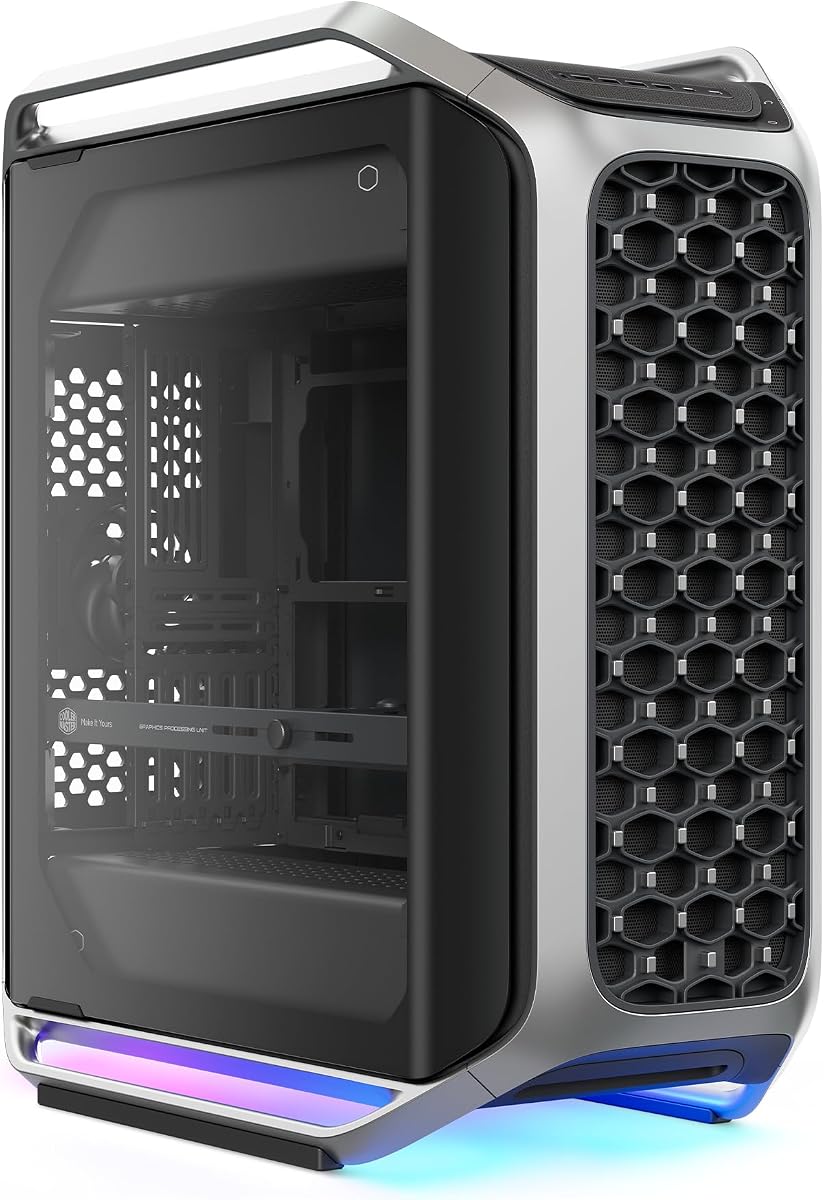
The Cooler Master Cosmos Alpha stands out as a flagship choice for builders seeking a showcase-worthy chassis. It combines premium materials with modern connectivity to deliver a top-tier experience.
We may earn a commission when you buy through this link, at no additional cost to you.
Its FreeForm 2.0 system allows you to rotate components for optimized airflow or unique visual layouts. The curved aluminum frame paired with tempered glass creates a stunning aesthetic that draws attention.
While the price is high and the case is large, the flexibility it offers is unmatched. You get room for massive GPUs and advanced cooling without sacrificing style or cable management ease.
This case is ideal for enthusiasts who want a build that looks as powerful as it performs. If you have the space and budget, this is the ultimate aluminum chassis to consider.
The rotatable layout lets you position components for better airflow or desk integration.
Front I/O includes 4 USB-A ports and 2 fast USB-C ports for modern peripherals.
We may earn a commission when you buy through this link, at no additional cost to you.
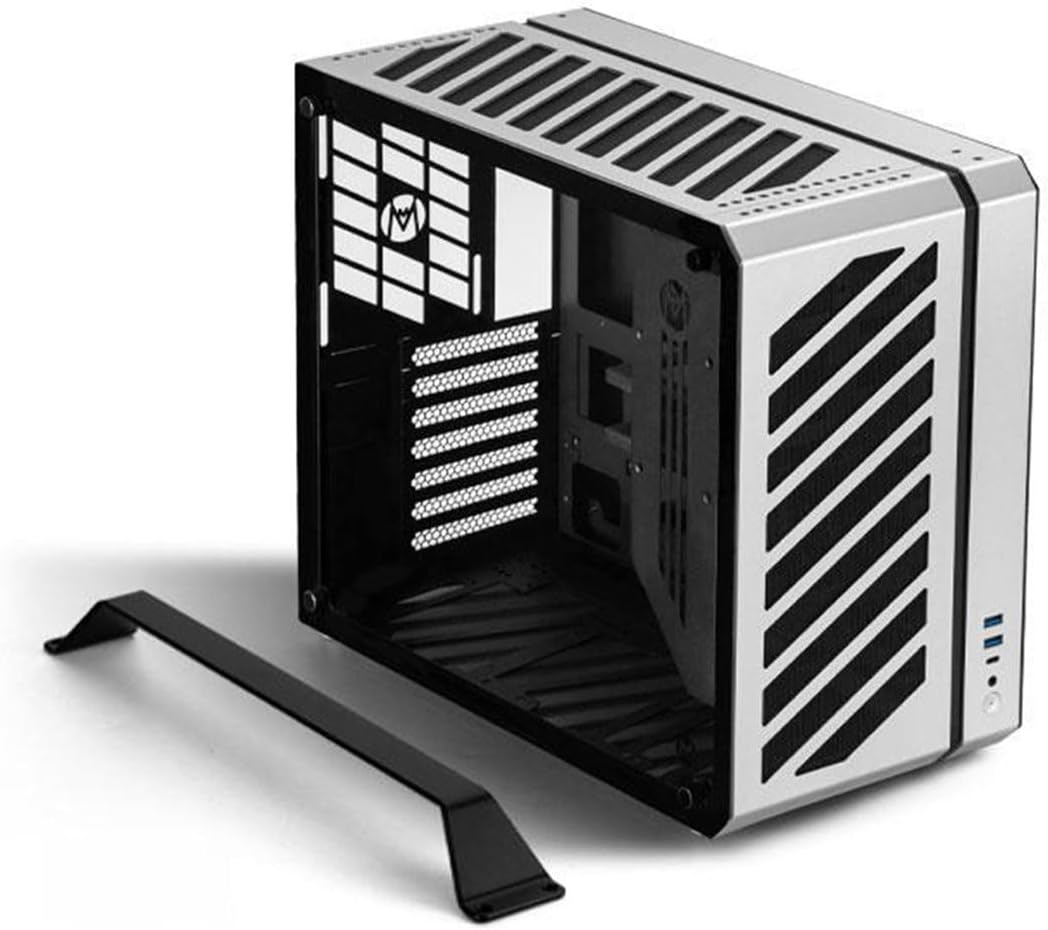
The B2Pro offers a robust full aluminum build in a compact Micro ATX form factor. Its thick frame and mesh panels provide superior heat dissipation for dense systems.
We may earn a commission when you buy through this link, at no additional cost to you.
Designed for portability, it includes an exquisite foot stand and handle for easy desktop movement. The silver anodized finish adds a premium look that fits any environment.
Build quality is exceptional with 3mm frame thickness ensuring rigidity. However, the compact size limits GPU and cooling options compared to larger towers.
Choose this case if you value durability and portability for a mid-sized system. It is perfect for workstations or LAN parties where moving your PC is common.
Unique mesh side panels allow maximum airflow through the compact chassis body.
Integrated handle and foot stand make it easy to lift and reposition safely.
We may earn a commission when you buy through this link, at no additional cost to you.
This open frame case provides excellent accessibility for system testing and modifications. Made from magnesium aluminum alloy, it offers a lightweight yet durable structure for your components.
We may earn a commission when you buy through this link, at no additional cost to you.
It supports various motherboard sizes and water cooling setups while resisting corrosion. The anti-slip pads on the bottom ensure stability even when components are heavy or vibrating.
Keep in mind that it ships partially assembled and lacks enclosed sides. This design prioritizes airflow and access over dust protection which may require regular cleaning.
It is best suited for enthusiasts who frequently swap parts or test new cooling loops. The open layout ensures maximum airflow for high-performance hardware during stress tests.
The aluminum alloy construction provides strength and corrosion resistance for long term use.
Unenclosed design allows instant access to components for quick testing and repairs.
We may earn a commission when you buy through this link, at no additional cost to you.
The C34 delivers a highly compatible ATX design in a space-saving portable package. It supports standard ATX power supplies and GPUs up to 335mm comfortably.
We may earn a commission when you buy through this link, at no additional cost to you.
Its integrated handle makes transporting the PC to LAN events or workstations effortless. The metal front I/O panel adds a premium feel with modern USB-C and USB-A ports.
Thermal performance is solid with support for 240mm liquid cooling or tall air coolers. Using an SFX/L power supply is recommended for cleaner internal cable management.
This case is perfect for users who need a portable powerhouse without sacrificing hardware compatibility. It balances size and performance well for mobile gaming setups.
A built-in handle allows for easy and safe carrying during transport or moves.
Front panel includes USB Type-C and USB 3.0 for faster peripheral connectivity.
We may earn a commission when you buy through this link, at no additional cost to you.
The MasterFrame 500 offers an exo-structure that supports a wide range of configurations. It features FreeForm 2.0 technology which allows flexible component placement and modding options.
We may earn a commission when you buy through this link, at no additional cost to you.
Two 200mm intake fans ensure powerful airflow out of the box for effective cooling. The interchangeable panels let you customize the look and function to suit your build needs.
While the open design enhances cooling it may allow dust to accumulate faster. Ensure you clean filters regularly to maintain performance over time.
Ideal for modders and builders who want total control over their case layout. It accommodates large radiators and boards without restricting airflow or style.
Open frame design enables you to install parts in unique orientations easily.
Pre-installed 200mm fans provide strong intake for optimal thermal management.
We may earn a commission when you buy through this link, at no additional cost to you.
The C34Pro supports massive components including 420mm GPUs and 360mm radiators in a portable form. It uses a robust 2mm aluminum shell combined with a steel frame for durability.
We may earn a commission when you buy through this link, at no additional cost to you.
Thermal design includes multi-zone fan mounts and dust filters to ensure stable cooling under heavy loads. The compact high-performance design is perfect for gaming or workstation use.
With versatile PSU mounting options and magnetic screwdriver kits assembly is facilitated. However the weight and complexity might challenge first-time builders.
Choose this if you need extreme hardware support in a transportable chassis. It handles flagship parts well while maintaining a portable profile for LAN events.
Fits large GPUs and radiators ensuring you can use top-tier hardware easily.
Multiple PSU positions allow for flexible cable management and layout planning.
We may earn a commission when you buy through this link, at no additional cost to you.
The Define 7 XL combines quiet operation with extreme storage and cooling capacity. Its brushed aluminum front door adds a refined look to a robust E-ATX chassis.
We may earn a commission when you buy through this link, at no additional cost to you.
You can install up to 18 hard drives or convert the layout for massive water cooling. The reversible dual-handed hinges and magnetic latching improve access usability significantly.
Multi-brackets allow unused fan positions to become drive or pump mounts easily. This modularity ensures you can adapt the case as your needs change over years.
It is perfect for storage servers or silent workstations needing extreme expansion. The premium build quality justifies the cost for long-term reliability.
Supports 18 HDDs plus 5 SSDs for massive data storage needs.
Convert to open layout for custom water loops and better airflow.
We may earn a commission when you buy through this link, at no additional cost to you.
The V100 offers excellent value with 4 ARGB fans and aluminum accents included. It supports back-connect ATX boards for cleaner routing and flexible builds.
We may earn a commission when you buy through this link, at no additional cost to you.
Integrated RGB strips and PWM-controlled fans provide vibrant lighting and cooling out of the box. Tool-less mounting mechanisms make access fast and easy for upgrades.
While it does not match high-end cases in premium feel it delivers solid performance. The support for long GPUs and large radiators is a major plus.
This is a top pick for budget builders wanting style and cooling power. You get modern features without the usual premium cost attached to them.
Four pre-installed PWM fans ensure strong airflow right out of the box.
Tool-less side panels allow quick access to internal components anytime.
We may earn a commission when you buy through this link, at no additional cost to you.
The O11D EVO RGB features a seamless view with a removable front pillar. This design allows an uninterrupted view of internal hardware while maintaining structural integrity.
We may earn a commission when you buy through this link, at no additional cost to you.
It offers ample room for large graphics cards and 420mm radiators easily. The internal layout is adjustable with two height options for flexible fan and cooler setups.
Cable management is optimized with Velcro straps and dual-layered clips. The PSU bracket protrusion adds extra space to tidy up cables neatly.
Ideal for builders prioritizing aesthetics and clean cable management. The design allows for powerful cooling and massive GPUs without visual clutter.
Remove the front pillar to achieve a completely uninterrupted view inside.
Velcro straps and dual-layer clips keep large and small cables tidy.
We may earn a commission when you buy through this link, at no additional cost to you.
The JOYJOM case packs a mini ITX build into just 4.3 liters of space. Its body is made of 2mm aluminum alloy for decent heatsink performance.
We may earn a commission when you buy through this link, at no additional cost to you.
It comes with a PCIe 3.0 riser cable to support GPUs in this tiny form. The size is minimal at 7.3×4.1×8.8 inches making it easy to hide.
You are limited to small FLEX power supplies and compact GPUs under 17cm. However the aluminum body helps dissipate heat effectively for small builds.
This case is perfect for portable gaming rigs or space-constrained desks. It offers an ultra-compact solution without sacrificing the essential components.
Only 4.3L capacity allows fitting powerful builds into tiny spaces.
Comes with a 18.5cm riser cable for GPU connection.
We may earn a commission when you buy through this link, at no additional cost to you.
Selecting the right aluminum case requires balancing build quality with internal compatibility and thermal performance.
Look for cases using solid aluminum alloys rather than thin stamped metal. Thicker panels like 2mm or 3mm offer better rigidity and heat dissipation.
Prioritize high thickness for stability and noise reduction in your build.
Ensure the case supports your intended motherboard size such as E-ATX or Micro ATX. Some aluminum cases are optimized for specific form factors.
Always verify board dimensions to avoid installation issues later.
Check the maximum supported length for graphics cards and liquid cooling radiators. Modern GPUs can be quite long and may not fit compact aluminum cases.
Measure your components against the case specs before purchasing to ensure fit.
Aluminum cases often use mesh panels or open frames to maximize airflow. Look for designs that allow intake and exhaust without restrictions.
Mesh panels are essential for cooling high-performance components effectively.
Some models offer removable parts or interchangeable panels for flexibility. Modularity allows you to adapt the case as your system evolves.
Modular designs extend the usability of the case for future upgrades.
Portable cases often include handles or compact sizes for easy transport. If you move your PC often look for ergonomic carry features.
Handles and compact footprints make LAN events or office moves easier.
Look for cases with enough space behind the motherboard tray for cables. Aluminum cases sometimes have tight layouts requiring careful planning.
Sufficient space behind the tray keeps cables hidden and airflow smooth.
Check the number of fans supported and whether radiators fit the top or front. Aluminum conducts heat well but still needs active cooling for components.
Adequate fan slots ensure your components run cool under load.
Always follow the manufacturer's instructions when assembling the case to avoid damage to the aluminum panels.
Regularly clean dust filters and intake fans to maintain optimal airflow and cooling performance over time.
Handle the case carefully especially if it includes glass panels or integrated handles to prevent dents.
Aluminum cases offer better heat dissipation and a lighter weight which is useful for portable builds. Steel cases are typically cheaper and more robust but heavier. Choose aluminum if you value style and heat transfer over raw durability.
Aluminum is naturally resistant to corrosion but dust can still accumulate on the surface. Use a soft cloth and mild cleaner to wipe the exterior and avoid abrasive chemicals.
Many aluminum cases support custom water cooling especially open frame or mesh models. Check the radiator size limits to ensure your loops fit inside the chassis.
Some models include pre-installed fans while others require you to buy them separately. Review the product specs to confirm if fans are included before purchasing.
Most aluminum cases follow standard assembly procedures but some open frames need careful handling. Follow the manual closely and use the provided tools for a smooth build.
Solid aluminum cases often have sound-dampening properties but mesh models are louder. If noise is a priority look for solid doors or sound dampening inserts in the design.
We have reviewed ten top aluminum PC cases offering options for every budget and build type.
Prioritize compatibility and airflow features to ensure your system runs smoothly and looks great.
Remember to verify current prices and specifications before making your final purchase decision today.