
DTECH 90 Degree VGA Right Angle Adapter
4.2Editor score
Saves space behind tight corners
Secure screw connection design
Compact 15 pin connector
This guide compares the top 90 Degree VGA Adapter options for reliable connections, space saving, and durable build quality for monitors and projectors in 2026.
Finding the right adapter for your display setup can be challenging. A 90 Degree VGA Adapter helps manage cables in tight spaces behind monitors or projectors. Choosing the correct one ensures stable signal transmission and prevents port damage over time.
We compared ten top-rated adapters based on build quality, compatibility, and user feedback. Each product offers unique features like nickel-plated contacts or compact designs. Our list covers various angles and connector types to suit different setups.
Each pick highlights key benefits and potential limitations for informed decisions. Prices and availability may fluctuate frequently on marketplaces. Always verify compatibility with your specific device ports before purchasing to ensure a perfect fit.
4.2Editor score
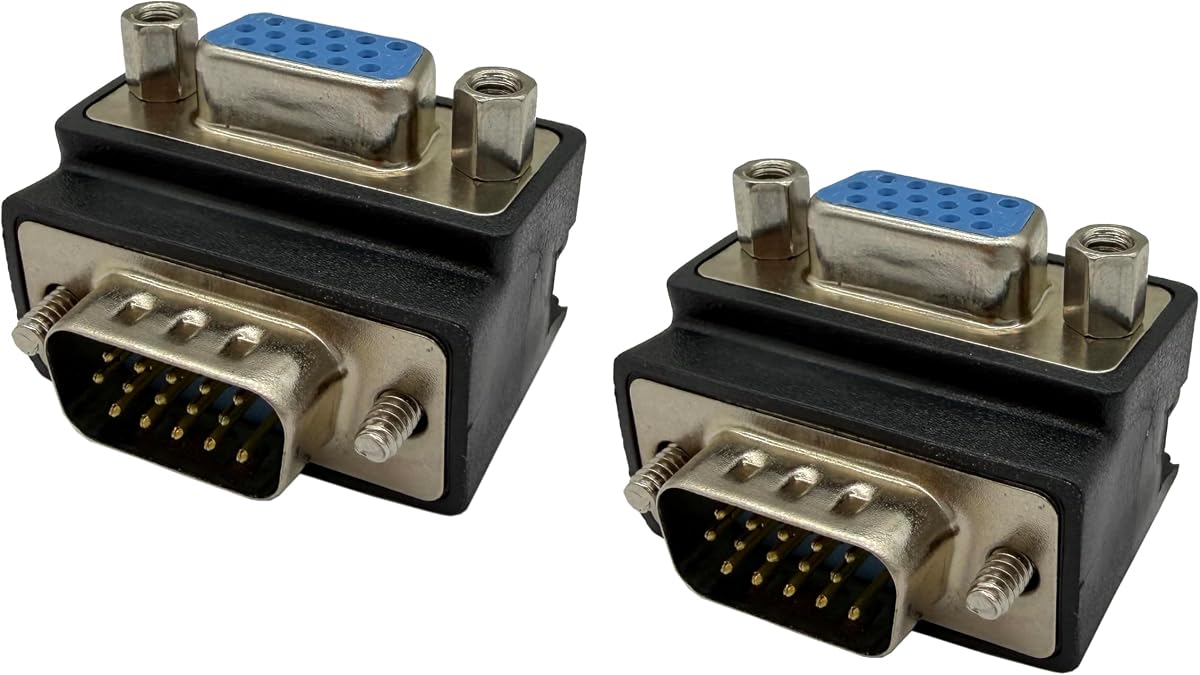
4.6Editor score

5.0Editor score
Below is a side-by-side comparison of all ten products evaluated for this guide. We highlight their key specifications and unique features to help you find the perfect match for your specific connectivity needs.
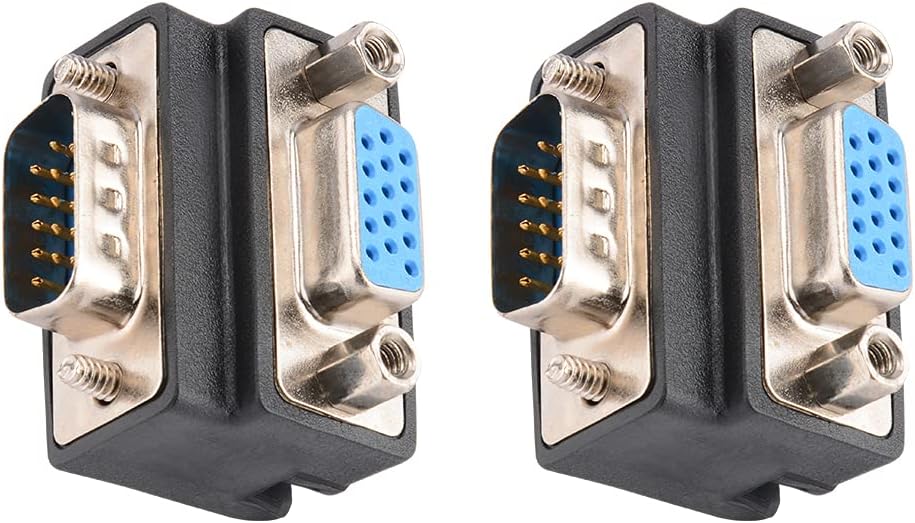


This DTECH adapter offers a straightforward solution for managing VGA cables in tight spaces. It holds a solid rating from users who appreciate its compact design and secure screw-in feature. The male to female configuration makes it easy to extend existing cables without signal loss.
We may earn a commission when you buy through this link, at no additional cost to you.
The key strength lies in its ability to fit behind televisions or wall-mounted monitors where straight cables would bend awkwardly. The included screws ensure the connection remains firm during use. This prevents accidental disconnection which is common with standard friction-fit adapters.
While the housing is simple plastic rather than metal, it suffices for most home office setups. Users note it may feel less robust than premium options but performs reliably. The lack of extensive warranty documentation is a minor trade-off for the low cost.
Budget-conscious buyers needing a reliable space-saver should consider this adapter. It works well for projectors and legacy displays. Always ensure your VGA port aligns correctly before tightening screws to avoid damage.
The compact elbow shape redirects cables away from tight corners behind equipment.
Integrated screws lock the adapter firmly to prevent accidental cable pulls.
We may earn a commission when you buy through this link, at no additional cost to you.
J&D provides a practical two-pack solution ideal for multiple setups. The nickel-coated contacts help resist corrosion and maintain clear signal transmission over time. Users report consistent performance with monitors and projectors needing reliable VGA connections.
We may earn a commission when you buy through this link, at no additional cost to you.
The short body design allows easy connection without adding bulk near the port. This is crucial for wall-mounted displays where depth matters. The EMI RFI noise protection ensures vibrant picture quality even in electrically noisy environments.
Some users note the PVC body feels less premium than metal shells. However the one year warranty offers peace of mind against defects. The shorter length may limit cable flexibility in some tight corners.
Those needing adapters for several devices will appreciate the value of this pack. Check port orientation before purchasing to ensure the angle matches your setup needs. It balances affordability with essential protective features effectively.
Getting two adapters at once saves time and money for multiple workstations.
Nickel plating reduces interference to keep your video signal clear and stable.
We may earn a commission when you buy through this link, at no additional cost to you.
This highly rated adapter set focuses on protecting your hardware while simplifying cable management. The thumb screws allow quick tool-free installation without needing extra hardware. Users praise its ability to redirect cables away from walls preventing port stress.
We may earn a commission when you buy through this link, at no additional cost to you.
The nickel-coated contacts ensure efficient signal transfer and resist corrosion over time. This longevity makes it a strong choice for office environments where devices stay connected for long periods. The compact design fits well behind modern flat screens.
Some users mention the thumb screws can strip if overtightened during installation. Careful handling helps avoid this issue. The price is slightly higher than basic plastic options but the build quality justifies the extra cost.
Ideal for home offices needing reliable monitor connections this pack offers great versatility. Check compatibility with your specific laptop or desktop ports before buying. It strikes a good balance between durability and ease of use.
Redirecting the cable angle prevents bending stress on your monitor VGA port.
Includes thumb screws for secure attachment without needing additional tools.
We may earn a commission when you buy through this link, at no additional cost to you.
This adapter maintains a perfect rating thanks to its simplicity and effectiveness. The up angled design is ideal when the cable needs to exit upwards from the port. It is a basic functional tool for standard VGA setups.
We may earn a commission when you buy through this link, at no additional cost to you.
The 15 pin high density plug ensures a snug fit with compatible devices. Users find it useful for connecting projectors where space above the port is limited. The construction is straightforward without extra features like screws.
Since it is a single unit you might need another adapter if you have multiple needs. The plastic body feels adequate but not heavy-duty. It serves well for temporary or light-duty office connections.
Look for this if you need a simple upward redirect for your VGA cable. Verify the port orientation matches your setup. It is a cost-effective way to manage cable direction without complex hardware.
The upward angle helps route cables neatly when ports face upward or upward.
Compatible with any standard D-Sub 15 pin VGA port on monitors.
We may earn a commission when you buy through this link, at no additional cost to you.
CERRXIAN offers a no-frills adapter designed to keep wires tidy and ports safe. The 90 degree angle helps organize cables in an orderly manner behind entertainment centers. Users appreciate the ease of connecting two 15 pin cables quickly.
We may earn a commission when you buy through this link, at no additional cost to you.
The design specifically aims to reduce stress on heavy-duty cable plugs and connector ports. This longevity is valuable for projectors that stay connected for weeks at a time. It works well behind flat screen TVs where clearance is minimal.
Some users note the build materials are basic plastic without metal reinforcement. It functions well for standard signal needs but may not suit high-vibration environments. The lack of extra features keeps the price low.
For casual users needing a simple extension this adapter does the job effectively. Ensure your cables are standard VGA type for best compatibility. It is a practical addition to any home theater setup needing cable management.
Straightens the cable path to prevent tangles behind your TV or monitor.
Reduces the physical stress on your device port from cable weight.
We may earn a commission when you buy through this link, at no additional cost to you.
This adapter stands out for supporting high definition visuals up to 1080P at 60Hz. The package includes both up and down angled options providing flexibility for different setups. Users love the secure thumb screws and nuts that lock connections firmly in place.
We may earn a commission when you buy through this link, at no additional cost to you.
The screw type connection ensures no signal loss due to loose connectors. This is vital for presentations or gaming where stability matters. The crystal-clear video quality reported by users makes it a top choice for professional use.
The build is heavier than basic plastic models which adds to the cost. Having two different angles in one pack adds value but the price reflects the premium features. Ensure your cables have matching screw holes for compatibility.
Ideal for users seeking top performance this adapter delivers reliable high-def results. It is excellent for connecting to LCD TVs or projectors. Check cable compatibility before purchase to maximize its potential.
Delivers sharp 1080P visuals at 60Hz for clear display output.
Includes both up and down angled adapters for versatile installation options.
We may earn a commission when you buy through this link, at no additional cost to you.
Duttek offers a specific left angle solution for setups where space is constrained to the left side. The nickel coated contacts help resist corrosion and promote efficient signal transfer over time. Users report a very strong connector that protects cables from damage.
We may earn a commission when you buy through this link, at no additional cost to you.
The thumb screws included make installation secure and easy without extra tools. The protection design ensures the adapter is not easy to break under normal use. This makes it suitable for frequent connections and disconnections.
Note that this adapter only turns left so check port orientation carefully before buying. The price is slightly higher than standard options reflecting the specific angle. It is a niche product for specific mounting scenarios.
Buyers needing a left turn adapter will find this reliable and well-made. It fits well behind monitors where the cable exits sideways. Always double-check your port layout to ensure this angle works for you.
Designed specifically for left-sided cable exits to avoid tight corner bending.
Strong construction and nickel plating ensure long-lasting performance.
We may earn a commission when you buy through this link, at no additional cost to you.
This compact adapter features a durable metal shell for stability and reduced signal interference. Its small size makes it easy to carry and fits perfectly in portable laptop kits. Users appreciate that no drivers or settings are required for instant use.
We may earn a commission when you buy through this link, at no additional cost to you.
The metal construction ensures a secure connection with stable screws holding it in place. It is compatible with most VGA-enabled devices including laptops and projectors. The lightweight design at only 27 grams makes it highly portable.
Some users find the small size difficult to grip when tightening the screws. The right angle is standard but may not suit every wall mount. It balances portability with solid build quality effectively.
Travelers needing a backup adapter will find this a reliable choice. Ensure you have enough grip space to tighten it properly. It is a practical tool for connecting on the go without bulk.
Metal shell reduces interference and ensures a stable connection.
Lightweight and small size makes it easy to carry in a laptop bag.
We may earn a commission when you buy through this link, at no additional cost to you.
chenyang offers a flat angled adapter that saves depth behind displays. The vertical right angled type is ideal for mounting where vertical clearance is limited. Users note the black finish matches many modern device aesthetics nicely.
We may earn a commission when you buy through this link, at no additional cost to you.
The 15 pin high density plug ensures a secure fit with standard ports. It works as a simple extension adapter for monitors and projectors. The flat design helps keep cables closer to the wall.
Some users note the build is basic plastic which may not suit heavy duty use. The vertical orientation is fixed so ensure it matches your cable path. It is a cost-effective solution for specific flat mount needs.
Ideal for flat wall mounts this adapter keeps your setup clean. Check if the vertical angle aligns with your cable exit direction. It provides a neat look without adding bulk to your setup.
Flat design reduces protrusion behind the monitor for a clean look.
Black finish blends well with most black electronics and monitors.
We may earn a commission when you buy through this link, at no additional cost to you.
This adapter is a lightweight solution for converting female ports to male connectors. Weighing only 27 grams it is one of the lightest options available. Users appreciate the compact dimensions for saving space in tight setups.
We may earn a commission when you buy through this link, at no additional cost to you.
The 90 degree connector helps route cables efficiently without bending. It functions as a standard DB15 right angle adapter for most devices. The female to male orientation suits specific connection scenarios.
The basic plastic body feels less robust than metal options. It works well for stationary monitors but may not suit portable use as well. The price is affordable for occasional needs.
Look for this if you need a basic female to male right angle adapter. Verify your port type matches this configuration before buying. It is a functional tool for standard signal extension tasks.
Weighs only 27 grams making it easy to install without stress.
Small dimensions allow installation even in very tight spaces.
We may earn a commission when you buy through this link, at no additional cost to you.
Choosing the right adapter requires looking at compatibility build quality and orientation. Here are key factors to consider before making your purchase decision.
Check whether your cable needs to exit left right up or down from the port. A mismatched angle will force cables to bend sharply which can damage the connector. Look for left or right angled options based on your wall mount.
Always verify the exit direction matches your setup before buying to avoid returns.
Ensure the adapter matches the male and female types of your existing cables. Some adapters are male to female while others are female to male. Mismatched types will not connect securely and may cause signal loss.
Match the adapter gender to your cable ends for a proper fit.
Metal shells generally offer better durability and heat dissipation than plastic. Look for models with nickel-plated contacts to resist corrosion and oxidation over time. Metal housings also reduce signal interference for clearer picture quality.
Prioritize metal construction and nickel contacts for long-term reliability.
Adapters with screws provide a much more secure connection than friction fit ones. Thumb screws allow you to tighten the adapter without needing extra tools. This is critical for preventing accidental disconnections during use.
Choose screw-in models to keep your cables secure and stable.
Compact adapters save depth behind monitors and wall-mounted TVs. Measure the space available behind your equipment to ensure the adapter fits. Some models have a shorter body designed specifically for tight corners.
Select a compact profile if depth behind your device is limited.
Most adapters support standard 1080P VGA resolution well. However some models specify support for higher refresh rates or signal integrity. Ensure the adapter supports your display requirements for crisp visuals.
Confirm resolution and refresh rate support for your monitor needs.
Check if the manufacturer provides a warranty against defects. A one-year warranty offers peace of mind if the adapter fails prematurely. It indicates the brand stands behind their product quality.
Look for warranty coverage to protect your purchase from defects.
First turn off all connected devices before attaching the adapter to avoid electrical surges. Align the 15 pin connector correctly with the port on your monitor or PC. The pins are directional and inserting them backwards can damage the hardware.
Gently screw the adapter into place using the thumbscrews provided. Do not overtighten as this can strip the threads. Ensure the cable exits at the correct angle without bending against the wall.
Regularly check the connections to ensure they remain tight. Dust can accumulate in the ports so use a can of compressed air to clean them occasionally. This maintains good signal quality and prevents corrosion over time.
No VGA and HDMI are different digital and analog standards. This adapter is strictly for analog VGA connections. To connect HDMI to VGA you need an active converter not just an adapter.
No VGA adapters are plug and play devices. Your operating system automatically recognizes the signal without needing extra software. Simply plug it in and secure the screws to get started.
A male adapter has pins sticking out to connect to a female port. A female adapter has holes to connect to a male pin connector. You must match the adapter type to your existing cable ends.
Yes nickel plating resists corrosion and reduces signal loss over time. It also provides a more durable connection for high-quality visuals. Standard plastic contacts may degrade faster in humid environments.
Yes if your gaming monitor supports VGA input. However note that VGA has lower resolution limits compared to HDMI or DisplayPort. Ensure your monitor supports the desired resolution for gaming.
Check where the cable exits your device relative to the wall. If the port faces the wall you need a 90 degree adapter. Determine if the exit should be left right up or down.
No VGA typically supports up to 1920×1080 resolution comfortably. 4K usually requires HDMI or DisplayPort connections. Using VGA for 4K may result in blurry images or signal loss.
Yes it is safe to leave adapters connected permanently. Just ensure the screws are tightened securely. Periodic checks prevent accidental disconnection or stress on the port.
We reviewed ten top-rated adapters ranging from budget-friendly options to premium models. The DTECH and J&D packs offer great value while the cablecc model delivers high-definition support. Selecting the right fit depends on your port and needs.
Prioritize screw mounts and nickel contacts for durability and signal quality. Ensure the angle matches your space constraints to avoid cable strain. A good adapter keeps your setup tidy and hardware protected.
Always verify the current price and availability before buying as these change frequently. Read the latest reviews to ensure compatibility with your specific devices. A small investment ensures reliable connections for years.