
Western Digital WD Blue 2TB PC Hard Drive
4.5Editor score
256 MB Cache
Factory Renewed
Zero Power on Hours
Discover the top 5400 Rpm HDD Hard Drive options for desktop and laptop storage. We compare capacity, cache, and reliability for every budget.
Finding the right storage solution is crucial for maintaining system performance and data security. A 5400 Rpm HDD Hard Drive offers a balance of efficiency and capacity suitable for many users.
We evaluated ten top models based on build quality, cache size, and real-world performance. Each entry in this list represents a distinct option for different storage needs.
Every pick includes detailed specs and pros to help you decide quickly. Please note that prices and availability change frequently on Amazon.
4.5Editor score

4.7Editor score

4.5Editor score
This side-by-side comparison highlights key differences in capacity, cache, and form factors across the top ten models selected for this guide.


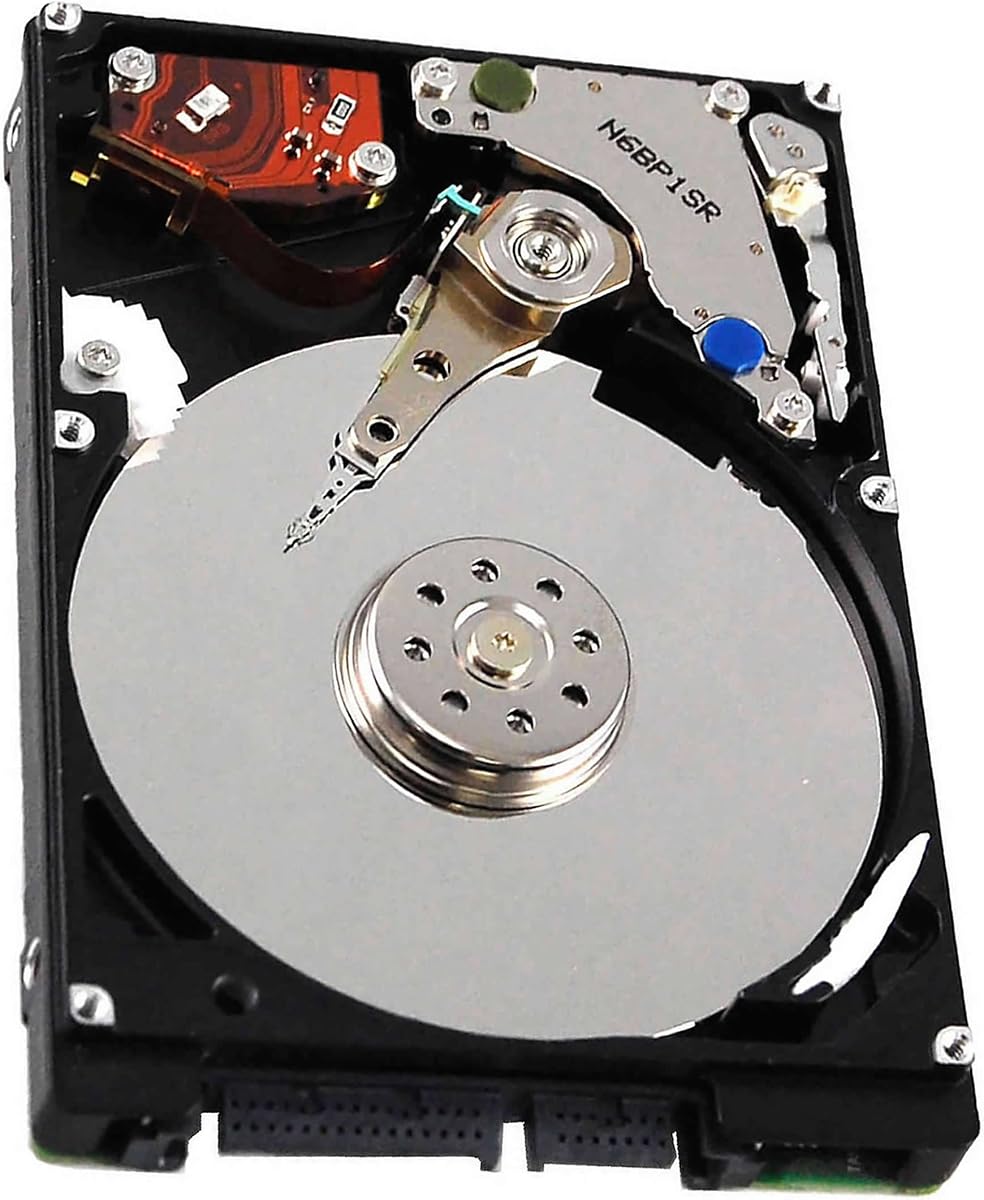


This model stands out as a top choice for general computing needs. With a 4.7 rating, users appreciate its balance of speed and space.
We may earn a commission when you buy through this link, at no additional cost to you.
The 2.5-inch form factor makes it easy to fit into tight desktop cases. It supports standard SATA 6Gb/s connections for fast data transfer.
While it is great for daily tasks, it lacks enterprise-level features. This trade-off is acceptable for most home users seeking reliability.
Buyers looking for a versatile drive should consider this option first. It delivers consistent results without compromising on essential features.
The 2.5-inch size allows for flexible installation in smaller enclosures.
128MB of cache helps smooth out data bursts during normal usage.
We may earn a commission when you buy through this link, at no additional cost to you.
This 6TB drive offers massive space for media files and backups. It is ideal for users who need to store terabytes of data locally.
We may earn a commission when you buy through this link, at no additional cost to you.
The 256MB cache improves read speeds for large files like videos. This makes it a strong candidate for media centers or workstations.
Higher capacity often means higher power draw and heat. Users should ensure their case has adequate airflow to handle the drive.
If you need lots of space without paying for SSD prices, this is a solid pick. It balances capacity and cost effectively for desktops.
Perfect for storing large video libraries and photo archives efficiently.
Large cache reduces wait times when accessing frequently used files.
We may earn a commission when you buy through this link, at no additional cost to you.
Finding 5TB in a 2.5-inch drive is quite rare and valuable. It fits into laptop bays that usually take smaller drives.
We may earn a commission when you buy through this link, at no additional cost to you.
This capacity is great for external enclosures or custom desktop builds. It provides a lot of storage without needing multiple platters.
The form factor may limit compatibility with older desktop brackets. Check your case specifications before purchasing this specific size.
For users needing high density in a small footprint, this drive is unique. It offers significant space where others cannot fit.
Achieves rare 5TB capacity in the standard 2.5 inch form factor.
Works well in both desktop and external storage enclosures.
We may earn a commission when you buy through this link, at no additional cost to you.
This Toshiba model is engineered specifically for laptop and gaming systems. It focuses on power efficiency and durability in mobile environments.
We may earn a commission when you buy through this link, at no additional cost to you.
The low power profile helps extend battery life significantly. Shock sensors protect data even if the laptop is moved while running.
It comes as a bare drive without retail packaging. This may be less convenient for casual users who prefer boxed products.
If you are upgrading a laptop with limited battery, this is ideal. The slim design fits most standard 2.5 inch slots easily.
Optimized to draw less power for longer battery life on laptops.
Built-in shock sensors safeguard data during physical movement.
We may earn a commission when you buy through this link, at no additional cost to you.
This 2TB drive is marketed as a go-to upgrade for on-the-go computing. It balances big capacity with a small form factor effectively.
We may earn a commission when you buy through this link, at no additional cost to you.
Specialized caching technology optimizes data flow for faster loading. This improves performance when running applications from the drive.
The included two-year warranty provides peace of mind for mobile use. It ensures support is available if issues arise during travel.
For users upgrading a laptop storage, this drive offers a solid balance. It fits standard slots and offers reliable performance for daily tasks.
Advanced caching improves data flow and application load times.
Two year warranty adds security for frequent travelers and users.
We may earn a commission when you buy through this link, at no additional cost to you.
This option stands out for its budget-friendly approach to storage. It offers high-end specs at a much lower cost than new units.
We may earn a commission when you buy through this link, at no additional cost to you.
Western Digital ensures each drive is factory renewed and recertified. The promise of zero power on hours means it is essentially fresh.
Buyers should accept the trade-off of not getting brand new packaging. However, the performance and specs match the retail version closely.
For cost-conscious builders needing reliable 3.5 inch storage, this is best. It delivers premium cache capacity without the premium price tag.
Factory renewed units are tested to ensure they perform like new.
Zero power on hours guarantee a fresh start for your storage.
We may earn a commission when you buy through this link, at no additional cost to you.
The Seagate Momentus is designed for rugged environments and older systems. It focuses on high shock tolerance for mobile industrial use.
We may earn a commission when you buy through this link, at no additional cost to you.
With 1000 Gs of nonoperating shock tolerance, it is very durable. This makes it suitable for machines that face frequent vibration.
It uses an older SATA 3Gb/s interface and has less cache. This limits speed compared to modern 6Gb/s drives available today.
If you need a tiny drive for industrial or older laptops, this works. It provides reliable storage where durability is the main priority.
Handles 1000 Gs of shock for rugged and mobile environments.
Compatible with older systems that need small and durable drives.
We may earn a commission when you buy through this link, at no additional cost to you.
IronWolf drives are purpose built for NAS enclosures and RAID arrays. They handle continuous operation better than standard desktop drives.
We may earn a commission when you buy through this link, at no additional cost to you.
Includes three-year data recovery services to protect valuable files. The Health Management system allows easy monitoring of drive status.
While it has less cache than some desktop models, it runs quieter. This is crucial for home offices where noise levels matter.
For users setting up a reliable home server, this is the choice. It ensures your data stays safe and accessible even under heavy load.
Rescue services and Health Management provide robust data protection.
Optimized for continuous operation in networked storage environments.
We may earn a commission when you buy through this link, at no additional cost to you.
This 4TB model brings a high 256MB cache for desktop performance. It is designed for users needing significant space for media.
We may earn a commission when you buy through this link, at no additional cost to you.
DiscWizard software makes it easy to migrate and clone data. This simplifies upgrading from an old drive to this new one.
The high cache helps maintain consistent transfer rates. It reduces stutter when moving large files around the network.
If you need a reliable drive for a gaming or media PC, pick this. It offers plenty of space without sacrificing speed or stability.
Free DiscWizard software simplifies moving data from old drives.
High cache ensures consistent speeds during large file transfers.
We may earn a commission when you buy through this link, at no additional cost to you.
The Red Plus line is built for RAID and NAS systems. It uses CMR technology to ensure stability under heavy loads.
We may earn a commission when you buy through this link, at no additional cost to you.
Tuned with NASware it optimizes performance for multi-user environments. This helps prevent data errors in complex setups.
It is backed by world-class support and warranty options. This adds value for users running critical business or home servers.
If you run a NAS with multiple bays, this drive is a safe bet. It ensures your data remains accessible even during long runtimes.
CMR technology prevents write slowdowns common in other drives.
Optimized firmware ensures smooth operation in networked systems.
We may earn a commission when you buy through this link, at no additional cost to you.
Selecting the right drive involves considering form factor, cache size, and specific use cases.
Decide between 2.5-inch and 3.5-inch sizes based on your device. Laptops need 2.5-inch drives while desktops support both.
Always check your case compatibility before purchasing a larger 3.5-inch unit.
Cache buffers data to improve load times and throughput. Larger caches like 256MB are better for video files.
For standard office work, 128MB is usually sufficient and cost-effective.
Choose a capacity that fits your current and future storage needs. 2TB is a good starting point for general users.
Users with large media collections should look for 4TB or higher options.
Ensure the drive supports SATA 6Gb/s for optimal speed. Older SATA 3Gb/s interfaces may limit performance.
Most modern drives include this standard but older legacy models do not.
Desktop drives are distinct from NAS or mobile drives. Use NAS drives for servers to ensure stability.
Mobile drives are optimized for low power and shock resistance.
Look for drives with clear warranty terms. Two to three years is standard for most consumer units.
Extended warranties can save money on data recovery costs later.
Lower power drives extend battery life in laptops. This is critical for users who travel frequently.
Desktop users may prefer higher performance over power efficiency.
Consider whether you need retail packaging or an OEM drive. OEM drives are cheaper but lack support boxes.
Retail packaging often includes tools or mounting hardware for installation.
Connect your new drive using SATA power and data cables. Ensure the connections are secure to prevent data errors during use.
Initialize the drive using your operating system's disk management tool. Format the drive with a suitable file system for your needs.
Regularly back up your data to prevent loss from mechanical failure. Avoid moving the computer while the drive is actively reading.
No, SSDs are generally much faster than 5400 RPM drives. However, HDDs are cheaper and offer more storage space for the same price.
Yes, most desktop cases support both 2.5 and 3.5 inch drives. You may need an adapter bracket for secure mounting.
Cache is temporary memory that stores frequently accessed data. A larger cache can improve performance when loading large files.
These drives can last several years with proper care. Lifespan depends on usage hours and operating temperature conditions.
Yes, you need a standard SATA data cable and power connector. Most cases come with these cables included.
NAS drives are built for 24/7 operation but cost more. If you do not run a server, a desktop drive is usually better value.
We reviewed ten top models ranging from portable to high-capacity NAS options. Each provides unique benefits depending on your system and needs.
Prioritize form factor and cache size when making your final decision. These specs have the biggest impact on daily performance.
Always check the current prices and availability before buying. Deals on storage hardware change frequently and can save you money.