
ID-COOLING IS-40-XT
4.6Editor score
47mm total height
4 heatpipes for cooling
All black design finish
This guide compares the top 10 Htpc CPU Cooler models for October 2026 to help you find quiet cooling for your small form factor media center PC.
Building a home theater PC requires careful attention to thermal management. You need a cooler that fits tight cases without compromising performance. Low profile designs are essential for minimizing noise and maintaining airflow in small enclosures.
We evaluated ten top rated models based on height, thermal performance, and noise levels. Our analysis covers various budgets and socket types to ensure compatibility. Each option offers unique benefits for specific build requirements and space constraints.
Every pick highlights key specs and real world advantages for HTPC users. Prices fluctuate often so check current listings before buying. Use this guide to match the right cooler to your specific motherboard and case dimensions.
4.6Editor score

4.7Editor score

4.7Editor score
The following table provides a side by side comparison of all ten models. Look at height, fan size, and compatibility to decide which fits your build best.




This cooler offers a compelling balance of size and performance for small form factor builds. With a 67mm height it fits most HTPC cases while maintaining strong thermal capacity. The six heatpipes ensure efficient heat transfer from the CPU to the fins.
We may earn a commission when you buy through this link, at no additional cost to you.
The inclusion of a 120mm PWM fan allows for automatic speed control based on system load. This means you get quiet operation during media playback but extra cooling power during demanding tasks. The copper base aids in rapid heat conduction.
While the fan is 120mm it might be tight in extremely narrow cases. The mounting system is straightforward but users should verify backplate clearance on their specific motherboard. Overall it delivers reliable cooling for modern processors.
This model is ideal for users needing a robust cooler that still fits low profile chassis. It supports the latest Intel and AMD sockets making it future proof. If you value quietness and thermal headroom this is a top choice.
The six heatpipes and copper base work together to move heat away from the CPU quickly.
Support for LGA1851 and AM5 ensures this cooler works with the newest generation of processors.
We may earn a commission when you buy through this link, at no additional cost to you.
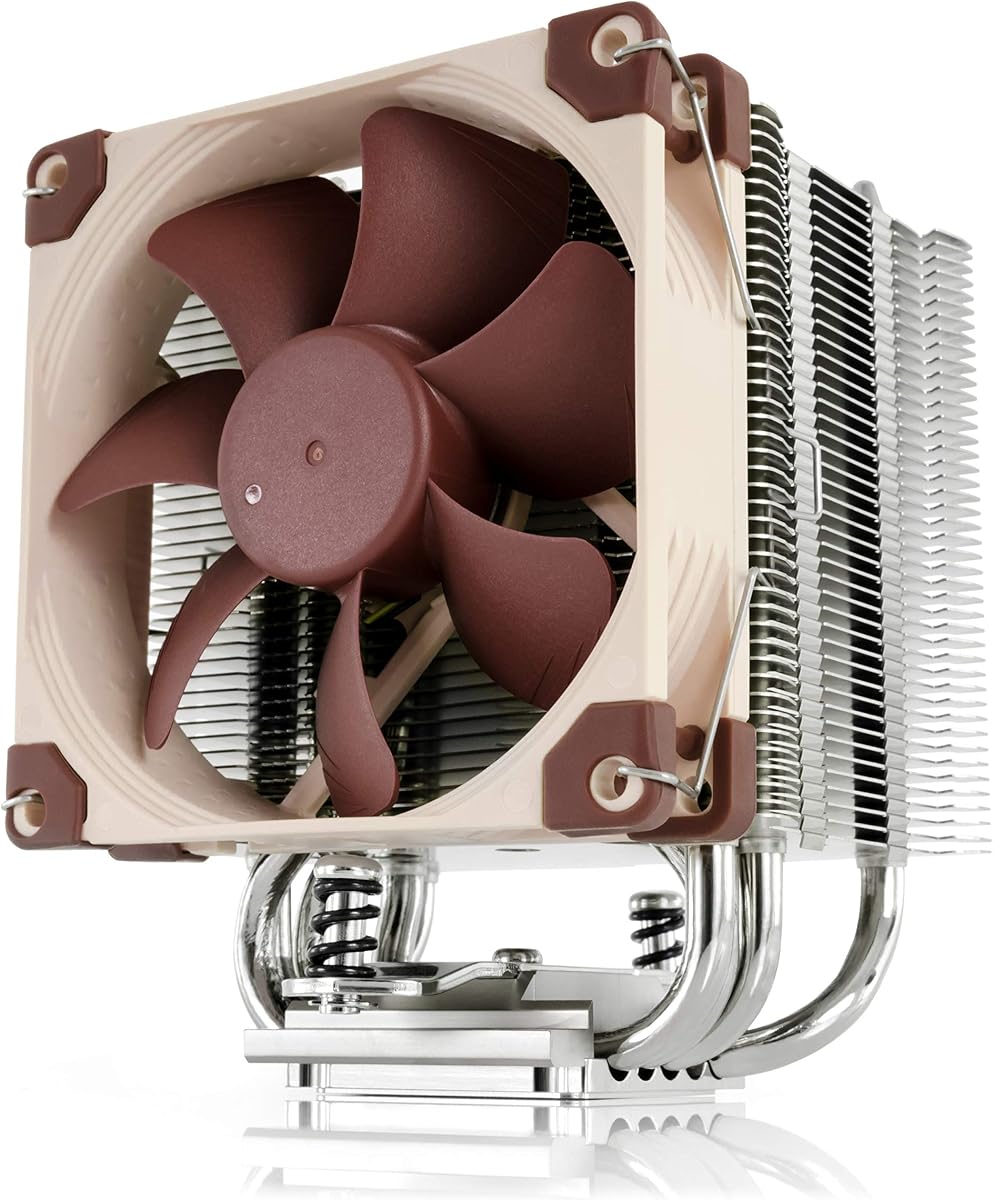
Noctua is renowned for quiet cooling solutions and this model lives up to that reputation. The 65mm height makes it one of the most compact options available for HTPC builds. It does not overhang RAM or PCIe slots on most boards.
We may earn a commission when you buy through this link, at no additional cost to you.
The NF-A9x14 slim fan is optimized for low noise while maintaining good airflow. You get automatic speed control via PWM and a low-noise adaptor for even quieter operation. The included NT-H1 thermal paste ensures a good thermal interface.
While it handles moderate heat loads well it may not be suitable for extreme overclocking. The premium price reflects the high quality materials and engineering that go into the design. Installation is straightforward with the SecuFirm2 system.
Choose this cooler if silence is your top priority and you have a standard HTPC case. It is perfect for Intel Core Ultra or AMD Ryzen CPUs with moderate heat dissipation needs. The offset mounting option further improves airflow efficiency.
Optimized fan blades and low-noise adaptor make this unit nearly silent during media playback.
The compact footprint ensures no interference with tall RAM modules or expansion slots.
We may earn a commission when you buy through this link, at no additional cost to you.
This cooler is designed for the tightest spaces with a total height of just 47mm. It fits easily into slim media center cases where every millimeter counts. The four heatpipes help move heat effectively despite the small size.
We may earn a commission when you buy through this link, at no additional cost to you.
A 92mm PWM fan provides automatic speed control and quiet operation. While smaller than 120mm fans it is sufficient for processors with lower thermal output. The all-black design adds a sleek look to your internal components.
Installation is simplified with an upgraded mounting kit that includes a back plate. This makes it easier to secure the cooler without struggling with fragile motherboard components. It supports a wide range of modern sockets.
If you need a budget friendly solution for a low power HTPC this is an excellent choice. It balances cost and performance well for everyday media consumption. Just ensure your CPU does not exceed the recommended thermal limits.
At only 47mm tall this cooler leaves ample room for other components in tiny cases.
The upgraded mounting kit with back plate reduces installation time and complexity significantly.
We may earn a commission when you buy through this link, at no additional cost to you.
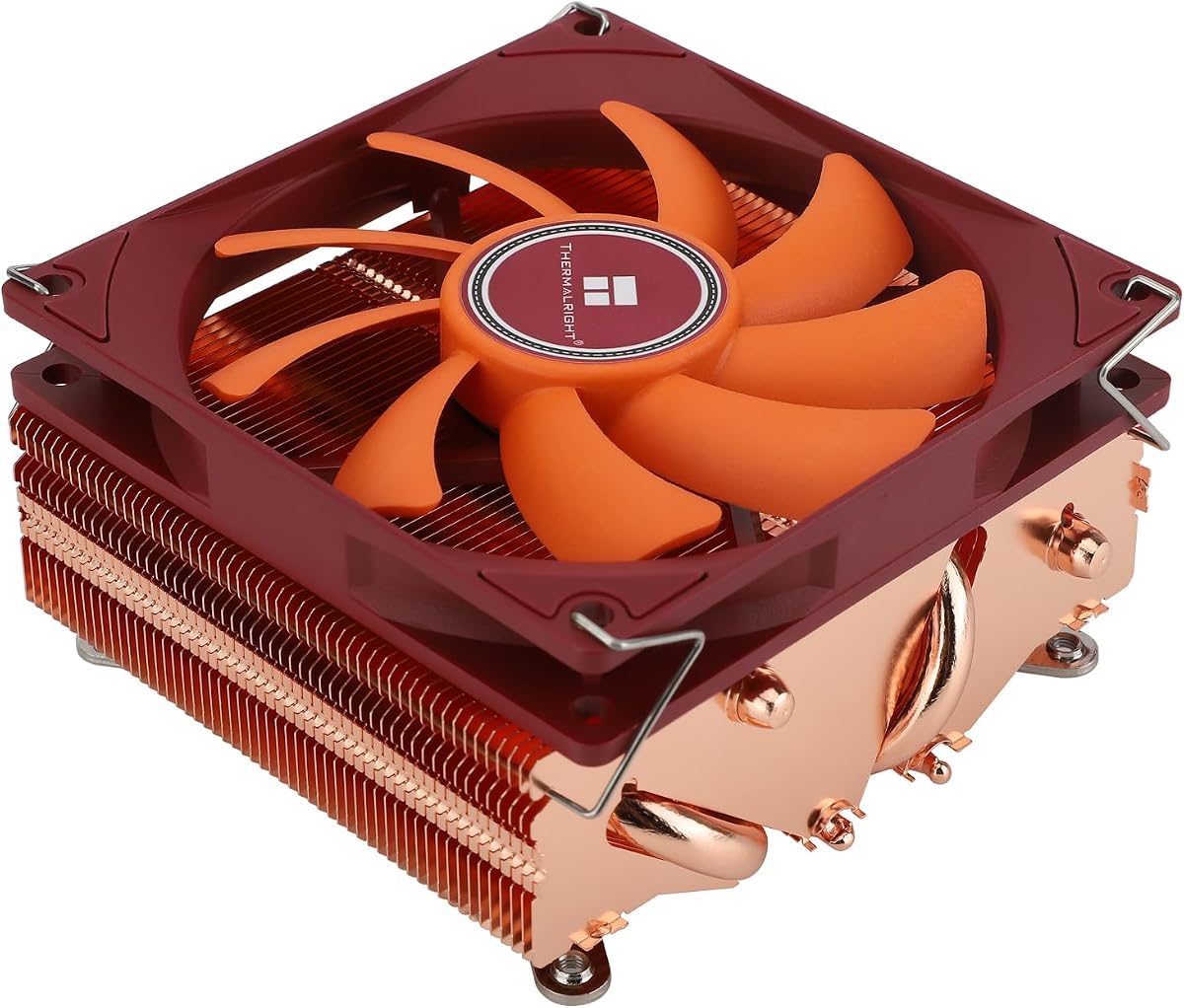
The pure copper construction of this heatsink provides excellent thermal conductivity. It is designed specifically for HTPC and ITX builds where space is at a premium. The 53mm height ensures it clears most memory modules without issue.
We may earn a commission when you buy through this link, at no additional cost to you.
AGHP technology helps solve the inverse gravity effect when the case is oriented vertically. This means the cooler performs consistently regardless of how your HTPC sits in your entertainment center. The fan operates at a low noise level.
While copper is heavier it offers better heat spreading than aluminum. The included thermal paste helps ensure good contact between the CPU and the base. You may need to use long screws for installation on some backplates.
This model is ideal for users who want premium materials in a compact form. It supports both Intel and AMD platforms efficiently. If you prioritize thermal efficiency and orientation flexibility this is a strong contender.
Advanced gravity heat pipe tech ensures stable cooling even when the PC is placed vertically.
Full copper radiator material maximizes heat absorption and transfer from the CPU to fins.
We may earn a commission when you buy through this link, at no additional cost to you.
This cooler delivers massive cooling performance with two 120mm fans and a dual tower design. While it is taller than typical HTPC coolers it fits larger Small Form Factor cases perfectly. It is ideal for high TDP processors.
We may earn a commission when you buy through this link, at no additional cost to you.
The AGHP technology ensures effective heat transfer regardless of orientation. With six heatpipes and a copper base it moves heat quickly away from the core. The fans run at 1550 RPM for optimal balance of noise and airflow.
Installation requires checking case clearance as the height is 155mm. The included metal fasteners work for both Intel and AMD platforms. It is a top choice for those prioritizing raw thermal performance over minimal height.
If your build allows for the dimensions this is an outstanding value for the cooling capacity. It keeps powerful CPUs cool during gaming or rendering tasks. Always verify your case limits before purchasing this larger unit.
Two radiators and fans double the surface area for heat dissipation compared to single towers.
Dual 120mm fans provide maximum airflow to ensure even high TDP CPUs stay within safe temps.
We may earn a commission when you buy through this link, at no additional cost to you.
Noctua continues its tradition of excellence with this single tower design. The 125mm height makes it suitable for many Small Form Factor builds while leaving room for RAM. The NF-A9 92mm fan is optimized for quiet performance.
We may earn a commission when you buy through this link, at no additional cost to you.
It supports offset mounting on Intel sockets for better airflow and RAM compatibility. The included NT-H1 paste ensures high quality thermal conduction. The SecuFirm2 mounting system makes installation simple and secure.
This cooler is designed for standard CPUs that do not generate extreme heat. It offers a balance of performance and low noise that fits well in media centers. The 6-year warranty adds peace of mind for buyers.
If you need a reliable cooler that fits tight spaces without sacrificing quality this is a top pick. It handles modern Core and Ryzen CPUs with moderate heat loads easily. The fan speed control via PWM ensures silence during idle.
Intel offset mounting improves airflow direction to enhance RAM and VRM cooling efficiency.
Noctua standard premium materials and manufacturing ensure long term durability and performance.
We may earn a commission when you buy through this link, at no additional cost to you.
This model is tailored specifically for AMD Ryzen APUs and CPUs on AM4 motherboards. Its 37mm height is ideal for the slimmest HTPC cases on the market. It ensures 100 percent RAM and PCIe compatibility on ITX boards.
We may earn a commission when you buy through this link, at no additional cost to you.
The NF-A9x14 fan is a premium grade unit known for quiet operation and efficiency. It includes a low-noise adaptor for even lower speeds when needed. The SecuFirm2 mounting system makes installation on AM4 very easy.
While it only supports AM4 it does that job exceptionally well with high build quality. It is a great choice for older Ryzen systems or APUs with moderate heat loads. The included NT-H1 paste ensures a good thermal bond.
Choose this if you have an AMD system and need a very slim cooler. It is perfect for builds where case clearance is extremely tight. The focus on AM4 allows for optimized mounting that works flawlessly with Ryzen.
Specific mounting hardware for AM4 ensures perfect fit and efficient pressure distribution on the CPU.
At 37mm tall this cooler allows you to use the smallest possible HTPC case.
We may earn a commission when you buy through this link, at no additional cost to you.
This is the successor to the award-winning NH-L12 and offers improved cooling. The 70mm height provides a good balance of performance and low profile for HTPCs. It supports modern Intel and AMD sockets including the latest generations.
We may earn a commission when you buy through this link, at no additional cost to you.
The NF-A12x15 120mm fan is highly optimised for quiet and efficient operation. A low-noise adaptor lets you further reduce fan speed for silence. The included NT-H1 paste ensures high performance thermal conduction.
While it is taller than the NH-L9x65 it offers better cooling performance. This makes it suitable for CPUs with higher TDP that still need to fit low profile cases. The offset mounting option improves efficiency on many motherboards.
Select this cooler for top tier performance in a low profile form factor. It handles Intel Core Ultra and AMD Ryzen CPUs with high heat output. It is the premium choice for users needing extra thermal headroom.
The NF-A12x15 fan offers better airflow and static pressure than older designs.
Works with LGA1851 and AM5 ensuring long term compatibility with new CPUs.
We may earn a commission when you buy through this link, at no additional cost to you.
This cooler is a solid midrange option with strong performance and low noise. At 148mm it fits standard Small Form Factor cases but not ultra slim ones. The 120mm PWM fan provides efficient cooling with minimal noise.
We may earn a commission when you buy through this link, at no additional cost to you.
AGHP technology ensures consistent performance regardless of case orientation. Four heatpipes and an aluminium heatsink cover help dissipate heat effectively. It supports a wide range of sockets making it versatile for different builds.
The S-FDB bearings ensure a long service life for the fan. Installation is straightforward with the provided metal fasteners for Intel and AMD. It is a great choice for builders on a budget who still want quality.
Choose this if you have a case that can accommodate standard tower height. It keeps CPUs cool during moderate to heavy loads. The low noise level makes it suitable for home theater environments.
Advanced heat pipe tech ensures stable cooling performance even when your PC is tilted.
High quality materials and design are delivered at a very competitive price point.
We may earn a commission when you buy through this link, at no additional cost to you.
This is one of the slimmest coolers available making it perfect for the tightest HTPC cases. The 36mm total height ensures it will fit where others cannot. It is designed for low profile ITX and Small Form Factor builds.
We may earn a commission when you buy through this link, at no additional cost to you.
AGHP technology helps maintain cooling efficiency regardless of how the case is positioned. The 92mm slim fan provides automatic temperature control and ultra-quiet operation. The aluminum heatsink keeps weight down while still dissipating heat well.
It supports many Intel and AMD sockets so it works with a variety of systems. The included thermal paste ensures good contact and cooling performance. It is ideal for systems with moderate heat generation.
If you need the absolute lowest height this is an excellent solution. It balances slim dimensions with effective cooling for entry level to mid range CPUs. Always verify your case limits before purchasing to ensure fit.
At only 36mm tall this cooler fits into the most restrictive low profile cases easily.
The slim 92mm PWM fan keeps noise levels low during media playback.
We may earn a commission when you buy through this link, at no additional cost to you.
Selecting the right cooler involves balancing height thermal performance and noise. This guide explains the key factors to consider for your specific build.
Height is the most critical factor for HTPC cases. Most have strict limits ranging from 35mm to 125mm. Measure your case and RAM height before buying.
Always choose a cooler that is several millimeters shorter than your case max height to ensure installation is possible.
Smaller fans like 92mm must spin faster to move air which increases noise. Larger 120mm fans move more air at lower RPM for silence.
Prioritize PWM fans and those with low-noise adaptors if you watch movies in a quiet living room.
Check the TDP rating of your CPU and compare it to the cooler. High TDP CPUs need more heatpipes and surface area.
Ensure the cooler can dissipate the total heat output of your processor under load.
Modern CPUs use LGA1851 or AM5 sockets. Older builds may need LGA1700 or AM4 mounting kits.
Verify that the product includes hardware for your specific socket type to avoid compatibility issues.
Some coolers require backplates that might conflict with motherboard components. Check installation manuals for warnings.
Choose models with clear installation steps and all necessary screws included in the box.
Pure copper base plates spread heat better than aluminum. Some coolers use full copper heatsinks for maximum efficiency.
Look for materials that balance weight and thermal conductivity for your specific build needs.
Advanced Gravity Heat Pipe tech helps vertical or inverted orientation cases maintain performance.
This feature is crucial if your HTPC sits on its side or is mounted behind a TV.
Prices vary significantly from affordable models to premium branded units. More expensive does not always mean better for your case.
Set a budget based on your cooling needs and ensure the cooler fits your financial plan.
Always apply a small pea-sized amount of thermal paste to the center of the CPU before mounting the cooler. This ensures a perfect thermal interface without air gaps.
Clean dust from the cooler fins and fan blades every few months using compressed air. Dust buildup reduces airflow and increases noise over time.
Reapply thermal paste every few years if you notice rising temperatures. This keeps the connection between the CPU and the cooler effective.
Check your case manual for max height. Most media center cases accept 40mm to 80mm coolers. Always leave a few millimeters of clearance for easy installation.
Larger 120mm fans move more air at lower RPM which is quieter. However they might not fit slim cases. Use 92mm fans if space is very tight.
Yes many models support AM4 and AM5 sockets. However high end CPUs need coolers with higher TDP ratings to avoid thermal throttling.
Mount the bracket on the motherboard first then attach the heatsink. Tighten screws evenly to ensure flat contact. Connect the fan to the CPU fan header.
It stands for Advanced Gravity Heat Pipe. It allows the cooler to work efficiently even when the computer is oriented vertically or upside down.
Most quality coolers include thermal paste in the box. Check the product details to confirm before purchasing to avoid extra costs.
Noise usually comes from dust on the fan or high fan speeds. Clean the unit with air and check fan curves in your BIOS settings.
Tower coolers are taller than low profile ones. Only use them if your case specifically supports heights over 100mm to avoid clearance issues.
The top picks cover a wide range of needs from ultra slim models to high performance units. Select based on your case dimensions and CPU heat output.
Prioritize noise and height first since HTPCs often sit in living rooms. Performance matters most if your PC handles heavy workloads alongside media.
Always check current pricing and availability before buying as models change frequently. Use this guide to find the perfect fit for your system.