
HP OfficeJet Pro 9135
4.0Editor score
Fast 25ppm Black Print Speed
Dual Sheet Input Trays
Advanced Security Features
Compare the best all in one printer with fax for home and office use. This guide reviews top models from HP, Epson, Canon, and Brother with detailed specs.
Finding the right all in one printer with fax can streamline your workflow significantly. These devices combine printing, scanning, copying, and faxing into a single compact unit. Whether you run a small business or manage home office tasks, having reliable multifunction capabilities ensures you stay productive without juggling multiple machines.
We analyzed the top models available this month to bring you a curated list of performance and reliability. Our comparison focuses on print speed, connectivity options, ink efficiency, and fax capabilities. Each product was evaluated based on user feedback, technical specifications, and overall value to help you make an informed decision.
Each selection below highlights specific strengths such as speed, cost efficiency, or advanced security features. You will find detailed breakdowns of what makes each model stand out in its category. Please note that availability and stock levels can change rapidly so checking current inventory is recommended before purchasing.
4.0Editor score

4.3Editor score

3.9Editor score
This side by side comparison highlights the key specifications and capabilities of each model to help you quickly identify the right fit for your specific printing needs and budget constraints.






The HP OfficeJet Pro 9125 stands out as a top contender for business environments needing robust fax and printing capabilities. With a rating near four stars it delivers consistent performance for professional documents. Its AI capabilities optimize formatting reducing wasted paper and improving efficiency for daily office tasks.
We may earn a commission when you buy through this link, at no additional cost to you.
Key strengths include fast printing speeds up to 22 pages per minute for black text. The automatic document feeder supports high volume scanning and copying. Security features like HP Wolf Pro Security help protect sensitive data from cyber threats ensuring safe operations.
Trade-offs include reliance on original HP chips which may limit third-party cartridge options. Ink costs can be higher compared to tank systems but the instant ink trial helps mitigate this initially. These factors are acceptable for users prioritizing speed and security over long-term ink savings.
This printer is ideal for small offices requiring professional output and reliable fax functions. The large touchscreen and mobile app make management straightforward. For businesses needing a secure fast all-in-one solution this model is a highly recommended choice.
HP Wolf Pro Security provides enterprise-grade protection for your network and data during printing and scanning tasks.
HP AI optimizes print formatting to reduce waste and ensure emails and web pages print exactly as intended.
We may earn a commission when you buy through this link, at no additional cost to you.
The HP OfficeJet Pro 9135 offers premium features tailored for busy office environments. It achieves a 4 star rating with its fast performance and high capacity design. The combination of speed and security makes it a standout choice for businesses with high volume fax and print needs.
We may earn a commission when you buy through this link, at no additional cost to you.
Standout features include a 25 ppm black print speed and two 250 sheet input trays reducing reload frequency. The 4.3 inch touchscreen provides an intuitive interface for managing complex tasks. Advanced security protocols ensure sensitive documents remain protected during transmission and storage.
Potential downsides include a higher price point compared to other models and reliance on specific cartridges. These costs are balanced by the productivity gains from faster speeds and reduced downtime. The investment is justified for users who prioritize efficiency and security above all.
Ideal for professional settings requiring high throughput and robust security this printer excels. The dual trays and fast speeds minimize interruptions. If you need a top-tier all-in-one printer with fax capabilities this model delivers exceptional performance and reliability.
Dual 250 sheet input trays allow for extended printing without frequent paper reloads.
A larger 4.3 inch touchscreen simplifies navigation and management of print tasks.
We may earn a commission when you buy through this link, at no additional cost to you.
The Canon PIXMA TR4720 is an excellent budget-friendly option for home users needing fax capabilities. With a near four star rating it provides reliable performance for everyday documents and photos. Its compact design fits well in smaller spaces without sacrificing essential multifunction features.
We may earn a commission when you buy through this link, at no additional cost to you.
Strengths include auto two-sided printing and an automatic document feeder which streamline repetitive tasks. The integration with Alexa allows for smart reorder notifications ensuring you never run out of ink unexpectedly. Energy efficiency makes it a cost-effective choice for home offices.
Trade-offs involve slower print speeds compared to office models and a smaller paper tray capacity. These limitations are acceptable for low-volume home users who prioritize space and cost. The convenience of smart features outweighs the speed differences for most casual tasks.
This printer suits home users seeking a compact reliable all-in-one solution with fax. The budget-friendly price and smart reorder features add significant value. For occasional printing and faxing needs this model offers a practical and efficient solution.
Alexa integration sends notifications and places smart orders so you never run out of supplies.
Designed for small spaces with essential features like duplex printing and fax capabilities.
We may earn a commission when you buy through this link, at no additional cost to you.
The Epson EcoTank ET-4800 redefines ink efficiency with its supertank system. It holds a strong rating for users seeking to reduce long-term printing costs. The cartridge-free design eliminates waste and offers significant savings for high volume printing and faxing tasks.
We may earn a commission when you buy through this link, at no additional cost to you.
Key strengths include high-capacity ink tanks that last longer than traditional cartridges. The EcoFit ink bottles make refilling simple and mess-free. Micro Piezo Heat-Free Technology ensures sharp text and quality color output on various paper types.
Downsides include a higher upfront cost and slower printing compared to laser models. These factors are reasonable considering the substantial savings on ink over time. Users who print frequently will find the investment pays off quickly.
Ideal for home offices and small businesses with high printing volumes this printer is perfect. The focus on sustainability and cost efficiency makes it a smart long-term choice. If ink costs are a concern this model offers an unbeatable solution.
Reduce landfill waste by using refillable tanks instead of disposable cartridges.
High-capacity tanks significantly lower the cost per page compared to standard cartridge printers.
We may earn a commission when you buy through this link, at no additional cost to you.
The HP Smart Tank 7603 is designed to eliminate ink worries with years of supply included in the box. It has a solid rating for reliability and ease of use. This model combines ink tank efficiency with modern AI capabilities for optimized printing.
We may earn a commission when you buy through this link, at no additional cost to you.
Strengths include up to 8000 color pages and a mess-free refill system that makes maintenance easy. The magic touch control panel offers intuitive navigation for users of all technical levels. AI features help ensure professional-looking output every time.
Trade-offs involve a higher initial cost and a larger physical footprint. These are acceptable given the savings on ink and the convenience of long-term supply. The design prioritizes long-term value over initial low cost.
This printer is perfect for home offices needing high volume fax and print capabilities. The included ink and easy refill system reduce long-term hassle. If you want to avoid running out of ink this model is an excellent investment.
Get up to 3 years of ink included right out of the box to start printing immediately.
AI tools help format web pages and emails perfectly to save ink and paper.
We may earn a commission when you buy through this link, at no additional cost to you.
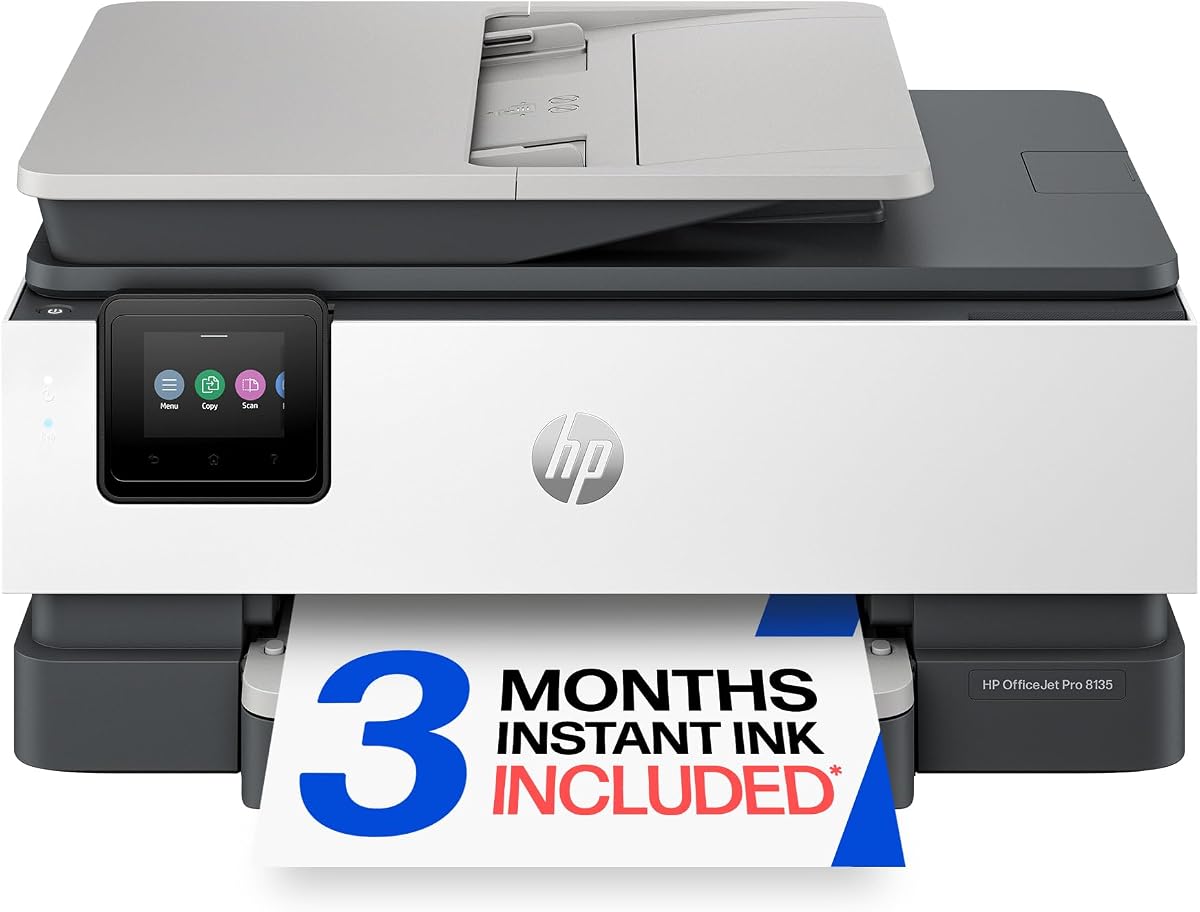
The HP OfficeJet Pro 8135 is tailored for home offices requiring professional quality documents. It maintains a consistent rating for performance and reliability. This printer balances speed and features to meet the demands of small business users effectively.
We may earn a commission when you buy through this link, at no additional cost to you.
Key strengths include fast print speeds and reliable dual-band Wi-Fi for stable connections. Security features like HP Wolf Essential Security protect your data from threats. The intuitive touchscreen makes it easy to manage multiple tasks like copying and faxing.
Downsides include standard cartridge costs that may add up over time. The touchscreen is functional but smaller than premium models. These factors are minor trade-offs for the price and performance offered in this segment.
Ideal for home offices needing professional output and fax capabilities this model fits well. The balance of speed and security meets most business needs. If you need a reliable workhorse for daily tasks this printer is a strong candidate.
Produces professional-quality color documents suitable for business presentations and reports.
Dual-band Wi-Fi ensures a reliable connection that resolves issues automatically for smooth printing.
We may earn a commission when you buy through this link, at no additional cost to you.
The HP OfficeJet Pro 8125 delivers reliable performance for home offices with fax needs. It has a solid rating for consistency and feature set. This model focuses on efficiency and security to support daily business operations effectively.
We may earn a commission when you buy through this link, at no additional cost to you.
Strengths include fast duplex printing and scanning to save paper and time. The HP app allows convenient control from smartphones for printing and faxing. Security features protect your network from cyber threats ensuring safe operations.
Trade-offs include limitations on cartridge types which may increase costs. The design focuses on function over flair which is acceptable for productivity. These factors are minor for users prioritizing reliability and speed.
This printer suits home offices needing dependable print and fax capabilities. The sustainability features and security add value beyond basic printing. For consistent daily use this model offers a practical and efficient solution.
Made with more than 45% recycled plastic content to reduce environmental impact.
Print scan and fax from your smartphone using the easy-to-use HP app.
We may earn a commission when you buy through this link, at no additional cost to you.
The Canon PIXMA TR8620a is a versatile home office printer with strong photo capabilities. It has a 4 star rating reflecting its quality and ease of use. This model stands out for its ability to handle photos and documents seamlessly.
We may earn a commission when you buy through this link, at no additional cost to you.
Key strengths include 15 ppm print speed and flexible paper handling with dual trays. The Micro SD slot allows direct printing without a computer. Voice control via Alexa simplifies operation for quick tasks and reorders.
Downsides include potential ink maintenance needs and smaller speed compared to laser. These are acceptable for users prioritizing photo quality and flexibility. The design ensures high-quality output for mixed document and photo needs.
Ideal for home users needing photo printing and faxing this printer excels. The flexible paper handling and voice control add convenience. If you want high-quality photos alongside business documents this model is a top choice.
Produces impressive color photos and graphics on virtually any paper type.
Dual trays provide flexibility to handle different paper sizes without reloads.
We may earn a commission when you buy through this link, at no additional cost to you.
The HP OfficeJet Pro 8139 offers a compelling package for home offices with its extended ink trial. It holds a solid rating for performance and user satisfaction. This model balances professional features with home-friendly design to meet diverse needs.
We may earn a commission when you buy through this link, at no additional cost to you.
Strengths include a 1 year trial of instant ink which reduces early costs significantly. The AI optimization tools ensure pages are formatted correctly to save paper. Security features keep your network protected from potential cyber threats.
Trade-offs include standard tray capacity and firmware limitations on cartridge use. These are manageable for most users prioritizing convenience and savings. The extended trial makes this model particularly attractive for new adopters.
Ideal for home offices needing professional print and fax capabilities this model fits well. The ink trial provides immediate value and reduces initial setup costs. For reliable daily use with cost-saving features this printer is a strong option.
Get 1 year of Instant Ink trial to save up to 50% on ink costs initially.
HP AI ensures web pages and emails print with precision and no wasted pages.
We may earn a commission when you buy through this link, at no additional cost to you.
The Brother MFC-L2820DW is a top choice for small offices needing fast monochrome laser faxing. It has a high rating for reliability and efficiency. This printer delivers dynamic laser print and fax capabilities in a compact design.
We may earn a commission when you buy through this link, at no additional cost to you.
Key strengths include a 36 ppm print speed and secure connection options like Ethernet and dual-band Wi-Fi. The 50-page ADF supports time-saving multi-page scanning and faxing. Brother Mobile Connect allows easy management from mobile devices.
Trade-offs include being black and white only which may limit color needs. The subscription trial for toner helps but requires renewal for ongoing savings. These are acceptable for users prioritizing speed and text clarity.
Ideal for small offices needing high-volume black and white fax and print this model is perfect. The compact design and secure features ensure safe and efficient operations. For businesses focused on text documents this laser printer is a top contender.
Produces black and white documents quickly with speeds up to 36 ppm.
Securely connect to multiple devices via Ethernet or dual-band wireless.
We may earn a commission when you buy through this link, at no additional cost to you.
Selecting the right printer requires understanding your specific needs and workflow. Consider the following factors to find a model that fits your requirements.
Print speed is crucial for businesses handling high volumes of documents. Look for models offering at least 20 pages per minute to maintain productivity. Higher speeds reduce wait times and improve overall workflow efficiency.
Consider the cost per page and the type of ink system. Tank models offer lower long-term costs while cartridges may have higher upfront savings. Evaluate the supply costs over time to ensure sustainable operations.
Modern printers should support multiple connection methods including Wi-Fi and Ethernet. Dual-band Wi-Fi ensures stable connections for remote printing and faxing. Look for mobile app support to print from devices anywhere.
Ensure the fax feature supports the speed and volume you need. Automatic document feeders allow for batch faxing which saves time. Check compatibility with your existing phone lines and network requirements.
Business printers need robust security to protect sensitive data. Look for features like Wolf Security or similar network protection. Secure protocols ensure documents remain safe during transmission and storage.
Measure your available desk space before purchasing. Compact models fit well in home offices while larger ones may offer more trays. Consider the physical footprint alongside the functional needs.
Many printers offer ink subscription trials to reduce initial costs. Evaluate the terms and potential fees after the trial period ends. These programs can provide significant savings if managed correctly.
Set up the printer on a stable surface and connect it to your network. Ensure the phone line is connected securely for fax functions to operate properly. Follow the manufacturer guidelines for initial setup to avoid connectivity issues.
Yes you typically need a traditional phone line for fax capabilities unless the model supports internet fax services. Check the specifications for VoIP support to determine if digital fax is an option for your setup.
Instant Ink monitors your ink levels and ships cartridges before you run out. You save based on pages printed rather than cartridges purchased. Subscriptions can be managed through the printer app.
Most modern printers support mobile printing via apps like HP Smart or Canon PRINT. Ensure your printer is connected to the same network as your phone for seamless printing and faxing.
An Automatic Document Feeder allows you to load multiple pages for scanning or faxing. This feature saves time by avoiding manual page feeding for multi-page documents.
Laser printers are generally faster for text documents and faxing compared to inkjets. However inkjets may offer better color capabilities if your fax needs include images.
Keep the printer clean and update firmware regularly. Store cartridges in a cool dry place. Run maintenance cycles as recommended by the manufacturer to prevent clogs.
Many all-in-one printers support scan to email or cloud apps. Check the model specifications to confirm supported protocols and cloud services available.
Yes home office printers can be entry points for cyber threats. Features like secure boot and network protection help safeguard your data and network from potential attacks.
Choosing the right all in one printer with fax depends on balancing speed cost and specific features. The HP OfficeJet Pro 9135 leads in premium performance while the Canon PIXMA TR4720 offers affordability. The Brother MFC-L2820DW stands out for fast monochrome needs.
Consider your primary usage patterns whether it is high volume faxing or occasional home office tasks. Ink savings and security features should also factor into your decision to ensure long-term value.
Always check current availability and pricing before purchasing since stock levels change rapidly. Use this guide to find the model that best fits your needs and budget.