
CORSAIR RS120 ARGB 120mm PWM Fans Triple Pack
4.6Editor score
Daisy-chain connections for easy setup
High static pressure for radiators
Customizable ARGB lighting per fan
Explore the top Corsair case fans for 2026. This guide compares airflow, noise, RGB lighting, and connectivity to help you choose the best cooling solution for
Corsair case fans represent the gold standard in PC cooling technology, offering exceptional performance and aesthetic appeal. Whether you are building a high-end gaming rig or a quiet workstation, selecting the right fans is crucial for maintaining optimal temperatures and system longevity.
We have meticulously evaluated ten distinct Corsair fan models based on airflow capacity, static pressure, noise levels, and lighting customization. Our analysis focuses on real-world performance metrics and user feedback to ensure every recommendation delivers reliable cooling and value for money.
Each product entry below highlights key specifications, pros, and cons to help you make an informed decision. Please note that prices and availability fluctuate frequently, so always verify current listings before completing your purchase to ensure you get the best deal available.
4.6Editor score

4.7Editor score

4.6Editor score
The following table provides a side-by-side comparison of all ten Corsair case fan models analyzed in this guide. Review the key specifications and features to quickly identify which fan best suits your specific cooling and aesthetic requirements.

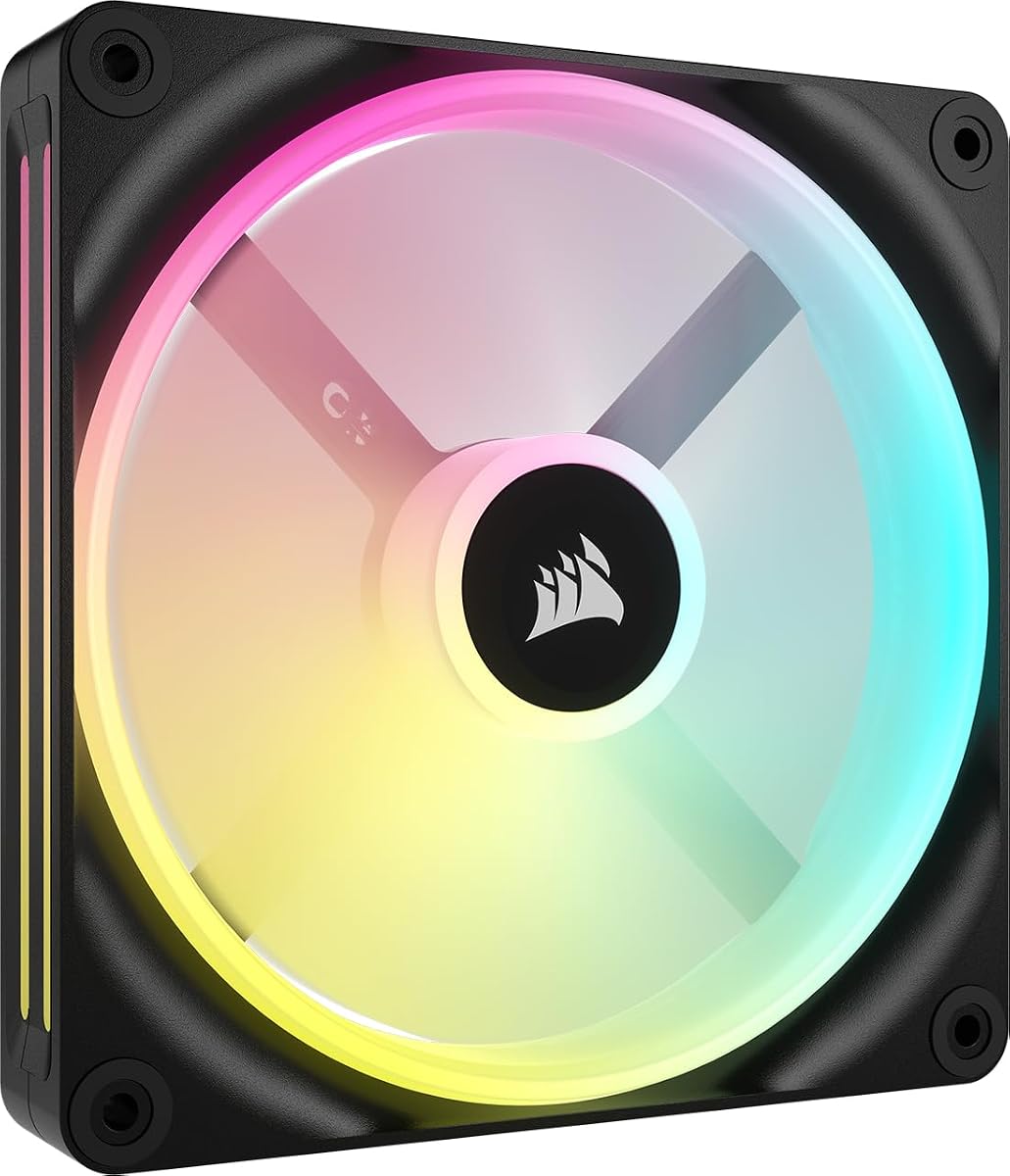


The CORSAIR RS120 ARGB 120mm PWM Fans Triple Pack stands out as an exceptional budget option without compromising on performance. With a solid 4.6 rating, these fans deliver reliable cooling and striking aesthetics, making them ideal for first-time builders or budget-conscious enthusiasts.
We may earn a commission when you buy through this link, at no additional cost to you.
These fans feature CORSAIR AirGuide Technology, which directs airflow efficiently to critical components. The daisy-chain connection simplifies cable management significantly, allowing control via a single PWM and ARGB connector. Magnetic dome bearings ensure smooth, quiet operation even at higher speeds.
While they lack advanced connectivity features like the iCUE Link System, their performance remains competitive. The high static pressure makes them suitable for radiator mounting. The only trade-off is standard cable management compared to newer premium models.
Buyers seeking high performance at an affordable price should strongly consider this kit. It provides the perfect balance of airflow, lighting, and ease of installation. We highly recommend these fans for general case cooling tasks.
The daisy-chain design reduces clutter by connecting multiple fans to one header, simplifying installation and improving airflow paths within the chassis.
At 2.8mm H2O, these fans push air effectively through radiators or dust filters, ensuring adequate cooling in restricted airflow scenarios.
We may earn a commission when you buy through this link, at no additional cost to you.
The CORSAIR iCUE Link LX120 RGB Triple Pack represents the pinnacle of modern fan integration. Rated 4.6 by users, these fans offer unparalleled ease of installation through the included iCUE Link System Hub, which simplifies cabling significantly.
We may earn a commission when you buy through this link, at no additional cost to you.
Featuring dual light loops with 18 LEDs per fan, the RGB aesthetics are vibrant and highly customizable via iCUE software. The Magnetic Dome Bearing reduces friction for longer life and quieter operation. High static pressure ensures effective radiator cooling.
The main drawback is the higher cost compared to traditional fans. Additionally, to unlock full benefits, you need an iCUE Link compatible setup. However, for those prioritizing clean builds and advanced lighting, the investment is justified.
We recommend these fans for users seeking the cleanest possible cable setup and advanced lighting control. They excel in high-end builds where aesthetics and software integration are paramount. Consider them a premium upgrade over standard RGB kits.
The kit comes with a dedicated hub that connects all fans via a single cable, drastically reducing motherboard header usage and simplifying installation.
Two independent lighting zones per fan allow for complex and vibrant RGB effects that stand out even in large or multi-fan configurations.
We may earn a commission when you buy through this link, at no additional cost to you.
The Corsair RS120-R ARGB Reverse Fans are the ideal solution for builders who want clean intake aesthetics. With a high 4.7 rating, these fans solve the common issue of visible cable loops by rotating the motor and wiring to the back.
We may earn a commission when you buy through this link, at no additional cost to you.
This design ensures the RGB lighting remains fully visible even when mounted as intake. The Magnetic Dome Bearing minimizes noise effectively. Zero RPM mode allows fans to stop spinning at low loads, ensuring silent operation during idle tasks.
While they offer slightly lower airflow than standard models, the visual appeal is unmatched. The daisy-chain feature keeps cables organized. The main trade-off is ensuring correct orientation during installation to maximize the visual benefit.
Buyers who prioritize clean aesthetics should choose these reverse rotor fans. They are perfect for glass-paneled cases where the front intake is visible. We highly recommend them for style-conscious builders who do not want exposed cables.
The reverse rotor design hides the motor hub and wiring on the back, ensuring the RGB frame is fully visible from the front of your case.
This feature allows fans to spin completely stop at low temperatures, reducing noise and wear during light usage scenarios.
We may earn a commission when you buy through this link, at no additional cost to you.
This black variant of the RS120-R offers the same excellent reverse rotor design and performance. It is a perfect match for black-themed builds. The 4.6 rating confirms that performance matches the white version, ensuring reliability and quality construction.
We may earn a commission when you buy through this link, at no additional cost to you.
The reverse rotor allows for clean intake airflow without visible motor hubs. Magnetic Dome bearings ensure quiet operation. Zero RPM mode further enhances the silent experience. The daisy-chain feature simplifies installation and reduces clutter significantly.
One consideration is that black frames may blend more with the chassis compared to white models. The airflow performance is adequate for most use cases. The main trade-off is specific orientation requirements during installation.
We recommend these for black build enthusiasts seeking high-quality reverse rotor fans. They provide the same visual benefits as the white version. Consider these if you prioritize a sleek, all-black interior aesthetic.
The black finish blends seamlessly with dark chassis interiors, providing a uniform and professional look for aggressive gaming builds.
Magnetic Dome bearings combined with Zero RPM mode ensure that noise levels remain low even during extended usage periods.
We may earn a commission when you buy through this link, at no additional cost to you.
The Corsair iCUE Link QX140 RGB provides a larger 140mm alternative for cases with support. At 4.4 rating, users appreciate the high airflow of 82.5 CFM, which ensures effective cooling with lower noise than smaller fans.
We may earn a commission when you buy through this link, at no additional cost to you.
Equipped with 34 RGB LEDs, this fan supports exclusive Time Warp lighting modes via iCUE Link. The Magnetic Dome Bearing ensures quiet performance. Zero RPM mode further reduces noise during idle periods significantly.
The main consideration is that this is a single fan unit, so multiple purchases may be needed. Also, the Link Hub must be purchased separately to use bridge connectors. The trade-off is larger size and specific lighting features.
We recommend this fan for cases needing larger fans for better airflow. It is ideal for those who already own the iCUE Link system. Consider this for high-performance cooling needs.
The larger 140mm diameter allows for greater air movement with lower noise, making it excellent for cases with open airflow designs.
Exclusive to iCUE Link systems, this mode creates unique strobing lighting effects that are not available on standard RGB fans.
We may earn a commission when you buy through this link, at no additional cost to you.
This triple fan kit combines the reverse rotor design with the advanced iCUE Link system. The 4.7 rating indicates high satisfaction. It is perfect for those wanting both clean intake looks and seamless cable management via a single hub.
We may earn a commission when you buy through this link, at no additional cost to you.
The dual light loops provide vibrant RGB effects. Magnetic Dome bearings ensure quiet operation. QuikTurn screws make installation significantly faster. High static pressure makes these fans excellent for radiator cooling tasks.
The primary drawback is the premium price compared to standard kits. You must have an iCUE Link Hub to realize the full benefit. The trade-off is top-tier aesthetics and simplified cabling.
We recommend this kit for high-end builds needing reverse fans and advanced connectivity. It offers the best of both worlds. Consider this for professional-looking cases with complex cooling setups.
The included screws allow for tool-free installation or easy adjustment, reducing build time and preventing stripped screw holes.
With 4.72mm H2O pressure, these fans push air efficiently through radiators, ensuring optimal temperatures for liquid cooling systems.
We may earn a commission when you buy through this link, at no additional cost to you.
The RX140 MAX is the thickest fan in this lineup, offering massive airflow of 102.9 CFM. With a 4.5 rating, users praise its cooling power. This fan is designed for cases with ample clearance for high performance.
We may earn a commission when you buy through this link, at no additional cost to you.
Its 5mm thicker blade allows more air to be moved at lower speeds, reducing noise. The RGB window lets you view lighting effects clearly. iCUE Link support ensures seamless connectivity and control.
The main constraint is physical clearance, as standard cases may not accommodate this thickness. You also need a hub for the Link feature. The trade-off is unmatched airflow and cooling efficiency.
We recommend this for extreme cooling setups with large cases. It is ideal for those prioritizing performance above all else. Consider this if you have the necessary space.
A 5mm increase in thickness allows larger blades and more air movement without increasing noise levels significantly.
With over 100 CFM, this fan delivers the highest airflow in the series, ensuring efficient cooling for high-end systems.
We may earn a commission when you buy through this link, at no additional cost to you.
The RS120 MAX offers a thick design and liquid crystal polymer construction at an affordable price. With a 4.6 rating, it delivers strong static pressure of 4.2mm H2O. This makes it ideal for high-density radiators.
We may earn a commission when you buy through this link, at no additional cost to you.
Its thicker frame increases blade size for improved cooling. The material is strong and rigid, reducing vibration. PWM control allows precise speed management. The daisy-chain feature isn't included, unlike other models.
You need clearance for the thicker profile. It is a single fan without RGB. The trade-off is raw cooling performance and durability over aesthetics.
We recommend this for users needing strong radiator cooling on a budget. It is perfect for liquid cooling loops. Consider this for performance-focused builds.
This high-quality material increases durability and rigidity, ensuring long-lasting performance and reduced vibration during operation.
At 4.2mm H2O, this fan pushes air effectively through restrictions, making it excellent for dense cooling radiators.
We may earn a commission when you buy through this link, at no additional cost to you.
The RX140 RGB white fan combines large 140mm airflow with iCUE Link connectivity. At 4.7 rating, it is a strong choice for white-themed builds needing high performance and easy setup. The windowed frame adds a modern aesthetic.
We may earn a commission when you buy through this link, at no additional cost to you.
Airflow reaches 95.7 CFM at 1700 RPM. High static pressure ensures radiator cooling. The Magnetic Dome Bearing keeps noise low. Link support simplifies connectivity with other devices in your system.
You need a hub for full Link functionality. It is a single unit without a starter kit. The trade-off is a mix of high airflow and connectivity.
We recommend this for white builds with Link systems. It balances airflow and connectivity perfectly. Consider this for stylish cooling solutions.
A built-in window in the frame allows you to view lighting effects from the side, enhancing visual appeal in transparent cases.
The white color option matches popular white builds, providing a clean and cohesive look for gaming PCs.
We may earn a commission when you buy through this link, at no additional cost to you.
This renewed kit offers an entry point into the iCUE Link system with two 140mm fans and a hub. It provides significant value compared to buying items separately. The QX140 fans are powerful and support the full Link ecosystem.
We may earn a commission when you buy through this link, at no additional cost to you.
The white finish suits bright builds. The hub allows single-cable management. Renewed products come inspected. However, they may have cosmetic imperfections. The main trade-off is reduced warranty coverage.
Check seller ratings carefully when buying renewed items. This is a cost-effective option for Link integration. We recommend for budget-conscious users wanting advanced features.
The kit includes the essential iCUE Link Hub, allowing you to start your smart cooling system immediately without extra purchases.
Purchasing a renewed kit often saves money compared to buying new components separately, while still maintaining quality standards.
We may earn a commission when you buy through this link, at no additional cost to you.
Choosing the right fans involves balancing performance, aesthetics, and budget. This section outlines the key factors you should evaluate.
Airflow, measured in CFM, determines how much air the fan moves to cool components. Static pressure, measured in mm H2O, determines how well it pushes air through obstructions like radiators. Choose high airflow for general case cooling and high static pressure for radiators.
Prioritize high static pressure for radiator cooling.
PWM control allows precise speed adjustments via the motherboard. This ensures quiet operation at idle and higher speeds under load. Always look for 4-pin PWM headers for best compatibility and efficiency.
Ensure your motherboard supports PWM speed control.
RGB fans offer customizable aesthetics. Corsair offers standard 5V ARGB and their proprietary iCUE Link system. Standard ARGB requires headers; iCUE Link simplifies cabling. Consider software control options.
Choose iCUE Link for seamless software integration.
Fans come in 120mm and 140mm sizes. 140mm fans move more air at lower speeds, reducing noise. Ensure your case supports the chosen size. Larger fans often provide better efficiency.
Select 140mm for quieter airflow.
Daisy-chain and iCUE Link connectors reduce cable clutter. This simplifies builds and improves airflow. Standard 4-pin headers are simpler but may clutter the motherboard.
Use daisy-chain links for cleaner builds.
Bearings like Magnetic Dome reduce friction and noise. Check decibel ratings. Fans that stop at idle (Zero RPM) are quieter for daily use.
Look for Zero RPM modes for silent idle.
Reverse rotor fans hide the motor and wiring on the back. This keeps intake fans looking clean. Ensure correct orientation for best results. They are ideal for glass panels.
Select reverse fans for cleaner intake looks.
Corsair fans range from budget RS120 to premium Link kits. RS120 offers great value. Link kits cost more but simplify wiring. Set a budget before comparing features.
Balance cost with your desired features.
Install fans with proper orientation. Intake fans push air in; exhaust fans push air out. Match airflow direction to your case design for best cooling. Incorrect airflow causes heat buildup.
Update your iCUE software regularly for optimal control. This ensures lighting effects work correctly and firmware updates improve performance. Regular checks help avoid connectivity issues.
Clean fans periodically to remove dust. Use compressed air gently to clean blades. Dust buildup increases noise and reduces cooling efficiency. Regular maintenance keeps your system running silently.
Corsair fans work with most standard motherboards via 4-pin PWM headers. For advanced iCUE Link features, a compatible motherboard or the Link Hub is required. Standard RGB fans work with most 5V headers.
140mm fans move more air at lower speeds than 120mm fans, which reduces noise. They fit only in cases supporting larger sizes. Choose 140mm for quieter operation if your case supports it.
The hub connects multiple fans via a single cable, simplifying installation. It enables advanced lighting features and control. Without the hub, Link fans work as standard PWM fans but lose software features.
Yes, but mixing models with different connectivity may complicate wiring. For best aesthetics and performance, use matching fans. Link hubs support mixed fan setups with proper cabling.
Modern Corsair fans are designed to be quiet. Magnetic Dome bearings reduce noise. Use Zero RPM mode for silent idle. Higher speeds under load are louder but necessary for cooling.
Install reverse fans so the motor hub is on the back of the case. This hides cables and shows the RGB frame. Ensure airflow direction is correct for intake.
The CORSAIR RS120 ARGB offers best value. The iCUE Link LX120 RGB provides best integration. The RS120-R Reverse delivers best aesthetics. Choose based on your specific needs.
Prioritize airflow and cooling for performance. Prioritize RGB and connectivity for aesthetics. Budget determines which features you can access. Balance these factors for a successful build.
Prices and availability change frequently. Verify current listings before purchasing. Ensure compatibility with your case and motherboard. Always check warranty details.