
chenyang SATA Male to Female
4.4Editor score
Affordable pricing point
Handles power and data
Fits standard drives
Finding the right adapter can solve tight space issues in your PC case. A good 90 degree SATA adapter ensures your cables bend correctly without damaging ports or obstructing airflow inside your system.
We evaluated ten top-rated adapters based on build quality, compatibility, and user feedback. Our comparison covers various angles, pin configurations, and price points to help you find the perfect fit for your build.
Each pick highlights key features and potential drawbacks so you can decide quickly. Note that prices fluctuate regularly so check current listings before purchasing to ensure you get the best deal available today.
4.4Editor score

4.6Editor score

5.0Editor score
As an Amazon Associate we earn from qualifying purchases.
The following table provides a quick side-by-side overview of all ten adapters we reviewed. Use this to compare key specifications and ratings at a glance before diving into detailed reviews.




The CERRXIAN adapter ranks highest due to its reliable performance and thoughtful design. With a 4.6 rating it stands out as a go to option for managing tight spaces in desktop cases effectively.
We may earn a commission when you buy through this link, at no additional cost to you.
Its vertical to horizontal conversion solves common chassis limitations where straight cables block airflow or hinder installation. The up angle orientation ensures the connector faces inward for cleaner internal layouts.
While it only carries data not power you must connect power separately which is standard for SATA data adapters. The two pack ensures you have spares for multiple drives or future upgrades without extra cost.
Buy this if you need a straightforward reliable solution for routing SATA data cables in confined spaces. It delivers consistent performance and keeps your build tidy without compromising speed.
The 90 degree bend allows cables to lay flat against the case wall reducing strain on ports.
Fully compliant with SATA III it supports speeds up to 6 Gbit/s and is backward compatible with older drives.
We may earn a commission when you buy through this link, at no additional cost to you.
This dual port adapter offers a unique solution for splitting one SATA connection into two. It is designed specifically for low profile motherboards where space is extremely tight and orientation matters.
We may earn a commission when you buy through this link, at no additional cost to you.
The right angle design ensures cables run horizontally preventing them from sticking out vertically. This is crucial for cases with limited clearance near the motherboard SATA ports or drive bays.
Users note that checking the angle direction before buying is essential since the adapter is fixed. The two pack provides value and flexibility for different build scenarios or backup needs.
Choose this adapter if you have a low profile case or need to split data connections creatively. It maintains speed and reliability while solving unique spatial constraints.
The low profile construction minimizes vertical height allowing for better airflow around the motherboard.
Despite the compact design it supports full 6 Gbit/s data transfer speeds for modern drives.
We may earn a commission when you buy through this link, at no additional cost to you.
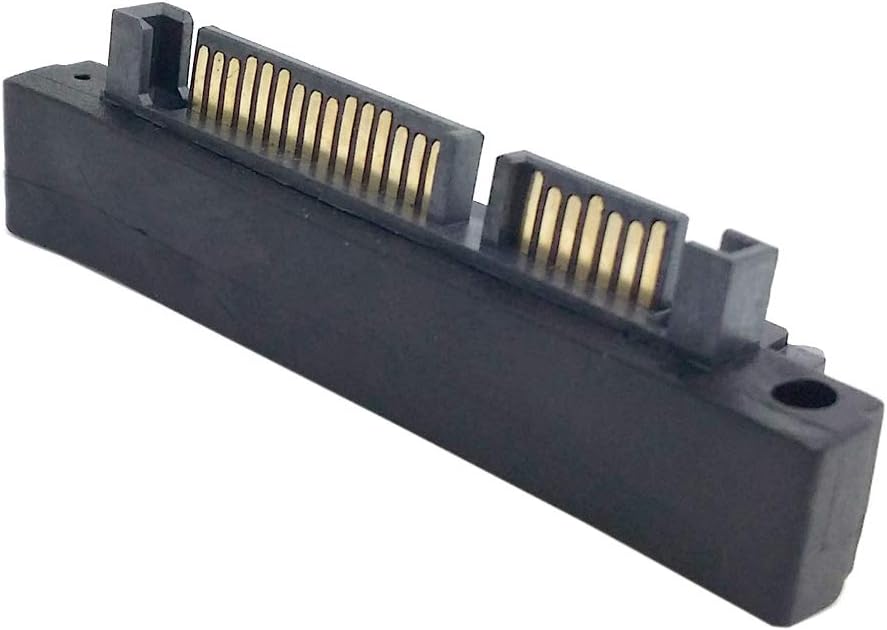
The chenyang adapter is an excellent budget choice that handles both power and data lines. This simplifies connections by reducing the need for separate adapters for power and data cables.
We may earn a commission when you buy through this link, at no additional cost to you.
Its up angled design helps navigate tight spots around hard drives or SSDs mounted near the motherboard. The connector maintains standard speeds without compromising performance despite the lower price point.
While materials are basic it remains durable enough for typical consumer use. The gender changer functionality makes it versatile for various cable setups and connection directions.
If you want a no fuss affordable adapter that handles everything in one piece this is ideal. It saves time and money while keeping your drive connections secure.
By transferring both power and data this adapter reduces cable clutter inside the PC case.
Works seamlessly with 2.5 inch SSDs and 3.5 inch HDDs for broad compatibility.
We may earn a commission when you buy through this link, at no additional cost to you.
This adapter features a down angle design which is perfect for specific mounting scenarios where ports face downward. It combines data and power lines in a single 22 pin interface for cleaner routing.
We may earn a commission when you buy through this link, at no additional cost to you.
The 7+15 pin configuration ensures compatibility with standard power and data standards. It acts as an extension allowing cables to reach further without straining the port on the drive.
Users appreciate the sturdy build that ensures consistent contact even with repeated use. The down angle helps prevent cables from interfering with other components like RAM or VRMs.
Select this adapter if you need to extend reach and manage down facing ports. It simplifies cabling by merging power and data into one robust connection.
Merging power and data pins reduces the need for multiple adapters and cables.
The extension convertor ensures cables reach distant ports without tension or signal loss.
We may earn a commission when you buy through this link, at no additional cost to you.
The cablecc adapter is a straightforward right angle converter designed for quick installation. Its black finish matches modern PC components well ensuring a professional look inside the case.
We may earn a commission when you buy through this link, at no additional cost to you.
Featuring 22 pin connectors on both ends it works as a direct extension for data cables. The solid construction provides a stable connection that resists loosening over time.
While it focuses on data transfer its reliable performance makes it a strong choice for builds needing simple orientation changes. It avoids unnecessary complexity while delivering consistent results.
Choose this if you want a reliable no nonsense right angle connector for your build. It provides essential functionality with a clean aesthetic that fits any setup.
The black color ensures the adapter blends seamlessly with standard cable and component colors.
High quality contacts ensure secure data transmission without signal interference or dropouts.
We may earn a commission when you buy through this link, at no additional cost to you.
This two pack includes both up and down angled adapters giving you flexibility for different motherboard ports. It is ideal for builders who need to route cables in multiple directions.
We may earn a commission when you buy through this link, at no additional cost to you.
The 7 pin data interface ensures compatibility with all standard SATA drives. The compact design prevents bulk and keeps airflow paths clear around the motherboard area.
Users find the value pack useful for systems with multiple drive bays facing different directions. It eliminates the need to buy separate adapters for up and down routing.
Buy this if you need flexible cable routing for multiple ports. Having both angles on hand simplifies complex builds and ensures you always have the right orientation.
Having both up and down angles in one package solves various port orientation challenges.
The standard 7 pin data connector ensures universal compatibility with SATA devices.
We may earn a commission when you buy through this link, at no additional cost to you.
This down angled adapter is specifically designed to connect drives when ports face downward. It supports both power and data lines making it a complete solution for drive connection.
We may earn a commission when you buy through this link, at no additional cost to you.
The 6Gbps transfer rate ensures your drive performs at full speed without throttling. Its gender changer style allows for easy connection between male and female ends.
Users find it useful for rear mounted drives or specific motherboard layouts. The down bend prevents cables from hitting other components like RAM or GPU expansion cards.
Pick this if your ports face down and you need a compact solution. It combines power and data handling with a secure fit for reliable performance.
The down angle orientation allows for flexible drive placement regardless of port direction.
Supports 6Gbps data transfer ensuring your drive runs at its maximum potential speed.
We may earn a commission when you buy through this link, at no additional cost to you.
With a perfect 5.0 rating this adapter stands out for its superior build quality and durability. It uses gold plated contacts to ensure reliable signal transmission and resistance to corrosion.
We may earn a commission when you buy through this link, at no additional cost to you.
The RoHS compliant materials mean it meets strict safety standards for electronic components. Its Type A design is optimized for maximum space efficiency in tight compartments.
While it is pricier than standard options the quality difference justifies the cost for critical builds. Users report no connection drops or signal issues over long periods of use.
Choose this if quality and reliability are your top priorities. The premium build ensures your data connections remain stable and secure for years to come.
Gold plating and RoHS compliant materials ensure long lasting durability and safe operation.
The space saving profile reduces physical bulk allowing for cleaner and more organized builds.
We may earn a commission when you buy through this link, at no additional cost to you.
This four piece set offers the most versatility for builders with multiple drives. It includes two up and two down adapters covering most common connection needs in a single purchase.
We may earn a commission when you buy through this link, at no additional cost to you.
The compact design ensures each adapter fits tightly without unnecessary bulk. Plug and play installation means you can swap or upgrade drives quickly without tools.
Having multiple adapters on hand is useful for RAID configurations or multi drive systems. It saves money compared to buying individual units later and ensures you have replacements.
If you need adapters for several drives or want to keep spares this is the most practical choice. It balances quantity and utility for complex storage setups.
Four adapters cover both up and down needs ensuring you have options for any port.
Simple plug and play setup allows for quick drive connections and reconfiguration without tools.
We may earn a commission when you buy through this link, at no additional cost to you.
This two pack focuses on down angled connections extending motherboard SATA ports effectively. It is ideal for cases where drives are mounted below the motherboard or ports face down.
We may earn a commission when you buy through this link, at no additional cost to you.
The 6Gbps support ensures your SSDs and HDDs run at full performance without speed loss. The extension feature adds necessary length to reach ports without strain.
Users find it useful for custom cases with non standard mounting orientations. The two pack provides value and flexibility for multiple drives needing down angled routing.
Select this if you have multiple drives facing downward. It ensures reliable connections with full speed support and convenient packaging.
Specifically designed for down facing ports this adapter simplifies cable management in tight spaces.
Supports 6Gbps data transfer ensuring compatibility with fast SSDs and modern drive standards.
We may earn a commission when you buy through this link, at no additional cost to you.
Selecting the right adapter depends on your specific case layout and connection needs. This guide breaks down the key factors to consider before making a purchase.
The direction of the bend is critical. Some adapters bend up and others down. You must match this to your port's facing direction to avoid cable blockage.
Always check your motherboard port layout before buying. A mismatched angle can lead to installation failure or damaged connectors.
SATA data uses 7 pins while power uses 15. Some adapters combine both into 22 pins while others are data only. Ensure your needs match the adapter type.
Data only adapters require separate power connections. All in one adapters reduce cable clutter but cost slightly more.
Modern adapters support SATA III speeds up to 6 Gbit/s. Ensure the adapter explicitly states compliance with this standard to avoid bottlenecks.
Most adapters are backward compatible with SATA I and II. Check the product description to confirm speed support for your drive type.
Higher quality adapters use gold plated contacts for better conductivity and corrosion resistance. Budget options may use standard metal plating.
For long term reliability consider adapters with quality plating. It ensures stable connections over years of thermal cycling.
Some products sell single units while others sell packs of two or four. Buying a pack can save money if you need multiple adapters.
Consider how many drives you plan to install. Getting spares now can save time during future upgrades or maintenance.
Ensure the adapter fits both 2.5 and 3.5 inch drives. Most standard adapters are universal but always check the product details.
Compatibility with your motherboard ports is key. Standard SATA ports work with all listed adapters but verify pin alignment.
Look for RoHS compliance indicating the adapter uses safe materials. This is important for long term hardware health.
Certified adapters meet industry safety standards. Avoid unbranded units with no certification info to ensure quality.
Most adapters are plug and play but some need specific routing. Consider how tight your case space is before choosing.
If you need complex routing choose a flexible design. Simple bends work best for straightforward installations.
Begin by identifying the orientation of your motherboard SATA ports. Check if they face up or down to choose the correct adapter angle. This prevents forcing cables into wrong positions.
Connect the adapter firmly to the port ensuring it clicks into place. Do not use excessive force as this may damage the port. Ensure the connector sits flush against the motherboard.
Attach your drive cable to the other end of the adapter. Check that it is secure before closing the case. Regularly check connections for signs of wear during maintenance.
No, if you choose an adapter compliant with SATA III standards. These support full 6 Gbit/s speeds. Avoid cheap adapters that do not specify speed compliance to ensure performance.
Yes, these adapters are universal for all SATA drives. They work with 2.5 and 3.5 inch formats. Just ensure the pin configuration matches your connection needs.
It depends on the adapter type. Data only adapters need separate power cables. 22 pin adapters carry both power and data in one unit.
Yes, they work with any standard motherboard SATA port. Ensure your ports are the standard size and shape. Most modern boards use compatible standards.
Look at the direction your ports face on the motherboard. If they point up choose an up angle adapter. If they point down choose a down angle adapter.
Long cables can cause clutter. Use adapters to route cables along case edges. Consider shorter cables if adapters cannot fix the reach issue.
We recommend the CERRXIAN model for overall balance of quality and price. It provides reliable performance for most builds without high costs. The top three picks cover different needs effectively.
Prioritize angle orientation and build quality when deciding. A mismatched angle ruins cable flow while poor materials cause failures. Invest in adapters that match your ports precisely.
Prices for these adapters fluctuate frequently. Always verify current listings before purchasing to ensure value. This guide helps you compare key features to make the best choice today.