
Scan Translator Pen – 142 Languages Smart Dyslexia Assistive Tool
3.8Editor score
Supports 142 online languages
Bluetooth headphone connectivity
Lightweight portable design
Finding the right dyslexia reading pen can transform how students and adults approach written text. These devices scan printed words and convert them into clear audio, helping users grasp meaning without the stress of decoding every letter individually on the page.
We evaluated ten leading models based on translation breadth, OCR precision, battery life, and ease of use. Each option supports text to speech and many include dictionary features to aid vocabulary building while reducing the mental load during study sessions or travel.
Each pick below highlights specific strengths like offline language support or Bluetooth connectivity. Prices and availability shift often, so verify current details on the product page before deciding. This list helps you match features to your unique learning or professional needs.
3.8Editor score

4.0Editor score
3.9Editor score
As an Amazon Associate we earn from qualifying purchases.
This side by side comparison helps you quickly see how each model stacks up in key areas like language support, screen size, and special features for reading challenges.


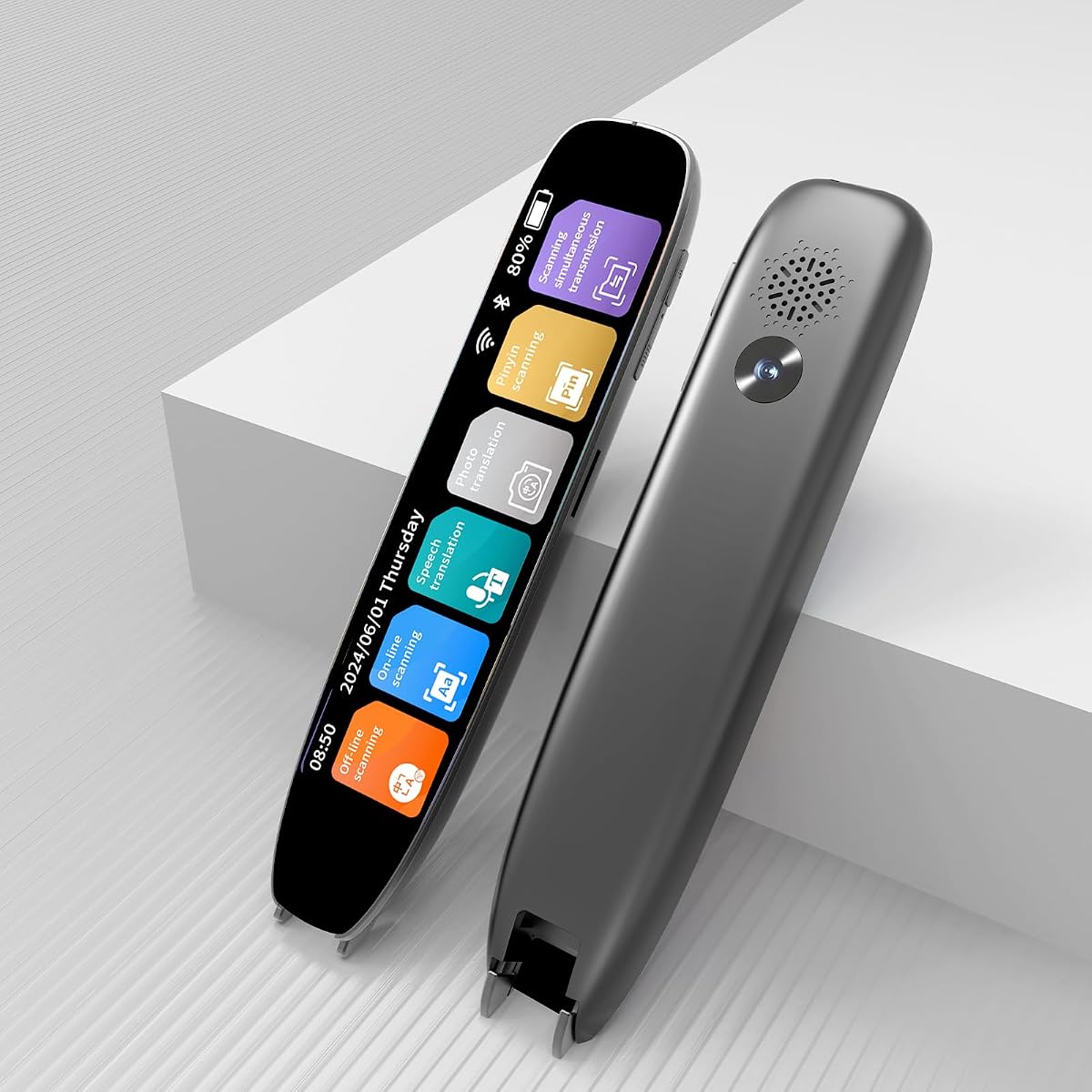
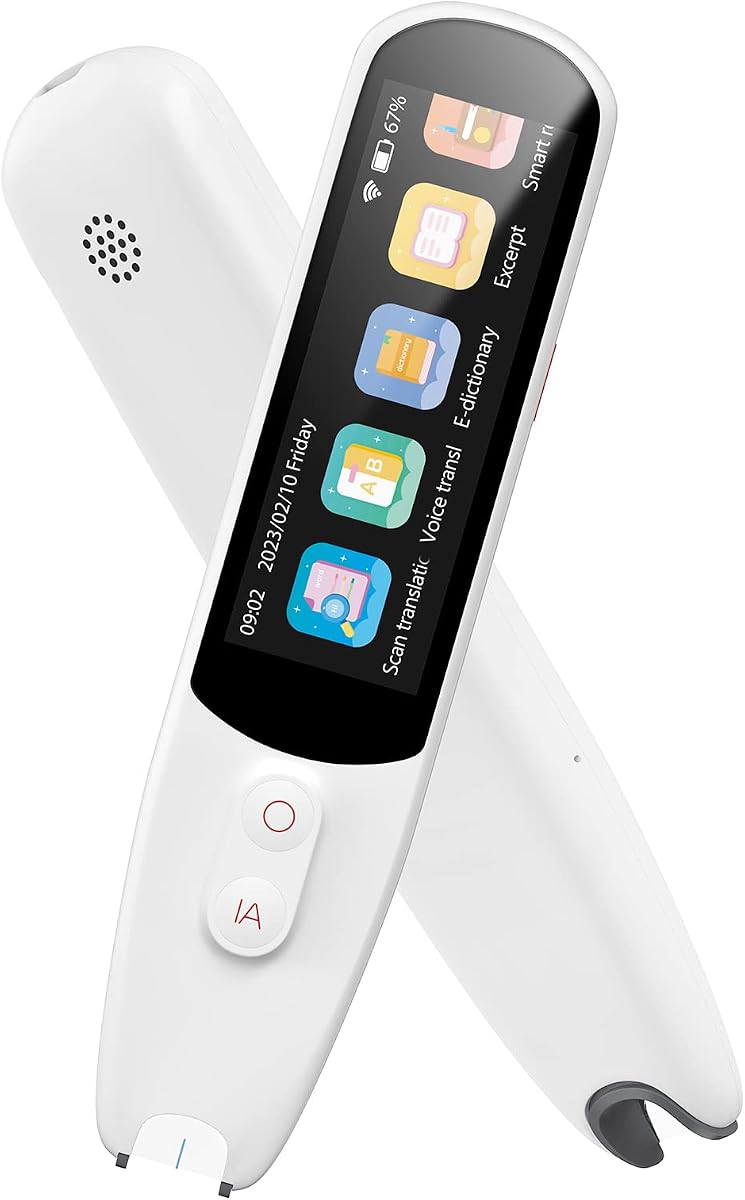


The Scanmarker Pal offers a robust solution for those needing translation and reading support. It scans text and reads it aloud while highlighting words on its screen, which aids comprehension for dyslexia users.
We may earn a commission when you buy through this link, at no additional cost to you.
Its ability to support over 100 languages makes it versatile for students learning foreign languages or travelers. The offline feature ensures you can scan without internet, a crucial trait for reliable use anywhere.
While it costs more than basic pens, the export function lets you save notes for later study. This reduces the need for manual copying and helps organize information efficiently.
Buy this if you want a reliable tool for both reading assistance and language translation. It balances performance with portability well for daily study or travel.
Hearing text read aloud while seeing words highlighted bridges the gap between visual and auditory learning styles effectively.
Access to offline translation in major languages ensures you are not stuck when internet signals are weak or unavailable.
We may earn a commission when you buy through this link, at no additional cost to you.
This pen stands out with its 3.5 inch touch screen and inclusion of Collins and FLTRP dictionaries. It scans text quickly and reads it aloud, making it strong for comprehension tasks.
We may earn a commission when you buy through this link, at no additional cost to you.
The reverse scan direction setting is a thoughtful addition for left handed users, ensuring comfort during long study sessions. Its photo translation feature also helps when scanning complex layouts.
Some users note that battery life might vary depending on usage intensity. However, the high detection rate and speed make it a strong contender for accuracy.
Consider this if you value detailed dictionary definitions and a larger screen. It suits students who need to look up meanings while reading.
The reverse scan setting allows left handed individuals to scan text without awkward wrist angles or screen obstructions.
Access to Collins and FLTRP dictionaries provides authoritative definitions that support deeper vocabulary learning.
We may earn a commission when you buy through this link, at no additional cost to you.
This model delivers solid value by offering support for 142 online languages at a lower price. It helps with pronunciation and comprehension while remaining lightweight for daily use.
We may earn a commission when you buy through this link, at no additional cost to you.
The ability to switch between left and right hand modes ensures everyone can use it comfortably. It also supports offline translation for ten major languages which is handy for travel.
Offline support is limited to ten languages compared to online breadth. Also, ratings are lower than some higher priced models but it remains functional.
Buy this if you need a budget friendly tool for basic scanning and translation needs. It is ideal for students seeking help with foreign text or study guides.
A lower price point makes advanced scanning tech accessible to more students and families needing reading assistance.
Support for both left and right hand usage prevents wrist strain during extended scanning tasks.
We may earn a commission when you buy through this link, at no additional cost to you.
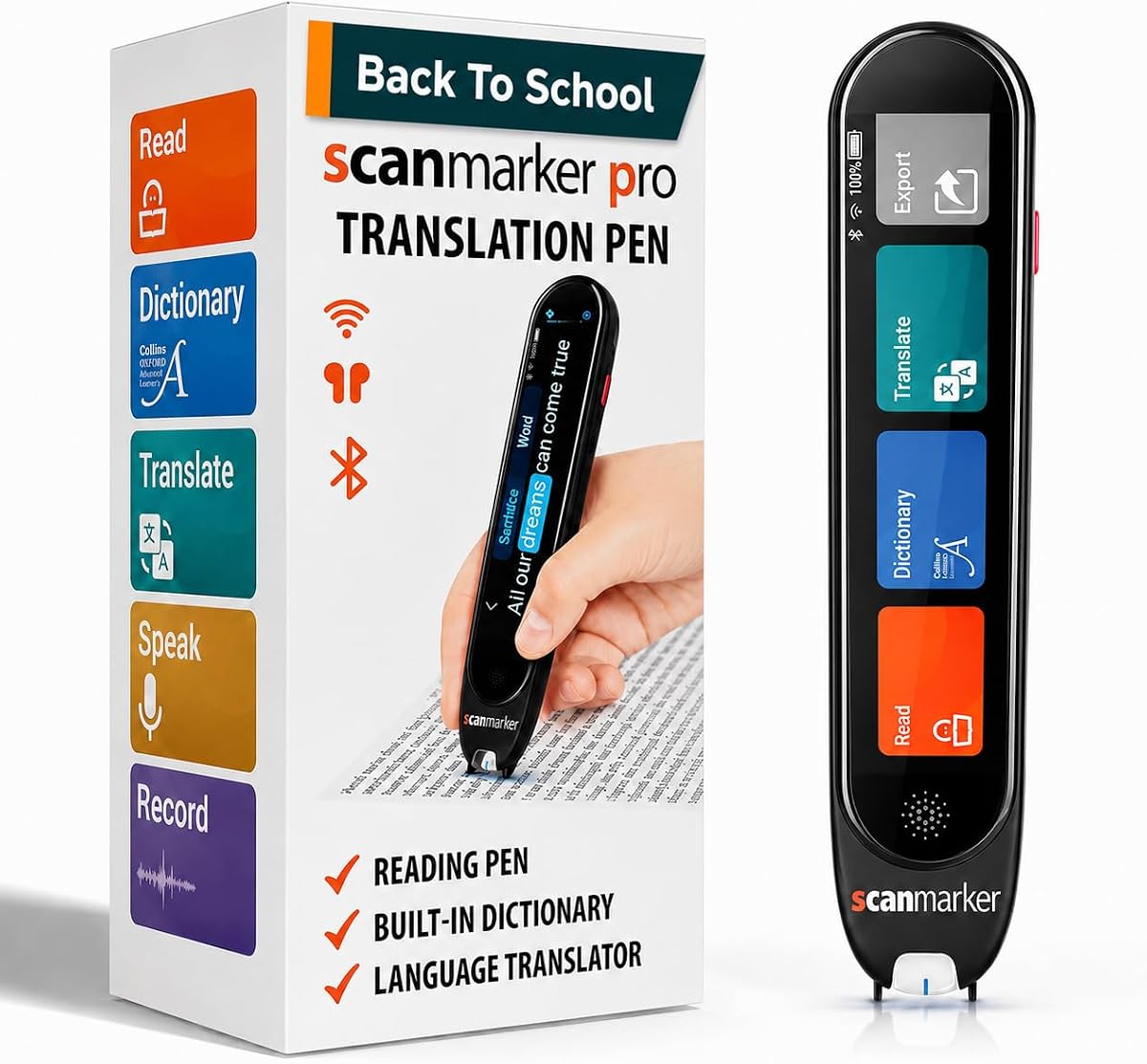
The Scanmarker Pro is a premium option that includes a built in English dictionary and note taking features. It scans text and reads it aloud, which aids comprehension for ESL and dyslexia learners.
We may earn a commission when you buy through this link, at no additional cost to you.
A one year warranty and dedicated support provide peace of mind for buyers. The ability to capture notes directly on the device makes it useful for professionals or students organizing information.
Its price is higher than most other models and it is a standalone device without external syncing capabilities for all users. This limits its flexibility compared to connected tools.
Choose this if you want a reliable tool with warranty protection and dictionary functions. It fits well for those needing structured study aids and professional support.
A one year warranty and customer support ensure you have help if issues arise during regular use.
Capture notes and memos directly on the device to organize data without relying on external apps.
We may earn a commission when you buy through this link, at no additional cost to you.
This pen combines translation with a voice recorder, allowing you to capture meetings or lectures while scanning text. It supports 142 online languages and offers offline translation for ten major ones.
We may earn a commission when you buy through this link, at no additional cost to you.
The built in camera helps with photo translation, which is useful for signs or menus. This versatility makes it a strong candidate for travelers and professionals needing audio capture.
Offline language support is limited to ten languages which might restrict usage in remote areas. Ratings are average but the feature set remains competitive.
Buy this if you need both translation and audio recording in one device. It serves well for students capturing notes or professionals tracking key information.
Voice recording capabilities allow you to save spoken content alongside scanned text for comprehensive notes.
A built in camera lets you translate complex layouts or signs instantly without scanning line by line.
We may earn a commission when you buy through this link, at no additional cost to you.
SVANTTO offers adjustable audio playback speeds which helps users process information at their own pace. It supports 102 languages and includes offline translation for major languages like English and Spanish.
We may earn a commission when you buy through this link, at no additional cost to you.
The noise reduction recording feature ensures clear audio capture in busy environments. This is useful for students attending lectures or meetings where clarity matters.
Offline language support is limited and overall user ratings are lower than top competitors. Still, the audio adjustments make it a good tool for individual learning styles.
Consider this if you need control over reading speed and recording quality. It suits learners who prefer customized audio pacing.
Adjusting playback speed lets you match audio to your comprehension level for better retention.
Noise reduction technology keeps lecture audio clear even in crowded or noisy spaces.
We may earn a commission when you buy through this link, at no additional cost to you.
The NEWYES AI Pen features tools like an AI homework checker and chat, which goes beyond simple scanning. It supports dyslexia friendly designs with adjustable reading speeds and accents.
We may earn a commission when you buy through this link, at no additional cost to you.
Six reading levels make it adaptable from pre readers to advanced users. This flexibility is great for schools with mixed skill levels or families helping younger kids.
Ratings are average and AI features may be complex for basic users. Still, the storage and OCR are robust for heavy document users.
Choose this if you want AI assistance alongside reading support. It fits students who need help solving problems not just reading text.
Built in AI tools can answer questions and check work to extend learning beyond scanning.
Six levels let the device grow with learners from early childhood to adult literacy.
We may earn a commission when you buy through this link, at no additional cost to you.
This model focuses on extracting key text from documents or images. It supports 142 online languages and offers offline translation for ten major ones which helps on the go.
We may earn a commission when you buy through this link, at no additional cost to you.
The ability to select and extract specific information reduces noise in long texts. This is helpful for professionals or students who need to summarize dense documents.
Offline language support is limited and ratings are average. Still, the focus on excerpting text adds value for those managing large volumes of reading.
Buy this if you need to pull key details from long documents. It suits professionals who prioritize summary and organization.
Extract only the relevant text sections to speed up note taking and review.
Highlight and capture essential points rather than reading full documents manually.
We may earn a commission when you buy through this link, at no additional cost to you.
This pen features a 5MP HD camera that decodes complex layouts and images better than flat scanners. It supports 142 languages and lets you sync editable files to your phone.
We may earn a commission when you buy through this link, at no additional cost to you.
Mobile sync allows quick editing of captured text. This is efficient for organizing notes without needing extra software on a computer.
Offline language support is limited to ten languages which may restrict use in remote areas. High camera quality helps with real world text tasks.
Choose this if you often encounter complex or image based text. It suits travelers or students needing flexible scanning solutions.
A high resolution camera recognizes text in non standard layouts that flat scanners miss.
Sync files to your phone for immediate editing and note organization.
We may earn a commission when you buy through this link, at no additional cost to you.
This pen is marketed for elderly users and learners needing simple scanning support. It offers offline translation for ten major languages and supports 142 online languages for broader use.
We may earn a commission when you buy through this link, at no additional cost to you.
Bluetooth connectivity allows use with headphones which helps those with hearing sensitivity. Its lightweight design makes it easy to carry for travel or daily tasks.
Vertical Japanese text is not supported which may limit some users. Otherwise it offers solid value for general translation and reading assistance.
Buy this if you need a simple reliable tool for translation and reading. It suits elderly users or those needing straightforward scanning.
Bluetooth headphone support allows private listening and volume control for those with hearing issues.
A lightweight and portable form factor reduces strain for extended scanning sessions.
We may earn a commission when you buy through this link, at no additional cost to you.
Selecting the right pen involves weighing language breadth, audio quality, and extra features against your specific learning or travel needs.
Many pens support over 100 languages online but offline options often range from 10 to 15. If you travel frequently or study multiple languages offline, ensure the device covers your needs.
Look for models with at least ten offline major languages to avoid reliance on internet access while abroad.
Clear audio is essential for comprehension. Some models let you adjust speed and accent which helps learners process information at their own pace.
Choose a pen with adjustable playback and headphone support to reduce distraction during study.
Models range from small compact designs to those with 3.5 inch touch screens. A larger screen helps display more text and supports better visual tracking for dyslexia users.
Opt for a display that fits your use case whether you need portability or detailed viewing.
Offline support is crucial when internet is unavailable. Most devices offer offline translation for a limited set of languages which may be sufficient for common travel scenarios.
Ensure the offline languages match your needs before assuming unlimited access without internet.
Some pens include voice recording or note taking functions. These are useful for students who need to capture lecture audio alongside scanned text.
Consider these features if you manage large volumes of text or need to organize notes digitally.
Bluetooth allows connection to headphones or phones. This helps users listen privately or sync files for editing on other devices.
A Bluetooth module adds flexibility for users who want to avoid built in speakers.
Weight and size affect comfort. Lightweight designs around 70g are ideal for carrying in a pocket or pencil case daily.
Look for models with left hand options if you find right handed scanning uncomfortable.
Some premium models offer a one year warranty and dedicated customer support. This protects your investment and ensures help if technical issues arise.
Prioritize brands with clear support policies if you rely on the device for daily tasks.
To begin, charge the device fully and download any required languages to offline storage. Ensure the OCR sensor at the tip is clean to avoid scanning errors.
Hold the pen steady over text and press the scan button. Adjust scanning speed so the pen captures words clearly without skipping lines. Use the built in screen to review results.
After usage, store the pen in a protective case to avoid scratches. Regularly update firmware via USB to ensure translation accuracy and battery health over time.
Most pens scan printed text only. Some models support photo translation which can work on screens but direct e book scanning is limited. Check product specs for screen support.
Many models feature Bluetooth modules that allow headphone pairing for private listening. Not all have this so verify connectivity features before purchase to ensure audio needs are met.
Some models offer adjustable reading levels and simple interfaces for children. Choose pens with smaller sizes and durable designs for younger users to ensure safe and effective learning.
Battery life varies but most pens offer several hours of continuous scanning and reading. Check individual product specs for exact battery estimates based on your usage patterns.
Yes many pens allow saving or exporting scanned text to digital formats. Some sync to phones while others store files internally for later viewing or editing.
Accuracy is lower for handwriting compared to printed text. Most OCR technology targets standard fonts so expect less reliable results with handwritten notes.
Offline support usually covers ten major languages like English Spanish French and German. Verify the exact list in product descriptions to ensure your needs are met without online access.
The Scanmarker Pal stands out for balancing language breadth and offline reliability while offering solid audio support. It fits most learners and travelers needing a dependable tool.
If budget matters consider the Scan Translation Pen for affordable multilingual support. For those needing recording or note features the dyslexia Tools Translator Pen adds value.
Prices and features change so check current listings before buying. Prioritize offline language support and audio quality to match your learning needs.