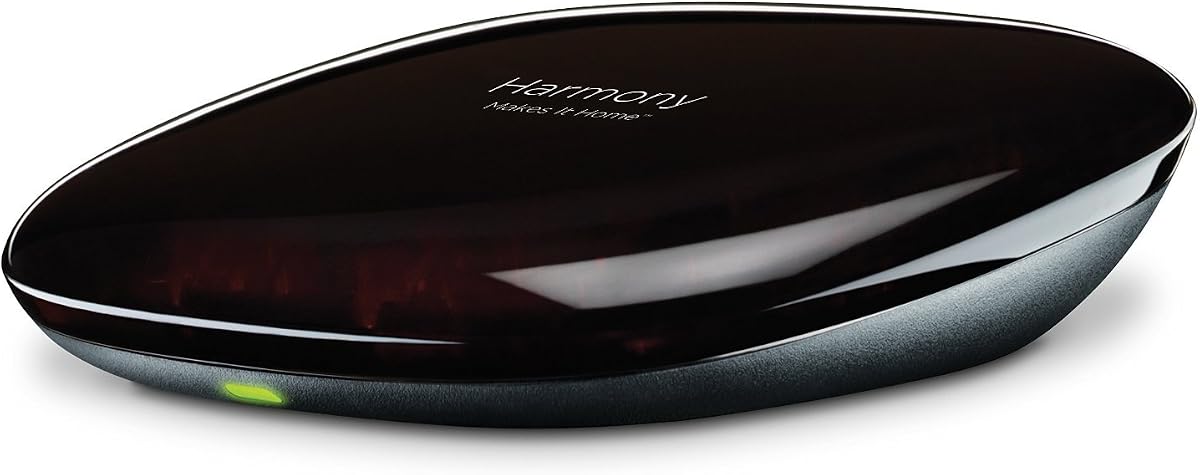
Logitech Harmony Home Hub
3.9Editor score
Controls eight home entertainment devices
Compatible with Alexa voice commands
Included hub for closed cabinet control
This guide compares the top Logitech Harmony Home Hub models for 2026, evaluating device compatibility, smart home integration, and remote control features.
Finding the right universal remote solution can transform your home entertainment experience significantly. The Logitech Harmony Home Hub offers a centralized way to manage multiple devices without juggling many remotes. It integrates seamlessly with smart home ecosystems for intuitive control.
We analyzed ten distinct models based on their connectivity options, device capacity, and user interface design. Each product was evaluated for its ability to handle complex setups like hidden cabinets or diverse streaming platforms. Our goal is to help you choose the most reliable option.
Each review highlights specific strengths and limitations to guide your purchasing decision effectively. While prices may fluctuate over time, the core features remain consistent across different versions. Focus on compatibility and usability to ensure long-term satisfaction with your selection.
3.9Editor score

3.9Editor score

3.7Editor score
This table provides a side-by-side overview of the ten selected Logitech Harmony Home Hub models. It highlights key specifications such as device capacity, control methods, and compatibility features to help you distinguish between options quickly.
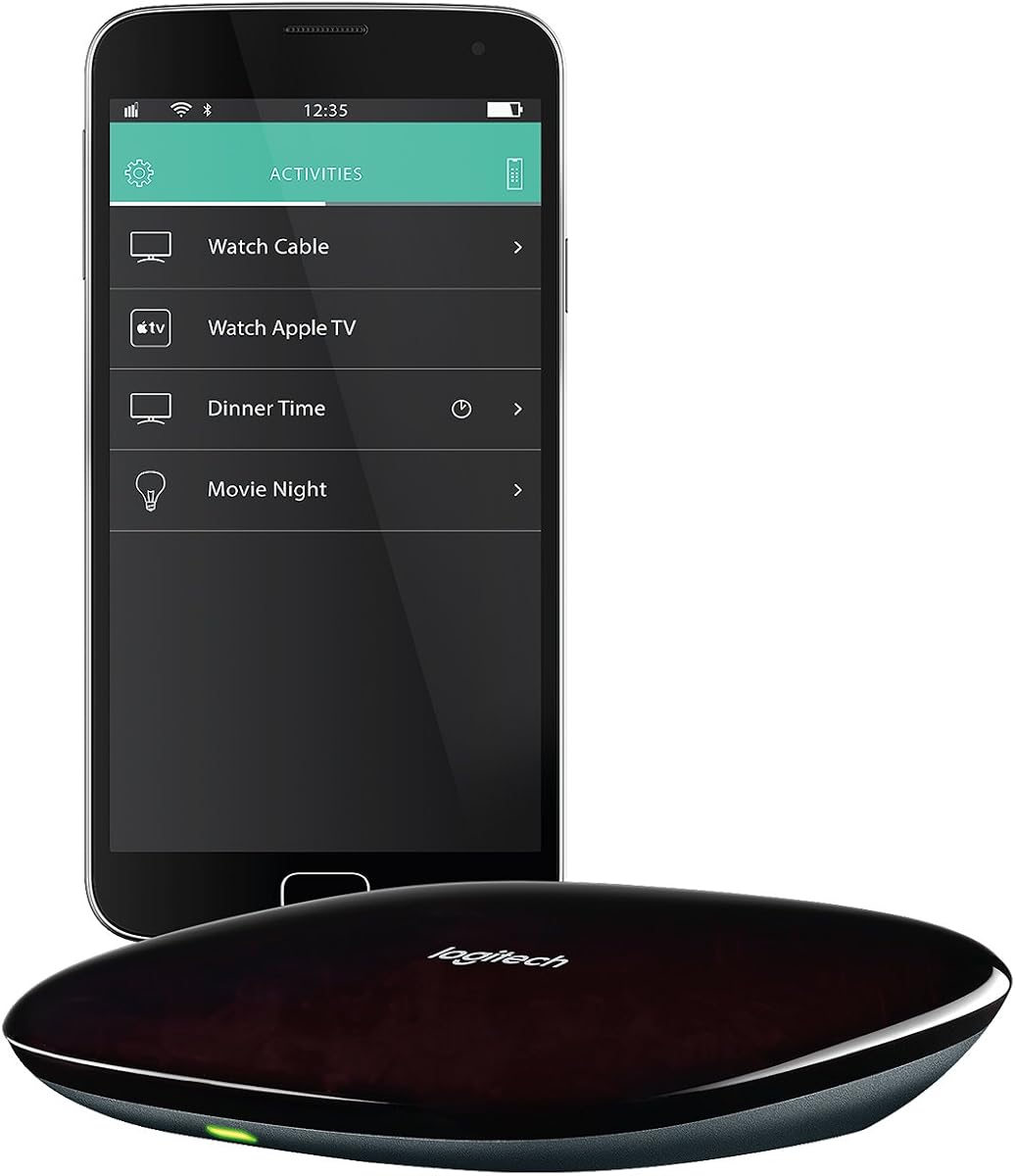


The Logitech Harmony Ultimate Hub stands out for its ability to control devices hidden behind cabinet doors. This makes it ideal for clean living room setups without visible equipment. Its mobile app transforms your smartphone into a powerful universal remote.
We may earn a commission when you buy through this link, at no additional cost to you.
Key strengths include advanced control options for eight different devices including TVs and cable boxes. The inclusion of an IR mini-blaster ensures compatibility with older equipment tucked away. Users appreciate the ease of navigating channels and favorite content.
One trade-off is the limit of eight devices which might not suit larger setups. Additionally, reliance on Wi-Fi means connectivity depends on network stability. These factors are acceptable given the robust control it offers.
This hub is perfect for users wanting centralized control without clutter. If you value a tidy home theater with hidden components this choice delivers. It balances functionality and ease of use effectively.
The IR mini-blaster feature ensures you can operate gear even when cabinets are closed.
Your iOS or Android device becomes a fully functional universal remote for all your gear.
We may earn a commission when you buy through this link, at no additional cost to you.
This Elite Remote offers top-tier control with a vibrant full-color touchscreen. It integrates hubs app for a complete solution. The ability to manage fifteen devices makes it a powerhouse for complex smart homes.
We may earn a commission when you buy through this link, at no additional cost to you.
The One-touch Activities feature allows users to launch scenes like Watch a Movie instantly. Compatibility with Alexa adds voice control convenience for hands-free operation. The extensive device database ensures broad compatibility across brands.
The setup process can be detailed requiring patience to configure all devices correctly. The price is higher than other models which may deter budget-conscious buyers. These aspects are outweighed by the advanced features provided.
Ideal for tech enthusiasts who want ultimate control over their home ecosystem. If you value sleek design and extensive integration this model is unmatched. It represents the premium end of the Harmony lineup.
The full-color display allows for intuitive swipes and taps to manage channels and settings.
Integration with Philips Hue and other smart devices extends control beyond entertainment gear.
We may earn a commission when you buy through this link, at no additional cost to you.
The renewed Logitech Harmony Home Hub provides excellent value for money. It allows smartphone control for eight entertainment and automation devices. Alexa compatibility adds voice control features that enhance daily usage.
We may earn a commission when you buy through this link, at no additional cost to you.
Users can create customized activities such as turning on lights and launching Netflix together. The closed cabinet feature ensures control over hidden components effectively. The app interface is simple and easy to navigate.
Buying a renewed product means it may lack new packaging or accessories. The device limit might restrict expansion for larger setups. These factors are minor given the significant cost savings offered.
This option suits users wanting reliable central control without high expense. If you need Alexa integration and simple setup this hub is ideal. It delivers core Harmony functionality at a lower price.
Compatible with Alexa for easy voice control of your home entertainment system.
Create activities to automate multiple device settings with a single tap.
We may earn a commission when you buy through this link, at no additional cost to you.
The Harmony Smart Control focuses heavily on app-based interaction. It supports up to eight devices with robust connectivity options. The swipe and tap functionality makes managing favorites intuitive.
We may earn a commission when you buy through this link, at no additional cost to you.
Its ability to work with 270000 devices ensures broad compatibility including game consoles. The removable battery allows for longer usage without constant charging. Setup uses standard Wi-Fi protocols for easy connection.
Internet access is necessary for initial configuration which can be inconvenient offline. Battery replacement may be needed over time adding to maintenance. These issues are minor compared to the app flexibility.
Best for those who prefer using their phone as the primary remote. If you want versatile control without physical buttons this model excels. It bridges the gap between traditional and modern remotes.
The app includes swipe and tap control for channels volume and media playback.
Works with major brands including PlayStation Xbox and streaming devices for broad support.
We may earn a commission when you buy through this link, at no additional cost to you.
This basic Harmony Hub serves as a simple controller for eight devices. It is discontinued but still functional for those who find units. The setup focuses on core remote replacement needs.
We may earn a commission when you buy through this link, at no additional cost to you.
It allows users to manage TVs and players through a smartphone app. The connection is stable enough for daily use without issues. It lacks some newer smart home features found in other models.
Discontinuation means support and updates may be limited over time. Advanced features like activities are less detailed than newer versions. This is acceptable for users needing simple remote replacement.
Ideal for those wanting to consolidate remotes without complex features. If you prefer simplicity this hub offers reliable basic control. It is a straightforward choice for standard setups.
Provides essential control for eight home entertainment devices effectively.
Installation is straightforward for users familiar with basic remote setups.
We may earn a commission when you buy through this link, at no additional cost to you.
This kit includes the remote hub and app for comprehensive control. It targets home entertainment devices effectively. The renewed status offers significant savings compared to new units.
We may earn a commission when you buy through this link, at no additional cost to you.
The combination of physical remote and app flexibility appeals to many users. Hub capabilities ensure devices work even when hidden. App integration provides intuitive access to favorite channels.
Renewed items carry slight risks regarding condition or accessories included. Wi-Fi dependency means stable network is required for initial setup. These are standard trade-offs for refurbished electronics.
Perfect for those seeking premium features at a lower price point. If you want a complete package without full cost this kit works. It balances value and functionality well.
The set includes the hub remote and app for immediate usability.
The hub ensures consistent communication with all connected devices.
We may earn a commission when you buy through this link, at no additional cost to you.
The Elite Remote offers advanced control with a full color screen. It supports up to fifteen devices which covers most setups. One-touch activities simplify complex device interactions for users.
We may earn a commission when you buy through this link, at no additional cost to you.
The touchscreen allows for easy navigation through menus and settings. Voice commands integrate well with Alexa for convenience. The device compatibility is extensive covering many brands and types.
Renewed units may have minor cosmetic wear or battery issues. The screen brightness can consume more power than simpler remotes. These points are manageable for the added functionality provided.
Great for users who want a modern interface and voice control. If you value convenience and extensive compatibility this model fits. It remains a popular choice for its robust feature set.
Touch an activity like Watch a Movie to automatically power on and switch settings.
The full color touchscreen makes selecting favorites and changing channels easy.
We may earn a commission when you buy through this link, at no additional cost to you.
This Ultimate Home Touch remote features a bright color screen. It allows customizable commands and icons for personal preference. The design is ergonomic and fits well in hand.
We may earn a commission when you buy through this link, at no additional cost to you.
The screen displays channels and settings clearly without needing physical buttons. Customization options let users organize content their way. It supports thousands of brands ensuring wide usability.
Renewed status means potential cosmetic imperfections or reduced battery life. The charging stand is essential which adds to the space needed. These are acceptable for the tactile experience offered.
Suits users preferring a modern interactive interface over buttons. If you want a customizable experience this remote delivers. It remains a solid choice for touchscreen enthusiasts.
Customizable commands icons and screens allow for personalized control.
The black design is sleek and easy to hold during use.
We may earn a commission when you buy through this link, at no additional cost to you.
This Elite model integrates seamlessly with Alexa for voice commands. It features a bright full color touchscreen for visual control. One-touch Activities streamline managing multiple devices simultaneously.
We may earn a commission when you buy through this link, at no additional cost to you.
Voice commands allow for hands-free control of entertainment systems. The touchscreen responds well to swipes and taps. Compatibility with smart home devices extends its utility beyond TV.
The setup process can be complex for non-technical users. Renewed status implies potential variability in condition. These are manageable given the advanced capabilities offered.
Perfect for smart home enthusiasts who value voice interaction. If you want advanced integration and a modern interface this works. It delivers high-end features effectively.
Compatible with Amazon's Alexa for easy voice integration and activation.
Controls smart home devices like Philips Hue lights alongside entertainment gear.
We may earn a commission when you buy through this link, at no additional cost to you.
The Harmony 1100 features a large 3.5-inch color screen. It uses RF wireless capability for enhanced connectivity options. The rechargeable battery provides long usage sessions.
We may earn a commission when you buy through this link, at no additional cost to you.
The large display makes navigation simple and intuitive. RF capability allows control without line-of-sight constraints. It supports thousands of brands ensuring compatibility with many devices.
It is an older model with a bulkier design. The price is higher compared to newer hubs. These aspects are acceptable for its robust connectivity features.
Ideal for users needing RF connectivity and large display. If you want reliable control for many devices this is strong. It remains a dependable option for specific needs.
RF wireless capability allows for control without line-of-sight restrictions.
Rechargeable battery with charging stand ensures long-lasting use.
We may earn a commission when you buy through this link, at no additional cost to you.
Selecting the right hub requires evaluating device compatibility connection types and app features. This guide outlines key factors to ensure your chosen model fits your setup.
Check how many devices the hub supports to match your entertainment needs. Most models support up to eight or fifteen devices covering TVs and consoles.
Ensure the hub works with your existing equipment brands and protocols.
Consider whether you need Wi-Fi or infrared connections for your setup. Some models include mini-blasters for controlling devices inside cabinets.
Choose a model with stable connection capabilities to avoid interruptions.
Evaluate smart home compatibility including Alexa or Philips Hue support. This allows voice commands and automated routines for convenience.
Prioritize hubs that connect well with your preferred smart ecosystem.
Review the mobile app for intuitive design and customization options. Features like swipe controls and favorites enhance the user experience.
Select a model with an app that matches your operating system.
Decide if you prefer a physical remote touchscreen or app-only control. Touchscreens offer modern visuals while remotes provide tactile feedback.
Choose a design that suits your daily handling preferences.
Look for one-touch Activities that automate power and settings. This simplifies launching scenarios like Movie Night with one command.
Ensure the hub supports the automation level you require.
Consider the time and effort needed for initial configuration. Some models offer guided setup wizards while others require manual entry.
Pick a model with setup that fits your technical comfort.
Decide between new and renewed units based on budget and reliability. Renewed units offer savings but may lack full packaging.
Verify warranty and return policies before finalizing your purchase.
Start by connecting the hub to your Wi-Fi network using the setup app. Follow on-screen prompts to pair devices and configure basic commands.
Customize activities and favorites to match your viewing habits. Use swipe gestures or voice commands to launch these routines easily.
Keep the hub away from direct sunlight and dust to maintain performance. Update the software regularly to ensure compatibility and stability.
Yes many models include an IR mini-blaster designed to send signals through cabinet doors. Place the blaster in a clear line of sight for optimal performance.
The Hub supports over 270000 devices including TVs satellite boxes streaming sticks and game consoles. It also integrates with smart lights and thermostats.
Initial setup requires Wi-Fi but daily control may work without it if configured. A stable connection helps with software updates and remote access.
Yes many models are compatible with Amazon Alexa for voice activation. This allows hands-free control of activities and device settings.
Updates are managed through the Harmony app on your smartphone. Keep the app installed to receive the latest features and patches.
The Hub manages device communication and automation while the remote provides the interface. Some bundles include both for complete control.
We highlighted ten models offering a range of features from basic control to advanced smart integration. The Ultimate Hub Elite Remote and Home Hub stand out as top choices.
Prioritize device compatibility and connection stability when making your selection. Consider whether a physical remote or app-only experience suits your needs better.
Always check current listings and reviews before purchasing to ensure the best fit. Features and availability may change over time.