
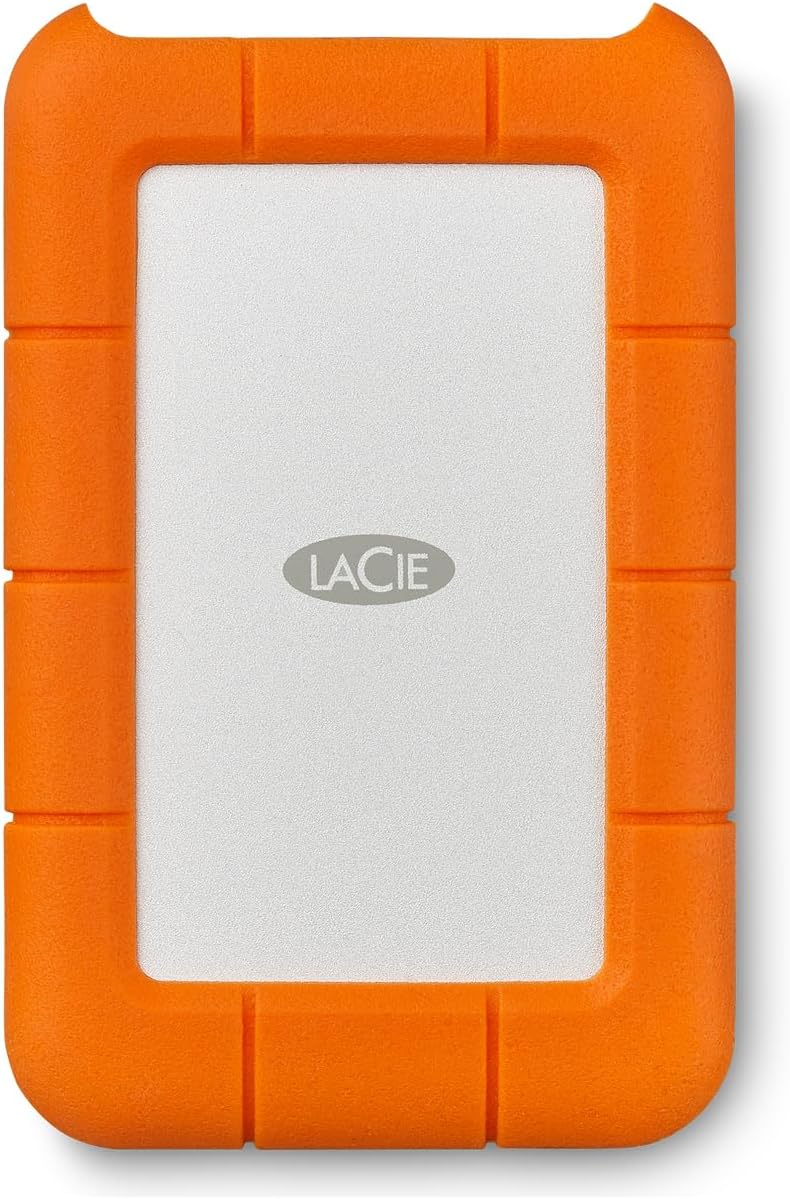
LaCie Rugged Mini USB 3.0 2TB
4.6Editor score
Shock resistant up to four feet
USB 3.0 fast data transfers
Includes Adobe Creative Cloud membership
Finding reliable portable storage is essential for professionals who work in demanding environments. The Lacie Rugged External Hard Drive series offers robust protection against drops and weather. These drives ensure your critical data remains safe regardless of the conditions you face during transport or field work.
We evaluated ten distinct models based on durability ratings, connectivity options, and storage capacities. Our analysis focuses on real-world performance and user feedback to highlight the most reliable options. This list covers everything from compact mini drives to high-capacity RAID solutions for diverse needs.
Each pick below showcases specific strengths like speed or ruggedness to match different workflow requirements. Prices fluctuate frequently so always verify current costs before making your final purchase decision. We aim to provide clear insights so you can select the right drive with confidence and ease.
4.6Editor score

4.4Editor score

4.4Editor score
As an Amazon Associate we earn from qualifying purchases.
This side-by-side comparison highlights the key specifications and unique features of each model to help you quickly identify the drive that fits your specific storage and durability requirements without hassle.


This drive stands out as the top choice for its balanced mix of capacity and durability. It receives high marks from users who need reliable storage for large media files in tough conditions. The build quality ensures your data stays safe even when you are traveling to remote locations.
We may earn a commission when you buy through this link, at no additional cost to you.
The 4TB capacity provides ample space for extensive photo and video libraries without needing multiple drives. USB-C connectivity ensures fast and reliable transfers with modern laptops and desktops. Its rugged design handles drops and shocks that would damage standard external hard drives easily.
While it is not the cheapest option on the market the protection it offers justifies the cost for professionals. You might need an adapter if your computer only has older USB ports but this is a minor inconvenience. The performance remains consistent even under stress which is crucial for field work.
If you need a versatile drive that works seamlessly with both Mac and PC systems this is the ideal pick. It is perfect for photographers and videographers who carry their gear into unpredictable environments. We recommend this model for anyone prioritizing data safety and large storage needs.
The drive is built to withstand drops dust and rain ensuring your data stays safe in tough conditions during travel.
Features a USB-C interface for fast reliable data transfers with modern laptops and desktops saving you time on large files.
We may earn a commission when you buy through this link, at no additional cost to you.
This model offers an excellent entry point into the Rugged lineup with a very competitive price. Users appreciate the included Case Logic case which adds extra protection during transport. The high rating reflects its reliability for everyday backup needs without breaking the bank.
We may earn a commission when you buy through this link, at no additional cost to you.
The 2TB capacity is sufficient for many users who need to store documents and media files. USB 3.0 provides speeds up to four times faster than USB 2.0 for efficient data transfer. Password protection helps keep your sensitive information secure from unauthorized access on public computers.
Mac users will need to reformat the drive which is a small setup step to consider before buying. The interface is older than USB-C but still works with most modern computers without issues. The included Adobe Creative Cloud membership adds value for creative professionals looking for software access.
If you are looking for a cost-effective solution that still offers rugged protection this drive is a strong contender. It is ideal for students or casual users who want durability without paying for premium features. We suggest this for those who need reliable storage on a tighter budget.
Shock drops up to four feet dust and water resistant design makes it perfect for all-terrain use on a budget.
Includes a one-month complimentary membership to Adobe Creative Cloud All Apps Plan for access to awesome photo and video editing apps.
We may earn a commission when you buy through this link, at no additional cost to you.
This drive is unique because it works with mobile devices like iPad and iPhone in addition to computers. The 2.5-inch form factor makes it incredibly easy to carry in a bag or pocket wherever you go. Users love the included Data Rescue Service for peace of mind against data loss.
We may earn a commission when you buy through this link, at no additional cost to you.
The 4TB capacity provides ample storage for files photos and videos on the go without needing multiple drives. Its rugged design is built to withstand drops pressure and rain which is ideal for demanding environments. The compatibility with a wide range of devices adds significant flexibility to your workflow.
You might find the price higher than other mini drives but the added features justify the cost for many users. Ensure you have the right cable to connect to mobile devices since it may vary by model. The Data Rescue Service is a valuable addition that saves time if files get corrupted.
If you need a drive that travels with you to mobile devices this is a highly versatile option. It suits creatives who capture content on phones and need to store it securely in one place. We recommend this for anyone who values portability and device compatibility above all else.
Works seamlessly with PC Mac iPad and iPhone making it a versatile solution for all your mobile and desktop devices.
Includes a Data Rescue Service plan to help recover lost or corrupted files when you need it most without extra fees.
We may earn a commission when you buy through this link, at no additional cost to you.
This model offers a massive 5TB of portable storage capacity that gives you plenty of room for large files. It is designed to be compact and lightweight so it is easy to carry your data wherever you go. The USB-C interface delivers fast and reliable data transfers with the latest systems.
We may earn a commission when you buy through this link, at no additional cost to you.
The rugged protection keeps your data safe in tough conditions and demanding environments with resistance to dust and rain. It works seamlessly with both Mac and PC making it a versatile solution for a wide range of users. The build quality ensures durability for field work without adding too much weight to your bag.
Since this is a newer model there is limited rating data available so we rely on brand reputation for quality. The price point reflects the high capacity and modern connectivity options which may be a consideration for some buyers. You should verify current availability as stock can vary for larger capacity drives.
If you need to store extensive video projects or large backups this drive provides the space you require. It is perfect for professionals who need high capacity without sacrificing portability or ruggedness. We suggest this for users who prioritize storage size and modern interface standards.
5TB of portable storage capacity gives you plenty of room for large files photos videos and backups in one drive.
USB-C interface delivers fast reliable data transfers and is compatible with the latest Mac and PC systems for efficiency.
We may earn a commission when you buy through this link, at no additional cost to you.
This drive is built for those who have a need for speed with transfer speeds of up to 130MB/s. The integrated Thunderbolt cable wraps around the enclosure when not in use which keeps your setup organized. It combines extreme durability with high performance for professional workflows.
We may earn a commission when you buy through this link, at no additional cost to you.
The 5TB capacity allows you to store large files and projects without worrying about running out of space. Drop dust and water resistance means you can take it into the field without fear of damage. The three-year limited warranty and Rescue Data Recovery services provide long-term peace of mind.
You will need a Thunderbolt port to achieve the maximum speeds which limits compatibility with older computers. The price is higher but the speed and warranty make it worth it for professionals who rely on fast transfers. Ensure your system supports Thunderbolt before purchasing to get the most out of this drive.
If speed is your top priority and you work with large video files this drive is a powerful tool. It suits editors who need quick access to their projects while on the move. We recommend this for users who demand high performance and reliable protection for their data.
Transfer files with speeds of up to 130MB/s using the integrated Thunderbolt cable that seamlessly wraps around the enclosure.
Enjoy long-term peace of mind with an included three-year limited warranty protection plan and Rescue Data Recovery services.
We may earn a commission when you buy through this link, at no additional cost to you.
This drive offers 8TB of massive capacity in a unique flat design that fits well in jam-packed gear bags. It allows you to configure RAID 0 or 1 using a step-by-step wizard for performance or redundancy. The self-encrypting password system protects projects from unauthorized access during transport.
We may earn a commission when you buy through this link, at no additional cost to you.
The rugged design is built for extreme durability with resistance to drops dust and water for safe travel. It works seamlessly with both Mac and PC systems for versatile use in different environments. The included Adobe Creative Cloud membership adds extra value for creative professionals who need editing tools.
Setting up RAID might require some technical knowledge but the wizard simplifies the process for most users. The flat shape is distinct from other models and helps maximize space in your carry-on or backpack. Ensure you understand the difference between RAID 0 and 1 before configuring to meet your needs.
If you need massive storage with redundancy options this drive is a standout choice for professionals. It is ideal for teams or individuals who manage huge datasets and need reliable protection. We suggest this for users who want high capacity and advanced security features.
Easily configure RAID 0/1 using the step-by-step wizard to optimize the system for performance or redundancy as needed.
Store pack and send out content like never before with a rugged external hard drive built uniquely flat for jam-packed gear bags.
We may earn a commission when you buy through this link, at no additional cost to you.
This drive is perfect for those who need to connect to older FireWire 800 systems alongside modern USB ones. The dual FireWire ports allow for daisy chaining which increases flexibility in workstation setups. Users appreciate the rugged design that offers all-terrain durability for field work.
We may earn a commission when you buy through this link, at no additional cost to you.
The 1TB capacity is suitable for those who need to store up to 1TB of content efficiently. Transfer speeds of up to 110MB/s are decent for most backup tasks though not the fastest available. The included two-year limited warranty provides assurance of quality and long-term support from the brand.
It may be slower than newer USB-C models but it serves a specific niche for legacy hardware users. The Adobe Creative Cloud membership adds value for those who need editing apps regardless of drive speed. Ensure your system has FireWire ports if you plan to use that specific connection mode.
If you own older Mac systems that rely on FireWire this drive is a reliable bridge to modern storage. It is a practical choice for users who cannot upgrade their computers immediately. We recommend this for those who need compatibility with legacy interfaces.
Connect to FireWire 800 and USB 3.0 computers easily with dual FireWire ports for daisy chaining and fast transfers.
Trek confidently with a portable external hard drive that offers all-terrain durability of drop dust and water resistance.
We may earn a commission when you buy through this link, at no additional cost to you.
This model allows you to capture and edit content like a pro with extreme durability and fast performance. The integrated Thunderbolt cable wraps around the enclosure when not in use for easy portability. It offers speeds up to 130MB/s for those who have a need for speed with large files.
We may earn a commission when you buy through this link, at no additional cost to you.
The 1TB capacity is sufficient for projects that do not require massive storage space on the drive. Drop dust and water resistance ensures it can handle tough conditions during travel or field work. The included three-year limited warranty gives you long-term peace of mind regarding its reliability.
You might find 1TB small if you deal with raw video footage daily but it works well for backups. The Thunderbolt connection is key for speed but standard USB 3.0 is also supported for compatibility. Ensure you have the right cable to take advantage of the high-speed capabilities.
If you need a durable drive with Thunderbolt options and moderate capacity this is a solid choice. It suits professionals who prioritize speed and protection over raw storage volume. We suggest this for users who want reliable performance for creative editing tasks.
Transfer with speeds of up to 130MB/s using the integrated Thunderbolt cable that seamlessly wraps around the enclosure.
Trek confidently with a portable external hard drive that is drop dust and water resistant for field work.
We may earn a commission when you buy through this link, at no additional cost to you.
This drive provides RAID capability for added data protection alongside fast Thunderbolt and USB 3.0 connectivity. It offers 4TB of storage which is a good balance for many professional use cases. The rugged design ensures durability for field work while maintaining high performance speeds.
We may earn a commission when you buy through this link, at no additional cost to you.
RAID configuration allows you to balance performance and redundancy based on your specific workflow needs. The requirement for 600MB free disk space is minimal on modern systems but still worth noting before installation. It works seamlessly with computers that have Thunderbolt USB 3.0 or USB 2.0 ports.
You might find it slightly slower than newer USB-C models but it remains reliable for older workflows. Ensure your system meets the disk space requirements for optimal performance during configuration. The brand reputation for durability makes it a trustworthy choice for critical data storage needs.
If you need RAID protection and fast transfers this drive is a strong option for existing workflows. It suits users who value data safety and compatibility with various port types. We recommend this for those who need robust storage without switching to newer interfaces.
Configurable RAID setup allows you to optimize for performance or redundancy to protect your important files.
Computer with a Thunderbolt USB 3.0 or USB 2.0 port ensures wide compatibility with older and newer systems.
We may earn a commission when you buy through this link, at no additional cost to you.
This SSD provides a read speed of 950 MB/s for fast data transfer that outperforms standard hard drives significantly. It is built to withstand harsh conditions with extreme water and 3m drop resistance for ultimate durability. Users who need speed and protection will find this premium option well worth the investment.
We may earn a commission when you buy through this link, at no additional cost to you.
The portable storage design allows you to carry large amounts of data easily in any bag. It works with both Mac and PC desktop devices ensuring broad compatibility across different platforms. The included Data Rescue Service adds security for your data in case of accidental loss or corruption.
The price is higher than standard drives but the speed and ruggedness justify it for professionals. You will notice faster boot and transfer times which save valuable time during busy workdays. Ensure you are prepared for the premium cost when selecting this model over standard HDD options.
If you demand top-tier speed and ruggedness this SSD is the ultimate portable storage solution. It is ideal for editors who need instant access to high-resolution footage. We recommend this for those who prioritize performance and extreme durability above all else.
Rugged SSD provides a read speed of 950 MB/s for fast data transfer that exceeds standard drive performance.
With extreme water and 3m drop resistance this SSD is built to withstand harsh conditions in any environment.
We may earn a commission when you buy through this link, at no additional cost to you.
Choosing the right drive requires understanding how capacity speed and durability impact your daily workflow in demanding environments.
You should first assess the size of your files and how much data you need to store on the go. Models range from 1TB to 8TB which helps you match the drive to your current and future growth without paying for unused space. Larger capacities are essential for video editors while smaller ones suit document backups.
Choose a capacity that gives you at least twenty percent extra room beyond your current needs to avoid running out of space.
Modern laptops often feature USB-C ports which offer faster data transfer rates compared to older USB types. Ensure the drive you select matches your computer's ports to avoid needing extra adapters that can be lost or break easily. Thunderbolt options exist for those who need maximum speed for large file transfers.
Prioritize USB-C or Thunderbolt interfaces to ensure compatibility with modern devices and faster file access speeds.
The core value of a Rugged drive lies in its ability to withstand drops shocks and environmental hazards like rain. Look for specific drop height ratings and water resistance claims to ensure it protects your data in your specific work environment. This protection prevents data loss during transport to remote sites.
Select a model with a drop rating that matches your typical travel risks to keep your data safe and secure.
Since these drives are meant to travel with you the weight and size should fit comfortably in your carry bag. Smaller models like the Mini series offer excellent portability but might have less capacity than larger variants. Balancing weight with capacity ensures you can carry it all day without fatigue.
Consider the physical size of the drive to ensure it fits easily into your daily carry bag or backpack.
Prices vary widely based on capacity and technology such as HDD versus SSD which affects performance and cost. Setting a budget helps you narrow down options to those that offer the best features for your money without overspending. Remember that a higher initial cost might save money on data recovery later.
Compare the cost per terabyte across models to find the most efficient storage value for your budget.
A solid warranty plan provides peace of mind if the drive fails or encounters hardware issues during the coverage period. Some models include Data Rescue services which can be critical for recovering lost files without extra fees. Check the duration and terms of the warranty before making your final purchase decision.
Look for drives that include Data Rescue services to simplify recovery if you accidentally delete or lose files.
Ensure the drive is pre-formatted or supports your specific operating system like Mac or PC to avoid setup issues. Some drives may need reformatting to work seamlessly which can affect your workflow if not planned ahead. Cross-platform compatibility is key for users who work with multiple systems regularly.
Verify cross-platform compatibility to ensure the drive works seamlessly with both Mac and PC without reformatting.
Password protection and encryption help keep your data safe from unauthorized access if the drive is lost or stolen. This is crucial for professionals carrying sensitive client data or proprietary projects on the move. Look for self-encrypting models to ensure your information remains secure at all times.
Choose models with password protection to secure sensitive data against unauthorized access during transit or storage.
Always use the included cables to connect the drive to your computer to ensure optimal power and data transfer speeds. Improper cables can lead to connection issues that affect the performance and lifespan of the drive over time.
Avoid exposing the drive to extreme temperatures or moisture beyond its rated limits to maintain durability. Keeping it in a protective case when not in use helps prevent accidental drops or scratches during transport.
Regularly back up your critical data to a cloud service or second drive to prevent total data loss in case of hardware failure. This redundancy ensures your files remain safe even if the primary drive encounters unexpected issues or damage.
Most models in this series are compatible with both Mac and PC out of the box. However some drives may need reformatting to switch between file systems. Check the specific product details to confirm default formatting before use.
Yes many of the rugged models offer water and rain resistance for outdoor use. Always check the specific IP rating for your chosen model to understand its exact level of protection against moisture and dust.
Use the Thunderbolt or USB-C interface for the fastest transfer speeds available. Ensure your computer supports the same connection type to take advantage of the higher throughput offered by these ports.
Warranty terms vary by model but many include a three-year limited warranty. Some also offer data rescue services to help recover lost or corrupted files without additional charges during the warranty period.
Yes they are designed specifically for demanding environments with shock and drop resistance. The rugged build ensures they can handle the physical stresses of traveling to remote locations without data loss.
Most USB-C models come with the necessary cable included in the box. If you lose it you can replace it with any standard USB-C cable that supports data transfer and sufficient power delivery.
We have explored ten top models ranging from budget-friendly mini drives to premium SSDs for different needs. Each offers unique strengths in durability capacity and speed to match your professional workflow requirements effectively.
Prioritize the features that matter most to you such as transfer speed or drop resistance when making your choice. Understanding your specific storage goals ensures you select a drive that serves you well in the long term.
Prices fluctuate frequently so always verify current costs before making your final purchase decision online. We recommend checking the current deals to ensure you get the best value for your chosen model today.