
VEIKK VK1200 V2
4.3Editor score
Full-laminated anti-glare glass
Single USB-C cable connection
Includes two pens and nibs
Finding an affordable pen display can transform your digital art workflow without breaking the bank. These devices let you draw directly on a screen, offering a natural experience that tablets without screens cannot match for beginners.
We have analyzed ten highly rated models based on display quality, pressure sensitivity, compatibility, and user feedback. Our goal is to highlight options that deliver professional features at accessible price points for creators everywhere.
Each pick below showcases unique strengths like screen size, color gamut, or included accessories. Keep in mind that prices and availability fluctuate, so verify current deals before making your final purchase decision.
4.3Editor score

4.4Editor score

4.5Editor score
As an Amazon Associate we earn from qualifying purchases.
This side-by-side comparison highlights the key specifications and strengths of each model to help you quickly identify which device aligns best with your creative needs and budget constraints.




The XP-PEN Artist12 stands out as a highly capable pen display for beginners and professionals seeking affordability. With a solid rating, it delivers vivid colors and precise control through its advanced battery-free pen technology.
We may earn a commission when you buy through this link, at no additional cost to you.
Its 11.6 inch screen offers a comfortable active area with 72% NTSC color gamut, ensuring your artwork looks true to life. The customizable shortcut keys and touch bar streamline workflows across various creative applications like Photoshop.
While it must connect to a computer and may need adapters for modern laptops, the included driver support allows deep customization. This device is excellent for those who want a reliable entry into digital art without overspending.
You should buy this if you need a versatile tool for animation, sketching, or remote teaching. Its balance of performance and price makes it a top contender in the budget-friendly display market.
The HD IPS display provides wide viewing angles and consistent colors, crucial for detailed work.
The hexagonal pen design reduces slip and includes an eraser, mimicking traditional pencil feel.
We may earn a commission when you buy through this link, at no additional cost to you.
The VEIKK VK1200 V2 offers exceptional value by integrating full-laminated technology at a low price point. This ensures the pen tip aligns perfectly with the cursor, enhancing accuracy for detailed drawing tasks.
We may earn a commission when you buy through this link, at no additional cost to you.
Its anti-glare glass provides a paper-like texture that reduces glare and fatigue during long sessions. The inclusion of two battery-free pens means you always have a backup, which is a rare benefit in this category.
Though it requires a PC or Mac to function, the single-cable USB-C setup simplifies connectivity for modern devices. The programmable keys help you keep essential tools within reach without relying on mouse clicks.
This model is ideal for students or hobbyists who need a reliable display without extra costs. Its lightweight build and metal body make it durable enough for daily use at home or school.
Full lamination brings the glass close to the LCD, removing the gap that causes parallax.
No charging needed for the pen ensures you never stop mid-draw due to a dead battery.
We may earn a commission when you buy through this link, at no additional cost to you.
The HUION Kamvas 13 Gen 3 elevates the category with professional-grade features like factory color calibration and dual dials. Its high rating reflects the superior accuracy and smooth performance experienced by professional artists.
We may earn a commission when you buy through this link, at no additional cost to you.
With a color accuracy of Delta E less than 1.5, your prints and screens match closely, which is vital for graphic design. The Canvas Glass 2.0 reduces sparkle and glare while maintaining a natural drawing feel.
The PenTech 4.0 technology ensures 16384 levels of pressure sensitivity, allowing for nuanced strokes. While the price is higher, the included stand and USB-C single cable connectivity justify the investment for serious creatives.
Consider this if you need high color fidelity and ergonomic controls. It is a robust tool that grows with your skills, offering long-term value through its durable build and precise output.
Factory calibration ensures every shade you choose appears accurately on your screen.
Dual dials let you adjust brush size or opacity without reaching for keyboard shortcuts.
We may earn a commission when you buy through this link, at no additional cost to you.
The GAOMON PD1161 is a solid choice for artists who need a balance of screen size and control features. Its high rating among users suggests reliable performance for both drawing and note-taking tasks.
We may earn a commission when you buy through this link, at no additional cost to you.
The 8 shortcut keys on the side provide extensive customization, letting you map commands to your workflow. The matte film reduces glare effectively, mimicking the texture of paper for a comfortable experience.
While it needs an extra power adapter and standard cables, the device handles complex drawing software well. It supports a wide range of platforms including Linux, making it accessible for more diverse user setups.
Buy this if you want a spacious working area and plenty of shortcuts. It is an excellent option for those who prefer a tactile interface and need versatility across different operating systems.
Tilt support allows for shading and calligraphy effects without changing tools in software.
Eight keys mean you can save time by mapping frequently used commands directly.
We may earn a commission when you buy through this link, at no additional cost to you.
The Artisul D16 offers a large 15.6 inch screen at a competitive price, making it ideal for detailed work. Despite being refurbished, it holds a high rating due to its accurate cursor placement and full-laminated design.
We may earn a commission when you buy through this link, at no additional cost to you.
The dial provides quick access to brush settings, enhancing efficiency without cluttering the interface. The adjustable stand supports multiple angles, ensuring comfort during long sessions whether you are a left or right-handed user.
Its anti-glare film reduces scratches and glare, keeping the visuals clear. While it connects via standard HDMI and USB, the large active area compensates for the connectivity constraints for many users.
Choose this if you need more canvas space for complex projects like animation or illustration. The cost-effective approach to a larger display makes it a strong candidate for budget-conscious professionals.
More space reduces zooming and panning, allowing you to see the whole composition at once.
The stand lets you adjust posture to reduce strain during extended creative work.
We may earn a commission when you buy through this link, at no additional cost to you.
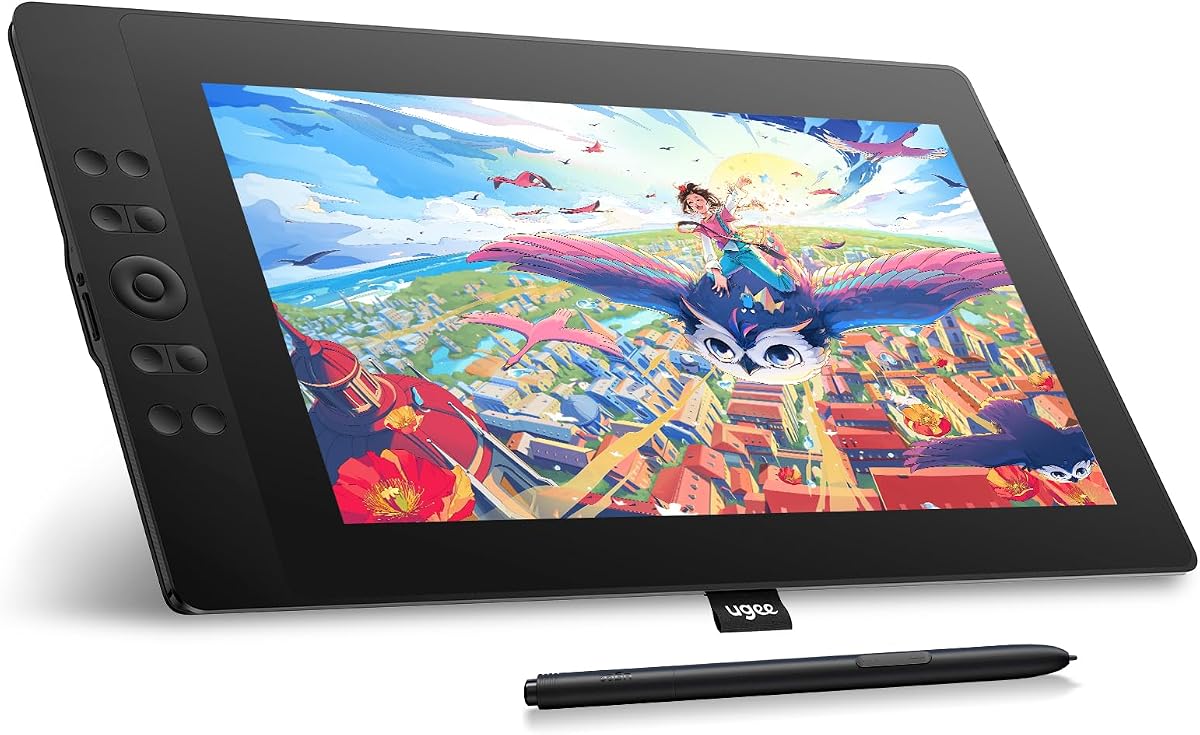
The UGEE UE16 impresses with its 143% sRGB color gamut, delivering vibrant visuals suitable for design work. Its rating reflects the high quality of the display and the responsiveness of the pen input.
We may earn a commission when you buy through this link, at no additional cost to you.
With support for four color spaces including Adobe RGB and DCI-P3, you can match specific project needs easily. The 16K pressure sensitivity ensures every stroke is translated precisely, giving you control over line weight.
The wheel allows seamless transitions between functions, adding to the ergonomic experience. Although the cable is packed separately, the connectivity options support Android devices, expanding its use beyond standard PCs.
This model is great for designers who require accurate color reproduction. Its large screen and high resolution make it a compelling choice for those looking to upgrade their visual fidelity.
A wide gamut ensures your art looks rich and true to the colors you intended.
Connectivity with Android devices adds portability for drawing on the go with tablets.
We may earn a commission when you buy through this link, at no additional cost to you.
The VEIKK VK1200 provides a straightforward and affordable solution for beginners starting their digital art journey. Its rating indicates consistent performance that meets the needs of students and hobbyists effectively.
We may earn a commission when you buy through this link, at no additional cost to you.
The tilt function allows for shading effects without complex software settings. Having two pens and many nibs in the box ensures you can swap tools or experiment with different tips without extra purchases.
Six shortcut keys are available for quick access to essential commands, streamlining basic workflows. The included artist glove helps prevent smudges, keeping your screen clean during detailed work.
Pick this if you want an entry-level device with essential accessories included. It offers a low barrier to entry for learning digital illustration without requiring a high initial investment.
Having multiple pens and nibs means you can try different textures and styles freely.
The glove keeps skin oils off the screen for a clearer drawing experience.
We may earn a commission when you buy through this link, at no additional cost to you.
The RubensTab T11 Pro stands out by offering standalone capabilities, allowing you to draw anywhere without a PC. Its high rating shows that users appreciate the freedom to create on the go.
We may earn a commission when you buy through this link, at no additional cost to you.
With a built-in battery, you can work for several hours before needing a recharge. The pre-installed apps make it ready to use right out of the box for note-taking or sketching.
While the screen is smaller than desktop displays, the Full HD resolution ensures crisp visuals. The multi-touch support adds another layer of control, making it versatile for different interaction styles.
Choose this if mobility is your top priority and you often sketch away from a desk. It bridges the gap between a traditional tablet and a pen display for portable creativity.
No need for cables or adapters means you can draw in any environment instantly.
Pre-installed apps mean you don't need to install software before starting your work.
We may earn a commission when you buy through this link, at no additional cost to you.
The VEIKK VK1200V2 brings upgraded pressure sensitivity to the budget segment, offering 16384 levels for more control. Its rating reflects the smooth tracking and accuracy provided by this enhanced input technology.
We may earn a commission when you buy through this link, at no additional cost to you.
With 120% sRGB coverage, the display presents vivid visuals that are appealing for digital art. The full-laminated design ensures precise cursor positioning without the distraction of parallax during detailed work.
Two pens are included for convenience, ensuring you never run out of a tool mid-session. While it connects to a PC, the lightweight build makes it easy to transport between locations.
This device suits users seeking improved pen feel at an accessible price. It combines essential features like tilt support and hotkeys to provide a comprehensive experience for learners.
Higher levels mean smoother transitions between thick and thin lines with minimal lag.
120% sRGB ensures your colors pop and remain consistent across different devices.
We may earn a commission when you buy through this link, at no additional cost to you.
The XPPen Artist 12 Pro Lite offers a streamlined design with a red dial and full-laminated display. Its rating highlights the precision and comfort users enjoy when working directly on the screen.
We may earn a commission when you buy through this link, at no additional cost to you.
The 3-in-1 cable removes the need for adapters, simplifying setup for most laptops. Tilt support up to 60 degrees helps you create natural shading without constantly switching tools in your software.
While the screen is smaller, the elimination of parallax provides a paper-like feel that aids precision. The customizable shortcut keys allow you to access essential functions quickly during sessions.
Opt for this if you want a compact device with smart design features. It is well-suited for travel and small desks while still delivering professional-grade input accuracy.
A combined cable reduces clutter and setup time for faster creative sessions.
The dial offers quick access to zoom or brush size adjustments without reaching for menus.
We may earn a commission when you buy through this link, at no additional cost to you.
Choosing the right budget pen display involves balancing key factors like screen size, pressure levels, and connectivity options.
The screen size determines how much space you have to work on your art. Most budget tablets range from 10 to 13 inches, which is portable but limits detail. Full HD resolution ensures sharp lines and clear text.
Look for a size that fits your desk and workspace. If you draw large scenes, a 13-inch screen might be more comfortable than a 10-inch one.
Pressure sensitivity controls how much the brush size changes based on how hard you press. Higher levels like 16384 provide smoother strokes than 8192. This affects the realism of your shading and strokes.
For beginners, 8192 levels are usually sufficient. Advanced users may prefer higher levels for finer control over line weights.
Color gamut measures how many colors the screen can display. A higher percentage like 143% sRGB ensures your colors look vibrant and true. Calibration reports also help ensure consistency.
If you print your work, aim for better color accuracy. For sketching, basic coverage might be enough.
Battery-free pens eliminate the need to charge or change batteries. Tilt support adds another dimension for shading. Ensure the pen is comfortable and ergonomic for long sessions.
Check how many pens and nibs are included. Having extras saves money and time in the long run.
Shortcut keys let you assign commands like zoom or undo directly to the device. More keys offer more flexibility for complex workflows. Look for programmable keys that fit your software.
Decide if you need side keys or a dial. A dial can adjust brush size quickly without reaching for the keyboard.
Some tablets need HDMI and USB, while others use a single USB-C cable. This affects what ports your laptop has and whether you need adapters. USB-C is more convenient for modern devices.
Check your computer's ports before buying. If you have only USB-C, a tablet needing HDMI might require extra converters.
Most cheap tablets need a computer to work. Standalone models have built-in batteries and systems but cost more. Decide if you need portability or if a PC connection is fine.
If you often work away from a desk, a standalone option might be worth the extra cost for freedom.
A solid warranty protects your investment. Look for companies offering at least one year of coverage. Driver updates are also essential for long-term compatibility with new software.
Check the manufacturer's reputation for customer service. Good support helps if you face driver issues later.
Start by installing the latest drivers from the manufacturer's website before connecting the device. This ensures your system recognizes the tablet and all shortcut keys function correctly.
Clean the screen with a soft microfiber cloth to remove smudges. Avoid using harsh chemicals or paper towels that could scratch the surface. The anti-glare film needs gentle care to last.
Adjust the pen pressure in the settings to match your hand strength. Practice drawing different strokes to get used to the tilt and pressure response before starting important projects.
Most of these tablets require a PC or Mac to function. Some models like the RubensTab T11 Pro are standalone and do not need a computer. Check the product description for standalone capabilities.
They work with major apps like Photoshop, Illustrator, and SAI. Many also support free software like Krita and Blender. Ensure your OS version is supported by the driver.
You may need a USB-C to HDMI adapter or a USB-C hub. Some models support single USB-C cable connections. Verify the connectivity requirements before purchasing.
Yes, they are excellent for beginners. The pressure sensitivity and screen feedback make learning digital art easier than using a mouse. Models like the XP-PEN Artist12 are highly recommended for starting out.
Most pens included are battery-free passive styluses. They do not need charging or batteries, making them ready to use anytime. This ensures uninterrupted work sessions.
Yes, they work well with apps like OneNote for notes. The pressure sensitivity helps you write naturally on the screen. Many users find them great for remote education.
We have covered ten excellent options for those seeking affordable pen displays. The VEIKK VK1200 V2 leads for budget buyers while the HUION Kamvas 13 Gen 3 offers premium accuracy.
Prioritize features like pressure sensitivity and screen size based on your art goals. If you need better color for print, look at models with higher gamut coverage and calibration.
Remember that deals change often, so check current prices and reviews before buying. Investing in the right tablet will enhance your creative workflow and keep you inspired.