
Logitech B100 Ambidextrous Wired Mouse
4.6Editor score
Zero setup plug and play
800 dpi sensitivity control
Ambidextrous comfortable shape
Discover the top durable computer mouse options for long-lasting performance and comfort. We compare ten reliable models to help you find the perfect match.
Finding a durable computer mouse is essential for anyone who spends hours at a desk. Whether you work in an office or play games, wear and tear can quickly ruin cheap peripherals. Investing in a sturdy model ensures consistent performance and reduces the need for frequent replacements.
We evaluated ten top-rated mice based on build quality, battery life, and ergonomic design. Our comparison focuses on models that withstand daily use without losing precision. Each product offers unique features tailored to different hand sizes and usage scenarios.
This guide highlights the best options available this month for reliability and value. Each pick includes key specifications and user feedback to help you decide. Keep in mind that prices may fluctuate, so check current offers before purchasing your new device.
4.6Editor score

4.5Editor score

4.5Editor score
The following table provides a quick side-by-side overview of the ten durable computer mouse options reviewed in this guide. Compare key specifications to find the model that best fits your workflow and comfort needs.





The Logitech M705 Marathon is widely recognized as a top choice for durability and efficiency. With a rating of 4.5 stars, it stands out for its ability to last years on a single battery set. This makes it ideal for users who want minimal interruptions during work.
We may earn a commission when you buy through this link, at no additional cost to you.
Its hyper-fast scrolling wheel allows you to breeze through long documents and web pages effortlessly. The laser grade tracking ensures precision even on surfaces where optical sensors might fail. Additionally, the sculpted right-hand shape guides your hand to a naturally comfortable position.
While the mouse is designed specifically for right-handed users, this shape contributes to its ergonomic success. The size might be slightly large for smaller hands or travel, but the comfort gained during extended sessions is worth the trade-off. The Unifying receiver also stays in your laptop securely.
If you prioritize long-term reliability and comfort, the M705 Marathon is a strong recommendation. It excels in office environments where productivity is key. We suggest this model for anyone seeking a durable computer mouse that reduces battery hassle.
The M705 uses significantly less power than comparable wireless mice, allowing up to three full years between battery changes.
Laser grade tracking delivers smooth cursor control on polished or wood-grain tables that typically challenge standard optical sensors.
We may earn a commission when you buy through this link, at no additional cost to you.
The Logitech B100 offers exceptional value for users seeking a reliable wired mouse without breaking the bank. Rated at 4.6 stars, it combines simplicity with durability. Its ambidextrous design makes it accessible for both left and right-handed users alike.
We may earn a commission when you buy through this link, at no additional cost to you.
With an 800 dpi sensitivity, it provides precise cursor control for everyday tasks like editing documents. The zero setup experience means you can plug it into a USB or PS/2 port and start working immediately. Logitech's manufacturing history ensures consistent quality.
The lack of wireless capability is a trade-off, but it guarantees a stable connection without battery concerns. The design is straightforward, lacking advanced buttons, but this keeps the focus on core functionality. It is perfect for budget-conscious buyers or secondary workstations.
For those needing a straightforward durable computer mouse, the B100 is an excellent starting point. It delivers on reliability and comfort at a minimal cost. We recommend it for office use or as a backup for existing systems.
The B100 features flexible connectivity allowing you to connect via USB or PS/2 port for broad compatibility.
This mouse includes a high percentage of certified post-consumer recycled plastic in its construction, reducing environmental impact.
We may earn a commission when you buy through this link, at no additional cost to you.
The Logitech Signature M650 L delivers a premium experience with features designed for focus and comfort. With a 4.5 star rating, it reduces click noise by 90 percent, making it ideal for quiet offices. The large size fits bigger hands perfectly.
We may earn a commission when you buy through this link, at no additional cost to you.
SmartWheel scrolling lets you switch between line-by-line precision and super-fast navigation with a simple flick. Connectivity is flexible, supporting both Bluetooth Low Energy and the Logi Bolt USB receiver. It works seamlessly across Windows, macOS, Linux, and other systems.
Customization requires software, but the side buttons can be set to shortcuts like copy or paste. The battery life extends up to 24 months on a single AA cell. While expensive, the ergonomic benefits and quiet operation justify the cost for professionals.
If you need a high-end durable computer mouse that prioritizes noise reduction and adaptability, the M650 L is our top pick. It excels in multi-platform environments. We suggest this for users who value precision and silence during deep work.
Enjoy up to 90 percent less click noise with SilentTouch technology for a quieter work environment.
Experience seamless compatibility with Windows, macOS, Linux, ChromeOS, iPadOS, and Android including Apple devices.
We may earn a commission when you buy through this link, at no additional cost to you.
The Logitech M185 is perfect for users with tight workspaces or those who travel frequently. Rated 4.4 stars, it offers a comfortable contoured shape suitable for both left and right hands. Its compact design makes it easy to slip into a laptop bag.
We may earn a commission when you buy through this link, at no additional cost to you.
Despite its small size, it includes a line-by-line scroll wheel and a smart sleep mode for one year of battery life. The nano USB receiver stays hidden in your laptop, reducing clutter. It connects reliably up to 33 feet away.
The M185 lacks programmable buttons, but it focuses on core functionality with strong build quality. It is significantly more productive than a touchpad for most users. This mouse is ideal for secondary devices or on-the-go computing.
For those prioritizing portability, the M185 is a durable computer mouse that meets daily needs. It balances size and function effectively. We recommend it for travelers or office workers with limited desk space.
Users who chose this mouse over a touchpad were 50 percent more productive and worked 30 percent faster.
Plastic parts include certified post consumer recycled plastic ranging from 49 to 77 percent depending on color.
We may earn a commission when you buy through this link, at no additional cost to you.
The Logitech M510 is designed for comfort during extended work sessions. With a 4.6 star rating, its contoured shape and soft rubber grips allow your hand to relax. The broad palm area provides necessary support for all-day use.
We may earn a commission when you buy through this link, at no additional cost to you.
You can flip through photo albums and web pages quickly with horizontal scrolling capabilities. The two-year battery life practically eliminates frequent battery changes. Plus, the Unifying receiver lets you add compatible devices to a single dongle.
The extra bulk is intentional for ergonomics, which may not suit users with smaller hands. Customizing buttons requires Logitech SetPoint or Control Center software. However, the comfort and control it offers are unmatched in its price range.
If you need a durable computer mouse for long hours of typing and browsing, the M510 is a fantastic choice. It balances comfort and performance well. We suggest it for home office users seeking stress-free control.
Contoured shape with soft rubber grips and broad palm area give you the support needed for effortless control.
Two years of battery life with an on off switch and smart sleep mode that eliminates surprises.
We may earn a commission when you buy through this link, at no additional cost to you.
The TECKNET USB Wired Mouse offers high precision and durability at an affordable price. Rated 4.5 stars, it is tested for over 6 million keystrokes. This ensures responsive clicks and a longer lifespan for daily use.
We may earn a commission when you buy through this link, at no additional cost to you.
You can choose from four DPI levels ranging from 1000 to 6400 for different tasks. The ergonomic design with soft rubber grips conforms to the hand comfortably. Large back and forward buttons enable quick navigation between documents.
The 5-foot USB cable ensures stable performance without the worry of battery charging. It works across many Windows versions, though side buttons do not function on Mac. This makes it a reliable choice for Windows desktops.
For users preferring a wired connection for stability, this durable computer mouse is a great pick. It combines speed with build quality. We recommend it for gamers or designers needing precise, responsive control without wireless latency.
Tru-Wave technology provides precise intelligent cursor control and tracking on many surface types including glass.
Shaped design and soft rubber grips conform to the hand for comfortable use whether at home or work.
We may earn a commission when you buy through this link, at no additional cost to you.
The Logitech Signature M550 L is tailored specifically for users with larger hands. With a 4.5 star rating, it provides long hours of comfort thanks to a contoured shape and soft thumb area. The rubber side grips keep your hand snug and in place.
We may earn a commission when you buy through this link, at no additional cost to you.
SmartWheel scrolling allows you to switch between line-by-line precision and fast web page scrolling easily. It connects via Bluetooth Low Energy or Logi Bolt receiver for flexible setup. The silent click technology reduces noise by 90 percent for better focus.
The large size is ideal for ergonomic relief but might take up significant desk space. Battery life extends up to 24 months on a single AA cell. It works on multiple platforms including Windows, macOS, and Chrome OS.
If you need a durable computer mouse that prioritizes comfort for bigger hands, the M550 L is highly recommended. It offers premium features at a mid-range price. We suggest it for professionals who spend most of their day at a desktop.
This comfortable full size mouse is designed for larger hands for the optimal fit during long work sessions.
Connect in an instant via Bluetooth Low Energy or Logi Bolt USB receiver depending on your device needs.
We may earn a commission when you buy through this link, at no additional cost to you.
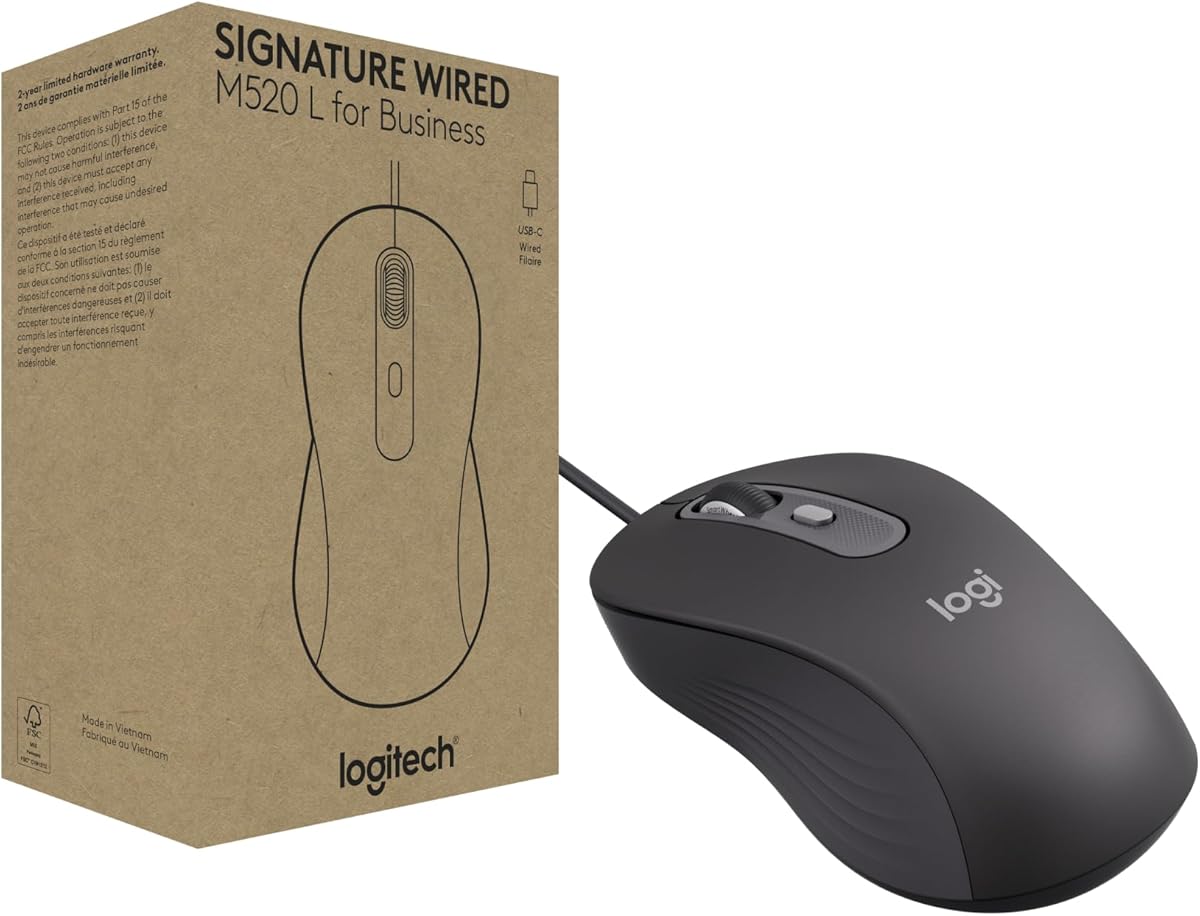
The Logitech Signature Wired M520 L is built for organizations requiring a secure wired solution. With a 4.3 star rating, it supports USB-C connectivity which is essential for modern devices. The ambidextrous design fits both left and right-handed users comfortably.
We may earn a commission when you buy through this link, at no additional cost to you.
Silent Touch technology reduces 90 percent of clicking noise to promote focus in open workspaces. The customizable DPI button allows you to adjust cursor speed on the fly. It consumes 68 percent less energy than typical wired mice.
The USB cable can limit mobility compared to wireless models, but it ensures a stable connection. It works on Windows, macOS, Chrome OS, and Linux. This multi-OS compatibility makes deployment across different systems easy.
For business environments needing a durable computer mouse with low noise and modern connectivity, the M520 L is ideal. It prioritizes efficiency and sustainability. We recommend it for office workers using USB-C laptops.
Silent Touch technology reduces 90 percent of clicking noise promoting focus in open workspaces.
Designed with a power-saving model that consumes 68 percent less energy than standard wired mice.
We may earn a commission when you buy through this link, at no additional cost to you.
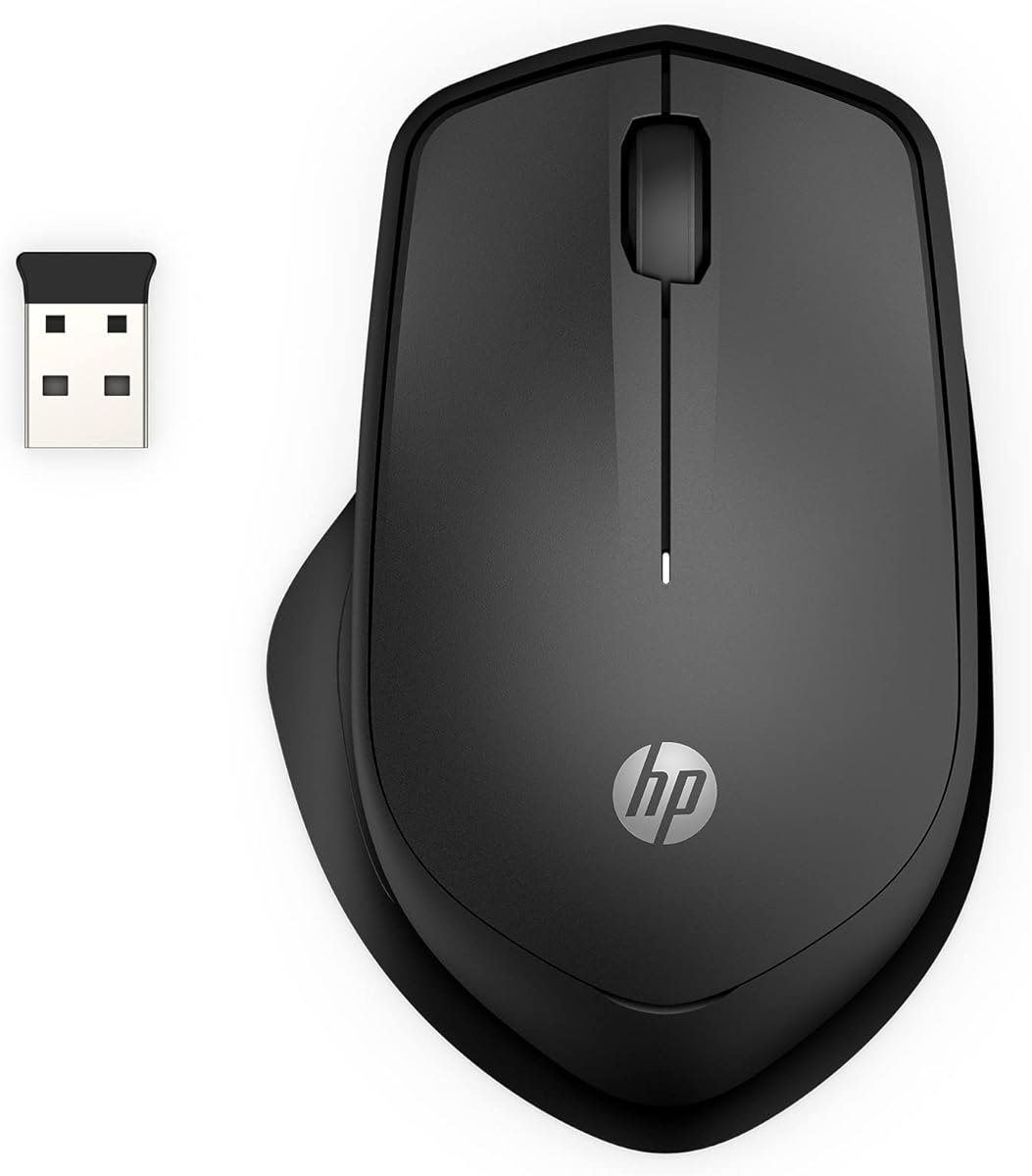
The HP 280 Silent Wireless Mouse is designed for quiet productivity. With a 4.5 star rating, it offers up to 90 percent noise reduction on left and right buttons. This makes it perfect for shared offices or libraries.
We may earn a commission when you buy through this link, at no additional cost to you.
The ergonomic right-handed design provides comfortable and productive all-day use. Multi-surface technology delivers smooth movement on virtually any surface without a mouse pad. The optical sensor ensures reliable tracking with 1600 DPI precision.
Battery life can reach up to 18 months on a single AA battery. The USB nano receiver stores inside the mouse for easy portability. While it is limited to right-handed users, its comfort is excellent for that demographic.
For users needing a durable computer mouse that is silent and reliable, the HP 280 is a strong contender. It combines comfort with low noise operation. We suggest it for remote workers and open office employees.
Up to 90 percent noise reduction on the left and right buttons give the same satisfying click feel without sound.
Multi-surface technology delivers smooth lag-free movement on virtually any surface without needing a mouse pad.
We may earn a commission when you buy through this link, at no additional cost to you.
The Acer Wireless Mouse offers flexible settings for different workflows. With a 4.3 star rating, it features five adjustable DPI levels ranging from 800 to 4000. This provides the right sensitivity for detailed design work or quick navigation.
We may earn a commission when you buy through this link, at no additional cost to you.
The visible indicator light shows current DPI settings and low battery warnings. Forward and backward buttons make navigating web pages efficient. It saves power by entering standby after ten minutes and waking with a few clicks.
The 2.4GHz connectivity ensures stable interference-free connection up to 33 feet. It is designed for medium to large hands to ensure comfort. Note that the AA battery is not included and needs to be installed correctly.
For users who need a durable computer mouse with versatile sensitivity options, the Acer Wireless Mouse is a good value. It balances features and cost. We recommend it for students or casual users who need reliable wireless performance.
Features 5 adjustable DPI levels giving you flexibility to choose the right sensitivity for detailed work or general use.
Saves power by entering standby after 10 minutes of inactivity and wakes with just 2-3 clicks extending battery life.
We may earn a commission when you buy through this link, at no additional cost to you.
Selecting a durable computer mouse involves considering several factors to ensure it meets your needs.
Wireless mice offer freedom of movement, while wired mice provide stable connections without battery anxiety.
Choose wireless for mobility and wired for consistent performance without charging.
Look for a design that fits your hand size and shape to prevent strain over time.
An ergonomic shape reduces discomfort during long working sessions significantly.
Check for materials that withstand frequent use, such as durable plastics or metal components.
Higher quality materials ensure the mouse lasts longer under daily stress.
For wireless models, long battery life is key to minimizing interruptions.
Aim for models that offer at least a year of battery usage.
Ensure the mouse works with your operating system like Windows, macOS, or Linux.
Verify compatibility to avoid connectivity issues or missing features.
Adjustable DPI allows you to change cursor sensitivity for different tasks.
Multiple DPI levels provide versatility for precision work or quick movement.
Silent click technology is essential for quiet offices or shared spaces.
Reduced noise helps maintain focus without disturbing others around you.
Features like programmable buttons or horizontal scrolling can boost productivity.
Select extra features that match your specific workflow and needs.
To maximize lifespan, keep your mouse on a clean surface and avoid dropping it.
For wireless models, turn off the power switch when not in use to save battery.
Regularly check for firmware updates to maintain optimal performance and security.
A durable mouse is built with high-quality materials that withstand frequent clicks and movement. Look for reputable brands and models with high click-cycle ratings. Ergonomic designs also contribute to durability by reducing strain on the user.
Battery life varies by model but many durable wireless mice last from one to three years. Factors like usage intensity and sleep modes affect this duration. Check product specs for estimated battery performance before buying.
Wired mice often have a longer lifespan since they don't rely on batteries. However, the cable can wear out over time. Both types can be durable depending on build quality and usage.
Most modern mice have multi-surface technology to work on glass, wood, or polished tables. Optical and laser sensors provide versatility across different materials. Always check the specifications if you plan to use it on specialized surfaces.
Use a soft cloth and mild cleaner to wipe the exterior. Avoid liquids entering the internal components. For sensors, gently clean with a dry cotton swab to remove dust.
Higher DPI is useful for detailed tasks like gaming or design. Lower DPI is better for general office work. Adjustable DPI allows you to switch as needed.
This guide reviewed ten durable computer mouse options ranging from budget wired to premium wireless models. Each pick offers unique features suited for different environments.
Prioritize ergonomics and battery life if you work long hours. Ensure the connection type fits your lifestyle to avoid frustrations.
Prices and availability change frequently, so check current offers before finalizing your purchase. Investing in a durable mouse saves money in the long run.