
4 Pin Molex to SATA Power Cable with Locking Latch
4.8Editor score
Secure locking latch mechanism
High-quality copper conductors
Affordable three-pack value
This guide compares the top LP4 Molex SATA Power Adapter options for connecting modern drives to legacy power supplies safely and reliably in your PC builds.
Modern storage drives require specific power connectors that older power supplies simply do not provide. An LP4 Molex SATA Power Adapter bridges this gap seamlessly. It allows you to connect Serial ATA devices to legacy Molex ports without buying new hardware.
We evaluated ten top-rated adapters based on build quality, connector security, and compatibility. Our team analyzed user feedback and technical specifications to identify models that deliver consistent power. Each pick was chosen for its ability to protect your drives during operation.
Every recommendation includes detailed pros and cons to help you decide quickly. These adapters vary in length and packaging to fit different case layouts. Keep in mind that prices and stock levels change frequently across online retailers.
4.8Editor score

4.7Editor score

4.6Editor score
The following table provides a side-by-side comparison of all ten adapters. It highlights key specifications and features to help you choose the right connector for your specific power supply and drive setup.

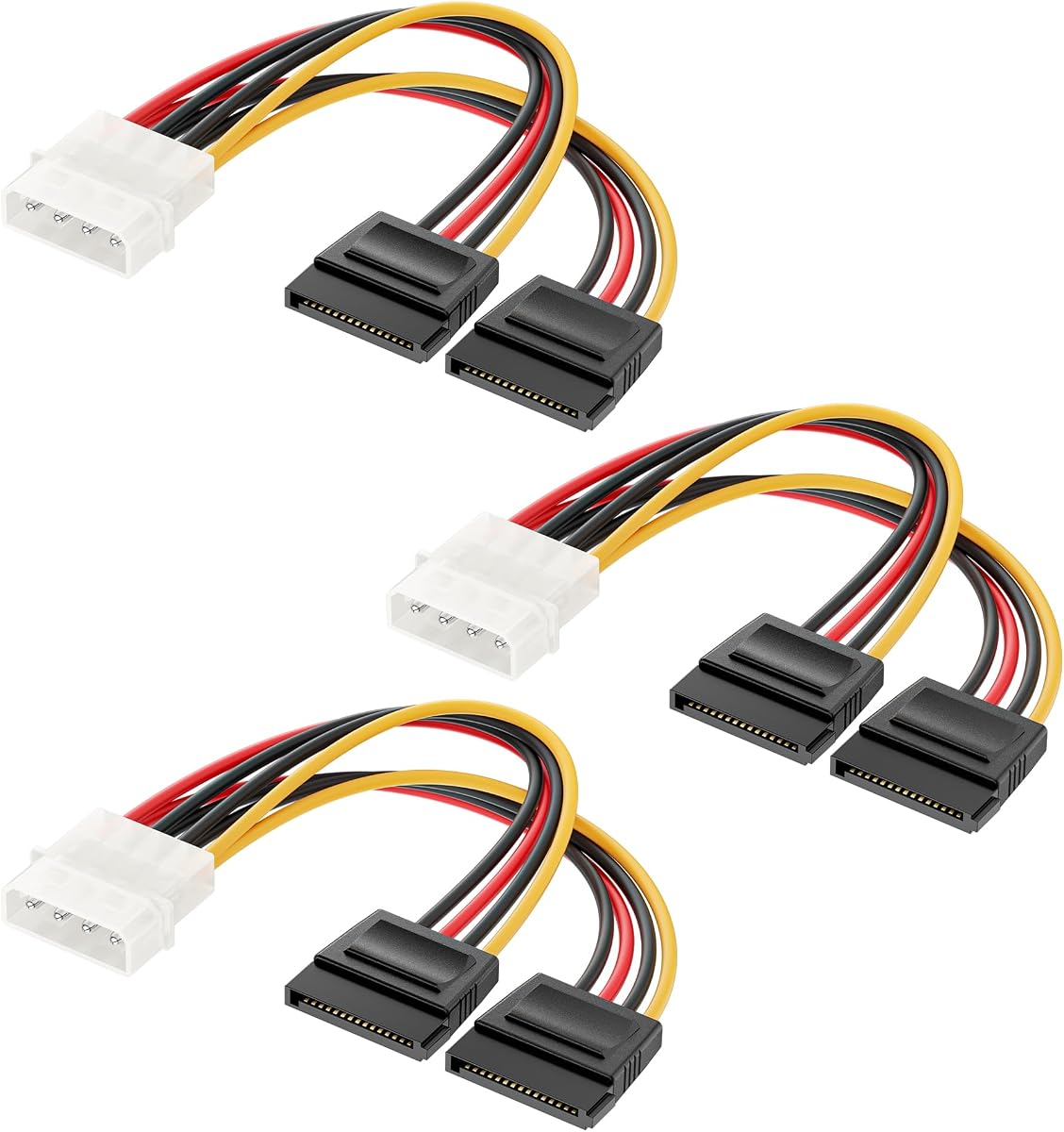



This Cable Matters adapter is rated highly for its balance of quality and utility. It connects modern Serial ATA drives to older power supplies featuring Molex ports. Users appreciate the flexibility of the cable which aids in tidy internal management during assembly.
We may earn a commission when you buy through this link, at no additional cost to you.
The key strength lies in its reliable power delivery and compact six-inch design. This length is ideal for smaller cases where space is limited. The copper conductors ensure stable voltage transmission which protects your storage devices from fluctuations.
One trade-off is the cable length which might not reach drives far from the power supply. However for most standard builds this distance is sufficient. The plastic locking tabs are functional but may wear over time with frequent swapping.
Buy this if you need a reliable solution for legacy PSU upgrades. It is perfect for IT technicians who require spare cables for repairs. The three-pack ensures you have replacements ready for future storage expansions.
This adapter allows you to reuse old power supplies by connecting new SATA drives to existing Molex ports.
The short six-inch design helps keep your PC case interior clean by reducing excess cable length.
We may earn a commission when you buy through this link, at no additional cost to you.
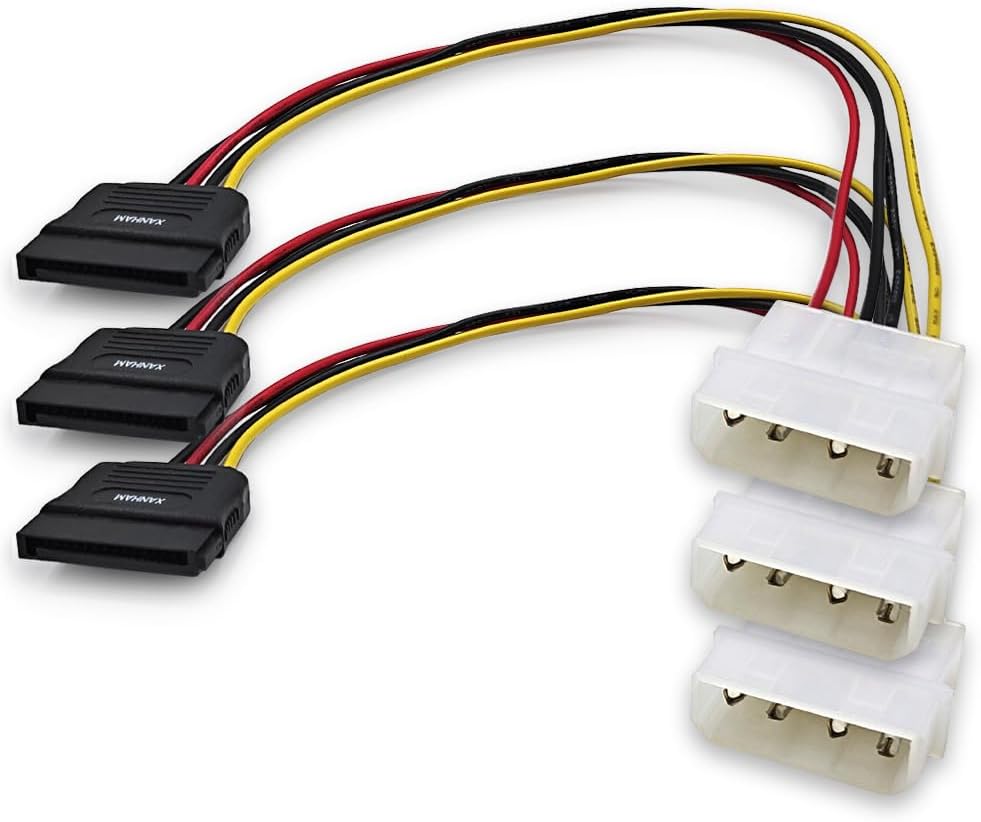
This adapter set connects SATA supplies to IDE hard drives with ease. It features a SATA 15-pin male connector on one end and Molex LP4 female on the other. The 7-inch length provides adequate reach for most drive bays.
We may earn a commission when you buy through this link, at no additional cost to you.
It stands out for its value since you receive three units in one package. This is excellent for builders needing multiple connections or spares. The copper core ensures consistent power delivery to your storage components.
Note that the connector orientation might differ from some cables you have used. Ensure your power supply has the correct Molex output before purchasing. Some users report the plastic casing is thin compared to premium brands.
Choose this set if you are building a budget system with multiple drives. The extra cables are useful for future upgrades. It offers a cost-effective way to expand storage on legacy systems.
Three units allow you to power multiple drives without buying separate adapters for each connection.
This specific adapter is designed to power IDE hard drives using modern SATA power supplies.
We may earn a commission when you buy through this link, at no additional cost to you.
StarTech is known for professional grade cabling solutions. This cable features a 12-inch length which offers significant flexibility for routing. It connects SATA power supplies to LP4 Molex devices reliably.
We may earn a commission when you buy through this link, at no additional cost to you.
The premium build quality ensures durability over time. The extra length helps avoid strain on connectors and allows better airflow inside your case. It is an excellent choice for professional installations.
The main drawback is the cost which is higher than generic packs. Also the longer cable might require management to keep your case tidy. However the reliability justifies the investment for critical systems.
Purchase this for professional servers or critical workstations. The extended length is perfect for complex case layouts. You gain peace of mind knowing the connection is secure and robust.
StarTech cables are engineered for durability making them ideal for 24/7 operation environments.
The extra length allows you to route cables away from components for better cooling.
We may earn a commission when you buy through this link, at no additional cost to you.
This Y-cable allows you to power two SATA devices from one Molex port. It is perfect for maximizing your legacy PSU capacity. The six-inch design keeps the splitter compact inside the case.
We may earn a commission when you buy through this link, at no additional cost to you.
Cable Matters ensures stable power for both devices. It works well with optical drives and HDDs. The three-pack provides excellent value for system builders needing multiple splitters.
Ensure your power supply can handle the combined load of two drives. The short length might not reach all bays if the PSU is far away. Still it is a cost-effective way to add storage.
Use this for NAS builds or multi-drive upgrades. It helps utilize every available port on older units. The Y-connector design simplifies wiring significantly.
Convert a single legacy Molex port into two SATA outputs to power more drives.
The six-inch length ensures the splitter sits neatly near the drive bays.
We may earn a commission when you buy through this link, at no additional cost to you.
This adapter bridges the gap between old PSUs and modern SATA drives. It converts one Molex port into two SATA outputs efficiently. The seven-inch length offers more flexibility than standard six-inch options.
We may earn a commission when you buy through this link, at no additional cost to you.
It features secure latching interfaces to keep connectors tight. Copper conductors ensure minimal voltage drop for reliable operation. This helps protect your sensitive SSDs and hard drives.
As with any splitter ensure your power supply unit has enough capacity for both drives. The build is durable but not as heavy duty as professional brands. Still it offers great value for the price.
Great for home office upgrades or NAS storage. It saves money by letting you reuse your existing PSU. The three-pack is ready for future expansions.
Latching interfaces on the SATA ends prevent accidental disconnections during use.
Premium copper conductors provide consistent power flow to connected devices.
We may earn a commission when you buy through this link, at no additional cost to you.
Safety is a top priority with this adapter. It is UL listed which means it meets specific safety standards for electrical components. The fire-resistant jacket protects your system from potential hazards.
We may earn a commission when you buy through this link, at no additional cost to you.
The seven point eight inch length fits many standard case bays comfortably. Conductors are 22 AWG copper which is standard for stable power. This helps avoid voltage drops during high load periods.
The connectors are lightweight plastic which may not feel premium. However the safety ratings give confidence in long term use. The cables are pre-tested to ensure they function correctly.
Choose this for systems where safety is paramount. It works well for home and office desktops. The UL certification provides extra peace of mind during installation.
UL listing ensures the cable meets recognized safety standards for electrical connections.
VW-1 fire resistant material reduces risk of fire during electrical faults.
We may earn a commission when you buy through this link, at no additional cost to you.
This option offers an excellent rating despite its affordable price. The locking latch on the SATA connector keeps it secure and prevents it from falling off. It is ideal for builds where accidental bumps occur.
We may earn a commission when you buy through this link, at no additional cost to you.
Seven inches provides enough length to reach most drives comfortably. The copper core ensures safe power delivery. The three-pack gives you spares for other projects.
The locking mechanism is secure but sometimes requires a bit of force to release. The insulation is standard PVC which is functional but not premium. These trade-offs are acceptable for the low price.
Best for budget builds and DIY enthusiasts. The high rating suggests reliability in real-world use. It is a smart choice for those who want security without spending much.
The locking latch ensures the adapter stays connected during system movement.
Simple plug and play setup makes installation easy for beginners.
We may earn a commission when you buy through this link, at no additional cost to you.
This cable features a 18AWG specification which is thicker than standard. This reduces resistance and helps ensure stable power delivery to your devices. The eight-inch length is helpful for tight case layouts.
We may earn a commission when you buy through this link, at no additional cost to you.
The construction is durable with copper wire. It is easy to use and unplug for maintenance. The three-pack ensures you have adapters for all your drives.
Note that the SATA male connector is on the cable end rather than the adapter block. Make sure your power supply matches this configuration. Standard plastic casing is used for durability.
Good for cases where drive bays are far from the PSU. The thicker wire supports higher current needs. It is a reliable option for complex builds.
The 18AWG specification provides lower resistance for better power transmission.
Eight inch length allows you to reach distant drive bays easily.
We may earn a commission when you buy through this link, at no additional cost to you.
This adapter features a robust latch design to secure connections. It helps prevent accidental disconnections which protects your drives from power loss. The material uses PVC and metal for stronger construction.
We may earn a commission when you buy through this link, at no additional cost to you.
It is designed to extend the service life of your SATA cables. The connectors are lightweight but strong enough for daily use. It is easy to install without any tools required.
The pack includes two units which might be fewer than other options. The cable length is standard which works for most cases but limits flexibility. Still the build quality is notable.
Ideal for users who prioritize connection security. It works well for standard desktop upgrades. The durable design ensures long term reliability.
PVC and metal components make the adapter stronger and wear-resisting.
The latch mechanism secures the adapter to prevent it from falling off.
We may earn a commission when you buy through this link, at no additional cost to you.
This adapter stands out for its premium black sleeving. It offers a clean look that blends well inside the case. The 12 inch length provides plenty of reach for drive placement.
We may earn a commission when you buy through this link, at no additional cost to you.
High density sleeving minimizes wire visibility significantly. This helps maintain a clean build aesthetic. It powers 4-pin peripheral devices effectively from SATA ports.
The sleeving can be stiffer which makes routing slightly harder. Also it is sold as a single unit unlike other packs. The price reflects the premium finish and length.
Best for builders who value aesthetics. It hides cables beautifully inside your PC. The length is perfect for larger cases with deep bays.
Black sleeving helps the cable disappear in your build for a clean look.
Designed to power legacy peripheral devices directly from SATA power.
We may earn a commission when you buy through this link, at no additional cost to you.
Choosing the right adapter involves checking connector types and lengths. This guide walks through the key factors to consider.
Adapters come in two main orientations. Some have the SATA pin on the cable end while others have it on the adapter block. Check your power supply connectors to ensure compatibility.
Always verify the gender of the ports before buying.
Length is crucial for internal cable management. Six inch cables work for compact cases while longer lengths help reach distant bays. Measure your case before purchasing.
Choose a length that fits your layout comfortably.
Secure latching connectors prevent accidental drops. Look for adapters with plastic or metal latches on the SATA end. This protects your drives from disconnection.
Prioritize models with secure locking features.
Thicker wires like 18AWG reduce resistance and voltage drop. Thinner wires like 22AWG are common but less robust. Consider your drive power needs.
Opt for thicker wires for stability.
Most adapters come in packs of two or three. Single units are available for premium options. Buying multiple allows spares for future upgrades.
Get multiple units for value.
Look for copper conductors and durable jackets. PVC is standard while metal connectors are premium. High-quality materials ensure longevity.
Select durable materials for safety.
Safety certifications like UL listing ensure compliance with standards. These reduce risks associated with electrical components. Always check for safety marks.
Choose certified adapters for safety.
Ensure the adapter works with your specific drives like HDDs SSDs or optical drives. Most standard SATA connectors are universal but check for odd sizes.
Verify compatibility with your drives.
Start by turning off your computer and unplugging it from the wall. Open the case to locate the Molex port on your power supply. Align the pins carefully to avoid bending them.
Push the adapter connector firmly into the Molex port until it clicks if locking. Connect the other end to your SATA drive. Ensure the latch is secure.
Close the case and power on the system to test. Avoid moving the cable too much after installation. Keep the adapter clean to maintain good electrical contact.
It connects modern SATA drives to legacy power supplies that only have Molex ports. It allows you to upgrade your storage without replacing the whole unit.
Yes they are safe if the connectors match properly. Ensure the wire gauge and safety certifications meet standards. Always turn off power before connecting.
Yes SSDs use standard 15-pin SATA connectors. The adapter provides the necessary power to run them. Just ensure your PSU has enough capacity.
Cables usually range from six to twelve inches. Shorter cables suit small cases while longer ones help reach distant bays. Check the specific length before buying.
No hot plugging is not supported for safety. Always turn off your computer before attaching or removing the adapter. This prevents damage to the drive.
Yes if you use a splitter cable like the Y-type. This shares the Molex power between two SATA ports. Make sure your PSU can handle the load.
Yes some specific adapters are designed for IDE drives. Check the product title to confirm it supports IDE compatibility. Most standard ones support SATA drives.
The connectors are keyed to prevent wrong insertion. If forced they may break. Always align the pins correctly. This avoids damage to the drive.
We reviewed ten top adapters including the Editors Choice Cable Matters and Best Premium StarTech options. Each offers unique benefits for different PC cases and needs.
Prioritize safety certifications and secure latching when selecting a model. Also check the length to ensure it fits your case layout comfortably.
Prices and availability change so check current listings before buying. This guide helps you find the right adapter for your setup.