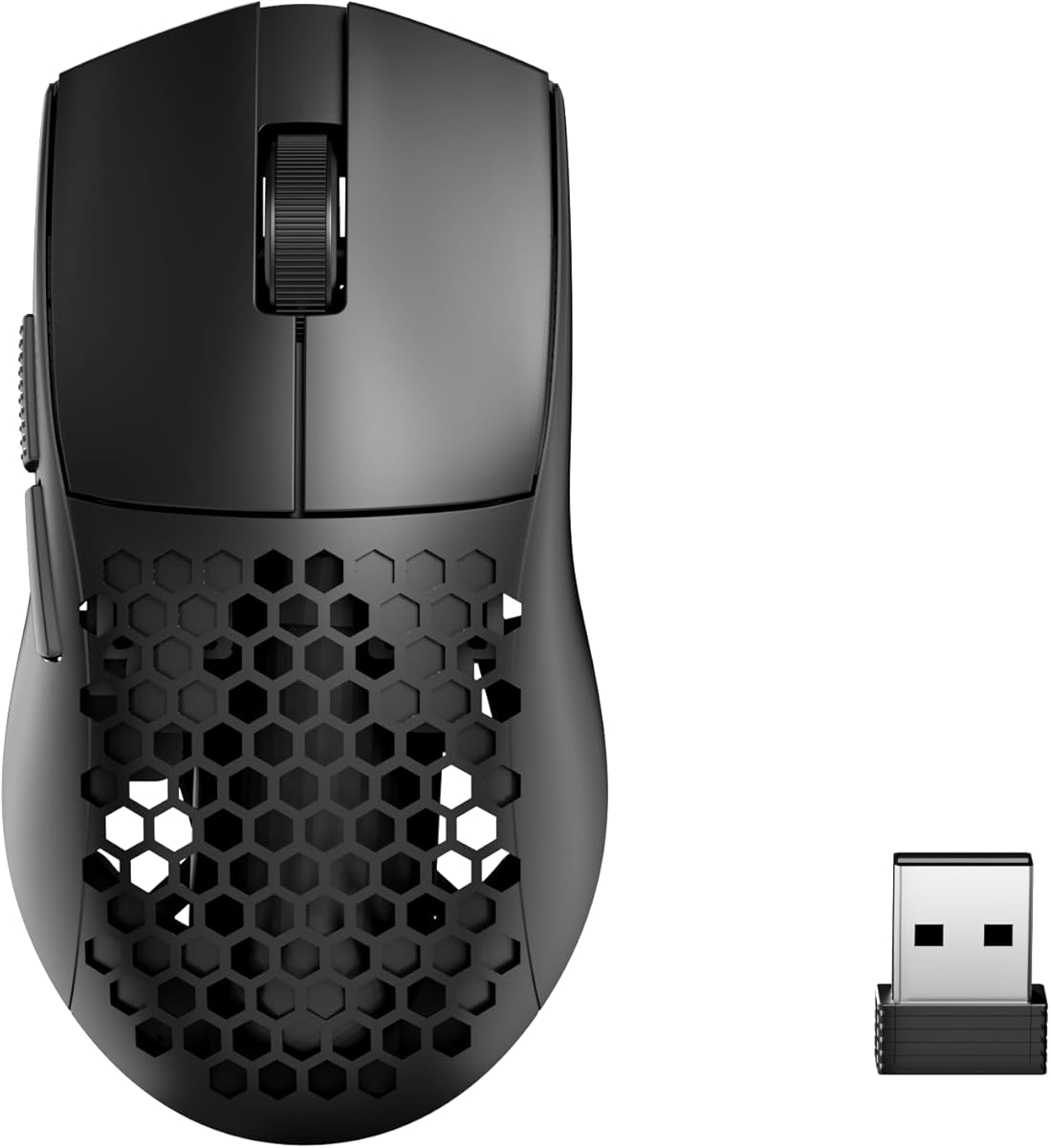
Redragon M725 Honeycomb Shell
4.4Editor score
49 g ultra-lightweight
Tri-mode connectivity
Programmable buttons
Explore the lightest mice for gaming in this guide comparing ten top wireless and wired models designed for speed, precision, and minimal fatigue during play.
Finding the lightest mice for gaming can transform your experience by reducing wrist fatigue and improving reaction times. These devices prioritize speed and precision without sacrificing durability or essential features.
We compared ten leading models based on weight, sensor performance, battery life, and ergonomic design. Our analysis highlights how each mouse balances ultra-light construction with reliable wireless connectivity and responsive switches.
Each pick showcases specific strengths for different play styles and budgets. Prices fluctuate often, so verify current deals before purchasing to ensure you get the best value for your competitive setup.
4.4Editor score

4.5Editor score

4.3Editor score
This side-by-side comparison evaluates each model's weight, sensor capabilities, and connectivity options to help you choose the ideal lightweight mouse for your gaming needs.


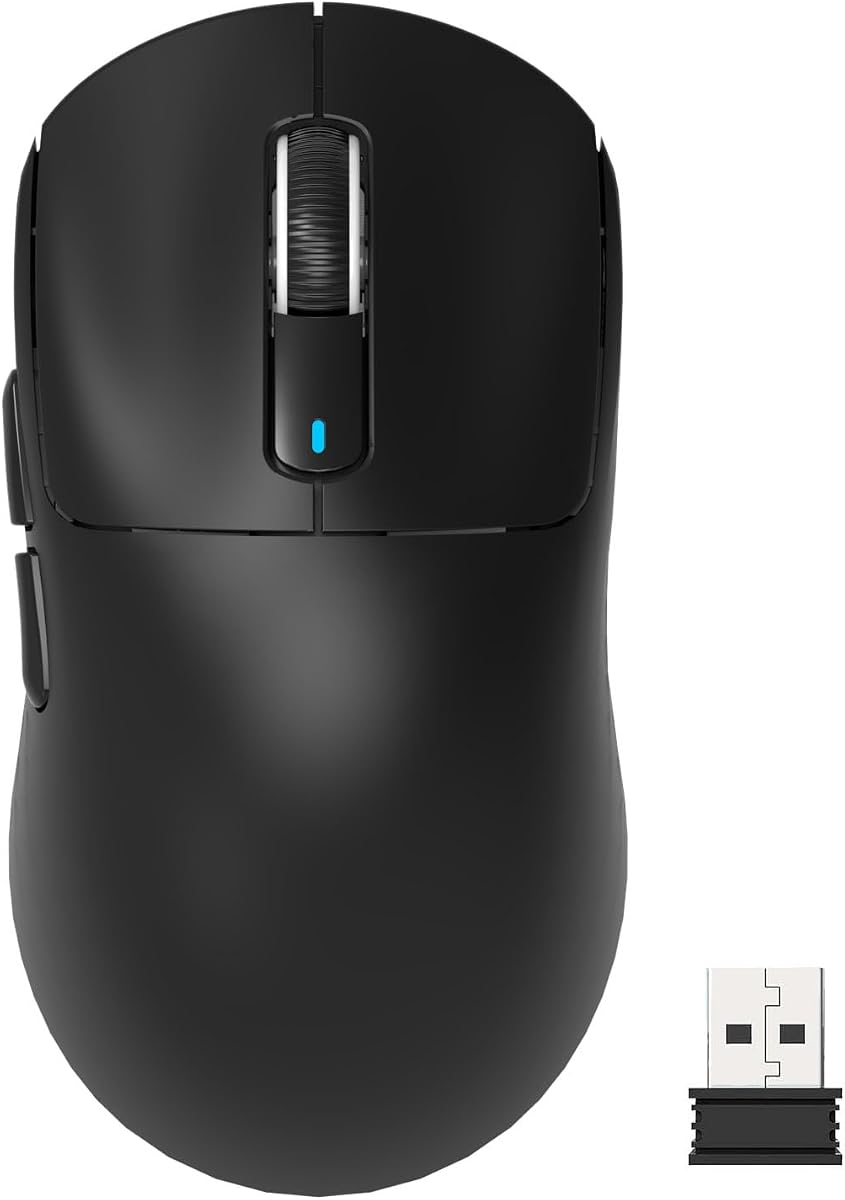


The Logitech G PRO X Superlight 2 stands as a top contender in the lightweight gaming category. With a 4.5-star rating, it delivers championship-winning performance optimized for competitive esports players.
We may earn a commission when you buy through this link, at no additional cost to you.
Its HERO 2 sensor tracks over 888 IPS with up to 44000 DPI while eliminating smoothing and acceleration. The mouse features 8 kHz polling and USB-C charging with 95-hour battery life ensuring consistent responsiveness.
While priced higher, the investment reflects professional-grade durability and precision. The lack of RGB simplifies the design and keeps weight low, which is ideal for tournament setups requiring speed and reliability.
Buy this mouse if you need a reliable tool for FPS games. It balances weight, sensor performance, and battery life better than most competitors making it a solid choice for serious gamers.
The HERO 2 sensor ensures flawless tracking even during rapid movements required in competitive shooters.
With 95 hours of battery life you can game for days before needing to recharge the device.
We may earn a commission when you buy through this link, at no additional cost to you.
The Pulsar Gaming Gears X2H redefines lightweight gaming with its 37-gram frame. This mini mouse offers minimal mass for rapid movements while maintaining structural durability and sleek aesthetics.
We may earn a commission when you buy through this link, at no additional cost to you.
Its XS-1 sensor delivers 32000 DPI resolution and 750 IPS tracking. Speed of Light optical switches minimize accidental clicks and provide pinpoint responses paired with a dust-proof design.
The included DOT Skates enhance gliding on glass and hard pads. However its small size suits smaller hands or fingertip grips more than larger users needing full palm support.
Choose this mouse for peak speed and control in esports. It is best for players prioritizing minimal weight over battery life or connectivity features.
At 37 grams it weighs less than an egg reducing fatigue during intense gaming sessions.
The optical switches ensure swift actions with no unintended double clicks affecting gameplay accuracy.
We may earn a commission when you buy through this link, at no additional cost to you.
The Razer Viper V3 HyperSpeed offers up to 280 hours of battery life on a single AA battery. Its 82-gram weight is heavier than ultra-light mice but balances performance and endurance well.
We may earn a commission when you buy through this link, at no additional cost to you.
Equipped with the Focus Pro 30K sensor it maintains accuracy on glass surfaces. Hyperspeed wireless ensures low-latency connections while on-mouse DPI control allows quick adjustments.
Though heavier its battery capacity supports extended play without frequent recharging. Mechanical switches provide a tactile click that many users prefer over optical options for reliability.
This mouse is ideal for marathon sessions where battery life matters most. It suits users wanting a trusted brand with durable switches and solid wireless performance.
With 280 hours of play you can avoid interruptions caused by low battery during critical matches.
The Focus Pro sensor tracks flawlessly on glass offering flexibility in setup choices.
We may earn a commission when you buy through this link, at no additional cost to you.
The Redragon M725 Honeycomb Shell delivers 49 grams of ultra-lightweight performance at a budget-friendly price. Its tri-mode connectivity supports Bluetooth 5.1 2.4GHz wireless and wired Type-C.
We may earn a commission when you buy through this link, at no additional cost to you.
Featuring an 8000 DPI sensor with five redefinable levels it suits various gaming needs. The honeycomb design improves palm air circulation reducing sweat during prolonged sessions.
Software support allows deep customization of buttons and DPI. While less premium than expensive models it offers practical features without overspending for casual or semi-competitive gamers.
Pick this mouse for budget-conscious buyers needing reliable wireless options. It provides essential features without excessive weight making it a great starting point.
The honeycomb shell enhances palm air circulation to alleviate arm and wrist fatigue.
Three connection modes allow seamless switching between devices for work and gaming.
We may earn a commission when you buy through this link, at no additional cost to you.
The Logitech G305 Lightspeed combines portability with impressive efficiency. Weighing 3.4 ounces it serves as a travel companion that does not sacrifice responsiveness during competitive gameplay.
We may earn a commission when you buy through this link, at no additional cost to you.
Its HERO sensor offers up to 12000 DPI and 400 IPS precision. Ultra-fast LIGHTSPEED wireless ensures lag-free performance while the compact design fits easily in laptop bags.
With 250 hours of battery life on one AA battery it is ideal for extended trips. Endurance mode extends this life up to nine months for occasional use.
Choose this mouse for travel or small desks. It is reliable and efficient though not the lightest option available for dedicated desktop setups.
The compact design includes built-in nano receiver storage for easy transport without losing the dongle.
The next-generation HERO sensor delivers incredible power efficiency extending battery life significantly.
We may earn a commission when you buy through this link, at no additional cost to you.
The MCHOSE L7 Pro offers 39 grams of weight with a high 8k Hz polling rate. This design aims for precision control through an ergonomic high hump shape tailored to various hand grips.
We may earn a commission when you buy through this link, at no additional cost to you.
Its latest pro sensor provides 26000 DPI sensitivity and 650 fps velocity. Optical switches ensure clarity in every click while TTC gold encoders deliver a crisp scroll experience.
Tri-mode connectivity supports wired wireless and Bluetooth use. The driver allows customization of DPI and macro settings enhancing versatility for unique gaming demands.
This mouse suits users wanting high polling rates at a reasonable price. Its ergonomic shape helps focus on precise movements during intense matches.
TOPSPEED wireless technology offers ultra-low latency for a competitive edge over typical mice.
Effortlessly customize settings to fit your unique style through an intuitive all-in-one driver.
We may earn a commission when you buy through this link, at no additional cost to you.
The ATTACK SHARK X3 uses the Pixart PAW3395 flagship sensor for high performance. Weighing only 49 grams it captures movements precisely with a 650 IPS tracking speed.
We may earn a commission when you buy through this link, at no additional cost to you.
Kailh GM8.0 switches provide a satisfying sound and fast rebound. The ergonomic body supports various hand shapes and minimizes wrist fatigue during long sessions.
Three modes support wired wireless and Bluetooth connections. While it may lack brand prestige its technical specs deliver excellent value for competitive players.
Choose this mouse if sensor accuracy is your priority. It balances lightweight construction with high-end components suitable for serious gamers.
The PAW3395 sensor ensures the fastest response and precisest positioning tailored for gaming enthusiasts.
Kailh GM8.0 switches offer 80 million click lifespan ensuring stable performance over time.
We may earn a commission when you buy through this link, at no additional cost to you.
The Pulsar Gaming Gears X2 offers a medium symmetrical shape ideal for fingertip and claw grips. At 39 grams it provides a lightweight feel while maintaining durability and sleek design.
We may earn a commission when you buy through this link, at no additional cost to you.
Its XS-1 sensor boasts 32000 DPI resolution for unparalleled precision. Speed of Light optical switches ensure swift pinpoint responses within a dust-proof structure.
Pulsar Dot Skates enhance speed and precision on glass and hard mousepads. This model focuses on performance and aesthetics without unnecessary bulk or features.
Pick this mouse for a balanced medium form factor. It suits players wanting lightweight performance in a classic symmetrical shell.
The low-profile symmetrical shape supports both claw and fingertip grips effectively.
Included DOT Skates deliver exceptional low friction enhancing speed and precision on any surface.
We may earn a commission when you buy through this link, at no additional cost to you.
The ASUS ROG Harpe Ace Mini features a refined compact semi-symmetrical form optimized for smaller hands. Weighing 49 grams it aims to minimize fatigue while maintaining maximum control.
We may earn a commission when you buy through this link, at no additional cost to you.
The ROG AimPoint Pro sensor delivers 36K DPI and track-on-glass technology. Tri-mode connectivity includes wireless RF and Bluetooth for up to three devices with reliable performance.
While battery life reaches 105 hours it is lower than competitors. However the Omni Receiver links multiple devices through a single port for streamlined setups.
Choose this mouse if you have smaller hands or prefer a compact shape. It is designed for precision and comfort during competitive play.
Co-developed with professional FPS players this shape ensures maximum control with minimal fatigue.
Enjoy unmatched flexibility with wired wireless and Bluetooth pairing for multiple devices.
We may earn a commission when you buy through this link, at no additional cost to you.
The Redragon M808 Storm features a 12,400 DPI optical sensor with seven programmable buttons. At 85 grams it is heavier than wireless options but offers precise registration and extensive customization.
We may earn a commission when you buy through this link, at no additional cost to you.
Its honeycomb shell provides an ultralight feel while RGB lighting adds aesthetic flair. The software support lets you engineer the ideal setup for any game.
The No-Drag Weave Cable reduces friction and weight but cable drag remains a factor. However for wired users seeking budget-friendly RGB options this model delivers solid value.
Pick this mouse for budget setups wanting RGB effects. It suits those prioritizing extensive button options and aesthetic customization.
16.8 million colors and customizable DPI allow you to engineer your liked way to win.
All seven buttons can be redefined to handle complex macro keybindings easily.
We may earn a commission when you buy through this link, at no additional cost to you.
Choosing a lightweight gaming mouse involves balancing weight sensor performance and features like connectivity and ergonomics.
Weight affects control and fatigue during long sessions. Ultra-light mice under 50 grams are ideal for fast-paced games where quick movements matter.
Lower weight reduces strain but ensure the mouse feels sturdy enough for your grip style.
A high-performance sensor ensures precise tracking without acceleration or smoothing. Look for flagship sensors like PAW3395 or HERO 2 for competitive play.
Higher DPI and IPS values help maintain accuracy during rapid movements.
Wireless options offer freedom of movement with low-latency connections. Tri-mode connectivity adds versatility for multi-device setups.
Choose wired mice if you prefer zero latency or lower cost options.
Ergonomic shapes reduce wrist strain by fitting your hand naturally. Symmetrical shapes support claw grips while ergonomic molds suit palm grips.
Test sizes and designs to avoid fatigue during extended gameplay.
Wireless mice require reliable battery life for uninterrupted play. High-capacity batteries or AA power sources provide flexibility.
Consider charging methods and endurance modes to reduce downtime.
Switches determine click feel and durability. Optical switches offer fast responses while mechanical switches provide tactile feedback.
Select switches based on your preference for sound and resistance.
Programmable buttons and software support enhance customization for macros and DPI settings. RGB lighting adds aesthetics but may add weight.
Prioritize essential features that match your gaming style and budget.
Lightweight mice range from affordable to premium prices. Higher cost often brings better sensors and build quality.
Balance your budget with performance needs to find the best value.
Begin by setting the correct DPI for your monitor resolution to improve aim accuracy.
Clean mouse feet regularly with a microfiber cloth to maintain smooth gliding on surfaces.
Update drivers and firmware via manufacturer software to ensure optimal performance.
Lightweight mice reduce wrist fatigue and enable faster, more precise movements which are crucial in competitive games. They help improve overall control during extended gaming sessions.
Wireless mice offer freedom of movement with advanced low-latency tech but wired mice can be lighter since no battery is needed. Choose based on your preference for flexibility or pure minimal weight.
Modern lightweight mice use durable materials despite low weight. Quality models feature reinforced shells to withstand regular use without cracking easily.
Use a soft microfiber cloth to wipe the exterior and mouse feet. Avoid harsh chemicals that might damage sensors or coatings on lightweight shells.
Many lightweight mice come in medium or large sizes to accommodate bigger hands. Check ergonomic dimensions to ensure a comfortable fit for your grip style.
Most lightweight mice offer customizable DPI via buttons or software. This allows precise adjustments to match different game types and resolutions.
The ten mice reviewed provide top options for lightweight performance and precision across various budgets.
Prioritize sensor accuracy ergonomics and battery life when selecting a model suited to your gaming style.
Check current prices and deals to ensure you get the best value for your competitive setup.