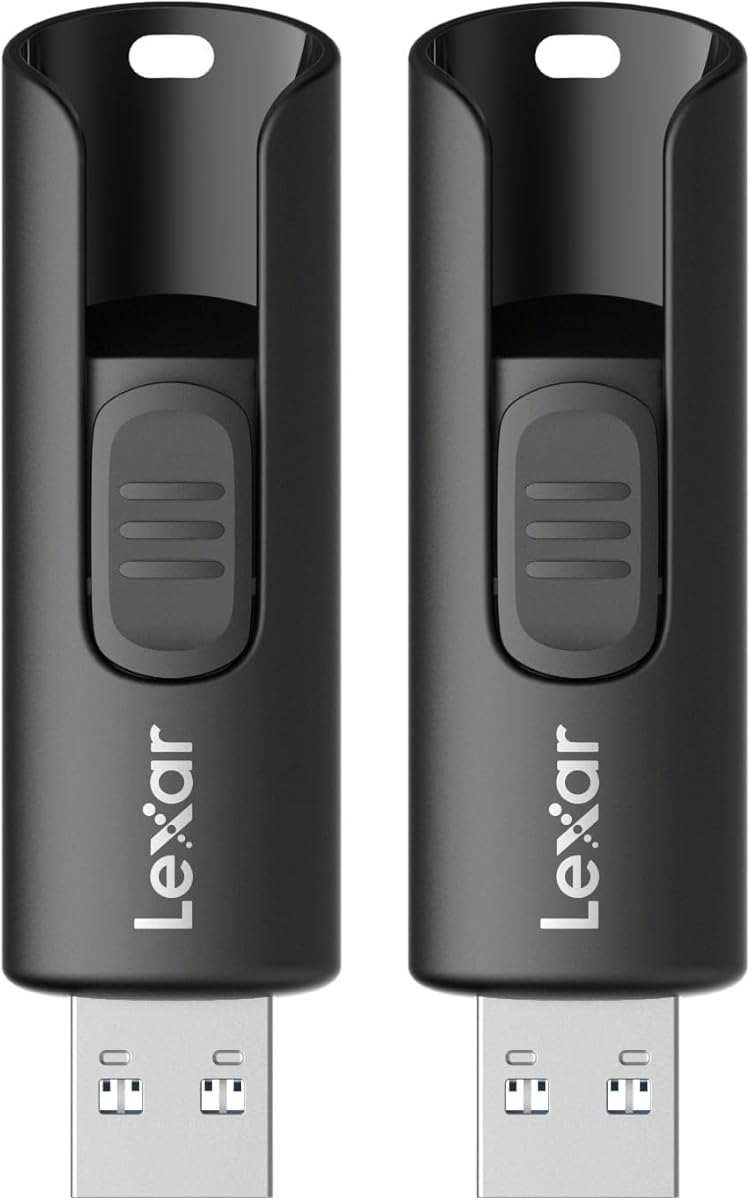
Lexar A30E USB 3.2 Gen 1 Flash Drive 128GB 2-Pack
4.6Editor score
Lightweight and portable design
Transfer speeds up to 100 MB/s
Includes DataShield security software
This guide compares the top Lexar USB Flash Drive models for speed, durability, and value to help you choose the best portable storage for your needs.
Finding the right portable storage solution is essential for modern professionals and students alike. A reliable flash drive ensures your important files are safe and accessible whenever you need them. Lexar has established itself as a trusted brand in this space offering diverse options for various users.
We have carefully evaluated ten distinct models based on transfer speeds, build quality, and overall value. Each product was analyzed against common use cases ranging from basic file storage to high-speed media transfers. Our goal is to provide a clear comparison that simplifies your decision-making process significantly.
Each pick highlights specific strengths like dual connectivity or encryption features to match different requirements. Prices and availability can change frequently so please verify current details before making a purchase. We aim to give you the most accurate and up-to-date information possible right now.
4.6Editor score

4.6Editor score

4.5Editor score
The following table provides a side-by-side overview of all ten models to help you quickly identify key specifications and capabilities for your specific storage needs.


The Lexar D50E stands out as a top-tier option for users who need both speed and versatility. With a rating of 4.6 stars it is highly regarded for its solid state performance that rivals many external SSDs. This drive is perfect for transferring large video files or complex project folders quickly without frustrating delays.
We may earn a commission when you buy through this link, at no additional cost to you.
Its dual USB-A and USB-C connectors eliminate the need for dongles making it ideal for modern laptops and smartphones alike. The transfer speeds of up to 400MB/s read and 360MB/s write are significantly faster than standard USB 3.0 drives. This performance ensures that your workflow remains uninterrupted whether you are editing on a desktop or moving files to a tablet.
While the price is higher than basic flash drives the value comes from the dual connectivity and speed. The only minor trade-off is that the photo backup app does not currently support iCloud content which might limit some iOS users. However for general file management and transfers this is a negligible issue for most users.
We recommend this drive for professionals students and creatives who need reliable high-speed storage on the go. The metal housing adds a layer of durability that protects the connectors from wear and tear over time. If you want a premium USB drive that handles modern interfaces with ease this is the best choice available.
The high read and write speeds ensure large files are transferred in seconds rather than minutes.
Having both USB-A and USB-C means you can connect to almost any device without adapters.
We may earn a commission when you buy through this link, at no additional cost to you.
Getting two reliable drives for the price of one makes the A30E 2-Pack an exceptional value. It holds a strong 4.6 rating from users who appreciate the balance of speed and affordability. This is an ideal choice for families schools or businesses that need multiple drives for different purposes without breaking the budget.
We may earn a commission when you buy through this link, at no additional cost to you.
The drives offer transfer speeds up to 100 MB/s which is ten times faster than standard USB 2.0 drives. They come with DataShield software that allows you to create password-protected safe files easily. This adds a layer of security that is often missing in budget drives ensuring your sensitive data remains private.
The lightweight design is convenient for daily carry but the push-button mechanism might wear out with heavy use. Additionally these drives only have USB-A connectors so they may not work natively with newer USB-C devices without an adapter. These are minor trade-offs given the low cost and high performance of the drives.
We suggest this pack for anyone looking for a secondary backup solution or gifts for multiple people. The included security features make it more robust than many other budget options on the market. If you need dependable storage that protects your files and keeps your wallet happy this is the best option.
Buying two drives together significantly reduces the cost per gigabyte compared to single units.
DataShield provides password protection and auto-encryption without requiring extra hardware.
We may earn a commission when you buy through this link, at no additional cost to you.
The S80 is designed for users who prioritize speed and security in a compact package. With a 4.5 rating it is respected for its high performance and durable build quality. This drive excels when you need to move large datasets or media files quickly while keeping them secure from unauthorized access.
We may earn a commission when you buy through this link, at no additional cost to you.
It offers read speeds of 150MB/s which is among the fastest available for standard USB flash drives. The advanced security software uses 256-bit AES encryption to protect your files effectively. The retractable design keeps the connector safe from physical damage and dirt which extends the lifespan of the drive.
The main drawback is the higher price point compared to standard models which might not suit tight budgets. It also lacks a USB-C connector limiting its use with newer mobile devices without adapters. However for users who need maximum speed and data protection the extra cost is often justified.
We recommend the S80 for business professionals and power users who handle sensitive data regularly. The combination of speed and encryption makes it a versatile tool for secure transfers. If you need a premium drive that performs consistently and protects your information well this is a top recommendation.
The 150MB/s read speed ensures quick access to files stored on the drive.
256-bit AES encryption keeps your private files safe from prying eyes.
We may earn a commission when you buy through this link, at no additional cost to you.
This dual drive pack offers excellent flexibility for users with mixed device types. It has a solid 4.3 rating reflecting good performance across various platforms. The combination of USB-C and USB-A in one drive makes it a practical solution for connecting both old and new devices without extra adapters.
We may earn a commission when you buy through this link, at no additional cost to you.
The metal enclosure provides durability against drops and heat ensuring long-term reliability. The 360-degree swivel design allows easy switching between connectors without losing caps. You can store files securely using the included 256-bit AES encryption software which is a valuable feature for business or personal use.
Some users find the swivel mechanism can feel slightly loose after extended use. The metal body also makes these drives heavier than their plastic counterparts which might be noticeable in a large bag. Despite these minor issues the versatility offered by the dual connectors remains a significant advantage.
We suggest this pack for users who frequently switch between laptops smartphones and tablets. The ability to plug directly into any device without hunting for adapters saves time and effort. If you need reliable versatile storage for multiple devices this dual drive option is a smart choice.
Dual ports mean you can connect to both legacy and modern devices instantly.
Metal housing protects internal components from heat and physical damage.
We may earn a commission when you buy through this link, at no additional cost to you.
The TwistTurn2 pack is perfect for casual users who need simple reliable storage for documents. It maintains a high 4.6 rating due to its ease of use and sturdy design. This option is ideal for basic tasks like sharing school papers or backing up small files where speed is not a priority.
We may earn a commission when you buy through this link, at no additional cost to you.
The twist mechanism reveals the connector smoothly without the need for separate caps to lose. The hinged jacket protects the USB port effectively ensuring the drive stays functional longer. These drives are plug-and-play compatible with most PC and Mac systems making them ready to use immediately.
The main limitation is the USB 2.0 interface which limits transfer speeds compared to modern standards. This makes it less suitable for large media files or video transfers. However for small documents and images the speed difference is often negligible for everyday users.
We recommend these for home users or classrooms where multiple drives are needed cheaply. The simplicity and durability make them excellent for sharing files in low-tech environments. If you need basic storage without needing advanced features this pack offers great value.
No caps to lose and simple twist design make it user-friendly for all ages.
Ideal for storing and transferring small documents and text files efficiently.
We may earn a commission when you buy through this link, at no additional cost to you.
The D400 brings together high capacity and dual connectivity for a robust portable storage solution. It earns a 4.6 rating for its consistent performance and modern design. This drive is excellent for carrying large media libraries or entire project backups across different devices seamlessly.
We may earn a commission when you buy through this link, at no additional cost to you.
With a 256GB capacity it can hold thousands of photos or hours of video content easily. The USB-C and USB-A ports mean you can use it with both current and older computers without adapters. Transfer speeds reach up to 130MB/s ensuring efficient data movement for your needs.
The metal housing is sleek but adds weight which might be noticeable in lighter bags. The price point is higher than smaller capacity drives but the storage and speed justify it. If you often run out of space on other drives this capacity is a significant upgrade.
We recommend this drive for photographers videographers and professionals needing substantial portable storage. The combination of speed capacity and connectivity makes it a versatile tool for work. If you want a reliable drive that handles large files well this is a great option.
256GB allows you to carry extensive media libraries and backups on the go.
Connect to any device easily with both USB-C and USB-A options.
We may earn a commission when you buy through this link, at no additional cost to you.
This set provides five drives in assorted colors making it easy to track who owns what. It has a high 4.7 rating for its utility in shared environments like homes or classrooms. The variety of colors helps prevent mix-ups when multiple users need separate drives for personal files.
We may earn a commission when you buy through this link, at no additional cost to you.
The sliding cover protects the connector securely without needing separate caps to manage. Each drive offers 32GB which is sufficient for documents and small media files. The USB 2.0 interface is compatible with virtually every computer ensuring broad usability across older systems.
Speed is limited compared to modern USB 3.0 drives which may slow down large transfers. The 32GB capacity is also small by today's standards for storing large video files. However for basic use and sharing small files the performance is adequate for most tasks.
We recommend this set for families schools or offices where multiple users need storage. The color coding feature is a practical touch that simplifies management of shared assets. If you need simple affordable drives for everyone this pack is an excellent choice.
Assorted colors help distinguish drives for different users without labels.
Sliding cover keeps the connector safe from dust and damage effectively.
We may earn a commission when you buy through this link, at no additional cost to you.
The M400 balances style and performance to appeal to users who value aesthetics. It holds a 4.4 rating reflecting solid performance in real-world scenarios. This drive is a great choice for those who want a storage solution that looks good and works efficiently on a desk or in a bag.
We may earn a commission when you buy through this link, at no additional cost to you.
It delivers read speeds of 150MB/s ensuring quick access to your files when needed. The durable construction ensures it can withstand daily use without showing wear quickly. DataShield software provides an extra layer of security to keep your data private and safe from unauthorized access.
Some users note that the surface may show fingerprints easily which is common with sleek drives. It also only supports USB-A so you may need an adapter for USB-C laptops. Despite these small points the speed and security features make it a strong contender for general use.
We suggest this drive for professionals who want a blend of style and function. The security features make it suitable for storing sensitive personal or work files. If you want a reliable drive that looks professional and performs well this is a top pick.
Sleek design makes this drive look professional and modern in any setting.
DataShield provides robust encryption to keep your private files secure.
We may earn a commission when you buy through this link, at no additional cost to you.
The E31 is a minimalistic drive designed for daily portability and quick file access. With a 4.6 rating it is well-loved for its sturdy construction and practical features. This drive is perfect for attaching to your keychain so you never have to worry about losing it.
We may earn a commission when you buy through this link, at no additional cost to you.
Its all-metal build offers durability and a premium feel compared to plastic alternatives. Transfer speeds reach up to 100MB/s providing reliable performance for most common tasks. The compact design ensures it doesn't add bulk to your pocket or bag while you carry it.
The lack of a cap or retractable mechanism means the connector is always exposed. This might lead to scratches on other keys or items in your pocket if not careful. However the included keyring loop mitigates this risk by allowing you to keep it attached to a keychain.
We recommend this drive for users who prioritize convenience and durability in daily carry. It is ideal for quick file transfers or backup needs where speed is not the primary factor. If you want a simple reliable drive that stays with you always this is a great option.
Integrated keyring loop makes it easy to attach to keys or a bag.
All-metal construction withstands daily wear and tear better than plastic.
We may earn a commission when you buy through this link, at no additional cost to you.
This black 3-pack offers simplicity and reliability for everyday storage needs. It has an outstanding 4.8 rating showing high satisfaction among users for its basic functionality. This drive is perfect for users who need a few backups for documents or simple media files without needing advanced features.
We may earn a commission when you buy through this link, at no additional cost to you.
The sliding cover protects the connector effectively keeping it free from dust and damage. All three drives are identical which helps in organizing storage in a drawer or desk. The USB 2.0 interface is widely compatible with almost any computer or device you might own.
Transfer speeds are slower compared to USB 3.0 drives which impacts large file transfers. The 32GB capacity is also limited for modern video or photo libraries. However for text files and small data sets this capacity is more than sufficient for most users.
We recommend this pack for basic users who want reliable backups at a low price. The high rating indicates strong quality control and customer satisfaction for this model. If you need simple dependable drives for general use this pack offers great value.
No complicated setup required for immediate plug-and-play functionality.
Sliding cover ensures the connector remains clean and functional over time.
We may earn a commission when you buy through this link, at no additional cost to you.
Choosing the right flash drive involves considering several factors beyond just capacity. This guide breaks down the key elements to help you find the perfect match for your needs.
Modern devices use a mix of USB-A and USB-C ports so you need to decide which connector you need most. Some drives offer dual connectivity which allows you to plug into both types without extra adapters. If you use older computers primarily a standard USB-A drive is fine but dual drives are more versatile.
Check the devices you use most to ensure compatibility before buying. For new laptops and tablets USB-C support is essential to avoid dongles.
Transfer speeds dictate how fast you can move files to and from the drive. USB 3.2 Gen 1 drives are significantly faster than older USB 2.0 models offering much better performance for large files. Look for read and write speeds like 100MB/s or higher if you move video or project data.
Higher speeds mean less waiting time during transfers and smoother workflows. For small documents this matters less but for media it is critical.
Capacity determines how much data you can store on the drive at once. Options range from 32GB for small backups to 1TB for large media libraries. Consider the size of files you regularly move to avoid running out of space quickly.
Higher capacity drives are more expensive but provide better long-term value. Aim for at least 128GB for general use to balance cost and utility.
Build materials affect durability and longevity of the drive especially if you carry it daily. Metal housings offer better protection against drops and heat compared to plastic. Retractable or sliding designs help protect the connector from physical damage when not in use.
Durable drives withstand accidental drops and rough handling better. If you travel frequently look for robust metal builds.
Security is important if you store sensitive personal or business data. Some Lexar drives include software like DataShield for password protection and encryption. This ensures your files remain private even if the drive is lost or stolen.
Always check if the drive comes with security software included. Encryption adds a layer of safety for critical data.
Price varies based on capacity speed and features so compare options carefully. Buying multi-packs can reduce the cost per drive significantly for multiple users. Evaluate what features you truly need to avoid overspending on unnecessary extras.
Budget drives offer great value for basic needs while premium models cost more for speed. Balance your budget with performance requirements.
A warranty protects you if the drive fails within a specified period. Most Lexar drives come with limited warranties ranging from two to three years. Check the terms to understand what defects are covered under the warranty policy.
Longer warranties provide peace of mind for long-term usage. This indicates the manufacturer confidence in durability.
Ensure the drive works with your operating system such as Windows Mac or Android. Some drives come with apps for mobile backup which enhances utility on phones. Check for any special requirements or software needs before finalizing your purchase.
Plug-and-play drives require no extra setup to work immediately. Always verify OS compatibility for smooth operation.
To use your drive simply plug it into an available USB port on your computer or device. Your system should recognize it automatically allowing you to access files without installing software. For macOS you may need to reformat the drive if it came pre-formatted for Windows.
Always eject the drive safely before removing it to prevent data corruption. Use the safe remove option in your operating system to ensure all processes are finished. This step protects both your files and the drive's health from unexpected disconnection.
Keep the drive in a protective case or cover when not in use to avoid physical damage. Avoid exposing it to extreme heat or moisture which can damage internal components. Regularly backing up data to a secondary source ensures you never lose important information.
Yes most Lexar USB drives are compatible with Mac computers out of the box. However they may come pre-formatted for Windows which requires reformatting on Mac to write files. You can do this using Disk Utility on your Mac system easily. This process ensures full read and write access for all your files.
For maximum compatibility across Windows and Mac use the exFAT file system. This format allows you to read and write files on both systems without extra tools. You can format using Windows File Explorer or Mac Disk Utility depending on your device. Just be sure to back up existing data before formatting to avoid loss.
Yes USB 3.0 drives are fully backward compatible with USB 2.0 ports. The drive will work in the older port but transfer speeds will be limited to USB 2.0 rates. This means transfers will take longer than on a native USB 3.0 port. It is a safe connection but you lose the speed advantage of USB 3.0.
DataShield is Lexar's security software that allows password protection and encryption. It creates a safe area on the drive where files are encrypted and password protected. Only users with the correct password can access these secure files. This helps protect sensitive data from unauthorized access or loss.
Lexar USB drives are designed to last several years with normal use. They are tested in Lexar Quality Labs to ensure reliability across many devices. With proper care and safe ejection you can expect many successful transfers. Longevity depends on how frequently you use them and the physical conditions.
If your drive is not detected try plugging it into a different USB port. Check if the drive is recognized in your system manager or disk utility. You may need to update drivers or reformat the drive to fix issues. Sometimes simply restarting your computer can resolve temporary detection glitches.
Yes many modern Lexar drives support smartphones with USB-C or OTG capability. You can connect them directly to Android phones and some tablets without adapters. Some models also include apps to manage backups and files on mobile devices. Just ensure your phone supports USB storage connections via OTG.
Read speed is how fast data is accessed from the drive to your computer. Write speed is how fast data is saved from your computer to the drive. Both are important for overall performance especially with large files. Look for drives with high values for both to ensure smooth transfers.
Choosing the right Lexar USB flash drive depends on balancing your specific needs with budget. The D50E and S80 stand out for speed and security while packs like the A30E offer value. Consider your typical file sizes and device types before selecting a model.
Prioritize features like dual connectivity if you use multiple device types regularly. Security features are vital for sensitive data so look for encryption if that matters to you. A durable metal build ensures longevity for daily carry and work use.
Prices for these drives can change frequently so always verify current deals before purchasing. Checking reviews helps ensure the model you choose fits your needs well. With the right drive you can keep your data safe and accessible wherever you go.