
PowerA Joy Con Comfort Grips
4.7Editor score
Ergonomic design
Double-injected rubber
Lightweight
Visible indicator lights
Compare the top Joycon Charging Grip options for Nintendo Switch and OLED models to find the best ergonomic handle with charging capabilities for extended
Finding the right Joycon Charging Grip can transform your gaming experience by combining comfort with reliable power management. These accessories allow you to hold your controllers securely while keeping them charged for long sessions without interruption.
We compared ten highly rated models based on build quality, charging speed, ergonomic design, and value. Each product was evaluated for compatibility with Switch and OLED consoles, ensuring a seamless fit for your existing controllers.
Every pick highlights key features like LED indicators, cable length, and material durability. Prices may change frequently so check current listings before purchasing to ensure you get the best deal available today.
4.7Editor score
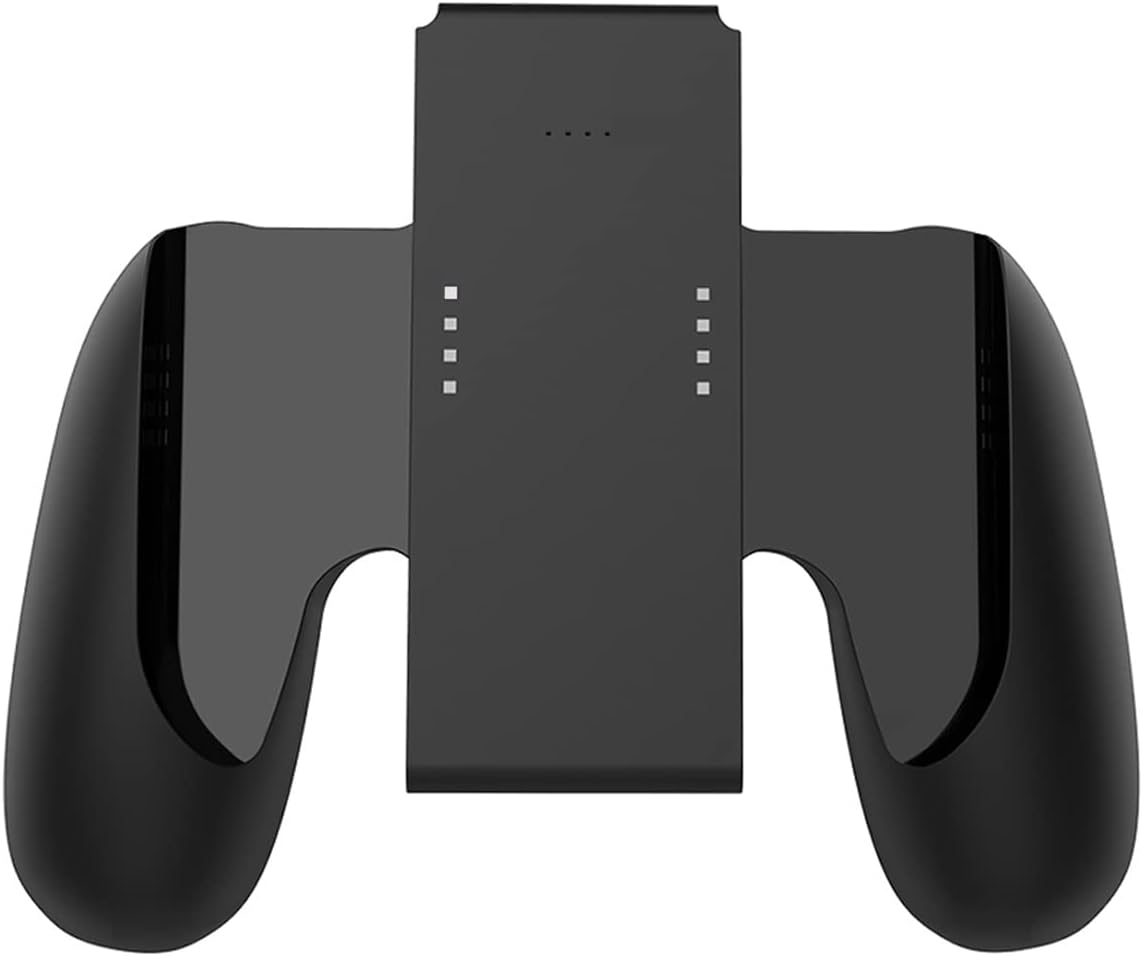
4.7Editor score
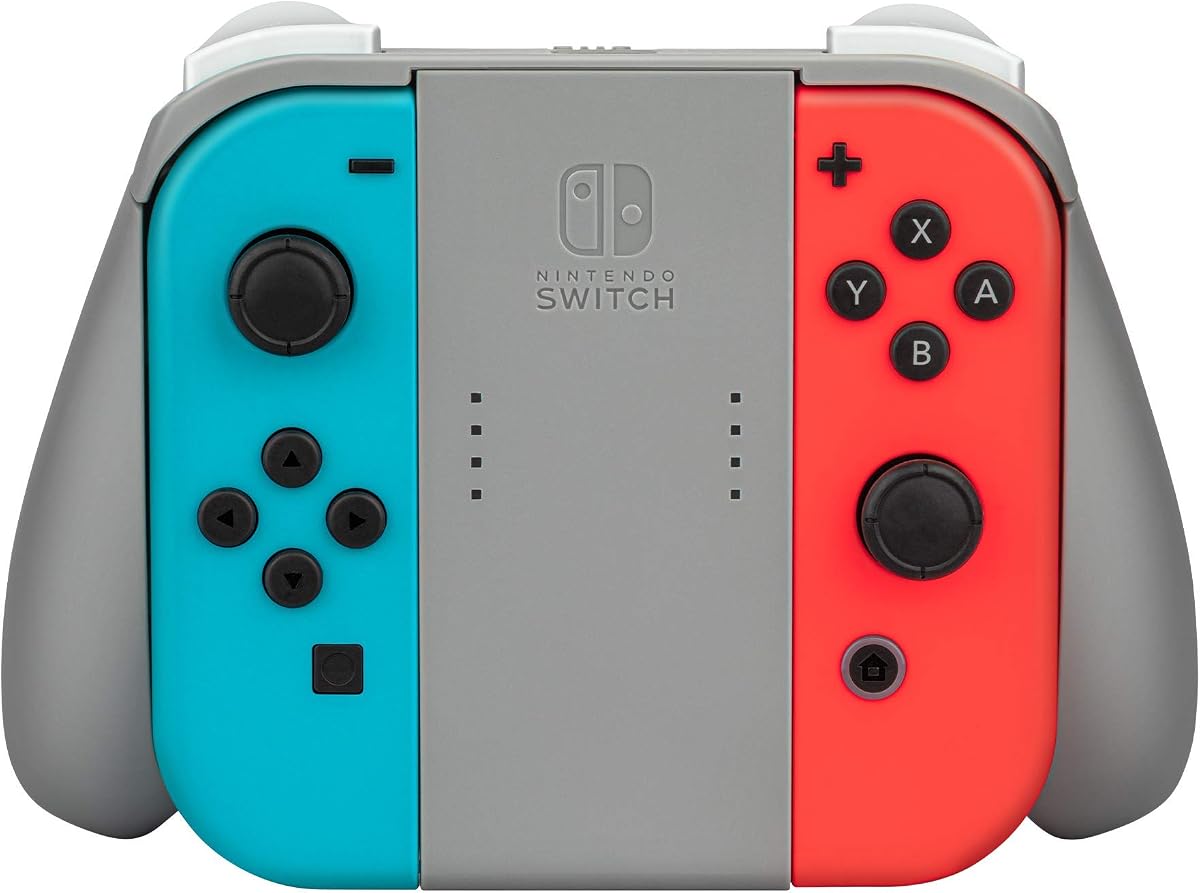
4.4Editor score
This side-by-side comparison covers all ten products to help you weigh specs and features easily. From basic grips to advanced battery packs, each entry shows what makes it unique for your needs.


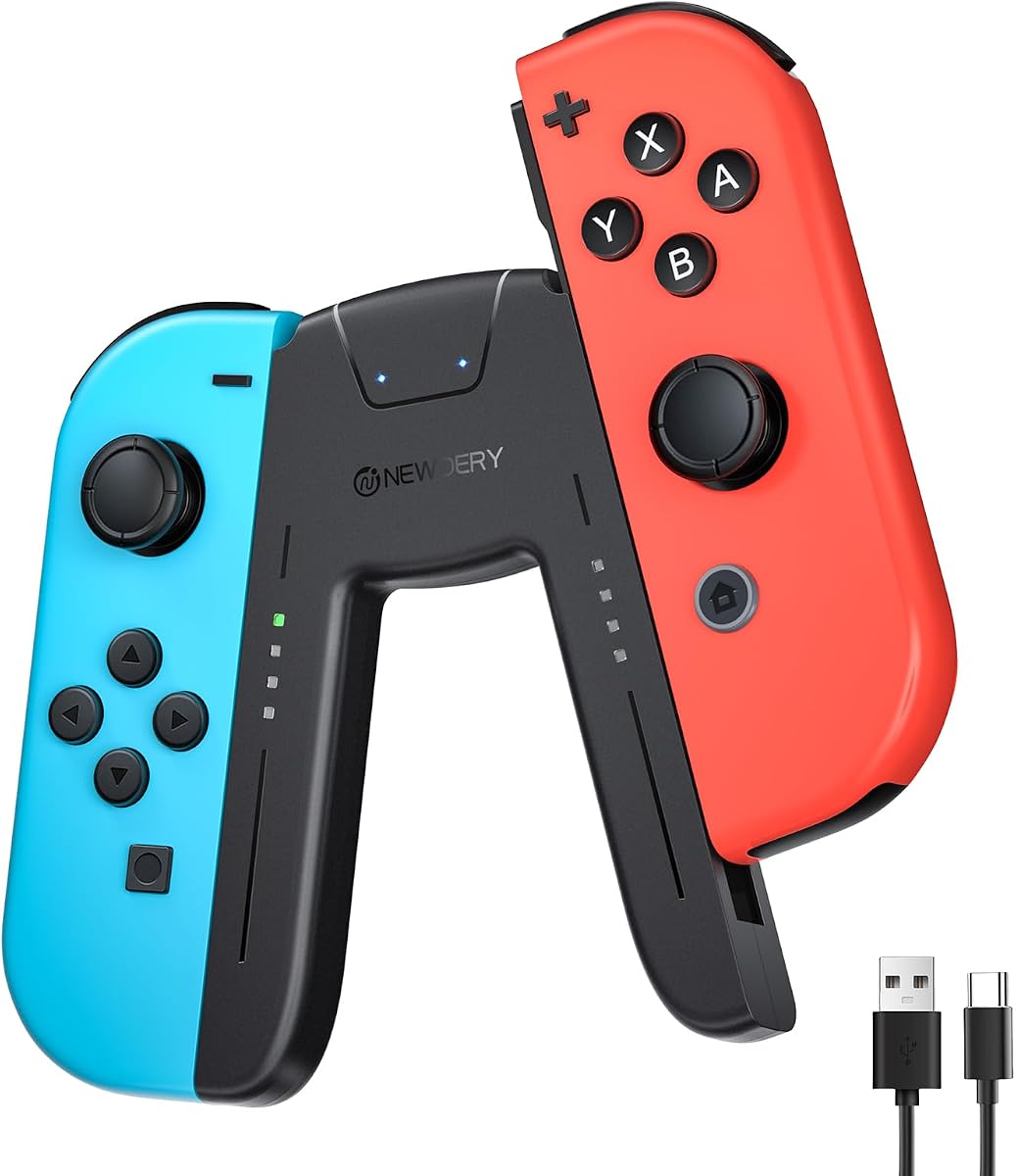
This grip stands out with its built-in 2000mAh battery allowing you to charge controllers wirelessly. It rates highly for extending playtime by up to 40 hours which is perfect for long sessions.
We may earn a commission when you buy through this link, at no additional cost to you.
The ability to play while charging both controllers and the grip simultaneously is a major strength. The long cable ensures you stay connected without tethering you close to a power source.
It is slightly heavier and costs more than basic grips but the added battery life justifies it. The overcharge protection ensures your devices stay safe overnight.
Anyone looking for an all-in-one power solution will appreciate this choice. It is ideal for travelers or those who frequently play on TV without constant outlet access.
The internal battery provides up to 40 hours of extended playtime for your controllers ensuring uninterrupted gaming.
You can charge both controllers and the grip at the same time for maximum efficiency during gaming.
We may earn a commission when you buy through this link, at no additional cost to you.
This is a straightforward charging grip designed to keep your Joycons powered while you play. It is compatible with both standard and OLED models offering reliable performance for a low price.
We may earn a commission when you buy through this link, at no additional cost to you.
The intelligent control circuit ensures safe charging with a resettable fuse and flame retardant shell. LED lights clearly show when controllers are charging or fully charged.
It lacks the advanced battery features of premium models but does exactly what it promises. The lightweight design makes it easy to carry for travel or casual use.
Buy this if you want a dependable and simple grip without extra frills. It is a solid choice for daily use where portability is key.
Built-in circuit technology and a resettable fuse ensure your controllers charge safely without overheating.
Red and green lights provide immediate feedback on charging status so you never guess.
We may earn a commission when you buy through this link, at no additional cost to you.
This grip offers a surprisingly long 6.6 foot cable which adds flexibility to your setup. It provides a comfortable ergonomic hold for your Joycons during active gaming.
We may earn a commission when you buy through this link, at no additional cost to you.
The sleek and sturdy construction ensures a secure hold while the LED lights keep you informed of power levels. It works seamlessly with the Switch console for uninterrupted gameplay.
It is a basic model without advanced battery options but the cable length makes it stand out. The price is very reasonable for what you get.
Choose this if you need extra reach for your charging cable during play. It is perfect for casual gamers who want comfort and convenience.
The 6.6ft USB-C cable gives you plenty of room to move while charging your controllers.
A comfortable handle design reduces hand fatigue during long gaming sessions.
We may earn a commission when you buy through this link, at no additional cost to you.
This set includes two grips providing a complete solution for both Joycons. It is ultra-lightweight weighing just 30 grams making it easy to throw in a bag.
We may earn a commission when you buy through this link, at no additional cost to you.
The same safe charging technology as the single model ensures reliable performance with clear LED indicators. The flame retardant shell adds an extra layer of protection.
It is a practical choice if you want backups or a set for different rooms. The two-pack pricing offers better value than buying individually.
Buy this for households needing multiple charging options or for travel backups. It is reliable and compact for any Switch owner.
Weighing just 30 grams this grip is incredibly easy to carry anywhere you go.
Get two grips in one package for convenient charging at home or while traveling.
We may earn a commission when you buy through this link, at no additional cost to you.
This grip focuses on comfort and utility with a stand function for storage. The non-slip grooves ensure a secure hold even during intense gaming sessions.
We may earn a commission when you buy through this link, at no additional cost to you.
The reflective player indicator light makes it easy to see controller status clearly. It offers enhanced comfort for extended play by reducing hand fatigue.
While it lacks advanced charging features the stand is a nice touch for keeping your desk tidy. It is solid for basic needs and storage.
Choose this if you value a clean setup and comfortable handling. It is ideal for home use where you need a place to rest your controllers.
The unique stand function allows you to display or store controllers neatly when not in use.
Abrasive material and grooves ensure your controllers stay secure in your hands.
We may earn a commission when you buy through this link, at no additional cost to you.
This grip adds a touch of style with its Kingdom Gold Trim design. It is made from high-quality ABS materials ensuring it lasts through regular use.
We may earn a commission when you buy through this link, at no additional cost to you.
The intimate indicator lights clearly show red when charging and blue when complete. It is compact and portable for easy transport anywhere.
While the design may be specific to some tastes it is a great gift option. The build quality matches other reliable models on the market.
Buy this if you want a unique accessory that still functions well. It is perfect for players who value aesthetics alongside performance.
Kingdom inspired gold borders and symbols make this grip stand out from standard black options.
Small and lightweight size allows you to bring it anywhere for on-the-go gaming.
We may earn a commission when you buy through this link, at no additional cost to you.
This is a basic comfort grip without charging capabilities offering great value for money. It features double-injected rubber grips for added comfort and secure handling.
We may earn a commission when you buy through this link, at no additional cost to you.
The easy slide-in design secures each Joy-Con quickly without tools. It remains lightweight and preserves the player indicator lights for status checking.
It does not charge your controllers so you will need a separate dock. However it is the cheapest way to get a full-size feel.
Buy this if you prioritize comfort over charging. It is ideal for users who already have a charging station but want better ergonomics.
Double-injected rubber provides a secure and soft hold for your Joycons during play.
Easy slide-in design secures each Joy-Con quickly without tools.
We may earn a commission when you buy through this link, at no additional cost to you.
Officially licensed by Nintendo this grip offers a premium full-size plus design. It includes enhanced trigger extensions for quicker reaction times during gameplay.
We may earn a commission when you buy through this link, at no additional cost to you.
Individual charging indicators let you know the battery status of each Joy-Con controller separately. The ergonomic comfort improves overall handling for extended sessions.
It is a top choice for those wanting officially branded accessories with specific triggers. The price is higher but the quality matches Nintendo standards.
Buy this if you want official features and faster triggers. It is best for serious players who value precision and brand reliability.
Officially licensed by Nintendo ensuring full compatibility and high quality standards for your console.
Enhanced trigger extensions provide quicker reaction times during intense gameplay moments.
We may earn a commission when you buy through this link, at no additional cost to you.
This compact model focuses on safe charging with built-in over charge protection. It is highly portable measuring just 5.6 x 2.9 inches for easy travel.
We may earn a commission when you buy through this link, at no additional cost to you.
Built with high-quality ABS material it ensures long-lasting performance and reliability. The LED indicators clearly show the charging status for your controllers.
It is a simple reliable option without extra features but does the job well. The package includes everything needed to start charging right away.
Buy this if you want a safe and simple charger at a low cost. It is perfect for quick charging during short gaming sessions.
Built-in over charge protection helps guard against over-current and over-voltage for everyday safety.
Weighing only 2.3 ounces with packaging this grip is easy to carry everywhere you go.
We may earn a commission when you buy through this link, at no additional cost to you.
This grip features an angled handle design helping to keep your wrist in a natural position. It is compatible with Joy Con protective cases saving you from removing covers.
We may earn a commission when you buy through this link, at no additional cost to you.
Precision slide rails allow smooth installation and secure hold during intense sessions. Safe charging protection guards against over-current and over-charging for reliable use.
It is lightweight and pocket-sized making it easy to carry while on the move. The ergonomic shape helps prevent hand soreness during long play.
Buy this if you want ergonomic comfort and case compatibility. It is ideal for players who value wrist health and convenience.
An angled handle design helps keep your wrist in a natural position during extended gaming.
Compatible with Joy Con protective cases so you can play without removing controller covers.
We may earn a commission when you buy through this link, at no additional cost to you.
Selecting the right charging grip involves several factors that impact comfort and functionality. We break down the key elements you should consider to find the perfect fit.
Decide if you need a basic grip or one with a built-in battery. Basic grips rely on a USB connection while battery options allow wireless charging for mobile play.
Prioritize battery packs if you play often without outlet access.
Ensure the grip supports your specific console model including standard and OLED versions. Some grips are designed only for newer models while others work universally.
Check product specs to confirm it fits your Joycons securely.
Look for grips with comfortable handles and non-slip materials to reduce hand fatigue. Angled or shaped handles can help maintain natural wrist positions during play.
Choose a model with rubberized surfaces for better grip stability.
LED lights are essential for knowing when your controllers are charging or fully charged. Some grips use color changes to show status clearly without needing to check settings.
Select a grip with clear visual indicators for convenience.
Materials like ABS plastic and flame retardant shells ensure long-term use. A resettable fuse adds protection against electrical issues during charging.
Look for sturdy construction that can withstand regular handling.
A longer cable offers flexibility during gameplay allowing you to move around freely. Some grips come with 6.6 foot cables while others are standard length.
Consider cable length if you play on a distant TV.
If you use protective cases on your Joycons ensure the grip can accommodate them. Some designs are slim enough to fit cases while others require bare controllers.
Choose a grip that supports your current accessories.
Balance the price with features to find the best deal for your needs. Basic grips are affordable while battery options cost more but offer greater convenience.
Assess what features matter most to your budget.
Slide your Joycons into the rails until they click securely. Connect the USB cable to a power source and look for the LED indicators to confirm charging has started.
For grips with batteries, charge the grip itself using the provided cable before use. Monitor the indicators to ensure the battery is fully charged for maximum playtime.
Keep the rails clean and dry to prevent connectivity issues. Avoid exposing the grip to extreme heat or moisture to maintain its durability and safety features.
Yes most of these grips allow you to play while the controllers are charging. The power source connects to the grip so your gameplay is not interrupted during the process.
Most grips in this guide are compatible with both standard and OLED models. Always check the product details to ensure it fits your specific console version securely.
LED indicators usually change color when the controllers reach full charge. For example many grips switch from red to green or blue to signal readiness.
Some grips are designed to fit controllers with cases while others require bare Joycons. Check the specifications to see if your protective case will interfere.
Ensure the cables are properly connected and the power source is working. If issues persist try resetting the grip by unplugging and replugging it to reset the fuse.
Most models include overcharge protection that stops power flow when full. However it is best to unplug devices when not in use to ensure safety.
We reviewed ten top options ranging from basic comfort grips to advanced battery models. The KINVOCA Charging Grip stands out for its long-lasting internal battery and flexible charging features.
Prioritize comfort and compatibility based on your play style and console model. If you travel often choose a battery option while home players may prefer simpler designs.
Prices and availability can change quickly so check current listings before finalizing your choice. Use the links provided to get the best deals available today.