
Apple Magic Keyboard
4.5Editor score
Floating Cantilever Design
Built-in Trackpad
USB-C Pass-Through
This expert guide compares the top 10 iPad Air Folio cases with keyboards for 2026, focusing on trackpad quality, typing comfort, and device protection
Finding the right accessory can transform your iPad Air into a powerful productivity machine. A quality Folio case with a built-in keyboard offers protection and typing ease in one sleek package for work or study.
We evaluated ten leading models based on build quality, key travel, trackpad responsiveness, and overall compatibility with recent iPad Air generations to help you choose the best option for your needs.
Each pick highlights unique strengths like magnetic detachment, backlighting, or premium materials. Please note that availability and pricing can change, so check current listings before making your final decision today.
4.5Editor score

4.5Editor score
4.3Editor score
The following table provides a side-by-side overview of all ten selected products to help you quickly compare key specifications and features across different brands and price points.


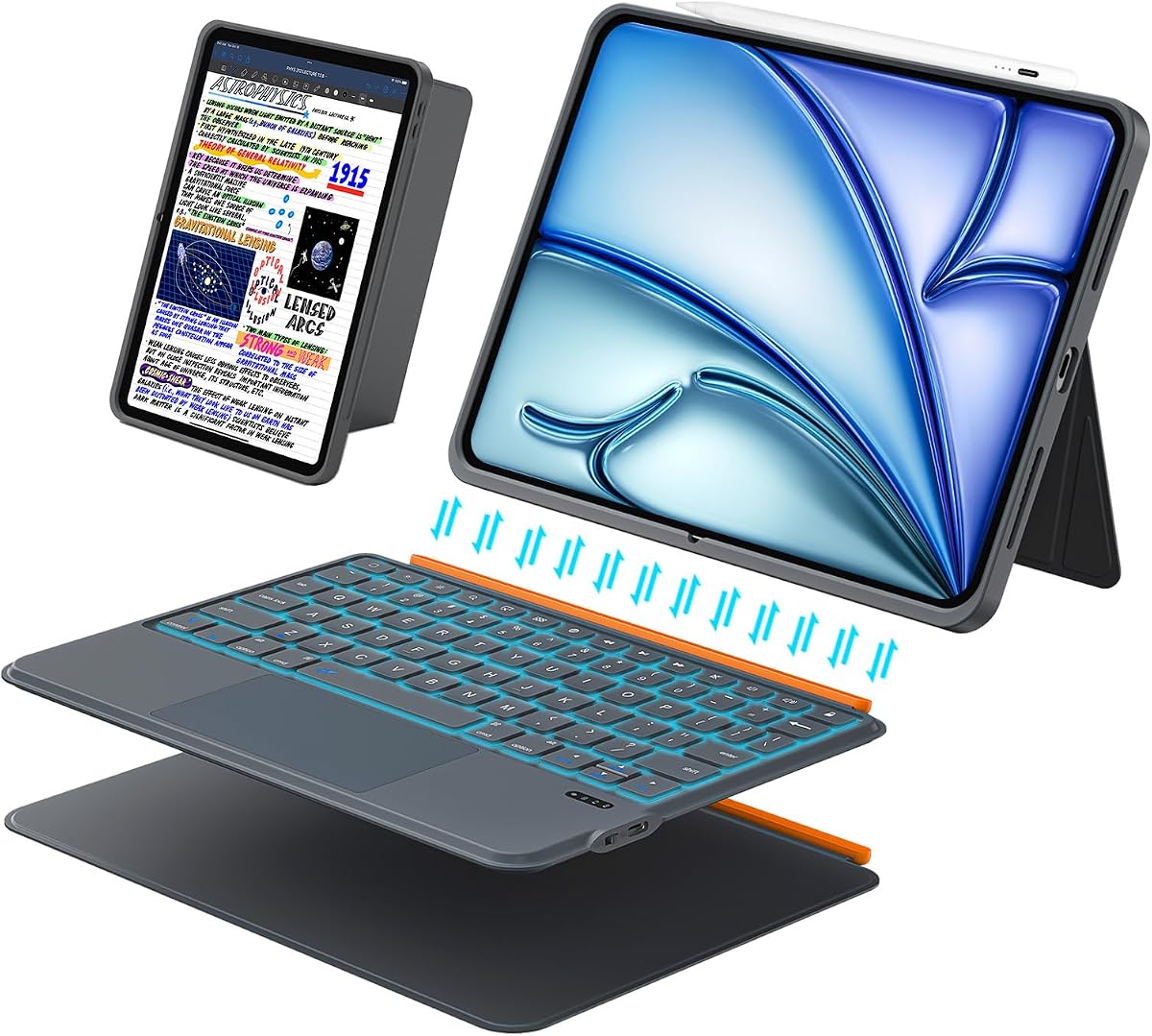


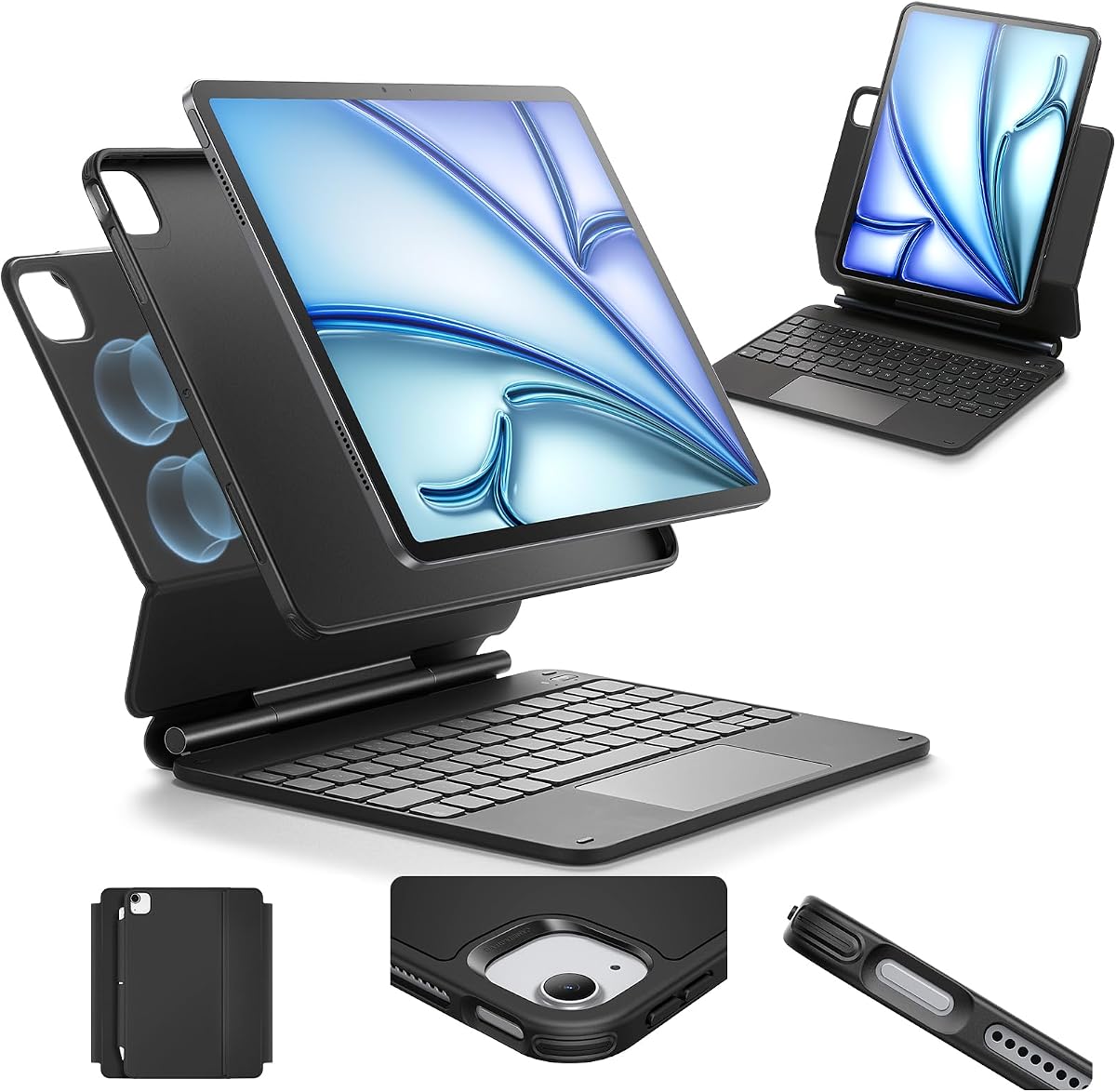
This Logitech Flip Folio Keyboard Case stands out as a top-tier choice for users seeking a reliable keyboard solution for their iPad Air. With a 4.5 rating, it offers robust protection and versatility for daily tasks.
We may earn a commission when you buy through this link, at no additional cost to you.
Its high-precision trackpad supports multi-touch gestures for efficient navigation. The backlit keys adjust automatically to lighting, and its military-grade drop protection ensures your device stays safe during travel.
While it is pricier than many competitors, the build quality justifies the cost. Some users may find the added weight slightly burdensome for long handheld use, but the typing experience remains comfortable and accurate.
Ideal for professionals or students who prioritize typing speed and device security, this case provides a balanced blend of form and function. It is a highly recommended option for serious iPad Air users.
The precise trackpad lets you scroll and select effortlessly, mimicking a laptop experience without needing a mouse or screen taps.
Four distinct modes allow you to switch between typing, reading, and sketching seamlessly, adapting the case to your current workflow needs.
We may earn a commission when you buy through this link, at no additional cost to you.
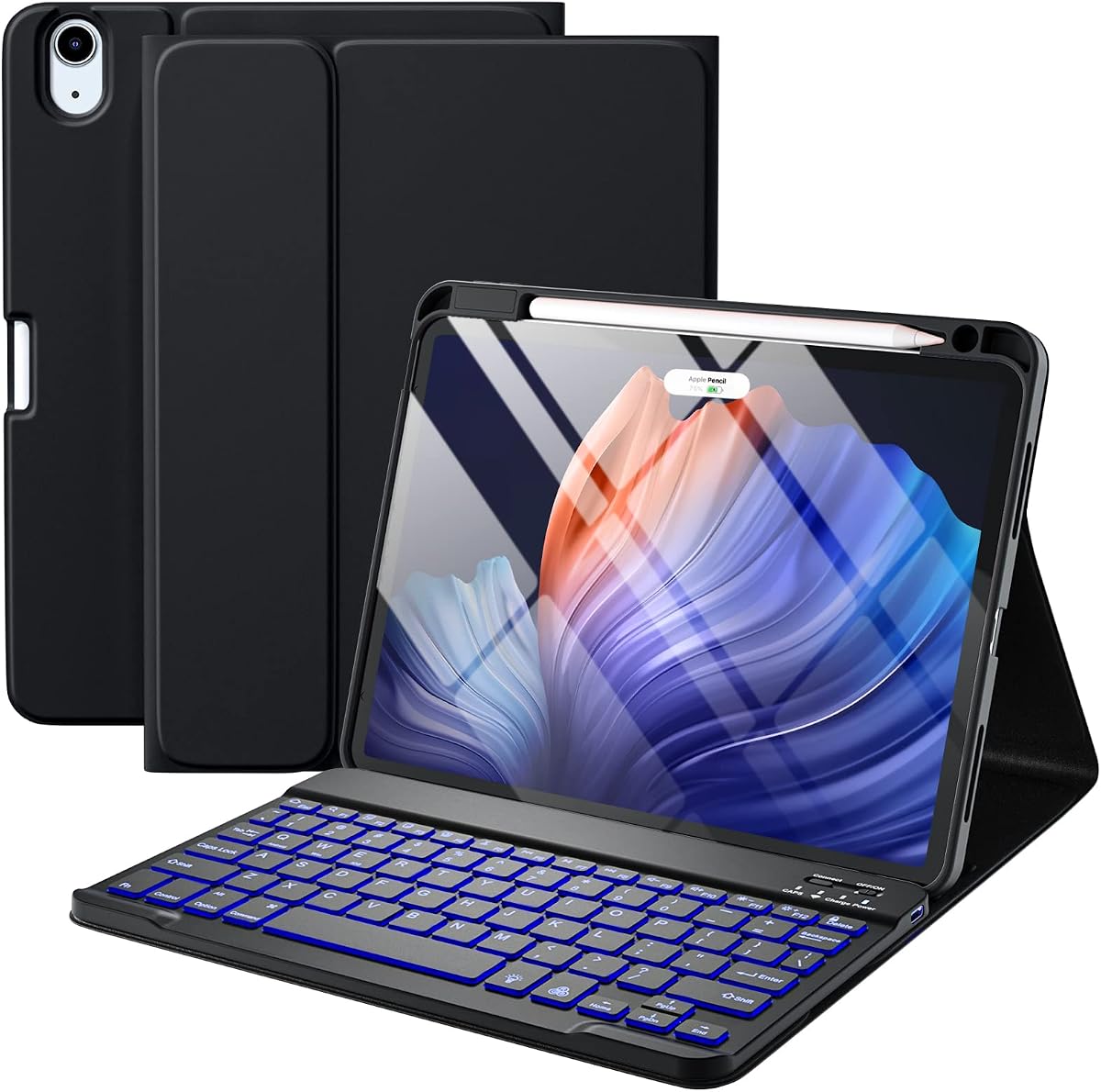
The Harvopu case offers an attractive balance between functionality and cost for those on a budget. Rated 4.3, it delivers essential features like a backlit keyboard and pencil holder without a steep price tag.
We may earn a commission when you buy through this link, at no additional cost to you.
Its detachable keyboard allows flexible use modes, while the long-life battery supports extended work sessions. The adjustable viewing angles ensure comfort across various tasks, from typing to media consumption.
Although the build feels less premium than top-tier models, it performs reliably for everyday use. Occasional Bluetooth reconnection delays may occur, but they are minor inconveniences compared to the overall value provided.
Best for casual users or students seeking a practical accessory, this case meets basic needs effectively. It is a solid entry point for anyone looking to upgrade their iPad Air setup affordably.
Despite its lower price, the case includes backlighting and a stable stand, making it a smart choice for budget-conscious buyers.
The ability to remove the keyboard entirely lets you switch to pure tablet mode instantly, enhancing versatility for different usage scenarios.
We may earn a commission when you buy through this link, at no additional cost to you.
The Apple Magic Keyboard represents the pinnacle of iPad Air accessories, combining sleek design with top-notch functionality. Its 4.5 rating reflects the high quality and seamless integration expected from Apple products.
We may earn a commission when you buy through this link, at no additional cost to you.
Featuring a floating cantilever design, it offers adjustable angles and a laptop-like typing experience. The built-in trackpad supports intuitive gestures, and USB-C pass-through charging keeps your device powered without extra cables.
While it commands a premium price and lacks backlighting, the build quality and typing precision are unmatched. The cost is justified for users prioritizing a premium ecosystem experience and long-term durability.
For professionals and power users who demand excellence, this keyboard is the ultimate choice. It transforms your iPad Air into a true workstation with elegance and efficiency.
The innovative hinge allows the iPad to float at adjustable angles, offering ergonomic comfort and a sleek, modern aesthetic.
USB-C pass-through charging means you can charge your iPad while using the keyboard, eliminating the need for separate power sources.
We may earn a commission when you buy through this link, at no additional cost to you.
ESR's offering is a standout for portability, featuring an ultra-light design that doesn't compromise on protection. With a 4.4 rating, it suits travelers who need a functional yet slim solution for their iPad Air.
We may earn a commission when you buy through this link, at no additional cost to you.
The detachable magnetic design allows easy switching between modes, and the large trackpad supports smooth navigation. Protective corners and reinforced guards keep the device safe while maintaining a sleek profile.
The absence of backlighting and limited viewing angles may hinder low-light use, but the weight savings are significant. It balances utility and convenience well for those prioritizing mobility above all else.
This case is perfect for on-the-go professionals or students who value portability. It provides essential features in a compact form factor, making it a practical everyday carry option.
At just 6.9mm thick, this keyboard is remarkably slim, ensuring it adds minimal bulk to your bag or daily setup.
The extra-large trackpad provides more space for gestures, improving overall control and ease of use during navigation tasks.
We may earn a commission when you buy through this link, at no additional cost to you.
This Magic-Style case aims to replicate premium features at a mid-range price. Rated 4.3, it offers a multi-touch trackpad and backlit keys, making it versatile for various lighting conditions and tasks.
We may earn a commission when you buy through this link, at no additional cost to you.
The magnetic stand is easy to adjust, and the keyboard supports three brightness levels for comfortable typing. Enhanced protection with vegan leather adds durability, while the battery life supports extended use without frequent recharges.
Despite its robust features, the case is somewhat bulkier than others, which may affect portability. Ensuring compatibility with your specific model is also important given the wide range of supported devices listed.
For those seeking a feature-rich keyboard without the Apple premium, this is a compelling option. It delivers on performance and protection, appealing to users who want a balanced laptop-like experience.
Three brightness levels ensure you can type comfortably in both bright offices and dim environments without straining your eyes.
The sturdy keyboard base and synthetic vegan leather case provide unmatched protection against drops and everyday wear during travel.
We may earn a commission when you buy through this link, at no additional cost to you.
This case boasts exceptional compatibility with a broad range of iPad models, making it a versatile choice for households with multiple devices. Its 4.5 rating highlights its reliable performance across different generations.
We may earn a commission when you buy through this link, at no additional cost to you.
The magnetic detachable design allows easy transitions between work and leisure, while the trackpad supports multi-finger gestures. The 160° adjustable stand enables both portrait and landscape use for flexible viewing angles.
Though the build material is average compared to premium options, the functional features are robust. Ensuring the correct model number matches is crucial, but the wide support makes it adaptable for many users.
For families or users with varied iPad models, this case offers unmatched flexibility. It combines practical design with broad compatibility, ensuring you get value regardless of your specific device generation.
Compatible with numerous models from 2018 to 2026, this case future-proofs your accessory investment across different iPad Air and Pro devices.
Support for both portrait and landscape orientations ensures you can adapt the stand to suit video calls, reading, or typing comfortably.
We may earn a commission when you buy through this link, at no additional cost to you.
The renewed Apple Smart Keyboard Folio offers a clean, no-fuss typing experience for iPad Air users. With a high 4.6 rating, it proves that simplicity can be highly effective for productivity on the go.
We may earn a commission when you buy through this link, at no additional cost to you.
Its full-size layout provides comfortable typing, and it requires no battery charging or pairing since it uses the Smart Connector. The case folds neatly to protect both front and back of the device.
While it lacks a trackpad, which limits navigation efficiency, the lightweight design is a major plus. Some users may find the fabric surface attracts lint or dust over time, but it is easy to clean.
This option is ideal for those who prioritize typing simplicity and want to save on a renewed unit. It is a reliable companion for light work and media consumption without added complexity.
Using the Smart Connector means instant connection without Bluetooth hassles, ensuring a smooth workflow whenever you open the cover.
The slim profile adds minimal weight to your iPad, making it easy to hold in one hand or carry in a small bag.
We may earn a commission when you buy through this link, at no additional cost to you.
The renewed Logitech Folio Touch brings a trackpad and backlit keyboard to older iPad Air generations at a reduced cost. Rated 4.1, it remains a popular choice for users upgrading from older devices.
We may earn a commission when you buy through this link, at no additional cost to you.
Its Smart Connector powers the keyboard directly from the iPad, eliminating separate charging. The adjustable kickstand allows multiple viewing angles, and the trackpad supports intuitive gestures for better control.
While the renewed condition may vary, the core features remain solid. However, compatibility is limited to 4th and 5th Gen models, so newer iPad Air users might need to look elsewhere for support.
This case is perfect for those with older iPads seeking a cost-effective upgrade. It offers a laptop-like experience with essential features that enhance productivity without requiring extra power sources.
The Smart Connector draws power directly from the iPad, meaning you never have to charge the keyboard separately for use.
The kickstand supports a 40-degree range, allowing you to switch between typing, viewing, and reading modes effortlessly.
We may earn a commission when you buy through this link, at no additional cost to you.
This Harvopu model stands out for its colorful backlighting options, adding a playful touch to productivity. With a 4.3 rating, it delivers practical features like a trackpad and magnetic detachment for flexible use.
We may earn a commission when you buy through this link, at no additional cost to you.
The keyboard supports seven vibrant colors and three brightness levels, making it easy to personalize your setup. Magnetic attachment ensures stability while typing, and the viewing angles adapt to different tasks smoothly.
The typing experience may be slightly noisier than premium options, and the build feels lighter. However, for users who value aesthetic customization and affordability, these trade-offs are often acceptable.
It is an excellent choice for users who want a bit of style along with functionality. The balance of features and price makes it a strong contender for casual and moderate workloads.
With seven colors and three brightness levels, you can tailor the keyboard lighting to suit your mood or environment.
Quick Bluetooth pairing with Fn+C keys means you can start typing immediately without complex configuration steps.
We may earn a commission when you buy through this link, at no additional cost to you.
This ESR keyboard offers a range of viewing modes to suit diverse tasks, from typing to video calls. Rated 4.2, it emphasizes versatility and ease of setup for users with specific iPad models in mind.
We may earn a commission when you buy through this link, at no additional cost to you.
The detachable back allows instant hands-on access, while the magnetic stand sets up quickly. The extended trackpad supports precise navigation, and the design ensures full-body protection for your device.
Compatibility is specific to certain models, so checking the list before buying is important. The stand setup may take a moment to perfect, but once configured, it offers a stable and functional workspace.
Ideal for users seeking multiple modes without a premium price tag, this case delivers practical utility. It is a solid middle-ground option for balancing protection, features, and convenience.
The floating cantilever stand provides a comfortable viewing angle that promotes better posture during long work sessions.
The larger trackpad allows for more precise gestures, enhancing navigation and interaction with apps.
We may earn a commission when you buy through this link, at no additional cost to you.
Choosing the right keyboard case involves balancing features like trackpad support, build quality, and budget. This guide outlines key factors to consider before making a purchase.
Ensure the case supports your exact iPad Air generation. Some cases are optimized for newer M-series chips while others support older models like 4th or 5th Gen. Always check the model number on your device before buying.
Verify compatibility details in the product description to avoid mismatched accessories that may not fit or function correctly with your tablet.
Look for scissor-switch mechanisms and reasonable key travel to ensure comfortable typing. Backlit keys are useful for low-light environments, and full-size layouts support efficient data entry.
A good keyboard should feel stable and responsive without excessive wobble or noise that can be distracting during work.
Many modern cases include multi-touch trackpads that support gestures like pinch and scroll. This feature greatly enhances productivity by reducing reliance on the touchscreen.
Prioritize trackpads with sufficient size and sensitivity to ensure smooth navigation across apps and documents.
Cases made with durable materials like synthetic leather or hard plastics offer better protection against drops and scratches. Military-grade certifications indicate a higher level of toughness for rugged use.
Consider the weight and thickness as well, as heavier materials may add bulk to your device when carried daily.
Some keyboards require Bluetooth pairing with their own rechargeable batteries, while others draw power directly from the iPad via the Smart Connector. Choose the option that suits your workflow preferences.
If the keyboard has its own battery, check how long it lasts on a single charge and how quickly it recharges to ensure minimal downtime.
A good case should allow you to adjust the screen angle for comfortable viewing and typing. Multiple stand positions enable flexible use modes like sketching, reading, or video calls.
Stability is crucial, so ensure the stand locks securely in place without wobbling during use.
Many iPad users rely on an Apple Pencil, so check if the case supports attaching or charging it while the case is on. Dedicated slots or magnets make storage convenient.
This feature ensures you can switch between typing and drawing quickly without removing the case or losing your stylus.
Prices vary widely from budget-friendly options to premium models. Assess which features are essential for you to avoid overpaying for unnecessary extras.
Renewed options can offer cost savings but check warranty and condition details before purchasing to ensure quality.
To set up your keyboard case, align the iPad with the magnetic or connector interface to secure it. If using Bluetooth, enable Bluetooth on your iPad and pair the keyboard following the manufacturer's instructions.
Clean the keyboard and case regularly with a soft, dry cloth to remove dust and debris. Avoid using harsh chemicals or liquids that might damage the surface or internal components.
Store the case in a cool, dry place when not in use to prevent wear. If the keyboard has a battery, charge it periodically even if unused to maintain optimal performance over time.
Not all cases require charging. Some models connect via the Smart Connector and draw power directly from your iPad Air, while others use Bluetooth and have their own rechargeable batteries. Check the product details for power requirements.
Many keyboard cases support attaching or charging the Apple Pencil while the case is attached. However, some cases may block access to the Pencil charging area, so verify compatibility with your specific case model.
Compatibility varies by model generation. Most cases specify support for 4th, 5th, or newer M-series iPad Air models. Always confirm your device model number before purchasing to ensure proper fit and function.
A built-in trackpad allows precise cursor control and gesture support without touching the screen. This improves productivity by enabling efficient navigation and multitasking similar to a laptop experience.
Use a soft microfiber cloth to wipe keys gently. You can also use compressed air to remove debris from between keys. Avoid liquid cleaners that could seep into the keyboard and cause damage.
Yes, several brands offer affordable cases with backlit keys and detachable keyboards. While they may lack premium materials, these options provide solid functionality for everyday use at a lower cost.
The ten products reviewed provide a wide range of options to fit different needs and budgets. Whether you prioritize premium materials, trackpad quality, or affordability, there is a strong choice available in this collection.
Consider your most frequent tasks when deciding which features are essential. Users who type often will appreciate backlit keys and large trackpads, while casual users may prefer simpler designs.
Remember to check current prices and availability before purchasing since these can vary over time. Investing in the right accessory will enhance your iPad Air experience significantly.