
2×2 4K Video Wall Controller
4.6Editor score
Affordable price point
Supports HDMI and DVI
Includes IR remote control
Discover the top HDMI Video Wall Controller models for 2026. We compare features, resolution support, and compatibility to help you build the perfect multi-scre
Creating a seamless multi-screen display requires more than just connecting cables. A reliable HDMI Video Wall Controller ensures your content aligns perfectly across multiple monitors or TVs. Choosing the right processor means better visuals, easier control, and a professional finish for your installation.
We analyzed leading models based on resolution support, display modes, and control options. Each product offers unique strengths for different budgets and setups. From basic splicing to advanced matrix switching, these controllers handle diverse needs for retail, offices, and home theaters.
Each pick highlights specific capabilities like 4K support, audio extraction, and bezel compensation. We include detailed pros and cons to guide your decision. Prices fluctuate frequently, so check current listings before purchasing to ensure you get the best value available today.
4.6Editor score

4.8Editor score

4.2Editor score
This table provides a side-by-side comparison of the top ten controllers. Review the key specifications to find the model that matches your screen count and resolution needs.



This J-Tech Digital controller stands out as a top choice for professional installations requiring reliability. It combines solid performance with comprehensive features like audio extraction and multiple display modes. Users appreciate the seamless integration it offers for multi-screen setups.
We may earn a commission when you buy through this link, at no additional cost to you.
The device supports 4K inputs and distributes content across four displays with precision. Its eight display modes allow flexibility for different screen layouts. The audio extraction function routes sound to external systems without compromising video quality.
While it lacks advanced network control, its physical controls are intuitive. The edge masking feature helps reduce visual distractions caused by bezels. This ensures a cleaner look for critical presentations or digital signage.
It is ideal for businesses needing a robust controller without unnecessary complexity. The lifetime technical support adds significant value for long-term use. We recommend this model for its balance of features and reliability.
The controller distributes a single source across multiple screens without signal loss. It ensures consistent brightness and color across all displays for a unified look.
Built-in audio extraction allows you to connect external speakers easily. This simplifies setup by eliminating the need for separate audio splitters.
We may earn a commission when you buy through this link, at no additional cost to you.
This controller offers exceptional value for users seeking a reliable video wall solution on a budget. It supports both HDMI and DVI inputs, expanding compatibility with older devices. The plug-and-play design ensures quick setup without needing drivers.
We may earn a commission when you buy through this link, at no additional cost to you.
Its eleven splicing modes provide versatility for various display configurations. The memory function saves your last settings, ensuring consistency upon restart. This feature is particularly useful for environments where displays are frequently powered down.
However, the DVI input does not support 4K resolution. Users requiring high-fidelity video should rely on the HDMI port. Despite this limitation, the controller performs well for standard business and retail applications.
We recommend this model for small businesses or home theaters needing basic wall functionality. The remote control simplifies adjustments for end users. Its affordability makes it an accessible entry point for multi-screen displays.
Support for HDMI and DVI inputs ensures compatibility with legacy equipment. This flexibility is essential for offices upgrading their display systems gradually.
The memory function retains your preferred layout and settings automatically. This reduces the time needed to reconfigure the system after power cycles.
We may earn a commission when you buy through this link, at no additional cost to you.
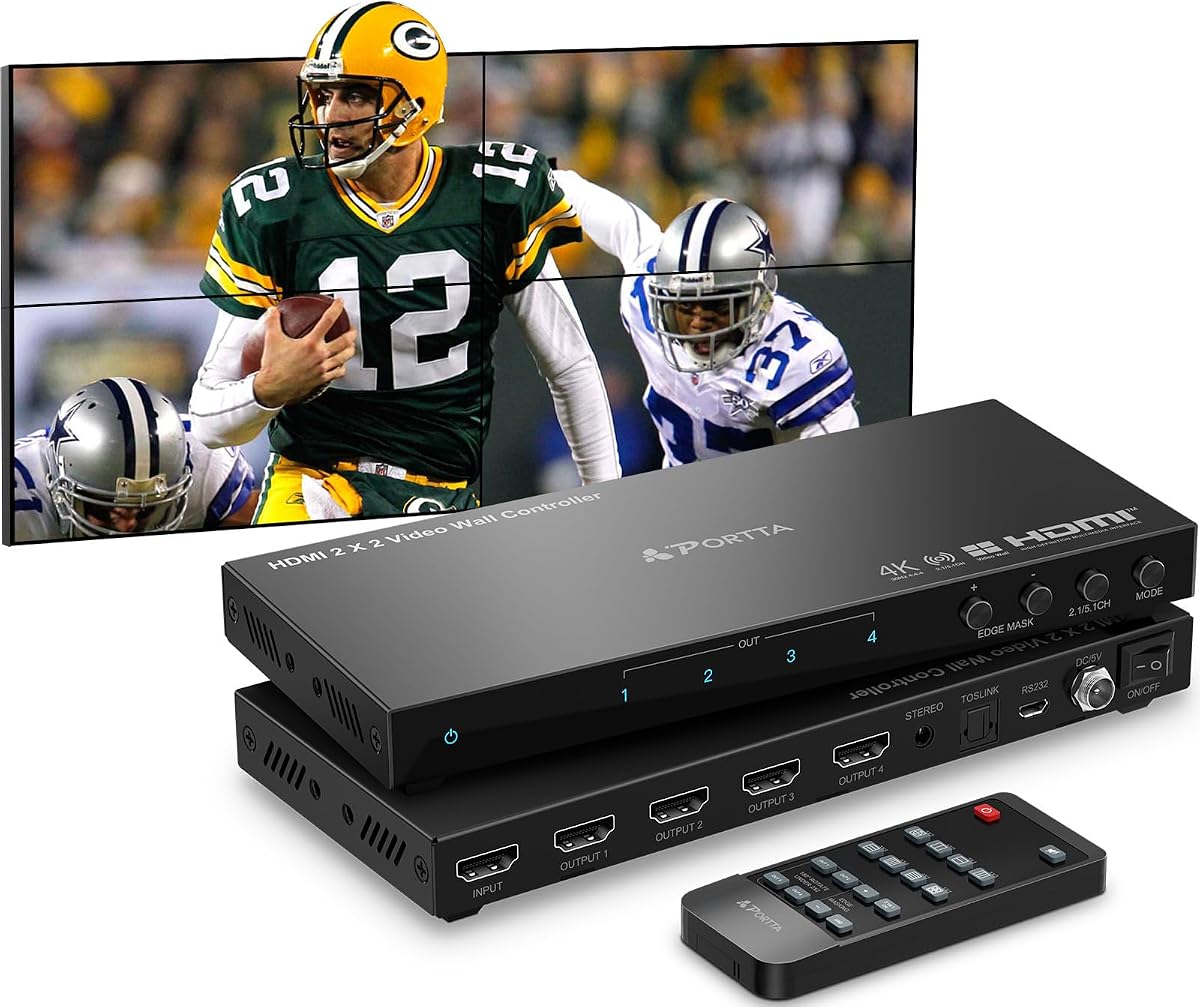
The PORTTA controller stands out with its extensive array of display modes. It offers eleven different splicing options, allowing precise control over screen layouts. This versatility makes it suitable for complex installations needing unique configurations.
We may earn a commission when you buy through this link, at no additional cost to you.
Its RS232 control interface enables integration with advanced control systems. The edge masking function helps correct image distortion near bezels. This ensures a polished appearance even when displays are mounted closely together.
While the 4K input is limited to 30Hz, it remains adequate for most static displays. Users needing 60Hz video might find this restrictive. However, for digital signage or information boards, it is perfectly sufficient.
We suggest this model for installers requiring detailed layout control. The two-year warranty reflects the manufacturer's confidence in its durability. It is a robust choice for commercial environments needing flexible display options.
The eleven splicing modes provide unmatched flexibility for screen arrangements. Users can tailor layouts to fit specific room dimensions and mounting constraints.
RS232 support allows integration into larger automation systems. This is essential for large venues where multiple devices are managed centrally.
We may earn a commission when you buy through this link, at no additional cost to you.
This OREI controller is designed for modern setups requiring USB-C input. It connects directly to laptops or devices with USB-C ports, eliminating adapters. The 60Hz input support ensures smooth motion for video content.
We may earn a commission when you buy through this link, at no additional cost to you.
It features optical audio output for high-quality sound routing. This makes it ideal for environments requiring separate audio and video systems. The dual-voltage power supply adds convenience for international travel or diverse regions.
EDID management ensures devices recognize connected displays correctly. This prevents compatibility issues with source devices. However, bezel adjustment is more limited compared to other models.
We recommend this controller for tech-savvy users or mobile setups. Its USB-C support simplifies cabling significantly. It is a reliable option for professional presentations needing high-resolution input.
The inclusion of USB-C inputs aligns with current device standards. This future-proofs the installation against the need for dongles or adapters.
Dual voltage support ensures the device works globally. This is particularly useful for international offices or traveling event setups.
We may earn a commission when you buy through this link, at no additional cost to you.
This matrix controller offers extensive switching capabilities for multi-source environments. It supports four inputs and four outputs, allowing flexible routing of content. Web control enables remote management from any browser-connected device.
We may earn a commission when you buy through this link, at no additional cost to you.
Seamless switching ensures no interruption when changing sources. This is critical for professional environments where downtime is unacceptable. The 4K60Hz support guarantees high-fidelity video across all connections.
However, the setup can be complex due to advanced features. Users may need technical expertise to configure all options correctly. The price point is higher than standard controllers, reflecting its premium capabilities.
We suggest this model for large-scale commercial installations. It is ideal for control rooms needing precise content routing. Its scalability makes it a long-term investment for growing display systems.
Web control allows administrators to manage the system remotely. This reduces the need for on-site IT visits and simplifies troubleshooting.
The matrix functionality allows any source to be sent to any display. This flexibility is unmatched for complex multi-screen presentation needs.
We may earn a commission when you buy through this link, at no additional cost to you.
This processor provides consistent performance for standard video wall applications. It handles 4K60Hz inputs effectively and offers versatile mode switching. The 180-degree rotation helps align content perfectly on mounted screens.
We may earn a commission when you buy through this link, at no additional cost to you.
RS-232 control allows integration into professional control systems. Audio extraction ensures sound can be directed to external amplifiers easily. It balances performance and ease of use well.
While it lacks advanced network features, its simplicity is a benefit. It works well for setups that do not require remote management. The included remote makes basic adjustments straightforward for end users.
We recommend this for businesses needing a dependable solution. Its compatibility with USB-C devices makes it versatile. It remains a strong contender for those prioritizing stability over extra features.
Support for both HDMI and USB-C inputs covers a wide range of sources. This flexibility accommodates both traditional and modern devices seamlessly.
The rotation function allows screens to be physically adjusted for bezel gaps. This ensures content flows naturally across the entire video wall.
We may earn a commission when you buy through this link, at no additional cost to you.
This controller distinguishes itself by supporting true 4K output on all ports. It ensures each screen displays high-resolution content independently. This is ideal for setups where every screen requires sharp visuals.
We may earn a commission when you buy through this link, at no additional cost to you.
USB-C input adds modern connectivity options without extra gear. The interface is streamlined for quick operation. It focuses on delivering core functionality without unnecessary complexity.
While it lacks advanced features like edge masking, it performs reliably. The 180 rotation helps with mounting flexibility. It suits installations prioritizing resolution and simplicity.
We recommend this model for retail displays requiring crisp visuals. Its ability to handle full 4K across all outputs is rare. It is a strong choice for high-quality presentation environments.
All outputs support 4K resolution ensuring no quality degradation. This is critical for detailed imagery and professional-grade presentations.
The straightforward control scheme makes it easy for staff to manage. This reduces training time for operators using the system regularly.
We may earn a commission when you buy through this link, at no additional cost to you.
This premium controller offers advanced features for sophisticated installations. Web control via LAN allows centralized management from any network device. Multiviewer presets simplify switching between multiple sources on one screen.
We may earn a commission when you buy through this link, at no additional cost to you.
Upscale and downscale capabilities ensure content fits any resolution. This flexibility helps manage diverse media sources seamlessly. The 60Hz input guarantees smooth motion for dynamic content.
The advanced features come with a higher price tag. Setup requires careful configuration to utilize all capabilities effectively. However, the performance justifies the cost for critical applications.
We recommend this for enterprise environments needing top-tier control. It is ideal for command centers where multiple signals must be displayed simultaneously. Its premium capabilities make it a long-term solution.
LAN-based web control integrates the system into existing IT infrastructure. This allows IT teams to manage displays remotely via standard browsers.
The ability to upscale and downscale content ensures all sources fit perfectly. This prevents black bars or cropping when mixing different resolutions.
We may earn a commission when you buy through this link, at no additional cost to you.
This controller excels with automatic content playback via USB drives. Plugging in a drive triggers immediate display without manual switching. This automation is highly valuable for digital signage requiring scheduled content updates.
We may earn a commission when you buy through this link, at no additional cost to you.
It supports 4K60Hz input for high-quality video streaming. The built-in audio output simplifies speaker connections. Border adjustment tools ensure content fits screens precisely.
While the USB file support is limited to specific formats, it covers most use cases. The auto-play feature reduces administrative overhead significantly. It is a practical choice for static displays.
We recommend this for retail stores needing self-managed displays. It allows easy content updates without IT involvement. Its focus on automation makes it efficient for busy environments.
The auto-play feature ensures content refreshes instantly when USB drives are inserted. This eliminates the need for manual input switching or software configuration.
Border adjustment allows fine-tuning of content to match screen edges. This ensures there are no gaps or unwanted borders in the final display.
We may earn a commission when you buy through this link, at no additional cost to you.
This controller offers unique value by supporting up to six HDMI outputs. It enables larger video wall configurations without needing multiple units. The 4K60 input ensures high-quality content across all six displays.
We may earn a commission when you buy through this link, at no additional cost to you.
USB-C connectivity provides modern input options. It includes essential modes for multi-screen layouts. The setup is straightforward, minimizing installation time for technicians.
While features are basic, the additional outputs solve a specific scaling problem. It allows expansion for installations needing more than four screens. This flexibility is rare in this price range.
We suggest this for large event setups needing many screens. It simplifies infrastructure for displays requiring multiple devices. It is a practical choice for expanding existing systems.
Six outputs allow for larger configurations than standard four-screen controllers. This is ideal for event venues requiring extensive display coverage.
Distributing a single source across six displays maintains visual consistency. This simplifies content management for large multi-screen walls.
We may earn a commission when you buy through this link, at no additional cost to you.
Selecting the right controller involves evaluating multiple technical aspects. Understanding these factors helps ensure you invest in a system that meets your needs.
Resolution determines how much detail your displays can show. Ensure the controller supports your source device resolution like 4K60Hz. Some models downscale output, which might reduce sharpness on high-end TVs.
Prioritize models that support your highest expected input resolution for future-proofing.
Check if the controller matches your source devices. HDMI is standard but USB-C is increasingly common for laptops. Ensure enough outputs for your screen count without extra splitters.
Matching your current hardware requirements prevents compatibility issues during installation.
Most controllers route video but handle audio separately. Optical or analog audio outputs allow separate speaker systems. This is important if your TV audio is insufficient for the room.
Verify audio extraction exists if you need separate sound setups for presentations.
Basic units use remotes while advanced models offer RS-232 or LAN control. Consider if you need centralized management or simple local adjustment. Professional installations often require remote access for maintenance.
Select control options that fit your operational needs and technical skills.
The number of display modes dictates layout flexibility. Standard layouts like 2×2 are common but some apps need custom arrangements. Review the available modes to ensure they fit your space.
More modes provide versatility but might complicate user operations.
When screens are close, bezels break up the image. Advanced controllers allow cropping edges to align the content perfectly. This feature is critical for a seamless appearance in large walls.
Look for edge masking features if visual continuity is a priority.
Some units require dual voltage for international use. Others may need separate power adapters for each unit. Ensure your power source matches the controller specifications to avoid instability.
Check power ratings to guarantee stable operation in your environment.
Professional hardware often benefits from extended warranties. Look for lifetime technical support to resolve issues quickly. This reduces downtime during critical presentations or events.
Strong manufacturer support is invaluable for long-term system reliability.
Start by connecting your source device to the input port using a high-quality cable. Ensure the cable length matches the distance between devices. Using certified cables prevents signal loss over long runs.
Connect the displays to the output ports in the desired order. Configure the controller settings to match the layout of your screens. Use the remote or interface to adjust modes and rotation as needed.
Avoid exposing the unit to direct sunlight or heat sources. Ensure adequate ventilation to maintain stable temperatures. Regularly update firmware if updates are available to improve performance.
Yes, most controllers work with standard HDTVs and monitors. Ensure your TV supports the resolution output by the controller. HDMI cables connect directly without needing extra adapters.
Most units operate without software on the PC. They function as hardware controllers using physical inputs. However, advanced models might require drivers for LAN or RS-232 integration.
If one screen fails the controller still displays content on others. You will lose part of the image but the system continues working. Ensure backup screens are available for critical deployments.
Mixing sizes is possible but requires careful calibration. Controllers often assume identical dimensions for uniform layout. Adjust margins to compensate for size differences to maintain alignment.
Many controllers have built-in audio extraction. This routes sound to external speakers via optical or analog ports. Always check the specific model for audio output features.
No, basic remote control works for most installations. Network options are useful for large setups needing centralized management. Choose based on your operational complexity needs.
The best controller depends on your resolution needs and desired features. Options like the J-Tech Digital HDMI Video Wall Controller provide excellent balance. For budget needs, the 2×2 4K Video Wall Controller offers great value.
Consider your specific use case whether it is retail or office. Ensure the selected model supports your screen count and audio needs. Matching technical specs to your environment prevents future upgrades.
Remember to verify current pricing and availability before purchasing. Prices fluctuate so checking recent listings ensures you get the best deal. These controllers transform your display setup into a professional presentation tool.