
iFi HDMI iSilencer
3.6Editor score
Active noise cancellation technology
Built-in surge protection
Supports 8K and 4K signals
Discover the top HDMI noise filter solutions for clearer signals. This guide compares ten products to help you choose the right interference suppression tool
Modern home theater systems rely on clean HDMI signals for pristine audio and video. Interference from power lines or electronics can degrade this quality. An HDMI noise filter helps maintain signal integrity by reducing electromagnetic disturbances.
We evaluated ten different noise filtering solutions ranging from active devices to passive ferrite cores. Our comparison considers compatibility, ease of use, and reported signal improvement. Each option addresses specific installation needs and budget constraints.
Each pick highlights key strengths and ideal use cases for your specific gear. We focus on real-world performance and user feedback. Prices and availability change frequently so verify details before purchasing your final choice.
3.6Editor score

4.6Editor score

4.2Editor score
This side-by-side comparison details the specifications and capabilities of each selected product. Use this table to quickly identify which filter matches your cable types and installation requirements.



The iFi HDMI iSilencer stands out as a premium solution for those seeking active noise cancellation. With a modest rating it still offers significant benefits for high-end AV systems requiring clean signal paths.
We may earn a commission when you buy through this link, at no additional cost to you.
Its active noise cancellation technology actively reduces system noise which enhances audio clarity and video dynamics. The built-in surge protection adds a layer of safety for expensive equipment against voltage transients.
While effective it may be overkill for simpler setups or smaller screens where passive filters suffice. Users should ensure their cabling supports the high-speed requirements for optimal performance gains.
This unit is best suited for enthusiasts with large 4K TVs or dedicated AV processors. If you prioritize signal purity and equipment safety the iSilencer delivers a robust professional grade performance.
The active cancellation feature targets background noise to deliver a cleaner audio-visual experience across your system.
Integrated transient voltage suppression protects your connected devices from unexpected power spikes and electrical surges.
We may earn a commission when you buy through this link, at no additional cost to you.
The second generation iFi HDMI iSilencer improves on the original with a smaller form factor and stronger noise cancellation metrics. Its high rating reflects user satisfaction with its ability to clean up signals effectively.
We may earn a commission when you buy through this link, at no additional cost to you.
This model reduces noise by up to forty decibels which is substantial for eliminating static or jitter issues. The included extension cable provides flexibility for placement in crowded entertainment centers.
While compact it may still face fit issues with ports that are recessed or blocked by other cables. The need for external power can be a minor inconvenience for those seeking a completely passive solution.
It is an excellent choice for users wanting proven active filtering without bulk. For those balancing performance and physical fit the iSilencer 2 offers a reliable high-quality upgrade path.
The reduced size allows for installation in tighter spaces where larger adapters might block adjacent ports or cables.
Advanced cancellation helps restore fine image details and minimize audio distortion throughout the HDMI signal chain.
We may earn a commission when you buy through this link, at no additional cost to you.
This ferrite bead kit provides a cost-effective way to address interference across multiple cables in your home. With twenty-four pieces in five sizes it offers versatility for various cable diameters and types.
We may earn a commission when you buy through this link, at no additional cost to you.
The snap-on design makes installation tool-free and reusable allowing you to move them between devices as needed. They effectively block electromagnetic interference improving signal integrity for audio and video signals.
Being passive they do not actively cancel noise like electronic filters but they are sufficient for many common interference issues. Users may need to experiment with placement near connectors for best results.
Ideal for DIY enthusiasts and those managing many cables this kit is a practical first step. It offers significant value for anyone needing broad coverage without investing in expensive active hardware.
Five different sizes ensure compatibility with a wide range of cable thicknesses from thin USB wires to thick power cords.
A sturdy plastic case keeps all beads organized and easily accessible for future cable management tasks.
We may earn a commission when you buy through this link, at no additional cost to you.
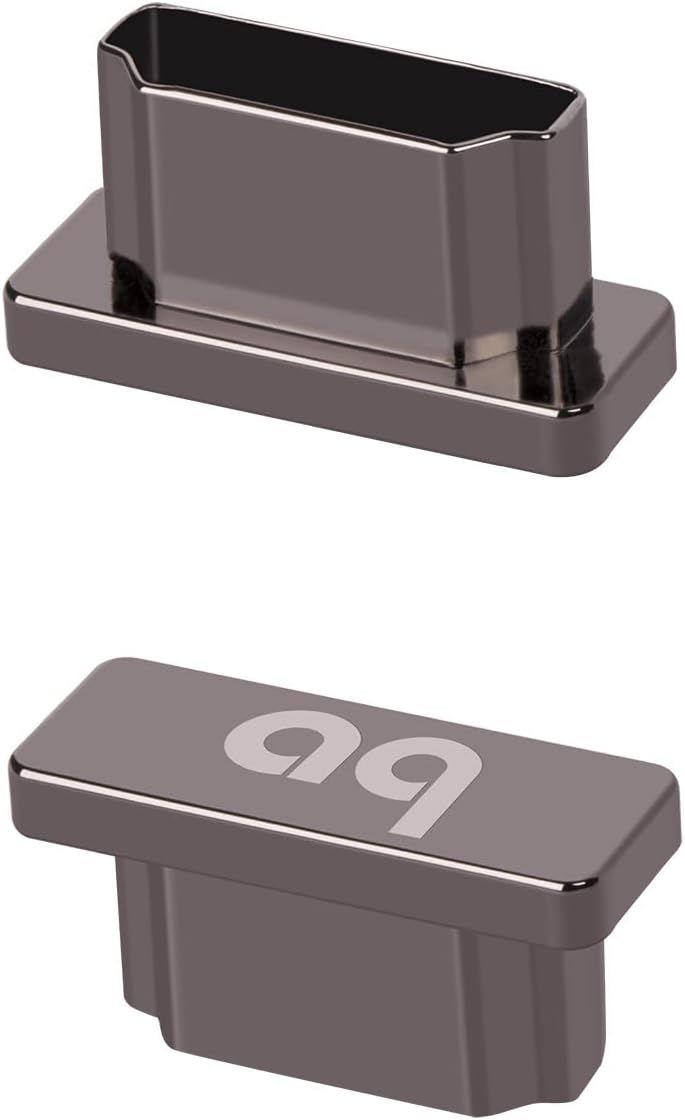
The AudioQuest Noise-Stopper caps are designed to shield unused HDMI ports from dust and electromagnetic interference. This simple passive solution helps maintain system integrity by keeping open ports clean and protected.
We may earn a commission when you buy through this link, at no additional cost to you.
By preventing RFI and EMI from entering through open connectors these caps preserve the cleanliness of your signal paths. They fit snugly without tools making installation quick and hassle-free for any user.
They do not filter active signals but are effective for protecting equipment that has ports left empty. This makes them a great addition for systems where devices are frequently swapped or connected intermittently.
Best used alongside other filters these caps extend device life and reduce noise sources. They are an affordable accessory for anyone wanting to maximize the longevity of their AV components.
These caps physically block dust and debris from entering unused ports which can cause corrosion or connection failures over time.
They prevent external radio-frequency interference from entering your components through open HDMI inputs or outputs.
We may earn a commission when you buy through this link, at no additional cost to you.
This three-pack of ferrite cores provides ample quantity for treating multiple cables throughout a home office or theater. The larger diameter suits thicker power and data cables that require robust interference suppression.
We may earn a commission when you buy through this link, at no additional cost to you.
Installation is tool-free and the snap-on design ensures a secure fit that can be removed and reused without damage. They effectively filter noise ripple generated during data transmission for clearer playback.
The fixed inner diameter limits use to cables within a specific thickness range which may not suit all setups. Users should measure their cable thickness to ensure compatibility before purchase.
It is a practical choice for those needing to treat several heavy-duty cables at once. The durability and ease of use make it a reliable option for general household interference mitigation.
Compatible with power USB HDMI and network cables offering a single solution for various household electronics.
Made with durable ferrite material and a robust shell to withstand continuous use and protect connected devices.
We may earn a commission when you buy through this link, at no additional cost to you.
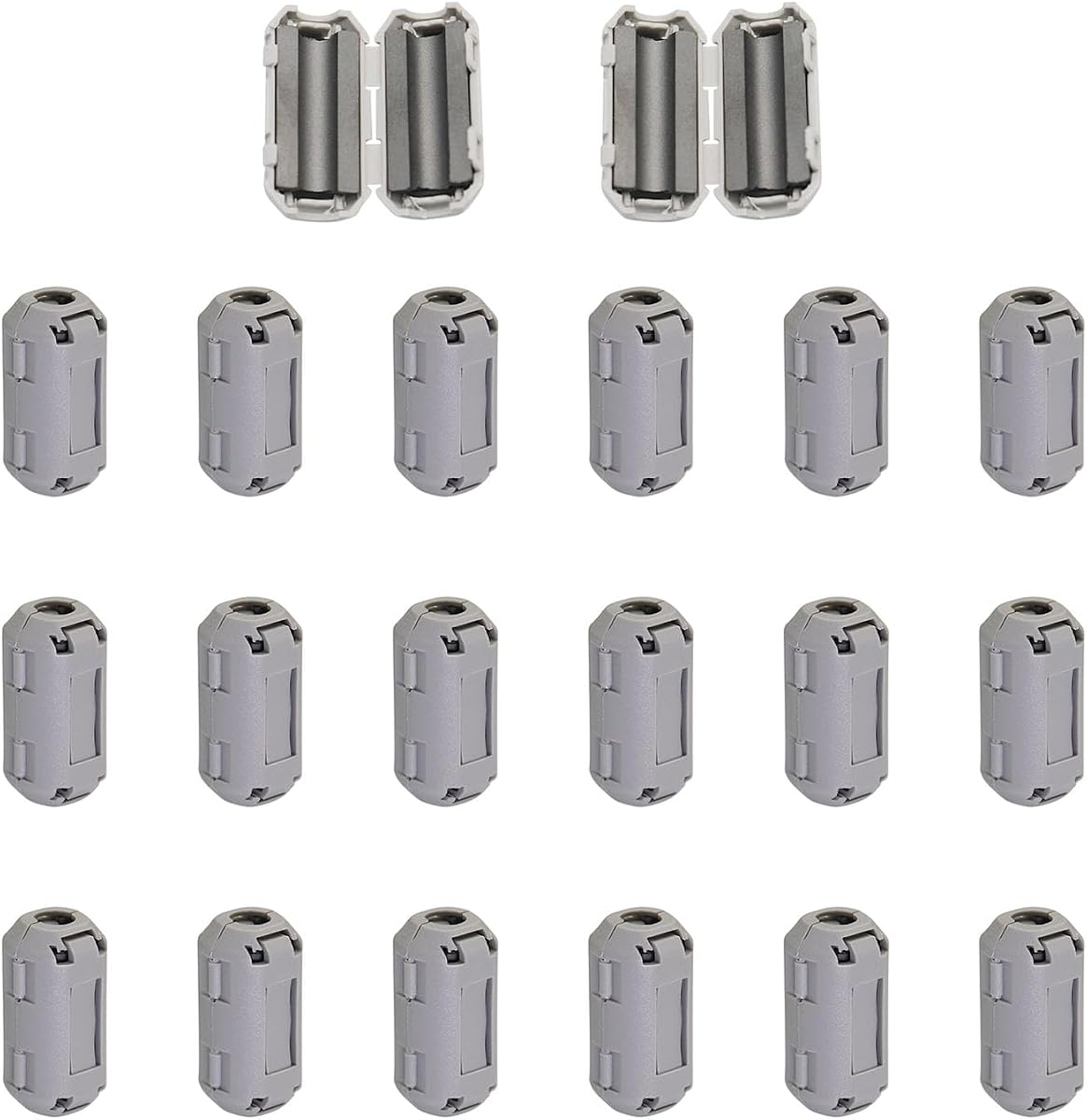
This extensive kit includes twenty-two clip-on ferrite cores across five different sizes for broad compatibility. It is ideal for households with diverse cable types ranging from thin data wires to thicker power cords.
We may earn a commission when you buy through this link, at no additional cost to you.
The snap-on design simplifies installation while the plastic housing helps reduce EMI on AC power and data lines. A transparent storage box keeps all pieces organized and ready for future maintenance tasks.
While effective for general interference some users may find they need to wrap cables multiple times for optimal results. This is common with lower mass cores but does not affect the overall utility.
It offers great value for anyone wanting a comprehensive noise filtering solution at a low cost. The variety ensures you will likely find a size that fits every cable needing treatment.
Includes enough pieces to treat multiple devices and cables without needing to buy additional packs separately.
Improves signal integrity by shielding cables from external electromagnetic interference common in modern environments.
We may earn a commission when you buy through this link, at no additional cost to you.
This filter kit focuses on a specific seven millimeter inner diameter which matches many standard audio and video cables. Ten pieces are provided to treat multiple devices or ends of the same cable.
We may earn a commission when you buy through this link, at no additional cost to you.
Double snap clips make installation quick and secure without tools. They are effective at reducing high-frequency interference which can degrade audio quality in amplifiers and subwoofers.
The rating suggests mixed user experiences which may relate to cable thickness variance. Ensure your cables fall within the specified diameter range for best fit and performance results.
Best for targeted use on speaker or RCA cables these filters are a good supplementary option. They work well when paired with other measures to ensure a clean audio environment.
Effectively screens electromagnetic interference and filters high-frequency noise pulses to improve signal quality.
Suitable for home theater systems, audio devices, and industrial cables requiring precise interference suppression.
We may earn a commission when you buy through this link, at no additional cost to you.
This kit stands out with a perfect rating and claims superior suppression using UI1000 nickel-zinc ferrite material. The ten pieces are sized for five millimeter cables common in HDMI and USB applications.
We may earn a commission when you buy through this link, at no additional cost to you.
Targeted EMI and RFI filtering helps maintain signal integrity for computers and routers where interference is common. The snap-on design ensures tight contact for consistent magnetic permeability over time.
While the diameter is fixed the build quality suggests high effectiveness for suitable cables. Users should verify cable thickness to ensure the clips fit snugly around the wires.
It is an excellent choice for those prioritizing material performance and high ratings. For standard HDMI and data cables this filter offers a reliable and well-regarded solution.
Made with high-grade ferrite material offering superior suppression of electromagnetic and radio-frequency interference.
Engineered specifically for USB HDMI and power cables found in modern electronic environments.
We may earn a commission when you buy through this link, at no additional cost to you.
This twenty-piece set offers high value for extensive cable management needs across home entertainment and office setups. With a high rating users report significant noise reduction and signal quality improvements.
We may earn a commission when you buy through this link, at no additional cost to you.
The self-adaption clip ensures a tight fit on five millimeter cables without tools. Their low profile design prevents them from protruding too far and causing clutter in tight spaces.
Users should note the specific diameter requirement and measure cables before use. For standard data and power cords the fit is usually secure enough for reliable performance.
It is a fantastic option for bulk filtering where many cables need attention. The high satisfaction rating suggests consistent performance across various electronic devices and setups.
Reduces high-frequency noise that can degrade signal quality in home entertainment systems and office equipment.
The compact dimensions provide a low profile that maintains clean cable management without adding bulk.
We may earn a commission when you buy through this link, at no additional cost to you.
This pack targets thinner cables with a three millimeter inner diameter which is less common than larger sizes. It provides a simple way to add noise filtering to small wires or adapters.
We may earn a commission when you buy through this link, at no additional cost to you.
The clip-on design allows for quick installation without tools or soldering. Users report clearer signals and faster data transmission after attaching these beads to interfering cables.
Because of the small diameter they may not fit standard HDMI or power cables but work well for accessory wires. Check measurements carefully to ensure compatibility before purchase.
Best as a supplementary option for thin lines this kit adds versatility to any filtering strategy. It is an affordable way to address interference on specific minor cables in your setup.
Great for cutting noise on USB phone power and audio cables where thinner diameters are present.
Double snap clips make it easy to attach securely without cutting or damaging the cable insulation.
We may earn a commission when you buy through this link, at no additional cost to you.
Selecting the right filter depends on your specific interference issues and system configuration. Consider the following factors to find a solution that fits your needs.
Active filters use internal electronics to cancel noise while passive ones like ferrite cores rely on magnetic properties. Active units offer stronger suppression for high-end systems whereas passive are cheaper and simpler.
Choose active for complex setups and passive for basic cable management.
Passive clips must fit the physical thickness of your cable to work effectively. Measure your wires before buying to ensure the inner diameter matches or is adjustable.
Always verify dimensions to avoid clips that are too loose or tight for use.
Modern high-speed HDMI signals require filters that do not degrade bandwidth. Check that active devices support your resolution and refresh rate requirements.
Ensure the filter is rated for your specific HDMI version to prevent signal loss.
Some filters require tools or disassembly while others snap on in seconds. Consider how much time and effort you want to spend installing them.
Select snap-on designs for convenience and minimal setup hassle.
Unused ports can let noise into your system. Dust caps help seal these gaps while maintaining physical protection against debris and corrosion.
Add port protectors to complement active or passive filters for full coverage.
Large setups with many devices may benefit from bulk packs of passive filters. Small systems might only need one active unit for the main signal chain.
Buy in quantity if you have multiple cables requiring treatment.
Active units cost significantly more than passive beads. Determine how much you are willing to spend before the quality of improvement.
Passive options offer great value for minor interference issues.
Durable materials ensure the filter lasts through repeated movement and use. Look for robust housings and high-grade ferrite materials for consistent performance.
Invest in quality build to maintain signal protection over time.
Identify the source of interference by observing when issues occur. Test your setup with and without the filter to confirm improvement before finalizing placement.
Install passive clips as close to the source of noise as possible such as near the power supply or connector. Ensure they are tightly snapped to avoid gaps that reduce effectiveness.
Periodically check clips for looseness or damage especially if cables are moved often. Replace any worn parts to maintain optimal signal protection and performance.
They work best for setups with visible interference like static or flickering. If your signal is already clean they may not make a noticeable difference. Most users see benefits in complex environments with many electronics.
Yes but stacking them often provides diminishing returns. Place them at different points like both ends of a long cable. Too many can sometimes introduce signal issues so test carefully.
Yes snap-on ferrite cores are designed to be opened and closed repeatedly. They do not require tools to install and can be moved between cables as needed without damage.
Quality units improve signal by removing noise but cheap ones might add distortion. Always choose reputable brands that support your HDMI speed requirements to avoid data loss.
Signs include screen flickering, audio hiss, or connection drops. Try moving cables away from power sources first. If issues persist a filter is likely needed to clean the signal.
Yes most filters are compatible with standard HDMI outputs on consoles. Ensure the filter supports the console's resolution and refresh rate for best performance.
We have covered a range of options from active units to passive beads to suit various needs. The iSilencer models excel for high-end setups while ferrite kits offer broad budget-friendly coverage.
Prioritize compatibility with your cables and signal speeds to ensure smooth operation. Select the type that matches your installation preference and interference level.
Prices and stock can change so review current details before ordering. Check your system requirements to confirm the filter meets your specific needs.