
Sceptre 24-inch Prime Monitor
4.6Editor score
99% sRGB color gamut
100Hz refresh rate support
Built in speakers included
Finding the right HDMI LED monitor can transform your workspace or gaming setup. Modern displays offer high refresh rates and vibrant colors at affordable prices.
We compared ten top rated models based on performance features and user feedback. Each selection balances speed color accuracy and comfort for daily use.
Every pick highlights key specs and real world benefits. Prices change frequently so check current listings before buying to ensure the best value for you.
4.6Editor score
4.6Editor score

4.7Editor score
As an Amazon Associate we earn from qualifying purchases.
This table offers a side by side look at every monitor on our list. Review the key specifications to find the perfect match for your needs.





The Sceptre 24-inch Prime Monitor delivers solid performance for everyday tasks and light gaming. It holds a strong rating for affordability and versatility.
We may earn a commission when you buy through this link, at no additional cost to you.
Its 99% sRGB color gamut ensures images look vivid and true to life. The 100Hz refresh rate provides smooth visuals during action scenes.
While the stand lacks height adjustment the tilt function works well for basic needs. The built in speakers save desk space for other peripherals.
This monitor is perfect for students or home offices needing reliable viewing. It offers a balance of features that justifies its low cost.
Users save money without sacrificing essential viewing features like color accuracy.
Multiple HDMI and VGA ports allow easy connection to laptops and consoles.
We may earn a commission when you buy through this link, at no additional cost to you.
This 27 inch monitor offers a larger viewing area for those who need more screen real estate. It maintains high ratings for general office use.
We may earn a commission when you buy through this link, at no additional cost to you.
The 99% sRGB coverage ensures that documents and media look crisp and clear. Built in speakers allow for quick video calls without extra gear.
At 75Hz the motion is smoother than standard 60Hz panels. However it may not suit competitive gaming requiring higher speeds.
It is an ideal choice for casual users who prioritize screen size over gaming specs. The price point makes it accessible for many buyers.
A larger display helps multitasking by fitting more windows on screen.
Simple connections and a sturdy design make installation quick and easy.
We may earn a commission when you buy through this link, at no additional cost to you.
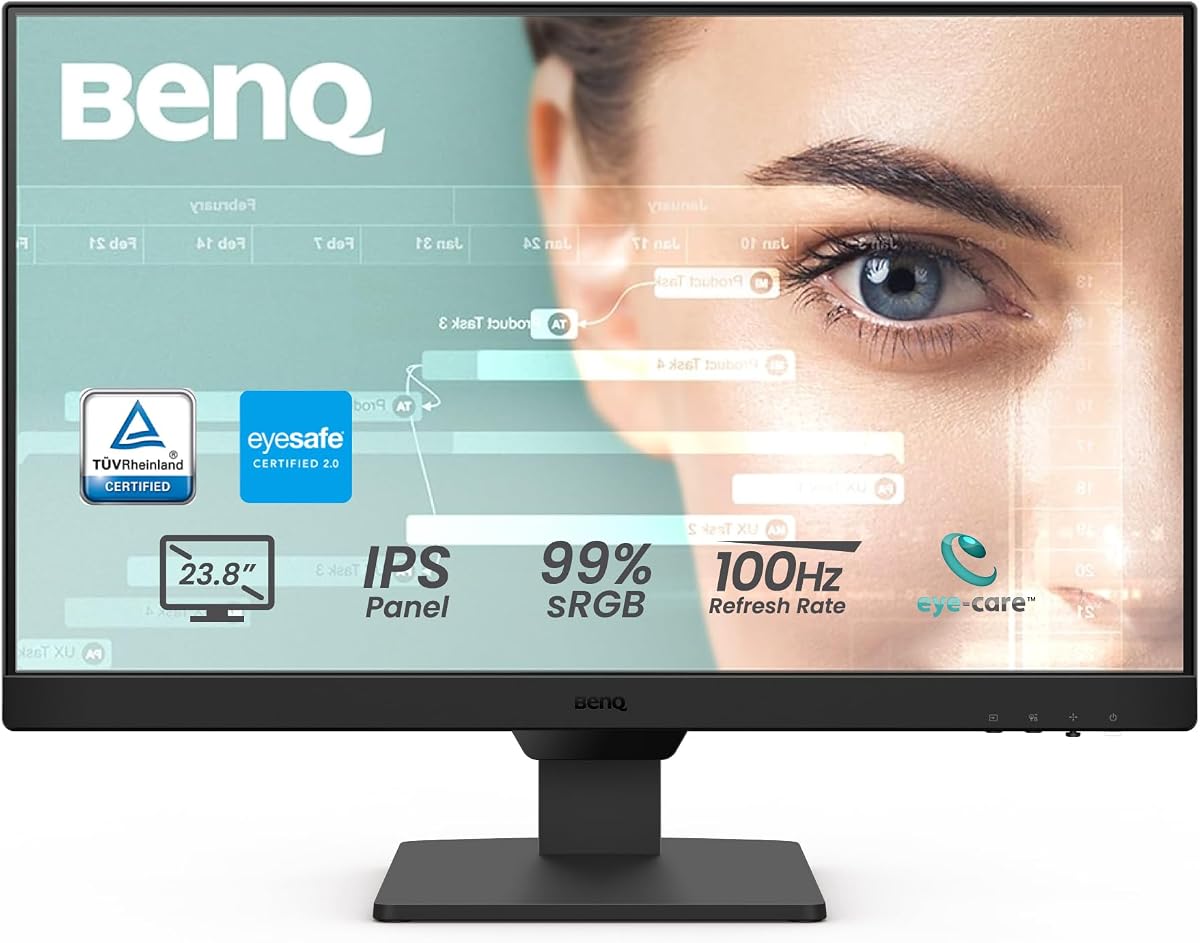
The BenQ GW2490 stands out with its IPS panel and eye care technology. It is highly rated for comfort and image quality during long sessions.
We may earn a commission when you buy through this link, at no additional cost to you.
Adaptive brightness adjusts the screen based on ambient light which helps reduce eye strain. The 100Hz rate ensures smooth scrolling and gaming.
While the stand is basic the thin bezels make it great for multi monitor setups. The DisplayPort and HDMI options cover most device needs.
This model is recommended for professionals who need accurate colors and comfort. It balances price and performance better than many rivals.
Low blue light filters and adaptive brightness protect your eyes from strain.
Hotkey switching lets you jump between devices without digging for cables.
We may earn a commission when you buy through this link, at no additional cost to you.
This Dell monitor brings premium gaming specs to an affordable package. It features a blazing fast 144Hz refresh rate and 1ms response time.
We may earn a commission when you buy through this link, at no additional cost to you.
The IPS technology ensures colors remain consistent even when viewed from the side. TÜV certification means it reduces harmful blue light effectively.
Although the stand lacks height adjustment the tilt function is smooth. The ultra thin bezels give a modern look to any desk.
Gaming and creative users will appreciate the fluid motion and color accuracy. It is a strong contender for those needing high performance.
High refresh rates and FreeSync prevent screen tearing during intense action.
Dell offers trusted quality and support for home and business users.
We may earn a commission when you buy through this link, at no additional cost to you.
The Philips 24 Inch monitor uses a VA panel to deliver deep blacks and high contrast. This makes it excellent for watching movies in dim rooms.
We may earn a commission when you buy through this link, at no additional cost to you.
Flicker Free technology reduces strain during long reading sessions. The EasyRead mode mimics paper to help with focus on documents.
While VA panels can shift colors at extreme angles the view is still wide. The sleek design fits modern desks without looking cluttered.
It suits users who prioritize visual depth over gaming speed. The price is competitive for a panel with these specific strengths.
Higher contrast ratios make dark scenes pop with more detail.
Special modes help office workers read text without eye fatigue.
We may earn a commission when you buy through this link, at no additional cost to you.
The Dell P2425H focuses on ergonomics with a fully adjustable stand. Height tilt swivel and pivot allow you to find the perfect posture.
We may earn a commission when you buy through this link, at no additional cost to you.
Build quality is solid with a clean look that fits professional environments. It delivers reliable Full HD visuals for daily work tasks.
Though it lacks high refresh rates it ensures a comfortable long term experience. The flexibility helps reduce back and neck strain over time.
This is a smart choice for offices or users with specific posture needs. It prioritizes comfort and durability over gaming performance.
Adjustable stands help you align the screen with your eye level.
High quality materials ensure the monitor lasts through years of use.
We may earn a commission when you buy through this link, at no additional cost to you.
The BenQ BL2490 is a simple and reliable choice for everyday use. It offers a high rating for delivering basic needs at a great price.
We may earn a commission when you buy through this link, at no additional cost to you.
Anti-glare coating helps reduce reflections from windows or lights. The 100Hz refresh rate keeps motion fluid for general browsing.
It does not offer advanced color settings but performs well for standard tasks. The tilt function provides a bit of flexibility for viewing.
This model is best for budget conscious buyers needing a dependable screen. It covers the essentials without extra costs.
Anti-glare screens help maintain clarity in bright office settings.
You get necessary features like HDMI and 100Hz without paying extra.
We may earn a commission when you buy through this link, at no additional cost to you.
LG delivers a stylish monitor with HDR10 support for richer colors. It is designed for users who want crisp visuals and smooth motion.
We may earn a commission when you buy through this link, at no additional cost to you.
The 120Hz rate and 1ms MBR help keep gameplay sharp. Features like Black Stabilizer enhance visibility in dark game scenes.
Slim bezels make it a great candidate for multi monitor configurations. The Switch app allows easy screen management for multitasking.
This is a smart pick for casual gamers and media consumers. It blends modern design with useful performance features.
Motion blur reduction helps track enemies and objects clearly during play.
Screen splitting tools help manage multiple windows efficiently.
We may earn a commission when you buy through this link, at no additional cost to you.
The Acer KB220Q is a compact monitor that saves desk space. It maintains a high rating for its speed and affordability in office setups.
We may earn a commission when you buy through this link, at no additional cost to you.
Adaptive Sync ensures smooth gaming by matching the frame rate. The ZeroFrame design makes it easy to place multiple units together.
While smaller than standard monitors it offers fast refresh rates for the price. This suits users with limited space or needing secondary screens.
It is an ideal choice for students or budget builds. The performance exceeds expectations for such an affordable unit.
A smaller footprint leaves more room for your keyboard and mouse.
Slim bezels create a seamless look when using two screens side by side.
We may earn a commission when you buy through this link, at no additional cost to you.
This Dell monitor offers full ergonomic adjustments and integrated dual speakers. It is highly rated for convenience and visual performance.
We may earn a commission when you buy through this link, at no additional cost to you.
The 144Hz refresh rate supports fluid motion for work and play. Speakers add a layer of ease for video calls without external gear.
It features a premium TUV certified eye comfort display. The height tilt pivot and swivel adjustability ensures comfort for any user.
It is a complete package for users who want one monitor to do it all. The higher price reflects the robust feature set.
Adjustments in all directions let you set the perfect viewing angle.
Built in speakers simplify setup by removing the need for extra speakers.
We may earn a commission when you buy through this link, at no additional cost to you.
Choosing the right monitor involves weighing several factors like size panel type and refresh rate. Here is what to look for.
IPS panels offer the best color accuracy and wide viewing angles. VA panels provide deeper blacks and higher contrast. TN panels are faster but have poor color.
Choose IPS for general use and color work or VA for media consumption.
Refresh rate determines how many times the screen updates per second. Higher rates like 100Hz or 144Hz reduce motion blur and tearing. Standard is 60Hz.
Higher refresh rates are essential for gaming but also improve general fluidity.
Response time measures how fast pixels change color. Lower times like 1ms prevent ghosting and smearing during fast motion. This is vital for competitive gaming.
Look for lower response times if you play fast paced games regularly.
Ensure the monitor has enough HDMI ports for your devices. DisplayPort is often better for high refresh rates. USB hubs add convenience for peripherals.
Check your source devices to match available ports on the monitor.
Features like low blue light and flicker free technology reduce strain. TÜV certification validates these features. This helps during long work hours.
Prioritize eye comfort if you use the monitor daily for extended periods.
A stand with height tilt and swivel helps reduce neck strain. Fixed stands are cheaper but limit positioning. VESA mounts allow wall or arm mounting.
Invest in ergonomic features to maintain good posture while working.
Most monitors range from 24 to 27 inches. Full HD is standard for these sizes. Larger screens need higher resolution for sharp text.
Choose a size that fits your desk and viewing distance comfortably.
Color gamut covers the range of colors a display can show. High sRGB coverage ensures images look accurate. This matters for photo editing and media.
Look for 99% sRGB or higher for true to life visuals.
Start by connecting the monitor to your computer using an HDMI cable. Plug in the power cord and turn on the device to see the setup menu.
Use the menu buttons to adjust brightness and contrast for your room lighting. Install drivers or use the display settings on your OS for fine tuning.
Clean the screen with a microfiber cloth to avoid scratches. Do not use harsh chemicals. Avoid leaving static images on for long periods to prevent burn in.
For office work 75Hz or 100Hz is sufficient. It reduces flicker and smooths scrolling. High refresh rates are mostly needed for gaming or video editing.
Yes but it depends on the version. HDMI 2.0 supports 144Hz at 1080p. Older versions may limit you to 60Hz or 75Hz. Check the specs before buying.
Enable low blue light modes and adjust brightness to match your room. Use a monitor with flicker free tech. Follow the 20-20-20 rule during long sessions.
Built in speakers are convenient for basic tasks like calls. They save desk space. However for rich audio external speakers or headphones are better.
24 inches is ideal for desks under four feet. 27 inches suits larger desks and detailed work. Measure your space to ensure a comfortable viewing distance.
If you game regularly a gaming monitor with high refresh rates helps. For casual use standard monitors are fine. Adaptive sync helps reduce screen tearing.
Check if it has VESA holes. Use a compatible wall mount or arm. Follow instructions to secure it safely. Ensure the mount supports the weight.
The top picks offer great options for any budget. From the budget friendly Sceptre to the premium Dell each has unique strengths.
Focus on what matters most like speed or eye comfort. Consider your primary use case to narrow down choices.
Prices change often so check current listings. Find the right monitor today to upgrade your workspace.