
HDMI Extender Over Single Cat5e/6/7 Ethernet
4.9Editor score
Extends up to 196 feet
Power over Cable technology
Smart EDID copy function
This guide compares the top HDMI Extender Cat 5 6 7 Ethernet models for reliable long distance signal extension in homes and offices.
Finding the right HDMI extender can transform how you set up your home theater or office display. These devices allow you to send high quality video signals over standard Ethernet cables, solving distance issues that traditional HDMI cables cannot handle. A good extender ensures crisp visuals and reliable connectivity without signal degradation.
We analyzed ten leading models to help you choose the best fit for your needs. Our comparison focuses on range, resolution support, ease of installation, and additional features like infrared remote pass-through. Each product was evaluated based on its technical specifications and user feedback to ensure accuracy.
Each pick in this list highlights specific strengths such as budget friendliness or premium performance capabilities. Whether you need simple 1080p extension or advanced 4K support, there is an option here for you. Please note that product availability and pricing may change over time.
4.9Editor score

4.6Editor score
4.2Editor score
This table provides a side-by-side comparison of the top ten HDMI extenders available today. It highlights key specifications and capabilities to help you make an informed decision quickly.




This extender stands out as a top choice for users needing reliable 4K transmission over long distances. It maintains high fidelity with minimal signal loss and supports modern features like HDR and Dolby Digital.
We may earn a commission when you buy through this link, at no additional cost to you.
The device handles HDMI 2.0a and HDCP 2.2 standards effectively ensuring compatibility with most media players and displays. Its Power Over Cable feature simplifies installation by requiring only one power source.
While it only supports one-way IR pass-through it remains highly functional for most home theater setups. The metal design helps dissipate heat effectively during extended operation periods.
Anyone needing a robust 4K solution for home or office use should consider this model. It balances performance and ease of use exceptionally well for the price point.
The device extends signals up to 230 feet without compromising video quality or causing latency issues.
Power Over Cable technology means you only need to plug in the transmitter to power both units effectively.
We may earn a commission when you buy through this link, at no additional cost to you.
This model is an excellent choice for users seeking an affordable solution for full HD video extension. It offers solid performance with a high user rating and straightforward installation process.
We may earn a commission when you buy through this link, at no additional cost to you.
The Smart EDID copy function ensures your display and source device communicate properly which prevents common handshake issues. Power over Cable reduces cable clutter significantly during setup.
It does not support 4K resolution so it is best suited for standard HD displays. For 1080p use cases it provides reliable transmission over significant distances without issues.
Users with budget constraints who need 1080p extension will find this model highly satisfying. It delivers essential features without unnecessary complexity or high costs.
Intelligent EDID copy reads display parameters to match them perfectly with the source device automatically.
Power over Cable means the entire system runs from a single power source making setup cleaner and simpler.
We may earn a commission when you buy through this link, at no additional cost to you.
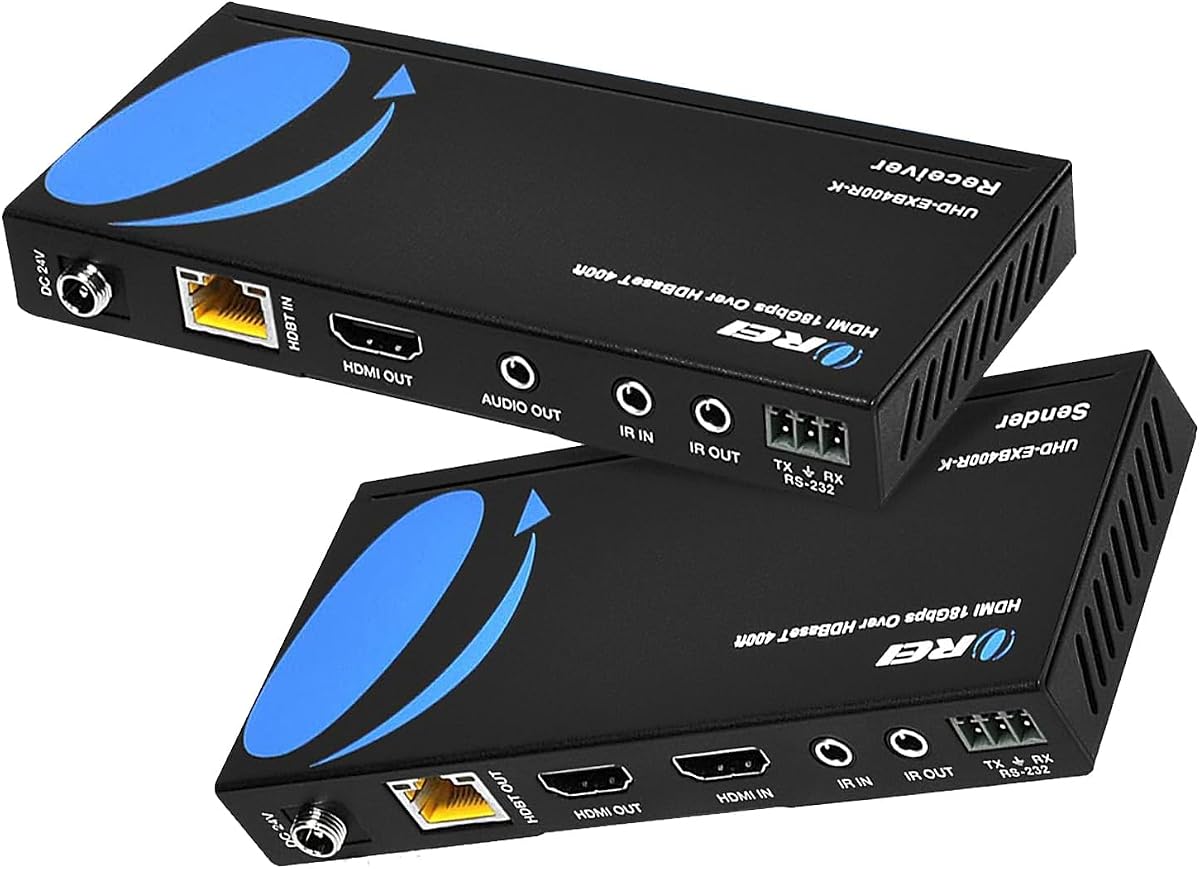
This extender offers professional grade capabilities including massive range and advanced control features. It uses HDBaseT technology for lossless transmission ideal for complex setups.
We may earn a commission when you buy through this link, at no additional cost to you.
The device supports two-way IR and RS-232 commands allowing for precise control of source devices remotely. HDR and Dolby Vision support ensure high fidelity video presentation.
It requires a matching transmitter and receiver pair so mixing models is not possible. The premium price reflects the advanced features and build quality included.
Professional installers or users needing long range and control will appreciate this model. It delivers top tier performance for demanding applications.
HDBaseT ensures zero latency and lossless video transmission up to 400 feet over standard LAN cables.
Two-way IR allows control from either side plus RS-232 ports for professional command integration.
We may earn a commission when you buy through this link, at no additional cost to you.
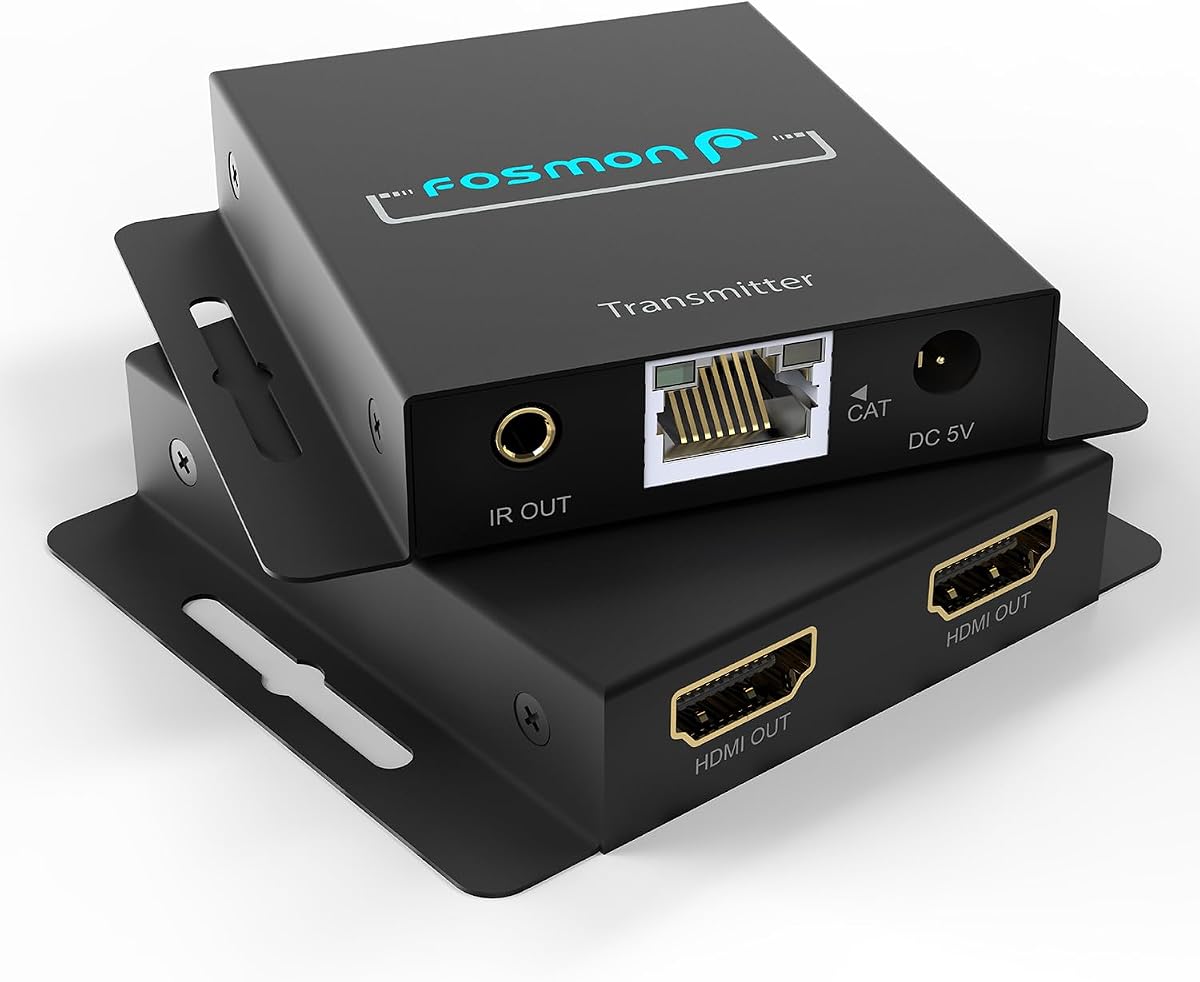
This balun supports high bandwidth 4K video with rich color depth and audio formats. It is ideal for users needing local monitoring while extending to a remote display.
We may earn a commission when you buy through this link, at no additional cost to you.
The loop out feature enables a dual display setup where you can view locally and remotely simultaneously. It handles Dolby TrueHD and DTS-HD audio formats well.
Its range is shorter than some competitors limiting its use for very long distances. The one-way IR pass-through is standard but not as flexible as bidirectional options.
This model fits well for setups where local monitoring is a priority. It offers strong performance for shorter distance runs.
The loop out port allows you to connect a local display while extending the signal remotely.
Supports immersive sound formats like Dolby TrueHD and DTS-HD for complete home theater experiences.
We may earn a commission when you buy through this link, at no additional cost to you.
This extender offers a cost effective way to extend 4K signals though limited to 30Hz refresh rates. It works well for static content or slower moving visuals.
We may earn a commission when you buy through this link, at no additional cost to you.
The EDID management and loop out features add versatility for different installation needs. Power over Cable ensures a clean installation with minimal power requirements.
The 30Hz limit means it may not be ideal for fast gaming. For media streaming or presentations it performs reliably and affordably.
Those needing 4K on a budget will find this option practical. It balances resolution and price well for general use cases.
Provides 4K resolution at 30Hz refresh rate offering high resolution visuals at a lower cost.
Loop out port on transmitter allows connection to a local display for source monitoring.
We may earn a commission when you buy through this link, at no additional cost to you.
This extender supports full HD 60Hz video with excellent clarity and synchronization. It features an auto-adjust button to optimize signal strength for different cable lengths.
We may earn a commission when you buy through this link, at no additional cost to you.
The loop out on both transmitter and receiver provides flexibility for multi-display setups. Zero-loss transmission ensures pristine visuals and immersive audio formats like Dolby TrueHD.
It is limited to 1080p resolution so not suitable for 4K displays. For full HD applications it delivers consistent results over long distances.
Users needing reliable full HD extension with flexible display options will find this useful. It handles varied setups effectively.
Auto-adjust EQ button optimizes settings for different cable lengths to ensure stable signal.
Loop out available on both ends supports 1 in 2 out or 1 in 3 out configurations.
We may earn a commission when you buy through this link, at no additional cost to you.
This balun supports full HD with 3D and deep color capabilities enhancing visual richness. It is a solid option for older displays or content needing 3D support.
We may earn a commission when you buy through this link, at no additional cost to you.
The metal shell minimizes interference ensuring clean signal transmission. Power over Cable reduces clutter making installation simpler for users.
It is not designed for 4K displays so verify compatibility before purchase. For 1080p setups it offers reliable performance at a good value.
Users with 3D content or older displays will find this model useful. It provides essential features without extra cost.
Supports 3D video and 36-bit deep color for enhanced visual fidelity on compatible displays.
Sturdy metal shell minimizes electromagnetic noise to keep audio and video signals clean.
We may earn a commission when you buy through this link, at no additional cost to you.
This model boasts a perfect rating indicating high satisfaction among users. It supports 4K at 30Hz and offers professional series build quality.
We may earn a commission when you buy through this link, at no additional cost to you.
Bidirectional IR passthrough allows remote control from either end. The Blackbird PRO series ensures high reliability for commercial or home use.
It lacks 60Hz 4K which may limit gaming performance. For movies and general viewing it is excellent.
Users wanting a well-rated and reliable solution will appreciate this. It balances performance and build well.
IR remote control works from both transmitter and receiver sides for added convenience.
Blackbird PRO-Sumer Series design ensures durability and long-term reliability for professional installations.
We may earn a commission when you buy through this link, at no additional cost to you.
This unit delivers full 4K at 60Hz with HDR10 support for vivid visuals. It is strong for gaming and modern media playback over long cables.
We may earn a commission when you buy through this link, at no additional cost to you.
The loop-out port allows local monitoring while extending signals. Transmitter only power simplifies setup significantly.
It lacks detailed IR or deep color specs which may matter for advanced users. For basic 4K@60Hz extension it is excellent.
Gaming or home theater users needing 60Hz will find this ideal. It offers high speed at a fair price.
Delivers true 4K resolution at 60Hz refresh rate for smooth motion and gaming.
Power over Cable feature means only the transmitter needs a power outlet keeping things tidy.
We may earn a commission when you buy through this link, at no additional cost to you.
This extender reaches up to 394 feet over standard Ethernet cables. It uses TCP/IP conversion enabling long distance runs.
We may earn a commission when you buy through this link, at no additional cost to you.
The M-JPEG technique processes images with no loss. It supports high quality audio formats and deep color depth for vibrant visuals.
It is limited to 1080p so not for 4K displays. Compression may be a concern for purists.
Facilities needing massive distance extension will find it perfect. It handles large spaces effectively.
Converts HDMI to TCP/IP signals allowing transmission over standard internet cables for long distances.
Uses M-JPEG technique to process images ensuring no loss of quality during transmission.
We may earn a commission when you buy through this link, at no additional cost to you.
Choosing the right HDMI extender involves understanding key technical factors that affect performance and compatibility. This guide helps you select a device that meets your specific needs.
The maximum distance an extender can transmit signal varies between models. Some support up to 100 meters while others are limited to shorter runs. Always check the supported length for your specific cable type.
Choose an extender that exceeds your required distance to ensure stable performance.
Different extenders support different video resolutions such as 1080p or 4K. Some 4K models run at 30Hz which is fine for videos but may limit gaming. Others support 60Hz which is better for smooth motion.
Verify the resolution and refresh rate your displays need before purchasing.
Many extenders feature Power over Cable or PoC which powers the receiver from the transmitter. This reduces the need for extra outlets at the display end. It simplifies installation significantly especially in hard to reach places.
Look for PoC support to minimize power cord clutter in your setup.
Infrared IR pass-through allows you to control source devices from the display location. Some models offer one-way control while others offer two-way. Two-way IR is more flexible if you need to control from both ends.
Decide if you need remote control access when selecting your device.
A loop-out port lets you connect a local display to monitor the source while sending signal remotely. This is useful for technical setups or multi-screen environments. Check if this port is on the transmitter or receiver.
Prioritize models with loop-out if you need local monitoring capabilities.
Most extenders work with Cat5e Cat6 or Cat7 cables. Cat7 often allows longer distances for the same resolution. Ensure the cables you have meet the device requirements for best performance.
Use high quality cables to maintain signal integrity over distance.
Modern extenders support surround sound formats like Dolby Digital TrueHD and DTS-HD. If you have a home theater system ensure the extender passes these formats losslessly. Audio sync and quality are as important as video.
Check audio specs if surround sound is a priority.
Devices with metal housings dissipate heat better and are more durable. A warranty of one year or more indicates manufacturer confidence. Reliable brands also offer better customer support for troubleshooting.
Invest in a durable model with good warranty protection.
To set up your HDMI extender connect the source device to the transmitter and the display to the receiver. Plug the Ethernet cable between them and ensure connections are secure. Power on the transmitter to enable the system.
Test the signal immediately by playing content on your source device. If the image flickers adjust cable lengths or check connectors. Most units are plug-and-play requiring no drivers or software.
Care for your device by keeping it in a well-ventilated area. Avoid exposing it to moisture or extreme temperatures. Regularly inspect cables for wear to prevent signal interruptions.
Cat5e can support 4K at limited refresh rates over shorter distances. For reliable 4K performance 6 or Cat7 cables are recommended. Always check your device's specific cable requirements.
Most quality extenders offer zero latency transmission. However lower quality units may introduce slight delays. For gaming choose models specifically designed for low latency performance.
Yes many models feature loop-out ports for dual display setups. You can connect one local monitor and extend to a remote display. Some devices act as both splitter and extender.
Yes Power over Cable powers the receiver from the transmitter. This means you only need one outlet at the source location. It simplifies installation especially in ceilings or walls.
Most standard HDMI extenders do not support ARC features. ARC typically requires specific audio return paths. Check specifications if you need ARC functionality for your setup.
Most manufacturers offer a one-year warranty on their products. Some may provide extended support options. Always review warranty details before purchase.
No HDMI extenders are plug-and-play devices. They do not require software or drivers to function. Simply connect cables and power to start using them.
Yes extenders work well with projectors for long distance projection. Many models support 4K and HDR which are common for projectors. Verify resolution compatibility before buying.
This guide covered ten top models ranging from budget options to premium professional solutions. Each has unique strengths suited for different scenarios and requirements.
Prioritize resolution support and range to match your specific display needs. Consider extra features like loop-out and IR control if they fit your setup.
Prices and availability may change so verify current details before ordering. With the right extender you can enjoy high quality video anywhere in your space.