
OBDLink EX FORScan OBD Adapter
4.7Editor score
Dealership level diagnostics
20 times faster throughput
Rock solid connection
This comprehensive guide compares the top Forscan USB OBD2 adapters for Ford owners seeking reliable diagnostics E module programming and hidden feature access
Choosing the right Forscan USB OBD2 adapter is essential for Ford owners who want to unlock their vehicles full diagnostic potential. These tools connect your laptop to the car port OBD2 port enabling you to read codes configure modules and access hidden factory features safely.
We evaluated ten leading adapters based on stability speed compatibility and build quality. Our analysis focuses on devices that support both HS and MS CAN buses required for deep Ford diagnostics. Each product was compared against real world performance metrics and user feedback to ensure reliability.
Each pick in this list highlights key strengths specific trade offs and ideal use cases. Whether you need budget friendly access or premium programming stability there is an option for you. Please note that pricing and availability change frequently so check current listings before purchasing.
4.7Editor score

4.7Editor score

4.4Editor score
This side by side comparison lists all ten reviewed adapters with their core specifications and links. Use this table to quickly identify which model matches your vehicle year software needs and budget constraints.




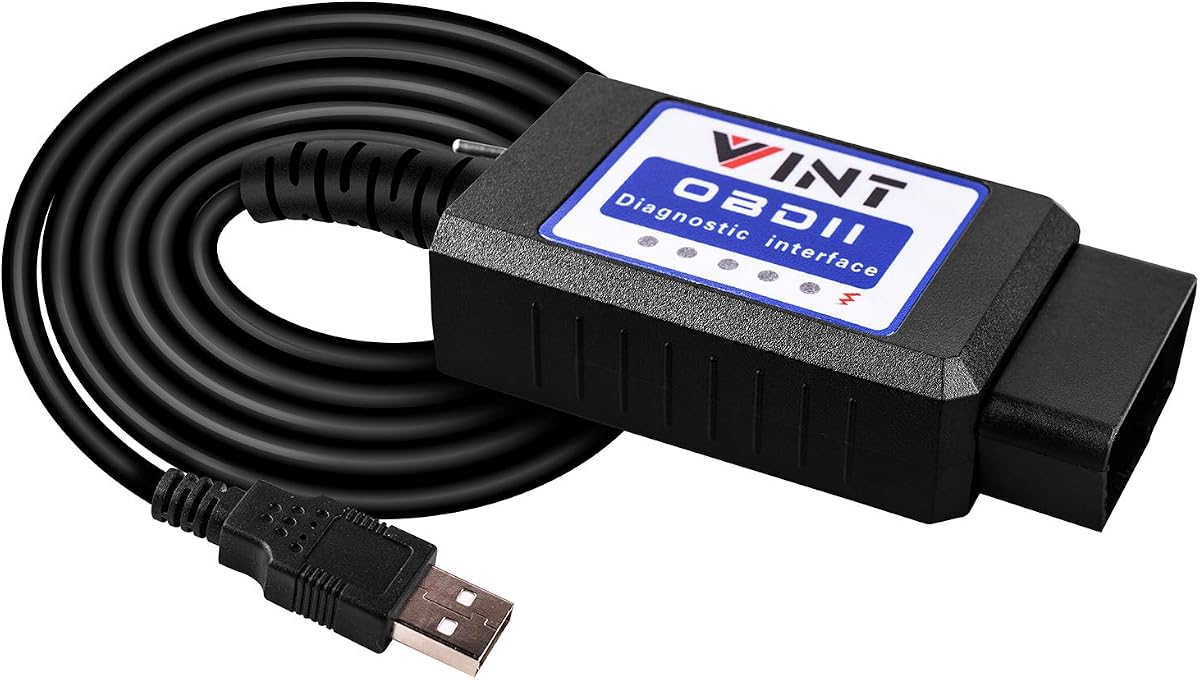
This adapter is a top choice for Ford owners needing reliable FORScan access. With a 4.7 rating it stands out for its stability during programming tasks. The auto switching feature removes manual toggling making diagnostics faster and safer.
We may earn a commission when you buy through this link, at no additional cost to you.
The high speed data transfer up to 3 Mbps ensures complete DTC retrieval without truncation. It supports both HS and MS CAN buses which is critical for accessing all vehicle modules. The 18V output helps with ECU flashing on select models.
While it lacks bundled software you must install FORScan separately which adds a minor step. Some users may need to configure COM ports or install drivers on Windows systems. These are minor trade offs for the performance reliability provided.
If you prioritize stability and speed for advanced diagnostics this adapter is highly recommended. It fits users who want seamless integration with FORScan without worrying about dropped packets. This is the best pick for serious DIY mechanics.
The adapter automatically identifies HS and MS CAN buses allowing seamless access to all vehicle modules without manual intervention.
Data transfer speeds up to 3 Mbps enable complete retrieval of large data packets without truncation during extended streaming.
We may earn a commission when you buy through this link, at no additional cost to you.
This premium adapter offers the fastest throughput available for FORScan users. It is designed specifically to work with all Ford protocols and modules ensuring complete access. The electronic switch allows simultaneous access to CAN buses unlike toggle switch adapters.
We may earn a commission when you buy through this link, at no additional cost to you.
Users report up to 20 times faster performance than standard adapters. This speed helps during live data streaming and large module programming. The connection stability prevents data corruption which is critical for safe ECU modification.
The higher cost may be a barrier for casual users who only need basic code reading. It is optimized mainly for FORScan so other ELM327 apps may not utilize full features. This limits flexibility if you use multiple diagnostic tools.
Professionals or enthusiasts who need maximum speed and reliability will value this investment. It is the best choice for complex Ford module programming tasks where speed matters. If budget allows this is the top tier option.
Supports all Ford protocols modules and advanced features giving you dealership level diagnostic capabilities without the dealership cost.
The electronic switch enables simultaneous access to all CAN buses avoiding the delays of manual switching during diagnostics.
We may earn a commission when you buy through this link, at no additional cost to you.
This adapter provides an affordable entry point for Ford owners looking to use FORScan or ELMconfig. It features manual toggle switches for HS and MS CAN buses which allows control over connections. The USB connection offers better stability than wireless options.
We may earn a commission when you buy through this link, at no additional cost to you.
Users appreciate the compatibility with a wide range of Ford models from 1996 onwards. It supports hidden features like Bambi mode and reverse mirror tilt. The price makes it accessible for those just starting with diagnostics.
The manual switching process can be slower than automatic adapters when testing multiple systems. Data speed is limited to 500 kbit/s which may lag during heavy streaming. You must install drivers before use which adds setup time.
If you are on a tight budget and need basic module access this is a solid choice. It is best for users who do not need real time heavy data streaming. Many beginners find it sufficient for most repair tasks.
Unlock global window functions Bambi mode and other hidden configurations specific to Ford vehicles without needing dealer tools.
Toggle switches let you select MS or HS CAN bus manually ensuring you connect to the correct module for diagnosis.
We may earn a commission when you buy through this link, at no additional cost to you.
This tool is designed for Ford owners who want to avoid dealer costs. It reads and clears codes accurately helping you identify root causes. The included fault descriptions make troubleshooting easier for DIYers with limited mechanical knowledge.
We may earn a commission when you buy through this link, at no additional cost to you.
It supports a wide range of Ford models including Focus Fusion and Mustang. The adapter works well with FORScan software for advanced module programming. It is a solid choice for basic code reading and simple configuration changes.
Windows only compatibility excludes Mac or mobile users unless running a virtual environment. The speed is standard at 500 kbit/s which may not suit high volume data streaming. Manual bus switching requires user attention during setup.
For Windows users needing a reliable basic diagnostic tool this adapter is effective. It bridges the gap between simple code readers and advanced programming tools. Best for owners focused on engine and transmission diagnostics.
Each code includes a fault description helping you identify the root cause of issues and troubleshoot confidently.
Works with FORScan and other ELM327 based applications for flexible diagnostic options across different software platforms.
We may earn a commission when you buy through this link, at no additional cost to you.
This adapter offers a robust connection for extended diagnostic sessions. It supports high data rates for real time meter display without lag. The battery saver feature prevents drain when the device is left plugged in.
We may earn a commission when you buy through this link, at no additional cost to you.
It handles both gasoline and diesel vehicles with compatible OBD2 ports. The automatic switching ensures correct bus access without user intervention. Users report stable performance during live data streaming and module reads.
Like many tools software must be downloaded separately which adds setup time. Some users need to install FTDI drivers manually for proper detection on Windows. These steps are manageable for most tech savvy users.
If you value connection stability and battery safety this adapter is a strong candidate. It is suitable for daily drivers where the tool might remain connected. Ideal for owners prioritizing protection against battery drain.
Automatic sleep mode and low sleep current protect your car battery from draining even when the tool stays plugged in.
Supports high speed data transfer up to 3 Mbps for complete data retrieval without truncation during streaming.
We may earn a commission when you buy through this link, at no additional cost to you.
This adapter serves users needing basic module access for Ford trucks and sedans. It features manual switches to ensure correct CAN bus connection during diagnostics. The price point makes it accessible for casual users.
We may earn a commission when you buy through this link, at no additional cost to you.
Users report success enabling features like reverse mirror tilt and tire size correction. It works well with FORScan and ELMconfig for standard reads. The tool supports a wide range of vehicles including Mustang and Explorer.
Manual switching can be tedious when accessing multiple modules quickly. Speed is limited compared to automatic high end adapters. Drivers must be installed which may require technical knowledge for some users.
For those who need budget friendly module access this adapter is adequate. It is best for infrequent diagnostics where speed is less critical. Recommended for owners who prioritize function over high speed.
Access hidden factory settings such as global window control and secure idle modes without needing dealership software.
Toggle switches for MS and HS CAN buses ensure correct connection to vehicle modules for accurate diagnostics.
We may earn a commission when you buy through this link, at no additional cost to you.
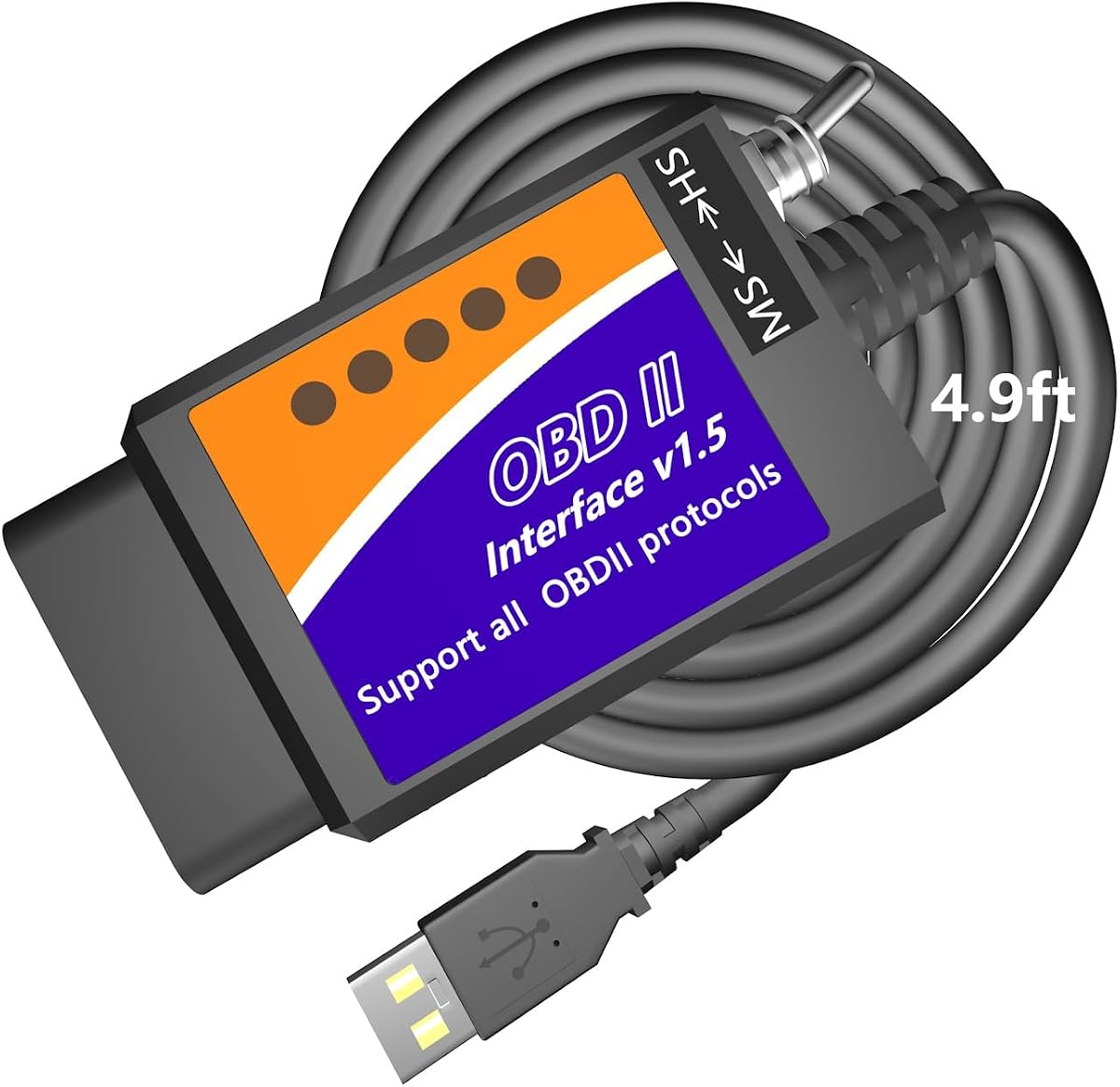
This adapter stands out for its extra long cable allowing comfortable working distances. You can rest your laptop on your knees without straining the port connection. It works with FORScan for hidden feature programming.
We may earn a commission when you buy through this link, at no additional cost to you.
The tool supports many Ford Lincoln and Mercury models from 1996 onwards. It includes features like Bambi mode and remote engine start access. The manual switch ensures correct bus connection during module reads.
Windows only compatibility limits use with Mac or mobile devices. Manual switching requires careful attention during diagnostics to avoid bus conflicts. The cable length may cause clutter in tighter workspaces.
If you need comfort during longer sessions this adapter is a good choice. The cable length helps users reach the port without leaning too far. Recommended for owners who prioritize ergonomics.
A 4.9ft cable allows you to rest your laptop on your knees and reach the passenger seat comfortably without straining.
View digital speedometer readouts and program OEM trailer brake controllers easily using the provided interface.
We may earn a commission when you buy through this link, at no additional cost to you.
This adapter offers a cost effective solution for Ford diagnostics. The FTDI chip provides reliable communication reducing data corruption risks. It works with FORScan and ELMconfig for various configuration tasks.
We may earn a commission when you buy through this link, at no additional cost to you.
Users appreciate the manual switches for precise bus selection during reads. It supports a wide range of Ford models including F150 and Fusion. The tool is suitable for basic diagnostics and simple programming.
Manual switching may slow down workflow when accessing multiple modules. Speed is standard at 500 kbit/s which is not ideal for heavy streaming. Driver installation may be required for some systems.
If budget is a priority this adapter delivers solid value for basic needs. It is a good starter tool for owners learning DIY diagnostics. Recommended for users who do not need high speed streaming.
The FTDI chip ensures reliable USB connection avoiding data corruption and dropped packets during diagnostics.
Improved switches allow smooth access and communication with existing modules in your vehicle for accurate reads.
We may earn a commission when you buy through this link, at no additional cost to you.
This adapter is a top performer for automatic CAN bus switching. It connects to the correct bus without user intervention saving time. The high speed data transfer supports real time meter displays.
We may earn a commission when you buy through this link, at no additional cost to you.
Users report excellent stability during live data streaming. It supports FORScan extended license for programming features like Bambi mode. The rock solid connection prevents dropped packets during critical reads.
Software must be downloaded separately which adds initial setup time. It works best with Windows systems limiting cross platform flexibility. These are minor issues for most serious diagnostic users.
If you want reliability without manual switching this is an excellent choice. The high rating reflects consistent user satisfaction. Recommended for owners who prioritize stability and ease of use.
Automatic electronic switching allows access to all CAN buses at the same time for advanced functions.
Reach 3Mbps transmission rate for smoother graphics and real-time meters during diagnostics.
We may earn a commission when you buy through this link, at no additional cost to you.
This adapter provides a value driven option for Ford diagnostics. It works well with FORScan for hidden feature access and coding. The manual switch ensures correct bus selection for different modules.
We may earn a commission when you buy through this link, at no additional cost to you.
Users find it useful for reading codes and configuring basic settings. It supports a broad range of Ford models including F150 and Mustang. The tool is suitable for occasional diagnostic tasks.
Manual switching can slow workflow when testing multiple modules. Speed is standard at 500 kbit/s which is not ideal for heavy streaming. Driver installation may be required for proper detection.
If you need an affordable entry level tool this adapter is a solid pick. It is best for owners who do not require high speed data streaming. Recommended for basic code reading and simple config.
Access the Global Window feature Bambi Mod and reverse tilt mirrors without needing dealer tools.
The MS-CAN and HS-CAN toggle switch helps you access configure and diagnose vehicle modules effectively.
We may earn a commission when you buy through this link, at no additional cost to you.
Choosing the right adapter requires understanding your vehicle needs and software requirements. This guide breaks down the key factors to consider before purchasing.
Adapters differ in how they access HS and MS CAN buses which are essential for Ford diagnostics. Automatic switching adapters identify the correct bus instantly improving workflow. Manual switch models require you to toggle between modes which can be slower but provides control.
Choose automatic switching if you value speed and convenience. Manual switching may suffice for simple code reading tasks.
Speed impacts live data streaming and module programming efficiency. High end adapters offer up to 3 Mbps or more reducing wait times. Standard budget models often cap at 500 kbit/s which is fine for basic codes.
Prioritize higher speeds if you plan on heavy configuration or real-time sensor monitoring.
Ensure the adapter works with your chosen software like FORScan or ELMconfig. Some adapters are optimized for specific tools ensuring full feature access. Others support generic ELM327 protocols which may limit Ford specific programming.
Verify compatibility with your preferred diagnostic suite before purchase.
Most adapters require a Windows PC for full functionality including programming. macOS users may need emulators or virtual machines which adds complexity. Mobile support is limited to basic reading apps not advanced configuration.
Confirm your laptop OS meets the adapter requirements before buying.
USB 2.0 and 3.0 compatibility ensures broad device support. Cable length affects comfort when connecting while seated. Longer cables allow flexible positioning without stressing the vehicle port.
Look for sturdy connectors and sufficient cable length for ergonomic use.
Adapters with FTDI chips tend to offer more stable connections. Check manufacturer warranty terms for protection against defects. Reputable brands provide better technical support if issues arise.
Invest in reliable hardware to avoid connection drops during critical work.
Some adapters support 18V output needed for ECU programming on certain models. Verify this feature if you plan to flash control units. Standard adapters may not support high voltage tasks safely.
Ensure the adapter meets voltage requirements for any programming needs.
Confirm support for your specific Ford model year. Some adapters have limitations on newer vehicles or specific platforms. Compatibility lists usually cover most cars from 1996 onwards but check details.
Review vehicle compatibility lists to avoid mismatches with your car.
Install the required USB drivers from the manufacturer before connecting the adapter to your PC. Ensure your diagnostic software is up to date to recognize the device correctly.
Connect the adapter to your vehicle OBD2 port usually located under the steering column. Launch your diagnostic software and select the correct COM port from the settings menu.
After use unplug the adapter to avoid battery drain. Store the cable in a cool dry place to prevent physical damage over time.
ForScan offers a free license for basic diagnostic functions. An Extended License is required for advanced module programming and is available for a small fee from the FORScan team. You must register on their site to activate this extended feature.
Most adapters require Windows to install drivers and run diagnostic software. Mac users must run a Windows environment via Boot Camp or virtual machine software. Native macOS support is limited to basic code reading apps.
HS CAN is a high speed bus used for engine and transmission modules. MS CAN is a medium speed bus used for body modules like lights and windows. Both are required for full vehicle diagnostics.
Using diagnostic tools does not void warranties if used correctly. However tampering with emission systems may violate warranty terms. Always follow manufacturer guidelines when modifying vehicle settings.
Check the manufacturer website for firmware tools. Connect the adapter via USB and run the provided update utility. Ensure your car battery remains charged during the process to prevent interruptions.
These are USB adapters designed for stable wired connections. They do not offer Bluetooth or Wi-Fi capabilities. For wireless needs look for OBD2 Bluetooth devices instead.
Yes most adapters support live data streaming with the engine on. However some programming tasks require the engine to be off. Follow software guidelines for each specific operation to ensure safety.
An unexpected disconnect may interrupt data reading. Some software allows recovery without rebooting. Avoid touching the connector during active operations to prevent data loss.
The Vgate vLinker FS and OBDLink EX stand out as top performers for stability and speed. The ELM327 USB Adapter offers excellent value for budget conscious buyers.
Prioritize automatic switching and high data speeds if you plan on frequent module programming. For casual code reading manual adapters may suffice at lower costs.
Remember to check current prices and compatibility with your specific vehicle model before finalizing your purchase.