
MECCANIXITY Flat USB C Cable
5.0Editor score
Right angle connector design
Flexible silicone material
Supports 65W charging
Flat USB C cables offer a unique solution for managing clutter in modern setups. Their slim profile slips through tight gaps where round cables fail. Choosing the right one ensures reliable power and data sync for your devices.
We evaluated ten highly rated models based on durability, speed, and design. Each entry features real user feedback and technical specifications. Our list covers various lengths and connector types to suit every need.
Every pick highlights key strengths and potential limitations. Prices fluctuate often so check current listings before buying. We aim to help you find the perfect cable for your specific setup today.
5.0Editor score

4.4Editor score

4.3Editor score
As an Amazon Associate we earn from qualifying purchases.
The following table presents a side-by-side comparison of all ten selected flat USB C cables. Each row highlights key specifications and unique features to help you decide which model fits your needs best.
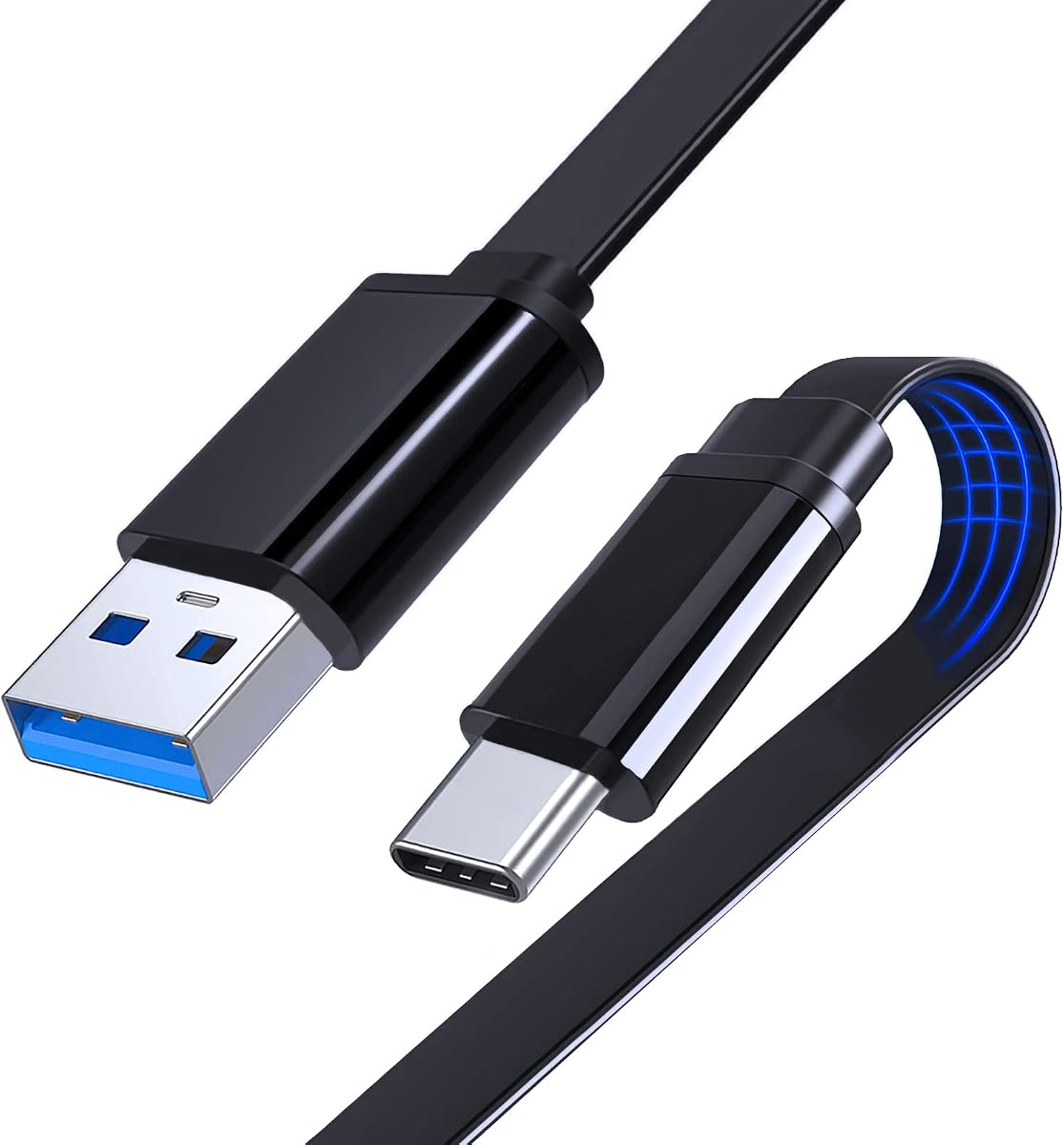


This cable stands out as a top choice for users needing reliable data sync and Android Auto connectivity. It has a solid 4.6 rating from verified buyers who appreciate its flat profile. The design ensures the cable does not get stuck in tight car cup holders or door gaps.
We may earn a commission when you buy through this link, at no additional cost to you.
Its blazing fast 10Gbps data transfer makes it ideal for syncing large files quickly. The intelligent chip ensures stable charging for your phone while you navigate. The flat cord resists tangling significantly more than standard round cables in daily use.
While the length is limited to one meter, this works perfectly for car setups or desk use. The thickness and width are optimized to slide through narrow spaces where round cables fail. It is not intended for video transmission so keep that in mind.
If you drive with Android Auto or need quick data access on the go, this model is highly recommended. Its durability and specialized focus on connectivity make it a smart pick for tech users. Check availability to ensure you get the right connector type.
The 10Gbps speed ensures your files move fast between devices. This saves time when backing up photos or syncing documents regularly.
The slim profile prevents knots and allows easy routing. You can slide it through gaps without friction or obstruction issues.
We may earn a commission when you buy through this link, at no additional cost to you.
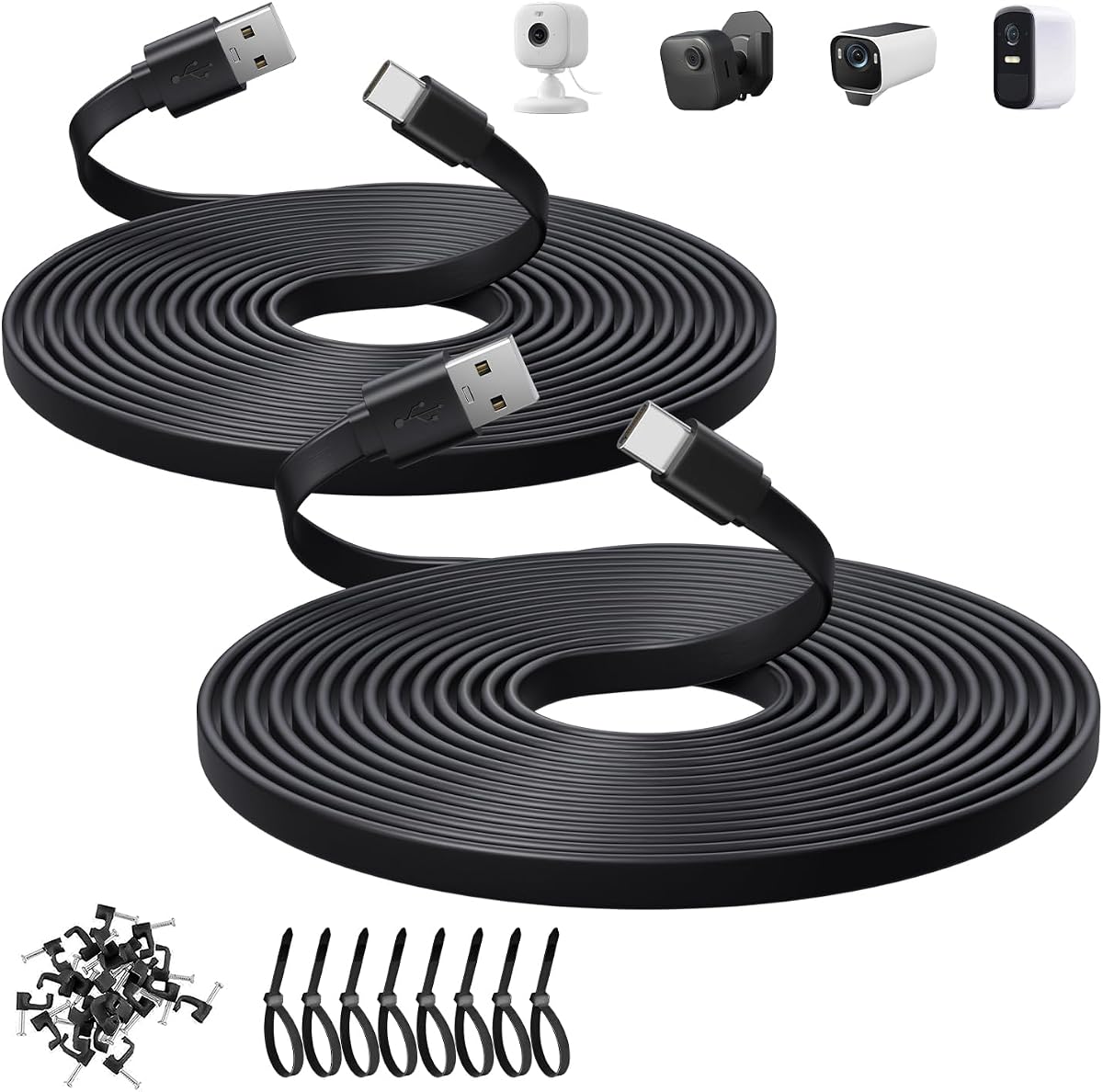
This two-pack offers exceptional value for home setups requiring multiple connections. The flat design allows you to run cables behind furniture or along baseboards cleanly. It received high marks for stability and ease of installation with included clips.
We may earn a commission when you buy through this link, at no additional cost to you.
The 10-foot length provides ample reach for security cameras or gaming controllers. You can secure them to walls without excess cable hanging around the room. The material withstands repeated bending well which is crucial for long-term use.
Keep in mind this model delivers up to 2A which is sufficient for most devices but not for high-power laptops. The white color helps it blend into light walls effectively. It is a practical choice for general charging needs.
For those needing to power several devices across a room this set is hard to beat. The included accessories make installation a breeze. Consider this if you want a tidy and affordable solution for multiple USB C devices.
Nail-in clips and ties help keep cables tidy and out of sight. This prevents tripping hazards and looks professional in any room.
Works well with phones cameras and game controllers. You can use it across multiple setups without needing different cables.
We may earn a commission when you buy through this link, at no additional cost to you.
This cable represents the peak of USB C performance with support for Thunderbolt 4 and USB4 standards. It handles massive power loads and data throughput that other cables simply cannot match. It is a top choice for high-end laptops and drives.
We may earn a commission when you buy through this link, at no additional cost to you.
The E-Marker chip manages power and voltage carefully to prevent damage during fast charging. You can stream 8K video without lag thanks to the massive bandwidth. It delivers up to 240W which covers even power hungry laptops.
While it costs more the performance justifies the price for professionals. You need a compatible charger to access the full speed and power potential. It is overkill for basic phone charging but essential for pro workflows.
If you work with large external SSDs or need to charge powerful laptops this is the cable to get. It ensures your high-end equipment runs at full capacity. Verify your device supports USB4 before purchasing for best results.
Transfer huge video files or backups in seconds with 40Gbps. This saves significant time for creatives and IT professionals.
Delivers up to 240W for even the most power-hungry devices. It can charge multiple devices simultaneously with a single source.
We may earn a commission when you buy through this link, at no additional cost to you.
The DbillionDa cable introduces a smart 90-degree port on one end to reduce strain. This makes it easier to use when charging a laptop or phone lying flat on a surface. It received solid reviews for its practical design and charging speed.
We may earn a commission when you buy through this link, at no additional cost to you.
The 60W power delivery is sufficient for most laptops and phones to charge quickly. The angled connector helps prevent accidental unplugging or bending at the joint. You can move freely without worrying about the cable breaking.
It supports fast data transfer which is great for syncing files while the device charges. The length gives you enough room to position your device comfortably on a desk. It is a solid mid-range option for daily users.
Choose this if you want to protect your device port from wear and tear. The ergonomic benefit is immediate and noticeable in daily use. It offers a good balance of functionality and price for typical consumer needs.
The 90-degree angle reduces stress on the device port. This extends the lifespan of your expensive electronics over time.
Delivers 60W to charge laptops and phones efficiently. You spend less time plugged in and more time productive.
We may earn a commission when you buy through this link, at no additional cost to you.
This cable features a right angle connector on one end that suits gaming setups well. You can hold your device comfortably while it charges without fighting a straight plug. The nylon braiding adds durability and a premium feel to the touch.
We may earn a commission when you buy through this link, at no additional cost to you.
It supports PD3.0 and QC4.0 protocols to deliver up to 60W for fast charging. The data speed is standard for USB2.0 but reliable for syncing tasks. The design ensures the cable lies flat against surfaces without getting in the way.
The build quality resists tangles and wear better than standard plastic cables. It is designed for data transfer only so it does not support video output. This focuses its function squarely on power and file sync needs.
Gamers and casual users will appreciate the convenience of the angled plug. It reduces strain on your hands and the device port significantly. If you prioritize comfort and durability this model is a strong contender.
The 90-degree plug makes holding devices while charging easier. This is perfect for gaming or watching media on the go.
Braided nylon protects the inner wires from wear and tear. It feels sturdy and lasts longer than plain plastic cables.
We may earn a commission when you buy through this link, at no additional cost to you.
This cable uses silicone to achieve exceptional flexibility that resists tangling completely. The flat profile is soft and easy to coil in your bag or pocket. It has a perfect 5.0 rating for its unique material and build quality.
We may earn a commission when you buy through this link, at no additional cost to you.
The right angle connector prevents breakage at the joint which is a common failure point. It supports up to 65W charging which works for most tablets and phones. The thin profile allows it to fit into tight spaces easily.
The length is modest at 50cm so it is best for portable use. It is designed for data transfer and charging only without video support. The soft material makes it comfortable to handle and store daily.
Choose this if you want a cable that feels premium and flexible. It is an excellent travel companion due to its softness and compact size. Users love how it avoids the knotting issues of traditional cables.
The silicone material feels soft and avoids tangling. This makes packing your bag much easier than stiff wires.
The short flat design saves space in tight spots. You can route it easily without bulk or obstruction.
We may earn a commission when you buy through this link, at no additional cost to you.
Monoprice is known for reliable cables and this model maintains that reputation. It offers a robust 3-amp charging capacity to keep devices powered quickly. The reversible connector saves you from flipping the plug multiple times to find the right side.
We may earn a commission when you buy through this link, at no additional cost to you.
The flat design resists tangles while still maintaining internal strength for durability. It supports 5Gbps data speeds which is faster than standard USB 2.0. This ensures efficient syncing without needing to wait around.
While the price is higher than generic options the build quality justifies the cost. It feels like a professional accessory designed for longevity. The black color looks sleek with most modern devices and desks.
If you need a reliable cable for daily data sync and power this is a safe bet. The 3-amp output ensures faster charging times than weaker cables. It is a great choice for office or home setups.
The Type-C connector flips to fit either way. You save time and avoid frustration plugging in cables.
Delivers up to 3 amps for rapid power. This speeds up charging significantly for compatible devices.
We may earn a commission when you buy through this link, at no additional cost to you.
This cable is ultra-short with angled connectors on both ends for specialized use. It fits perfectly into tight spots where cables would normally bend too sharply. It has a very high rating for its unique configuration and build.
We may earn a commission when you buy through this link, at no additional cost to you.
The slim design allows it to route through tight slots without bulking out. It supports up to 65W to handle most charging needs. The angled ports prevent stress on the device when plugged in tightly.
Keep in mind this is a short cable meant for desktop or specific setups. The USB 2.0 speed is standard for charging but slower for large file transfers. It is ideal for powering devices close to the source.
Use this when you need to charge a device in a confined space like a PC tower. The angled design solves access issues that standard cables create. It is a handy tool for specialized technical setups.
Angled connectors on both ends reduce cable bending. This protects the cable from stress in tight corners.
The ultra-slim shape fits through narrow gaps. It avoids bulk and keeps setups clean.
We may earn a commission when you buy through this link, at no additional cost to you.
This cable combines a short length with a soft TPE material that bends easily. The 90-degree design helps avoid blocking other ports or getting caught on objects. It earned high marks for its flexibility and charging performance.
We may earn a commission when you buy through this link, at no additional cost to you.
It supports 65W PD fast charging to keep laptops and phones powered up. The flat shape allows it to lie flat and avoid clutter on your desk. The material feels soft to the touch and resists cracking.
While data transfer is standard the main strength here is convenience and protection. It is designed to prevent port strain which extends device life. The length is just right for desk use without excess slack.
This model is perfect for keeping your workspace neat and organized. The soft material adds a nice tactile feel to your setup. If you value ergonomics and a tidy desk this is a great choice.
TPE material ensures the cable bends without breaking. It feels nice to handle and is easy to store.
The short design reduces clutter on work surfaces. It keeps your desk tidy while charging.
We may earn a commission when you buy through this link, at no additional cost to you.
This set is purpose-built for security cameras that need long power lines. It includes accessories to mount the cables securely along walls or ceilings. Users praise its reliability for keeping cameras powered without interruption.
We may earn a commission when you buy through this link, at no additional cost to you.
The 10-foot length reaches most standard camera mounting spots easily. It supports 2A current which is perfect for most modern security devices. The flat profile helps hide the cable against walls without looking messy.
The package includes ties and clips to manage the routing professionally. It is designed for charging primarily so data sync is not the focus. The black color helps it blend into dark mounting spots.
If you install cameras or sensors this pack gives you the reach you need. The included hardware saves you from buying separate mounting supplies. It is a practical and economical choice for home security systems.
Designed specifically for security cameras like Blink and Ring. It provides reliable power for continuous operation.
Includes clips and ties for secure mounting. This saves money and time on extra tools.
We may earn a commission when you buy through this link, at no additional cost to you.
Selecting the right flat USB C cable involves understanding your specific power and data needs. This guide breaks down key factors to help you make an informed choice.
Different USB standards offer different speeds ranging from 2.0 to USB4. Ensure the cable matches your device to avoid slow syncing. For large file transfers look for 5Gbps or 10Gbps capabilities.
Power delivery varies significantly across models. Some support standard 5V 2A while others handle up to 240W. Check your device requirements to prevent underpowering your laptop or phone.
Length determines how far you can reach from your power source. Shorter cables reduce clutter while longer ones offer flexibility. Measure your setup before buying to avoid excess slack.
Right-angle connectors are useful for tight spaces or gaming. They reduce port stress and make holding devices easier. Straight connectors are better for general desktop use.
Materials like nylon or silicone resist wear and tangles better than plastic. Look for cables rated for many bending cycles. This ensures a longer lifespan for daily use.
Ensure the cable supports your specific devices like phones or cameras. Some cables are optimized for Android Auto or security systems. Verify the connector types match your ports.
Most flat cables only handle data and power. High-end models support video for external displays. Confirm if you need video output before purchasing.
Some packs include clips or ties for mounting. This helps organize cables neatly along walls. Check the package contents to get extra value.
Plug the cable into your device and power source to begin charging. Ensure the connectors are fully inserted for a stable connection. Avoid forcing the plug if it resists entry.
Route the cable along edges to prevent tripping or kinking. Use provided clips to secure it to walls or desks. This keeps the setup tidy and extends cable life.
Store the cable loosely coiled to prevent internal stress. Do not wrap it tightly around a small object or hook. Gentle coiling maintains flexibility and protects the conductors.
Yes most modern flat cables support fast charging protocols. Models with higher wattage ratings like 60W or 100W deliver rapid power. Always check the specs to match your charger capacity.
Most flat USB C cables only handle data and power. Only premium models supporting USB4 or Thunderbolt can transmit video. Standard cables will not connect to external displays.
Flat cables are designed to resist tangling and kinking. This often results in better longevity compared to round cables. However material quality also plays a major role in durability.
Measure the distance from your power source to your device. Add a little extra for slack to avoid strain. Too short restricts movement and too long creates clutter.
Yes specific flat cables are made for security cameras. They provide stable power for long runs and wall mounting. Look for models that include mounting clips for convenience.
Standard models handle up to 60W while premium ones reach 240W. Check the power delivery rating before using with laptops. Higher power needs a compatible charger to work.
We explored ten top flat USB C cables that balance speed power and design. Our picks cover options from budget packs to high-performance professional models. Each serves a specific need from desktops to security setups.
Prioritize power and speed based on your devices requirements. A cable for a laptop needs higher wattage than a phone. Ensure the connector angle fits your workspace for comfort.
Prices change so check current listings before finalizing your purchase. Use our buying guide to compare specs and find the best fit. Your setup deserves reliable connections that perform every day.