
10Gtek 10Gb PCI-E NIC Network Card
4.4Editor score
Intel 82599EN Controller
Single SFP+ Port Support
Full and Low Profile Brackets
Compare the top Fiber Optic Network Interface Cards for speed and reliability. This guide reviews ten leading models for gaming, servers, and data centers.
Fiber optic network interface cards provide high-speed connectivity essential for modern computing needs. They support data transfer rates far beyond standard copper connections while offering immunity to electromagnetic interference. Choosing the right card ensures your system handles heavy workloads efficiently without bottlenecks slowing down performance.
This comprehensive guide evaluates ten leading models based on chipset reliability compatibility with existing hardware and support for advanced networking features. We examined specifications including PCIe interface types supported fiber standards and operating system compatibility to provide a clear comparison. Each product offers unique advantages for different use cases ranging from home labs to enterprise environments.
Every pick highlights key strengths and potential limitations to help you match a card to your specific networking requirements. You will find details on thermal design vendor support and included accessories that impact real world usability. Remember that product availability and pricing can change frequently so verify current stock before making your final purchasing decision.
4.4Editor score

5.0Editor score

4.9Editor score
The following table presents a side-by-side comparison of all ten products to help you quickly identify the right match for your needs. It highlights key specifications such as port counts controller types and supported interface standards to streamline your decision process. Use this overview alongside the detailed reviews to narrow down your options effectively.


The StarTech 2-Port GbE SFP Network Card stands out as the top overall choice due to its exceptional reliability and flexible connectivity options. Rated highly by users it delivers consistent performance for both copper and fiber optic connections without compromising stability. Its Intel I350 chipset ensures robust data handling suitable for servers and high-demand desktop environments.
We may earn a commission when you buy through this link, at no additional cost to you.
This card features two unlocked Gigabit SFP slots allowing you to choose between multimode or singlemode fiber modules or direct attach copper cables. The included low-profile bracket makes it ideal for compact cases while the built-in heatsink keeps temperatures optimal under load. Advanced features like VLAN tagging and jumbo frame support enhance network efficiency significantly.
While it does not support 10Gbps speeds which limits future-proofing for heavy bandwidth tasks its stability and broad compatibility make it a solid investment. The need to purchase SFP modules separately adds to the initial cost but allows customization based on specific cabling infrastructure needs.
Anyone requiring a dependable dual-port gigabit solution with fiber capabilities will find this card offers excellent value and performance. It is particularly well-suited for small businesses or homelabs where network reliability and manageability are more critical than raw throughput speeds.
The unlocked SFP slots accept any MSA-compliant module giving you flexibility to adapt to existing fiber or copper infrastructure without vendor lock-in.
Support for virtualization technologies and advanced offloads ensures this card performs reliably in VMware or Hyper-V environments without resource contention.
We may earn a commission when you buy through this link, at no additional cost to you.
The 10Gtek 10Gb PCI-E NIC Network Card offers exceptional value for users seeking 10Gbps connectivity without breaking the bank. It utilizes the trusted Intel 82599EN controller which is known for stability in NAS and server applications. Despite its budget-friendly price it delivers solid throughput suitable for high-speed storage and virtualization tasks.
We may earn a commission when you buy through this link, at no additional cost to you.
This single-port card fits into PCIe x8 or x16 slots and includes both full height and low-profile brackets for flexible installation. It supports major operating systems including Linux Windows Server and VMware though Windows 11 may require specific driver configuration steps. The included warranty and tech support add peace of mind for critical deployments.
Installation on Windows 11 can be tricky requiring careful driver setup which may deter less technical users. Additionally the card does not support hot swapping meaning you must power down the system to install or remove it. These limitations are minor given the price point and performance capabilities it offers.
Budget-conscious professionals or home lab enthusiasts upgrading from gigabit networks will appreciate the significant speed increase at this price. It is an excellent entry point into 10G networking for those who prioritize performance over advanced enterprise features.
The Intel 82599EN ensures broad compatibility and reliable operation across a wide range of systems and virtualization platforms.
Both standard and low-profile brackets are included making it easy to fit the card into tower or compact server chassis.
We may earn a commission when you buy through this link, at no additional cost to you.
The CX4121A represents the pinnacle of performance with dual 25Gb/s ports delivering combined throughput ideal for heavy data center workloads. Powered by the Mellanox ConnectX-4 Lx controller it supports RDMA over RoCE for ultra-low latency networking essential for high-performance computing. This card is a powerhouse for virtualization and storage servers requiring maximum bandwidth.
We may earn a commission when you buy through this link, at no additional cost to you.
Its PCIe 3.0 x8 interface ensures ample bandwidth to handle both ports at full speed simultaneously without bottlenecks. The card supports advanced features like SR-IOV and overlay networks which are critical for modern cloud environments. Compatibility with major Linux distributions and VMware makes it versatile for enterprise deployments.
The high performance comes with increased power requirements and the need for specific 25GbE transceivers which can add to the overall cost. Proper cooling is also essential as the card generates significant heat under full load. These factors make it better suited for dedicated server environments than consumer PCs.
Enterprises and serious homelab builders needing top-tier speed will find this card offers unmatched value for its capabilities. It transforms networking infrastructure to handle demanding applications with ease ensuring future readiness for bandwidth-intensive workloads.
RDMA over RoCE enables direct memory access reducing CPU overhead and latency for critical storage and compute tasks.
Two independent 25GbE ports allow for link aggregation or failover configurations to maximize network reliability and throughput.
We may earn a commission when you buy through this link, at no additional cost to you.
The 10Gb/s SFP+ Fiber Port Adapter delivers reliable 10Gbps performance for gaming NAS and virtualization tasks. Powered by the Intel 82599ES controller it provides stable LAN and SAN connectivity suitable for data centers and desktop PCs. The PCIe x4 interface offers sufficient bandwidth for single port 10GbE usage without compromising system performance.
We may earn a commission when you buy through this link, at no additional cost to you.
This card works seamlessly with most modern operating systems though Windows 11 requires manual driver installation unlike older server versions. It includes a low-profile bracket for compact cases and supports advanced features like SR-IOV and QoS for traffic management. The passive heatsink design requires adequate case airflow to prevent thermal throttling during heavy loads.
While the driver setup for Windows 11 can be inconvenient for some users the overall performance remains consistent once configured. The need for external airflow might pose issues in quiet builds but ensures longevity during sustained usage periods. It remains a strong choice for users needing cost-effective 10Gbps upgrades.
Gamers NAS users and those building home servers will benefit from the speed and reliability this adapter provides. It bridges the gap between standard gigabit networks and high-performance requirements effectively supporting bandwidth-hungry applications.
Low latency and high throughput ensure smooth 4K streaming and online gaming without network congestion or packet loss.
Compatible with a wide range of Linux distributions and Windows Server versions making it adaptable to various system setups.
We may earn a commission when you buy through this link, at no additional cost to you.
The Asus 10Gbps Gigabit Ethernet PCIe Adapter offers a sleek solution for high-speed connectivity with effective cooling and built-in prioritization features. Its aluminum heatsink maintains optimal temperatures during intensive tasks ensuring consistent performance without thermal throttling. The card supports both fiber optic and direct-attach copper connections providing flexibility for different network infrastructures.
We may earn a commission when you buy through this link, at no additional cost to you.
Built-in QoS technology automatically prioritizes bandwidth for critical streams or games reducing lag and improving user experience. It operates within a wide temperature range making it reliable for varied environments. The PCIe 2.0/3.0 x4 interface ensures compatibility with most modern motherboards without requiring special slot configurations.
Users should note that additional SFP modules or cables must be purchased separately which adds to the total cost of ownership. Software support is minimal compared to some competitors relying mostly on OS drivers. This is a trade-off for those prioritizing hardware quality and simplicity.
Gamers and content creators needing reliable 10Gbps speeds will appreciate the performance and thermal design. It is a great choice for systems where aesthetics and cooling efficiency matter alongside raw network performance.
Automatic QoS ensures your gaming or video streaming traffic takes priority over less critical background network activity.
The aluminum heatsink dissipates heat effectively allowing sustained high-speed transfers without overheating or performance drops.
We may earn a commission when you buy through this link, at no additional cost to you.
The 10G SFP+ PCIe Network Card brings modern PCIe Gen4 capabilities to users seeking efficient 10Gbps connectivity. Powered by the Realtek RTL8127 controller it offers stable transmission with enhanced wake-up and diagnostic features. The PCIe x1 design simplifies installation while still providing sufficient bandwidth for single port 10Gbps speeds.
We may earn a commission when you buy through this link, at no additional cost to you.
Driver installation is streamlined with a QR code feature allowing quick setup on supported Windows and Linux systems. The card includes both full height and low-profile brackets ensuring fit in almost any chassis. Its focus on stability and low power makes it suitable for extended operation in energy-sensitive environments.
Linux users are limited to kernel versions up to 6.15 and FreeBSD is not supported which may restrict some advanced deployments. This limitation is minor for typical desktop or server use but worth noting for specific enterprise scenarios requiring broader OS compatibility.
Home lab users and professionals upgrading systems with PCIe Gen4 slots will find this card a reliable and modern choice. It balances performance and ease of use effectively for general high-speed networking needs.
Scan the QR code on the card to quickly download drivers eliminating the need for manual searches or complex installation steps.
The Realtek controller minimizes power draw while maintaining high throughput reducing overall system energy costs and heat output.
We may earn a commission when you buy through this link, at no additional cost to you.
This card distinguishes itself by removing vendor lock-in on the SFP+ cage allowing any third-party optics to work seamlessly. It features the genuine Intel 82599EN silicon ensuring reliability and full 10Gbps throughput. Out of the box support for Proxmox TrueNAS and ESXi makes it ideal for virtualization enthusiasts without extra configuration steps.
We may earn a commission when you buy through this link, at no additional cost to you.
The card adapts to slower switch ports by downstepping speeds which provides flexibility in mixed network environments. Both full-height and low-profile brackets are included covering most chassis types. The passive heatsink may require case airflow to prevent excess warmth during prolonged heavy usage sessions.
Single port limitations mean it is best for focused upgrades rather than multi-link aggregation scenarios. The passive cooling design is typical for this class but users in silent builds should ensure adequate ventilation. Overall it offers excellent value for those avoiding proprietary module restrictions.
Virtualization users and homelab builders seeking open compatibility will appreciate this cards flexibility and performance. It simplifies network setups by accepting any MSA-compliant transceiver without rejecting unofficial modules.
Rejecting vendor lock-in saves costs by allowing use of affordable third-party optics instead of branded modules.
No extra driver steps are needed on many Linux-based NAS and hypervisor systems enabling plug and play setup.
We may earn a commission when you buy through this link, at no additional cost to you.
This kit simplifies setup by including a multimode optical module ready to use with compatible switches or network gear. The Intel 82599EN chip ensures stable low latency performance with TCP/UDP/IP offloads to reduce CPU usage. Its PCIe X1 interface provides adequate bandwidth for single port 10Gbps connections in most desktop or server scenarios.
We may earn a commission when you buy through this link, at no additional cost to you.
Gold-plated contact fingers enhance durability and prevent oxidation over time ensuring reliable electrical connections. The card adapts transmission rates automatically and supports both half and full duplex modes for flexible integration. Dual brackets allow fitting in standard or compact cases without modification to your chassis.
The included module is multimode which may limit compatibility with singlemode fiber infrastructure. If your network uses singlemode optics you would need to purchase a compatible module separately. This trade-off offers convenience for users with existing multimode cabling.
Users needing a ready-to-go 10Gbps fiber solution without sourcing separate modules will find this kit very convenient. It balances cost and functionality well for environments already using multimode fiber optics.
The pre-included multimode module speeds up deployment by eliminating the need to source matching transceivers separately.
Gold-plated edges protect against oxidation maintaining stable connectivity over years of regular use and handling.
We may earn a commission when you buy through this link, at no additional cost to you.
The TP-Link TX401 simplifies 10G networking using standard RJ45 ports and existing CAT6A cabling without optical modules. It supports 10GBase-T technology delivering up to 10Gbps speeds while remaining backwards compatible with slower rates for flexible networking. A 1.5 meter CAT6A cable is included to ensure optimal performance out of the box.
We may earn a commission when you buy through this link, at no additional cost to you.
This card is easy to integrate into most environments without needing fiber transceivers or specialized cabling expertise. The included low-profile bracket ensures compatibility with smaller PC cases. Its two-year warranty and 24/7 technical support provide reliable assistance for setup and troubleshooting.
10GBase-T typically consumes more power than SFP+ alternatives and requires high-quality cables to achieve full speeds. Without proper cabling you may only see lower negotiated speeds. This makes it less ideal for setups focused on power efficiency or existing Cat5e infrastructure.
Home users and small businesses upgrading to 10G over copper will find this card user-friendly and practical. It removes the complexity of fiber optics while delivering high-speed connectivity compatible with existing networks.
Using RJ45 connections means you can reuse existing structured cabling in many offices without new fiber infrastructure.
Automatic negotiation ensures the card works at 1Gbps or 5Gbps with older switches maintaining connectivity flexibility.
We may earn a commission when you buy through this link, at no additional cost to you.
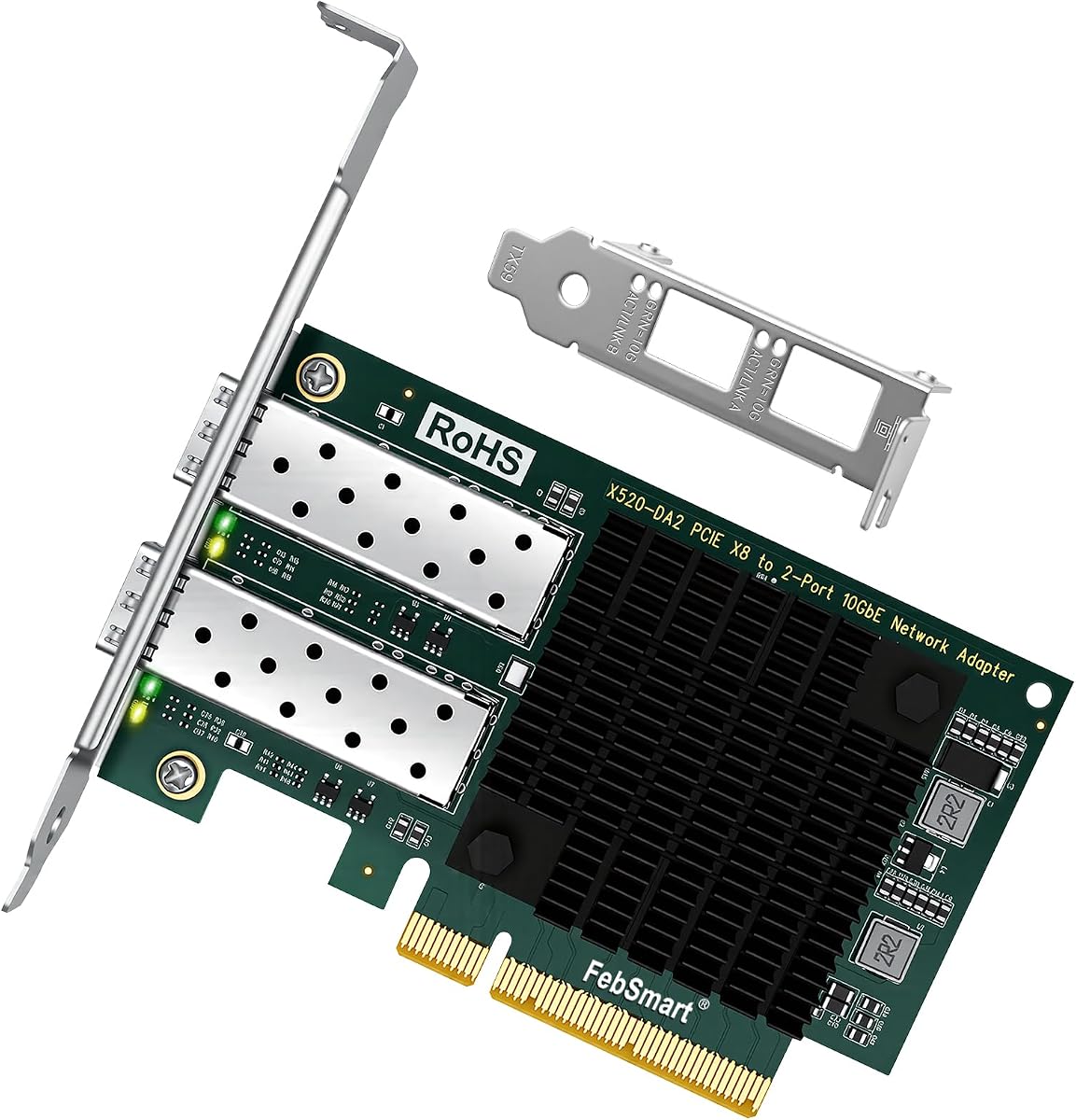
This adapter delivers dual 10GbE SFP+ ports offering massive combined throughput ideal for demanding NAS and server environments. Powered by the Intel 82599ES controller it ensures stable LAN and SAN connectivity with support for storage protocols like iSCSI. The PCIe 2.0 x8 interface provides ample bandwidth for both ports without bottlenecks.
We may earn a commission when you buy through this link, at no additional cost to you.
Broad operating system support includes FreeBSD Linux and Windows Server making it versatile for varied deployments. It includes a low-profile bracket for flexible installation and supports advanced virtualization technologies. Two independent fiber connections allow link aggregation or redundancy for improved network resilience.
Using two ports means you need separate transceivers and cables which increases initial hardware costs. The card is physically larger than single-port versions requiring adequate space in your chassis. These factors are worthwhile for users needing maximum redundancy or bandwidth in server setups.
Server administrators and virtualization users requiring dual high-speed connections will find this card highly capable and reliable. It offers the flexibility to balance or backup network traffic effectively without relying on a single connection point.
Two independent connections allow failover configurations ensuring network availability even if one link goes down.
Native support for iSCSI and FCoE simplifies connecting storage devices over the network without extra adapters.
We may earn a commission when you buy through this link, at no additional cost to you.
Selecting the right fiber optic network interface card requires understanding several technical factors that impact performance and compatibility. This section outlines key considerations to help you make an informed decision tailored to your specific needs.
The chipset determines reliability driver support and feature availability. Intel controllers like the 82599EN or I350 are widely trusted for server and desktop use due to mature drivers. Realtek options offer cost savings but may have varying support levels across different operating systems.
Look for well-known chipsets that have community support and documented compatibility with your intended OS.
Decide between gigabit 10Gbps or 25Gbps based on your current and future network needs. Higher speeds require compatible switches and cabling which adds to the cost. Ensure your motherboard slot matches the card interface such as PCIe x4 or x8 to avoid bottlenecks.
Match the card speed with your switch capabilities to avoid paying for unused bandwidth or experiencing slow transfers.
Single port cards suit basic upgrades while dual port models provide redundancy or link aggregation. Consider whether you need fiber optics SFP+ or direct attach copper depending on your cabling infrastructure. Dual port cards typically require more PCIe bandwidth and physical space inside the chassis.
Choose single or dual ports based on whether reliability or raw throughput is your higher priority.
Verify that drivers exist for your specific operating system version. Some cards work out of the box on Linux or server systems but require manual setup on desktop Windows versions. FreeBSD and ESXi users should check specific driver support before purchasing to ensure functionality.
Always review the manufacturer compatibility list for your OS version to avoid installation hurdles.
Passive heatsinks are common but require adequate case airflow to prevent overheating. Cards that run hot may throttle performance or reduce longevity in enclosed spaces. Consider adding active cooling if your case lacks sufficient ventilation for high-speed network adapters.
Ensure your case has good airflow or plan for additional fans if using passive cooled cards.
Some cards reject third-party SFP modules forcing you to buy branded optics at higher prices. Look for cards that explicitly state vendor lock-free SFP+ cages to save on transceiver costs. This is particularly important for budget builds or large-scale deployments needing multiple modules.
Select vendor-free cages to maximize savings on optical modules and avoid unnecessary expenses.
Check if the card includes both full height and low-profile brackets for fit in compact cases. Low-profile designs are essential for small form factor PCs or 1U rack servers. Proper bracket selection prevents installation issues and protects the card from physical damage during operation.
Confirm the bracket types included match your chassis requirements before finalizing your purchase.
Advanced features like SR-IOV QoS and VLAN support enhance virtualization and network management capabilities. These are critical for enterprise environments or advanced home labs running multiple VMs. Basic cards may lack these features but suffice for simple direct internet or LAN connections.
Prioritize advanced features only if your workflow requires virtualization or complex network management tasks.
Install the card firmly into a compatible PCIe slot ensuring the retention latch clicks into place. Attach the included bracket securely to your case rear panel to provide grounding and physical support for the connector.
Connect fiber optic modules or copper cables carefully avoiding excessive bending which can damage delicate internal fibers. Ensure the connectors click securely into the SFP+ port to maintain a stable electrical and optical connection.
Install drivers from the manufacturer website or OS repositories to enable full functionality. Monitor thermal performance using system tools to ensure the card does not overheat during heavy data transfers.
Most cards do not include SFP modules unless specified in the product description. You should purchase compatible modules based on your fiber type such as singlemode or multimode. Verify module compatibility with the card vendor to avoid rejection errors.
Yes 10Gbps cards reduce latency and improve response times especially if your internet plan supports high speeds. Ensure your router and modem also support 10Gbps to realize the full benefits. Lower speed networks will not gain extra speed but can still benefit from reduced congestion.
SFP supports gigabit speeds while SFP+ supports up to 10Gbps. Some SFP+ ports can use SFP modules but not vice versa for full speed. Always match the card port type with your cable and module specifications.
Most cards lack native macOS driver support making them unsuitable for Mac computers. Check with the manufacturer explicitly for macOS compatibility if needed. Linux and Windows support are more common among supported models.
You can use direct attach copper cables which emulate fiber modules but operate electrically. This avoids the need for optical transceivers and simplifies setup within short distances. Ensure your cable matches the port speed standard such as 10Gbps DAC.
Overheating may cause performance throttling or temporary disconnections. Improve case airflow or add a fan directed at the card to mitigate this. Ensure the card has adequate clearance from other components to allow airflow to pass through.
Many reputable third-party sellers offer warranties similar to brand-name cards. Always check the specific warranty terms and seller reputation before purchasing. Keep purchase receipts and original packaging to facilitate any potential returns.
Most NICs draw power directly from the PCIe slot without needing extra connectors. High-end cards may require additional power but this is rare for standard 10Gbps models. Verify the card power requirements before installation to ensure system stability.
The StarTech 2-Port GbE SFP and the CX4121A stand out as top choices for reliability and premium performance respectively. The 10Gtek budget option offers excellent value for those wanting affordable 10Gbps speed without sacrificing core features. Each model serves distinct needs depending on your budget and infrastructure requirements.
Prioritize controller chipset reliability and OS support to ensure long-term stability. Match the card speed and port type with your existing network equipment to avoid unnecessary upgrades. Proper thermal management and physical fit are also critical for uninterrupted operation.
Prices and availability fluctuate frequently so verify current stock and deals before purchasing. Check user reviews for recent updates on compatibility with newer operating systems. Taking these steps will help you secure a network upgrade that delivers lasting value and performance.