
Dell Wired Mouse MS116
4.6Editor score
Reliable wired connection
Plug and play setup
Compact and lightweight design
This guide compares the top ten external mice for Dell laptops, evaluating connectivity, battery life, ergonomic design, and performance to help you choose the
Finding the right external mouse for your Dell laptop can significantly boost your productivity and comfort during long work sessions. Whether you need a precise tracker for detailed design work or a quiet clicker for shared office spaces, the market offers diverse options tailored to specific needs.
We have evaluated ten top-rated models based on connectivity types, battery longevity, ergonomic comfort, and overall value. Each product was assessed against real-world usage scenarios to ensure they meet the demands of modern professionals and students alike.
Every pick highlights unique strengths such as dual-mode connectivity, silent operation, or extended battery life. Note that prices and availability change frequently so verify current details before making your final decision to ensure you get the best deal available.
4.6Editor score

4.9Editor score

4.6Editor score
This table provides a side-by-side view of key specifications for each model. Use it to quickly compare features like connectivity type, battery duration, and button count to identify the best match for your Dell laptop setup.






This Dell Advanced Wireless Compact Mouse stands out as the top choice for users seeking reliability and precision with their Dell laptops. Boasting a 4.9 rating, it delivers seamless dual-mode connectivity and an industry-leading 36-month battery life. Its adjustable DPI ensures accurate cursor control across various screen resolutions making it ideal for both work and light creative tasks.
We may earn a commission when you buy through this link, at no additional cost to you.
The mouse features seven programmable buttons that allow for efficient navigation and workflow customization. Dell's Swift Pair technology enables instant connection without tedious Windows settings configuration. The built-in sensor handles high-resolution displays effortlessly while the Dell Display and Peripheral Manager software provides deep integration with Dell hardware for optimized performance.
While the requirement for AA batteries might be a minor drawback for some users the extended life minimizes replacement frequency. The price is higher than basic models but the included one-year advanced exchange service adds significant value by ensuring quick replacements if faults occur within the warranty period.
This mouse is perfect for professionals who prioritize long-term reliability and seamless integration with Dell systems. Its robust feature set and exceptional battery performance make it a worthwhile investment for daily use. We recommend it highly for those seeking a premium wireless experience tailored to Dell environments.
The dual-mode 2.4GHz wireless and Bluetooth 5.0 connection options let you pair effortlessly with almost any PC via your preferred mode for maximum flexibility.
Work for up to 36 months on a single battery which is three times longer than previous-generation models so you forget about frequent recharging or replacement.
We may earn a commission when you buy through this link, at no additional cost to you.
The Dell Wireless Gaming Mouse MS5120W is designed for users who need speed and customization without sacrificing everyday usability. With a 4.6 rating it offers dual-mode connectivity and a 4000 DPI sensor for precise tracking. The seven buttons allow intuitive navigation across applications and web pages enhancing productivity during complex tasks.
We may earn a commission when you buy through this link, at no additional cost to you.
Its compatibility extends across Windows Mac Chrome Linux and Android systems making it a versatile choice for diverse environments. The Dell Peripheral Manager software lets you efficiently customize and manage the mouse to suit your specific workflow. Additionally the 36-month battery life ensures you can work uninterrupted for extended periods.
Despite its gaming-oriented design the mouse serves well for general computing needs. The main trade-off is the potentially higher weight compared to ultra-compact options. However the advanced exchange service ensures support if issues arise within the three-year warranty period providing peace of mind for long-term users.
We recommend this mouse for gamers and power users who require high DPI and programmable buttons. Its robust construction and extensive connectivity options make it a strong contender for Dell laptop owners seeking performance and versatility in one device.
Intuitively positioned shortcut buttons allow easy navigation across web pages and applications while the software lets you manage settings efficiently.
The mouse works with a variety of operating systems including Windows Mac Chrome Linux and Android ensuring compatibility across your tech ecosystem.
We may earn a commission when you buy through this link, at no additional cost to you.
For those seeking a straightforward and cost-effective solution the Dell Wired Mouse MS116 is an excellent choice. It delivers reliable functionality without the need for batteries or wireless pairing. With a 4.6 rating it ensures consistent performance for basic navigation and office tasks making it ideal for budget-conscious buyers.
We may earn a commission when you buy through this link, at no additional cost to you.
The mouse connects via a standard USB port providing a stable connection free from wireless interference. Its compact design makes it easy to carry and store when needed. The simplicity of plug and play means you can start using it immediately without any software installation or setup hassles.
The main limitation is the physical tether which restricts movement to the cable length. However this ensures zero latency and eliminates battery anxiety. For stationary workstations or environments where wireless signals might be unreliable this wired model offers unmatched dependability at an entry-level price point.
We recommend this mouse for students or office workers who prioritize value and simplicity. It serves as a reliable backup or primary device for basic computing needs. If you do not require advanced features this model provides essential functionality at the lowest cost in our guide.
Because it is a wired mouse you never need to worry about replacing batteries or recharging ensuring uninterrupted usage at all times.
Just plug the USB connector into your laptop and start working in seconds with a strong reliable connection to your computer without software.
We may earn a commission when you buy through this link, at no additional cost to you.
The VssoPlor Wireless Mouse excels in providing a quiet and smooth user experience ideal for shared workspaces. With a 4.5 rating its whisper-quiet clicks prevent disturbing others during meetings or late-night work. The slim black and gold design adds a touch of elegance while maintaining a compact profile for easy portability.
We may earn a commission when you buy through this link, at no additional cost to you.
Its 2.4GHz wireless connection ensures a stable link up to 10 meters away from your device. The intelligent sleep mode helps extend battery life by activating when not in use. Despite the simple design it offers reliable tracking on most surfaces making it suitable for daily navigation tasks.
While it lacks adjustable DPI settings the default sensitivity handles general use well. The aesthetic appeal and quiet performance are its strongest assets. For users who value discretion and style over advanced customization this mouse offers a balanced solution at an accessible price point for Dell laptop users.
We recommend this model for office environments or libraries where noise is a concern. Its compact nature makes it great for travel too. If you need a reliable quiet mouse without extra features this is a solid choice that delivers comfort and silence effectively.
Smooth frosted surface and quiet clicks bring a better user experience freeing you from worrying about bothering others while keeping focus.
Intelligent sleep mode extends battery life by entering auto sleep when unused and waking up instantly when you click again to save power.
We may earn a commission when you buy through this link, at no additional cost to you.
The Logitech M510 Full Size is renowned for its exceptional comfort during extended work sessions. With a 4.6 rating it features a contoured shape and soft rubber grips that reduce strain on your hand. The side-to-side scrolling adds versatility for navigating wide spreadsheets or maps efficiently enhancing productivity significantly.
We may earn a commission when you buy through this link, at no additional cost to you.
Two years of battery life practically eliminates the need for frequent replacements. The tiny Unifying receiver allows you to connect multiple devices to one receiver reducing USB port clutter. The design supports both horizontal and vertical scrolling providing fluid movement through large documents or media libraries effortlessly.
While the larger size may not suit users with smaller hands the comfort benefits outweigh this for most. The software required for full customization is optional but enhances the experience. This mouse is a premium choice for those who spend hours at their desk and prioritize physical comfort over portability.
We recommend this model for professionals and power users needing ergonomic support. Its durability and battery efficiency make it a long-term investment. If you value hand health and feature-rich navigation options this M510 stands out as a top-tier choice among wireless mice for Dell laptops.
Its contoured shape with soft rubber grips gently curved sides and broad palm area give you the support you need for effortless control all day long.
Side-to-side scrolling plus zoom gives you the power to scroll horizontally and vertically through your music library maps and Facebook feeds with a click.
We may earn a commission when you buy through this link, at no additional cost to you.
The Logitech M185 Compact is designed for portability and ease of use in various environments. With a 4.4 rating it offers a comfortable ambidextrous shape suitable for both left and right-handed users. Its small size fits perfectly in a laptop bag making it ideal for travelers or students who need a reliable on-the-go companion.
We may earn a commission when you buy through this link, at no additional cost to you.
Plug and play simplicity ensures you can start working immediately without installing software. The included nano receiver stays in your laptop reducing the risk of loss. One year of battery life keeps you going without frequent replacements. The mouse also incorporates recycled plastic materials supporting sustainability goals without compromising performance.
While it lacks advanced features like DPI adjustment or extra buttons its reliability makes up for it. The compact design might feel too small for users with large hands but it is perfect for tight workspaces. This model balances simplicity and functionality effectively for daily computing tasks.
We recommend this mouse for students and travelers prioritizing convenience and comfort. It works well for basic browsing and document editing. If you need a dependable portable mouse that fits easily into your daily carry this M185 is a practical and eco-friendly solution for Dell laptops.
Your Logitech mouse works with your Windows PC Mac or laptop so no matter what type of computer you own today or buy tomorrow your mouse will be compatible.
According to a recent study laptop users who chose this mouse over a touchpad were 50 percent more productive and worked 30 percent faster.
We may earn a commission when you buy through this link, at no additional cost to you.
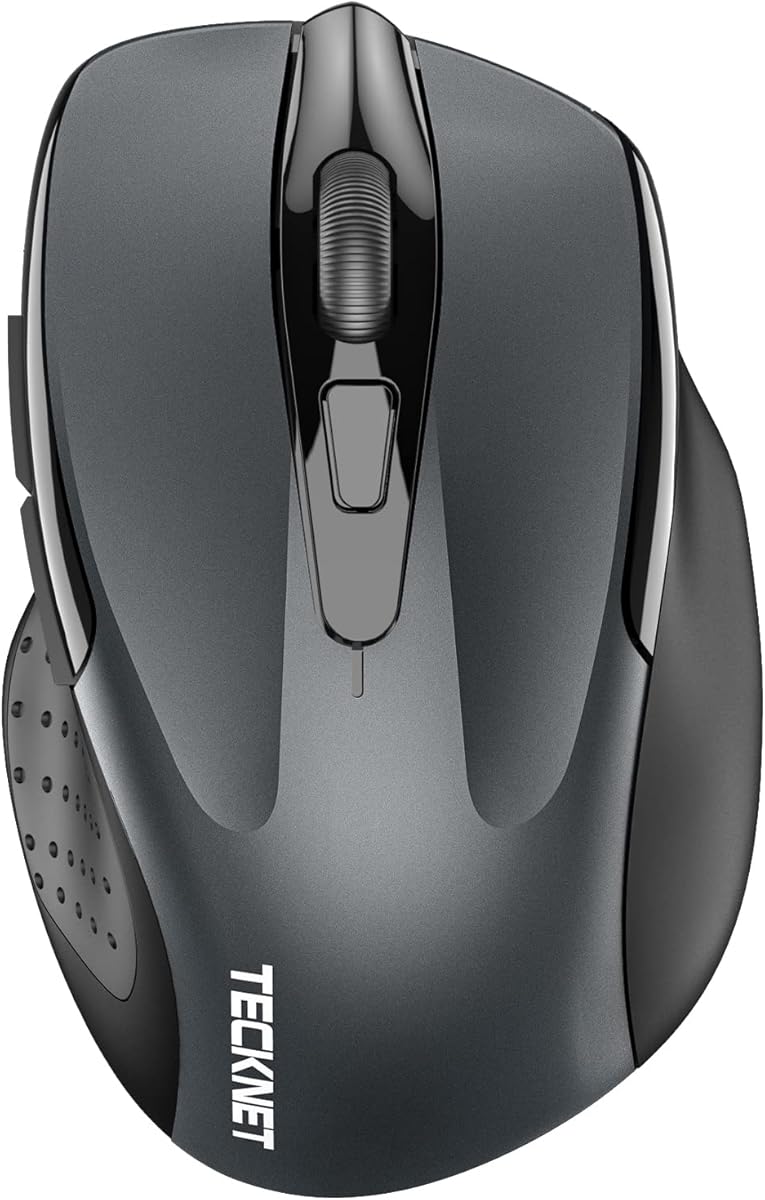
The TECKNET Compact Wireless Mouse is tailored for users with smaller hands who need a snug fit. With a 4.6 rating its mint green color and compact dimensions ensure optimal comfort and control. The soft click mechanism reduces noise making it suitable for quiet environments. It also offers three adjustable DPI levels to match different workflow needs.
We may earn a commission when you buy through this link, at no additional cost to you.
Its USB receiver stores inside the mouse compartment keeping everything together during travel. The 15-month battery life supports long-term use without interruptions. Compatibility with Windows and Mac systems ensures versatility across different platforms. The design prioritizes ease of use and portability over complex features.
While the size limits space for wrist support the lightweight build aids in reducing hand fatigue during short sessions. The unique color adds a personal touch that stands out from standard black or grey models. This makes it a great option for students or casual users looking for style and simplicity.
We recommend this mouse for anyone seeking a colorful and comfortable option for small to medium hands. Its affordability and reliable connectivity make it a practical choice. If you need a portable mouse that feels natural in your hand this TECKNET model delivers comfort and value effectively.
The compact size makes it the best mouse for kids and people with small hands while the portable design ensures easy storage in a bag for traveling.
Responsive buttons and scroll wheel provide very soft click with less noise no more disturbing others and bring you comfortable using experience.
We may earn a commission when you buy through this link, at no additional cost to you.
The Logitech M330 Silent Plus delivers exceptional quiet performance with a 4.5 rating. Its SilentTouch Technology reduces clicking sounds by over 90 percent ensuring a peaceful workspace. The contoured plastic grips are designed for long-lasting comfort making it ideal for right-handed users who need silent navigation. The 18-month battery life keeps it running with minimal interruptions.
We may earn a commission when you buy through this link, at no additional cost to you.
Plug and play setup ensures compatibility with most operating systems including Windows macOS ChromeOS and Linux. The wireless range extends up to 33 feet allowing flexible movement across your workspace. Despite its focus on silence it maintains high-performance precision and smart cursor control on most surfaces for reliable daily use.
The right-handed shape may limit use for left-handed individuals. Additionally the lack of side buttons reduces customization options compared to gaming mice. However for office settings or libraries where silence is essential these trade-offs are acceptable. The design balances comfort and quietness effectively for general productivity tasks.
We recommend this mouse for shared workspaces or home offices where noise is a concern. Its ergonomic shape and battery life make it a practical choice for daily users. If you need a silent and comfortable wireless mouse for your Dell laptop this M330 offers reliable performance without the distraction of loud clicks.
Logitech's SilentTouch Technology reduces over 90 percent of clicking sounds ensuring top performance while contributing to a quieter working environment.
Designed with naturally shaped contoured plastic grips the M330 SILENT wireless mouse is built for long-lasting comfort and functionality for right-handed users.
We may earn a commission when you buy through this link, at no additional cost to you.
The TECKNET Wireless Mouse BT offers versatile dual connectivity with a 4.5 rating. It supports both Bluetooth 5.0 and USB A connections allowing seamless switching between two devices. The six adjustable DPI levels provide precise control for detailed work or swift browsing. Silent clicks ensure a tranquil experience ideal for offices and libraries.
We may earn a commission when you buy through this link, at no additional cost to you.
Its ergonomic design enhances comfort during extended use while the automatic sleep technology extends battery life significantly. Compatibility across Windows macOS Chrome and Linux makes it a universal choice. The compact shape suits small to medium hands well although side buttons may not function on macOS systems.
While it requires two AAA batteries the extended lifespan reduces maintenance. The sliding switch between connections is intuitive and fast making multitasking easy. Users seeking a flexible mouse that works across multiple devices will find this model highly practical. Its performance balances connectivity and silence effectively.
We recommend this mouse for multi-device users needing quiet and responsive control. Its high DPI and silent operation make it suitable for varied tasks. If you want to connect and switch between laptops and tablets effortlessly this TECKNET model delivers reliability and comfort for your Dell laptop setup.
Enjoy the ease of our wireless mouse capable of Bluetooth and USB A connections to switch between two devices with a slide of a button.
Experience the tranquility of this silent mouse ensuring whisper-quiet clicks ideal for settings like libraries and offices where quiet is essential.
We may earn a commission when you buy through this link, at no additional cost to you.
The TECKNET Wireless Mouse Rechargeable offers an eco-friendly solution with a 4.6 rating. It eliminates disposable batteries by providing a rechargeable system that lasts three months on a single charge. The dual connectivity options support seamless switching between devices. Silent clicks and six DPI levels ensure versatile and quiet performance for daily tasks.
We may earn a commission when you buy through this link, at no additional cost to you.
Charging takes only 1.5 to 2 hours with the included cable. The battery indicator warns you when levels are low though connection may become unstable at that point. Its ergonomic design suits small to medium hands comfortably while the sliding switch simplifies device management. This model reduces waste and costs over time.
While not optimized for very large hands the compact build makes it easy to carry. The silent operation and high DPI precision make it suitable for office and creative work. Users who want to avoid frequent battery replacements will appreciate the long cycle life and sustainability benefits.
We recommend this mouse for environmentally conscious users needing reliable wireless performance. Its rechargeable feature and connectivity options make it a practical choice. If you want a sustainable silent mouse that fits easily into your workflow this TECKNET model delivers convenience and efficiency for your Dell laptop.
Our bluetooth mouse for laptop is rechargeable taking only 1.5 to 2 hours to fully charge to deliver 3 months of use with daily hours.
Enjoy a noiseless experience with this silent mouse designed to provide quiet operation making it suitable for environments where silence is appreciated.
We may earn a commission when you buy through this link, at no additional cost to you.
Selecting the right external mouse depends on several key factors that affect your daily workflow and comfort. This section breaks down what to consider to ensure you pick the perfect match for your needs.
Wireless mice use either Bluetooth or a 2.4GHz USB receiver. Bluetooth offers cleaner setup with fewer dongles while USB receivers provide stronger stability for gaming or older laptops. Check your Dell laptop ports to decide which works best.
Choose Bluetooth for sleek setups or USB for reliable low-latency connections depending on your usage patterns.
Look for models offering at least 12 to 24 months of battery life to reduce frequent replacements. Rechargeable models eliminate battery waste but require regular charging cycles to maintain usage. Always check the manufacturer's claims against real-world usage tests.
Prioritize long-lasting battery or rechargeable features to minimize maintenance and keep working without interruptions.
An ergonomic shape reduces strain during long work sessions by supporting your hand's natural position. Consider hand size and whether you prefer a right-handed or ambidextrous design. Contoured grips and soft materials enhance comfort significantly over time.
Select a mouse that fits your hand size and shape to prevent fatigue during extended use.
DPI determines cursor sensitivity and adjustability helps adapt to different screen resolutions or tasks. Higher DPI is useful for large monitors while lower DPI aids precision. Ensure the sensor tracks smoothly on your typical surface types.
Look for adjustable DPI levels to match your workflow needs for precision work or fast navigation.
Programmable buttons can streamline workflows by mapping shortcuts for copy paste or app switching. Check if software is included for customization and compatibility with your operating system. More buttons offer versatility but can clutter basic setups.
Choose a mouse with enough buttons to support your productivity tasks without complicating the interface.
Silent click technology reduces noise making it ideal for shared offices or libraries. Standard buttons may be louder and distract others or break your focus. Check product descriptions for SilentTouch or similar features to ensure quiet usage.
Pick a silent model if you work in quiet environments to maintain discretion and comfort.
Ensure the mouse supports your operating system whether Windows Mac or Linux for full functionality. Some advanced features may require specific software that might not work universally. Always verify driver requirements before purchasing to avoid setup issues.
Confirm OS compatibility to guarantee all features work seamlessly with your Dell laptop system.
A solid build quality ensures longevity while warranty coverage protects against defects. Look for models with extended warranties or exchange services to handle potential issues. Check customer reviews for insights on long-term reliability and common failure points.
Opt for products with strong warranty support to ensure peace of mind and lasting value.
Start by connecting your mouse via Bluetooth or USB receiver. Pairing usually happens instantly but check system settings if delays occur. Ensure the power switch is on for wireless models to activate the connection properly.
Clean your mouse regularly with a soft dry cloth to remove dust and oils. Avoid liquids on sensors or buttons to prevent damage. Check the sensor surface for debris that could cause tracking issues during movement.
Update drivers or software if provided by the manufacturer to optimize performance. For rechargeable models charge fully before first use to maintain battery health. Store the mouse in a dry cool place when traveling to prolong its lifespan.
Yes absolutely you can use any compatible USB or Bluetooth mouse with your Dell laptop regardless of brand. Modern operating systems support universal standards so functionality remains consistent. Just ensure the drivers and protocols match your system requirements for full performance.
The best wireless mice offer between 12 to 36 months on a single set of batteries. Rechargeable models should provide at least 2 to 3 months per charge cycle. Longer battery life means less maintenance and fewer interruptions to your workflow.
Clean the optical sensor lens and the surface beneath the mouse to remove dust or debris. Ensure you are using a flat non-reflective surface for optimal tracking. Updating drivers or checking power settings can also resolve intermittent issues.
Silent mice are designed to be as durable as standard models but rely on special mechanisms that may have different wear patterns. Most reputable brands test these extensively to ensure longevity remains comparable. Check warranty terms to confirm build quality expectations.
Most external mice work plug and play without installing additional software. However software can unlock customization options like button mapping or DPI settings. If you need advanced features check the product page for required applications and compatibility.
Look for ambidextrous designs that are symmetrical and comfortable for both hands. Avoid right-handed ergonomic models as they can cause discomfort for left-handed users. The Logitech M185 Compact is one option that works well for both hand types.
We have reviewed ten top external mice tailored for Dell laptops ranging from budget-friendly wired options to advanced wireless models with silent features. Each pick balances performance comfort and connectivity to suit different workflows and needs effectively.
Prioritize ergonomic design and battery longevity if you work long hours. For productivity consider programmable buttons and dual connectivity options. Ultimately the best choice depends on your specific comfort preferences and workspace requirements.
Always check current prices and availability as they can change quickly. Verify compatibility with your specific Dell model to ensure seamless integration. With these insights you can confidently select a mouse that enhances your computing experience.