
WD 2TB My Passport
4.6Editor score
Password Protection and Hardware Encryption
Included Backup Software
Slim Durable Portable Design
This guide compares the top encrypted secure external hard drives available in October 2026, focusing on hardware encryption, durability, and FIPS compliance.
Secure data storage is essential for protecting sensitive information from unauthorized access. Hardware encrypted drives offer robust protection through military-grade encryption standards without relying on software.
We evaluated ten top-rated external drives based on encryption strength, build quality, and usability. Each option provides unique features tailored to different security needs and usage scenarios.
Each selection highlights key strengths and potential trade-offs to help you choose wisely. Prices and availability may change, so verify details before making your final purchase decision today.
4.6Editor score

4.5Editor score

4.8Editor score
The following table provides a side-by-side comparison of all ten encrypted secure external hard drives evaluated in this guide. Review the specifications to find the model that best fits your security and storage requirements.


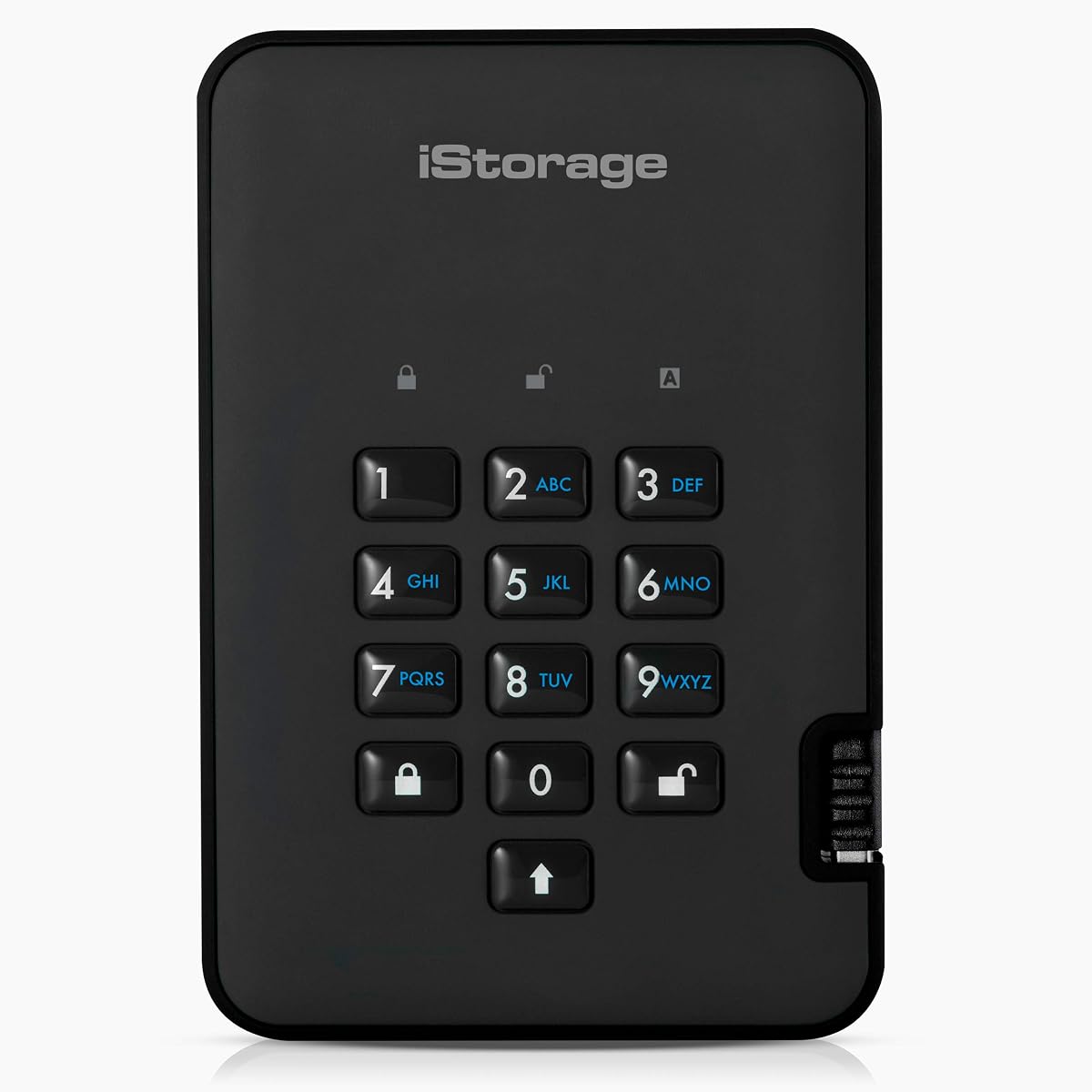

The Apricorn 1TB Aegis Padlock stands out as a top choice for secure data storage. It combines military-grade encryption with a durable design that resists physical tampering attempts.
We may earn a commission when you buy through this link, at no additional cost to you.
Its FIPS PUB 197 validated encryption ensures data remains safe even if the drive is stolen. The keypad allows PIN access without needing admin rights or installed software on your computer.
While the keypad entry is slower than password prompts, it offers unmatched security against remote attacks. The brute force self-destruct feature adds an extra layer of protection for critical data.
Ideal for professionals traveling with sensitive files, this drive balances security and portability. Choose this if you need reliable hardware encryption without relying on software tools.
The drive manages encryption internally meaning no drivers are needed for use across different operating systems.
Tough epoxy coating seals the drive against physical attacks and environmental damage during transport.
We may earn a commission when you buy through this link, at no additional cost to you.
This fortress model delivers robust security with FIPS 140-2 Level 2 validation. It is designed for users who need verified compliance for regulated data handling and storage.
We may earn a commission when you buy through this link, at no additional cost to you.
The integrated USB cable is a thoughtful touch that prevents losing adapters. The keypad ensures only authorized users can access the drive without external software dependencies.
Though it lacks advanced software tools, the hardware encryption is sufficient for most enterprise needs. The US manufacturing adds confidence in build quality and supply chain integrity.
Choose this drive if you need verified security compliance and a reliable portable solution. It is well-suited for business environments requiring strict data protection measures.
FIPS 140-2 Level 2 validation meets government standards for cryptographic module security requirements.
An integrated cable ensures you always have the right connection available without carrying extras.
We may earn a commission when you buy through this link, at no additional cost to you.
With FIPS Level 3 validation, this drive offers the highest security rating available for portable storage. It is ideal for organizations handling highly sensitive or classified information.
We may earn a commission when you buy through this link, at no additional cost to you.
The 5TB capacity provides ample space for large backups while maintaining hardware encryption. Admin and user modes allow controlled access and configuration management.
Read-only modes add flexibility for scenarios where data modification is not required. The rugged design ensures durability in demanding environments.
Select this drive if you need top-tier security and high capacity. It is best suited for government or enterprise use requiring strict access controls.
FIPS Level 3 validation provides tamper-evident security features for sensitive data protection.
Admin and user modes separate permissions to prevent unauthorized changes to drive settings.
We may earn a commission when you buy through this link, at no additional cost to you.
The WD My Passport is a popular choice for users seeking secure storage at an accessible price. It includes hardware encryption and password protection to keep files private.
We may earn a commission when you buy through this link, at no additional cost to you.
Included backup software helps defend against ransomware and simplifies data management. The slim design makes it easy to carry in a laptop bag.
While it relies on software for some features, the hardware encryption provides a solid security baseline. This model balances cost and performance for everyday users.
Pick this drive if you want reliable protection without a premium price tag. It is great for personal backups and general secure storage needs.
Included software offers protection against malware that targets backup files for encryption.
The slim form factor fits easily in pockets and bags for convenient transport.
We may earn a commission when you buy through this link, at no additional cost to you.
This 5TB model offers extensive storage for media and documents with secure password protection. It is designed for users who need to store large amounts of data safely.
We may earn a commission when you buy through this link, at no additional cost to you.
Hardware encryption keeps files safe while the management software helps organize backups efficiently. The 3-year warranty provides peace of mind for long-term use.
While it requires software installation for full features, the interface is intuitive for most users. It balances capacity and security for home or office backups.
Choose this drive for large backup needs with basic security features. It is ideal for storing photos, videos, and important files privately.
5TB space accommodates extensive media libraries and backups without needing multiple drives.
A 3-year limited warranty covers defects ensuring reliability for critical data storage.
We may earn a commission when you buy through this link, at no additional cost to you.
The DT model allows for advanced configuration with separate admin and user modes. This flexibility supports multi-user environments while maintaining secure data access controls.
We may earn a commission when you buy through this link, at no additional cost to you.
The Aegis Configurator lets administrators customize security settings and brute force defenses. Data recovery PINs ensure you can regain access if the main PIN is forgotten.
While the setup process is more involved than simple password drives, the control is worthwhile for business use. It offers a balance of security and usability for teams.
Select this drive for environments needing customizable access levels. It is well-suited for shared devices where different security tiers are necessary.
Admins can tailor brute force defenses and access policies to fit organizational security policies.
Recovery PINs prevent permanent lockouts while maintaining overall device security integrity.
We may earn a commission when you buy through this link, at no additional cost to you.
Designed for desktop use, this drive offers a robust aluminum enclosure for maximum protection. It provides hardware encryption without relying on software or external servers.
We may earn a commission when you buy through this link, at no additional cost to you.
The TAA compliance and US manufacturing make it suitable for government procurement and regulated environments. The keypad ensures only authorized users can access stored data.
While it is bulkier than portable drives, the durability and security features justify the design. It is a reliable choice for stationary secure backups.
Choose this drive for desktop setups requiring high security. It is ideal for offices needing fixed secure storage solutions.
Compliance ensures eligibility for government procurement contracts and regulated data storage.
Solid aluminum protects internal components from physical damage and heat.
We may earn a commission when you buy through this link, at no additional cost to you.
The diskAshur2 is engineered to withstand harsh environments with IP56 dust and water resistance. It is perfect for fieldwork or outdoor use where standard drives might fail.
We may earn a commission when you buy through this link, at no additional cost to you.
Hardware encryption requires no software ensuring compatibility across Windows, macOS, Linux, and other systems. The secure microprocessor adds verified protection against advanced threats.
Though it is heavier, the durability is unmatched for tough conditions. The 160MB/s read speeds provide fast access to critical files when needed.
Select this drive for outdoor or industrial use requiring rugged security. It is ideal for professionals working in challenging environments.
IP56 certification means the drive can survive dust and water splashes without damage.
No drivers needed allows use on any system with a USB port.
We may earn a commission when you buy through this link, at no additional cost to you.
This premium SSD combines top-tier FIPS 140-3 validation with fast storage speeds. The touchscreen allows easy setup without needing a computer connection.
We may earn a commission when you buy through this link, at no additional cost to you.
TAA compliance ensures it meets strict government standards for security and procurement. Remote management via SafeConsole adds advanced oversight for enterprise deployments.
While expensive, the hardware and security features justify the investment for critical data. It is a high-performance choice for secure mobile workstations.
Choose this drive for enterprise security requiring maximum compliance and speed. It is best for organizations managing sensitive infrastructure data.
Interactive setup on the drive itself simplifies configuration without external devices.
Solid-state technology provides faster access times and greater durability.
We may earn a commission when you buy through this link, at no additional cost to you.
The 4TB SSD version delivers exceptional speed for secure storage needs. It combines high capacity with the proven Aegis security platform for reliable protection.
We may earn a commission when you buy through this link, at no additional cost to you.
With speeds up to 350 MBPS, large file transfers complete quickly. The separate admin and user modes provide flexibility for multi-user environments.
The keypad design ensures hardware encryption without software dependencies. This makes it versatile for use across different operating systems and networks.
Select this drive for high performance and security requirements. It is ideal for media professionals needing secure fast portable storage.
SSD performance ensures large files are backed up quickly without bottlenecks.
Admin and user modes allow shared usage while keeping sensitive data protected.
We may earn a commission when you buy through this link, at no additional cost to you.
Selecting the right encrypted drive requires evaluating encryption standards, build quality, and usability. This guide helps you understand key factors to consider for your specific needs.
Look for drives that use FIPS validated encryption such as FIPS 140-2 or 140-3. These standards ensure the cryptographic module meets government security requirements for data protection.
Higher validation levels offer stronger guarantees against advanced threats and unauthorized access attempts.
Hardware encryption encrypts data using built-in chips independent of your operating system. This avoids vulnerabilities associated with software-based encryption that can be bypassed by malware.
Choose hardware drives for maximum security especially when using shared or untrusted computers.
Rugged drives feature reinforced casings and shock resistance to protect data in transport. Some models include dust and water resistance ratings like IP56 or IP64 for outdoor use.
Prioritize rugged designs if you plan to carry the drive in challenging environments.
Key keypad PIN entry offers physical security but can be slower than password prompts. Ensure the keypad is wear resistant and the PIN recovery process is secure.
Some drives offer multiple access levels like admin and user modes for better organization.
Select capacity based on your data volume needs ranging from 1TB to 5TB or more. SSD models provide faster speeds than HDDs for large file transfers.
USB 3.0 or higher connectivity ensures you utilize the drive's full transfer potential.
Organizations may need drives compliant with TAA or FIPS regulations for procurement. Verify that the product meets your industry or government standards before purchase.
Check product documentation for specific compliance certifications to avoid procurement issues.
Ensure the drive works across your devices like Windows macOS Linux and mobile systems. Some drives require no software making them universally compatible out of the box.
OS independent drives simplify backups across mixed environments without driver hassles.
A reliable warranty protects your investment and indicates manufacturer confidence in product quality. Look for support options like replacement services for critical data drives.
Choose brands with strong reputations for reliability and responsive customer support teams.
Always enter your PIN correctly when connecting the drive. Most drives will reset after multiple incorrect attempts so keep your recovery PINs secure and accessible.
Store the drive in a cool dry place away from direct sunlight. Excessive heat can reduce the lifespan of internal components and affect encryption security.
Back up data regularly and keep one copy in a different location. Regular backups ensure you can recover files if the drive is lost or damaged unexpectedly.
Hardware encryption uses built-in processors to encrypt data without relying on software. It provides stronger security than software methods because it cannot be bypassed by malware or OS vulnerabilities.
Many modern drives work without drivers or software installation. They encrypt data automatically via the hardware allowing use on any device with a USB port.
FIPS 140-2 is a standard for validating cryptographic modules. Drives with this certification meet government security requirements making them suitable for regulated environments.
Some drives offer recovery PINs for reset purposes but these must be stored securely. If recovery options are unavailable and PIN is lost data may be unrecoverable.
SSDs are faster and more durable than HDDs which benefits encrypted drives. However, they often cost more so consider your speed and budget needs before choosing.
Use a soft dry cloth to wipe the keypad gently. Avoid liquids or abrasive cleaners that could damage the surface or affect the key sensors.
The top picks in this guide offer reliable security for different needs ranging from budget options to premium SSDs. The Apricorn models lead in hardware encryption while WD provides user-friendly alternatives.
Prioritize encryption standards and build quality over capacity if data security is your main concern. Look for FIPS validation and hardware encryption to ensure your files stay safe.
Prices and availability change regularly so verify current specs before purchasing. Check user reviews and support policies to confirm the drive meets your requirements.