Plugable Thunderbolt 5 AI
5.0Editor score
850W ATX 3.1 PSU
Privacy-focused AI computing
96W host charging
This guide compares the top 10 Egpu Enclosures for 2026, evaluating performance, connectivity, and power options to help you choose the right external GPU
External GPU enclosures transform thin laptops into powerful desktops by housing full-size graphics cards. These devices connect via Thunderbolt or USB4 to deliver massive graphics boosts for gaming and creative work.
We evaluated ten leading models based on bandwidth, power capacity, compatibility, and build quality. Our analysis covers Thunderbolt 5, 4, and USB4 options to ensure you find the perfect match for your system.
Each pick highlights specific strengths like AI readiness, portability, or maximum wattage support. Remember that product availability and pricing change frequently, so verify details before purchasing your ideal enclosure.
5.0Editor score

4.0Editor score

3.8Editor score
Compare key specifications across all ten models to see which enclosure offers the best balance of speed, power, and value for your specific needs.


The Razer Core X V2 leads our list with its modern Thunderbolt 5 support and massive GPU compatibility. It earns an Editor's Choice badge for balancing performance and ease of use effectively.
We may earn a commission when you buy through this link, at no additional cost to you.
Its 4-slot width accommodates the largest desktop graphics cards without bending or cutting. The included 140W USB-C power delivery keeps your laptop charged while you game or create.
The steel chassis uses active cooling to manage heat efficiently under heavy loads. This prevents throttling and maintains consistent performance during extended sessions.
It is the best pick for users who want future-proof speed and maximum GPU flexibility without complex setup steps or external power adapters.
Thunderbolt 5 offers double the bandwidth of previous generations for smoother workflows.
Tool-free installation makes swapping GPUs quick and hassle-free for any user.
We may earn a commission when you buy through this link, at no additional cost to you.
The Sonnet Breakaway Box 850 T5 is designed for users who need maximum power and connectivity. Its premium build quality and high wattage support justify its position as a top-tier choice.
We may earn a commission when you buy through this link, at no additional cost to you.
An 850W power supply ensures even the most demanding GPUs run without strain. This headroom allows for future upgrades without needing a new enclosure.
The built-in dock adds extra USB and Ethernet ports to turn the enclosure into a hub. This reduces cable clutter and keeps your workspace organized.
Buy this if you require the highest performance and want to eliminate extra docking stations entirely.
Ideal for rendering, color grading, and AI tasks needing stable power and bandwidth.
Built-in peripheral ports save space and simplify your desktop setup.
We may earn a commission when you buy through this link, at no additional cost to you.
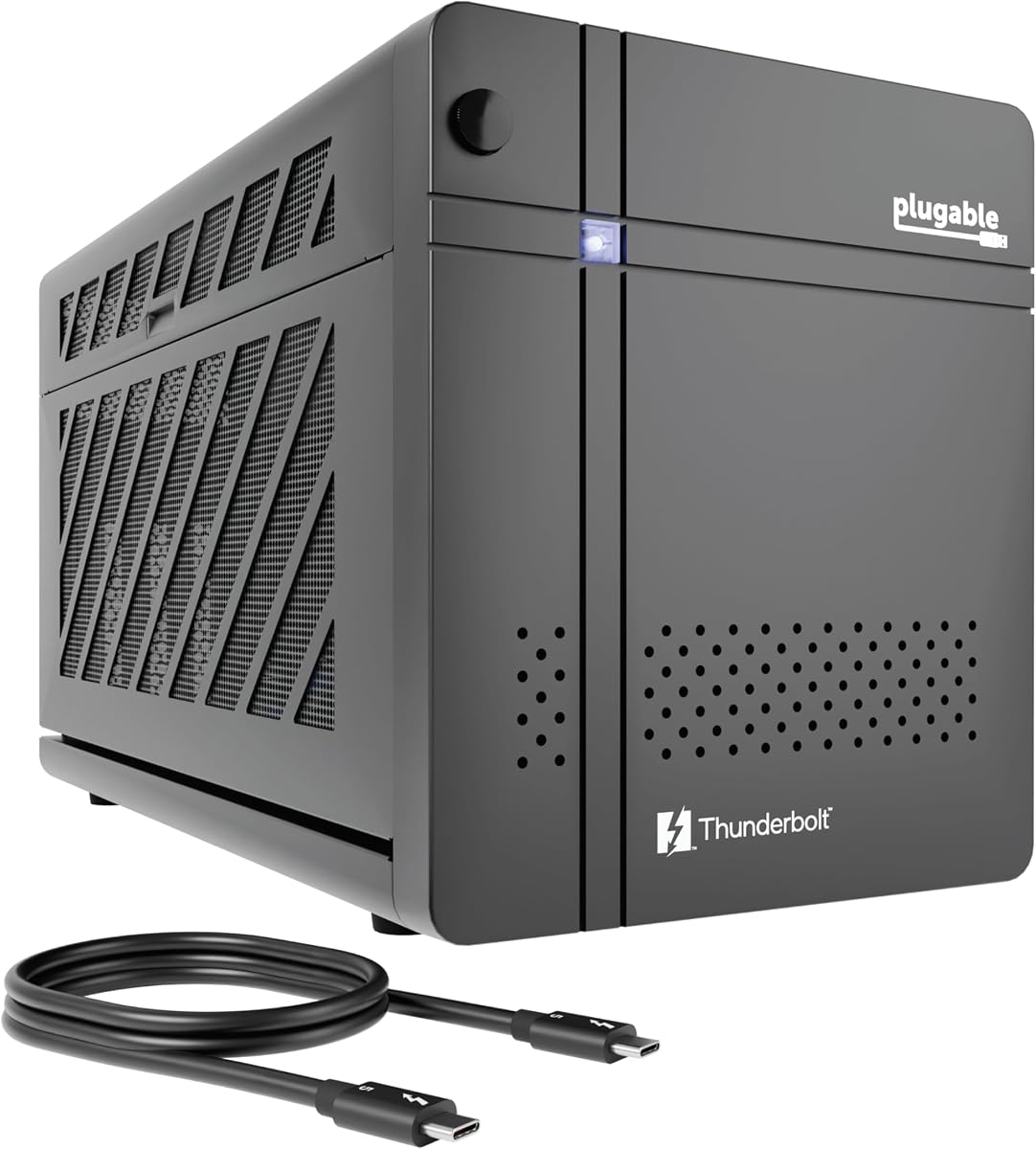
The Plugable Thunderbolt 5 AI enclosure is unique for its focus on local, private AI computing. It achieves a perfect 5.0 rating for reliability and specialized features for developers and researchers.
We may earn a commission when you buy through this link, at no additional cost to you.
Running AI models like Llama 3 on-premises ensures your data stays within your control. This eliminates subscription fees and protects sensitive information from cloud exposure.
It includes 96W charging and robust Ethernet for reliable office connectivity. The modular design scales easily as your workflow needs change over time.
This enclosure is the smart choice for anyone prioritizing data privacy and needing powerful local inference capabilities.
Keep your prompts and results private by avoiding external servers entirely.
Lifetime support and high-quality hardware ensure long-term stability and trust.
We may earn a commission when you buy through this link, at no additional cost to you.
This complete kit offers an all-in-one solution for users needing a reliable external graphics setup quickly. It balances affordability with essential features like included power and cable management.
We may earn a commission when you buy through this link, at no additional cost to you.
The aluminum shell protects components while keeping the unit light for travel. A custom carrying case ensures you can take your setup on the road without worry.
It supports up to 8.07-inch GPUs which covers many mid-range options. The single cable connection simplifies setup significantly compared to DIY options.
Ideal for travelers or students who need a quick boost without spending time assembling parts.
Everything needed is included in the box for immediate use.
Lightweight build and case make it easy to move around.
We may earn a commission when you buy through this link, at no additional cost to you.
The ANQ-L336 Mini is designed for smaller setups and handheld gaming devices. It provides a flexible alternative for users who need support beyond standard laptop connections.
We may earn a commission when you buy through this link, at no additional cost to you.
It accepts ATX, SFX, or DC power supplies giving you options based on what you have. The 85W PD charging helps maintain battery life on portable devices like the ROG Ally.
While not as powerful as full-size units, it offers excellent value for light use. Mac compatibility is a notable benefit compared to many other options.
Choose this if you have limited desk space or use handhelds as your main gaming machine.
Use various power supplies you already own instead of buying a new one.
Supports macOS users who need external graphics for their workflow.
We may earn a commission when you buy through this link, at no additional cost to you.
The VK-Y900 offers a straightforward external graphics solution for standard laptops. It focuses on compatibility and simplicity for everyday creative or gaming tasks.
We may earn a commission when you buy through this link, at no additional cost to you.
A single cable connects data and power reducing the mess of multiple adapters. The DisplayPort output allows direct monitor connection without routing through the laptop.
It uses a certified controller to ensure stable data transfer. While less feature-rich, it provides reliable performance for moderate workloads.
Best for users who want a clean, simple setup without paying for extra docking features.
Connect monitors directly to the enclosure for better performance.
Single cable solution keeps your workspace tidy and organized.
We may earn a commission when you buy through this link, at no additional cost to you.
The Sonnet Breakaway Box 750ex is a solid choice for users with older Thunderbolt 3 systems. It delivers reliable performance and power for graphics acceleration.
We may earn a commission when you buy through this link, at no additional cost to you.
It includes extra USB ports and Ethernet which is rare for Thunderbolt 3 units. This helps expand connectivity without needing another dock.
Mac compatibility makes it useful for older macOS laptops that support external GPUs. It is a dependable workhorse for professional creative environments.
Consider this if you have Thunderbolt 3 hardware and need a proven, reliable solution.
Extra ports help you connect peripherals directly to the enclosure.
A trusted brand ensures long-term stability and performance.
We may earn a commission when you buy through this link, at no additional cost to you.
This Mini enclosure is ideal for users who enjoy customizing their own hardware setup. It offers flexibility in power and connectivity at a budget-friendly price.
We may earn a commission when you buy through this link, at no additional cost to you.
It supports multiple power supply sizes allowing you to choose what fits your needs. The downstream ports help attach more devices to your system easily.
While it requires some technical know-how, the results are worth the effort for enthusiasts. It is a practical option for those comfortable with hardware configuration.
Great for hobbyists who want full control over their enclosure and power components.
Choose any compatible power supply to match your GPU requirements.
Downstream ports allow for future expansion of your setup.
We may earn a commission when you buy through this link, at no additional cost to you.
The MINISFORUM DEG2 stands out with its dual USB4 and OCuLink modes for flexibility. It is designed for users who want both speed and storage in one package.
We may earn a commission when you buy through this link, at no additional cost to you.
An M.2 NVMe slot lets you store large project files directly on the dock. This reduces load times and keeps your workflow seamless during work.
A hardware switch lets you toggle between docking and pure performance modes easily. The re-drive booster minimizes latency during heavy tasks.
Perfect for advanced users who need both maximum speed and extra storage capacity.
Store projects locally on the dock to avoid network transfers.
Choose between USB4 convenience or OCuLink raw performance.
We may earn a commission when you buy through this link, at no additional cost to you.
This External enclosure offers a complete travel-friendly solution for graphics acceleration. It includes all necessary cables and power for immediate setup anywhere.
We may earn a commission when you buy through this link, at no additional cost to you.
The included case ensures your equipment is safe during transit. Its lightweight design makes it easy to carry between home and office.
It provides solid performance for mid-range GPUs without unnecessary bulk. This makes it an ideal companion for laptops used on the go.
Buy this if you need a dependable graphics boost that fits in your backpack.
All cables and power included so you do not need extra purchases.
Case and design make it easy to move without damage.
We may earn a commission when you buy through this link, at no additional cost to you.
Selecting the right enclosure requires matching your laptop interface and GPU size to the model's capabilities.
Thunderbolt 5 offers 80Gbps speeds ideal for high-end graphics work. Older 40Gbps units may bottleneck top tier GPUs. Check your laptop supports the specific standard.
Prioritize TB5 for future-proofing performance and maximum bandwidth.
High-end GPUs often need 500W to 850W power. Ensure the PSU covers your card plus a safety margin. Inadequate power risks unstable performance.
Check wattage ratings to match your intended GPU requirements.
Enclosures vary in width limits from slim to 4-slot. Verify your GPU length and height fit inside the chassis. Oversized cards will not fit securely.
Always measure your card against the enclosure dimensions before buying.
Some models support macOS while others restrict to Windows. Apple Silicon M1 chips do not support external GPUs. Ensure compatibility before purchasing.
Confirm OS support based on your specific laptop operating system.
Some enclosures include extra USB ports and Ethernet. This helps you save space on your desk. Others require a separate dock for peripherals.
Look for extra ports if you need expanded connectivity.
Active fans prevent thermal throttling under load. Variable speed fans reduce noise during light tasks. Good airflow ensures consistent performance over time.
Choose models with active cooling to avoid overheating.
Always check if the Thunderbolt cable is included in the package. Buying one separately adds cost and delay. Some kits come fully ready to use.
Look for included cables to save time and money.
Aluminum or steel housings protect components better than plastic. Durable materials extend the enclosure lifespan significantly. Portability often depends on weight and material.
Invest in robust build quality for long-term reliability.
Connect the enclosure to your laptop using the included Thunderbolt or USB4 cable first. Ensure the connection is firm to avoid data dropouts during use.
Install the latest graphics drivers for your installed GPU before running any heavy software. This prevents conflicts and ensures maximum performance stability.
Keep the vents clear of dust and debris to maintain proper airflow. Clean filters regularly to prevent overheating and extend the unit life.
You can use most standard PCIe desktop graphics cards provided they fit the physical dimensions. Check the slot width and power requirements against the enclosure specs before buying.
This often happens if the Thunderbolt port is not configured correctly. Check BIOS settings for external GPU support or update your firmware to fix connection issues.
No, the enclosure uses standard protocols requiring only GPU drivers. Ensure your graphics card drivers are updated for the best performance.
Many modern enclosures provide Power Delivery to charge your laptop. Check the wattage to ensure it meets your laptop charging needs while connected.
No, Mac devices with M1 or later chipsets do not support external GPUs. This limitation applies to both Thunderbolt 3 and 5 ports on these models.
Thunderbolt connections incur some bandwidth loss compared to internal PCIe slots. However, most users still see significant performance gains for gaming and rendering tasks.
Our top picks range from the versatile Razer Core X V2 to the specialized Plugable AI model. Each option serves different needs from gaming to private computing.
Prioritize compatibility and power requirements to ensure smooth operation with your chosen GPU. A well-matched setup delivers the best performance and longevity.
Remember to verify prices and availability before finalizing your purchase. Checking current deals helps you get the best value for your budget.