
MINISFORUM DEG1 Docking Station
4.5Editor score
Compact portable 14cm design
OCuLink 64Gbps interface
ATX SFX power compatible
Compare the top 10 Egpu Docks for performance and connectivity. This guide reviews specs, compatibility, and features to help you choose the right external GPU
External GPU docks transform laptops into desktop workstations by connecting powerful graphics cards. They offer flexibility for gamers, creators, and professionals needing more rendering power than portable devices provide.
We evaluated ten leading eGPU docks based on bandwidth, compatibility, and build quality. Our analysis covers Thunderbolt and OCuLink interfaces to highlight performance differences and real-world usability across various systems.
Each pick includes detailed specs and pros to help you decide. Prices and availability fluctuate, so verify current listings before purchasing to ensure you get the best value for your specific setup needs.
4.5Editor score

4.4Editor score

4.8Editor score
This side-by-side comparison highlights key specs for all ten reviewed docks. Use it to quickly identify which model matches your interface needs and performance requirements.


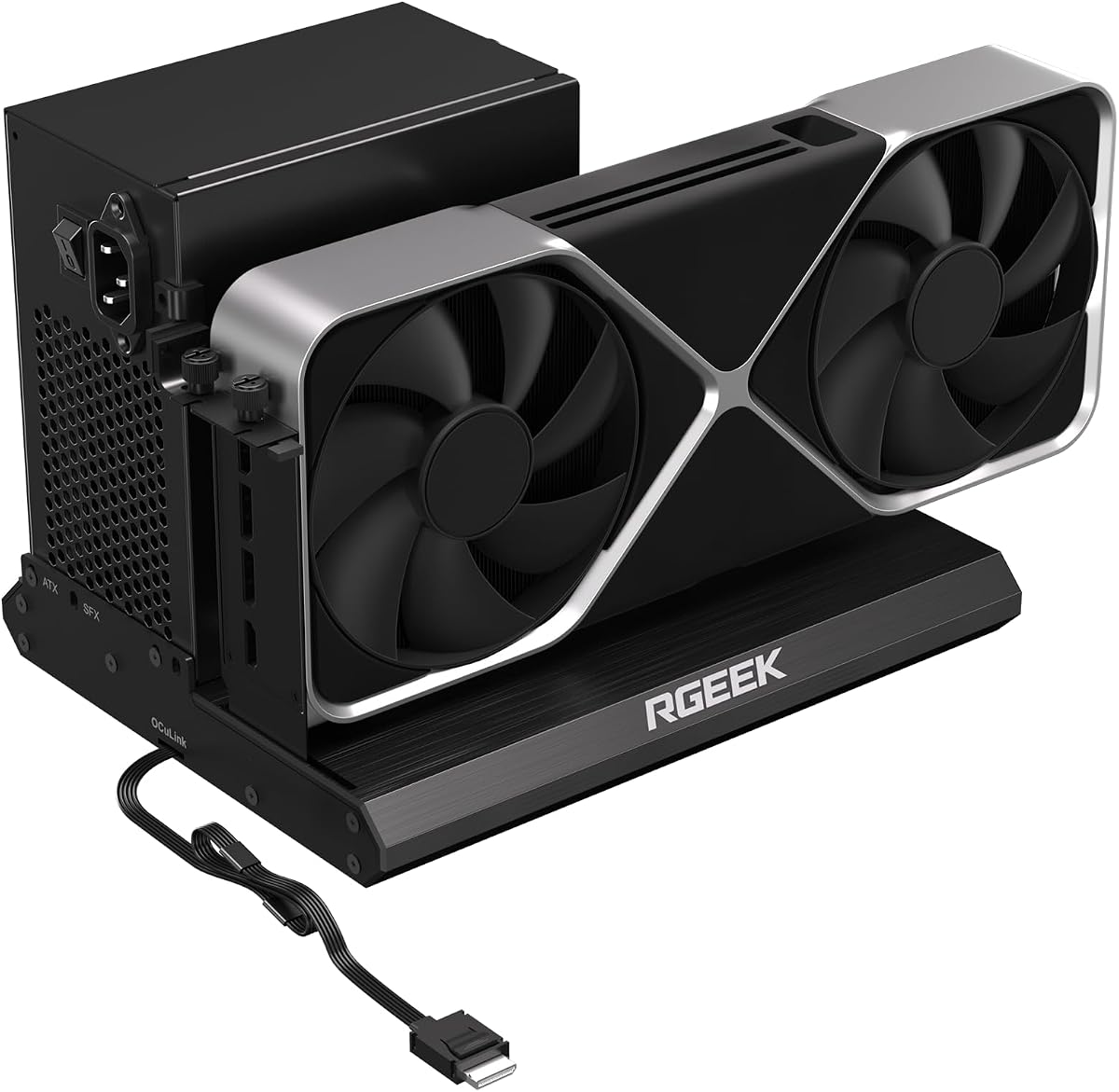
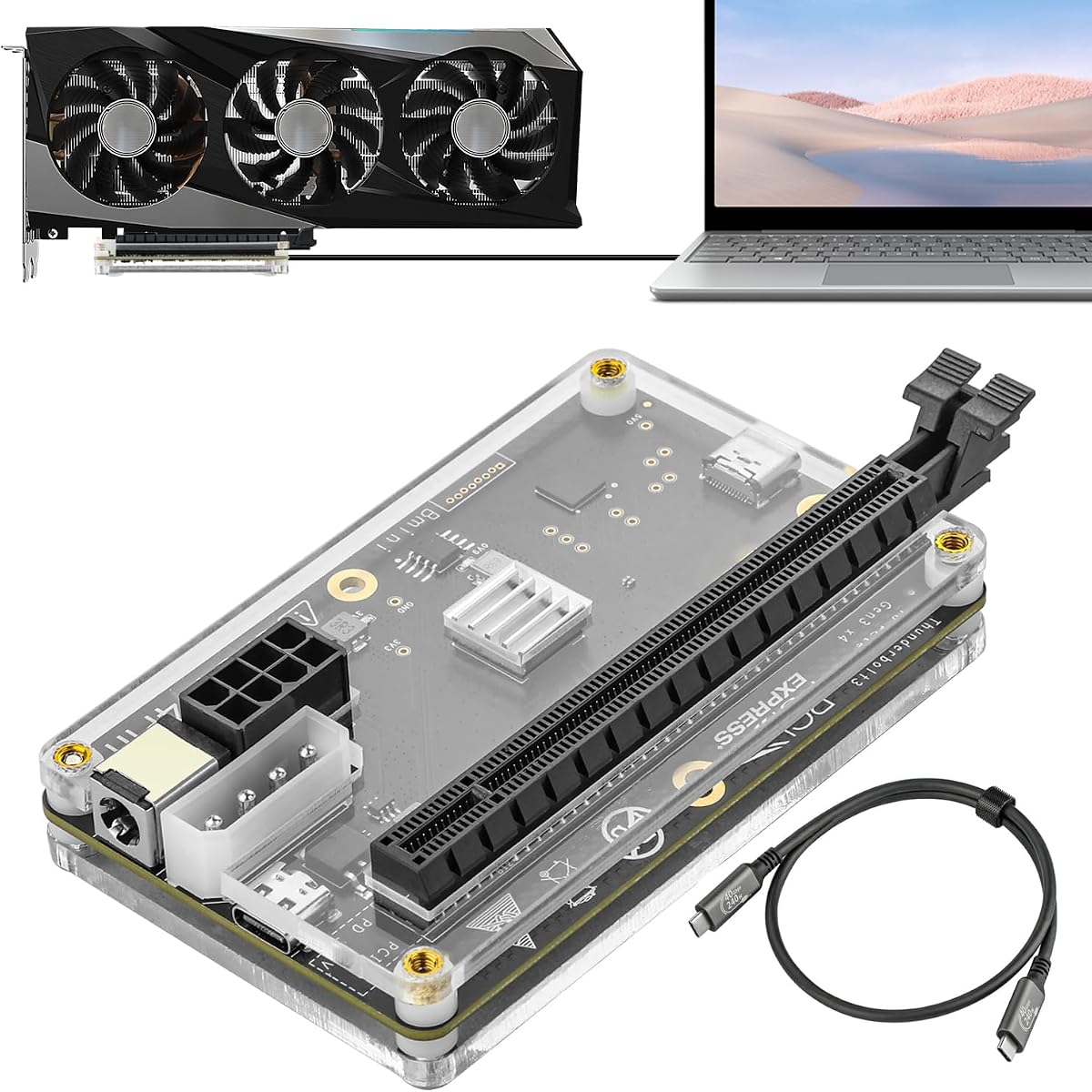


The MINISFORUM DEG2 stands out as the leading eGPU dock by offering dual-link USB4 V2 and OCuLink support. With a rating of 4.4, it balances speed and versatility for demanding tasks like LLM inference and 8K rendering.
We may earn a commission when you buy through this link, at no additional cost to you.
Its standout feature is the ability to switch between 80Gbps TB5 and 64Gbps OCuLink modes via a hardware toggle. The integrated M.2 NVMe slot allows direct storage of AI models, reducing latency during heavy workloads and keeping projects synchronized.
While it requires users to buy a GPU and power supply separately, the universal ATX and SFX support ensures flexibility. The single-cable workflow for data, display, and charging streamlines setups significantly, though the mode switch might confuse new users initially.
This dock is ideal for professionals needing high bandwidth and storage integration. If you want future-proof performance with minimal cable clutter, the DEG2 delivers exceptional value for desktop-grade GPU expansion.
The ability to switch between TB5 and OCuLink lets you match interface speed to your host device without changing cables or tweaking software settings manually.
An onboard M.2 2280 slot lets you store large AI models directly on the dock, speeding up access times and eliminating the need to transfer files between host and dock repeatedly.
We may earn a commission when you buy through this link, at no additional cost to you.
This variant of the DEG2 maintains a perfect 5.0 rating by refining connectivity. It includes the same dual-link architecture as the first pick but adds a dedicated 2.5G LAN port and USB 3.2 ports for broader peripheral support.
We may earn a commission when you buy through this link, at no additional cost to you.
The physical toggle for switching between TB5 and OCuLink simplifies workflow changes. Automatic power-on syncing with the host device removes manual startup steps, creating a seamless desktop-like experience for users.
While it does not work with MINISFORUM MS-02 Workstations, its compatibility with standard ATX and SFX power supplies makes it flexible. The rich port selection is excellent for networked environments needing stable Ethernet connections.
Buy this if you need extra networking options alongside GPU expansion. The high rating reflects reliability, making it a solid choice for setups requiring both high-speed data and robust network connectivity.
The built-in 2.5G LAN port allows for fast wired internet connections directly from the dock, reducing reliance on host Wi-Fi and improving stability for cloud rendering tasks.
Auto-on syncing ensures the dock powers up when your laptop does, providing a hassle-free workflow that mimics the convenience of an integrated desktop setup.
We may earn a commission when you buy through this link, at no additional cost to you.
The Razer Core X V2 brings Thunderbolt 5 technology to eGPU docks with 80Gbps bandwidth. Its 4.0 rating reflects solid build quality and broad compatibility with Windows laptops and gaming handhelds needing high-speed connections.
We may earn a commission when you buy through this link, at no additional cost to you.
Designed to fit up to 4-slot wide GPUs, it offers generous internal space for high-end cards. The tool-free installation using thumbscrews makes swapping graphics cards easy, while the steel chassis provides durability and airflow management.
Active cooling via a 120mm fan helps sustain performance under heavy loads like AAA gaming. However, Mac users with M1 or later chips cannot use it, and the lack of built-in GPU requires extra investment for full functionality.
Choose this dock for premium build quality and future-proof Thunderbolt 5 support. It is ideal for creators and gamers on Windows devices who want reliable cooling and easy hardware management.
Thunderbolt 5 delivers ultra-fast bandwidth up to 80Gbps, ensuring smooth performance for demanding creative apps and gaming without bottlenecks found in older interfaces.
A vented steel chassis with active cooling maintains stable performance during long sessions, preventing thermal throttling and protecting your expensive GPU components.
We may earn a commission when you buy through this link, at no additional cost to you.
The MINISFORUM DEG1 is the top budget choice at 14cm length, making it easy to carry in a backpack. With a 4.5 rating, it provides significant performance boosts without breaking the bank or sacrificing essential OCuLink speed.
We may earn a commission when you buy through this link, at no additional cost to you.
It supports PCIe 4.0 x4 transfer rates up to 64Gbps, ensuring smooth graphics processing for gaming and professional tasks. The Force Power On feature allows one-click switching between startup modes for stable system operation.
Hot plugging is not supported, so you must turn off the computer before unplugging, which adds minor friction. However, the locking mechanism prevents accidental disconnection, protecting the port from damage during transport.
This dock is perfect for travelers needing portable power upgrades. If you prioritize size and price while still wanting high-speed GPU connectivity, the DEG1 offers an excellent balance of value and functionality.
At just 14cm long, this dock fits easily in bags, allowing you to upgrade your laptop anywhere without carrying bulky equipment or sacrificing performance on the go.
The OCuLink connector uses a fixed locking mechanism that prevents forced plugging, safeguarding the port from damage and ensuring a stable connection every time you use it.
We may earn a commission when you buy through this link, at no additional cost to you.
This eGPU dock stands out with its ultra-thin 0.5mm flat OCuLink cable, reducing port damage risks common with rigid connectors. Its 4.4 rating reflects strong conductivity via gold-plated contacts and reliable 64Gbps transfer speeds.
We may earn a commission when you buy through this link, at no additional cost to you.
Multi-status LED indicators provide clear visual feedback for real-time device monitoring, helping you spot connection issues quickly. The enclosure design supports standard ATX power supplies only, keeping costs lower than SFX options.
While hot plugging is not supported, the flexible cable architecture minimizes interference and performance degradation. This makes it a durable choice for static setups where cable management and signal stability are top priorities.
Buy this if you prefer flexible cables and standard power units. It is well-suited for users who want simple installation and reliable connectivity without needing SFX PSU compatibility.
The ultra-thin flat cable design eliminates rigid port damage risks and allows easier cable routing, improving aesthetics and reducing stress on connectors during use.
Gold-plated contacts on the PCB ensure superior conductivity, reducing oxidation and resistance to prevent system crashes or blue screens during high-load GPU tasks.
We may earn a commission when you buy through this link, at no additional cost to you.
The RGEEK OCuLink Dock supports PCIe 5.0 x4 with up to 128Gbps bandwidth, making it one of the fastest docks available. Its 4.0 rating highlights solid heat dissipation thanks to the full aluminum material and sturdy durability.
We may earn a commission when you buy through this link, at no additional cost to you.
To reach full 5.0 speed, users need an M.2 slot or adapter, which is not included. Backward compatibility with PCIe 4.0 and 3.0 ensures it works with existing hardware without extra cost or configuration.
Factory-soldered cables avoid extra adapters and signal loss, providing a clean setup. However, hot plugging is not supported, requiring shutdowns before cable changes, which limits convenience for frequent travelers.
Select this dock if you plan to upgrade to next-gen PCIe 5.0 GPUs. Its aluminum build and broad PSU compatibility make it a strong long-term investment for high-performance desktops.
Support for PCIe 5.0 delivers double the bandwidth of current standards, preparing your setup for upcoming GPU models that demand maximum data throughput.
Full aluminum construction ensures efficient heat dissipation during intensive tasks, maintaining stability for gaming and rendering without overheating or throttling.
We may earn a commission when you buy through this link, at no additional cost to you.
The UGREEN LinkStation earns a 4.8 rating for unmatched compatibility and premium build quality. It offers dual-channel performance via OCuLink and USB4, supporting GPUs up to 370mm length without adapter headaches.
We may earn a commission when you buy through this link, at no additional cost to you.
A semi-open all-aluminum chassis provides efficient cooling while staying quiet during operation. The 100W PD charging via a single cable keeps desks clean and supports laptops directly, adding hub functionality to the dock.
Dual-slot bracket limits mean triple-slot GPUs won't fit, but most modern cards are compatible. The built-in signal booster ensures stable transmission for 4K gaming and intensive AI workloads without crashes.
Buy this if you need a versatile, high-performance dock for any GPU type. Its combination of speed, cooling, and compatibility makes it the top choice for demanding creators and gamers.
Choose OCuLink for maximum bandwidth or USB4 for universal compatibility, giving you the best of both worlds depending on your host device and workflow needs.
The semi-open aluminum design and quiet ATX PSU fan keep temperatures low and noise minimal, ensuring a pleasant workspace even during long gaming or rendering sessions.
We may earn a commission when you buy through this link, at no additional cost to you.
This dock supports gaming consoles like the Lenovo Legion Go alongside laptops, making it unique in this list. With a 3.8 rating, it offers 22Gbps transfer speed via JHL6340 controller, suitable for graphics work and AAA gaming.
We may earn a commission when you buy through this link, at no additional cost to you.
Flexible power inputs include CPU, Molex, PD 3.0, and DC5521 options, allowing diverse power sources. The included high-quality Thunderbolt 4 cable ensures connectivity across USB4, TB3, and TB4 ports.
Intel GPUs are not recommended due to compatibility issues, but most NVIDIA and AMD cards work well. The lower PCIe 3.0 speed limits performance compared to newer 4.0 docks, but it remains budget-friendly.
Choose this if you need console compatibility or multiple power options. It is a practical choice for budget-conscious users needing basic eGPU functionality across various devices.
Unlike most docks, this supports gaming handhelds like the Legion Go, enabling portable users to upgrade graphics for smoother gameplay and better visuals on the go.
Four different power input options mean you can adapt the dock to existing setups without buying a specific PSU, adding versatility to your installation process.
We may earn a commission when you buy through this link, at no additional cost to you.
This variant emphasizes workflow optimization with M.2 storage integration to reduce file transfers between host and dock. Despite a 3.2 rating, it retains core features like dual-link OCuLink TB5 support and universal PSU compatibility.
We may earn a commission when you buy through this link, at no additional cost to you.
It allows rendering and AI tasks to run on a single GPU without moving assets, improving efficiency. The physical toggle between modes simplifies switching, and the auto-on feature delivers a seamless desktop-like experience.
The 3.2 rating may stem from limited MS-02 compatibility or specific user issues, but the feature set remains strong. Rich connectivity includes 2.5G LAN and USB 3.2 ports for broad peripheral support.
Consider this if you need direct storage access and workflow streamlining. It is a capable option for users who prioritize project synchronization and integrated connectivity in their setup.
Storing project files directly on the dock's internal M.2 slot reduces transfer times and keeps heavy GPU tasks centralized, saving time and simplifying your work process.
Leveraging USB4 V2 reverse power and full dock expansion via one connection creates a clutter-free workspace while still delivering data, display, and charging capabilities.
We may earn a commission when you buy through this link, at no additional cost to you.
This dock is designed for broad compatibility with NUCs, laptops, and gaming machines featuring USB4 or Thunderbolt ports. Its 3.9 rating highlights JHL7440 controller reliability for gaming, AI inference, and local deployment of models like Deepseek-R1.
We may earn a commission when you buy through this link, at no additional cost to you.
It includes 40Gbps & 85W PD charging via a TB4 port, making it a hub for external devices as well. The daisy chain port adds flexibility for connecting additional peripherals, and A USB A port supports legacy devices.
Warning users to avoid inserting CPU cables into the PCIE-8PIN port prevents automatic power-off protection. This detail requires careful setup, but once configured, it offers solid value for general expansion needs.
Select this for versatile hub functionality with eGPU capabilities. It works well for users needing both docking features and GPU support without requiring specialized PCIe configurations.
The daisy chain and USB A ports transform the dock into a full hub, allowing you to connect multiple peripherals without overloading your host device's limited ports.
Local deployment support for models like Deepseek-R1 lets you run advanced AI tasks directly on your system without relying on cloud services or heavy host CPU usage.
We may earn a commission when you buy through this link, at no additional cost to you.
Selecting the right eGPU dock requires understanding interface speeds, power needs, and compatibility. This section breaks down key factors to help you make an informed decision.
Interface speed determines how fast data moves between your laptop and the GPU. Thunderbolt 5 and OCuLink offer up to 80Gbps and 64Gbps respectively, ensuring minimal latency during gaming or rendering. Lower bandwidth interfaces like PCIe 3.0 can bottleneck high-end cards, so check your device's port limits.
For best performance, prioritize docks with OCuLink or TB5 support.
Most docks require a separate power supply. Universal support for ATX and SFX units gives flexibility for upgrades. Ensure the dock can handle the wattage of your chosen GPU, as high-end models often need 750W or more to function safely.
Verify PSU compatibility before purchasing to avoid hardware conflicts.
Size matters for portability. Some docks are compact enough to fit in backpacks while others are full desktop enclosures. If you need to travel, look for models under 20cm in length that still maintain robust cooling and signal integrity.
Compact docks suit travelers; desktop ones suit stationary workstations.
Not all GPUs fit every dock. Check physical clearance for length and thickness. Many modern docks support up to 4-slot width, but specific models may have limits. Confirming your GPU's dimensions against the dock's specs prevents fitment issues.
Measure your GPU before buying to ensure physical compatibility.
Signal amplifiers and re-drive chips maintain stable connections during high-bandwidth tasks. Without these, you might experience dropouts or crashes during intense use. Look for docks that mention signal optimization features for reliability.
Stable signals are critical for uninterrupted gaming and creative work.
Some docks include Power Delivery (PD) to charge your laptop through one cable. Additional ports like USB or LAN can turn the dock into a hub. This reduces clutter and keeps your desk organized without extra adapters.
Prioritize docks with PD if you want a single-cable solution.
Effective cooling prevents thermal throttling. Steel or aluminum chassis with active fans are ideal. Silent operation is a bonus for office environments, while aggressive airflow is better for heavy gaming loads.
Check fan noise levels and material quality for long-term use.
Consider PCIe 5.0 support if you plan to upgrade GPUs in the next few years. Backward compatibility ensures older cards work while newer ones unlock full potential. Docks with extra slots or USB ports add flexibility.
Invest in specs that outlast current hardware cycles.
Start by installing drivers for your host device and GPU to ensure compatibility. Connect the dock to your host via the appropriate cable before attaching the GPU or power supply to avoid detection issues.
Secure your GPU and PSU firmly to prevent movement during transport. If your dock supports hot plugging, ensure settings are enabled; otherwise always power down before disconnecting to protect ports.
Regularly clean dust from vents and fans to maintain cooling efficiency. Periodically check cables for wear and replace them if signs of damage appear to prevent signal loss or short circuits.
Yes, most eGPU docks require a separate ATX or SFX power supply. Check your specific model for supported power standards. This allows flexibility in choosing the right wattage for your GPU.
Compatibility depends on the Mac model and OS. Newer Macs with M1 chips often have limited support. Verify official lists before purchasing to ensure your system works with the dock.
OCuLink offers direct PCIe access with less overhead than Thunderbolt. Thunderbolt is more universal for laptops while OCuLink often provides better raw performance. Choose based on your host's available ports.
Usually, no specific drivers are needed for the dock enclosure. You may need GPU and host drivers to ensure smooth operation. Always update your system software before connecting.
Some docks support hot plugging while others require a system restart. Check the manual for your specific model. Proper setup ensures stable connections and prevents potential hardware issues.
Check the dock's clearance for length and slot width. Measure your GPU and compare it to the manufacturer's specs. Ensure you have enough physical space inside the enclosure.
We highlighted ten eGPU docks ranging from budget-friendly options to premium solutions. The MINISFORUM DEG2 series leads in connectivity while the UGREEN LinkStation offers unmatched versatility for professionals.
Prioritize interface speed and power compatibility when selecting a dock. Ensure your GPU fits physically and that the power supply supports your needs for stable performance.
Always verify current prices and availability before buying. Technology evolves quickly, so checking recent listings ensures you get the best value for your setup.