
Dell Optiplex 9020 Bundle
3.6Editor score
Includes monitor and peripherals
Windows 11 Pro installed
90 day warranty included
Choosing a desktop computer for kids requires balancing performance with ease of use and reliability. Modern families need devices that support educational apps and creative tools while remaining simple enough for young users to manage independently.
We evaluated ten certified renewed and new desktop systems based on processor power, memory capacity, and storage options. Each entry was selected for its ability to handle multitasking and provide a stable experience for homework and play.
Every pick highlights specific strengths like all-in-one designs or compact form factors suited for study areas. Note that pricing and availability can change so check current listings before making your final decision.
3.6Editor score

4.2Editor score

4.3Editor score
As an Amazon Associate we earn from qualifying purchases.
The following table provides a side-by-side look at the core specifications and key selling points of each desktop option considered for this guide.




This Lenovo All-in-One combines a sleek display with solid performance for daily tasks. It holds a strong rating and stands out for its memory and storage speed.
We may earn a commission when you buy through this link, at no additional cost to you.
The 16GB RAM allows kids to run multiple apps like browsers and learning tools without slowdowns. The PCIe SSD ensures quick boot times and responsive file access for projects.
While it costs more than refurbished towers the convenience of an integrated unit saves desk space. The wireless peripherals add value and simplify setup for younger users.
Parents looking for a reliable all-round option will find this system fits well in study areas or shared family rooms.
The combination of 16GB RAM and a fast SSD ensures that the system remains responsive even when multiple programs are open.
With Wi-Fi 6 and Bluetooth 5.2 you get reliable connections for peripherals and streaming devices without cable clutter.
We may earn a commission when you buy through this link, at no additional cost to you.
The Dell Optiplex bundle offers an affordable entry point into desktop computing for children. It features a full setup including a monitor and keyboard to simplify setup.
We may earn a commission when you buy through this link, at no additional cost to you.
Its quad-core processor handles web browsing and document editing with ease. The 500GB HDD provides ample space for school files and media collections.
Though the memory is older DDR3 type it still supports standard tasks well. The renewed status means it has been tested for reliability before shipment.
Budget conscious parents will appreciate the complete package that requires minimal extra purchases beyond the desk and chair.
Getting a monitor and peripherals included reduces the total cost of ownership and streamlines the installation process.
Windows 11 Pro brings modern security features and interface improvements that enhance the user experience for students.
We may earn a commission when you buy through this link, at no additional cost to you.
This premium Lenovo model delivers a refined experience with ample storage and a stylish display. It stands out for its borderless screen and robust internal specs.
We may earn a commission when you buy through this link, at no additional cost to you.
The 512GB PCIe NVMe SSD provides rapid access to large files and applications. This speed supports creative tasks like photo editing or coding without lag.
Its borderless display enhances immersion for media consumption and video calls. The modern build quality fits well in home offices and study corners.
Families willing to invest in higher quality hardware will find this unit offers long-term reliability and a premium user interface.
A 512GB NVMe SSD ensures that boot times are short and file transfers happen instantly without waiting.
The borderless design and IPS panel provide accurate colors and wide viewing angles for shared screen time.
We may earn a commission when you buy through this link, at no additional cost to you.
The HP 21.5 All-in-One combines user praise with a versatile docking hub for connectivity. It is a solid choice for light computing and organization.
We may earn a commission when you buy through this link, at no additional cost to you.
Its Intel N100 processor is energy efficient and handles standard office tasks smoothly. The 8GB DDR5 RAM offers modern performance for browsing and media.
The included docking hub expands ports significantly making it easy to connect printers or extra drives. This flexibility is rare at this price point.
Ideal for students needing a tidy setup this model balances performance and features well for daily schoolwork needs.
The 8-in-1 docking hub provides extra ports for peripherals without cluttering the desk with multiple cables.
With a high user rating this device reflects consistent quality and reliability in real-world home environments.
We may earn a commission when you buy through this link, at no additional cost to you.
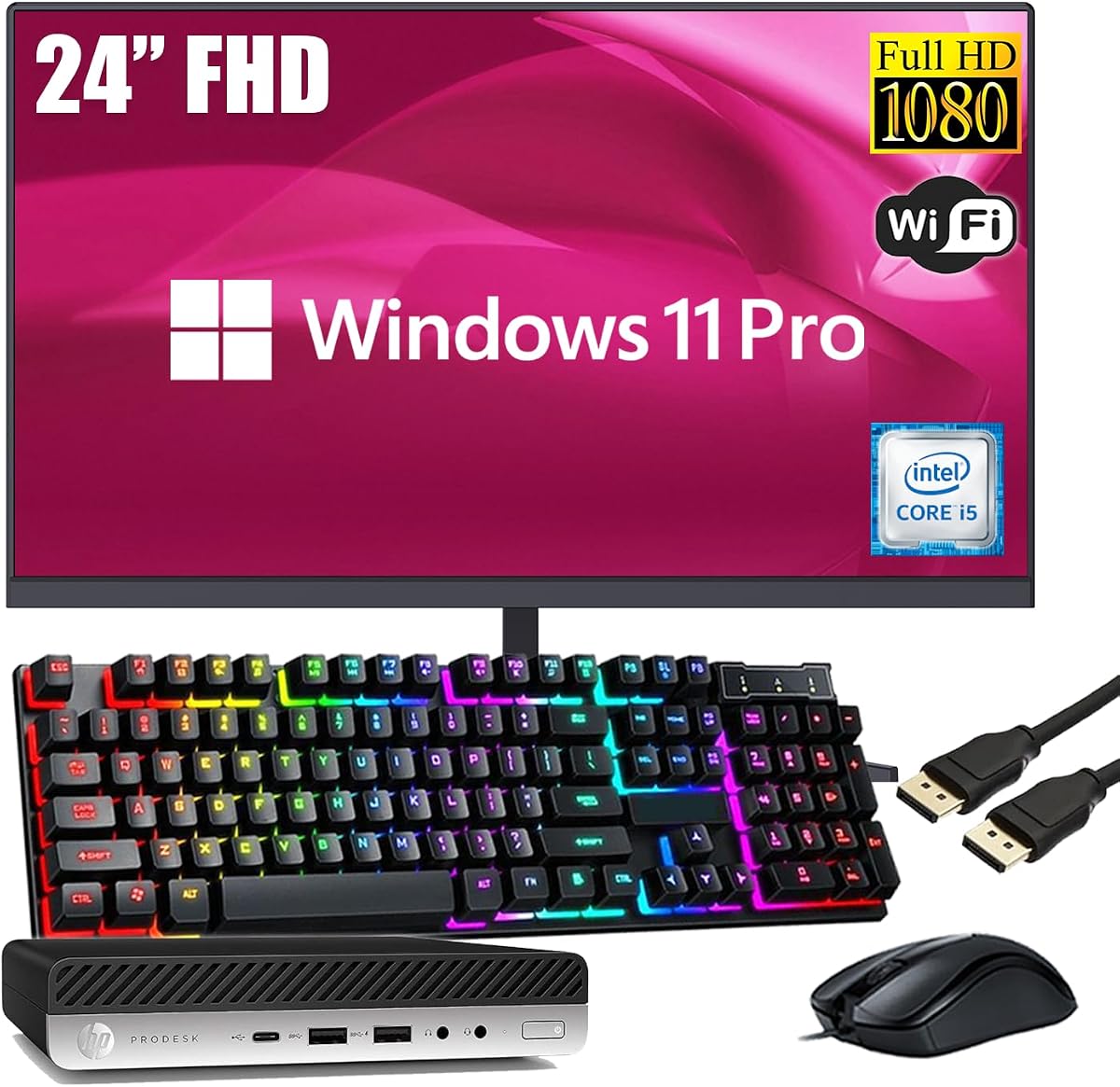
This HP Elite Desktop offers significant storage and memory for demanding tasks. The included RGB accessories add a fun touch for creative users.
We may earn a commission when you buy through this link, at no additional cost to you.
The 16GB RAM allows for heavy multitasking across multiple tabs and applications. It is suited for projects that require more system resources.
Storage is ample at 1TB though the HDD may be slower than SSD options. The renewed status ensures it has been tested for functionality.
Parents wanting plenty of space for games and media will find this configuration practical and expandable over time.
With 16GB of RAM the system can handle many open windows and applications without becoming sluggish.
RGB lighting on the keyboard and speakers adds a customizable aesthetic that appeals to younger users.
We may earn a commission when you buy through this link, at no additional cost to you.
This Dell package provides a massive 2TB of storage for extensive media libraries. It is ideal for families accumulating large amounts of digital content.
We may earn a commission when you buy through this link, at no additional cost to you.
The 16GB RAM ensures smooth operation even with many programs running at once. It supports robust productivity and educational use cases.
The included monitor and RGB keyboard offer a complete setup out of the box. Windows 11 Pro adds professional tools and security layers.
For households needing storage without external drives this system delivers capacity and performance in one bundle.
A 2TB drive allows you to store thousands of photos and videos without needing extra cloud storage.
Getting a new monitor and RGB peripherals saves money and simplifies the initial setup process.
We may earn a commission when you buy through this link, at no additional cost to you.
This HP desktop uses an SSD for faster boot times and application launches. The included webcam makes it ready for video calls and online classes.
We may earn a commission when you buy through this link, at no additional cost to you.
The 500GB SSD provides quick access to files and a solid foundation for daily use. Its compact size fits well on small desks.
Wi-Fi 6 ensures stable network connections for streaming and research. The RGB accessories add a modern touch to the user experience.
Families wanting a fast reliable desktop for education will benefit from the speed and connectivity options offered.
An SSD storage device reduces waiting times when opening apps or saving large files significantly.
With built-in Wi-Fi 6 and Bluetooth you can connect peripherals and routers with improved wireless performance.
We may earn a commission when you buy through this link, at no additional cost to you.
This Mini Desktop saves space while delivering solid performance for everyday tasks. Its small footprint is perfect for dorm rooms or small desks.
We may earn a commission when you buy through this link, at no additional cost to you.
The SSD ensures the system boots up quickly and runs smoothly. It supports standard productivity and media usage without issues.
USB-C support allows for modern peripheral connections and fast data transfers. The inclusion of Windows 11 Pro adds useful management tools.
Users with limited desk space will appreciate how this unit keeps the setup tidy and efficient.
The mini form factor allows you to place the PC anywhere on a desk without taking up too much room.
A USB-C port provides a fast and flexible connection for modern accessories and displays.
We may earn a commission when you buy through this link, at no additional cost to you.
This entry level Dell option focuses on affordability and essential features. It includes a DVD drive which is rare in modern machines.
We may earn a commission when you buy through this link, at no additional cost to you.
The 500GB HDD gives enough room for basic files and documents. It supports simple web browsing and text editing tasks well.
The smaller 19-inch monitor keeps the footprint minimal. It is suitable for basic homework and reading activities.
For those with strict budget limits this package provides a functional starting point for digital access.
The inclusion of a DVD drive allows you to play physical media or install software from discs.
This system offers a low cost entry into desktop computing with all necessary components included.
We may earn a commission when you buy through this link, at no additional cost to you.
This IdeaCentre balances storage speed with display quality in a tidy unit. It is rated highly for reliability and everyday performance.
We may earn a commission when you buy through this link, at no additional cost to you.
The 512GB SSD offers fast access and plenty of space for schoolwork and media. It boot up quickly for quick sessions.
The 23.8-inch display provides clear visuals for reading and streaming. The integrated stand keeps the desk free of clutter.
Users wanting a straightforward all-in-one with good specs will find this Lenovo model a dependable choice.
A full HD screen ensures that text and images appear sharp for comfortable viewing during long study sessions.
The 512GB SSD delivers quick responsiveness and reduces waiting times when opening programs or files.
We may earn a commission when you buy through this link, at no additional cost to you.
Selecting the right desktop requires considering hardware specs and physical design for the specific needs of young users.
The processor or CPU is the brain of the computer that handles all calculations. For kids, a Quad Core or modern Intel N series chip is sufficient for schoolwork and light tasks.
Look for at least a 3 GHz boost clock to ensure smooth browsing and app use.
RAM determines how many programs can run simultaneously without slowing down. 8GB is a baseline for basic use but 16GB is better for multitasking and heavy apps.
Choose 16GB if your child uses video editing or coding tools regularly.
SSDs offer much faster speeds than traditional HDDs for opening files and booting the system. An SSD makes the computer feel more responsive and modern.
Prioritize SSD storage for daily use even if the total capacity is slightly smaller.
A clear Full HD display reduces eye strain during long study sessions. IPS panels provide better color accuracy and viewing angles than TN panels.
Check for anti-glare coatings if the desk is near a window or bright light source.
Modern ports like USB-C and HDMI allow easy connection to monitors and peripherals. Wi-Fi 6 ensures stable wireless internet for streaming and online learning.
Ensure there are enough USB ports for printers and webcams.
All-in-One PCs save space by combining the tower and monitor into one unit. Mini PCs are great for small desks but may need a separate monitor.
Consider the stand tilt and bezel size for comfortable viewing angles.
Windows 11 provides the latest security and interface features for productivity. Ensure the system includes a license for the operating system to avoid extra costs.
Check if pre-installed software includes essential tools like a word processor.
Renewed products often come with a 90-day warranty which offers peace of mind. New units typically have longer coverage for hardware defects.
Verify the seller offers technical support for setup issues.
Place the desktop in a well-ventilated area away from heat sources to prevent overheating. Ensure there is space around the vents for proper airflow and cooling during long sessions.
Use a surge protector to shield the system from voltage spikes that can damage sensitive components. Regularly clean dust from the screen and keyboard using a soft dry cloth to maintain clarity.
Teach children proper shutdown procedures to avoid data corruption and hardware stress. Keep peripherals like keyboards away from food and drink to prevent accidental damage.
A 21 to 24-inch monitor is ideal for most children. It offers enough screen real estate for multitasking without overwhelming smaller desks. A Full HD resolution ensures text remains sharp and readable for long periods.
Yes, an SSD is significantly faster for booting and loading apps. It provides a smoother experience for daily tasks which keeps children engaged and productive. HDDs are cheaper but slower for modern operating systems.
Not necessarily. A single desktop can often be shared if the family has limited space. Using user accounts and shared storage helps manage different needs effectively and keeps costs down.
16GB of RAM is recommended for demanding learning applications like video editing or coding. It allows multiple tabs and tools to run simultaneously without slowing down the system speed.
Renewed computers undergo testing to ensure they look and work like new. They come with a 90-day warranty and technical support. Check seller ratings to ensure quality before buying.
500GB to 1TB is usually enough for schoolwork and personal files. If your child stores many videos or large projects aim for 512GB SSD or 1TB HDD to avoid running out of space soon.
Wi-Fi 6 improves connection stability and speed for multiple devices on the network. It ensures smooth streaming and online classes without interruptions which is vital for remote learning.
No, an all-in-one combines the tower and monitor into a single unit. This saves space and reduces cable clutter making it easier to set up in a bedroom or study area.
Our top picks include the Lenovo 24 All-in-One for its balance of RAM and speed and the Dell Optiplex 9020 for budget value. These models cover most needs from basic homework to creative projects.
Prioritize SSD storage and 16GB RAM if your child uses multiple apps at once. For smaller spaces an all-in-one design keeps the desk tidy and efficient for daily use.
Always check the current price and warranty details before buying. Availability and offers can change so verify the latest listings to ensure you get the best deal available.