
YUNZII B98 PRO
4.8Editor score
Gasket mount with five layers
Hot-swappable linear switches included
Tri-mode connectivity options
Explore our expert guide comparing the top ten creamy keyboards for 2026. We evaluate sound profiles, build quality, and features to help you choose.
Creamy keyboards have revolutionized the typing experience by offering a smooth, satisfying sound profile that enthusiasts love. These mechanical boards are designed to minimize noise while delivering a tactile response that feels luxurious under your fingers every single time you type.
To compile this list, we analyzed customer reviews, technical specifications, and community feedback to identify the most reliable options available today. Our comparison covers various layouts, connectivity methods, and customization features to ensure you find the perfect match for your workspace setup.
Each selection in this guide highlights unique strengths such as hot-swappable switches, gasket mounting, or advanced connectivity options. Please note that availability and pricing may fluctuate over time, so we recommend checking current details before making your final purchase decision online.
4.8Editor score

4.6Editor score

4.6Editor score
This detailed comparison table helps you quickly assess the key specifications across all ten selected models. Each entry highlights critical features like layout size, connectivity type, and switch compatibility to streamline your decision-making process.

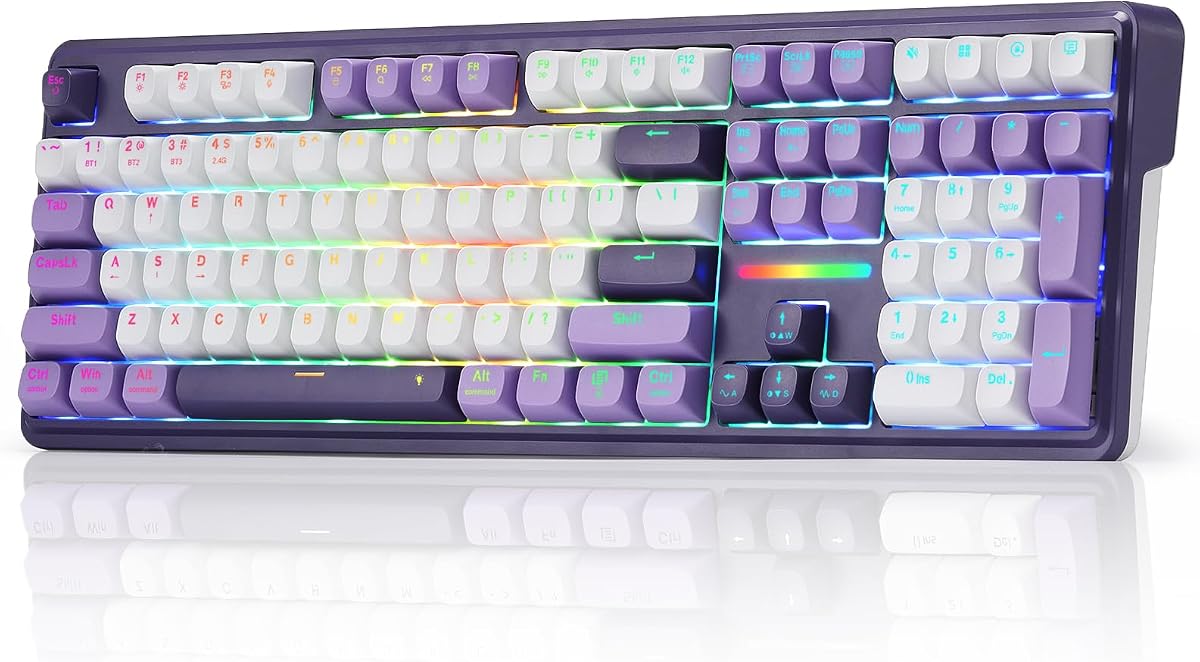


The AULA F75 stands out as a top contender in the creamy keyboard market with its impressive 4.6 rating. Users praise its balanced acoustic profile that delivers a soft thock without excessive noise. This makes it ideal for shared office spaces where sound privacy is essential.
We may earn a commission when you buy through this link, at no additional cost to you.
Its tri-mode connectivity allows seamless switching between up to five devices via Bluetooth 5.0, 2.4GHz wireless, or USB-C. The hot-swappable base supports both 3-pin and 5-pin switches, giving you the freedom to customize your typing experience later. Pre-lubricated stabilizers ensure a consistent feel across every key press.
While the driver software offers extensive customization for macros and lighting, it requires an internet download which might bother minimalists. The white case variant can also attract dust over time, requiring regular cleaning to maintain its pristine look. These minor issues do not significantly detract from the overall performance.
For gamers and professionals seeking a reliable wireless mechanical keyboard with excellent sound damping, the AULA F75 is a strong recommendation. Its combination of features and sound quality justifies its position as a top pick for most users looking to upgrade their current setup today.
Five layers of filling silencer effectively counteract cavity noise to ensure every keystroke sounds rich and solid.
Connect multiple devices simultaneously and switch between them using shortcut keys or the side button effortlessly.
We may earn a commission when you buy through this link, at no additional cost to you.
The YUNZII B98 PRO earns a premium badge with its robust 4.8 rating and high-end construction. Its gasket mount design combined with five layers of internal filling creates a luxurious typing feel that is both soft and responsive. Enthusiasts love the pre-lubed switches that deliver a smooth and consistent sound profile right out of the box.
We may earn a commission when you buy through this link, at no additional cost to you.
One of its strongest features is the QMK/VIA support which allows for deep customization without proprietary software. You can remap keys, create macros, and design complex RGB lighting schemes easily. The 8000mAh battery ensures you can work or game for weeks without needing to recharge frequently.
The price point is higher than many competitors which may be a barrier for budget-conscious buyers. Additionally mastering the VIA configuration software requires time and technical understanding which might overwhelm casual users. These factors are acceptable trade-offs for the level of control and quality you gain.
If you want a premium mechanical keyboard with extensive customization and exceptional battery life the YUNZII B98 PRO is the top choice. It offers a superior typing experience that rivals custom builds while remaining accessible to those willing to invest in quality components for their setup.
VIA firmware support lets you remap keys and design lighting without needing to install proprietary drivers.
The built-in 8000mAh battery provides extended usage time for uninterrupted work or gaming sessions.
We may earn a commission when you buy through this link, at no additional cost to you.
The HUO JI E-Yooso delivers incredible value as a budget-friendly creamy keyboard with a solid 4.6 rating. Its gasket structure ensures high quality assurance and stable performance while reducing noise significantly. Users appreciate the pre-lubed linear switches that provide a smooth typing feel similar to much more expensive boards.
We may earn a commission when you buy through this link, at no additional cost to you.
Hot-swappable PCB allows you to replace 3-pin or 5-pin switches without soldering making it ideal for beginners. The 96% layout keeps the numpad while saving desktop space which is perfect for compact setups. Double shot Injection PBT keycaps ensure the characters never fade over time.
The wired connection limits portability which could be a downside for users who switch between multiple setups. Limited color options might not appeal to those seeking specific aesthetic themes for their desk. However the price point makes these compromises very reasonable for the quality provided.
For those seeking a reliable entry-level mechanical keyboard with great sound and customization potential the HUO JI E-Yooso is an excellent pick. It offers features typically found in higher priced models making it a smart choice for budget shoppers who do not want to sacrifice quality.
Five layers of sound-absorbing foams reduce noise by 40% and eliminate hollow sounds effectively.
100% anti-ghosting ensures every key press registers accurately even during intense gaming moments.
We may earn a commission when you buy through this link, at no additional cost to you.
The AULA S99 offers a unique take on creamy keyboards by using membrane switches to mimic a quiet typing feel. With a 4.2 rating it serves well for office environments where traditional mechanical loudness is unwanted. Its wireless connectivity supports Bluetooth 5.0 2.4GHz and USB-C for flexible setup options.
We may earn a commission when you buy through this link, at no additional cost to you.
The rotary knob provides easy adjustment of volume and lighting effects which adds convenience to daily tasks. Full key programmable macros allow you to record complex actions for gaming or work efficiency. The foldable two-stage stand helps reduce wrist pressure during extended typing sessions.
Membrane switches do not provide the tactile feedback of mechanical switches which enthusiasts might miss. Lack of hot-swapping means you cannot change switches later if you want a different feel. These are expected trade-offs for a budget wireless option focusing on sound and ergonomics.
For office workers needing a quiet and flexible keyboard without breaking the bank the AULA S99 is a solid choice. It balances functionality and comfort effectively making it a great pick for casual users who prioritize simplicity over high-end mechanical customization.
Switch between Bluetooth 5.0 2.4GHz wireless and USB-C wired modes easily for any scenario.
Foldable stand adjusts angle to reduce wrist pressure and improve typing posture over time.
We may earn a commission when you buy through this link, at no additional cost to you.
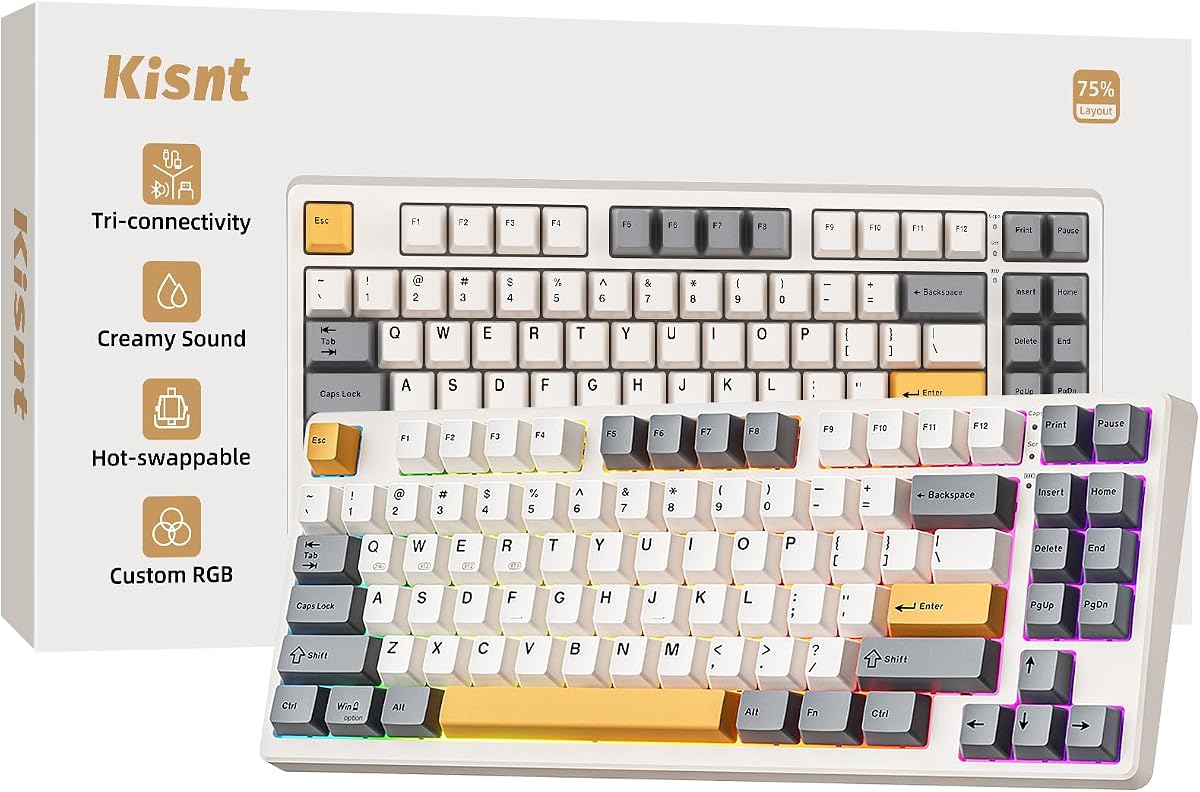
The Kisnt KN85 delivers a smooth creamy typing experience in a compact 75% layout ideal for small desks. Its gasket mount design absorbs vibrations to produce a soft thock sound that feels luxurious to type on. The pre-lubed Bsun linear switches ensure a buttery response that is satisfying for long work sessions.
We may earn a commission when you buy through this link, at no additional cost to you.
Tri-mode connectivity supports ultra-low latency for both wired and wireless connections. The 4000mAh battery ensures stable wireless performance for hours of typing before needing a recharge. Hot-swap compatibility allows you to tailor your sound and tactile feel without any soldering work.
The driver software is limited to Windows which restricts customization for Mac users significantly. Smaller keycaps on compact layouts might take time to adjust to for those used to standard sizes. These limitations are manageable given the overall build quality and value provided to users.
For minimalists and gamers who want a space-saving wireless keyboard with a premium feel the Kisnt KN85 is highly recommended. It balances portability with a rich typing experience making it a strong contender for those seeking a modern desktop upgrade without bulk.
The 75% layout frees up 25% desk space for better mouse movement in gaming setups.
Hot-swap base lets you swap switches to customize your typing sound and feel easily.
We may earn a commission when you buy through this link, at no additional cost to you.
The Redragon K745 PRO stands out for its full-size 108-key layout that keeps all essentials including a numeric pad. Its gasket-mounted construction provides an extra-soft silky bounce feel that is rare in this price range. Users appreciate the dedicated shortcut keys that speed up daily tasks efficiently.
We may earn a commission when you buy through this link, at no additional cost to you.
Translucent PBT keycaps allow RGB lighting to shine through cleanly without greasy shine over time. Tri-mode connectivity jumps between USB-C Bluetooth and 2.4GHz wireless ensuring you can switch devices without re-pairing. The software allows deeper customization of hotkeys and lighting to match your workflow needs.
The full-size layout takes up significant desk space which may not suit smaller setups. Software customization requires installing a driver which adds a step for setup. However the build quality and feature set justify these minor inconveniences for many buyers.
For those needing a full-size mechanical keyboard with robust features and a smooth typing feel the Redragon K745 PRO is a top pick. It balances performance with convenience making it ideal for users who want every key function available without sacrificing sound quality.
Dedicated hotkeys default to mute calculator screen lock and desktop for faster workflow access.
Translucent PBT material lets RGB shine through while resisting greasy shine over time.
We may earn a commission when you buy through this link, at no additional cost to you.
The SOLAKAKA A99 Pro impresses with a unique LCD screen that shows system info and settings instantly. Its gasket structure with five layers of cushioning pads delivers a creamy sound and comfortable typing feel. Users love the multifunctional metal knob that controls volume and lighting easily.
We may earn a commission when you buy through this link, at no additional cost to you.
Hot-swappable technology supports 3 or 5-pin switches allowing for easy customization without soldering. The web-based driver lets you set sleep times and key mapping without downloading software. South-facing LEDs provide superior light transmission for vibrant RGB lighting effects across the keyboard.
The web-based driver can be slower than a native app for some users. Heavier weight due to metal knob and battery may make it less portable. These factors are minor given the visual and functional features offered to modern typists.
For users wanting visual feedback and a robust gasket keyboard the SOLAKAKA A99 Pro is a strong choice. It blends modern display tech with solid mechanical feel making it a standout pick for those who value aesthetics as much as performance.
LCD display shows date time battery and connection mode for effortless keyboard operation.
PCB single-key slotting and noise-dampening cotton eliminate internal cavity noise effectively.
We may earn a commission when you buy through this link, at no additional cost to you.
The AULA 99 Key offers a charming pink design perfect for those who prefer a softer aesthetic. Despite being a membrane keyboard it mimics a creamy typing feel with smooth keypresses. The multi-device connection supports Bluetooth 5.0 2.4GHz and USB wired for flexible usage.
We may earn a commission when you buy through this link, at no additional cost to you.
A dual-mode rotary knob adjusts volume lighting and connection modes effortlessly with a twist. RGB backlit lighting adds atmosphere to the gaming environment with various pre-set effects. Programmable macros allow you to record complex actions for faster game execution.
Membrane switches lack the tactile click of mechanical ones which may disappoint enthusiasts. Lighting effects are limited compared to RGB mechanical boards in this list. These are acceptable compromises given the unique look and affordable price point for gamers.
For users who prioritize style and basic functionality the AULA 99 Key is a great option. It provides a quiet and colorful typing experience that fits well in gaming setups where aesthetics are as important as utility.
Dual-mode rotary knob lets you adjust volume and lighting with just a twist or click.
Macro software allows you to create unique lighting setup and personalized gaming environments.
We may earn a commission when you buy through this link, at no additional cost to you.
The AULA F75 White & Blue variant features LEOBOG Reaper switches that offer a smooth creamy mechanical sound. It shares the same robust build quality as other models with a gasket mount and 5-layer filling silencer. The result is a solid typing feel that minimizes hollow noise significantly.
We may earn a commission when you buy through this link, at no additional cost to you.
Tri-mode connectivity allows easy switching between five devices using shortcut keys or side button. RGB backlit lighting includes music rhythm effects for an immersive gaming atmosphere. The multi-function knob lets you adjust brightness and media controls without extra key combos.
Availability of specific color variations like White and Blue can be inconsistent. Driver software is needed to unlock full macro potential which adds a setup step. These are minor issues considering the high performance and sound quality of the board.
For gamers seeking a specific aesthetic with high-quality linear switches the AULA F75 White & Blue is a worthy pick. It delivers a consistent and quiet typing experience that is highly rated by users for both work and play sessions.
Five layers of silencer fill gaps between PCB and plate for a solid feel.
RGB lighting supports music rhythm effects to add a great atmosphere to the game.
We may earn a commission when you buy through this link, at no additional cost to you.
The Redragon K768 PRO boasts an impressive 8000mAh battery that ensures days between charges for wireless use. Its gasket covers paired with custom linear switches provide a soft and silky bounce feel. The single control knob simplifies backlight brightness and media playback significantly.
We may earn a commission when you buy through this link, at no additional cost to you.
Tri-mode connectivity allows switching between USB-C Bluetooth and 2.4GHz wireless without re-pairing. Fade-resistant PBT keycaps maintain texture and color for years unlike ABS plastic. Customizable RGB lighting lets you design effects that match your personal style easily.
The large footprint might not fit well on compact desks. Custom software is required for advanced macro programming which might not suit minimalists. These are acceptable trade-offs for the exceptional battery life and durability offered in this model.
For users prioritizing long battery life and reliable performance the Redragon K768 PRO is an excellent choice. It delivers a smooth typing experience with minimal maintenance needs making it ideal for power users who want uptime and consistent quality.
The 8000mAh battery ensures far longer runtime than typical gaming keyboards for uninterrupted use.
A single knob adjusts backlight brightness and media playback without memorizing extra key combos.
We may earn a commission when you buy through this link, at no additional cost to you.
Choosing the right creamy keyboard involves weighing several technical features to match your specific needs. This section breaks down the essential factors to help you make a confident and informed decision for your workspace.
Creamy keyboards typically use linear switches that are pre-lubed to reduce friction and create a smooth sound. Look for options that mention thocky or creamy sound profiles to ensure you get the desired acoustic experience.
Always check if the switches are pre-lubed and whether the keyboard supports hot-swapping for future customization.
Layouts vary from compact 60% to full size 100% which impacts how much desk space you need. Choose a layout that retains necessary keys like the numpad or arrow keys depending on your workflow requirements.
Smaller layouts like 75% or 96% are often ideal for saving space while keeping essential functionality available.
Tri-mode connectivity offers flexibility by supporting Bluetooth 5.0 2.4GHz wireless and USB-C wired connections. This allows you to switch between multiple devices like a PC tablet and smartphone without needing extra hardware.
Prioritize keyboards with low latency wireless modes if you plan to use the device for gaming or fast typing.
Wireless keyboards rely on built-in batteries so checking capacity is key for uninterrupted use. Models with 4000mAh or higher can last weeks on a single charge depending on RGB usage and brightness levels.
Look for rechargeable options with efficient power management to avoid frequent charging interruptions.
Gasket mounting uses soft pads to mount the PCB creating a softer and more flexible typing feel. This design also dampens sound significantly making it a critical factor for achieving that creamy sound profile.
Check product descriptions for mentions of gasket mount or layered filling to ensure better acoustic performance.
RGB backlighting allows you to personalize your setup with millions of colors and various lighting modes. Software support for remapping keys and macros adds extra utility for productivity or gaming efficiency.
Ensure the keyboard has driver software or open-source support if you plan to customize lighting and keys.
PBT keycaps are generally more durable and resistant to shine compared to standard ABS plastic. They retain texture over time and often provide a better tactile feel for long typing sessions.
Look for keyboards that include double-shot PBT keycaps for longevity and resistance to wear and tear.
Price ranges vary widely but many high-quality creamy keyboards now exist in the budget friendly sector. Balance the features you need against what you can spend to find the best value for your money.
Read reviews to confirm that lower priced models still deliver on build quality and sound consistency.
Connect your keyboard via the preferred mode such as Bluetooth or USB-C and ensure drivers are installed if needed. Pair devices properly to take advantage of multi-device switching features for a seamless workflow experience.
Clean the keycaps regularly with a soft brush or compressed air to prevent dust from affecting the switch feel. Use the provided keycap puller to remove caps if deeper cleaning is required to maintain hygiene.
Store the keyboard in a dry place when not in use to prevent any moisture damage. Charging it fully before storage can help preserve battery health and ensure it is ready for your next session.
A creamy sound is usually achieved by using linear switches that are pre-lubed to reduce friction. Combined with gasket mounting and internal foam layers the keyboard absorbs harsh vibrations to produce a smooth and consistent thocky sound profile.
Yes creamy keyboards are excellent for office work because they produce less noise than traditional clicky switches. The soft typing feel also reduces finger fatigue allowing for comfortable typing during long hours of data entry or writing.
Many creamy keyboards support hot-swapping allowing you to change switches without soldering. Check if the product supports both 3-pin and 5-pin switches to ensure you have flexibility for future customization or upgrades.
Most modern creamy keyboards support Mac through standard USB or Bluetooth connections. Look for models with Mac specific keycaps or switch modes that label keys correctly for macOS functionality and media keys.
Battery life varies by model but many wireless creamy keyboards offer several weeks of use on a single charge. Using RGB lighting at maximum brightness may reduce this time so consider dimming lights for extended battery life during work.
Hot-swap boards allow you to remove and install switches easily without tools. Soldered boards require you to desolder the old switch before installing a new one making customization much more difficult and time consuming.
PBT keycaps are more durable and resist greasy shine better than ABS over time. They provide a textured feel that enhances typing comfort and lasts longer under heavy daily usage compared to ABS alternatives.
Modern wireless mechanical keyboards often use 2.4GHz wireless for low latency similar to wired connections. If you are a competitive gamer check for specific low latency claims to ensure you get fast and responsive input.
Our top picks highlight the YUNZII B98 PRO for premium enthusiasts and the AULA F75 for balanced wireless performance. Each model offers unique strengths that cater to different needs whether it is battery life or customizable features.
Prioritize sound dampening and connectivity when choosing a keyboard to match your daily workflow. Gasket mounting and hot-swappable options provide lasting value that allows you to adapt to your preferences over time.
Prices and availability fluctuate frequently so always verify current details before purchasing online. We hope this guide helps you find the perfect keyboard to enhance your typing experience and workspace aesthetics today.