10 Best Bluetooth Speakerphone For The Home Office in 2026
Discover the top Bluetooth speakerphone for the Home Office in October 2026. We compare audio quality, connectivity, battery life, and microphone performance
As an Amazon Associate we earn from qualifying purchases. We may earn a commission when you buy through links on this page, at no additional cost to you. Read our affiliate disclosure.As an Amazon Associate we earn from qualifying purchases.Purchases through our links may earn us a commission, at no extra cost to you. Read our affiliate disclosure.
Finding the right Bluetooth speakerphone for the Home Office is essential for clear communication. You need a device that handles background noise well and connects seamlessly to your work tools for meetings.
We evaluated ten leading models based on audio clarity, microphone array quality, and ease of use. Each option offers unique features tailored to different workspace sizes and connectivity preferences.
Each pick highlights key strengths and ideal use cases to simplify your decision. Note that specific pricing and stock availability may vary over time across different retailers and regions.
Top 3 Picks for Best Bluetooth Speakerphone for the Home Office
Best Budget
Yealink Sp92 Conference Speaker and Microphone Teams Certified Mic with Al Noise Cancelling 20H Call Time USB Speakerphone for Small Meeting Room, Bluetooth Speaker for Computer/Laptop
Top 10 Best Bluetooth Speakerphone for the Home Office in 2026 Compared
This side by side comparison lists every model we reviewed to help you see differences at a glance. We include key specifications like microphone count, battery life, and certification status for each device.
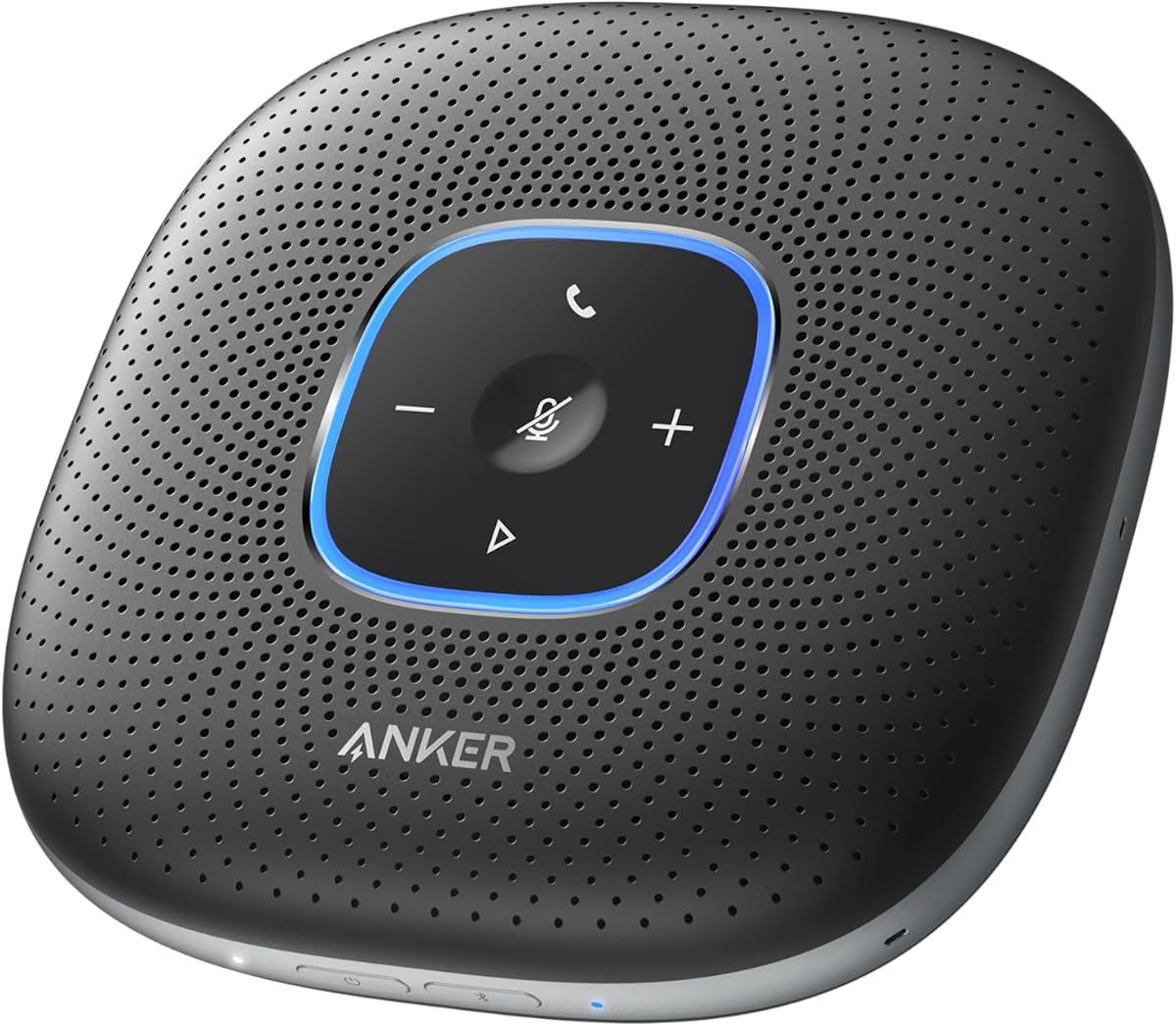
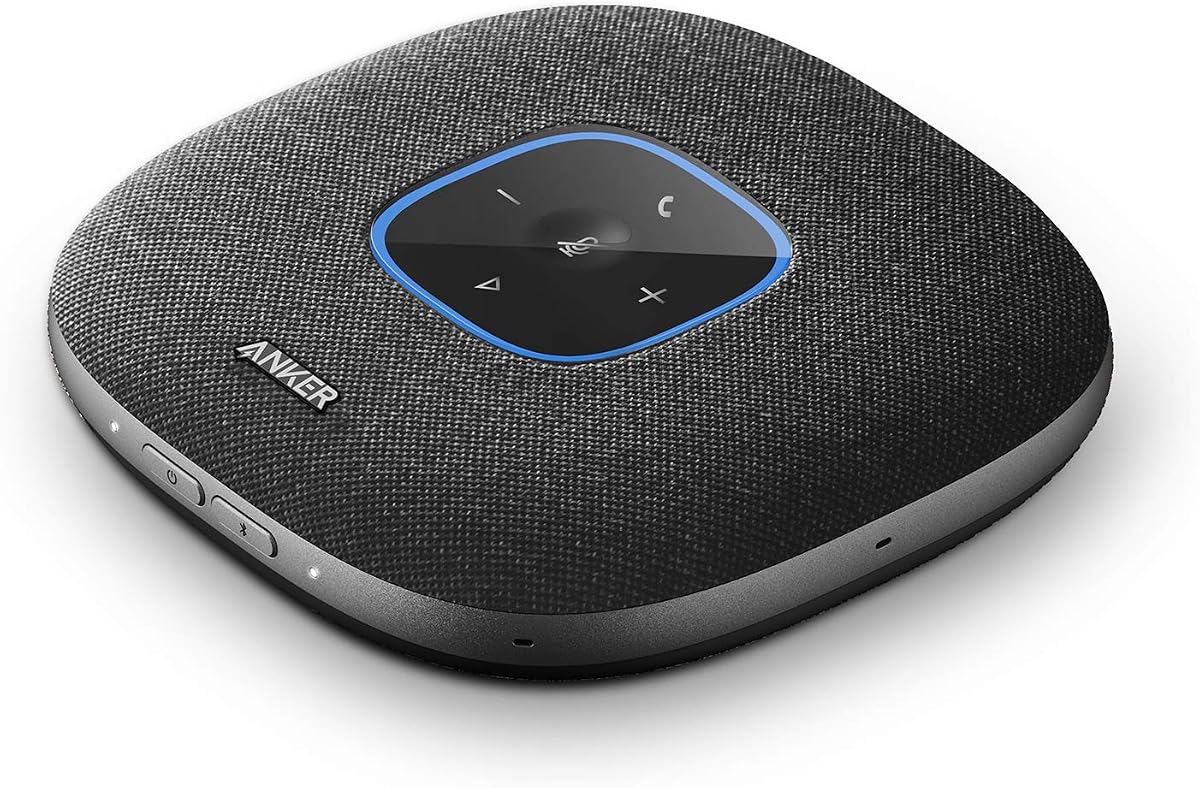
The Anker PowerConf Speakerphone stands out as a top choice for home offices needing reliable audio performance. With a 4.4 rating from users, it delivers consistent quality for virtual meetings and calls. Its standout feature is the advanced AI technology that ensures your voice is heard clearly.
Pros
Excellent noise cancellation for home use
Long battery life for all day calls
Works with most conferencing platforms
Clear voice balancing technology
Versatile connectivity options available
Cons
Price point is higher than budget options
Setup app may take time to learn
We may earn a commission when you buy through this link, at no additional cost to you.
This device uses a 360-degree microphone array to pick up voices from any direction. The Voice Radar 3.0 technology actively reduces background noise and cancels echo effectively. It supports up to 24 hours of call time on a single charge, making it ideal for marathon meeting days.
While the battery life is impressive, the unit is slightly heavier than some portable competitors. The cost reflects its premium build and advanced noise cancellation features. These trade-offs are acceptable for professionals who prioritize audio clarity above all else.
If you host frequent calls and need a dependable speakerphone that works with Zoom and other tools, this is a solid buy. It transforms any room into a professional meeting space without requiring complex installation or setup steps.
Superior Voice Clarity
The optimized clarity feature automatically balances volume differences so everyone sounds equal.
Flexible Connectivity
You can connect via Bluetooth for wireless ease or USB-C for a stable wired link.
The Yealink Sp92 offers exceptional value for those seeking a reliable speakerphone without breaking the bank. Rated 4.1 stars, it delivers crystal-clear calls with intelligent noise cancellation tailored for small offices. It is a favorite for budget-conscious users who still want premium tech.
Pros
Affordable price for advanced features
Filters over 1000 background noises
Teams certified for easy integration
Compact and portable design
20 hour battery life
Cons
Rating slightly lower than top premium models
Speaker volume may be limited in large rooms
We may earn a commission when you buy through this link, at no additional cost to you.
Its AI noise cancellation filters out over 1000 types of background sounds like keyboard taps. With a 50mm speaker, it provides balanced audio and full-duplex performance for natural conversations. Microsoft Teams certification ensures it works seamlessly in enterprise environments.
While the build is lightweight and portable, it might not fill very large conference rooms with sound. The battery lasts up to 20 hours but takes 2.5 hours to fully recharge. These limitations are minor compared to its strong feature set and low cost.
Choose this model if you work in a small home office or need a travel-friendly option. It handles daily virtual meetings with ease and provides professional sound at a very accessible price point.
Intelligent Noise Filtering
Real-time AI detects and removes ambient sounds so your voice remains the focus.
Teams Certification
Certified for Microsoft Teams ensuring optimal performance and compatibility for users.
The Anker PowerConf S330 focuses on stable connectivity through its USB-C wired connection. It is rated 4.4 stars for its reliability and clear audio during long work sessions. This model is perfect for users who prefer a direct connection over Bluetooth.
Pros
Stable wired connection for calls
Smart voice enhancement technology
Plug and play setup ease
Full bass for music and calls
4 microphones for coverage
Cons
Lacks full wireless battery portability
Requires USB port availability
We may earn a commission when you buy through this link, at no additional cost to you.
It features smart voice enhancement to eliminate background noise while boosting voice clarity. The 4 high-sensitivity microphones pick up voices clearly within a 3-meter radius. A 1.75-inch driver with passive radiators adds depth to both speech and music playback.
Because it relies on a wired link, it does not offer the same portability as battery models. You must have a free USB port on your computer to use it effectively. This design choice ensures uninterrupted power and connection stability during meetings.
If you work at a desk and want a simple device that just works without charging, this is ideal. It offers professional audio quality and easy setup for a reliable home office conferencing solution.
Reliable Wired Audio
USB connection ensures no battery anxiety or signal dropouts during critical calls.
Enhanced Sound Quality
Passive bass radiators provide rich sound quality for both meetings and music.
The Anker PowerConf S3 combines robust hardware with the flexibility of app control. It shares a 4.4 rating with its counterparts and brings unique software features for enhanced customization. Users love the app that allows tuning the device to their specific room acoustics.
Pros
App control for custom settings
6 mics for wide pickup
24 hour battery life
Double talk prevents skipping words
Optimized voice clarity
Cons
App installation adds setup step
Bluetooth may lag on older systems
We may earn a commission when you buy through this link, at no additional cost to you.
Its 6-microphone array ensures voices are picked up from 360 degrees effectively. The double talk feature allows simultaneous speakers without words being skipped. Smart voice enhancement and volume balancing ensure every participant is heard clearly regardless of distance.
While the app adds a layer of control, it can complicate setup for tech shy users. The Bluetooth 5 connection is fast but may require pairing resets on older devices. These are minor cons for a device that performs so well overall.
Select this model if you want detailed control over your speakerphone settings. It delivers clear audio and long battery life making it a great all-rounder for hybrid workers.
Customizable Audio
The companion app lets you fine tune mic sensitivity and voice settings.
Simultaneous Speak
Double talk technology ensures natural flow even when people talk over each other.
The Jabra Speak 510 (2025 Edition) is celebrated for its ease of use and portability. With a high 4.7 rating it is one of the most trusted speakerphones for quick meetings. Its small footprint makes it perfect for mobile professionals and small desks.
Pros
Excellent sound for meetings
Fast setup in seconds
Flexible connection options
Easy to carry around
Compatible with all platforms
Cons
Microphone range is limited to 3 meters
Build feels a bit plasticky
We may earn a commission when you buy through this link, at no additional cost to you.
You can connect via USB or Bluetooth to switch between laptops and phones instantly. The crystal-clear audio ensures every word is heard sharply. Setup takes only seconds allowing you to jump into calls without hassle.
The microphone range is somewhat limited compared to larger conference units. The compact size might not suit large conference rooms with multiple participants. However for small teams and solo work it provides all the sound quality needed.
Ideal for frequent travelers or those with limited desk space this speakerphone is a top pick. It delivers professional sound in a package that fits easily in any bag.
Instant Setup
No drivers are needed just plug in and start your conference call right away.
Universal Compatibility
Works with all online meeting platforms including Zoom Teams and Google Meet.
The Lenovo Speakerphone is built for enterprise environments demanding high reliability and clarity. Rated 4.5 stars it excels in hybrid workspaces with its advanced noise cancellation. Its enterprise grade audio ensures that professional voice transmission during calls.
Pros
8 beamforming microphones for precision
Teams dedicated button for speed
Dust and splash resistance
IP54 dust resistance and dual connectivity
Long talk time battery
Cons
Higher price point than basic models
Requires specific software for full features
We may earn a commission when you buy through this link, at no additional cost to you.
Eight intelligent microphones prioritize voices and reduce background distractions significantly. It includes a dedicated Teams button for fast call control. The device is IP54 dust and splash resistant making it durable for daily office use.
While it is more expensive than home units the feature set justifies the cost for businesses. Setup may require IT configuration for full enterprise integration. These steps are worth the security and performance gains.
Choose this for corporate offices or hybrid setups where robustness and clarity are paramount. It handles large group meetings and travel seamlessly.
Team Controls
Dedicated Microsoft Teams buttons allow for quick answer and mute actions.
Durability
IP54 rating protects against dust and spills for longevity.
The Jabra Speak2 55 is a premium choice designed to complement video conferencing solutions. Rated 4.4 stars it brings clearer audio and better mic performance to home offices. It is fully compatible with Microsoft Teams and other leading platforms.
Pros
Fully compatible with Teams
Voice level normalization
Beamforming microphones
New charging adapter included
Long battery life
Cons
Higher cost than previous models
Requires registration for warranty
We may earn a commission when you buy through this link, at no additional cost to you.
Its four beamforming microphones pick up sound from all directions effectively. Voice level normalization ensures everyone sounds balanced regardless of volume. The inclusion of a USB-C charging adapter makes it ready for modern devices.
The device is slightly heavier than competitors and costs more. Warranty registration is required which adds a small step. These factors are minor compared to its robust feature set.
If you use Teams heavily and want seamless integration this speakerphone is a great fit. It ensures you sound professional on every call.
Teams Complementary
Works perfectly with Jabra video solutions for complete meeting setups.
Voice Balancing
Automatic normalization ensures all voices are heard at equal levels.
The Jabra Speak 510 MS provides HD voice quality for softphone and mobile use. Rated 4.6 stars it remains a trusted choice for Microsoft Lync users. Its long talk time ensures you stay connected throughout the workday.
Pros
HD voice quality
Microsoft Lync support
15 hours talk time
Bluetooth and USB options
Easy to connect to PCs
Cons
Older model design
Limited modern features
We may earn a commission when you buy through this link, at no additional cost to you.
It connects via Bluetooth or USB for flexibility. The setup is simple and it works with most softphones. It offers reliable audio that keeps conversations clear and crisp.
As an older model it lacks some newer AI noise cancellation features. The design is classic but not as sleek as newer units. Still it delivers the core function of clear conference calls well.
Ideal for offices relying on legacy systems or needing HD voice support this speakerphone is dependable. It bridges the gap between old and new tech.
HD Voice
Supports high definition audio for richer and clearer speech transmission.
Dual Connectivity
Uses Bluetooth and USB to work with PCs and mobiles easily.
The Jabra Speak 710 offers immersive sound and wide coverage for meetings. Rated 4.6 stars it is designed to make every call feel professional. It is certified for Zoom and Google Meet ensuring optimal performance on those platforms.
Pros
Immersive sound for calls
Certified for Zoom and Meet
Lightweight design
Omni-directional mic
No IT required
Cons
Higher price tag
Link 370 adapter needed
We may earn a commission when you buy through this link, at no additional cost to you.
Its omni-directional microphone supports up to 6 people. The Link 370 USB adapter ensures stable connection. Setup is plug and play requiring no IT intervention.
The device is pricey and relies on the included adapter which can be easily lost. The size is compact but may not be loud enough for very large rooms. These are acceptable for its high audio quality.
Perfect for teams needing reliable audio on key platforms this speakerphone is a strong choice. It transforms any room into a conference space.
Platform Certification
Certified for Zoom and Google Meet for optimal audio performance.
The YAMAHA YVC-330 stands out with advanced SoundCap technology for noise reduction. Rated 4.6 stars it delivers professional sound for 5 to 8 people. Its self silence feature mutes the mic when no one is speaking.
Pros
SoundCap noise reduction
Self silence feature
Handles 5 to 8 people
USB 3.0 speed
Easy setup
Cons
Very expensive compared to others
Bulky for travel
We may earn a commission when you buy through this link, at no additional cost to you.
It supports USB 3.0 and NFC or Bluetooth for flexible connection. The setup is simple with lights indicating status. This device handles any conference room shape with ease.
The cost is high and it is not ideal for mobile travel. The size is larger than most portable units. For fixed offices the quality is unmatched and worth the investment.
Choose this for dedicated conference rooms where premium audio is required. It sets the standard for clarity and reliability in business meetings.
Far Field Noise Reduction
Eliminates background noise outside a 3 foot range effectively.
Human Voice Detection
Mutes mic during silence to prevent noise transfer.
We may earn a commission when you buy through this link, at no additional cost to you.
Buying Guide – How to Choose the Best Bluetooth Speakerphone for the Home Office
Selecting the right device requires balancing audio quality with your specific needs and budget. We break down the critical factors to consider before buying.
Microphone Quality
The number of microphones and their arrangement determine how well your voice is captured. Look for at least 3 microphones for small spaces and 6 or more for larger rooms. Beamforming tech helps focus on your voice.
Higher mic counts mean better clarity and less background noise.
Connectivity Options
Decide between Bluetooth for wireless freedom and USB for stability. Some devices offer both allowing you to switch between phone and laptop. USB ensures consistent performance without battery worry.
Choose connectivity that fits your workflow and device types.
Battery Life
Long talk time is essential for all day work. Most modern speakers offer between 12 and 24 hours. Consider if you need it for mobile use or mostly fixed at a desk.
At least 12 hours is recommended for full workday coverage.
Noise Cancellation
AI and DSP technology filters out ambient noise like AC hum or typing. Advanced models can block over 1000 types of sound. This is vital for open home offices.
Prioritize noise cancellation for professional sounding calls.
Platform Certification
Ensure the speakerphone is certified for your main tools like Zoom or Teams. Certification guarantees drivers are not needed. This speeds up setup and avoids compatibility issues.
Check official certification lists to confirm compatibility.
Portability
If you travel or switch rooms often choose a lightweight design. Some come with carrying cases for protection. Heavy models are better for fixed desks only.
Weigh the unit to ensure it fits your bag or desk.
Price vs. Features
Budget models offer good sound but may lack advanced AI features. Premium units include better battery and noise tech. Balance cost against how often you host calls.
Invest in higher quality if you call daily.
Ease of Use
Simple plug and play devices save time. Look for intuitive buttons and clear light indicators. Complex setups can hinder productivity during urgent meetings.
Select a device that requires minimal setup.
How to Use and Care for Your Bluetooth Speakerphone for the Home Office
To begin using your speakerphone pair it via Bluetooth to your phone or plug in via USB. Ensure the device is fully charged before the first call for optimal performance. Test your mic levels in your meeting app to confirm clarity.
Keep the speakerphone on a flat stable surface away from walls for best sound. Avoid placing it near other electronics that might cause interference. This prevents echo and ensures voices are heard clearly.
Charge the device regularly even if not in daily use to maintain battery health. Wipe the mic and speaker grills with a soft dry cloth to remove dust. Follow the manufacturer app updates for the latest features and improvements.
Frequently Asked Questions
Is a Bluetooth speakerphone better than a standard USB speaker for home office?
A Bluetooth speakerphone offers flexibility to connect to mobiles and laptops wirelessly. It often includes better noise cancellation features. A USB speaker is simpler and more stable for fixed setups.
What microphone count is ideal for a home office call?
For personal home offices 3 to 4 microphones are usually sufficient. Larger rooms benefit from 6 or more to ensure coverage. This helps pick up voices from all directions.
How long should a good speakerphone battery last?
A reliable speakerphone should offer at least 12 hours of talk time. Many premium models provide 20 to 24 hours. This covers a full workday without needing a recharge.
Do I need to install drivers for these speakerphones?
Most modern speakerphones are plug and play via USB. Drivers are rarely required for major platforms like Zoom or Teams. Bluetooth connects directly without extra software steps.
Can I use a home office speakerphone in larger conference rooms?
Yes many models work in rooms up to 10 feet. Check the pickup range specs before buying. Larger units with 6 mics handle bigger spaces better.
What is the main benefit of noise cancellation in speakerphones?
Noise cancellation filters out background sounds like fans or traffic. It ensures your voice is clear to remote participants. This creates a more professional meeting experience.
How do I clean and maintain my speakerphone?
Use a soft dry cloth to wipe the exterior and grills. Avoid using water or harsh chemicals near the mic. Store it in a cool dry place to protect battery life.
Are there speakerphones that support multiple devices at once?
Some models allow dual Bluetooth pairing for two devices. Others let you switch via USB easily. Check specs if you need seamless switching between phone and laptop.
Final Thoughts on Choosing the Best Bluetooth Speakerphone for the Home Office
The Anker PowerConf and Yealink Sp92 lead our list for overall value and performance. They balance battery life and audio quality effectively. Choosing the right one depends on your room size and budget.
Prioritize microphones and noise cancellation for the best call experience. Ensure your device matches your main conferencing tools. A good speakerphone upgrades your home office professionalism significantly.
Remember to check current prices and reviews before buying. Models may update with new features over time. This ensures you get the best deal and the latest tech available.
This guide compares the top electric battery powered paddle board pumps for 2026, evaluating inflation speed, battery life, portability, and durability
This guide compares the top LED retaining wall lights for outdoor safety and ambiance, reviewing features, brightness, durability, and installation ease for