
ASUS ROG Strix G16 (2025)
4.4Editor score
Intel Core i7 Processor 14650HX
NVIDIA GeForce RTX 5060 GPU
165Hz FHD+ Display
This guide compares ten ASUS ROG Strix laptops including G16 and G18 models with RTX 50 series GPUs to help you choose the right gaming machine.
Finding the right gaming laptop requires balancing power, display quality, and portability. The ASUS ROG Strix series offers a wide range of options tailored for gamers and creators seeking high performance without compromising on build quality.
We analyzed ten distinct models featuring the latest RTX 50 series GPUs and advanced cooling systems. Each entry is evaluated on processing power, screen specs, and upgradeability to ensure you get the most value for your specific needs.
Every pick includes detailed pros and cons alongside key specifications for easy comparison. Please note that product availability and features can change frequently so verify current details before making your final purchase decision.
4.4Editor score

4.3Editor score

4.3Editor score
The table below presents a side-by-side overview of all ten models analyzed in this guide including their core processors graphics cards and display technologies for quick reference.



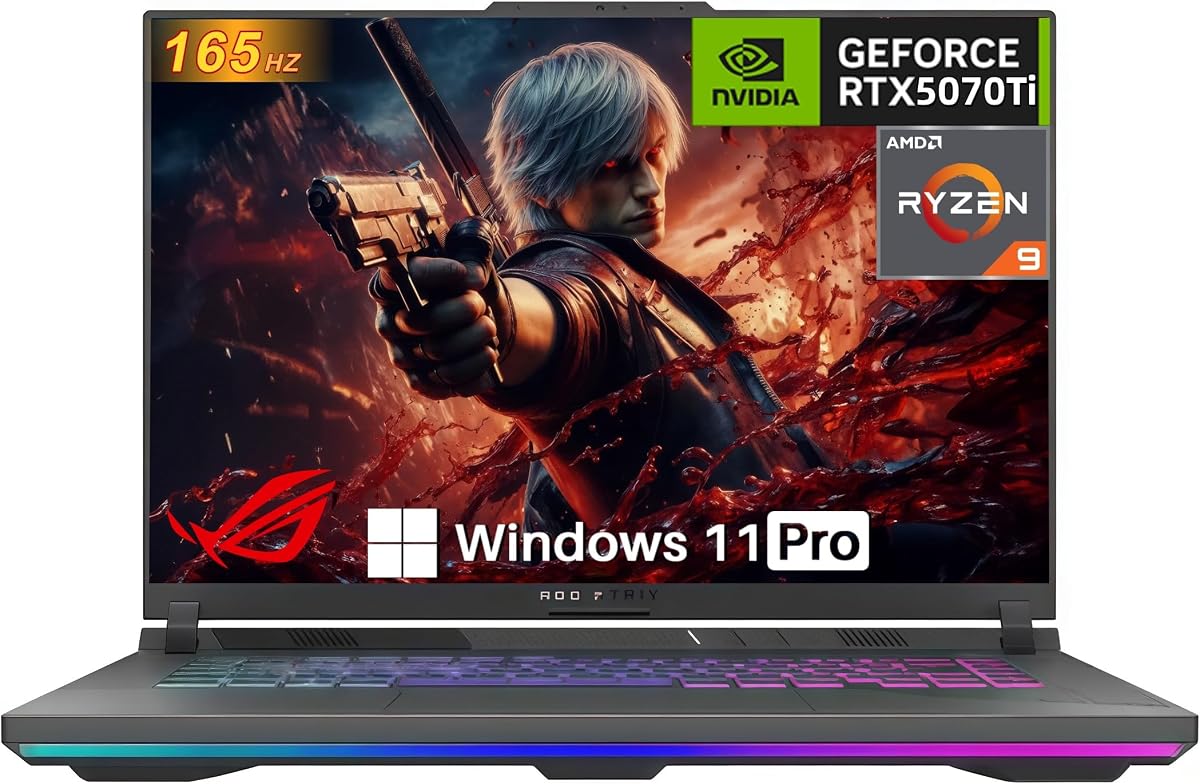

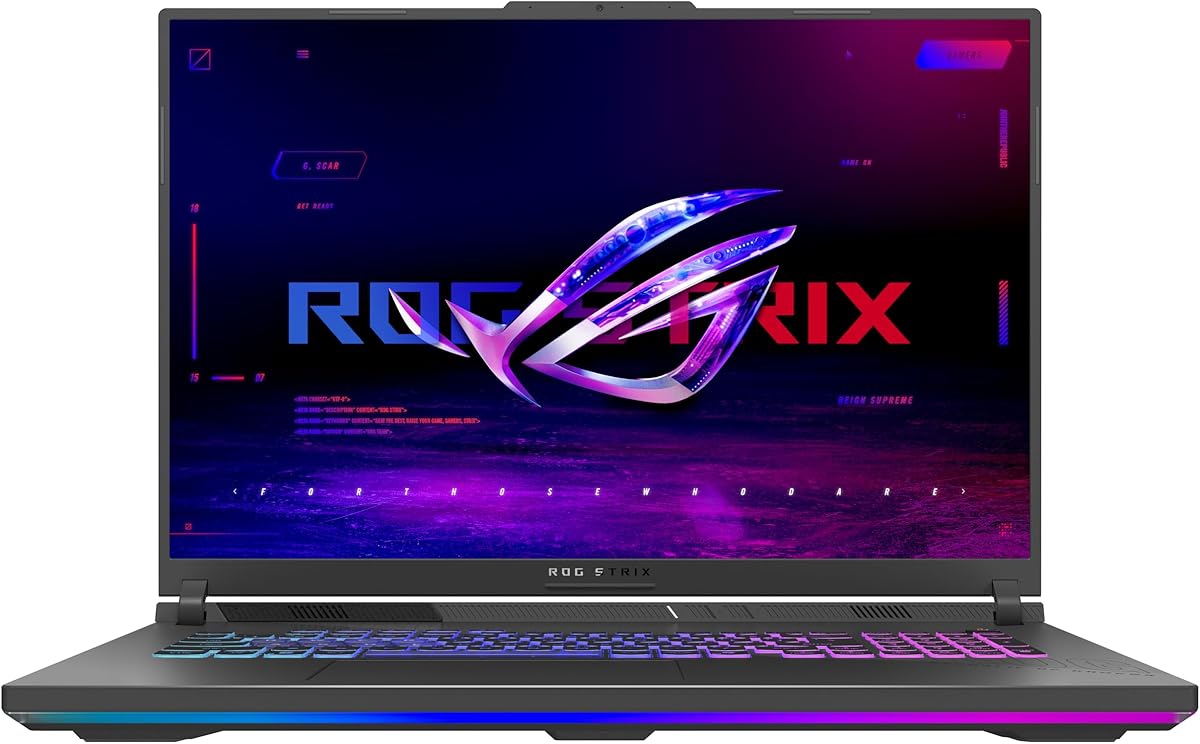
This model stands out as a budget friendly option in the ROG Strix lineup with solid performance for its class. It delivers reliable gaming experiences using the RTX 5060 GPU paired with a capable Intel Core i7 processor.
We may earn a commission when you buy through this link, at no additional cost to you.
The system includes advanced cooling features like a vapor chamber and liquid metal to keep temperatures down during intense sessions. You get 16GB of DDR5 memory and a fast 1TB Gen 4 SSD which supports smooth multitasking and quick load times.
While the display is standard FHD+ with a 165Hz refresh rate it lacks the higher resolution and color depth found in premium models. This trade-off keeps costs down but may disappoint users seeking ultra high fidelity visuals for creative work.
It is an excellent choice for gamers who prioritize frame rates over resolution and want a machine that lasts years. The inclusion of Wi-Fi 7 and a 360 degree RGB lightbar adds modern touches that enhance usability and style.
The vapor chamber and liquid metal application ensure consistent performance without thermal throttling during long gaming marathons.
Wi-Fi 7 support provides faster wireless speeds and lower latency for online gaming and large file transfers.
We may earn a commission when you buy through this link, at no additional cost to you.
This unit delivers exceptional performance for both gaming and creative workflows thanks to its high end specs and premium display. The combination of an Ultra 9 processor and RTX 5070 Ti GPU ensures it handles demanding titles with ease.
We may earn a commission when you buy through this link, at no additional cost to you.
The ROG Nebula display offers a stunning 2.5K resolution with a 240Hz refresh rate which provides crisp visuals and smooth motion. With 32GB of DDR5 RAM you can run multiple applications simultaneously without slowdowns or lag during intensive tasks.
Although it comes at a higher price point the value is clear given the superior components and build quality included in this package. The cooling system is robust enough to maintain high performance without excessive noise or heat buildup during extended use.
Gamers and creators who need a powerful portable workstation will find this model highly satisfying for daily use. The ability to toggle Stealth Mode makes it versatile enough for meetings or public spaces where bright lights are not preferred.
The Nebula display features ACR film for better contrast and reduced glare making it suitable for bright environments.
Advanced Optimus switches between iGPU and dGPU to improve battery life while gaming maintains full power.
We may earn a commission when you buy through this link, at no additional cost to you.
The Scar 18 model defines premium gaming with its large Mini LED HDR display and top tier internal components for performance. It is built for users who want desktop replacement power in a laptop format with advanced features for enthusiasts.
We may earn a commission when you buy through this link, at no additional cost to you.
The display offers Mini LED technology with thousands of dimming zones to deliver deep blacks and vibrant colors. You also get a MUX Switch that boosts gaming performance by routing frames directly from the discrete GPU for lower latency.
While the device is larger and heavier than other models it provides unparalleled immersion and processing power for professional tasks. Tool-free access to RAM and SSD slots allows you to upgrade storage without tools or special expertise when needed.
Ideal for serious gamers and content creators the Scar 18 offers a future-proof platform with Windows 11 Pro and extensive connectivity. The included Game Pass adds value by giving immediate access to hundreds of games upon purchase.
Mini LED with 2000+ dimming zones provides HDR quality that rivals high end desktop monitors.
Tool-free RAM and SSD access plus a removable frame simplifies hardware upgrades for advanced users.
We may earn a commission when you buy through this link, at no additional cost to you.
This configuration pairs a powerful Ultra 9 processor with a stunning Nebula display to offer excellent visual fidelity for gaming. It is designed for users who prioritize screen quality and processing speed over maximum GPU performance in this segment.
We may earn a commission when you buy through this link, at no additional cost to you.
The 240Hz ROG Nebula display features Dolby Vision HDR for richer colors and brighter highlights which enhances media consumption. The Intel Core Ultra 9 processor ensures smooth multitasking and fast application launches for both work and entertainment use.
Although the RTX 5060 GPU is capable it does not fully match the power of the processor which may limit ray tracing performance. This makes the machine better suited for esports titles or high refresh rate gaming than heavy AAA ray traced titles.
If you want a high resolution fast screen and strong CPU performance this model is a compelling option in the lineup. Wi-Fi 7 and customizable RGB lighting add modern conveniences that improve usability and personalization in daily use.
The Nebula display brings HDR support and 240Hz refresh rate for crisp detailed visuals in supported games.
Ultra 9 CPU provides rapid processing for content creation and multitasking alongside gaming workloads.
We may earn a commission when you buy through this link, at no additional cost to you.
This AMD based model offers competitive performance for gamers who prefer Ryzen processors for multi-threaded tasks. It features the RTX 5070 GPU which delivers strong frame rates in modern titles with support for ray tracing technologies.
We may earn a commission when you buy through this link, at no additional cost to you.
The Ryzen 9 9955HX processor provides excellent efficiency and speed for content creation workflows and heavy workloads. A MUX Switch is included to optimize performance by allowing the GPU to communicate directly with the display during gaming.
While the display is FHD+ with a 165Hz refresh rate it lacks the higher resolution options available on premium models. This may limit visual clarity for design work but remains suitable for competitive gaming and general multimedia consumption.
Those seeking an AMD alternative in the ROG Strix family will appreciate the balance of power and value this model offers. Efficient cooling and customizable RGB lighting ensure it remains stylish and stable during long gaming sessions.
Ryzen 9 9955HX provides strong multi-core performance ideal for productivity and gaming multitasking.
Tri-Fan technology and heatsink design keep the system cool under heavy sustained loads without excess noise.
We may earn a commission when you buy through this link, at no additional cost to you.
This variant combines a high powered RTX 5070 Ti GPU with 32GB of DDR5 memory for exceptional multi-tasking capability. The 140W TGP ensures the GPU runs at peak performance for demanding AAA gaming and video editing workloads.
We may earn a commission when you buy through this link, at no additional cost to you.
AMD Ryzen 9 8940HX provides strong processing power complementing the GPU for smooth performance across all applications. The vapor chamber and Tri-Fan cooling system efficiently manage heat to maintain stable performance during extended gaming sessions.
Although the display is standard WUXGA with 165Hz refresh rate the strong internal specs make it great for pure performance users. An Ethernet port and Hi-Res Audio support add versatility for competitive gamers and content creators who value connectivity.
Users appreciate this model for its raw power and stability making it a strong candidate for desktop replacement scenarios. The included accessories and solid cooling ensure you get consistent performance without needing immediate upgrades after purchase.
The 140W TGP RTX 5070 Ti maximizes frame rates and ray tracing capabilities for modern games.
32GB of DDR5 RAM ensures seamless multitasking and future proofing for heavy applications.
We may earn a commission when you buy through this link, at no additional cost to you.
This model emphasizes easy upgradeability and strong AMD performance for users who plan to customize their system later. It features the RTX 5070 Ti GPU which delivers high frame rates and advanced visual effects for modern gaming titles.
We may earn a commission when you buy through this link, at no additional cost to you.
The Ryzen 9 8940 HX processor ensures robust performance for productivity tasks alongside gaming. Tool-free access to RAM and SSD slots simplifies upgrades without requiring a screwdriver or specialized technical skills for maintenance.
The Q-latch SSD system allows you to swap storage in seconds while a removable frame protects other hardware components during access. This approach to modularity makes the system more adaptable as your needs evolve over time.
Those who value long term flexibility will find this device offers a strong balance of power and serviceability for daily use. Efficient cooling and a high quality keyboard ensure the system remains stable and comfortable during extended usage sessions.
Tool-free RAM and SSD access plus removable frame simplify maintenance and upgrades significantly.
RTX 5070 Ti delivers excellent performance for both gaming and creative tasks with ray tracing support.
We may earn a commission when you buy through this link, at no additional cost to you.
This model represents the cutting edge of mobile gaming with an RTX 5080 GPU and a stunning high refresh rate display. It is designed for enthusiasts who demand maximum performance and visual fidelity for gaming and content creation tasks.
We may earn a commission when you buy through this link, at no additional cost to you.
The 300Hz Nebula HDR display offers ultra smooth visuals and deep color depth which is rare on laptop displays today. Intel Core Ultra 9 processor supports fast task switching and efficient power management for all your daily workloads.
Although the price reflects its top tier status the included features like tool-free access and Wi-Fi 7 justify the investment for many. This system is built to last and offers future proof performance as games and software become more demanding.
Gamers and professionals seeking the best available hardware will find this machine delivers uncompromised power and visual excellence. With 3 months of Game Pass included you start with instant access to hundreds of new games right away.
RTX 5080 GPU delivers extreme performance for ray tracing and 4K gaming on the go.
300Hz refresh rate provides ultra smooth motion that benefits competitive gaming and fast paced content.
We may earn a commission when you buy through this link, at no additional cost to you.
This version focuses on storage capacity with a massive 2TB Gen 4 SSD for users who need ample room for games and files. It also includes 32GB of DDR5 RAM and a powerful Ultra 9 processor for high end performance and multitasking.
We may earn a commission when you buy through this link, at no additional cost to you.
The ROG Nebula Display offers a vibrant 2.5K resolution with a 240Hz refresh rate which delivers crisp visuals and smooth motion. Dolby Vision HDR support brings media and games to life with richer colors and better contrast in supported content.
While the higher storage capacity comes at a premium it saves you the hassle of upgrading later which is convenient for buyers. Windows 11 Pro provides additional management and security features that are valuable for professional use cases.
Ideal for users with large media libraries or extensive game collections this model balances storage and performance effectively. Wi-Fi 7 ensures fast wireless speeds for seamless cloud access and large file transfers.
2TB Gen 4 SSD provides ample space for all games and files without needing immediate expansion.
2.5K Nebula screen ensures detailed visuals that bring out best in modern games and creative work.
We may earn a commission when you buy through this link, at no additional cost to you.
This model offers the largest screen in the lineup with an 18 inch FHD+ display ideal for immersion and productivity. It balances size with power through a Ryzen 9 processor that handles multitasking and gaming workloads with ease.
We may earn a commission when you buy through this link, at no additional cost to you.
While the RTX 5050 GPU is entry level it works well for lighter titles and esports gaming on a bigger screen. The full sized keyboard benefits typing and gaming comfort especially when using the device as a desktop replacement for work.
The large form factor adds some weight and footprint so portability is not the primary strength of this particular model. It is designed for stationary use where screen size and comfort are more important than carrying ease for travel.
For gamers who prefer a bigger visual experience without paying for premium GPU specs this device delivers solid value. The efficient cooling and customizable RGB lighting ensure it remains stylish and capable for general gaming and media use.
18 inch display provides immersive visuals and extra workspace for multitasking and media consumption.
Ryzen 9 8940HX ensures fast processing for all tasks even with entry level GPU configuration.
We may earn a commission when you buy through this link, at no additional cost to you.
Selecting the right model depends on balancing performance needs with portability and budget constraints for your workflow.
The RTX 5060 offers solid 1080p gaming while the 5070 and 5080 support higher resolutions and ray tracing more effectively. Choose a GPU that matches your target resolution and game settings for optimal experience.
For high frame rate competitive gaming the 5060 may suffice but content creators should lean toward the 5070 or 5080.
Intel Core Ultra 9 and AMD Ryzen 9 processors deliver excellent multi-core performance for gaming and productivity tasks. Intel models often integrate newer AI accelerators while AMD focuses on raw efficiency and battery life.
Check your specific software needs to decide which architecture will serve your workflow better for sustained loads.
Options range from FHD+ to 2.5K with refresh rates from 144Hz to 300Hz. Mini LED panels offer better contrast and HDR performance for visual fidelity. Consider color accuracy for design work and refresh rate for competitive gaming.
Prioritize higher resolution and color gamut if you edit media regularly instead of prioritizing refresh rate alone.
Most models include 16GB or 32GB of DDR5 RAM which affects multitasking and future proofing. 16GB is sufficient for standard gaming but 32GB helps with heavy creative workloads and virtual machines.
Look for upgradeable slots if you plan to expand memory later to keep the system relevant longer.
ROG Intelligent Cooling with liquid metal and vapor chambers helps maintain performance under load. A strong thermal solution prevents throttling during long sessions and keeps noise levels manageable.
Choose models with advanced cooling if you frequently push the system to its limits with demanding workloads.
Wi-Fi 7 support ensures fast wireless speeds and future proofing while Ethernet ports aid stable network connections. Check port availability including USB and HDMI for external monitors and peripherals.
Ensure the laptop supports enough display outputs and USB standards for your peripheral setup before purchasing.
16 inch models offer a balance of screen real estate and carry ability while 18 inch units provide immersive visuals. Consider how often you plan to travel with the device before choosing a size.
Desktop replacements suit stationary use while 16 inch models are better for mixed work and travel scenarios.
Tool-free access to RAM and SSD slots allows easy maintenance and future upgrades without specialized tools. Some models offer deeper access via a removable frame for advanced users who want full control.
Prioritize models with user friendly access if you prefer to customize or repair your device yourself.
Keep the device in a well ventilated area to prevent dust accumulation and maintain cooling efficiency. Use a cooling pad if you often game for extended periods to ensure stable performance.
Update drivers regularly via the manufacturer utility to keep performance and compatibility optimal for all your software. This helps ensure that games and applications run smoothly without unexpected issues or crashes.
Handle the keyboard and screen with care during transport to avoid wear or physical damage to components. Store the unit in a padded sleeve when moving it to protect from impacts or moisture exposure.
Wi-Fi 7 offers faster speeds and lower latency which benefits online gaming and large downloads. While Wi-Fi 6E is still capable Wi-Fi 7 is a future proof choice for high bandwidth tasks.
Many models include tool-free slots for RAM upgrades but confirm specific model details before buying. Check if slots are available or if the RAM is soldered to ensure upgradeability.
Models with RTX 5070 or 5080 GPUs and 32GB RAM like the Scar 18 are ideal for editing. The display quality and CPU power also play major roles in creative workflows.
The RTX 50 series GPUs generally support advanced DLSS features including frame generation. Check specific GPU details to ensure full feature compatibility for your preferred games.
ROG Intelligent Cooling aims to balance performance and noise but fans will ramp up under heavy load. Advanced cooling models tend to manage sound better during extended gaming sessions.
Windows 11 Pro offers added security and management features suitable for business environments. For personal gaming Home is usually sufficient unless you need advanced networking or encryption.
Most ASUS ROG products include a standard limited warranty that covers manufacturing defects. Check specific vendor terms for extended warranty options or accidental damage protection.
Mini LED HDR models like the Scar 18 offer the best color accuracy and contrast. For refresh rates the 300Hz Nebula display in the 2026 model sets a new standard.
The ten models analyzed provide options for nearly every gaming and professional need from budget to premium tiers. Top picks like the G16 2025 and Scar 18 offer excellent balance of power and features.
Prioritize your display preferences and GPU needs when deciding which model fits your use case best. A larger screen or faster refresh rate may matter more depending on your gaming or creative workflow.
Prices and availability shift regularly so check the latest listings before completing your purchase. Ensure the model matches your specific requirements for RAM storage and connectivity before buying.