
Keymatic WK98 Foundation
4.7Editor score
Interactive custom screen
Dynamic RGB lighting
MOA contour keycaps
Explore the top ten Asmr Keyboard models compared for sound, comfort, and performance to help you choose the ideal typing experience for your setup.
Finding the perfect Asmr Keyboard can transform your daily typing experience into a soothing and satisfying ritual. These devices focus on delivering creamy, thocky sounds that resonate well with content creators and enthusiasts who value audio feedback.
We have carefully evaluated ten standout models based on their acoustic profiles, build quality, and feature sets. Our comparison includes wired and wireless options with various layouts to suit different workspace needs and preferences.
Each pick highlights specific strengths like gasket mounting or hot-swappable switches. Keep in mind that product availability and pricing may shift frequently, so verify current details before making your final purchase decision today.
4.7Editor score
4.6Editor score

4.2Editor score
This side-by-side comparison highlights key specifications across all ten models to help you quickly identify which features matter most for your specific workflow and sound preferences.



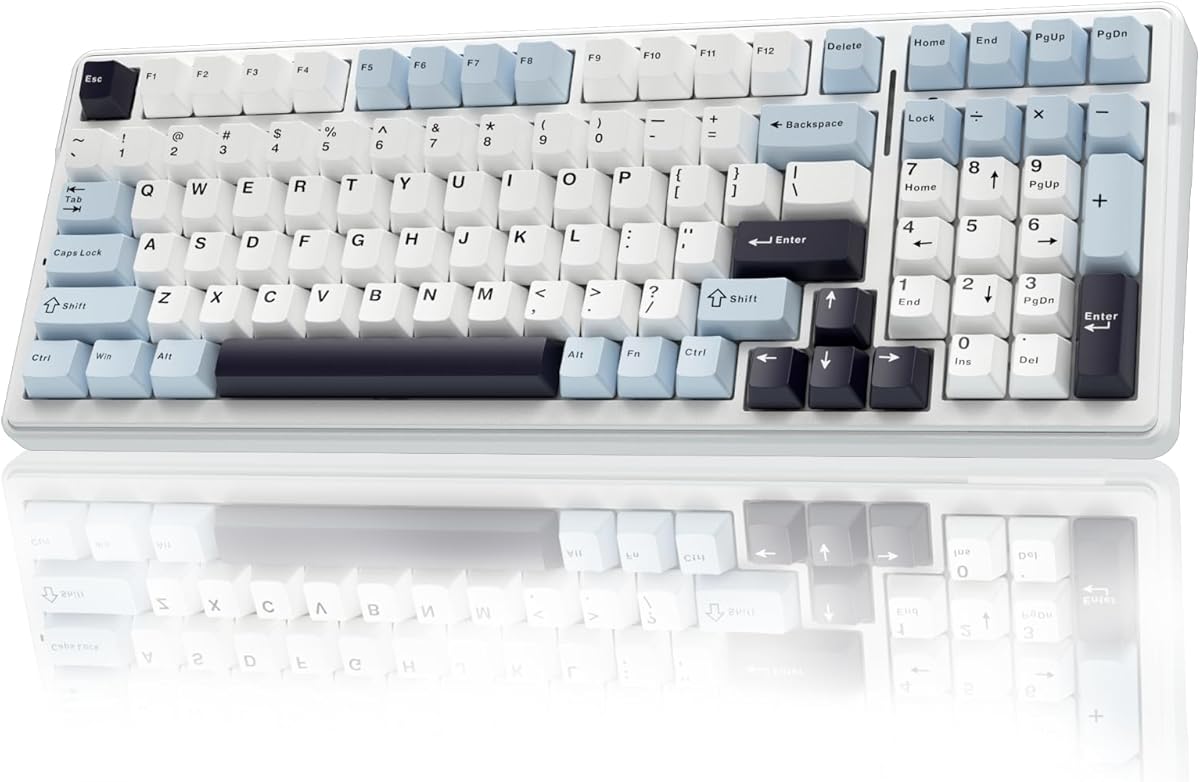
The RK ROYAL KLUDGE R98 Pro stands out as a top contender for those seeking an immersive ASMR typing experience. With a high rating of 4.6 stars, this keyboard delivers a thocky sound profile that enthusiasts love.
We may earn a commission when you buy through this link, at no additional cost to you.
Its gasket mount design combined with five layers of sound-absorbing foam ensures that every keystroke sounds smooth and muted. The pre-lubed linear switches provide a buttery feel that enhances the acoustic quality without harsh clicks.
While it lacks wireless connectivity which might limit mobility, the wired connection ensures zero latency which is great for gaming. The volume knob adds convenience though the driver software could offer more customization options for RGB effects.
Overall this keyboard is ideal for desk setups where space is available and audio quality is paramount. It balances performance and price well making it a strong recommendation for both work and play environments today.
The five layers of foam and gasket mount create a deep thocky sound that minimizes hollow resonance effectively.
MDA profile keycaps wrap around fingers naturally improving comfort during long typing sessions.
We may earn a commission when you buy through this link, at no additional cost to you.
The AULA 99 Key Purple Keyboard offers a distinctive look with its vintage aesthetic and vibrant purple color. Rated 4.2 stars it appeals to users who prioritize style and wireless convenience over mechanical switches.
We may earn a commission when you buy through this link, at no additional cost to you.
It supports Bluetooth 5.0 and 2.4GHz wireless allowing you to connect to multiple devices easily. The foldable stand and compact 99 key layout make it suitable for smaller desks where space efficiency matters significantly.
Being a membrane keyboard it does not provide the same tactile feedback or sound profile as mechanical options. This might be a drawback for purists but the versatility and low cost make it a strong budget-friendly choice.
If you want a colorful wireless option for general office use or light gaming this model fits the bill. Just be aware that you cannot swap switches if you decide to upgrade the feel later on.
Switch between Bluetooth 5.0 2.4GHz wireless and USB-C modes effortlessly for multi-device workflows.
The compact 96% layout retains the number pad while freeing up valuable desk space.
We may earn a commission when you buy through this link, at no additional cost to you.
The Redragon K768 PRO boasts an impressive 8000mAh battery ensuring days of usage between charges. With a high 4.8 star rating it is a reliable choice for those who hate constant recharging interruptions.
We may earn a commission when you buy through this link, at no additional cost to you.
Its gasket mount construction gives a cushioned typing feel that feels premium. The tri-mode connectivity lets you switch seamlessly between USB Bluetooth and 2.4GHz which adds flexibility for hybrid work setups.
The large battery size might make the unit slightly heavier compared to smaller models. However the endurance benefits far outweigh this minor bulk factor for most users who value uptime highly.
This keyboard is perfect for power users who need consistent performance without frequent charging stops. The full layout ensures productivity is never compromised by missing keys during intense work sessions.
The massive 8000mAh battery provides far longer runtime than standard gaming keyboards.
Fade-resistant PBT keycaps and gasket mounting ensure durability and consistent feel over time.
We may earn a commission when you buy through this link, at no additional cost to you.
The HUO JI E-Yooso Creamy Mechanical Keyboard focuses heavily on acoustic refinement with five layers of foam. This design aims to remove hollow sounds making it ideal for quiet environments.
We may earn a commission when you buy through this link, at no additional cost to you.
It features a gasket structure and silicone dampener pad which reduce noise by 40 percent. This level of attention to sound isolation is rare at this price point.
As a wired unit it lacks the freedom of wireless connectivity. However for a dedicated desktop setup this ensures stable performance and power delivery without battery worries.
This model is recommended for users who prioritize a silent and smooth typing experience above all else. The creamy sound feedback is consistent and pleasant for long periods of writing or coding work.
Five layers of foam and silicone dampener pads reduce hollow cavity noise effectively.
Hot-swap PCB allows easy replacement of switches without soldering for tailored sound.
We may earn a commission when you buy through this link, at no additional cost to you.
The KNOWSQT Wireless Combo offers a complete solution with both keyboard and mouse in a stylish MilkTea package. With 4.4 stars it is a practical choice for users seeking an all-in-one kit.
We may earn a commission when you buy through this link, at no additional cost to you.
The retro round keycaps provide a soft floating button design that feels gentle on fingers. The 2.4GHz wireless connection ensures stability without pairing hassles typical of Bluetooth connections.
Since it uses membrane switches it may not satisfy those seeking mechanical feedback. The mouse included though adds value and simplifies the purchasing process for basic home office needs.
This bundle is perfect for casual users who want a neat desk setup without breaking the bank. The power saving mode extends battery life making it a reliable daily driver for basic tasks.
Keyboard and mouse combo simplifies setup with plug-and-play 2.4GHz wireless technology.
Round keycaps and MilkTea colors bring a nostalgic vintage feel to modern desks.
We may earn a commission when you buy through this link, at no additional cost to you.
The YSCP Typewriter Style Mechanical Gaming Keyboard merges vintage aesthetics with modern RGB backlighting. It uses mechanical blue switches that provide clear click sounds which might appeal to some ASMR users.
We may earn a commission when you buy through this link, at no additional cost to you.
The concave round keycaps mimic old typewriters offering a unique ergonomic angle. This design makes it a visual centerpiece on any desk while delivering standard typing performance.
Clicky switches might be too loud for shared offices but they satisfy those who enjoy audible feedback. The anti-ghosting ensures all keys register correctly even during intense fast typing scenarios.
If you want a keyboard that looks unique and feels tactile this is a solid choice. The wired connection ensures stable performance though wireless users might miss portability options.
Mechanical blue switches offer medium resistance and distinct click sounds for satisfying feedback.
RGB backlight modes and vintage styling create an immersive atmosphere for gaming or work.
We may earn a commission when you buy through this link, at no additional cost to you.
The Redragon K719 PRO stands out with a built-in TFT display showing battery and typing status. This feature adds a layer of customization with custom GIFs that enhance the desk aesthetic.
We may earn a commission when you buy through this link, at no additional cost to you.
Its gasket-mounted construction with thick-lubed switches provides a soft and quiet bounce. The tri-mode connectivity ensures you can switch devices without re-pairing which is efficient for multi-device setups.
The smaller 95 key layout saves space but removes some standard keys for some users. However the premium features justify the cost for those who value visual feedback and sound quality.
This model is a strong pick for enthusiasts who want a tech-forward look. The muted green finish offers a unique alternative to standard black gaming boards.
Built-in TFT display supports custom GIFs or memes to personalize your desk setup.
Five-layer noise dampening gives a soft and quiet bounce ideal for quiet rooms.
We may earn a commission when you buy through this link, at no additional cost to you.
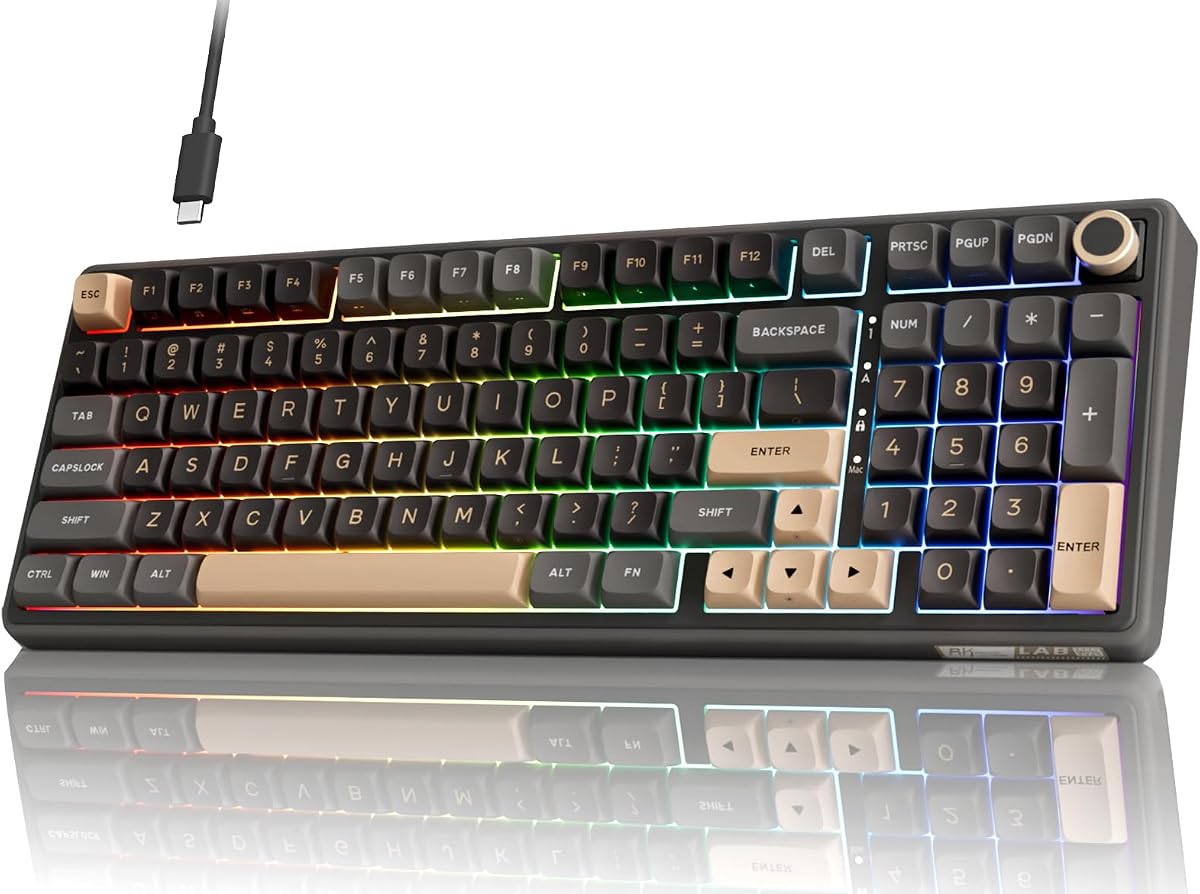
The Keymatic WK98 Foundation is a premium option featuring an interactive custom screen that syncs with music. With a 4.7 rating it appeals to users who want a visually dynamic desk centerpiece.
We may earn a commission when you buy through this link, at no additional cost to you.
Its crystal jelly design and dynamic RGB lighting create a vibrant atmosphere. The MOA contour keycaps fit fingers naturally reducing strain during extended gaming sessions or work hours.
The high-quality PCB supports 3-pin and 5-pin connectors ensuring broad switch compatibility. This means you can tailor the setup to your specific sound preferences later if needed.
For those who want style and functionality in equal measure this keyboard delivers both. The wireless functionality ensures seamless performance while keeping the desk tidy and clutter free.
Interactive custom screen features music rhythm sync to transform your keyboard into a visualizer.
MOA contour keycaps reduce strain making long gaming sessions more comfortable.
We may earn a commission when you buy through this link, at no additional cost to you.
The Kisnt KN85 Wireless Mechanical Keyboard offers a compact 75% layout ideal for small desks. It maintains essential keys like arrows and F-functions without the bulk of a full size board.
We may earn a commission when you buy through this link, at no additional cost to you.
Its gasket mount absorbs vibrations to produce a smooth marbly thock. This mellow ASMR-like tone makes every keystroke enjoyable for late night working in shared spaces.
Lacking a number pad might be a limitation for data entry tasks. However for typing and gaming this layout frees up 25% of desk space which benefits those with limited room.
This model is perfect for minimalists who value a clean workspace. The tri-mode connectivity ensures you can stay connected across devices without constant pairing.
Frees up 25% of desk space by removing number pad while keeping essential keys.
Gasket mount creates a smooth marbly thock without loud clacky taps.
We may earn a commission when you buy through this link, at no additional cost to you.
The AULA F99 Wireless Mechanical Keyboard allows connection to up to five devices simultaneously. This high connectivity level makes it a top pick for users managing multiple screens or systems.
We may earn a commission when you buy through this link, at no additional cost to you.
Its gasket structure and PCB single key slotting optimize resilience and hand feel. Five layers of filling silencer effectively counteract cavity noise ensuring a solid and consistent typing experience.
The large 8000mAh battery supports long usage periods without interruption. However the software might require setup time to unlock all advanced customization features for macros and RGB.
This model is highly recommended for multitaskers who need to switch between devices frequently. The hot-swap feature lets you adjust the switches later without soldering hassle.
Connect to up to five devices simultaneously via Bluetooth 5.0 and 2.4GHz modes.
Five layers of silencer and gasket structure reduce noise for a solid feel.
We may earn a commission when you buy through this link, at no additional cost to you.
Selecting the right ASMR keyboard involves balancing acoustic performance with practical features. Understanding the technical aspects helps you find a device that matches your specific typing style.
Switches dictate the sound and feel of the keyboard. Linear switches are often preferred for ASMR because they lack the loud click of tactile switches.
Look for pre-lubed linear switches to ensure smooth movement and reduced friction noise during typing.
Internal foam layers and gasket mounting significantly reduce hollow echoes. This creates a deeper and more satisfying thocky sound.
Prioritize keyboards with multiple layers of foam or silicone pads for the best acoustic experience.
PBT keycaps are more durable and resist shine compared to ABS. They also contribute to a better sound profile due to their thickness.
Ensure the keyboard uses double-shot PBT keycaps for longevity and a matte finish that looks good.
Full layouts offer all keys but take up space. Compact layouts like 75% or 65% save room but may lack a number pad.
Choose a layout based on your desk size and whether you frequently use the numpad for work.
Wireless models offer flexibility while wired ones ensure zero latency. Look for tri-mode options if you switch between devices often.
Check battery life for wireless models to ensure it meets your daily usage needs.
Hot-swappable sockets let you change switches without soldering. This allows you to tweak the sound and feel as you wish.
Consider software support for macros and RGB customization to enhance your workflow efficiency.
Sturdy materials like aluminum or high-grade plastic improve stability. A gasket mount adds to this premium feel.
Check reviews for stability and durability to avoid flex issues during heavy typing sessions.
The look of the keyboard matters for desk setup. RGB lighting and unique colorways add to the vibe.
Choose a style that fits your desk theme whether it is retro typewriter or modern minimalist.
Start by connecting the keyboard via the preferred method. If wireless ensure the battery is charged before pairing to avoid interruptions during setup.
Clean the keycaps regularly with a soft brush or compressed air to prevent dust buildup that affects sound.
Adjust the lighting and switches via software to find the best combination for your environment.
ASMR sounds typically come from linear switches with smooth travel and internal dampening foam. This setup reduces high-pitched noise and creates a deeper thocky sound.
Yes mechanical switches generally offer better consistency and acoustic control than membrane ones. They allow for customization that enhances the desired audio feedback.
Wireless keyboards are just as quiet as wired ones if they use good switches. The connection type does not affect the acoustic profile of the keystrokes.
If the board is hot-swappable you can use a switch puller to remove old switches and insert new ones. Always check compatibility before purchasing new switches.
Gasket mounting uses silicone pads to hold the PCB allowing for more flex. This reduces vibration noise and creates a softer typing feel.
A full layout provides all keys but a 75% or 96% offers a balance. Choose based on whether you need a dedicated number pad for your tasks.
The RK ROYAL KLUDGE R98 Pro leads as a top choice for balanced sound and build quality. It offers a premium feel at a reasonable cost.
Consider your workspace needs regarding wireless and layout size. If you want unique visuals the Keymatic WK98 Foundation delivers great aesthetics.
Prices and availability can change so always check the latest listings. Selecting the right model enhances both productivity and daily enjoyment.