
Alienware 34 240Hz QD-OLED Curved Gaming Monitor
4.5Editor score
34 inch QD-OLED
240Hz refresh rate
1800R curved design
Finding the right gaming display can transform your entire setup and elevate your competitive edge significantly. Alienware offers a wide range of monitors designed to meet the demands of modern gamers seeking speed and clarity.
We have evaluated each model based on panel technology, refresh rates, and overall build quality to ensure you get accurate insights. Our comparison covers everything from budget-friendly options to high-end OLED displays available in the market.
Each selection highlights unique strengths and potential trade-offs so you can match a monitor to your specific gaming needs. Please note that product availability and pricing can change frequently across different online retailers.
4.5Editor score

4.6Editor score
4.4Editor score
As an Amazon Associate we earn from qualifying purchases.
This detailed comparison table allows you to view key specifications side by side for all ten selected monitors to help you make an informed decision quickly.


The Alienware 27 Gaming Monitor AW2725DM stands out as a top choice for gamers seeking balanced performance and visual fidelity. With a rating of 4.6 out of 5 stars, it delivers consistent quality across various gaming scenarios. The Fast IPS panel ensures vibrant colors while maintaining quick response times necessary for competitive play.
We may earn a commission when you buy through this link, at no additional cost to you.
Key strengths include its 180Hz refresh rate which provides fluid visuals during fast-paced action. The QHD resolution offers sharp details making every world exploration or battle more immersive. Additionally the VESA DisplayHDR 400 certification adds depth to supported content enhancing contrast in darker scenes significantly.
Trade-offs exist such as limited HDR peak brightness compared to OLED models. However this is acceptable for the price point and standard gaming needs. The design also prioritizes eye comfort with low blue light solutions allowing longer sessions without strain.
This monitor is ideal for mainstream gamers who want high-quality visuals without compromising on speed. It suits both console and PC users looking for a reliable display that enhances gameplay immersion. We recommend it for those prioritizing color accuracy and motion clarity.
The 180Hz refresh rate paired with 1ms response time minimizes motion blur ensuring crisp visuals during rapid movements.
With 95% DCI-P3 coverage colors appear true to life enhancing the visual experience across different game genres.
We may earn a commission when you buy through this link, at no additional cost to you.
The Alienware 34 240Hz QD-OLED Curved Gaming Monitor represents the pinnacle of visual fidelity for serious gamers. Its rating of 4.5 out of 5 reflects exceptional quality in color and motion performance. The QD-OLED technology delivers infinite contrast and true blacks transforming your gaming environment into a cinematic experience.
We may earn a commission when you buy through this link, at no additional cost to you.
This model excels with a 240Hz refresh rate and 0.03ms response time ensuring zero lag in competitive titles. The 34 inch ultrawide curved design expands your field of view significantly. Colors pop with 99.3% DCI-P3 coverage making scenes look exactly as developers intended.
Despite its high price the benefits are clear for enthusiasts seeking top-tier visuals. Potential burn-in is a consideration but modern protections mitigate this risk effectively. The curve enhances immersion making it perfect for sim racing or open-world exploration.
Buyers looking for the ultimate gaming experience should consider this monitor seriously. It suits those who value color accuracy and contrast above all else. The investment pays off in daily usage through unparalleled visual clarity and speed.
True OLED technology allows for perfect black levels enhancing detail in dark game scenes without any backlight bleed.
With 0.03ms response time ghosting is eliminated completely ensuring every pixel update happens instantly.
We may earn a commission when you buy through this link, at no additional cost to you.
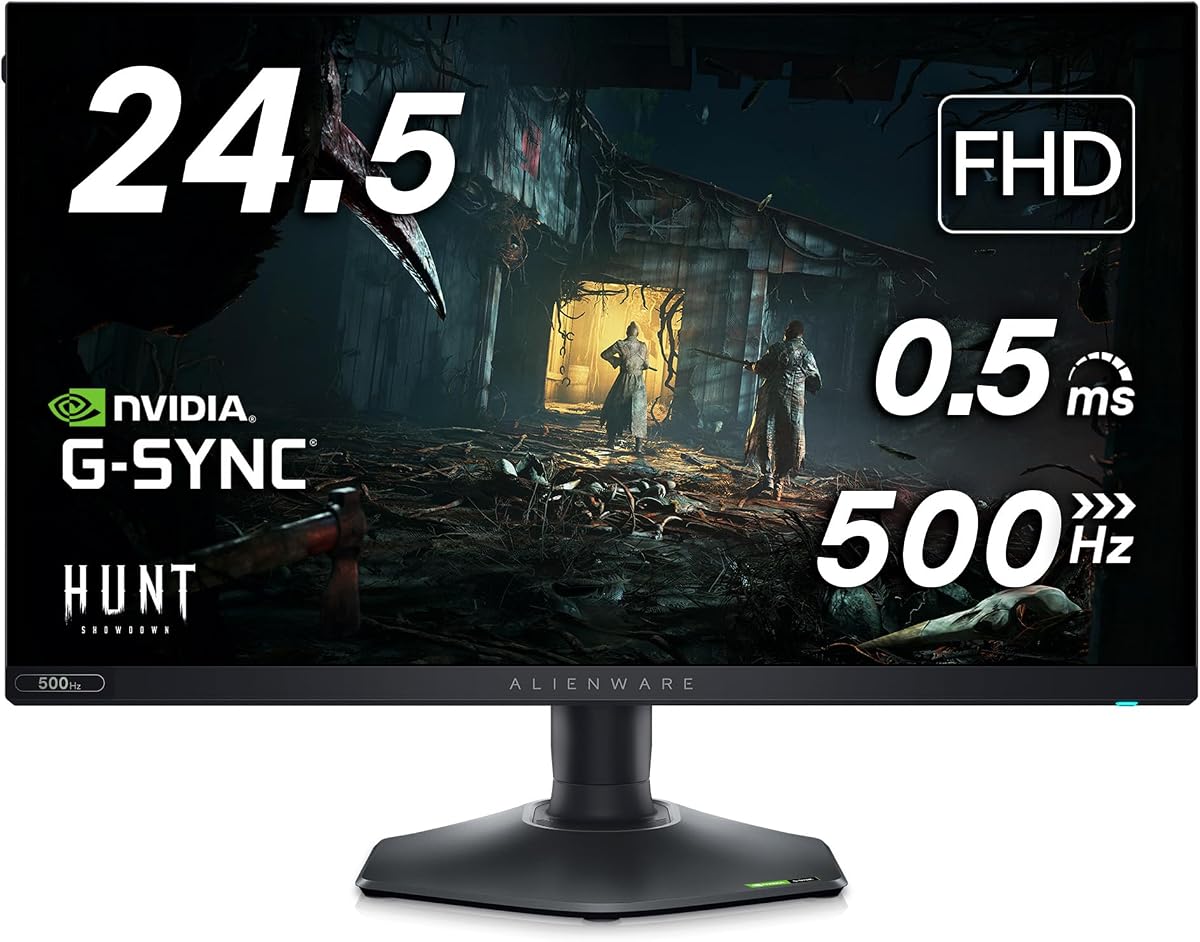
The Alienware AW2524H Gaming Monitor offers unmatched speed for competitive gamers on a budget. Rated 4.4 out of 5 stars it focuses on refresh rate performance above all else. The 480Hz refresh rate provides incredibly fluid motion which is vital for fast-paced shooters and esports titles.
We may earn a commission when you buy through this link, at no additional cost to you.
Its key strength lies in the lightning-fast 0.5ms response time eliminating ghosting during rapid movements. The 24.5 inch Full HD resolution keeps graphics sharp while maintaining high frame rates. This makes it an excellent choice for users prioritizing motion clarity over pixel density.
While it lacks QHD resolution the trade-off allows for higher frame rates and smoother gameplay. The anti-glare coating reduces reflections ensuring visibility in various lighting conditions. Build quality remains solid with adjustable stand options for comfort.
Competitive gamers looking for an edge will find this monitor highly beneficial. It suits those who play primarily at high frame rates and value speed over resolution. We recommend it for esports enthusiasts seeking top-tier performance without breaking the bank.
The native 480Hz refresh rate reduces motion blur allowing players to track enemies and projectiles with ease.
Pricing makes high-end speed accessible to more users without requiring a massive investment in hardware.
We may earn a commission when you buy through this link, at no additional cost to you.
The Alienware AW3423DW Curved Gaming Monitor brings OLED technology to a broader audience with impressive performance. Rated 4.3 out of 5 stars it balances price and quality effectively for many users. The QD-OLED panel delivers vibrant colors and deep blacks creating a stunning visual experience across various genres.
We may earn a commission when you buy through this link, at no additional cost to you.
Key strengths include its 175Hz refresh rate which ensures smooth gameplay without lag. The curved design wraps around your vision enhancing immersion significantly in racing and flight sims. G-SYNC Ultimate certification guarantees tear-free visuals across compatible hardware setups.
Trade-offs involve brightness limits compared to newer models but this is negligible in controlled environments. The customizable lighting adds a personal touch to your setup while maintaining clean cable management. It remains a solid investment for those wanting OLED quality.
Gamers looking for a balance of immersion and color accuracy will appreciate this model. It is ideal for users who value cinematic visuals alongside gaming performance. We recommend it for those seeking an entry point into premium display technology.
The 1800R curve matches human vision naturally pulling you into the game world for deeper engagement.
Quantum Dot technology enables over a billion colors ensuring gradients and shades appear smooth and natural.
We may earn a commission when you buy through this link, at no additional cost to you.
The Dell 26.5 Alienware Monitor AW2726DM offers a compact OLED solution for modern desks. With a rating of 4.5 out of 5 stars it provides high-speed performance and rich visuals in a smaller form factor. The Quantum Dot OLED panel ensures vibrant colors and true blacks that enhance gaming immersion.
We may earn a commission when you buy through this link, at no additional cost to you.
Its key strengths include the 240Hz refresh rate for fluid motion and quick response times. The QHD resolution strikes a balance between sharpness and performance needs. This model is ideal for users wanting OLED benefits without the ultrawide footprint.
Trade-offs exist such as limited stand adjustability compared to larger models. However the performance and visual fidelity remain top-tier for the size. It is well suited for smaller spaces where space efficiency is a priority.
Gamers with limited desk space will find this monitor highly suitable. It suits those who value speed and color quality in a compact design. We recommend it for users seeking high-end performance without overwhelming their desk setup.
The 27 inch size maximizes screen real estate while maintaining a small physical footprint for smaller rooms.
Quantum Dot technology ensures colors remain vivid and accurate even at high refresh rates and brightness levels.
We may earn a commission when you buy through this link, at no additional cost to you.
The Dell Alienware 27 4K QD-OLED Gaming Monitor brings 4K clarity to gaming with OLED speed. Although marked as renewed it offers high-end features at a potentially lower price. The QD-OLED technology provides unmatched color purity and contrast making scenes look incredibly lifelike and sharp.
We may earn a commission when you buy through this link, at no additional cost to you.
Key strengths include the 240Hz refresh rate and 166 PPI density ensuring crisp visuals in all directions. Dolby Vision support adds cinematic depth to HDR content enhancing the overall viewing experience. This is ideal for users who need high fidelity for work and play.
Trade-offs include its renewed status which may affect warranty terms. However the core hardware remains robust and tested for quality. It is well suited for those seeking 4K performance without the premium price tag.
Gamers needing high resolution for creative work will appreciate this monitor. It suits those prioritizing detail and clarity in their visual setup. We recommend it for users comfortable with renewed electronics who want top-tier specs.
With 166 PPI text and icons appear sharp ensuring clarity across applications and games alike.
Dolby Vision support enhances contrast and brightness making high dynamic range content truly stand out visually.
We may earn a commission when you buy through this link, at no additional cost to you.
The Alienware AW2523HF Gaming Monitor stands out with its unique accessories and esports focus. Rated highly for performance it includes USB hubs and lighting to enhance your desk setup. The 360Hz refresh rate ensures smooth gameplay for competitive titles while the hexagonal base saves desk space.
We may earn a commission when you buy through this link, at no additional cost to you.
Its key strengths include the Fast IPS panel providing consistent colors and wide viewing angles. The AMD FreeSync Premium technology eliminates tearing for a seamless experience. Accessories included offer connectivity solutions reducing cable clutter on your desk significantly.
Trade-offs involve the Full HD resolution which may not suit high-resolution users. However the speed and accessory value make it a strong choice for budget esports setups. It remains well suited for tournament-style gaming.
Competitive players wanting a complete setup will find this monitor beneficial. It suits those who value practical features alongside performance. We recommend it for users seeking convenience and speed in one package.
The hexagonal base design allows more space for mouse movement and keyboard placement for pro setups.
Included USB hubs simplify peripheral connections keeping your desk organized and functional.
We may earn a commission when you buy through this link, at no additional cost to you.
The Alienware 25 Gaming Monitor AW2523HF delivers reliable speed for competitive gaming. With a 4.6 rating it offers solid performance and color consistency across all tasks. The Fast IPS panel ensures vibrant visuals while the 360Hz refresh rate keeps motion smooth during intense sessions.
We may earn a commission when you buy through this link, at no additional cost to you.
Its key strengths include the 0.5ms response time eliminating ghosting in fast games. The adjustable stand provides ergonomic comfort for long play sessions. This model is perfect for users prioritizing frame rate over resolution clarity.
Trade-offs include limited brightness which may affect HDR content but is fine for standard gaming. The console mode optimizes settings for console play enhancing versatility. It remains well suited for mixed gaming setups.
Gamers needing reliability and speed will appreciate this display choice. It suits those who value performance consistency and comfort. We recommend it for users wanting a straightforward high-speed monitor without extra complexities.
Fast IPS technology ensures uniform brightness and color across the screen for consistent performance.
Height tilt swivel and pivot adjustments help you find a comfortable viewing angle for any setup.
We may earn a commission when you buy through this link, at no additional cost to you.
The Alienware 27 280Hz QHD Gaming Monitor offers top-tier speed and HDR performance. Rated 5.0 out of 5 stars it delivers exceptional quality and clarity for demanding users. The QHD resolution provides sharp visuals while the overclocked 280Hz rate ensures fluid motion in every frame.
We may earn a commission when you buy through this link, at no additional cost to you.
Its key strengths include the VESA DisplayHDR 600 certification enhancing contrast and brightness significantly. The Fast IPS Nano Color panel ensures vivid and accurate colors from any angle. This makes it ideal for both creative work and high-performance gaming needs.
Trade-offs involve the higher cost compared to standard models but the features justify it. The RGB lighting adds flair though some may prefer to disable it. It remains well suited for users wanting premium features.
Enthusiasts seeking speed and visual fidelity will love this monitor. It suits those needing high brightness and color accuracy for media and games. We recommend it for users willing to invest in top-tier quality.
VESA DisplayHDR 600 delivers higher peak brightness allowing shadows and highlights to appear more distinct.
Triple sync support ensures tear-free gaming across NVIDIA AMD and console platforms seamlessly.
We may earn a commission when you buy through this link, at no additional cost to you.
The Alienware 120Hz UltraWide Gaming Monitor offers a classic curved experience for immersive play. Rated 4.6 out of 5 stars it provides reliable performance and visual consistency. The 21:9 aspect ratio expands your view making it perfect for multitasking and cinematic gaming content.
We may earn a commission when you buy through this link, at no additional cost to you.
Its key strengths include the 3440×1440 resolution ensuring sharp details across the screen. The Nano Color technology exceeds standard sRGB coverage for lifelike visuals. This model is ideal for users who prefer wider screens over high refresh rates.
Trade-offs include the lower 120Hz refresh rate compared to newer models. However for narrative games and multitasking this is perfectly adequate. The anti-glare coating ensures visibility in bright rooms.
Gamers focusing on immersion over speed will find this monitor suitable. It suits those needing a wide canvas for work and entertainment. We recommend it for users prioritizing screen real estate and color quality.
The 21:9 aspect ratio fills peripheral vision enhancing immersion and reducing eye strain.
G-SYNC technology synchronizes frames eliminating screen tearing for a smooth visual experience.
We may earn a commission when you buy through this link, at no additional cost to you.
Choosing the right Alienware gaming monitor requires understanding key specs that impact performance and visual quality significantly.
The refresh rate determines how many frames per second the monitor can display. Higher refresh rates like 240Hz or 360Hz reduce motion blur and improve responsiveness in competitive games significantly. Look for refresh rates that match your GPU capabilities for smooth gameplay.
Prioritize at least 144Hz for competitive gaming to gain a clear advantage in fast-paced scenarios.
Panel technology dictates color accuracy and contrast levels. OLED offers perfect blacks and infinite contrast while Fast IPS provides quick response times and wide viewing angles. Choose OLED for immersive cinematic experiences or Fast IPS for color consistency.
Select OLED for deep blacks or Fast IPS for reliable color accuracy across different lighting conditions.
Resolution impacts image sharpness and clarity. QHD offers a balance between performance and detail whereas 4K provides maximum clarity but requires powerful hardware. Consider your GPU capability when choosing resolution to avoid performance bottlenecks.
Opt for QHD for a balance of speed and sharpness unless your PC supports 4K gaming.
Response time measures how quickly pixels change color which reduces ghosting. Look for monitors with 1ms or lower response time to ensure crisp visuals during rapid movements. This is vital for fast shooters where clarity matters.
Look for response times under 1ms to eliminate ghosting and ensure clear moving images.
Adaptive Sync technologies like G-SYNC and FreeSync prevent screen tearing by syncing GPU output with monitor refresh. This ensures smoother gameplay and reduces stutter. Ensure your monitor supports your graphics card brand.
Choose Adaptive Sync to match your GPU brand for tear-free visuals during gameplay.
Ergonomics ensure comfort during long sessions. Look for height tilt and swivel adjustments to reduce neck strain. A solid base and good cable management also contribute to a clean and functional setup.
Prioritize adjustable stands to maintain a healthy posture during extended gaming hours.
Color gamut defines the range of colors a monitor can display. Higher DCI-P3 coverage ensures vibrant and lifelike visuals. This matters for both gaming and content creation work needing accurate color representation.
Check for high DCI-P3 coverage to ensure visuals appear vibrant and accurate.
Curvature affects immersion and peripheral viewing. Curved screens wrap around your vision making games feel more realistic. Flat panels suit productivity tasks better. Choose based on whether you prioritize immersion or multitasking.
Choose curved panels for immersion and flat panels for productivity needs.
To maximize lifespan avoid touching the screen directly with sharp objects. Use soft microfiber cloths for cleaning to prevent scratches on sensitive surfaces.
Keep the monitor away from direct sunlight and excessive heat sources. Use the built-in low blue light features to reduce eye strain during long sessions.
Ensure proper ventilation around the monitor to maintain optimal operating temperatures. Check firmware updates regularly for performance enhancements and new features.
Yes many Alienware monitors support console modes and adaptive sync technologies that enhance console performance. Look for models with HDMI 2.1 ports to support 4K 120Hz output on next-gen consoles effectively. Ensure compatibility with your specific console model.
Most models feature HDR certification like VESA DisplayHDR 400 or 600 for improved contrast. OLED models provide true HDR performance with deeper blacks and brighter peaks. Check specific specs to confirm HDR support for your content needs.
QD-OLED uses quantum dots to enhance brightness and color gamut over traditional OLED. It offers better color volume and resistance to burn-in. Traditional OLED is still excellent but QD-OLED offers more vibrant colors for gaming.
Absolutely models with high DCI-P3 and sRGB coverage ensure accurate colors for design. The Legend 2.0 stand allows pivot adjustments for vertical canvas work. Many support creator modes for precise gamma settings.
Most monitors include multiple HDMI and DisplayPort inputs. Some feature USB hubs for peripherals. Use the built-in OSD menu to switch inputs quickly. HDMI 2.1 is recommended for high bandwidth devices.
Modern OLEDs include pixel shifting and static image detection to minimize burn-in risk. Avoid leaving static elements on screen for long periods. Use dark mode or screensavers to protect the display over time.
We reviewed ten top Alienware monitors ranging from competitive 480Hz models to immersive QD-OLED displays. Each offers unique strengths depending on your gaming priorities and budget constraints.
Prioritize refresh rate for competitive gaming and panel technology for visual fidelity. Consider ergonomics and HDR capabilities to ensure a comfortable experience.
Remember that prices and availability change frequently so check current listings before purchasing. Our guide helps you match the right monitor to your needs effectively.