
TCL NXTPAPER 11 Gen 2 Android Tablet
4.4Editor score
Paper-like eye comfort display
AI productivity tools included
10000mAh battery capacity
The landscape of personal computing has evolved dramatically with the integration of artificial intelligence directly into portable devices. An AI tablet now offers more than just a screen; it provides intelligent assistance, automated organization, and enhanced creativity tools tailored to your specific needs.
Our team rigorously evaluated ten leading models from major manufacturers to determine which devices truly deliver on the promise of intelligent computing. We analyzed processor power, display fidelity, battery longevity, and the specific implementation of AI features to ensure a comprehensive and unbiased comparison.
Each selection in this guide highlights unique strengths, whether you need a creative powerhouse, a study companion, or a versatile media hub. Please note that product availability and specific pricing details may fluctuate over time, so verify current offers before making your final purchase decision.
4.4Editor score

4.6Editor score

5.0Editor score
As an Amazon Associate we earn from qualifying purchases.
This side-by-side comparison breaks down the core specifications and key capabilities of each selected model to help you find the exact match for your workflow.





The Lenovo Yoga Tab AI stands out as a premier option for creators and professionals seeking high-end performance. It combines powerful AI tools with a stunning 144Hz display to deliver a seamless experience for editing and multitasking.
We may earn a commission when you buy through this link, at no additional cost to you.
Powered by the Snapdragon 8 Gen 3 processor, this device handles intensive creative workflows without hesitation. The inclusion of the Pro Pen and keyboard makes it a complete workstation for note-taking and document management.
While the price is higher than entry-level models, the build quality and feature set justify the investment. The IP53 rating offers peace of mind against minor spills and dust during daily use.
We recommend this tablet for anyone who needs a reliable tool for professional creative work or high-fidelity media consumption on the go.
The integrated AI tools streamline editing and transcription tasks, saving valuable time for professional users.
The 144Hz refresh rate ensures that every touch and stroke is tracked with incredible fluidity and accuracy.
We may earn a commission when you buy through this link, at no additional cost to you.
Samsung Galaxy Tab S11 offers a robust set of AI features that enhance productivity and creativity for users within the Samsung ecosystem. The Galaxy AI suite provides practical tools for summarization and sketching.
We may earn a commission when you buy through this link, at no additional cost to you.
The included S Pen is a significant advantage for note-takers and artists who need precision input. The device is also built to last with an IP68 rating that protects against water and dust ingress.
Users looking for a reliable companion for business or creative tasks will appreciate the smooth performance and high-quality display. The 12GB RAM ensures that complex apps run without lag or stuttering.
This tablet is best suited for those who value durability and a tight integration with other Samsung devices for a cohesive digital experience.
Note Assist helps organize raw handwritten notes into structured text instantly during meetings.
The IP68 rating ensures the device survives accidental splashes or dusty environments easily.
We may earn a commission when you buy through this link, at no additional cost to you.
The TCL NXTPAPER 11 Gen 2 is an excellent choice for readers and students who spend long hours in front of a screen. The NXTPAPER technology reduces glare and blue light to protect vision.
We may earn a commission when you buy through this link, at no additional cost to you.
It offers a cost-effective way to access AI features like real-time subtitles and translation without breaking the budget. The 8GB RAM handles everyday multitasking smoothly for most users.
While it may not be the fastest device for gaming, its focus on comfort and readability makes it ideal for study sessions. The long battery life ensures you can work throughout the day.
We recommend this model for students or casual users prioritizing eye health and battery longevity over raw processing speed.
The Ink Paper Mode transforms the screen into a soft, paper-like surface for extended reading.
AI tools help you translate text and summarize information quickly for study assistance.
We may earn a commission when you buy through this link, at no additional cost to you.
The Samsung Galaxy Tab S10+ provides a larger canvas for creative work and productivity tasks. Its 12.4-inch screen offers ample space for split-screen multitasking and detailed design work.
We may earn a commission when you buy through this link, at no additional cost to you.
AI tools like Sketch to Image allow you to transform rough drawings into refined art instantly. The device is robust and reliable for professionals who need a premium Android experience.
Users will appreciate the combination of a powerful processor and a high-resolution AMOLED display. It is particularly well-suited for those who consume a lot of video content or need a digital workspace.
This tablet is the right choice for power users who need a large, durable screen for daily professional or creative demands.
Sketch to Image uses AI to instantly turn simple sketches into polished artwork.
The large screen makes it easy to work on multiple apps side by side effectively.
We may earn a commission when you buy through this link, at no additional cost to you.
The TCL NXTPAPER 14 is designed for those who need a massive screen for note-taking and digital art. Its 14.3-inch display provides plenty of room for writing and drawing without feeling cramped.
We may earn a commission when you buy through this link, at no additional cost to you.
The NXTPAPER technology ensures that even on such a large screen, your eyes remain comfortable during long sessions. It supports a stylus for precise input and offers robust battery life.
This device is ideal for students or professionals who use the tablet as a primary digital notebook. The metal body adds a touch of premium build quality at a reasonable price.
Choose this model if you need extra screen real estate for productivity and comfort without sacrificing battery longevity.
Multi-window features allow you to run several apps at once for efficient workflow.
A massive 10000mAh battery ensures you can use the device all day without recharging.
We may earn a commission when you buy through this link, at no additional cost to you.
The Samsung Galaxy Tab A11+ is a versatile device suitable for family use and general entertainment. It offers a balance of performance and affordability that fits many household needs.
We may earn a commission when you buy through this link, at no additional cost to you.
With generous storage and RAM, it handles streaming and gaming smoothly. The quad speakers provide a rich audio experience for movies and music.
The device is easy to use for all ages and includes features that make it safe and convenient for children. Fast charging ensures it is ready for use quickly after a short break.
This tablet is a great option for families looking for a reliable and durable device for shared use.
High-quality speakers make watching movies an immersive experience for the whole family.
Ample storage space allows you to keep plenty of apps and files on the device.
We may earn a commission when you buy through this link, at no additional cost to you.
The Lenovo Idea Tab Pro is designed specifically with students in mind, offering tools to enhance learning and creativity. It comes with Google Gemini to assist with research and study tasks.
We may earn a commission when you buy through this link, at no additional cost to you.
The large 3K display makes reading textbooks and documents a comfortable experience. It also performs well for gaming and media consumption with a responsive screen.
Students will appreciate the included pen and case which are essential for note-taking on campus. The fast charging ensures the device is ready for classes throughout the day.
We recommend this model for students who need a powerful and versatile tool for both study and entertainment.
Google Gemini acts as a smart assistant to help with complex study questions.
The 3K resolution ensures text and images look sharp and clear.
We may earn a commission when you buy through this link, at no additional cost to you.
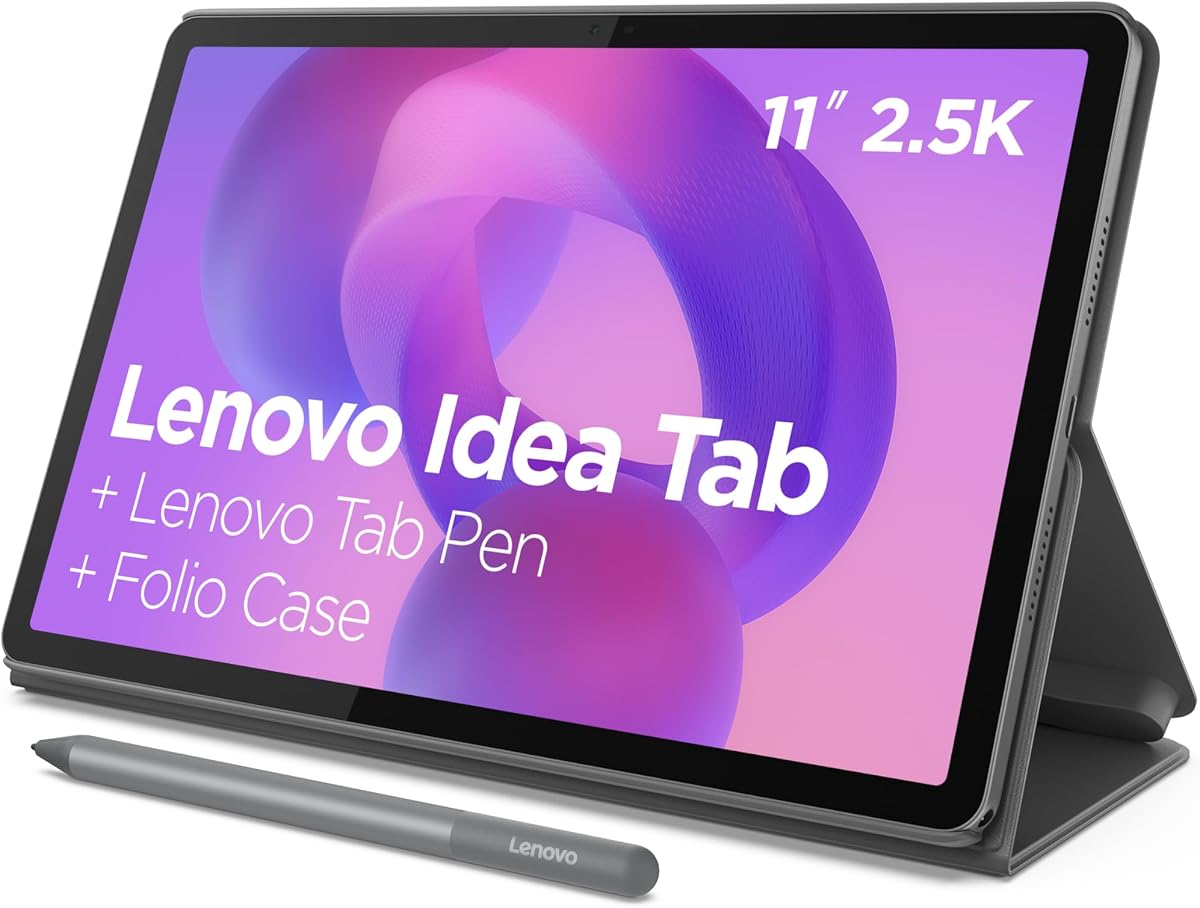
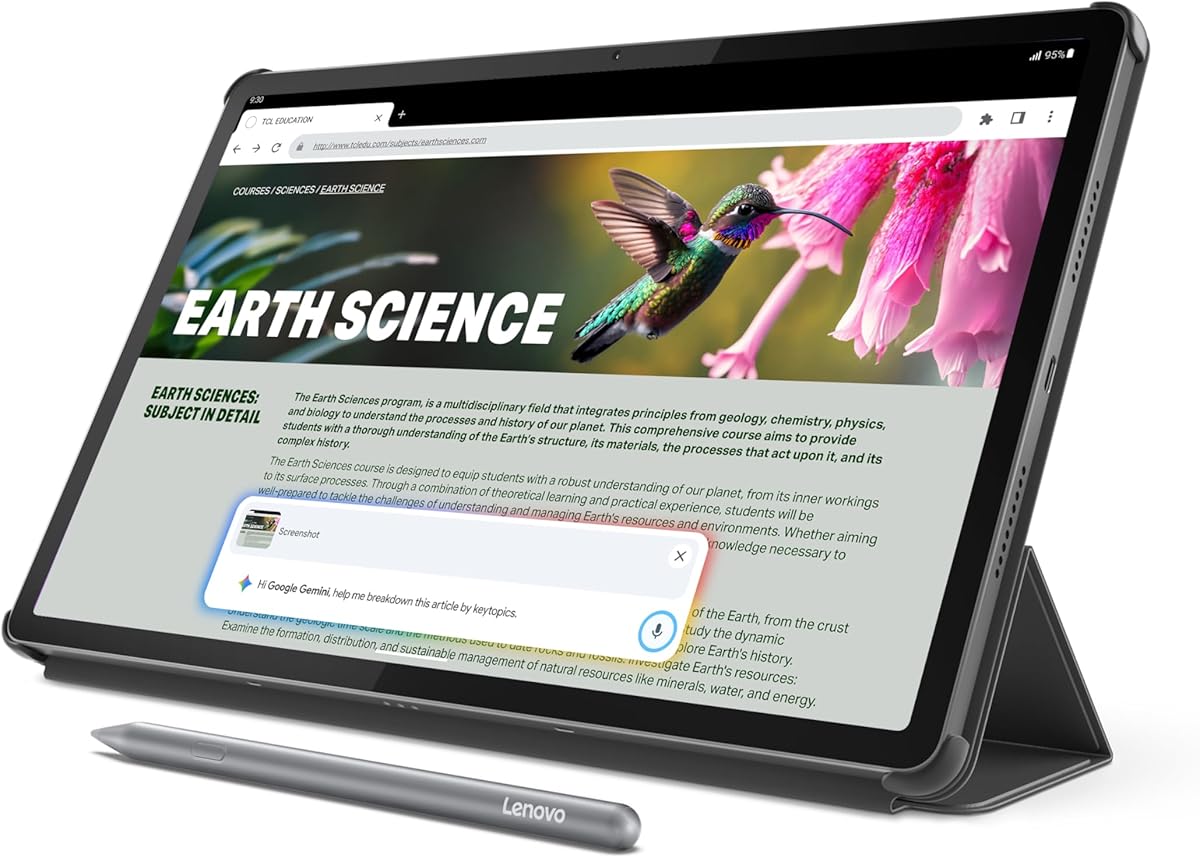
The Lenovo Idea Tab offers a practical solution for users needing a reliable tablet for daily tasks. It comes with essential accessories like a pen and case to save money.
We may earn a commission when you buy through this link, at no additional cost to you.
The 2.5K display is sharp and easy on the eyes for long reading sessions. It handles standard apps and browsing well enough for most casual users.
This device is a solid choice for those on a budget who still want a decent screen and good battery life. The included software helps with organization and study tasks.
Choose this tablet if you want a functional device without spending a lot of money on premium features.
Built-in learning apps help you manage notes and calculations efficiently.
Low blue light technology helps protect your eyes during extended use.
We may earn a commission when you buy through this link, at no additional cost to you.
The CHUWI Hi10 Max brings PC-like power to the tablet form factor with its Intel processor. It is suitable for users who need to run standard desktop applications on a portable device.
We may earn a commission when you buy through this link, at no additional cost to you.
With a large SSD and full ports, you can connect external drives and monitors easily. The 3:2 screen offers more vertical space for reading and coding tasks.
This device is ideal for power users who want a portable workstation rather than just a media consumption device. It offers significant value for the performance it delivers.
We recommend this model for professionals who need a versatile and powerful tablet for various computing tasks.
Multiple ports allow you to connect various peripherals without needing dongles.
The Intel Ultra processor handles demanding tasks like video editing and multitasking.
We may earn a commission when you buy through this link, at no additional cost to you.
The Android 16 Tablet provides an entry-level option for basic computing needs. It offers a large battery and expandable storage for users on a tight budget.
We may earn a commission when you buy through this link, at no additional cost to you.
It supports essential apps and media consumption well enough for casual users. The device includes basic AI features to help with daily tasks.
This tablet is best for those who need a secondary device for browsing and watching videos. It is also a good gift option for casual users.
Choose this model if you need a basic and affordable device without high-end performance requirements.
Expandable storage up to 2TB allows you to keep a large media library.
An 8000mAh battery ensures long usage time for daily entertainment.
We may earn a commission when you buy through this link, at no additional cost to you.
Selecting the right AI tablet involves considering several key factors to ensure the device meets your specific needs.
The processor is the brain of the tablet and determines how well it handles AI tasks. Look for modern chips that support on-device AI processing for faster response times.
A strong processor ensures smooth performance when using advanced features like translation or image editing.
Since you will likely spend long hours looking at the screen, display comfort is crucial. Technologies that reduce blue light and glare help protect your eyes.
High refresh rates and resolutions also improve the clarity of text and images for a better viewing experience.
Adequate RAM is necessary for multitasking and running multiple AI apps simultaneously. Storage capacity affects how many files and apps you can keep locally.
Ensure you have enough storage for your documents and media or choose a model with expansion options.
If you plan to take notes or draw, a stylus is a valuable accessory. Some devices include a stylus while others require a separate purchase.
Check for features like pressure sensitivity and low latency for a natural writing feel.
Battery life determines how long you can use the tablet away from a power outlet. A device with a larger battery ensures you can work through the day.
Fast charging capabilities are also important to minimize downtime when you need a quick power boost.
Different manufacturers offer unique AI features such as voice assistants or smart note tools. Ensure the software is user-friendly and offers the tools you need.
Check for regular updates that keep the AI features current and secure.
A durable build ensures the tablet can withstand daily wear and tear. Look for features like water resistance if you often use the device outdoors.
Quality materials also contribute to the overall feel and longevity of the device.
Good connectivity ensures the tablet can communicate with other devices and the internet. Wi-Fi standards and Bluetooth versions affect the speed and range of connections.
Physical ports are also useful if you need to connect external hardware or charge other devices.
To get the most out of your AI tablet, start by customizing the settings to match your workflow. Adjust screen brightness and font sizes to ensure comfort during long sessions.
Regularly update your software to access the latest security patches and AI improvements. This keeps the device running smoothly and protects your data from potential threats.
Maintain the physical condition of your tablet by using a protective case and keeping it away from extreme temperatures. Clean the screen with a soft cloth to prevent scratches and ensure clear visuals.
AI tablets offer enhanced productivity through features like automated note-taking, real-time translation, and smart image editing. They simplify complex tasks and provide personalized assistance to improve your workflow.
No, most AI features work with touch input or voice commands. However, a stylus can improve accuracy for tasks like sketching or detailed note-taking.
AI tools can organize handwritten notes into text, summarize long lectures, and highlight key points automatically. This saves time and keeps your study materials organized.
On-device AI is faster and more private since data is processed locally. Cloud-based AI might offer more advanced features but requires an internet connection and raises privacy concerns.
A screen size between 11 and 13 inches is ideal for reading. It provides enough space for text without being too heavy to hold for long periods.
A good tablet should last at least 10 hours on a single charge. Look for fast charging if you often need to top up the battery quickly during the day.
Yes, many AI tablets include tools like live transcription, homework assistants, and language translation. These features are designed to support learning and research tasks.
Absolutely, AI tablets can handle emails, documents, and presentations efficiently. The intelligent tools help manage schedules and organize data for professional use.
We have reviewed ten distinct models that cater to various needs from budget-friendly options to premium creative tools. The Lenovo Yoga Tab AI stands out for its high-end performance while the TCL NXTPAPER offers great value for readers.
When making your choice prioritize the features that align with your daily tasks. Whether it is display comfort, battery life, or specific AI tools ensure the device supports your workflow effectively.
Remember to check current prices and availability as market conditions change frequently. We hope this guide helps you find the perfect AI tablet for your needs.