
AI Voice Sticker Printer
5.0Editor score
Portable design
Color preview screen
Includes paper rolls
This guide compares the top AI sticker printer makers for kids and creators, evaluating voice activation, printing quality, and ease of use for creative
AI sticker printer makers are transforming how children and creators bring imagination to life. These devices combine voice recognition with thermal printing to produce custom designs instantly without ink. Finding the right model depends on factors like portability, app connectivity, and safety features for young users.
We evaluated ten leading AI sticker printers based on performance, design, and user experience. Our analysis focuses on voice accuracy, print quality, and the creativity tools each device offers. We also considered privacy settings and content filtering to ensure safe usage for all ages.
Each selection in this guide highlights unique strengths for different needs. Whether you want simple voice-to-art or advanced cutting features, these picks cover the spectrum. Keep in mind that availability and offers may change, so check current listings before purchasing your next creative tool.
5.0Editor score

4.8Editor score

4.2Editor score
This comparison table provides a side-by-side overview of all ten featured AI sticker printers. It highlights key specifications such as connectivity options, paper types, and unique AI capabilities to help you make an informed decision.
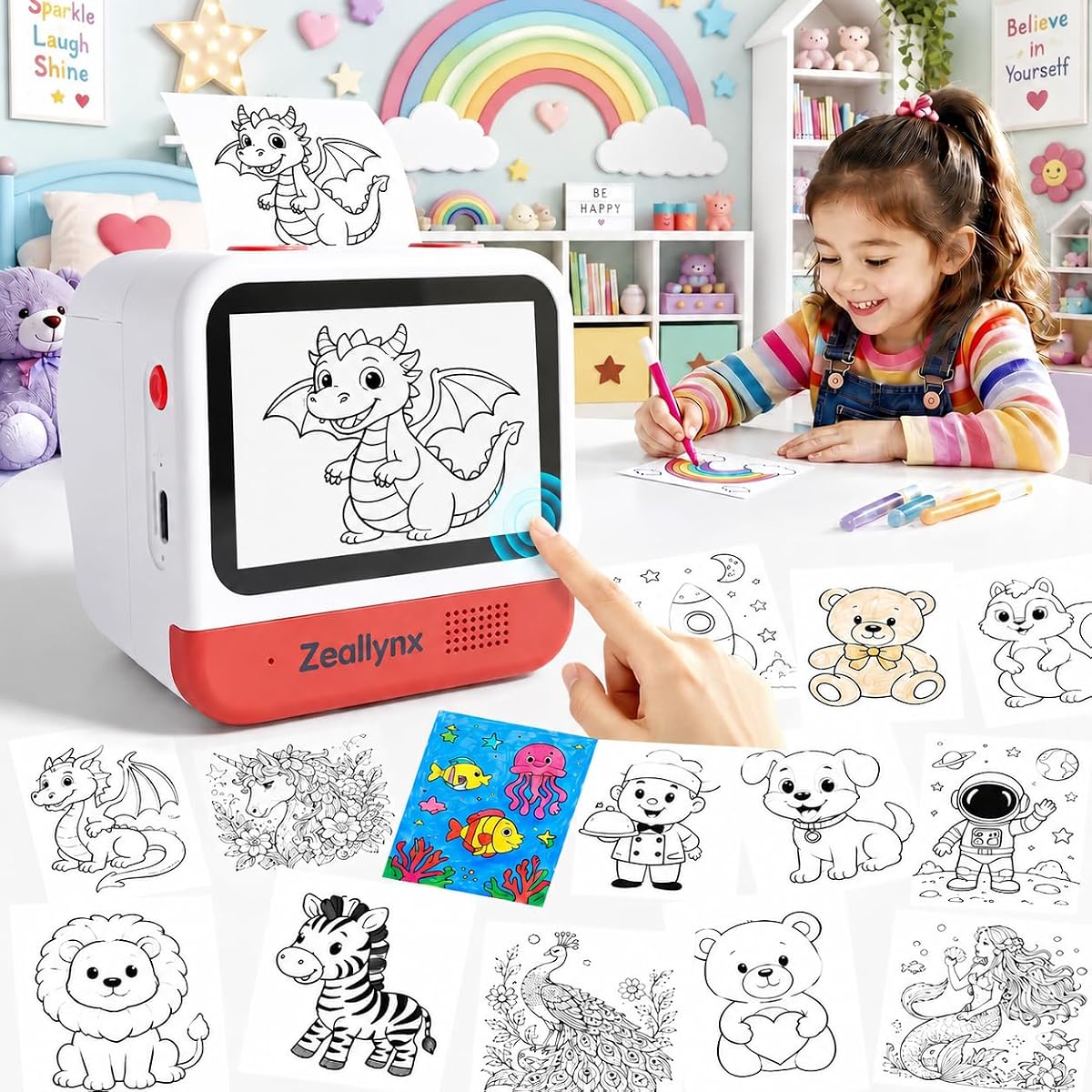

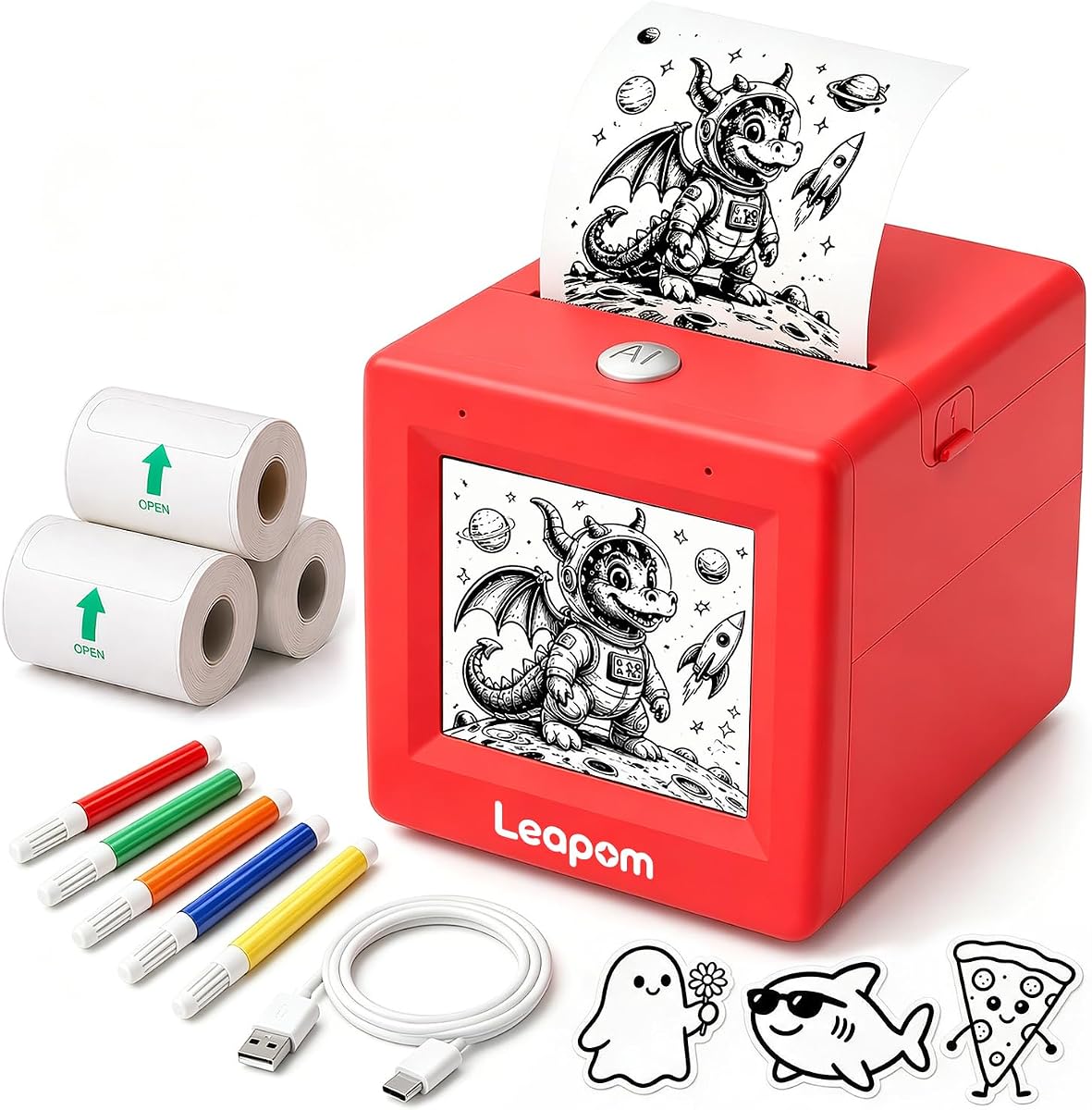


This AI sticker maker stands out as a top choice for children seeking creative freedom. It features a user-friendly touchscreen that allows kids to select styles and speak their ideas directly to the device. The voice-to-sticker function works efficiently, turning spoken words into printable black-and-white art instantly.
We may earn a commission when you buy through this link, at no additional cost to you.
The device eliminates the need for messy ink cartridges by using thermal printing technology. This ensures a clean workspace and removes the hassle of replacing toner. Additionally, it connects via Wi-Fi without requiring an external app, simplifying setup and maintaining privacy by not storing data.
While the output is limited to black-and-white, the kit includes watercolor pens for kids to color their creations. This hybrid approach encourages both digital and traditional art skills. The only minor drawback is the need to occasionally refill thermal paper rolls for continued use.
It is an ideal gift for children aged four and up who enjoy drawing and storytelling. Parents will appreciate the privacy-first design and content filtering mechanisms that ensure safe usage. This model strikes a perfect balance between technology and tactile creativity.
Kids simply speak their ideas to generate unique sticker designs without needing drawing skills.
The device does not store personal data and includes strict content filtering for safety.
We may earn a commission when you buy through this link, at no additional cost to you.
The Liene PixCut S1 is a powerhouse for those seeking professional-quality results. It combines high-resolution color printing with precise die-cutting in a single device. Users can create vibrant stickers directly from their smartphones via Bluetooth using a dedicated app.
We may earn a commission when you buy through this link, at no additional cost to you.
Its thermal dye-sublimation technology produces vivid colors that are waterproof and scratch-resistant. The AI image extraction feature automatically recognizes subjects in photos and cuts them with pinpoint accuracy. This makes it perfect for turning personal photos into custom stickers quickly.
The main trade-off is the higher cost compared to basic thermal printers. It also requires an app for operation which may be slightly complex for very young children. However, the print quality and durability justify the investment for serious crafters.
This machine is best suited for teens or adults involved in DIY crafts or small businesses. It offers endless possibilities for creating labels, phone skins, and personalized gifts. The lack of subscription fees adds value to this premium option.
Achieve 300 DPI resolution with 16.7 million colors for stunning visual output.
AI guidance ensures flawless cutting along edges for custom shaped stickers.
We may earn a commission when you buy through this link, at no additional cost to you.
This mini thermal sticker maker offers exceptional value for budget-conscious buyers. It features a vibrant color LED display that lets you preview designs before printing. This upgrade helps reduce paper waste by ensuring you are happy with the design first.
We may earn a commission when you buy through this link, at no additional cost to you.
The device supports seven unique art styles ranging from sketch to anime. It works wirelessly with a USB-C rechargeable battery providing hours of continuous use. The compact size makes it easy to carry in a backpack for school or travel.
While it is affordable, it does limit users to black-and-white output. The included paper rolls are sufficient for initial projects but may need replacement sooner than higher-end models. However, the build quality is robust for the price point.
It is a fantastic gift for young creators who want to experiment with AI art. The content filtering ensures safe interactions for children. Its simplicity and low cost make it an accessible entry point into AI sticker making.
See designs on the color screen before printing to save paper and time.
Compact dimensions and rechargeable battery allow printing on the go easily.
We may earn a commission when you buy through this link, at no additional cost to you.
This sticker printer simplifies the creative process by eliminating the need for app downloads. It connects directly via 2.4GHz Wi-Fi allowing for faster setup. The touchscreen interface is intuitive for kids to navigate modes and preview content independently.
We may earn a commission when you buy through this link, at no additional cost to you.
It offers ten creative modes including comic strips and story collections. The TF card support allows users to save favorite designs directly on the device. This feature ensures that ideas are never lost and can be reprinted anytime.
The lack of an app requirement is a significant benefit for privacy and convenience. However, the device relies on a power source that may not be fully portable for long trips. The print quality is consistent and suitable for various craft needs.
It is an excellent choice for classrooms or family use where simplicity is key. The variety of modes ensures that boredom does not set in quickly. Parents will appreciate the ease of use without external software dependencies.
Connect directly via Wi-Fi without Bluetooth pairing or app installation steps.
Save images to the TF card for easy access and re-printing later.
We may earn a commission when you buy through this link, at no additional cost to you.
The Stickerbox mini printer focuses on hands-on play without the distraction of screens. It uses voice recognition to turn spoken words into stickers instantly. This design encourages children to imagine visually rather than relying on digital images.
We may earn a commission when you buy through this link, at no additional cost to you.
It is Kid-Safe certified and COPPA-compliant ensuring a high standard of privacy. The device only listens when the button is pressed and never stores data. This peace of mind is valuable for parents concerned about digital safety.
Without a screen users cannot preview the output before printing. However, this limitation fosters creativity and surprise. The included set comes with colored pencils to enhance the physical coloring aspect of the activity.
This device is ideal for children who need a break from tablets. It supports storytelling and artistic expression in a purely physical way. Its privacy features make it a safe addition to any child's play space.
Focus on storytelling and coloring without the distraction of a display screen.
Built with strict privacy standards to protect children during voice interactions.
We may earn a commission when you buy through this link, at no additional cost to you.
This sticker maker provides a complete kit with everything needed to start creating. It includes rolls of thermal sticker paper and markers for coloring. The official app is free to use offering rich templates for parents and children to explore.
We may earn a commission when you buy through this link, at no additional cost to you.
The device works well for DIY crafts and journaling tasks. It is lightweight and easy for young children to handle independently. The content filter ensures that all generated images are age-appropriate for safe play.
One minor note is the presence of third-party ads in the free app interface. Parents should guide children to ignore these prompts. The printer itself functions reliably with consistent thermal output for various projects.
It is a great educational toy for developing communication and artistic skills. The combination of technology and craft helps children learn confidently. Parents will find it a reliable gift for birthdays or holidays.
Includes paper rolls and markers so kids can start creating immediately.
Helps children develop communication and artistic abilities through hands-on play.
We may earn a commission when you buy through this link, at no additional cost to you.
This device stands out with an HD screen for clear design previews. It is designed to be portable and fits easily into bags for travel. The inkless thermal technology ensures a clean and efficient printing experience without waste.
We may earn a commission when you buy through this link, at no additional cost to you.
It is suitable for labeling and daily craft activities. The simple controls make it easy for parents and children to use together. Five rolls of paper are included to get started right away without extra purchases.
The battery life is adequate for standard sessions but may vary with usage. The device does not require complex pairing processes which speeds up operation. It remains a solid choice for families needing versatile printing solutions.
It encourages creativity and confidence in young makers. The HD screen helps visualize ideas before printing. This model is a practical option for home and classroom creative projects.
The HD screen allows you to see your designs clearly before printing.
Includes enough paper rolls to start projects immediately upon arrival.
We may earn a commission when you buy through this link, at no additional cost to you.
The T02 is a versatile mini printer suitable for students and families. It features a scan function that allows users to copy study notes directly. This makes it useful for academic tasks as well as creative projects.
We may earn a commission when you buy through this link, at no additional cost to you.
It connects via Bluetooth through a dedicated app offering various filters and themes. The palm-sized design is incredibly portable and fits easily into pockets. Users can print on sticky or non-sticky paper for various needs.
The printer does not include an automatic cutter so scissors are required for shapes. Despite this manual step the convenience of portable printing is high. The app provides a wide range of tools for customization.
It is a great tool for organizing notes and creating custom cards. Students can use it for flashcards or diagrams. The compact size ensures it is always ready for quick creative tasks anywhere.
Use the scan function to print study notes and flashcards easily.
Its tiny size makes it easy to carry everywhere without bulk.
We may earn a commission when you buy through this link, at no additional cost to you.
This printer offers flexibility with both Wi-Fi and Bluetooth connectivity options. Users can choose the method that suits their setup best. It features six AI art styles to cater to different creative tastes and preferences.
We may earn a commission when you buy through this link, at no additional cost to you.
The device is designed with safety in mind including content filtering and BPA-free materials. The USB-C charging ensures easy power management for continuous use. Three paper rolls are included to get started immediately.
The app is required for setup but provides additional customization features. Once set up voice printing can be direct without the phone. This balance of app control and standalone use is convenient for kids.
It is a reliable gift for children interested in arts and crafts. The variety of styles keeps the experience fresh. Parents will appreciate the thoughtful design and safety features included.
Choose between Wi-Fi and Bluetooth to match your device capabilities.
Built with BPA-free components to ensure safety during use.
We may earn a commission when you buy through this link, at no additional cost to you.
This model features a 3.5-inch touchscreen for a large and clear display. It allows children to create and preview directly on the device without an app. The quick Wi-Fi setup ensures immediate use after unboxing the package.
We may earn a commission when you buy through this link, at no additional cost to you.
An AI chat companion inspires creativity by suggesting new ideas. This feature makes the device interactive and educational beyond just printing. The design is portable and fits well for use in classrooms or at home.
The device is designed for kids aged three to twelve. Privacy protection is built-in to ensure safe usage without personal access. The sticker paper is included for immediate play and creation activities.
It is a great tool for independent creation and learning. The large screen makes navigation intuitive for younger users. This model is a solid choice for families looking for a standalone creative device.
The voice companion suggests ideas to spark imagination and fun.
A bigger display makes selecting options easy for small hands.
We may earn a commission when you buy through this link, at no additional cost to you.
Selecting the right AI sticker printer requires considering several key factors. From printing technology to safety features, understanding these elements ensures you choose a device that fits your needs perfectly.
Most models use thermal printing which produces black-and-white output without ink. Some premium devices use dye-sublimation for color prints. Consider if you need color or if black-and-white with coloring is sufficient.
Choose based on your desired output quality. Color is better for detailed art while black-and-white is cost-effective for kids.
Devices may connect via Bluetooth Wi-Fi or a combination of both. Some models require an app while others allow direct voice commands without software. This affects ease of use and setup time.
Opt for Wi-Fi models if you want app independence. Bluetooth is great for mobile control but needs pairing.
The core feature is converting speech to images. High accuracy ensures your ideas are printed exactly as described. Poor recognition can lead to frustration for children trying to be creative.
Look for models with strong voice-to-image conversion to ensure smooth creative experiences.
Safety is crucial when devices listen to children. Ensure the printer has built-in content filters to block inappropriate topics. Privacy settings should prevent data storage to protect personal information.
Prioritize devices with strict filtering and no data storage policies for child safety.
Thermal printers require specific paper rolls. Check if the kit includes enough paper to get started and if refills are affordable. Some models support adhesive stickers while others use plain paper.
Choose a device with accessible and cost-effective paper refills for long-term use.
Portable models often rely on rechargeable batteries. Longer battery life allows for extended use without charging. Compact designs fit easily into bags for travel or school use.
Select a model with a rechargeable battery if you plan to use it on the go.
Advanced models offer modes like comics or cutting. Basic models focus on simple printing. Consider if you need extra features like scanning or saving images locally for your projects.
Look for modes and tools that align with your specific creative goals and projects.
To start using your sticker printer, ensure it is charged or connected to power. Download the app if required and follow the setup instructions to connect via Wi-Fi or Bluetooth. Test a simple command to verify the device is working correctly.
When creating designs, speak clearly into the microphone or use the touchscreen to select modes. Preview your design on the screen to ensure it meets your expectations before printing. This step helps save paper and avoids frustration.
To maintain your device, store it in a cool dry place away from direct sunlight. Replace paper rolls when they run out to prevent paper jams. Clean the printer head gently if you notice print quality issues.
Most modern AI sticker printers use thermal technology which does not require ink. They use heat to print on special thermal paper. This makes them mess-free and cost-effective for daily use.
Children typically press a dedicated button or use a touchscreen command to activate the voice. They can then describe their ideas to generate images. This interaction is simple enough for young users to manage.
Most standard models produce black-and-white prints for coloring. Some premium devices offer color printing but are often more expensive. Check the specifications if color output is a priority for you.
Not all models need an app. Some devices allow direct connection via Wi-Fi or voice without software. However, many premium features may be enhanced through a dedicated mobile application.
The lifespan of paper rolls depends on usage frequency. A single roll may last a week for regular use. Always check if refills are included or easily available for your specific model.
Yes, many devices are designed with safety features. They include content filters and do not store personal data. Always supervise younger children to ensure they follow safety guidelines during use.
Absolutely. Many models are excellent for creating labels and notes. Students can use the scan function on some devices to print study materials. It is a versatile tool for educational needs.
Most portable models offer several hours of continuous use on a single charge. Battery life varies by brand so check specific details. USB-C charging is common for convenient recharging.
We have explored ten top AI sticker printers that cater to different needs and budgets. From the budget-friendly voice stickers to the premium Liene PixCut S1 each option offers unique creative capabilities.
When making your decision prioritize features that matter most to you. Safety and ease of use should be key considerations for kids while adults may prefer color printing and cutting tools.
Always check current availability and offers before purchasing. Prices and inventory can change quickly so verifying details ensures you get the best value for your creative needs.