
HP Smart Tank 5003
4.1Editor score
Three years ink included
Mess-free refill
Low-cost printing
This guide compares the top AI printers for home and office, evaluating speed, smart features, ink costs, and reliability to help you choose the best model for
AI printers are transforming how we handle documents by automating formatting and improving efficiency. These smart devices use advanced algorithms to optimize layouts and reduce waste while delivering professional quality results.
We evaluated ten leading models based on performance, connectivity, and intelligent features. Our analysis covers print speeds, ink systems, security, and user interfaces to ensure you find a reliable solution.
Each pick highlights specific strengths like cost savings, speed, or smart capabilities. Prices and availability change frequently, so verify current details before purchasing to ensure you get the best value today.
4.1Editor score

3.9Editor score

4.7Editor score
This table compares key specifications across all ten models to help you quickly identify the right fit for your workflow.



The HP OfficeJet Pro 8125 is a reliable choice for home offices needing professional quality. It rates well for its speed and AI features that help optimize document layouts before printing.
We may earn a commission when you buy through this link, at no additional cost to you.
HP AI tools remove unwanted content from emails and web pages saving paper and time. The dual-band Wi-Fi ensures stable connections while the 2.7-inch touchscreen makes navigation intuitive and easy.
While it uses original HP chips only which limits cartridge options the security features protect your data effectively. The trial for Instant Ink helps manage costs though long-term usage requires subscription planning.
This printer suits small businesses or remote workers prioritizing efficiency and quality. Its balanced feature set makes it a strong recommendation for general home office printing needs today.
HP AI optimizes web pages and emails removing ads and awkward layouts automatically.
HP Wolf Essential Security helps protect your network from cyber threats during printing.
We may earn a commission when you buy through this link, at no additional cost to you.
The HP Smart Tank 5003 offers exceptional value with three years of ink included in the box. It is ideal for households needing reliable printing without frequent ink purchases or maintenance hassles.
We may earn a commission when you buy through this link, at no additional cost to you.
Its mess-free refill system makes adding ink simple without spills or squeezing. The AI capability helps optimize documents while the wireless features allow printing from phones or tablets easily.
Print speeds are moderate compared to laser units but acceptable for home use. The cartridge-free design reduces waste and cost over time making it a smart long-term investment.
Choose this model if budget and ink savings are your top priorities. It delivers consistent quality for everyday documents and photos without breaking the bank on supplies.
Included ink lasts up to three years significantly reducing long-term supply expenses.
Plug-and-play bottle refills prevent spills and make maintenance straightforward for users.
We may earn a commission when you buy through this link, at no additional cost to you.
The HP Envy 6155 excels at printing photos with vivid colors matching your screen. It is perfect for homes needing both document and photo printing in one compact stylish device.
We may earn a commission when you buy through this link, at no additional cost to you.
HP P3 technology ensures prints look as vibrant as the digital images. AI features help format emails and web pages accurately while the touchscreen provides easy navigation for all users.
Print speeds are moderate but suitable for occasional home tasks. The use of recycled plastic supports sustainability goals without compromising build quality or performance standards significantly.
This printer fits households wanting high-quality photo output alongside daily tasks. Its balance of design and functionality makes it a versatile addition to any home office space.
True-to-Screen technology guarantees accurate color reproduction for personal photos and projects.
The 2.4-inch touchscreen offers smooth navigation similar to a smartphone experience.
We may earn a commission when you buy through this link, at no additional cost to you.
The Bambu Lab P2S Combo is a powerhouse for enthusiasts wanting high-speed multi-color 3D printing. It earns high marks for precision reliability and smart automation features that reduce failures.
We may earn a commission when you buy through this link, at no additional cost to you.
AI failure detection catches issues early saving time and filament. The AMS 2 Pro allows seamless color changes while the adaptive airflow ensures crisp results on various materials.
Setup is quick allowing printing within 15 minutes of unboxing. Though premium priced the performance and workflow efficiency justify the cost for serious creators or small prototyping teams.
Select this if you need professional-grade 3D printing at home or work. Its speed and smart features make it stand out in the crowded market today.
Print up to 600 mm/s while maintaining exceptional accuracy on every layer.
AI detection and auto-calibration simplify the process for beginners and experts.
We may earn a commission when you buy through this link, at no additional cost to you.
The HP OfficeJet Pro 9135 handles high-volume office tasks efficiently with fast speeds and fax. It is designed for businesses needing reliability and professional document output without constant maintenance.
We may earn a commission when you buy through this link, at no additional cost to you.
With up to 25 ppm black printing it keeps workflows moving smoothly. Two trays reduce refill frequency while AI tools help format presentations and reports correctly before printing.
HP Wolf Pro Security adds robust protection for sensitive data on networks. The large touchscreen simplifies complex tasks though the initial cost is higher than basic home models.
This unit fits growing offices needing speed and security features. Its capacity and speed make it ideal for teams handling large document flows regularly.
HP Wolf Pro Security bolsters protection against cyber threats on business networks.
High-speed duplex and fax capabilities streamline office document management tasks.
We may earn a commission when you buy through this link, at no additional cost to you.
The HP Smart Tank 7603 balances cost and functionality with fax and high page yield. It is excellent for home offices needing to print large volumes without running out of ink quickly.
We may earn a commission when you buy through this link, at no additional cost to you.
Included ink covers up to three years supporting long-term use. The AI capability aids document formatting while the magic touch panel simplifies operation for all family members.
Refilling is easy and mess-free avoiding spills. Though slower than some laser units the cost savings make it a smart choice for budget-conscious users with higher needs.
Choose this if you need fax and high volume at a low cost. It provides reliable performance for varied tasks without expensive ongoing supply costs.
Up to 8000 color pages means less downtime and fewer interruptions.
Fax scan and copy plus AI tools cover most home office demands.
We may earn a commission when you buy through this link, at no additional cost to you.
The HP OfficeJet Pro 8139 stands out with a one-year Instant Ink trial helping manage early costs. It suits home offices needing fax and reliable color output with smart features.
We may earn a commission when you buy through this link, at no additional cost to you.
AI tools optimize emails and web pages preventing wasted paper. HP Wolf Essential Security protects data while dual-band Wi-Fi keeps connections stable for remote work tasks.
Print speeds are competitive for an inkjet supporting smooth workflows. The longer trial period reduces immediate costs though long-term subscription planning is needed after it ends.
This model fits those wanting extra ink coverage and security. Its feature set provides a professional experience for home businesses needing consistent performance and fax capabilities.
One-year Instant Ink trial helps manage costs for the first 12 months.
High-quality color printing for flyers and presentations boosts business image.
We may earn a commission when you buy through this link, at no additional cost to you.
The HP Smart Tank 7603 offers fax and high capacity for home offices. It is a solid choice for users needing to send documents without a separate fax machine.
We may earn a commission when you buy through this link, at no additional cost to you.
Included ink lasts up to three years ensuring cost-effective operation. The mess-free refill system simplifies maintenance while wireless options allow printing from any device easily.
Magic touch panel makes navigation easy for all skill levels. While speed is not laser-fast the reliability and capacity support steady daily use without interruptions.
Select this if fax and ink savings are priorities. It combines essential office tools with low running costs ideal for steady home office environments.
Built-in fax eliminates need for separate machines saving space and cost.
Cartridge-free design allows easy refills without mess or hassle.
We may earn a commission when you buy through this link, at no additional cost to you.
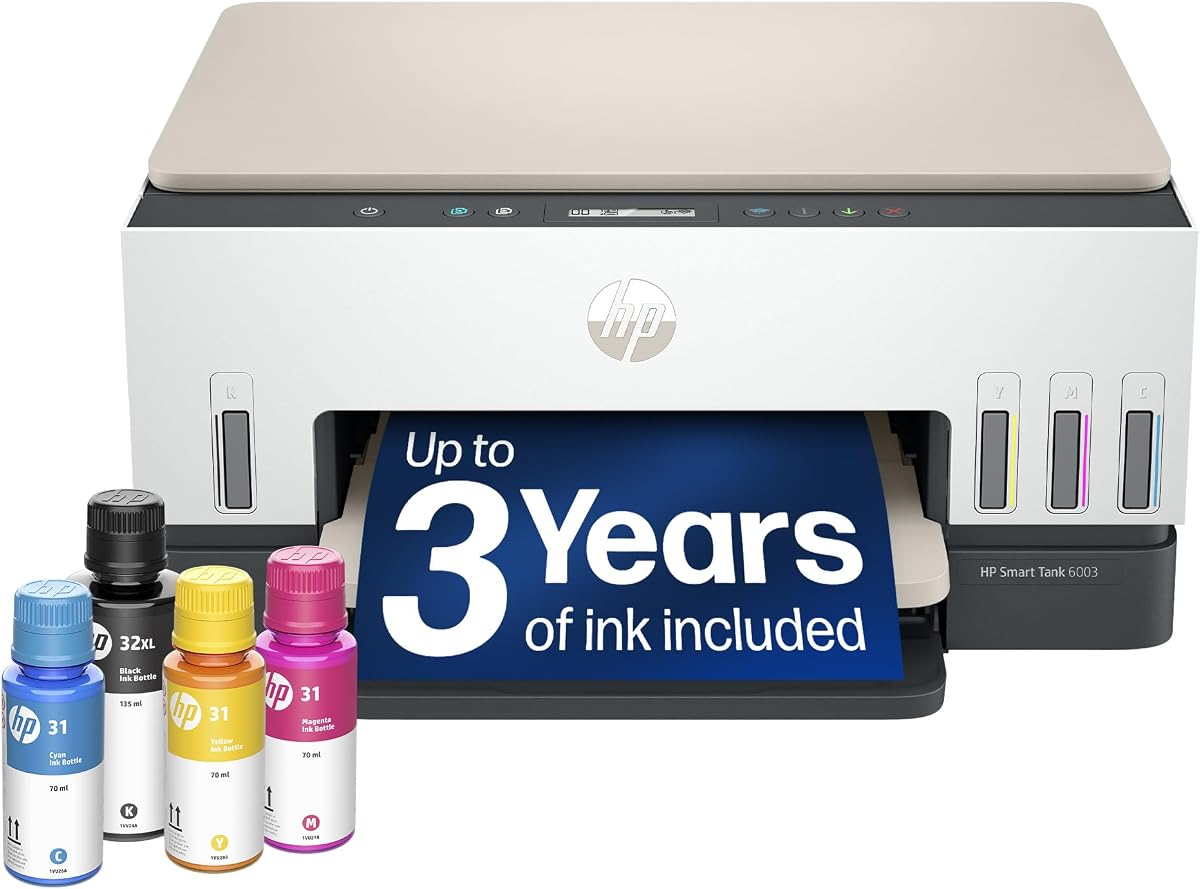
The HP Smart Tank 6003 is great for families needing reliable print and photo output. It handles homework and documents while offering long-term ink savings without cartridge hassle.
We may earn a commission when you buy through this link, at no additional cost to you.
Wireless printing connects to tablets and phones easily. AI tools help format school assignments correctly ensuring clean output. The refill system stays clean and simple for busy homes.
Borderless printing enhances photo quality for projects. Though it lacks fax the core features cover most family needs efficiently and affordably over time.
Choose this for steady home printing with low costs. Its balance of quality and ease makes it a practical choice for daily household tasks.
Borderless and color printing supports school and personal projects easily.
Up to three years ink included reduces supply worries significantly.
We may earn a commission when you buy through this link, at no additional cost to you.
The Liene PixCut S1 combines printing and cutting for DIY sticker and label projects. It is perfect for creatives wanting high-quality results without separate machines or subscription fees.
We may earn a commission when you buy through this link, at no additional cost to you.
AI image extraction recognizes subjects to ensure precise cuts. Thermal dye-sublimation produces vivid colors while the four-layer lamination makes stickers durable and waterproof for daily use.
No subscription fees keep costs predictable for hobbyists. The app offers templates and fonts for easy creation making it accessible even for beginners with no design skills.
Select this for custom gifts and craft projects. Its specialized design delivers professional results quickly without hidden costs or complex setup requirements.
AI tools automatically extract subjects for perfect cutting every time.
Lamination during printing creates waterproof and scratch-resistant labels.
We may earn a commission when you buy through this link, at no additional cost to you.
Selecting the right AI printer involves weighing speed ink costs smart features and intended use.
Print speed matters for busy offices or large document volumes. Look for models offering at least 20 ppm black for smooth workflows.
Cartridge-free tank systems reduce long-term costs compared to traditional cartridges. Evaluate page yield and refill costs to estimate total ownership expenses.
AI tools optimize document layout and improve quality. Ensure the model includes features like email trimming or color correction for better results.
Dual-band Wi-Fi and mobile apps enable flexible printing from various devices. Check compatibility with your operating system for seamless setup.
Input tray capacity affects how often you refill paper. Larger trays reduce interruptions for high-volume users.
Business users should look for encryption and secure login features. HP Wolf Security or similar tools help protect sensitive data.
Some printers focus on photos 3D or stickers. Choose a model aligned with your specific creative or professional needs.
Easy refilling and cleaning routines extend printer life. Models with auto-cleaning or simple maintenance menus save time.
Set up the printer in a dry well-ventilated space. Connect it to your Wi-Fi and install required drivers or apps on your devices.
Use AI tools to format documents before printing. Review print settings to match paper types and avoid waste.
Regularly clean heads and update firmware. Keep ink tanks filled and clear paper trays to prevent jams.
AI-capable printers use built-in algorithms to optimize layouts remove unwanted content or adjust colors automatically.
Yes most models work without subscriptions though ink services can save costs if used actively.
Yes tank systems typically cost less per page over time despite higher upfront price.
HP AI scans emails and web pages removing ads and empty spaces for better layouts.
Many models support borderless photo printing with enhanced color accuracy for vivid results.
Look for encryption secure login and network protection tools like HP Wolf Security.
The HP OfficeJet Pro 8125 HP Smart Tank 5003 and Bambu Lab P2S Combo lead our top picks for general budget and premium needs.
Prioritize ink costs and connectivity if you print often. AI features add value for those needing clean document formatting daily.
Prices change so check current deals before buying to ensure you get the best model for your needs today.