
Frameo 10.1 Inch WiFi Digital Picture Frame
4.7Editor score
32GB Large Storage Capacity
HD IPS Touch Screen Display
Secure Family Photo Sharing
Digital frames have evolved into smart displays that blend art generation with memory preservation. These devices offer unique ways to showcase photos while integrating AI tools for creative enhancements and dynamic content updates throughout your home.
We evaluated ten leading models based on display technology, connectivity options, and AI functionality. Each product was analyzed for ease of use, storage capacity, and how well it fits into modern living spaces without requiring constant power sources or complex setups.
Every pick below highlights specific strengths like battery life, touch interfaces, or cloud sharing capabilities. Keep in mind that product features and availability can change over time, so verify current details before making your final purchasing decision online.
4.7Editor score
4.4Editor score

5.0Editor score
As an Amazon Associate we earn from qualifying purchases.
This side-by-side comparison highlights the key specifications and unique capabilities of each frame to help you quickly identify which model aligns best with your specific needs for art display or family memory sharing.


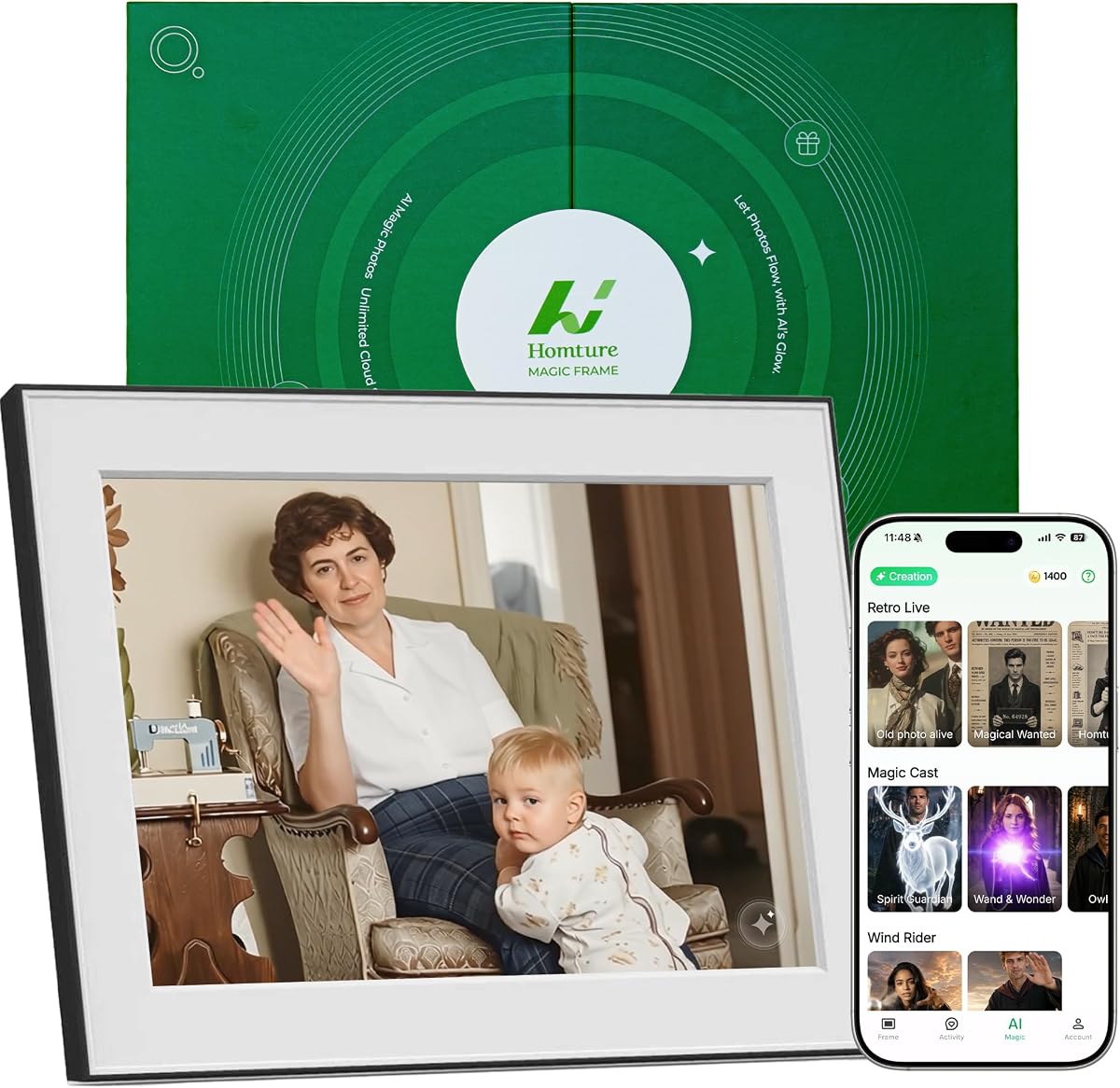
The Magic Frame stands out as a powerful tool for reviving old memories through motion. It allows users to colorize vintage photos and add animated elements like waving hands to portraits. This capability transforms static images into dynamic storytelling tools that capture attention immediately.
We may earn a commission when you buy through this link, at no additional cost to you.
Its display quality is high with a 1920 by 1200 IPS touch screen that offers vibrant colors and wide viewing angles. The unlimited cloud storage ensures you never run out of space for your growing collection of family moments and special occasions throughout the year.
One trade-off involves the credit system for AI video generation. While you receive credits upon purchase, creating multiple videos requires a plan or additional purchases. This model allows the hardware to remain affordable while providing premium features upon demand.
This frame is ideal for families who want to celebrate heritage or bring photos to life without technical hassle. It makes a thoughtful gift for parents or grandparents who cherish memories and enjoy seeing familiar faces move and speak again.
Advanced algorithms analyze facial features to apply natural motion effects like waving or blinking to static portraits.
The unlimited cloud storage removes limits on how many photos you can upload to share with family members easily.
We may earn a commission when you buy through this link, at no additional cost to you.
The Frameo 10.1 Inch frame offers exceptional value by balancing performance with affordability. It provides a clear HD display and generous memory for storing thousands of photos without needing extra cards. Its primary focus is on making sharing easy for everyone involved.
We may earn a commission when you buy through this link, at no additional cost to you.
Setup is straightforward with a dedicated app that lets family members send photos securely. The privacy protection ensures only invited users can share content, which is crucial for family environments. The 32GB memory holds over 80000 photos ensuring ample space.
A minor limitation is the video upload limit on the app which restricts clips to 15 seconds unless using a memory card. Despite this the frame handles static images well and provides a reliable way to keep family connected through visual updates.
This model is perfect for households looking for a reliable digital frame without advanced features that complicate usage. It serves well as a gift for parents who want to stay updated on daily life without dealing with technical complications or costs.
Invited access only ensures that your memories stay within your trusted circle and remain secure from external views.
32GB built-in memory provides room for extensive photo libraries without needing external storage solutions immediately.
We may earn a commission when you buy through this link, at no additional cost to you.
The KoKonna AI E Ink Digital Picture Frame delivers a unique visual experience using electronic ink technology. This screen mimics printed paper which reduces eye strain and provides a calm viewing atmosphere. It integrates AI tools for custom artwork creation directly through the app.
We may earn a commission when you buy through this link, at no additional cost to you.
Battery life is exceptional with up to three years possible depending on usage frequency. The device includes unlimited cloud storage and allows remote sharing with family members easily. The 6-color display adds subtle tones that enhance the artistic look of photos and generated art.
Because it uses e-ink the refresh rate is slower than standard LCD screens. This makes it unsuitable for videos or fast moving content but ideal for static images and art. The size is compact which limits its impact in large rooms compared to bigger options.
This premium frame suits those who value aesthetics and low power consumption over bright vivid motion. It is an excellent choice for art lovers or parents who prefer a quieter and more traditional look on their shelves or desks.
The paper-like screen reduces glare and eye fatigue allowing for comfortable viewing even in bright rooms.
Create custom artworks from text prompts or doodles directly within the app and send them to the frame.
We may earn a commission when you buy through this link, at no additional cost to you.
The SwitchBot AI Art Frame brings wireless flexibility and smart home integration to the digital picture category. Its electronic ink screen allows for a battery life up to two years with minimal refresh rates. Voice control via Alexa adds convenience for changing images.
We may earn a commission when you buy through this link, at no additional cost to you.
AI art generation is a key feature that lets users create personalized works using text prompts. This capability transforms the frame into a dynamic gallery that changes with your mood or season. The device supports wall mounting for flexible home decor placement.
Resolution is limited due to the electronic ink technology and pixels are larger than standard screens. Viewing from a distance is recommended for the best effect. Additionally full dynamic gallery features require a monthly subscription fee.
This frame is best for tech enthusiasts who value smart home compatibility and wireless placement. It fits well for desks or bedside tables where a battery-powered solution reduces clutter and allows voice commands to manage content.
Built-in battery supports placement anywhere without needing nearby power outlets for continuous operation.
Alexa compatibility allows you to control display changes using voice commands easily.
We may earn a commission when you buy through this link, at no additional cost to you.
This Frameo model offers a large 15.6-inch display that ensures photos are visible from across a room. The Full HD IPS screen delivers vibrant colors and sharp details suitable for family gatherings or living room walls. Built-in speaker enhances the experience by playing audio with video clips.
We may earn a commission when you buy through this link, at no additional cost to you.
Storage capacity is generous with 64GB internal memory to hold over 100000 photos. Sharing works securely through the Frameo app with privacy controls for invited members only. The touchscreen interface makes navigating through albums simple for all ages.
The app restricts video uploads to 15 seconds unless using a USB card which limits instant sharing length. You must also format storage devices correctly to avoid compatibility issues. These constraints do not affect static photo quality but impact video usage.
Ideal for large spaces or families with many photos this frame provides clarity and capacity. It serves as a central display for memories and ensures video clips with sound are enjoyed fully without needing external speakers.
The 15.6-inch size allows multiple people to view photos comfortably from various angles in a room.
Built-in speaker lets you hear sounds and music from videos without connecting extra devices.
We may earn a commission when you buy through this link, at no additional cost to you.
This Frameo 15.6-inch frame combines a large display with flexible sharing options. It supports non-WiFi transmission via SD cards or USB drives which simplifies use for those avoiding app setups. The FHD IPS panel ensures vivid color and detail in every photo.
We may earn a commission when you buy through this link, at no additional cost to you.
Memory is ample with 32GB built-in to store thousands of images. The auto-rotate feature adjusts images for landscape or portrait walls automatically. Sleep mode conserves energy when the room is empty and you can react to photos with emojis.
While WiFi is available for remote sharing the non-WiFi route reduces complexity. The app still limits video length on uploads but external drives bypass this. This dual approach makes it versatile for tech-savvy users and seniors alike.
This frame works well for households needing a robust display that can handle both digital and physical transfers. It is especially useful for family members who prefer plugging in drives rather than managing app connections regularly.
SD and USB transfer options let you share photos without needing internet or app accounts.
Sleep mode turns off the display automatically to save power when no one is watching.
We may earn a commission when you buy through this link, at no additional cost to you.
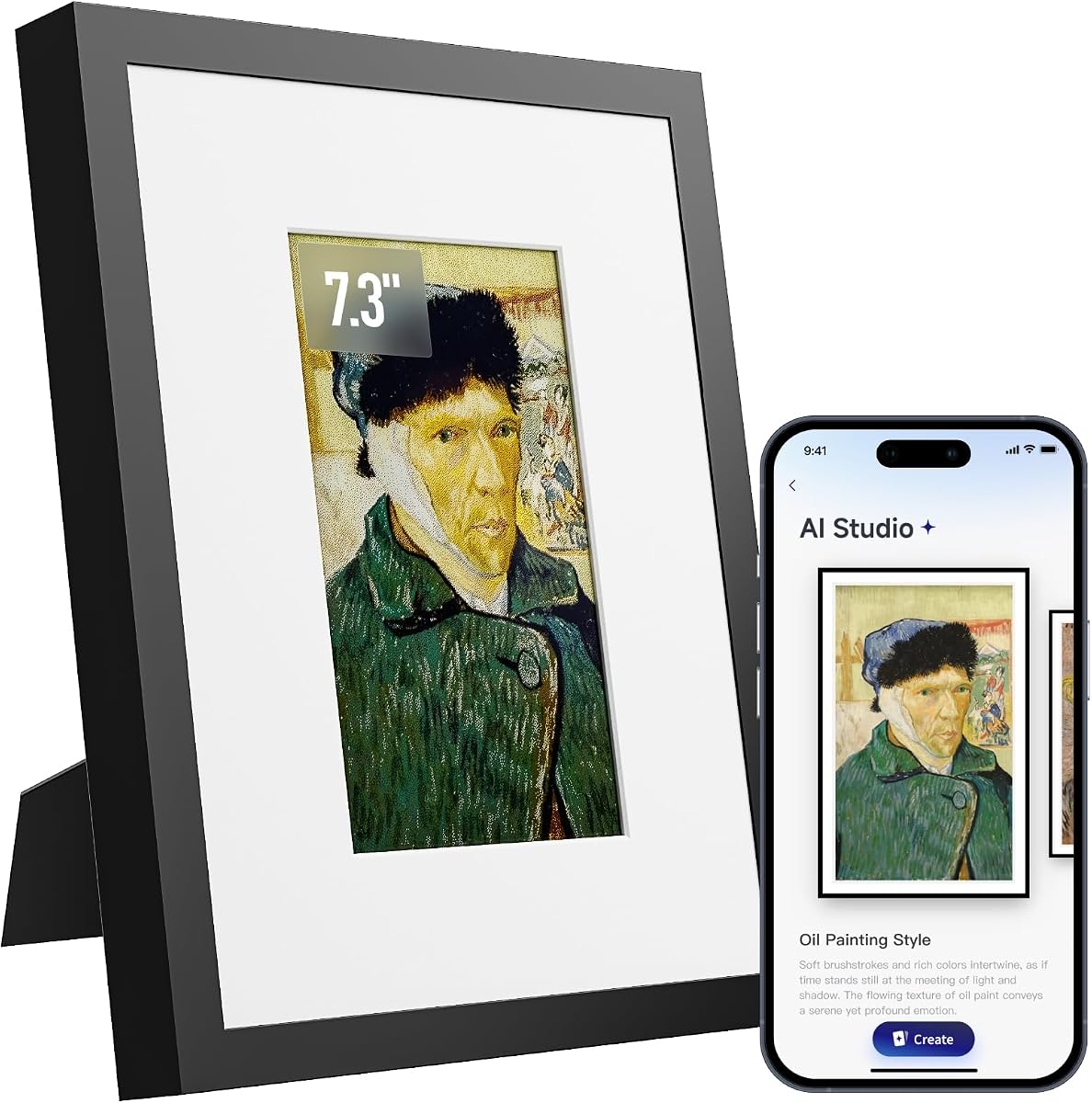
This 7.09-inch frame uses e-paper technology to mimic paper photographs in home settings. AI algorithms optimize color and contrast automatically ensuring images look their best. Its compact design and wooden frame fit easily on desks or bedside tables.
We may earn a commission when you buy through this link, at no additional cost to you.
Power consumption is minimal because the screen only draws power when changing images. The battery life extends for weeks after a full charge. The installation includes adhesive or a stand for immediate use without extra setup.
The small size makes it less visible from a distance compared to larger screens. It is ideal for private viewing rather than group sharing. Features are simplified to focus on static photo display and basic AI enhancement.
This frame suits individuals looking for a quiet elegant art piece for their personal space. It works well for seniors who appreciate simple controls and a traditional frame look with modern convenience.
The device automatically enhances uploaded photos to restore colors and contrast before display.
E-paper technology uses almost no power for static images allowing weeks of battery life.
We may earn a commission when you buy through this link, at no additional cost to you.
The Magic AI Frame offers creative motion templates that transform photos into cinematic clips. Users can choose styles like Spellcasting or Sky Riding to add magic to family portraits. The 10.1-inch Full HD screen displays these effects clearly and vividly.
We may earn a commission when you buy through this link, at no additional cost to you.
Storage is abundant with 64GB local capacity plus unlimited cloud access for sharing. AI credits allow experimentation with different templates and refunds are available for unsatisfactory results. This flexibility encourages trying new creative ideas without risk.
Video effects rely on credits which may run out if many clips are created daily. The app is required for sharing which adds a step for some users. These limitations are minor compared to the visual creativity the frame enables.
This frame is excellent for families who want to add fun and magic to their memories. It suits gifters looking for a surprise element and recipients who enjoy interactive photo features beyond standard slideshows.
Templates let you add magical motion effects to standard photos easily.
Refund policy allows you to recover credits if a generated video does not meet expectations.
We may earn a commission when you buy through this link, at no additional cost to you.
This 10.1-inch frame emphasizes ease of use with auto-brightness and large fonts. It adjusts screen brightness based on ambient light which reduces glare and protects eyes. The HD IPS touch screen provides clear viewing from multiple angles.
We may earn a commission when you buy through this link, at no additional cost to you.
Storage holds over 40000 photos and the app offers secure sharing controls. Auto-rotate simplifies placement in portrait or landscape modes. It includes a one-year replacement service backed by lifetime support for peace of mind.
App sharing limits video uploads to short clips which may feel restrictive for some. The design is functional but not decorative compared to framed wood options. These traits make it a practical daily driver rather than a showpiece.
This frame is ideal for seniors or households prioritizing comfort and accessibility. The auto-adjusting light and simple interface make it a strong choice for daily memory sharing with distant loved ones.
Auto-brightness adapts to your room lighting to reduce strain during long viewing.
Large fonts and simple controls make it easy for seniors to navigate without trouble.
We may earn a commission when you buy through this link, at no additional cost to you.
This Magic Frame uses a motion sensor to wake and greet you as you approach. It turns on automatically when you walk by and displays a chosen photo immediately. This convenience removes the need to touch the screen or wait for manual wake.
We may earn a commission when you buy through this link, at no additional cost to you.
It includes 64GB local storage plus unlimited cloud options for sharing. The HD touch screen supports high-resolution images and videos. A six-digit code feature allows secure gift unlocking for recipients who receive the frame as a surprise.
Motion sensor behavior depends on room layout and lighting which may affect detection. You need to set up the app initially to enable these features. These factors require minor adjustments during installation but improve daily use significantly.
This frame is best for tech-minded users who appreciate automation and surprise features. It makes an impressive gift and adds a touch of interactivity to a standard photo display routine.
Motion sensors detect your approach and wake the frame to show a photo instantly.
A six-digit code allows recipients to unlock surprise contents safely on opening.
We may earn a commission when you buy through this link, at no additional cost to you.
Selecting the right digital frame depends on your priorities such as display quality, battery life, and smart features. This guide breaks down the key factors to help you make an informed decision.
Frames typically use either IPS LCD or Electronic Ink screens. IPS screens provide bright vivid colors and support video playback well. Electronic Ink screens mimic paper and save energy but lack video support and have slower refresh rates.
Choose IPS for living rooms and video sharing. Choose E-Ink for desks or low-light spaces where glare is a concern.
Modern frames offer AI tools like photo-to-video conversion, colorization of old photos, or art generation. These features add interactivity but often require credits or subscriptions to use fully.
Check if AI tools are included upfront or require extra fees. Ensure the AI capabilities match what you want to do with your photos.
Storage capacity determines how many photos you can hold on the device. Cloud storage allows remote sharing and backups. Some models offer unlimited cloud storage while others limit it.
Look for models with ample local storage or generous cloud plans to avoid running out of space quickly.
Wireless frames with long battery life offer flexible placement. Models using E-Ink often last years between charges while LCD frames may need daily or weekly charging.
Consider your location and whether constant power access is available. Longer battery life reduces cord clutter.
App-based sharing simplifies remote access but requires smartphone usage. Some frames also support USB or card transfer for those who prefer physical methods.
Ensure the setup process fits your comfort level. Simple interfaces are best for senior users.
Look for frames with secure sharing that restricts access to invited users. Compliance with privacy regulations adds trust for storing personal family memories.
Verify privacy settings before buying to ensure only trusted people can share content with you.
Display sizes range from compact 7 inches to large 15+ inch screens. Larger screens are better for walls while smaller ones fit desks.
Measure your intended space to ensure the frame looks proportional in your room.
Most frames use Wi-Fi to connect to home networks. Some models support Bluetooth pairing for initial setup.
Ensure your home network supports the frame's connection type for stable performance.
Start by connecting the frame to your Wi-Fi network and installing the corresponding app on your smartphone. This step enables remote sharing and access to AI features. Follow the on-screen prompts to complete initial pairing.
Upload photos through the app or insert a USB drive if your model supports it. Organize photos into albums if available to keep your gallery tidy. For E-Ink frames adjust refresh settings to extend battery life.
Clean the screen with a soft dry cloth to avoid scratches or smudges. Avoid direct sunlight or humid areas to prevent display damage. Regularly check for app updates to enjoy new features and security patches.
Many models support video playback including clips with sound. However, E-Ink screens cannot display video. Check your model specifications for video length limits which often range around 15 seconds via app.
Some frames allow uploading via USB drives or SD cards which do not require smartphones. Others require app installation. Review the connectivity options to find a model that suits your device comfort.
AI credits are currency used to generate video effects or art. You usually receive a starter bonus. Additional credits can be bought or earned via plans. Check return policies for unsatisfactory results.
Some models offer unlimited storage and features without fees. Others require subscriptions for full AI galleries or cloud space. Always check what is included out of the box before purchasing.
Certain frames integrate with Alexa or Google Assistant for voice control. This varies by brand. Check for compatibility details in the product description if you want voice commands.
Capacity ranges from 32GB to 64GB locally. Some support SD card expansion. Cloud storage can be unlimited or limited. Choose based on your photo volume.
The reviewed frames offer diverse strengths ranging from E-Ink elegance to full HD motion capabilities. Top picks balance performance with ease of use for various household needs.
Prioritize display type and storage based on your usage habits. AI features add value but consider long-term costs associated with credits or plans.
Prices and availability may fluctuate. Always verify current offers and features on the product pages before making your final purchase decision.