
ARCTIC P12 Pro A-RGB
4.7Editor score
High static pressure design
Fluid Dynamic Bearing
Up to 3000 RPM
This guide compares the top addressable RGB fans for PC builds, evaluating cooling performance, noise levels, lighting sync, and value to help you choose the
Addressable RGB fans bring vibrant lighting and efficient cooling to modern PC builds. Choosing the right ones requires balancing airflow, noise, and customization options for your specific case layout and motherboard support.
We evaluated ten top models based on performance metrics, build quality, and lighting features. Each fan was assessed for PWM control, bearing type, and compatibility with standard ARGB headers to ensure reliable operation.
Each pick highlights key strengths and ideal use cases for different builders. Note that availability and pricing can shift quickly, so verify current stock before finalizing your component list for your next system upgrade.
4.7Editor score

4.7Editor score
4.8Editor score
The following table provides a side-by-side overview of all ten selected fans. Compare key specifications like airflow, static pressure, bearing type, and unique features to find the perfect match for your cooling needs.




The Thermalright TL-C12C-S X5 stands out as a top contender for builders seeking balanced performance. With a 4.7 rating from users, it delivers reliable cooling and striking lighting without breaking the bank.
We may earn a commission when you buy through this link, at no additional cost to you.
Its S-FDB bearing technology ensures quiet operation even at higher speeds, while the PWM control allows precise speed adjustments based on system temperature. The 66.17 CFM airflow keeps components cool during intense tasks.
While the maximum speed caps at 1550 RPM, this is sufficient for most standard cases. The LED atomizing design on the blades creates a softer, more diffused light effect compared to harsh point sources.
This pack is ideal for enthusiasts upgrading their chassis airflow or adding cooling to new builds. It offers a robust combination of durability, silence, and visual appeal for a wide range of users.
The S-FDB bearing minimizes vibrations and blade shake, ensuring the fan runs smoothly and quietly across its entire speed range for a peaceful computing environment.
Connect to your motherboard via the 5V 3-pin header to synchronize colors and effects across all compatible RGB components in your system easily.
We may earn a commission when you buy through this link, at no additional cost to you.
The CORSAIR RS120 ARGB set offers robust cooling capabilities with a focus on ease of installation. Its magnetic dome bearing supports high speeds up to 2100 RPM, delivering strong airflow when needed.
We may earn a commission when you buy through this link, at no additional cost to you.
With AirGuide technology, these fans direct air precisely to hot spots, improving thermal management for radiators and heatsinks. The daisy-chain design simplifies wiring by using just one connector for multiple fans.
While the price is higher than standard options, the build quality and performance justify the investment. The eight LEDs per fan provide ample brightness for a vibrant RGB appearance.
Ideal for users needing reliable cooling for liquid radiators or demanding workloads, these fans combine speed, silence, and modern connectivity features effectively.
The daisy-chain PWM and ARGB connectors mean you only need one of each per trio, significantly reducing cable mess inside your PC chassis.
Anti-vortex vanes guide air in a straight line toward components, maximizing cooling efficiency where it matters most in your system.
We may earn a commission when you buy through this link, at no additional cost to you.
The ARCTIC P12 Pro A-RGB delivers incredible value for budget-conscious builders. It offers high static pressure performance, making it excellent for dense radiators or restricted airflow areas.
We may earn a commission when you buy through this link, at no additional cost to you.
Its fluid dynamic bearing ensures long service life and minimal noise at lower speeds. The speed range extends up to 3000 RPM for those needing aggressive cooling performance.
While you buy it individually, the low cost allows flexible purchasing to match your case count. The blade design optimizes the balance between performance and acoustic comfort.
This fan is perfect for DIYers looking to maximize performance per dollar. It competes with much more expensive models in terms of raw cooling capability.
Efficiently penetrates dense radiator fins and mesh panels, ensuring reliable cooling even in tightly packed PC enclosures.
Minimal gaps and automatic balancing reduce vibrations, leading to a smoother and quieter operational experience over time.
We may earn a commission when you buy through this link, at no additional cost to you.
Thermaltake CT120 EX fans introduce a magnetic connection design that simplifies daisy-chaining. This approach reduces the number of cables needed for multi-fan setups significantly.
We may earn a commission when you buy through this link, at no additional cost to you.
Each fan includes nine addressable LEDs controlled via 5V motherboard sync software. The hydraulic bearing ensures quiet operation even during continuous high-speed use.
While the magnetic system is convenient, it requires careful alignment during install. The anti-vibration mounts help keep noise levels low regardless of fan speed.
These are great for users prioritizing clean builds and vibrant lighting. The magnetic feature adds a unique twist to standard RGB fan installation.
The optimized magnetic design allows fans to snap together quickly, streamlining the assembly process for complex cooling loops.
An optimized hydraulic bearing reduces friction and noise, maintaining a peaceful environment while delivering consistent cooling.
We may earn a commission when you buy through this link, at no additional cost to you.
This 6-pack offers a comprehensive solution for full-case airflow optimization. It includes both forward and reverse blades to ensure consistent RGB visibility on intake fans.
We may earn a commission when you buy through this link, at no additional cost to you.
Each fan features 28 ultra-bright LEDs for superior brilliance. The included hub simplifies control by combining ARGB and PWM signals into a central point.
While the mixed types might require planning, they support a balanced intake-exhaust cycle. The prism design enhances the visual appeal from multiple angles.
Perfect for new builds needing complete coverage, this kit unifies style and performance efficiently. It removes the guesswork from pairing forward and reverse fans.
The 2-in-1 ARGB and PWM hub centralizes management, reducing cable clutter while offering multiple lighting modes and speed adjustments.
Reverse blades maintain lighting visibility even when positioned as bottom or side intakes, ensuring a uniform look throughout the chassis.
We may earn a commission when you buy through this link, at no additional cost to you.
The Thermalright TL-C12C-S X3 provides a cost-effective trio for smaller case setups. It shares the same high-performance traits as its larger counterparts in the line.
We may earn a commission when you buy through this link, at no additional cost to you.
S-FDB bearings ensure quiet operation while delivering 66.17 CFM of airflow. PWM control allows the motherboard to adjust speeds automatically based on real-time temperatures.
Ideal for budget builds where space is limited, this pack offers essential cooling without unnecessary bulk. The lighting integrates seamlessly with standard motherboard headers.
Buyers appreciate the reliability and straightforward installation. It serves as an excellent baseline for upgrading stock fans.
Automatic speed control via the 4PIN PWM interface adjusts fan performance according to motherboard temperature, ensuring optimal cooling efficiency.
High-quality bearings solve blade shaking issues, extending the fan's life while maintaining consistent performance over years of use.
We may earn a commission when you buy through this link, at no additional cost to you.
This variant offers five silent fans without the RGB lighting component, focusing purely on cooling efficiency. It is perfect for users who prioritize performance over aesthetics.
We may earn a commission when you buy through this link, at no additional cost to you.
The PWM temperature control function adjusts speed automatically, reducing noise when the system is idle. S-FDB bearings ensure a smooth and vibration-free operation.
With 55cm cables, it supports versatile series control for larger setups. It matches CPU coolers effectively to dissipate heat efficiently.
Recommended for silent builds or budget systems where lighting is not required, this pack ensures maximum cooling potential at a competitive price.
The cooling fan has a PWM temperature control function that adjusts speed automatically to maintain optimal thermal conditions without manual intervention.
Suitable for use with a CPU cooler to take away dry heat from the case and high CPU temperatures for maximum cooling performance.
We may earn a commission when you buy through this link, at no additional cost to you.
Thermaltake CT120 ARGB fans deliver strong airflow with a refined 7-blade design. The hydraulic bearing ensures quiet operation even at higher RPMs.
We may earn a commission when you buy through this link, at no additional cost to you.
They support daisy-chain connectivity, reducing the need for multiple ports. The 9 addressable LEDs provide 16.8 million color options for customization.
While sold in pairs, they work well for radiator mounts. The anti-vibration mounting system keeps noise low during operation.
These are suitable for users wanting solid performance and standard ARGB sync. The dual pack is a flexible option for smaller builds.
The redefined 7-blade fan design optimizes CFM and air pressure, delivering more effective cooling than standard models.
Daisy-chain design requires fewer cables and ports, simplifying the installation process significantly.
We may earn a commission when you buy through this link, at no additional cost to you.
Thermaltake LE120 ARGB fans offer reliable performance with 66.1 CFM airflow. The package includes a 3-way PWM splitter for easy installation.
We may earn a commission when you buy through this link, at no additional cost to you.
Each fan has 9 LEDs powered by a 3-Pin 5V ARGB connector for simple setup. Daisy chain cables leave room for other internal devices.
Lighting is controlled via motherboard 5V sync software, allowing vibrant customization. The hydraulic bearing ensures long life and smooth operation.
These are excellent for general case cooling needs. The included splitter adds immediate value to the triple pack.
The 3-way PWM splitter simplifies quick installation by handling all three fans with a single connection to the motherboard.
Lighting controlled by motherboard 5V sync software allows for synchronized effects across all connected RGB components.
We may earn a commission when you buy through this link, at no additional cost to you.
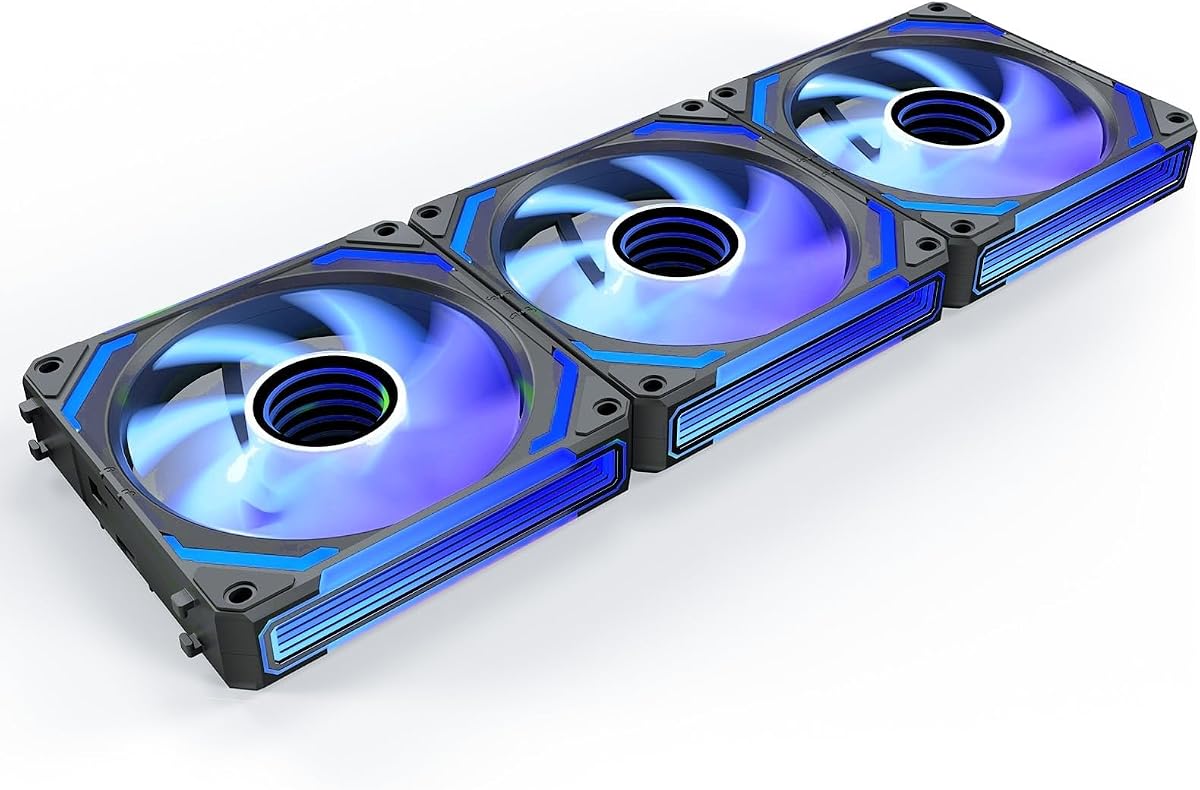
AsiaHorse COSMIQ fans deliver a premium visual experience with their infinity mirror design. This creates layered lighting effects that stand out in any chassis.
We may earn a commission when you buy through this link, at no additional cost to you.
The FDB bearing ensures silent operation even at 2000 RPM. Daisy chain wiring keeps cables tidy while supporting up to 68.5 CFM of airflow.
Music sync modes add dynamic interactivity based on game sounds or ambient noise. The controller allows independent control without extra cost.
Ideal for modders and enthusiasts seeking top-tier aesthetics, these fans blend high-end looks with solid cooling capability.
Stunning infinity mirror luminous design brings a layered, high-end visual atmosphere to your chassis beyond ordinary single-light fans.
Built-in sound pickup module supports 8 kinds of music rhythm light modes that change automatically with game sounds and music.
We may earn a commission when you buy through this link, at no additional cost to you.
Selecting the right addressable RGB fans involves evaluating several critical factors to ensure they meet your cooling needs while enhancing your build's aesthetics.
Airflow (CFM) measures how much air a fan moves, ideal for open cases and exhaust positions. Static pressure (mm-H2O) measures the ability to push air through obstructions like radiators or filters.
Prioritize high static pressure for radiator mounts and high airflow for general case intake and exhaust to maximize cooling efficiency.
Bearings determine fan longevity and noise. FDB (Fluid Dynamic) and S-FDB bearings offer the best balance of low noise and durability. Hydraulic and sleeve bearings are cheaper but may wear faster.
Look for FDB or S-FDB bearings in high-performance builds to ensure smooth operation over long periods.
Ensure your motherboard supports the fan's lighting standard. Most modern fans use 5V 3-pin ARGB, but some may require 12V 4-pin RGB. Mismatching can damage lights or prevent control.
Check your motherboard manual before purchasing to confirm which ARGB headers are available.
PWM (Pulse Width Modulation) allows the motherboard to adjust fan speed based on temperature. This is essential for balancing noise and cooling without constant manual intervention.
Always choose fans with 4-pin PWM connectors for intelligent speed management and energy efficiency.
Noise is measured in decibels (dB). Silent fans typically operate below 25dB, while performance fans may exceed 30dB. Check the manufacturer's specs for idle vs load noise.
Select lower dB ratings if you plan to use the PC in a quiet home office or bedroom environment.
Fans come with various connectors including standard headers, daisy chains, and hubs. Daisy chains reduce cable clutter by linking multiple fans together.
Consider models with daisy-chain connectors if you want a cleaner interior with less cable management.
Higher RPM generally means more airflow and noise. Standard fans run between 1500 and 2000 RPM. Some high-performance models go up to 3000 RPM.
Choose a speed range that balances your cooling requirements with acceptable noise levels for your specific case.
Blade shape affects airflow and pressure. Some designs focus on straight airflow for open cases, while others optimize for concentrated pressure.
Optimized blade shapes like anti-vortex vanes can significantly improve cooling efficiency in radiators and heatsinks.
Install fans with correct airflow direction: intake fans pull air in while exhaust fans push air out. Check arrows on the frame to ensure proper orientation for optimal cooling.
Connect PWM cables to CPU or chassis fan headers for speed control. Link RGB cables to 5V 3-pin headers for motherboard sync and lighting customization.
Regularly clean dust from blades and filters using compressed air to maintain airflow efficiency. Dust buildup reduces cooling performance and increases noise over time.
Yes, you can mix brands as long as they share the same 5V 3-pin RGB standard. Ensure your motherboard has enough headers or use a controller to manage all lights simultaneously.
RGB uses 12V 4-pin connectors with fixed color patterns. ARGB uses 5V 3-pin connectors allowing individual addressable LEDs for dynamic lighting effects.
Most ARGB fans connect directly to motherboard headers without a controller. However, some packs include hubs for extra lighting modes if your board lacks ports.
Use PWM control to limit speeds during idle. Mount fans with rubber grommets to reduce vibration noise and clean dust regularly to maintain efficiency.
A daisy chain allows multiple fans to connect to a single header using a pass-through cable. This simplifies wiring and reduces the number of required ports.
Reverse blade fans let intake fans show their RGB lighting. While optional, they improve aesthetics for front or side intake configurations.
The Thermalright TL-C12C-S X5 leads as the top overall pick, balancing performance and price effectively. The ARCTIC P12 Pro offers exceptional value for budget buyers, while the AsiaHorse COSMIQ brings premium visuals to enthusiasts.
Prioritize airflow and bearing quality based on your case layout and cooling demands. Ensure RGB compatibility with your motherboard to avoid connection issues during setup.
Verify current prices and availability before purchasing as these details fluctuate. With the right selection, your build will run cooler and look stunning.