Yxk Zero1 Pro
4.4Editor score
Intel N100 processor
Beginner-friendly setup
4K HDMI output
This comprehensive guide compares the top 4 Bay NAS solutions for 2026, evaluating performance, storage capacity, software features, and reliability for home
Finding the right network attached storage solution is essential for modern data management. A 4 Bay NAS offers the perfect balance of capacity and flexibility for growing digital libraries. It allows multiple users to access files simultaneously while ensuring data redundancy and security.
We evaluated ten leading models based on processor power, memory expandability, and software ecosystems. Our analysis focuses on real-world performance, ease of setup, and long-term reliability. Each unit was assessed against specific criteria to determine its suitability for different user needs.
Every selection highlights unique strengths such as media transcoding, surveillance support, or cloud integration. Readers will find detailed insights into hardware specs and practical use cases. Please note that availability and specifications may change over time without prior notice.
4.4Editor score

4.6Editor score

4.4Editor score
The following table provides a side-by-side comparison of key specifications across all ten selected models. This overview helps users quickly identify hardware differences and feature sets tailored to their specific requirements.


The TERRAMASTER F4-425 stands out as a powerful entry into network attached storage. It delivers reliable performance for multimedia and file sharing tasks. Users appreciate its quiet operation and straightforward hardware design.
We may earn a commission when you buy through this link, at no additional cost to you.
Equipped with an Intel x86 quad-core processor and 4GB RAM, this unit handles 4K transcoding effortlessly. The 2.5GbE port ensures fast file transfers across the network. Its Photos app features AI smart album functionality to organize images efficiently.
While the software is functional, it may lack the depth found in competitor ecosystems. The 4GB RAM is sufficient for most tasks but limits virtual machine capabilities. Nevertheless, the tool-free drive installation makes maintenance simple.
This NAS is ideal for home users needing a media server. It supports Plex, Emby, and Jellyfin for smooth playback. The TNAS Mobile app allows complete control without a PC, making remote management convenient for busy households.
Operating at just 21dB, this unit fits quietly in living spaces without disturbance.
TRAID arrays provide 30 percent more space than traditional RAID configurations.
We may earn a commission when you buy through this link, at no additional cost to you.
The UGREEN NAS DXP4800 GT is engineered for creators and tech enthusiasts. Its robust hardware supports heavy workloads and media processing. The dual 10GbE ports facilitate extremely fast data transfers.
We may earn a commission when you buy through this link, at no additional cost to you.
Powered by an AMD Ryzen Embedded R2514 processor, this system handles multi-user workloads smoothly. Users can expand RAM up to 64GB for demanding tasks. The UOS Pro interface simplifies management with guided setup and helpful tips.
Surveillance capabilities are built-in without extra hardware requirements. IP cameras connect directly to the NAS for local recording. However, running Plex requires manual Docker setup which might challenge casual users.
This model is perfect for small offices or creative studios. It offers local storage to avoid third-party cloud fees. The combination of speed, expandability, and security makes it a top choice for power users.
Dual 10GbE ports enable theoretical speeds up to 2.5GB/s for large files.
Connect compatible cameras for live view and event detection directly on device.
We may earn a commission when you buy through this link, at no additional cost to you.
The Synology DS425+ excels as a private cloud media server for business environments. It ensures secure file sharing and centralized document storage. The interface is intuitive yet powerful enough for IT administrators.
We may earn a commission when you buy through this link, at no additional cost to you.
This unit supports concurrent access from over ten users with high throughput. It combines RAID redundancy with automated backups to prevent data loss. The system allows for granular access controls to manage permissions precisely.
Businesses benefit from dedicated technical account management options. Surveillance monitoring supports up to thirty cameras for security needs. While the warranty is standard, the reliability of Synology hardware is well-regarded.
Ideal for offices needing a reliable file server. It replaces expensive cloud subscriptions with local storage. The focus on security and productivity tools makes it a strong candidate for small business adoption.
Combine RAID and snapshots to recover files from accidental deletion quickly.
Team productivity tools allow easy sharing of large files across departments.
We may earn a commission when you buy through this link, at no additional cost to you.
The UGREEN NAS DXP4800 Plus is designed for families and small teams. It provides centralized storage to organize digital life efficiently. The interface is clean and accessible for users of all technical levels.
We may earn a commission when you buy through this link, at no additional cost to you.
This model supports up to 144TB of storage capacity. Users can enjoy smooth performance with Docker and virtual machine capabilities. The AI-powered photo album organizes images by faces and scenes automatically.
Data ownership remains with the user through advanced encryption. Flexible permissions allow safe collaboration with others. Transfer speeds are enhanced by 10GbE network ports for quick backups.
Perfect for households with large photo collections or video archives. It serves as a secure private cloud alternative to public services. The comprehensive app support across devices ensures easy access anywhere.
Instantly remove duplicates and organize files using built-in AI recognition.
Keep 100 percent data ownership with granular permission management options.
We may earn a commission when you buy through this link, at no additional cost to you.
The UGREEN NAS DH4300 Plus is an entry-level solution for home media. It offers vast private storage accessible from anywhere globally. The setup process is designed for beginners moving from cloud storage.
We may earn a commission when you buy through this link, at no additional cost to you.
Smart photo backup features keep family memories organized in real-time. The semantic search helps locate specific images quickly among large collections. The magnetic dust cover on the enclosure aids in alignment.
Users save significantly over time compared to recurring cloud subscriptions. Local storage ensures full control over sensitive data. The TUSTe certification and ETSI marks highlight its focus on privacy security.
Recommended for first-time NAS users needing simplicity. It supports Docker but not virtual machines, fitting basic automation needs. The app allows seamless file sharing across various operating systems and devices.
Avoid monthly cloud fees by purchasing hardware once for long-term use.
Connect via NFC and follow video instructions for easy installation.
We may earn a commission when you buy through this link, at no additional cost to you.
The Synology 4-Bay DiskStation DS925+ balances performance with expandability. It offers high sequential read write throughput for stable operations. The dual 2.5GbE ports support faster network speeds.
We may earn a commission when you buy through this link, at no additional cost to you.
Users benefit from built-in file and photo management tools. Data protection features include virtualization and surveillance solutions. The system is backed by Synology's three-year limited hardware warranty.
This unit is suitable for businesses needing reliable data redundancy. It handles virtualization tasks well. The compatibility list ensures drive reliability for optimal performance over time.
Ideal for users prioritizing stability and support. It provides a comprehensive suite of tools for data management. The dual port setup adds redundancy and bandwidth for growing networks.
Sequential speeds up to 522 MB/s ensure stable data transfers.
Run virtual machines directly on the NAS for advanced workflow flexibility.
We may earn a commission when you buy through this link, at no additional cost to you.
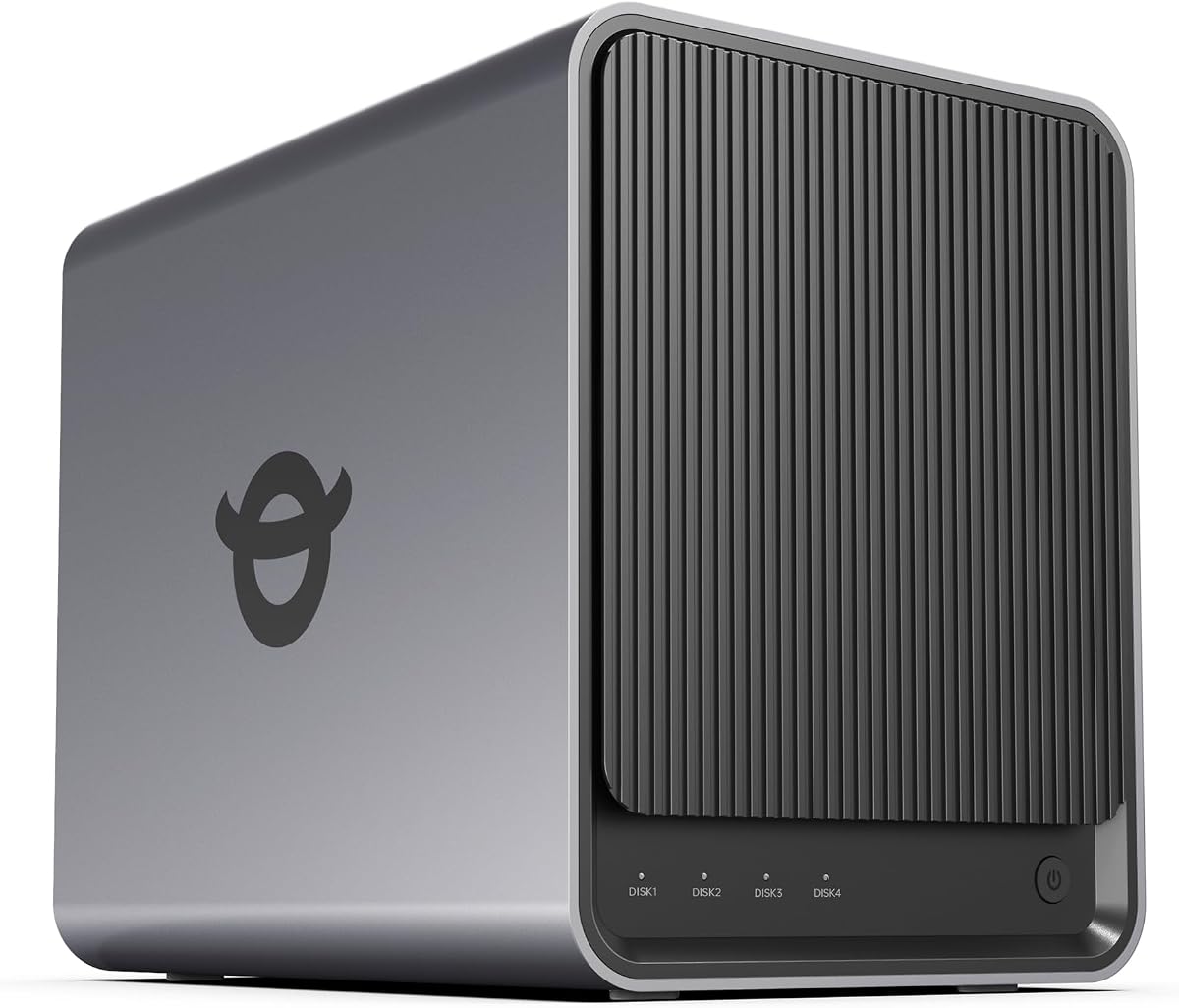
The Yxk Zero1 Pro is an accessible option for home users. It features an Intel N100 processor that handles everyday tasks efficiently. The mobile app guides users through registration and setup easily.
We may earn a commission when you buy through this link, at no additional cost to you.
This device supports up to 144TB of combined raw storage. It includes dual 2.5GbE ports for link aggregation. The 4K HDMI output allows direct connection to TVs for media playback.
Advanced users can install third-party operating systems like TrueNAS. The aluminum enclosure helps dissipate heat during intensive tasks. It supports Docker for custom home server applications.
Recommended for budget-conscious buyers needing solid performance. It offers a balance of hardware power and ease of use. The AI photo album organizes family memories automatically without cloud dependency.
Connect 4K HDMI to a TV to stream videos directly without a PC.
Choose native OS or install custom systems like Unraid or TrueNAS.
We may earn a commission when you buy through this link, at no additional cost to you.
The Asustor Drivestor 4 Gen 2 provides optimized performance for daily storage. Its upgraded Realtek processor handles backups efficiently with lower power consumption. The 2.5GbE upgrade significantly speeds up file transfers.
We may earn a commission when you buy through this link, at no additional cost to you.
Enterprise-grade data protection is available via Btrfs snapshots. Users can restore files instantly to a previous point in time. WORM technology keeps critical documents immutable against ransomware.
This model supports smooth 4K media playback for entertainment. It creates a personal cloud for secure remote access. The USB ports offer easy external device connectivity for quick transfers.
Ideal for home users needing a private cloud setup. The combination of speed and security features offers great value. It is suitable for small offices requiring reliable backup and streaming.
WORM technology ensures critical files remain safe from unauthorized changes.
2.5GbE port upgrades standard network speeds for faster media streaming.
We may earn a commission when you buy through this link, at no additional cost to you.
The Synology DS423 offers robust features for family and business backup. It ensures secure file sharing and access from anywhere. The interface allows keeping collaborators on the same page easily.
We may earn a commission when you buy through this link, at no additional cost to you.
Comprehensive data protection includes multi-destination backup strategies. Versioned files and immutable snapshots protect against malware attacks. Surveillance tools support archiving and analysis for up to thirty cameras.
This model serves as a cost-effective file server. It replaces expensive SharePoint solutions with local team folders. The warranty covers hardware for two years with ongoing support.
Perfect for users prioritizing security and privacy. It provides a reliable private cloud with ransomware resistance. The combination of backup and monitoring tools makes it a versatile choice.
Immutable snapshots and versioning secure files from malicious deletion.
Replace Dropbox with local team folders and granular permission controls.
We may earn a commission when you buy through this link, at no additional cost to you.
The UGREEN NAS DXP4800 Pro is engineered for demanding professional workflows. It delivers smooth performance for virtual machines and Docker containers. The local AI processing ensures privacy for photo management.
We may earn a commission when you buy through this link, at no additional cost to you.
Equipped with a Core i3 processor and DDR5 RAM, this unit handles heavy multitasking. Dual high-speed network ports enable blazing-fast data transfers. The Data Vault offers extra layers of encryption for sensitive files.
It supports up to 144TB capacity with dual M.2 slots. This setup eliminates HDD bottlenecks for fast caching. The operating system integrates media, photo, and sync tools seamlessly.
Ideal for IT professionals and developers. It offers a private workstation for advanced tasks. The enterprise-grade security ensures compliance and safety for business data.
Core i3 processor handles development and virtualization tasks smoothly.
Data Vault encryption protects sensitive files from unauthorized access.
We may earn a commission when you buy through this link, at no additional cost to you.
Selecting the right 4 Bay NAS requires careful consideration of hardware and software features. This section outlines key factors to help you make an informed decision for your needs.
The processor determines how many tasks your NAS can handle simultaneously. Look for quad-core CPUs and sufficient RAM to support virtualization or media transcoding. More cores allow for smoother multitasking when running Docker apps or multiple users.
Prioritize units with 8GB RAM or more if you plan to use advanced software features. Upgradable memory is a valuable option for future-proofing your investment.
Network ports dictate the maximum transfer speed your system can achieve. Standard Gigabit Ethernet is slow for large files, while 2.5GbE or 10GbE ports offer significantly faster throughput. Dual ports provide redundancy and increased bandwidth through link aggregation.
For media editing or heavy backups, prioritize models with 10GbE capability. Ensure your router supports the chosen network speed to maximize performance.
The operating system is the core of the user experience. Interfaces vary from simple mobile-first apps to complex desktop dashboards. A good system should offer intuitive file management, photo organization, and easy remote access.
Look for systems that support third-party apps like Plex via Docker. Ensure the interface aligns with your technical expertise to avoid frustration during setup and daily use.
Maximum capacity depends on the number of bays and supported drive sizes. Most 4 Bay models support drives up to 30TB each, allowing for over 100TB of total storage. Some units offer additional M.2 slots for high-speed caching.
Consider your current needs and future growth. If you plan to store 4K videos, aim for the highest possible capacity to avoid early upgrades. RAID configurations play a key role in balancing speed and safety.
Security features protect your data from unauthorized access and malware. Look for units with encryption support, granular permissions, and snapshot technology. These tools allow you to revert files to a previous state after an error.
Physical and digital security are equally important. Models with local AI processing ensure your photos are analyzed on-device rather than sent to the cloud.
Many modern NAS units double as security storage hubs. Integrated surveillance software allows you to connect IP cameras and manage footage locally. Check for limits on camera count and motion detection features.
This feature eliminates the need for separate security hardware. Ensure the system supports the protocols your cameras use, such as ONVIF or RTSP.
If you use a media server, transcoding capabilities are essential. The processor should support hardware decoding of video formats like H.265. This ensures smooth streaming to various devices without buffering.
4K output ports on the unit can connect directly to TVs. Verify compatibility with streaming clients like Plex or Jellyfin before purchase.
A reliable warranty provides peace of mind for your hardware investment. Most top brands offer between two to three years of coverage. Check if technical support is easily accessible and responsive.
Community forums and user manuals are also vital resources. Choose a brand with an active user base for better troubleshooting assistance.
Begin by installing hard drives into the trays carefully. Most units use tool-free latches that click securely into place. Once drives are installed, connect the power and network cables to your router.
Use the manufacturer's mobile app or web browser to initialize the system. Follow the on-screen instructions to set up user accounts and storage arrays. Regular backups of critical data should be automated immediately after setup.
Place the NAS in a well-ventilated area to prevent overheating. Dust accumulation can impair performance, so clean the vents periodically with compressed air. Keeping the firmware updated ensures you have the latest security patches and features.
Yes, most 4 Bay NAS units are sold diskless. You must purchase compatible hard drives or SSDs to store data. Check the manufacturer's compatibility list to ensure optimal performance and warranty coverage.
RAID 0 stripes data across drives for maximum speed but offers no redundancy. If one drive fails, all data is lost. RAID 5 distributes data and parity, allowing you to recover data if one drive fails.
Yes, most systems use a QuickConnect ID or similar relay service for remote access. This allows you to connect securely from anywhere without configuring port forwarding on your router.
Local network transfer speeds are significantly faster than uploading to cloud services. However, remote access depends on your internet upload speed. A NAS with high-speed Ethernet beats cloud sync on local networks.
For continuous data availability and automated backups, it is best to keep it on. However, modern NAS units have efficient power modes. They can spin down drives when idle to save energy without interrupting basic functions.
While not a dedicated console, it can stream media to smart TVs and consoles via DLNA. It is not designed for running games locally but serves as a central hub for video and image libraries.
Enable two-factor authentication and strong passwords. Regularly update firmware and avoid default admin accounts. Use IP blocking and port hiding features provided by the system to prevent unauthorized access attempts.
If you use RAID 1, 5, or 6, the system continues running while a replacement drive is added. The system automatically rebuilds data onto the new drive. Ensure you have a recent backup for critical information.
The ten models reviewed here offer a range of solutions for different needs. The UGREEN DXP4800 Plus stands out for families, while the Synology DS425+ excels for business collaboration. Budget buyers will appreciate the value of the Yxk Zero1 Pro.
Prioritize features that match your daily workflow. If you need fast media streaming, look for transcoding support. If security is key, choose a model with strong encryption and local data protection tools.
Always check current availability and specifications before finalizing a purchase. Technology evolves quickly, and new models may offer improved performance. Select the unit that best balances capacity, speed, and ease of use for your home or office.