
SABRENT USB 3.0 4-Bay Docking Station
4.2Editor score
Whisper-quiet fan for noise reduction
Tool-free magnetic cover design
Supports up to 64TB total capacity
Modern data storage demands robust solutions that balance speed capacity and thermal management effectively. A 4 Bay Hard Drive Enclosure with Cooling Fans offers an ideal pathway for expanding your digital library without compromising on performance or hardware longevity during extended use cycles.
We evaluated ten leading models based on transfer speeds thermal design compatibility and build quality to identify the most reliable options available this season. Each product underwent rigorous scrutiny regarding its cooling mechanisms interface options and support for various drive types to ensure accurate recommendations for diverse user needs.
Every selection below highlights specific strengths ranging from budget-friendly DAS configurations to premium hybrid enclosures supporting both SATA and NVMe drives. Please note that pricing fluctuates frequently so verify current costs before purchase to secure the best value for your specific storage requirements today.
4.2Editor score

4.3Editor score
4.1Editor score
As an Amazon Associate we earn from qualifying purchases.
The following table provides a side-by-side comparison of all ten reviewed enclosures highlighting key specifications such as interface type cooling features and maximum capacity to help you quickly identify the model that best fits your technical requirements.



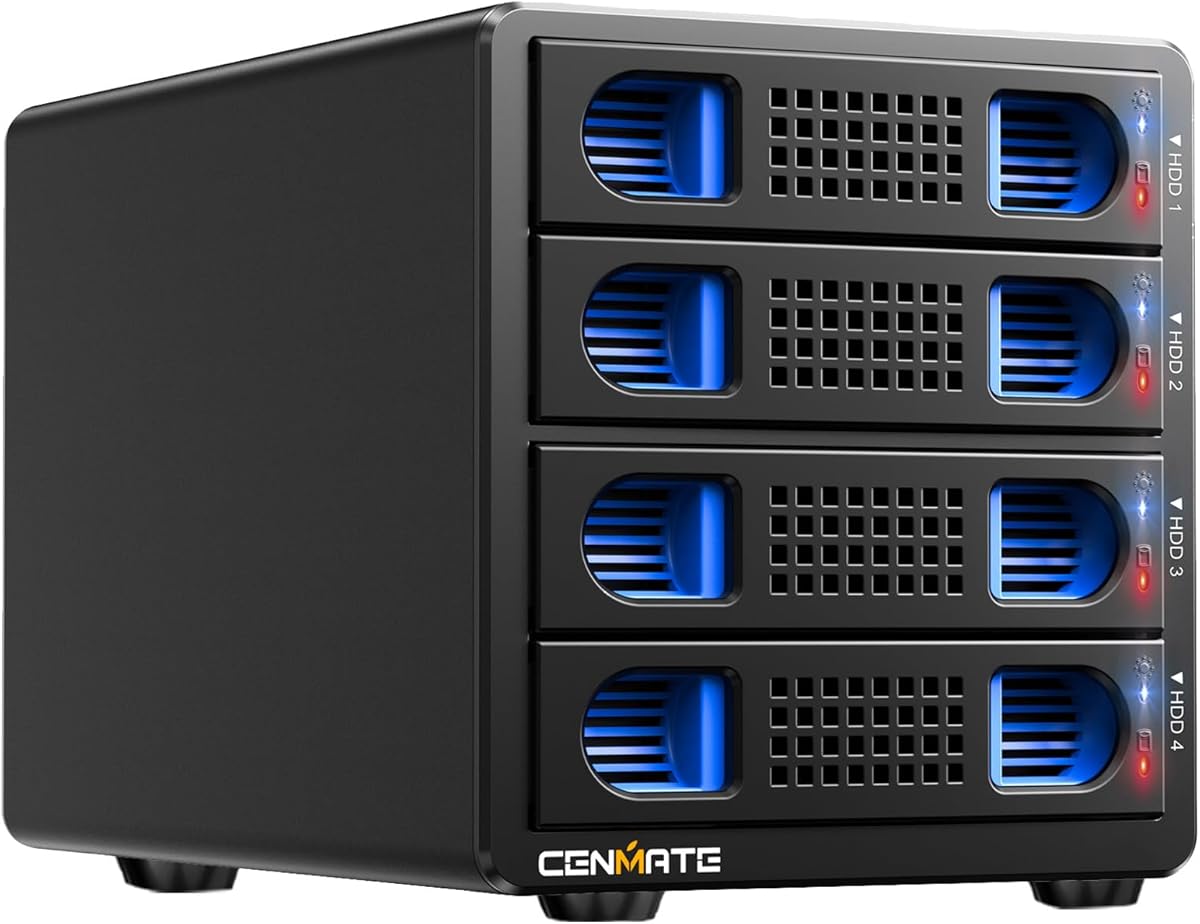
This enclosure stands out as a top contender for users seeking a reliable external storage system without the complexity of RAID configurations. With a solid 4.3 rating from verified buyers it delivers consistent performance for both personal and enterprise storage needs effectively.
We may earn a commission when you buy through this link, at no additional cost to you.
The aluminum-alloy construction paired with a dedicated cooling fan ensures optimal thermal management even during heavy data transfer operations. It supports hot-swapping for convenience and offers USB 3.0 ports that deliver up to 5Gbps speeds enabling quick file transfers for large media projects.
While the fan noise sits around 40 to 50 decibels which might bother noise-sensitive users it effectively prevents overheating during prolonged use. The absence of RAID functionality simplifies the setup but means users must manage individual drive connections manually which is acceptable for DAS workflows.
Ideal for those needing expandable storage with ease this model supports up to 80TB capacity across four bays. Its plug-and-play compatibility with Windows Mac and Linux makes it a versatile choice for diverse computing environments requiring robust external storage solutions today.
The built-in fan activates to maintain safe operating temperatures ensuring long-term drive health during intensive data operations.
Support for both USB A and C connectors ensures seamless connection to legacy and modern devices without adapters.
We may earn a commission when you buy through this link, at no additional cost to you.
This model upgrades the connection standard to USB 3.2 Gen 2 offering double the bandwidth of the previous generation for faster throughput. It appeals to professionals who regularly handle massive video files or large database backups requiring efficient data movement across networks.
We may earn a commission when you buy through this link, at no additional cost to you.
The enclosure supports up to 10Gbps transfer speeds enabling rapid file transfers that significantly reduce wait times during content creation workflows. Its hot-swappable design allows users to change drives without powering down the system enhancing productivity in active editing environments.
Although the fan operates continuously for cooling which can produce noise around 40 to 50 decibels it protects data integrity by preventing overheating. The higher price reflects the advanced chipset and interface capabilities making it a strategic investment for speed-focused users.
Best suited for power users needing high bandwidth this enclosure maintains wide compatibility with Windows Mac and Linux systems. The robust aluminum build ensures structural integrity while supporting up to 80TB total storage making it a scalable solution for growing digital libraries.
Utilizes cutting-edge chips to achieve 10Gbps speeds ideal for 4K video editing and large file transfers.
USB Type-C port supports Thunderbolt 3 and 4 ensuring compatibility with next-generation devices and docks.
We may earn a commission when you buy through this link, at no additional cost to you.
The MAIWO enclosure distinguishes itself with unique features like daisy chaining and an HD-TV port that cater to multimedia professionals needing direct display output. It supports massive storage expansion making it suitable for large media archives requiring extensive capacity management.
We may earn a commission when you buy through this link, at no additional cost to you.
Equipped with two cooling fans that activate automatically when temperatures exceed 48 degrees Celsius this model prioritizes energy efficiency alongside drive protection. The 84W external power supply ensures stable operation even with high-capacity drives that demand significant power during sustained use.
While the rating reflects some user concerns about fan timing or build quality the feature set offers unique value for specific workflows. The HD-TV port allows direct connection to monitors or TVs enabling playback without a host computer which is rare in this category.
Ideal for users needing both storage and display capabilities this unit supports up to 96TB across four bays. Its compatibility with Windows Mac and Linux ensures broad system support while the intelligent cooling design maintains performance without constant fan noise.
Fans activate only when needed at 48C reducing noise during idle periods while maintaining safe drive temperatures.
HD-TV port enables 4K video output directly from the enclosure supporting entertainment and presentation needs.
We may earn a commission when you buy through this link, at no additional cost to you.
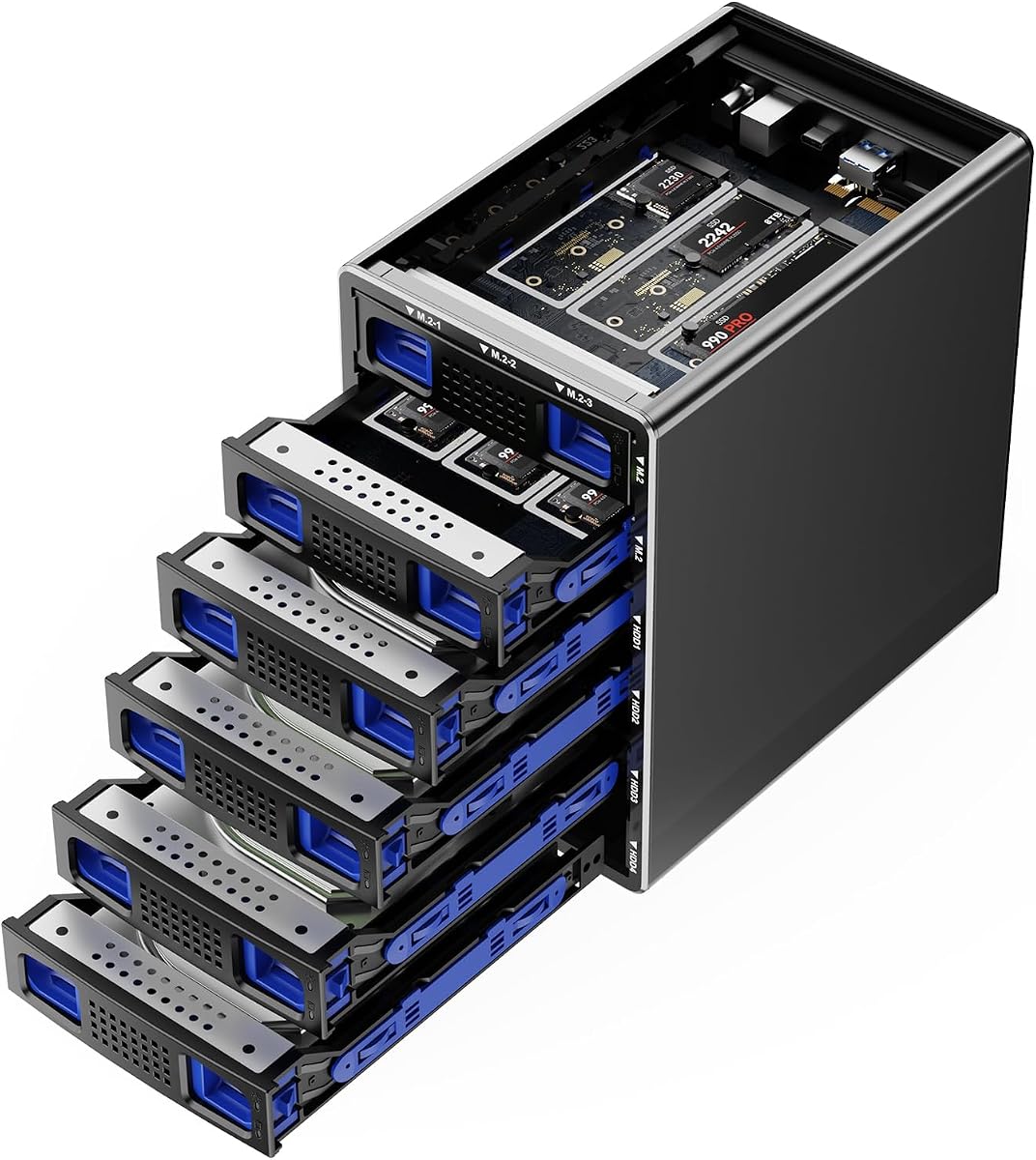
This hybrid enclosure is engineered for users who require both massive capacity and high-speed performance in a single device. By supporting four SATA drives and six M.2 NVMe SSDs it offers a unique storage architecture that balances bulk storage with fast access times.
We may earn a commission when you buy through this link, at no additional cost to you.
With a total capacity reaching up to 136TB this model accommodates extreme data growth needs while maintaining fast transfer rates via USB 3.2 Gen 2. The continuous cooling fan ensures that the NVMe drives which generate more heat remain within safe operating limits during operation.
The hybrid design adds complexity compared to standard SATA-only enclosures requiring careful drive management to optimize performance. Users must understand how to allocate data across drive types but the flexibility justifies the cost for those needing both archival and active storage spaces.
Best for content creators and enterprises needing scalable high-performance storage this enclosure supports diverse drive formats. Its tool-free installation simplifies drive swaps while the aluminum build and silent fan maintain reliability for demanding storage environments.
Simultaneous support for SATA HDDs and NVMe SSDs provides both storage density and high-speed access in one unit.
Silent continuous fan operation protects sensitive electronics ensuring drive longevity during intensive workloads.
We may earn a commission when you buy through this link, at no additional cost to you.
WAVLINK delivers a premium experience with added multimedia capabilities making this enclosure ideal for video editors and creative professionals. The HDMI interface allows direct connection to monitors enabling seamless playback without needing a dedicated computer during review sessions.
We may earn a commission when you buy through this link, at no additional cost to you.
Equipped with dual fans that activate at 48 degrees Celsius it ensures drives stay cool during extended editing sessions. The independent ON/OFF power switches for each bay provide granular control over power consumption and drive activity enhancing workflow flexibility.
Users must ensure their host system supports video output over USB-C for the HDMI feature to function correctly. Additionally while it supports 2.5 drives the required mounting brackets are sold separately which is a minor inconvenience for smaller drive installations.
With support for up to 88TB total capacity this model scales well for professional media libraries. Its 10Gbps transfer speeds and robust aluminum shell make it a reliable choice for high-end workstations requiring both storage and display capabilities.
Built-in HDMI port supports 4K@60Hz output transforming the enclosure into a versatile docking station for creatives.
Individual power switches per bay allow selective drive management saving energy and reducing unnecessary wear.
We may earn a commission when you buy through this link, at no additional cost to you.
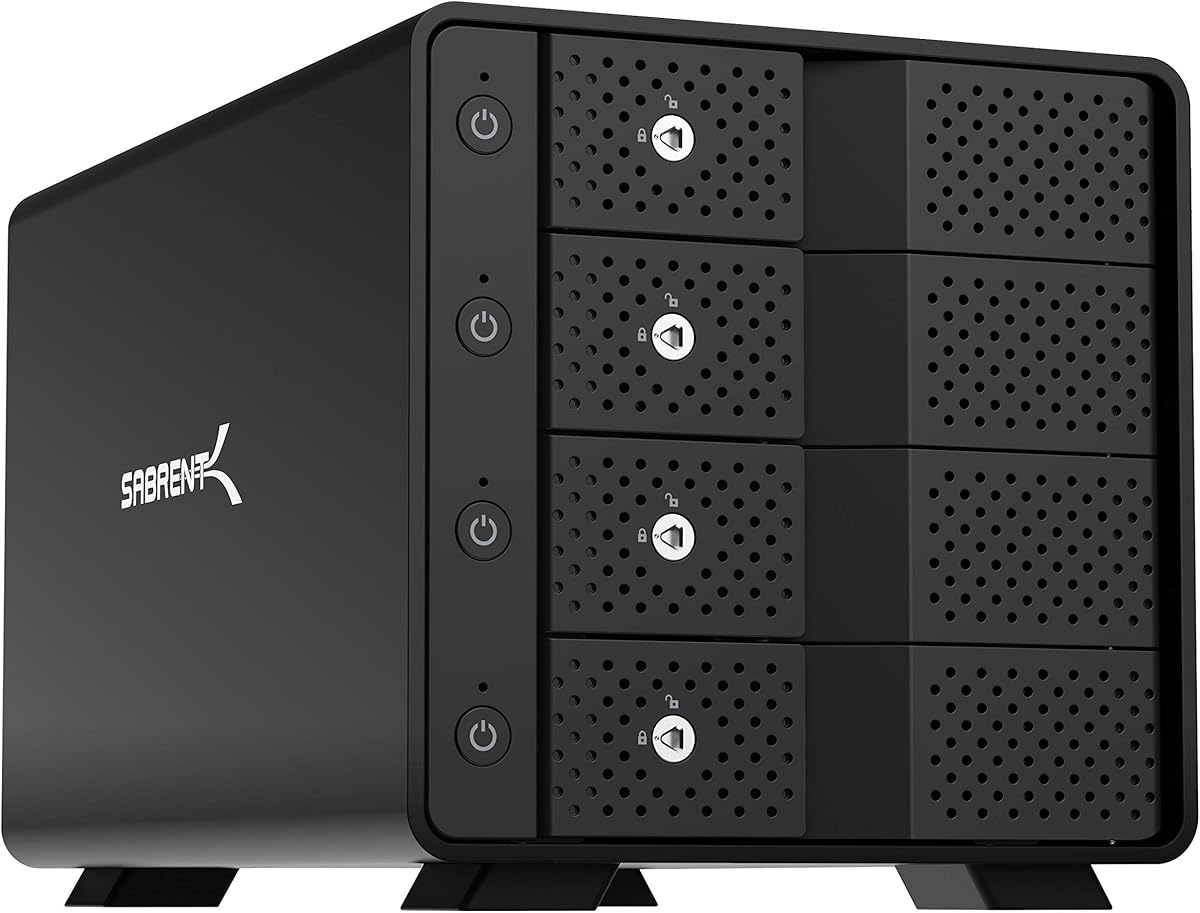
This SABRENT docking station is a cost-effective entry point for users needing reliable external storage without breaking the bank. With a strong 4.2 rating it balances essential features like cooling and compatibility at a price accessible to students and casual users.
We may earn a commission when you buy through this link, at no additional cost to you.
The whisper-quiet fan is designed to minimize noise which is critical for home offices or quiet workspaces where constant fan noise would be distracting. Tool-free access via a magnetic cover makes swapping drives simple without needing screwdrivers or additional tools.
While it caps transfer speeds at 5Gbps and does not support thicker 15mm drives these limitations are acceptable for standard storage tasks. The design prioritizes reliability with engineering for continuous 24/7 operation ensuring durability over time.
Ideal for budget-conscious buyers this model supports up to 64TB across four bays and works seamlessly with Windows Mac and Linux. Its backward compatibility ensures it fits into existing setups making it a practical choice for expanding local storage affordably.
Whisper-quiet fan ensures minimal noise pollution allowing focused work even in quiet environments.
Affordable pricing enables multiple buyers to expand their storage without significant financial investment.
We may earn a commission when you buy through this link, at no additional cost to you.
This enclosure bridges the gap between modern and legacy systems by including an eSATA port alongside standard USB connectivity. It is valuable for users maintaining older workstation setups that rely on eSATA interfaces for data transfers and peripheral connections.
We may earn a commission when you buy through this link, at no additional cost to you.
The inclusion of both USB A and C cables ensures flexibility for current devices while the eSATA cable offers a stable connection for older hardware. A 2-inch cooling fan prevents overheating and the aluminum body aids heat dissipation for consistent performance under load.
Users should note that hot-swapping is not supported on the eSATA port and compatibility requires specific computer ports which limits ease of use. Despite these constraints the dual interface option provides redundancy and flexibility for specialized technical environments.
With support up to 80TB capacity this model remains a robust choice for diverse hardware configurations. Its stable power supply ensures reliable operation making it suitable for archival tasks where connection stability is critical for data integrity.
eSATA port ensures connectivity for older systems that lack USB 3.0 or higher interface options.
Includes both USB A/C and eSATA cables for broad compatibility across multiple device generations.
We may earn a commission when you buy through this link, at no additional cost to you.
This WAVLINK model is designed for users with extreme capacity requirements offering up to 128TB total storage across four bays. It is ideal for media archives or large database backups where drive density and expansion potential are critical for long-term planning.
We may earn a commission when you buy through this link, at no additional cost to you.
Beyond storage it features 10Gbps transfer speeds via USB 3.2 Gen 2 ensuring that large files move quickly between drives and systems. The HDMI port adds value by supporting 4K output enabling direct connection to monitors for playback without a host computer.
While the unit supports 2.5-inch drives the necessary mounting brackets are not included which adds to the total cost. Users must also ensure their host system supports video output over USB-C to utilize the display features effectively.
For high-volume storage needs this enclosure combines speed and capacity in a sleek aluminum package. Its cooling system ensures stability for massive drives and independent switches offer control over power management during complex storage operations.
Supports 32TB per drive allowing up to 128TB total for massive archival and backup needs.
HDMI support and fast transfers cater to professionals needing high throughput and direct display.
We may earn a commission when you buy through this link, at no additional cost to you.
This enclosure stands out by offering hardware RAID support which provides data redundancy and performance options without needing a complex NAS system. It is suitable for users who require faster read/write speeds or data protection through mirroring and striping configurations.
We may earn a commission when you buy through this link, at no additional cost to you.
With support for eight RAID modes including RAID 0 1 3 5 10 and CLONE it provides flexibility to balance speed and safety based on data criticality. The dual cooling fans maintain thermal stability during intensive RAID operations which generate more heat than single drives.
Configuration requires physical toggling of a switch and holding a reset button which may be daunting for non-technical users. Switching modes may lead to data loss so backups are essential before any configuration changes to ensure safety.
Best for technical users needing RAID capabilities this model offers up to 80TB capacity and dual interfaces. Its aluminum build and cooling ensure durability while the RAID options enhance performance and redundancy for professional workflows.
Built-in RAID modes allow data protection and speed improvements without requiring additional server hardware.
Dual fans maintain safe temperatures during complex RAID operations to ensure consistent performance.
We may earn a commission when you buy through this link, at no additional cost to you.
The SABRENT 10Gbps enclosure delivers premium build quality and security features making it ideal for enterprise or travel storage needs. Each bay has its own controller ensuring stable connections and preventing one drive from affecting others in the array.
We may earn a commission when you buy through this link, at no additional cost to you.
It supports up to 80TB total capacity with high-speed USB-C connectivity that ensures efficient data transfers. Physical security is enhanced with a Kensington slot and a locking key that secures drives in place preventing unauthorized access or removal.
The price reflects the high-end materials and specialized controller design which users pay for added stability and durability. Drives are not included meaning you must purchase them separately but this allows flexibility in choosing drive types.
Best for high-value data storage this unit offers global voltage support and excellent cooling for 24/7 operation. Its robust design ensures that critical data remains secure and accessible in diverse environments and professional setups.
Dedicated controller per bay ensures independent stable connections preventing drive conflicts or failures.
Kensington slot and locking key provide physical security protecting drives from theft or tampering.
We may earn a commission when you buy through this link, at no additional cost to you.
Selecting the right enclosure depends on your storage capacity needs transfer speed requirements and system compatibility. Understanding key factors ensures you invest in a device that matches your workflow demands effectively.
Transfer speed depends on whether the enclosure uses USB 3.0 or USB 3.2 Gen 2. USB 3.0 offers up to 5Gbps which is sufficient for most tasks while USB 3.2 provides 10Gbps ideal for large file transfers. Check your computer's ports to ensure compatibility.
Select USB 3.2 if you handle massive media files regularly otherwise USB 3.0 is cost-effective and widely supported.
Cooling fans prevent overheating during extended use which is critical for drive longevity. Look for enclosures with automatic fan activation based on temperature to balance noise and efficiency.
Prioritize models with aluminum bodies as they dissipate heat better than plastic alternatives.
Verify whether the enclosure supports 2.5 and 3.5 inch drives and the maximum capacity per bay. Most support up to 20TB per drive totaling 80TB while others support up to 32TB per drive for 128TB total.
Ensure compatibility with SATA and NVMe drives if you plan to mix storage types.
DAS (Direct Attached Storage) allows individual drive access while RAID provides redundancy. Choose DAS for simplicity and RAID if you need data mirroring or speed optimization.
Most budget models are DAS only while premium ones may offer RAID modes.
Larger drives require stable power often provided by external DC 12V adapters. Ensure the unit includes a reliable power supply to prevent drive failures during operation.
Look for global voltage support if you travel internationally.
Enclosures with USB A and C cables offer flexibility. Some include HDMI or eSATA ports for specialized workflows or legacy system support.
USB-C with video support is beneficial if you need direct display output.
Metal enclosures provide better protection against impact and heat. Features like locking keys or Kensington slots add physical security for portable use.
Premium models include better warranties and support for reliability.
Tool-free designs with magnetic covers or slide trays simplify drive swaps. Hot-swappable support allows drive changes without powering down.
Choose user-friendly designs to save time during setup and maintenance.
First connect the power adapter and ensure the unit is stable on a flat surface. Use the provided USB cables to connect to your computer avoiding hubs that may reduce speed.
Second insert drives into the bays following the orientation guides. If hot-swappable support is present you can add or remove drives while the system is active.
Third monitor drive temperatures and fan operation. Keep the enclosure in a well-ventilated area to prevent dust buildup and ensure fans run freely for optimal cooling.
Drives usually need formatting to work with specific file systems. Check if your drives are NTFS exFAT or APFS based on your OS. Formatting erases data so back up first. The enclosure itself does not require formatting.
Most enclosures support both 2.5 and 3.5 inch drives. However smaller drives may require mounting brackets which are sometimes sold separately. Check product specs for bracket inclusion before purchasing.
Ensure all cables are firmly connected and power is stable. Restart your computer and check Device Manager. Try different USB ports or cables to rule out connection issues.
RAID provides redundancy and speed but adds complexity. For personal backups DAS is simpler. RAID is useful if you need data safety without a server.
Fans usually operate around 40 to 50 decibels which is noticeable but acceptable for office use. Some models have silent fans or auto-activation to reduce noise.
Only hybrid models support both SATA and NVMe. Standard enclosures work with SATA drives. Check product titles carefully to confirm drive type compatibility.
Most models support up to 20TB per drive totaling 80TB. Some newer models support 32TB per drive for 128TB total. Verify limits before buying high-capacity drives.
Yes most models are plug and play with macOS. Formatting may be required to APFS or exFAT for full read write access across systems.
These ten models offer robust solutions for expanding external storage with cooling and speed in mind. Each serves different needs from budget-friendly options to premium hybrid configurations.
Prioritize transfer speed and capacity based on your workflow. Cooling efficiency and build quality are critical for long-term reliability.
Prices fluctuate frequently so verify current deals before purchase. Select the model that balances cost with performance for your storage goals today.