
WAVLINK USB 3.0 and USB C to SATA Dual-Bay External Hard Drive Docking Station
4.4Editor score
UASP protocol support
Offline clone function
Hot-swapping capability
Finding the right storage solution is crucial for modern computing needs. A hard drive duplicator cloner docking station offers a versatile way to manage data without complex setups.
We evaluated ten top models based on speed and compatibility and ease of use. Each option was assessed for its ability to handle various drive types efficiently.
Every pick highlights key strengths and ideal use cases for different users. Prices and availability change frequently so verify details before making your final selection.
4.4Editor score

4.4Editor score

4.5Editor score
As an Amazon Associate we earn from qualifying purchases.
This side-by-side comparison highlights the core specifications and unique capabilities of each model to help you identify the best fit for your workflow.


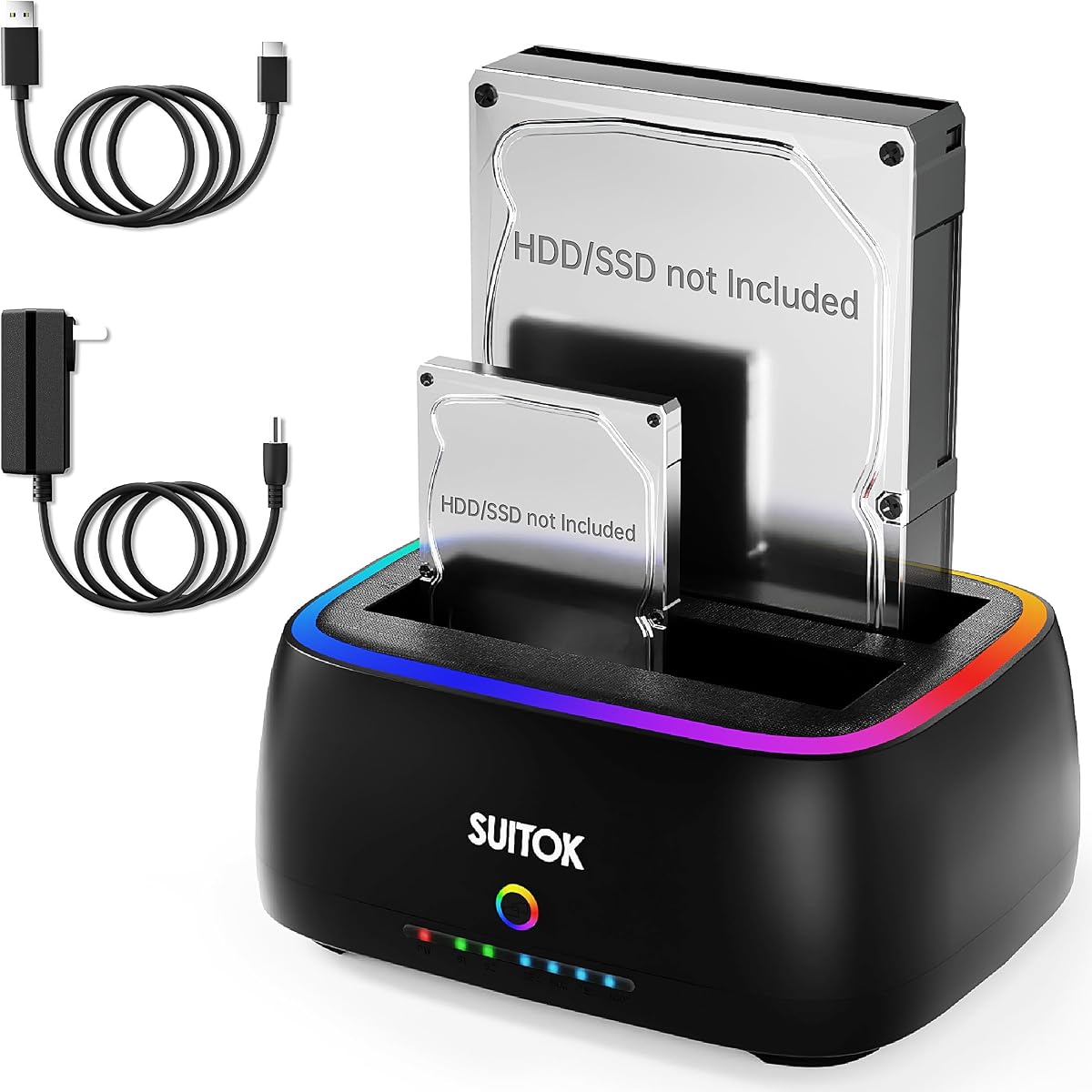

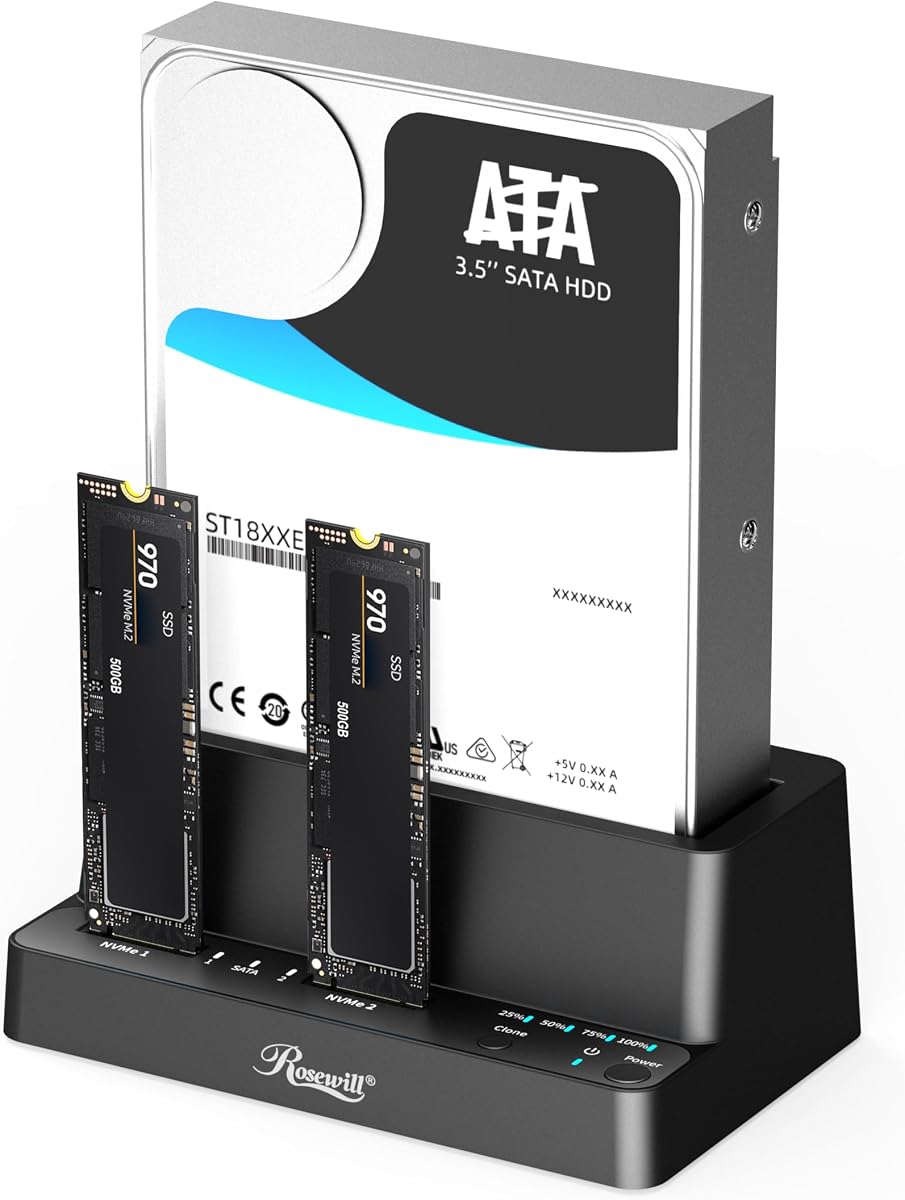

The SABRENT Dual-Bay USB-C Hard Drive Docking Station & Cloner stands out as a top choice for users needing reliable data duplication. With a solid 4.4 rating it offers excellent performance for both personal and professional storage tasks.
We may earn a commission when you buy through this link, at no additional cost to you.
Its standout feature is offline cloning which lets you copy one SATA drive to another with just a press of a button. This is incredibly useful for IT tasks or quick backups without tying up a computer. The USB-C connectivity ensures modern compatibility while the tool-free design makes swapping drives effortless.
While the cloning speed is efficient at up to 60MBps mechanical hard drives won't reach the full 5Gbps transfer limit of the USB 3.0 interface. Also target drives must be at least as large as source drives which limits flexibility for shrinking partitions.
If you need a versatile cloner for SATA drives that works independently of your PC this model is highly recommended. Its blend of speed ease of use and modern connectivity makes it a strong contender for most users.
The ability to clone without a host computer saves time and resources especially for bulk data operations.
USB-C connectivity provides a future-proof connection option compatible with newer laptops and devices.
We may earn a commission when you buy through this link, at no additional cost to you.
This model from SABRENT provides a robust solution for docking and cloning standard SATA drives. Rated 4.5 stars it is praised for its ability to handle drives up to 10TB which covers most common storage needs.
We may earn a commission when you buy through this link, at no additional cost to you.
The unit supports offline cloning allowing users to duplicate data without a computer connection. It uses USB 3.0 for fast data transfers up to 5Gbps when connected to a host. The design is straightforward with no drivers needed for installation.
The cloning process is limited to 60Mbps which is slower than what some newer models offer. Additionally it uses older USB-A connections which may not suit users with only USB-C ports available.
This docking station is ideal for users who prioritize capacity and simplicity over cutting edge connectivity. It remains a reliable option for basic data management tasks.
Compatibility with drives up to 10TB ensures the device stays relevant for larger storage requirements.
Plug and play functionality eliminates the need for additional software setup on any operating system.
We may earn a commission when you buy through this link, at no additional cost to you.
The ICY BOX station brings advanced capabilities with support for both M.2 NVMe and standard SATA drives. With a 4.5 rating it is recognized for its flexible design that accommodates multiple drive types.
We may earn a commission when you buy through this link, at no additional cost to you.
Its triple-bay design allows simultaneous connection of several drives making batch processing much easier. The USB 3.2 Gen 2 interface delivers speeds up to 10Gbps for rapid data access. One-touch offline cloning simplifies the migration process significantly.
The versatility of supporting different interfaces can complicate initial setup for less technical users. The price is also higher than dual-bay options which might deter budget-conscious buyers.
This unit is perfect for power users who need to manage diverse storage media efficiently. Its speed and flexibility justify the investment for those with specific storage needs.
Users can clone between NVMe and SATA drives seamlessly without needing separate adapters.
Three slots allow for simultaneous read write and backup operations increasing overall productivity.
We may earn a commission when you buy through this link, at no additional cost to you.
MAIWO offers a robust docking solution with an impressive total capacity of 48TB. Its 4.5 rating reflects user satisfaction with its stability and performance for heavy data tasks.
We may earn a commission when you buy through this link, at no additional cost to you.
The device features independent 12V 3A power supply ensuring reliable operation for high-capacity drives. LED indicators clearly show clone progress at 25% intervals. It also includes a 3-port USB hub for connecting other peripherals.
The hub functionality adds value but the unit is physically larger than standard models. Support is limited to SATA drives meaning NVMe SSDs cannot be used with this unit.
IT professionals handling large data sets will appreciate the capacity and power features. It is a solid choice for those who need substantial storage processing power.
Visual indicators at specific percentage points keep users informed during long cloning processes.
Extra USB ports allow connection of flash drives or peripherals without using extra adapters.
We may earn a commission when you buy through this link, at no additional cost to you.
This dual-bay station offers modern USB-C connectivity and a sleek aesthetic. Rated 4.3 it provides reliable performance for cloning SATA drives up to 40TB total capacity.
We may earn a commission when you buy through this link, at no additional cost to you.
The RTL9201DP bridge chip ensures stable transfers while the TRIM protocol helps maintain SSD longevity. RGB lighting adds a customizable look to desktop setups. A progress bar helps track cloning status accurately.
While it offers essential features it lacks some advanced options found in premium models. The price is moderate but may not justify the costs for those needing more professional features.
Home users looking for a stylish and functional docking station will find this appealing. It balances basic needs with modern design elements effectively.
TRIM support ensures that connected SSDs perform optimally over time without degradation.
The RGB lighting options allow users to match the device with their desk setup theme.
We may earn a commission when you buy through this link, at no additional cost to you.
StarTech is known for reliability and this duplicator dock is no exception. With a 4.4 rating it delivers professional-grade cloning speeds of up to 28GB per minute.
We may earn a commission when you buy through this link, at no additional cost to you.
Its sector-by-sector copying works with any file format and includes empty sectors for accurate backups. The top-loading design with doors ensures drive security. It is backed by a two-year warranty with free lifetime technical support.
The cost is higher than budget models reflecting its durability and performance. Users with only standard USB-A ports might need adapters if only USB-C is available.
Business users and IT technicians should consider this unit for its dependability and support. It is built to handle demanding workloads consistently.
Inclusion of two-year warranty and 24/5 technical assistance provides peace of mind for business users.
Exact copying ensures that boot sectors and hidden data are preserved accurately during duplication.
We may earn a commission when you buy through this link, at no additional cost to you.
The Rosewill docking station combines high speed with a compact form factor. Rated 4.5 it is designed for users who need fast data access and cloning on the go.
We may earn a commission when you buy through this link, at no additional cost to you.
With 10Gbps USB 3.2 Gen 2×1 technology it ensures rapid transfers between devices. The triple-bay setup supports multiple drives simultaneously. Tool-free installation makes swapping M.2 and SATA drives easy.
The compact size means less stability on uneven surfaces which might be an issue in some setups. Care is needed when installing M.2 drives to avoid bending.
Tech enthusiasts and travelers will appreciate the performance and portability this model offers. It is a strong choice for mobile data management tasks.
The lightweight design allows users to carry the device easily between workstations or locations.
10Gbps transfer rates ensure large files are accessed and moved quickly without lag.
We may earn a commission when you buy through this link, at no additional cost to you.
ORICO provides a high-density solution with five drive bays and massive total capacity. Rated 3.9 it is capable of handling heavy-duty storage expansion needs effectively.
We may earn a commission when you buy through this link, at no additional cost to you.
The 1:4 offline duplication feature allows one source drive to be cloned onto four targets simultaneously. An aluminum alloy chassis helps dissipate heat during intensive operations. The design supports drives up to 100TB in total.
User reviews mention occasional stability issues which affects the overall rating. The large physical size may not fit smaller desk spaces easily.
Users needing extensive storage capacity and simultaneous cloning will find this unit useful. It suits professional environments where space is less of a constraint.
Creating multiple backups at once significantly reduces the time required for data protection tasks.
The aluminum construction ensures better heat management and structural integrity than plastic cases.
We may earn a commission when you buy through this link, at no additional cost to you.
This WAVLINK model offers solid performance at an accessible price point. With a 4.4 rating it is praised for including UASP support which boosts transfer speeds significantly.
We may earn a commission when you buy through this link, at no additional cost to you.
The unit supports offline cloning and works well with Linux and Mac systems. A built-in power control switch allows for easy management of energy usage. Hot-swapping capability adds convenience for frequent drive changes.
It uses USB-A rather than USB-C which limits compatibility with newer devices. The build quality is functional but feels less robust than premium options.
Budget-conscious users who need reliable SATA docking will find this a great value. It covers essential features without breaking the bank.
UASP protocol allows data transfer speeds that are up to 70% faster than standard USB 3.0.
An automatic sleep mode after inactivity helps conserve energy when the device is not in use.
We may earn a commission when you buy through this link, at no additional cost to you.
This high-end StarTech unit combines duplicator and eraser functions into one powerful device. Rated 4.5 it is a top choice for professionals requiring secure data management.
We may earn a commission when you buy through this link, at no additional cost to you.
It supports secure erase modes compliant with NIST standards for sensitive data wiping. The LCD menu allows for easy navigation of duplication and erase settings. Support for IDE drives adds compatibility for legacy hardware.
The price is significantly higher than standard docking stations. The complexity of features may be overkill for casual users seeking simple backups.
Organizations and IT departments needing secure data handling should prioritize this tool. It provides comprehensive functionality for advanced storage management needs.
Secure erase modes ensure that deleted data cannot be recovered which is vital for compliance.
IDE adapter inclusion makes this unit valuable for accessing older hardware still in use.
We may earn a commission when you buy through this link, at no additional cost to you.
Selecting the right docking station requires understanding key features that match your specific storage needs and workflows.
Ensure the unit supports the type of drives you use whether SATA HDD SSD or M.2 NVMe. Some models support only SATA while others accommodate multiple interfaces for greater flexibility.
Choose a model that matches all current and future drive types to avoid needing replacements later.
Offline cloning lets you duplicate drives without connecting to a computer saving time on bulk tasks. This feature is essential for quick backups or migrations.
Look for simple one-button cloning interfaces that reduce complexity during use.
Higher USB versions like 3.2 Gen 2 or USB-C provide faster data transfers. This impacts how quickly you can move large files or back up systems.
Prioritize models with high speed ratings if time efficiency is critical to your workflow.
Dual bay units are sufficient for most users but triple or five-bay models allow multiple drives at once. More bays mean more complex and faster data operations.
Decide based on whether you need to handle single or multiple drives simultaneously.
External power adapters ensure stable operation especially for high capacity 3.5 drives. Insufficient power can lead to data corruption or drive errors.
Always verify the included power supply meets the recommended wattage for your drives.
Check compatibility with Windows Mac or Linux systems. Most units are plug and play but some may require specific drivers for full functionality.
Select a universally compatible device to avoid setup hassles across different platforms.
Sturdy materials like aluminum help with heat dissipation and durability. Vibration control and non-slip bases are important for 24/7 operation.
Invest in a well-built unit to ensure longevity and reliable performance under stress.
Advanced models offer secure erase or data sanitization tools crucial for privacy. This is vital if you handle sensitive or confidential information regularly.
Consider units with secure erase options if data privacy is a priority for your use case.
Always ensure your drives are clean and dry before inserting them into the docking bay to prevent electrical shorts or mechanical damage.
Connect the power adapter first before attaching the USB cable to guarantee stable power delivery during operation and cloning tasks.
Store the unit in a cool dry place when not in use to prolong the lifespan of internal components and electronics.
Yes many docking stations support offline cloning using a button on the device. This feature allows you to copy data from one drive to another independently without any host computer connection.
Only specific models support both SATA and M.2 NVMe drives simultaneously. Most dual bay units are SATA only while triple bay units often include NVMe slots for broader compatibility.
Most units support drives up to 20TB per bay with total capacity reaching 40TB or higher. Always check individual product specifications for exact capacity limits before purchasing.
No most docking stations are plug and play requiring no drivers or software installation. They function using standard USB mass storage protocols on major operating systems.
Many models include LED indicators that flash or light up to show progress. Some advanced units have LCD screens that display percentage completion and status messages clearly.
Yes most modern docking stations are compatible with Linux including distributions like Ubuntu and Debian. The USB mass storage class ensures driver-free recognition across various systems.
The cloning process will fail or produce an error if the target drive capacity is smaller than the source. Always ensure the target drive is equal to or larger than the source drive.
Many manufacturers offer warranties ranging from one to two years. Premium models may include lifetime technical support while budget options provide limited coverage periods.
We have reviewed ten top models covering various budgets and feature sets for efficient data management. Each option offers unique strengths whether you need simple cloning or advanced multi-drive capabilities.
Prioritize compatibility and offline features based on your specific workflow needs and storage types. A well-selected unit will save time and ensure data integrity across all your devices.
Prices and availability fluctuate frequently so always confirm current details before making your final purchase decision.