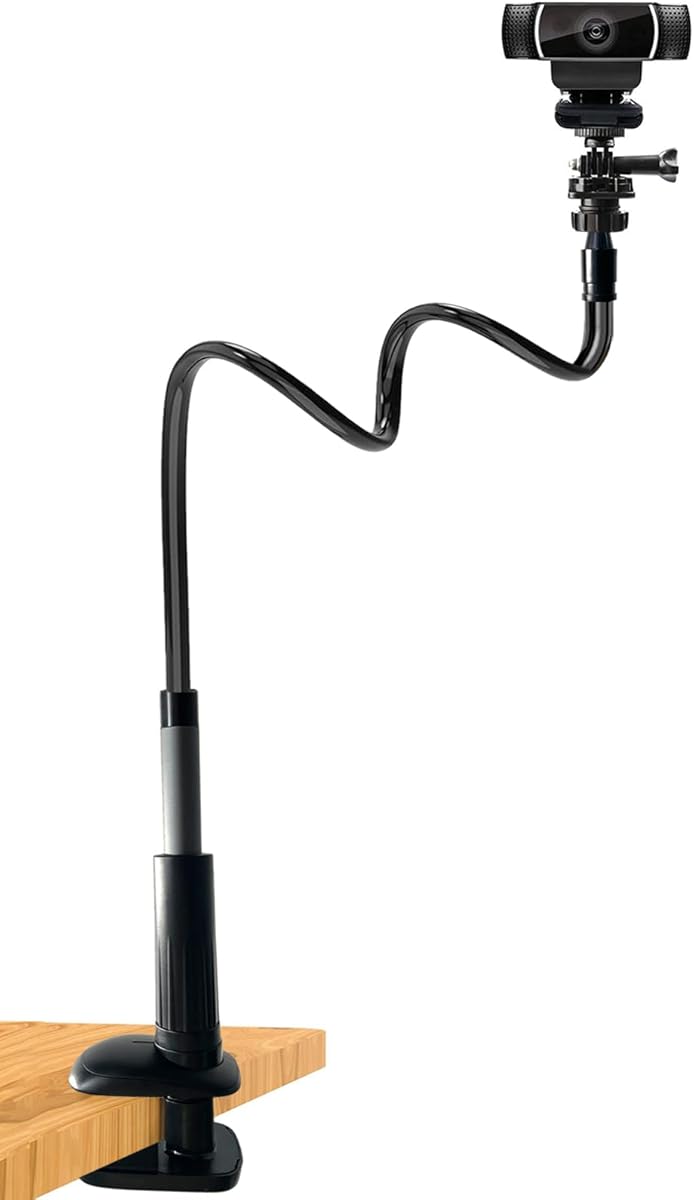
30 Inch Webcam Stand Camera Mount, Upgraded Thick Base Flexible Gooseneck Camera Stand Desk Webcam Mount Clamp
4.1Editor score
Upgraded thick clamping base
Adjustable height up to 30 inches
Universal compatibility with 1/4 inch screw
Finding the right clamp on webcam arm can transform your video setup instantly. Whether you work from home or stream content, a stable mount ensures your camera stays exactly where you need it without slipping or wobbling during important calls.
We evaluated ten leading models based on build quality, flexibility, and compatibility. Each product was assessed for its ability to hold devices securely while offering smooth adjustments. Our list covers various needs from budget friendly options to professional grade solutions for creators.
Each pick highlights specific strengths like length, clamp size, and rotation. You will see how each option fits different desk types and devices. Prices and availability change frequently so please verify details on the product pages before making your final purchase decision today.
4.1Editor score

4.4Editor score

4.4Editor score
As an Amazon Associate we earn from qualifying purchases.
This side-by-side comparison highlights the key specifications of each model to help you choose the right fit for your specific workspace and device requirements quickly.

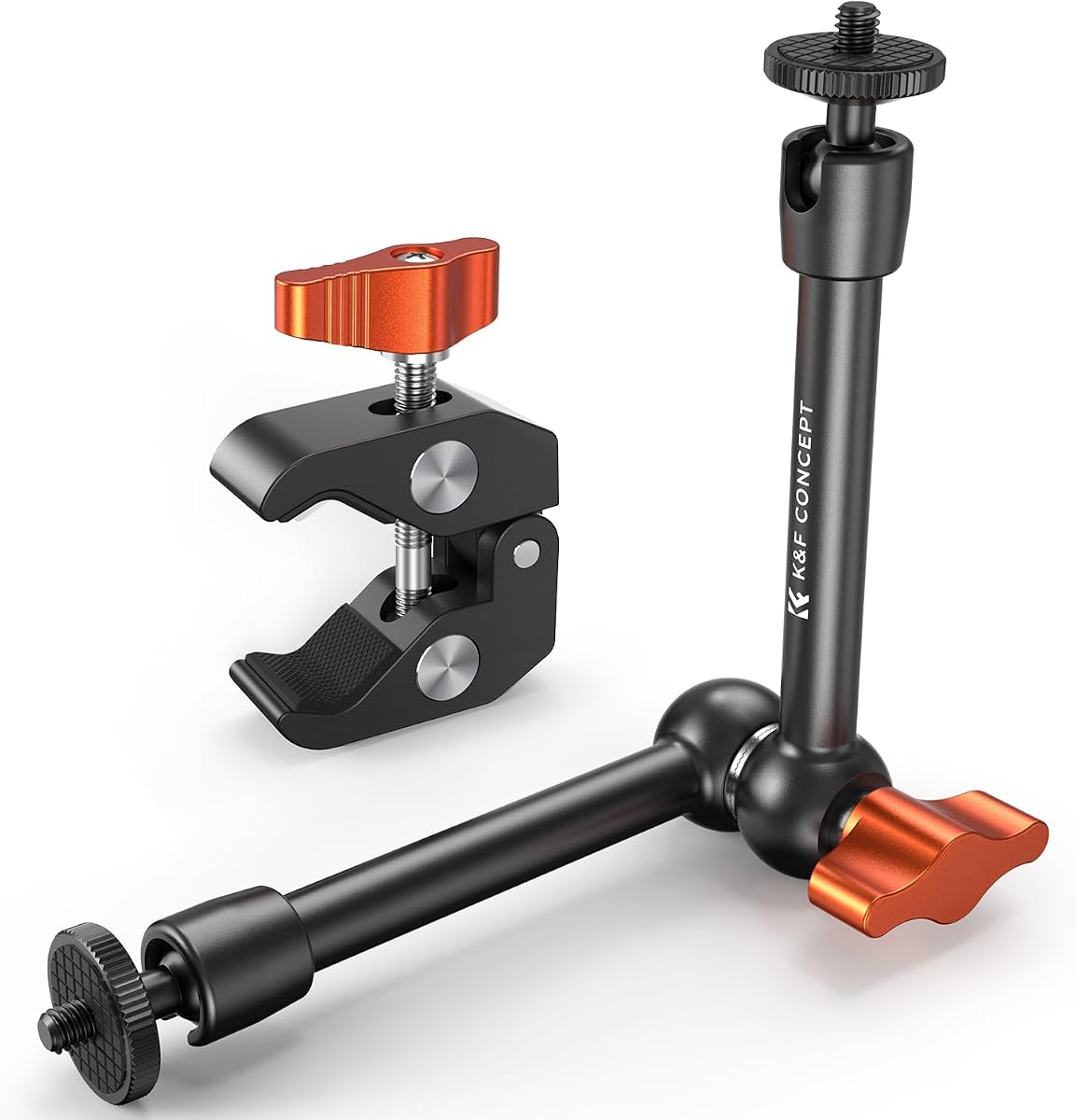


This K&F CONCEPT mount ranks first for its exceptional balance of stability and flexibility. With a 4.4 rating it delivers reliable performance for video calls and streaming setups alike without frequent readjustment needed during sessions.
We may earn a commission when you buy through this link, at no additional cost to you.
The gooseneck arm holds devices securely without sagging which is critical for maintaining consistent framing. Its upgraded clamp grips flat surfaces from 5 to 45 millimeters thick ensuring it stays put even if you touch the arm accidentally.
While it lacks the extreme length of some competitors it provides ample reach for most desktop environments. The only trade-off is that it is best suited for static scenes as vigorous movement could loosen the clamp over time.
Remote workers and content creators should buy this model for its sturdy build and easy setup. It offers a premium feel at a reasonable price point making it our top recommendation for general daily use cases.
The clamp features soft rubber pads that prevent slipping and protect your tabletop from scratches effectively.
Made from high-quality aluminum alloy it ensures sturdiness for long-term use without bending or breaking easily.
We may earn a commission when you buy through this link, at no additional cost to you.
SMALLRIG offers a premium solution designed for creators who need precise control and robust build quality. Its 4.4 rating reflects strong user satisfaction with its ability to hold devices steady during live streaming or overhead shoots.
We may earn a commission when you buy through this link, at no additional cost to you.
The magic arm features double-ball clamps that let you adjust each joint independently for perfect angles. The anti-deflection design ensures the arm stays secure even if bumped which is rare in this price range.
While the load capacity is moderate at 600 grams it handles most webcams and phones well. Heavier setups might require shortening the arm to prevent slippage which is a minor adjustment for professional users.
Professional streamers and photographers will appreciate the versatile clamp that fits round tubes like stabilizer handles. The included accessories make it ready for immediate use without needing extra purchases for standard setups.
Each joint features double-ball clamps for independent angle adjustments ideal for complex overhead setups.
The anti-deflection interface enhances stability and security so the arm stays secure even if accidentally bumped.
We may earn a commission when you buy through this link, at no additional cost to you.
This 30 inch stand offers the longest reach in our list at a very accessible price. With a 4.1 rating it proves that budget options can still provide essential flexibility for home office and casual streaming needs.
We may earn a commission when you buy through this link, at no additional cost to you.
The upgraded thick base is a key improvement that helps secure the mount without excessive tightening. Its gooseneck allows you to reach high positions which is great for users with deep desks or uneven surfaces.
The main limitation is the 0.7kg load limit meaning heavy cameras may cause bouncing if not bent into an S shape. This requires a bit more care but is manageable for standard webcams like Logitech models.
Beginners and students on a tight budget should choose this for its length and low cost. It delivers solid value for basic needs without compromising on the core features required for a stable video feed.
Up to a max of 30 inches it allows you to position cameras at high or distant angles easily.
We have upgraded the clamp base to be thicker and more durable for better security on desks.
We may earn a commission when you buy through this link, at no additional cost to you.
The Smatree mount stands out with a high 4.5 rating for its simplicity and effectiveness with smaller devices. It is designed for action cams and light webcams making it perfect for compact setups without bulky hardware.
We may earn a commission when you buy through this link, at no additional cost to you.
Its flexible gooseneck extends to 11.6 inches which is shorter but sufficient for desk level use. The clamp opens to 1.8 inches allowing easy installation on thin surfaces like book edges or monitor bases securely.
Users should note that it cannot clamp directly on screens to avoid damage. It works best on stable non-moving objects which ensures high quality picture effects without vibration interference during recording sessions.
Travelers and users with small action cameras should pick this for its portability. It is lightweight yet sturdy enough to hold devices steady for vlogging or stationary content creation on the go easily.
The clamp opens to 1.8 inch wide for easy installation on various thin and flat surfaces.
Compatible for GoPro Hero action cameras from 2 to 13 ensuring broad support for popular models.
We may earn a commission when you buy through this link, at no additional cost to you.
This 9.8 inch kit offers a compact solution with a high load capacity for static scenes. Its 4.2 rating indicates good performance for users who need a shorter arm that still handles heavier accessories like mics.
We may earn a commission when you buy through this link, at no additional cost to you.
The magic arm features a dual ball head design that allows full rotation for ideal positioning. Both ends have 1/4 screws making it easy to attach cages or flashes without needing extra adapters.
While it handles up to 2kg it is not designed for dynamic situations like cycling. It excels in static setups where you need a rigid arm that stays locked in place once tightened properly.
Users needing a short sturdy arm for desktop accessories should choose this kit. The all metal design ensures durability and the anti-slip pads protect your gear from wear during regular use.
The magic arm has a maximum load capacity of 2 kilograms for static scenes and heavy accessories.
The knob screw allows simultaneous tensioning and loosening for easy angle changes and position locking.
We may earn a commission when you buy through this link, at no additional cost to you.
NEEWER delivers a robust overhead mount with multiple ball heads for incredible angle flexibility. Its 4.5 rating highlights user satisfaction with its ability to handle various devices from phones to webcams securely and stably.
We may earn a commission when you buy through this link, at no additional cost to you.
The boom arm extends to 22 inches and offers three ball heads for height and angle adjustments. This multi point design reduces strain on individual joints making it more stable than single joint arms during use.
It supports flat surfaces up to 2 inches and round objects up to 1.6 inches diameter. While the load limit is 500 grams it is sufficient for most streaming phones and webcams without issue.
Streamers who need overhead views should buy this for its versatility and build quality. The anti twist pin ensures firm connections so your gear stays secure even during active recording sessions.
Three sets of 360 degree dual ball head adapters provide extensive angle and height flexibility.
An anti twist pin at each mounting interface firmly connects the mounted device to prevent slipping.
We may earn a commission when you buy through this link, at no additional cost to you.
This kit includes phone holders and adapters making it a comprehensive package for creators. With a 4.3 rating it offers a balanced mix of features and stability for indoor photography and live streaming needs effectively.
We may earn a commission when you buy through this link, at no additional cost to you.
The arm includes three 360 degree ball heads that let you secure positions with simple knob rotation. This enables easy overhead and multi-angle shooting which is useful for tutorials or cooking videos on desks.
It features rotatable clamping blocks that grip flat and cylindrical objects firmly. The anti-twist pins add an extra layer of safety to prevent loosening during use which is a thoughtful design touch.
Content creators needing a full setup should choose this for its included accessories and durability. The foam padding protects equipment from scratches ensuring your gear stays pristine over long periods of use.
Includes a phone holder and action camera adapter to connect to phones and cameras immediately.
Rotatable clamping blocks securely grip both flat surfaces and cylindrical objects for firm fixation.
We may earn a commission when you buy through this link, at no additional cost to you.
This model boasts a perfect 5 star rating for its blend of flexibility and space efficiency. Users love how it folds flat and saves desk space while offering a long reach for comfortable viewing angles during calls.
We may earn a commission when you buy through this link, at no additional cost to you.
The gooseneck arm extends to 36.6 inches and allows you to shape it into S or Z curves for stability. It fits surfaces up to 2.56 inches thick and includes a phone holder for versatile multi-device setups.
While the clamp is limited to about 2.5 inches it fits most desks and tables easily. The aluminum-magnesium alloy core ensures it holds devices steadily without sagging even when fully extended to max height.
Users with limited desk space should buy this for its foldable and slim design. It is perfect for hybrid workers who need to store their gear away when not in use daily.
Fully foldable for easy storage and portability to cut down clutter on your workspace.
A total arm length of 36.6 inches offers great reach for various angles and positions.
We may earn a commission when you buy through this link, at no additional cost to you.
This versatile stand supports a wide range of activities from cooking to crafting with ease. Its 4.4 rating reflects user satisfaction with its adjustable arm that lets you get perfect overhead views of your projects.
We may earn a commission when you buy through this link, at no additional cost to you.
The overhead holding arm is 13 inches long and supports a ballhead for angle adjustments. The desktop stand height can be adjusted between 12.79 to 21.65 inches to fit various desk depths and heights.
It is made of high-quality steel and ABS which offers good durability for light loads. The maximum load of 0.5Kg means it is best for webcams and phones rather than heavy cameras.
Teachers and hobbyists needing overhead shots should choose this for its flexibility. The multiple combinations allow you to adapt the setup for different tasks like drawing or baking videos effectively.
JEBUTU overhead camera desk mount supports 360 degree ballhead for suitable angle adjustments.
The height of the desktop stand can be adjusted from 12.79 to 21.65 inches for flexibility.
We may earn a commission when you buy through this link, at no additional cost to you.
This compact arm offers a high load capacity of 2kg making it strong for its small size. With a 4.6 rating it stands out for users needing a sturdy short mount that can handle heavier accessories without bending.
We may earn a commission when you buy through this link, at no additional cost to you.
The magic arm features dual ball head design for full rotation and ideal positioning. Both ends have 1/4 screws which allow attaching cameras or mics without needing additional hardware for setup.
The clamp opens to 55mm which fits most desk edges or poles securely. It includes cushions that increase friction and protect your equipment from wear and tear during daily use.
Users needing a strong short arm for static setups should choose this model. It is ideal for attaching lights or mics to desks where a short rigid arm is needed for stability and ease.
The magic arm has a maximum load capacity of 2 kilograms for static or mild dynamic scenarios.
There are 2 cushions on the crab clamp and 1 circular rubber pad to protect equipment from wear.
We may earn a commission when you buy through this link, at no additional cost to you.
Choosing the right arm requires understanding your specific workspace and device needs. Below are key factors to consider before you make a purchase decision today.
The length of the arm determines how far you can position your camera from the desk edge. Longer arms like 30 inches offer more flexibility for deep desks but may be less stable if the device is too heavy.
Choose an arm length that matches your typical working distance to ensure comfort and stability during long video sessions without excessive bending.
The clamp must fit your surface thickness securely to prevent slipping. Look for adjustable clamps that open wide enough for your desk or table and have rubber pads to protect your furniture from scratches.
Ensure the clamp grip is strong enough to hold the weight of your camera without loosening over time during daily use.
Every arm has a maximum weight limit it can support safely. If you use a heavy webcam or microphone make sure the load capacity exceeds your total device weight to avoid bending or falling.
For heavier devices opt for models with higher load limits like those rated for 2 kilograms or more for safety and reliability.
Materials like aluminum alloy or heavy duty ABS plastic offer better durability and stability. Metal arms are generally sturdier but heavier while plastic models are lighter and easier to transport.
Invest in a durable material that withstands frequent adjustments and supports your gear securely for long-term use without wear.
Look for arms with 360 degree rotation and multiple joints for precise positioning. This flexibility allows you to find the perfect angle for your video or photo without moving your desk.
Choose models with easy to use knobs or locks that let you secure the arm position firmly once adjusted.
Ensure the mount includes standard screw threads like 1/4 inch to fit your specific webcam or action camera. Some kits also include phone holders or adapters for broader device support.
Check product specs for adapter needs to confirm it fits your gear without requiring extra purchases for setup.
If you move your setup often consider a foldable design that saves space and packs easily. Tool-free installation is another key feature that saves time when you need to adjust or remove the arm.
Prioritize portability features if you work across multiple locations or need to store the arm when not in use.
Most arms are designed for static scenes and may not hold well during vigorous movement. If you plan to use it for active recording or outdoor use check for anti-slip features and dynamic ratings.
For static home office use most models work well but avoid dynamic activities unless the product specifies it supports them safely.
Start by attaching the clamp firmly to a flat stable surface like a desk or table. Ensure the clamp is tight enough to prevent slipping but not so tight that it damages the surface or material.
Attach your camera to the arm using the provided screw or adapter. Adjust the arm to your desired height and angle then lock the joints securely to maintain that position during use.
Regularly clean the rubber pads and joints to prevent dust buildup which can reduce grip over time. Check the tightness of screws weekly to ensure the arm remains stable and safe for your devices.
The best length depends on your desk depth and viewing height. A 22 inch arm is ideal for most standard desks while 30 inches offers more reach for deeper setups. Consider your seating distance when choosing length.
Most webcam arms support up to 1 kilogram so heavy DSLRs may exceed their load limit. Check the product specs for capacity and choose a model rated for heavier gear if using DSLRs regularly.
Many clamps open up to 2.5 inches or more which fits most desk edges. However check the max opening size in the specs to ensure it accommodates your specific desk thickness.
Tighten the clamp securely and shape the gooseneck into an S or Z curve for stability. Using a lighter camera also reduces bouncing which helps maintain a steady video feed.
Yes most models are designed for tool-free installation. You simply clamp the base to the desk and screw on your camera then adjust the arm to your preferred position easily.
Quality arms include rubber pads that protect desks from scratches. Ensure you do not over-tighten the clamp which could cause damage to sensitive or fragile desk materials.
These arms are best for static indoor use. Outdoor conditions like wind or movement may loosen the arm unless it is designed for dynamic scenarios with enhanced grip features.
Many kits include phone holders or adapters that fit standard smartphones. Check if the product includes a phone clamp or buy a separate clip compatible with the screw thread.
We highlighted ten top models ranging from budget friendly stands to premium kits with multi joint flexibility. The K&F CONCEPT 27.5 inch mount leads as our overall pick for stability and ease of use.
When choosing prioritize clamp grip and load capacity to ensure your device stays secure during long sessions. Longer arms offer more reach but require more care to prevent wobbling if devices are heavy.
Prices and stock change frequently so always check current details on Amazon before purchasing. This guide provides a solid foundation to select the right arm for your unique workspace needs.