
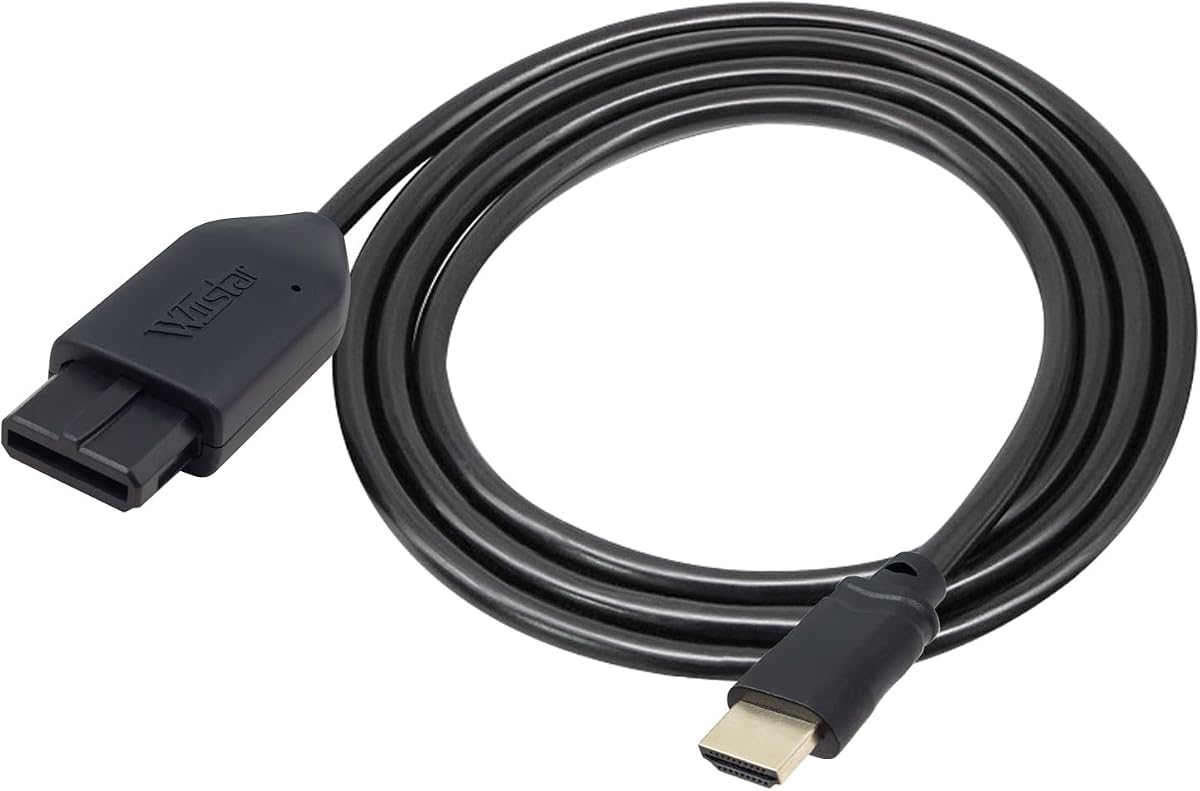
HDMI Adapter for N64 Game Cube SNES
4.2Editor score
Supports 720p 1080p output
Plug and play design
HDMI cable included in box
This guide compares the top GameCube HDMI adapters to help you find the best converter for modern TVs without losing retro gaming quality or signal fidelity.
Finding the right adapter helps you play classic titles on modern screens. You want clear video, stable connections, and reliable performance without complex setups. These adapters bridge old consoles and new displays effectively.
We evaluated ten top adapters based on video quality, compatibility, and ease of use. Our analysis focuses on signal clarity, lag, and support for different GameCube models. This list covers the most reliable options available today.
Each pick highlights key strengths and potential limitations to help you decide. Prices and availability change frequently, so check current listings before buying. We hope this guide simplifies your search for the perfect converter.
4.2Editor score

4.6Editor score

4.4Editor score
The following table compares all ten adapters side by side. We highlight key specs to help you choose the right model for your setup.



This adapter offers superior clarity compared to standard cables. It supports up to 480p with GCVideo OS. The remote allows easy menu navigation for settings.
We may earn a commission when you buy through this link, at no additional cost to you.
It includes a programmed remote for line doubling and scanlines. The USB port enables firmware updates easily. A printed shelf reduces strain on connectors.
It costs more than generic options. It only works with DOL-001 consoles. You need a TV with HDMI inputs.
Ideal for enthusiasts wanting quality. It is reliable for long sessions. We recommend it for serious collectors.
Features like line doubling improve visuals significantly without extra power.
The included shelf protects the digital port connection on the console.
We may earn a commission when you buy through this link, at no additional cost to you.
This adapter provides a budget friendly solution. It supports 720p and 1080p output on HDTVs. You get everything needed for basic setup in the box.
We may earn a commission when you buy through this link, at no additional cost to you.
Plug and play functionality makes it easy to use. It includes an HDMI cable for convenience. It works with N64 SNES and GameCube consoles.
You will need an external power supply. It lacks advanced video adjustments like line doubling. The quality is good but not premium.
Perfect for casual gamers on a budget. It connects your console quickly to modern screens. Good value for simple needs.
Supports multiple classic consoles including N64 and SNES easily.
All necessary cables included help you get started immediately.
We may earn a commission when you buy through this link, at no additional cost to you.
This adapter supports all display modes from 240p to 480p. It enables microSD storage expansion for backups. Homebrew software works seamlessly with it.
We may earn a commission when you buy through this link, at no additional cost to you.
Advanced signal processing ensures precise colors and resolution. It includes a bracket for durability and protection. A USB port allows easy firmware updates.
It is pricier than basic adapters. It may require some setup for homebrew. It is best for tech savvy users.
Great for enthusiasts wanting full control. It offers storage and software flexibility. Recommended for advanced collectors.
Supports microSD cards and homebrew tools for expanded functionality.
Digital signal processing delivers accurate colors and resolution.
We may earn a commission when you buy through this link, at no additional cost to you.
This converter uses RCA inputs to output HDMI. It supports 1080p output on modern TVs. It is affordable and comes with cables.
We may earn a commission when you buy through this link, at no additional cost to you.
It works with various TV formats like PAL and NTSC. Plug and play installation is very easy. It includes a USB cable for power.
Video quality is lower than S-Video options. You need a power source for the USB port. It lacks advanced tuning features.
Good for quick setups with old cables. It is easy to install. We recommend it for budget buyers.
Supports many TV formats and various legacy devices.
Plug and play design makes setup very simple for users.
We may earn a commission when you buy through this link, at no additional cost to you.
This adapter connects directly to the console port. It supports S-Video signal output for better quality. No external power supply is required.
We may earn a commission when you buy through this link, at no additional cost to you.
It provides brighter and sharper visuals than basic options. The all-in-one design eliminates extra cables. It works with consoles like N64 SNES.
It supports 1080p60hz output only. It may have connection issues sometimes. It is not compatible with all models.
Good for simple setups without power needs. It offers cleaner signal processing. Recommended for basic use.
S-Video signal path provides sharper and brighter images.
Built-in port means no extra cables or power sources.
We may earn a commission when you buy through this link, at no additional cost to you.
This adapter upscales S-Video signals to HDMI. It supports 4:3 and 16:9 switching. The design allows using longer HDMI cables.
We may earn a commission when you buy through this link, at no additional cost to you.
It offers precise colors and resolution. Low latency is great for fast games. It is easy to use with well prepared cables.
It has standard specs for the price. It may not offer advanced video tweaks. It is good for general gaming.
Ideal for casual players on multiple consoles. It is simple to connect. We recommend it for easy use.
Toggle switch lets you adjust screen settings easily.
Flexible design allows using longer HDMI cables if needed.
We may earn a commission when you buy through this link, at no additional cost to you.
This adapter converts analog signals to digital HDMI. It supports up to 1080p output. The setup is plug and play without drivers.
We may earn a commission when you buy through this link, at no additional cost to you.
It features low input lag for responsive performance. You can switch between aspect ratios easily. It connects to various modern displays.
It requires no external power for basic use. It may have some power stability issues. It is new so user reviews are scarce.
Good for modern displays and simple setup. It offers stable performance. We suggest it for basic needs.
Low input lag ensures smooth and responsive gameplay.
Works with HDTVs monitors and projectors easily.
We may earn a commission when you buy through this link, at no additional cost to you.
This adapter works well with Nintendo consoles. It supports SVideo and Composite outputs. It needs no additional power to work.
We may earn a commission when you buy through this link, at no additional cost to you.
It is designed for easy use without software. You can plug it in directly to start playing. It has a warranty for support.
It offers standard picture quality for the price. It is basic without advanced features. It is good for simple use.
Ideal for quick setups on a budget. It is reliable for daily use. We recommend it for basic needs.
Operates without external power for a simpler setup.
Compatible with N64 SNES and GameCube directly.
We may earn a commission when you buy through this link, at no additional cost to you.
This adapter provides a smooth gaming experience. It supports 16:9 output on HDTVs. It includes an HDMI cable for convenience.
We may earn a commission when you buy through this link, at no additional cost to you.
There is no screen lag during gameplay. No power supply is needed for operation. It has customer service for support.
It offers standard video quality. It is simple with limited options. It is good for general use.
Ideal for quick setups without extra power. It connects to newer TVs easily. We recommend it for simple use.
Plug and play design ensures no screen lag.
Includes HDMI cable to get you started fast.
We may earn a commission when you buy through this link, at no additional cost to you.
This converter extracts S-Video for a cleaner image. It needs no external power to function. It comes with a long HDMI cable.
We may earn a commission when you buy through this link, at no additional cost to you.
It outputs original resolution without upscaling. The connectors are nickel plated for durability. It is simple plug and play setup.
It lacks upscaling to HD resolutions. The rating is lower than other options. It is basic but functional.
Good for preserving original resolution. It connects to modern TVs. We recommend it for basic needs.
Extracts S-Video signal for cleaner output than composite.
Nickel plated connectors help resist oxidation over time.
We may earn a commission when you buy through this link, at no additional cost to you.
Choosing the right adapter depends on your console model and desired output quality. Here are key factors to consider.
Check if your GameCube has a digital port (DOL-001). Some adapters only work with specific models. Others support standard AV ports. Always match the adapter to your console.
Ensure compatibility before buying to avoid returns.
Adapters vary from 480i to 480p or 1080p. Higher resolutions look better on modern TVs. GCVideo options offer better quality. Check the max supported output.
Higher resolution ensures sharper visuals.
Some adapters use S-Video while others use Composite. S-Video provides cleaner images. Look for converters that extract S-Video if possible. This improves clarity significantly.
S-Video options offer better image quality.
Some models need external power while others draw from the console. External power can improve stability. If you want a simpler setup, choose no-power options. Check the cable details.
Decide between convenience and stability.
Some adapters include remotes or USB ports for updates. Others offer aspect ratio switches. These features add flexibility. Consider if you need them for your setup.
Extra features can enhance usability.
Look for durable connectors and casing. A good warranty protects your purchase. Read reviews to see how long adapters last. Quality matters for long term use.
Warranty and build quality ensure reliability.
Budget adapters are cheaper but basic. Premium ones offer better features and quality. Decide what matters most for your needs. Balance cost with expected performance.
Find the balance that fits your budget.
Some support multiple consoles like N64 or SNES. Others are specific to GameCube. If you own multiple consoles, a multi-console adapter helps. Verify the supported inputs.
Choose based on your console collection.
First, ensure your console is turned off before connecting cables. Plug the adapter into the console port carefully. Then connect the HDMI cable to your TV.
Turn on your TV and set it to the correct HDMI input. Turn on your console. You should see the image immediately. If not, check the cable connections and power.
Keep the adapter clean and dust free. Avoid bending cables too much to prevent damage. Store them properly when not in use. This extends the lifespan.
Some adapters require external power via USB, while others draw power from the console. If you experience signal issues, try using an external power source. Check the product details for power needs.
Most adapters work with standard GameCubes via AV ports. Some high end adapters require the digital port found on DOL-001 models. Always check compatibility before buying to ensure fit.
Some basic adapters can output up to 1080p from analog signals. Higher end models may support 480p natively. True HD upscaling depends on the specific model used.
Quality adapters aim for zero or low lag. Some budget models may introduce slight delay. For fast games, choose options marketed as lag free.
Some adapters include HDMI cables. You will likely need standard AV cables for older models. Check if cables are included in the package.
A blue screen usually means no signal. Check your connections and power. Ensure your TV is set to the correct input. Restarting devices may help.
Yes, they are designed for HDMI inputs on modern TVs. If your TV only has analog inputs, you may need additional converters. Always check your TV ports.
This guide covered top adapters like Kaico BITFUNX and generic models. Each offers unique benefits depending on your needs. Whether you prioritize price or quality, there is a fit.
Consider compatibility and video quality when buying. A reliable adapter preserves your gaming experience on new screens. Don't overlook power requirements or warranties.
Prices vary and stock changes often. Check current listings for the best deals. Enjoy your classic games on modern displays with confidence.