
Acer 4-in-1 USB C Hub
4.2Editor score
Dual 4K@60Hz output
100W power delivery
Compact 4-in-1 design
This guide compares the top 10 dual HDMI monitor adapter options for 2026, evaluating performance, compatibility, and features to help you choose the right
Finding the right dual HDMI monitor adapter can transform your workspace into a productive multi-screen environment. Whether you need extended displays for work or mirrored screens for presentations, a quality adapter ensures stable video output.
We compared ten leading adapters based on video resolution support, connection types, and operating system compatibility. Our analysis focuses on real-world performance, driver requirements, and build quality to help you make an informed decision.
Each pick highlights specific strengths like 4K support or USB-C versatility. Prices and availability change frequently, so verify current details before purchasing. This guide covers options for laptops, desktops, and various operating systems.
4.2Editor score

4.5Editor score

4.4Editor score
This table provides a side-by-side overview of all ten adapters. It highlights key specifications like resolution support, port types, and compatibility to help you quickly identify the best fit for your setup.
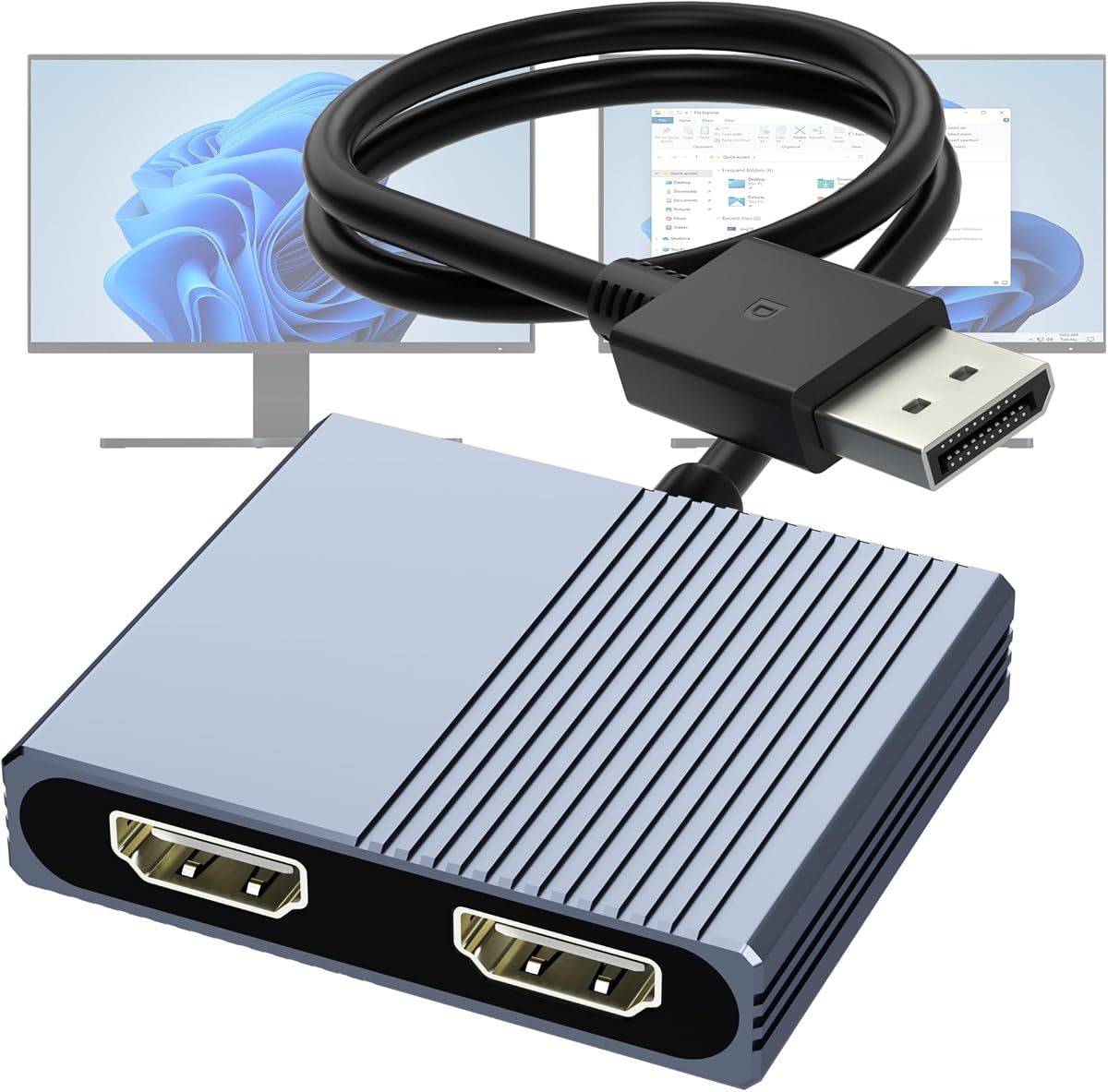


This adapter stands out for its reliability in professional environments. It supports 4K at 30Hz and 1080p at 60Hz, delivering clear visuals for productivity tasks. The StarTech brand is known for quality IT hardware.
We may earn a commission when you buy through this link, at no additional cost to you.
Its USB 3.0 connection ensures stable data transfer rates for video output. The dual HDMI ports allow you to extend your desktop across two monitors effectively. This setup is perfect for multitasking in an office setting.
The Windows-only restriction means it won't work with macOS or Linux systems. Installation requires administrator rights, which might be a hurdle on corporate devices. However, the driver support ensures long-term stability.
IT professionals and Windows users seeking dependable multi-monitor solutions should consider this adapter. It balances performance with durability, making it a solid investment for daily use. The warranty adds peace of mind for business purchases.
Built for IT professionals, this adapter offers consistent performance with minimal signal drop. Its 3-year warranty and 24/7 technical assistance support business needs effectively.
The ability to extend your desktop to two HDMI monitors enhances workflow significantly. It supports Intel, AMD, and Snapdragon platforms for broad compatibility within Windows environments.
We may earn a commission when you buy through this link, at no additional cost to you.
The Acer hub offers excellent value with dual 4K@60Hz output. It includes a USB-C power delivery port for charging while connecting displays. This makes it a versatile choice for laptops with limited ports.
We may earn a commission when you buy through this link, at no additional cost to you.
It supports high-speed data transfer via a USB-A port, useful for quick file movements. The compact design fits easily into bags, ideal for travelers. It requires DP Alt Mode on your USB-C port.
Mac users should note that dual extended displays are not supported on this device. It mirrors content across screens on macOS. The cable is quite short, which may limit desk setup flexibility.
Budget-conscious users needing 4K video output will find this hub attractive. It balances cost with features like 100W charging. Verify your laptop port supports video output before purchasing.
This hub delivers crisp 4K@60Hz visuals on both HDMI ports. It works well for media consumption and general productivity with smooth refresh rates.
A 100W PD port keeps your laptop charged during use. This feature reduces cable clutter and maintains battery life for extended work sessions.
We may earn a commission when you buy through this link, at no additional cost to you.
This adapter provides a robust solution for connecting three screens including your laptop. It supports both USB-A and USB-C inputs, offering flexibility for various laptops. The dual HDMI output allows extended displays.
We may earn a commission when you buy through this link, at no additional cost to you.
It works across Windows and macOS, unlike some competitors. The driver installation ensures stable performance for multitasking apps. It handles resolutions up to 1920×1080@60Hz effectively.
Gaming and streaming sites like Netflix do not work well due to HDCP restrictions. It is better suited for productivity tools like Google Docs. Driver downloads are required before use.
Users needing a versatile 3-screen setup will appreciate this adapter's features. It offers strong support for office tasks. The 24-month warranty adds confidence in its quality.
With both USB-A and USB-C options, this adapter fits many devices. It supports Thunderbolt ports as well for broader compatibility.
Designed for productivity apps, it keeps web tools open without lag. It is ideal for managing spreadsheets or documents across screens.
We may earn a commission when you buy through this link, at no additional cost to you.
This adapter converts DisplayPort signals to dual HDMI displays efficiently. It supports 4K@60Hz, making it great for high-quality visuals. It works well with dedicated graphics cards on desktops.
We may earn a commission when you buy through this link, at no additional cost to you.
Users can extend or mirror screens using MST technology. The plug-and-play design avoids complex driver setups. However, it requires a USB-C power cable for stable signal transmission.
Integrated graphics may not support extended modes, limiting use on some laptops. You need a DP 1.4 port for full 4K dual output. Ensure your monitors support high resolution.
Desktop users with dedicated GPUs will benefit from its high bandwidth. It is a solid choice for multi-monitor gaming or design work. The anti-interference design helps maintain signal quality.
Requires DP 1.4 support to achieve dual 4K@60Hz. This ensures sharp images on modern monitors for detailed work.
Supports both MST and SST modes for flexible setups. It allows extended displays without needing extra drivers or software.
We may earn a commission when you buy through this link, at no additional cost to you.
OREI adapter connects a single source to two external displays easily. It supports extended viewing for a 3-screen setup. You need an Intel i5 processor for optimal performance.
We may earn a commission when you buy through this link, at no additional cost to you.
It works with Windows and macOS systems effectively. The integrated USB-A and USB-C adapter offers flexible setup options. It supports Android for mirroring modes as well.
Driver installation is mandatory, which may require admin permission on work PCs. It is not plug-and-play for immediate use. Ensure you have the Silicon Motion driver ready.
Users with compatible processors looking for multi-screen workflows should consider this. It simplifies desktop organization with clear video output. Support is available for troubleshooting issues.
Requires an Intel i5 or higher for best results. This ensures stable video signals across connected monitors.
Compatible with major OS like Windows and macOS. It also supports Android devices for versatile connection scenarios.
We may earn a commission when you buy through this link, at no additional cost to you.
This docking station transforms laptops into a full workstation. It includes dual 4K@60Hz HDMI ports for clear visuals. An SD card slot is useful for photographers and creators.
We may earn a commission when you buy through this link, at no additional cost to you.
With 100W PD charging, it powers your laptop while connected. USB ports allow fast data transfer for peripherals. It supports temperature control to prevent overheating during use.
Mac users only get mirror mode, not dual screens. Windows laptops can extend to two monitors effectively. A separate power charger is needed for full functionality.
Home and office users wanting a single hub will find this ideal. It maximizes efficiency with diverse connectivity. Check your laptop port for Thunderbolt compatibility.
Features USB 3.0, SD cards, and HDMI ports. This versatility reduces the need for multiple adapters.
Advanced technology manages heat to ensure stable performance. It keeps the hub cool even during heavy data transfer.
We may earn a commission when you buy through this link, at no additional cost to you.
This splitter mirrors a single source to two screens. It is simple to set up without any drivers. Ideal for presentations or watching movies on dual TVs.
We may earn a commission when you buy through this link, at no additional cost to you.
It supports up to 4K at 30Hz for clear images. Audio is synchronized with the video signal automatically. Compatible with PCs, Macs, and TVs easily.
Extended displays are not possible; screens show identical content. It works best for shared viewing rather than multitasking. Settings may need adjustment on first connection.
Users needing mirrored displays for events should consider this tool. It avoids complex setups. The audio feature eliminates extra cables for sound.
No driver installation is needed for immediate use. Just connect the HDMI cables and adjust settings.
Audio travels with video via HDMI automatically. This ensures sound plays on the correct output devices.
We may earn a commission when you buy through this link, at no additional cost to you.
This adapter offers dual 4K@60Hz HDMI outputs for crisp visuals. It includes USB-A and PD ports for expanded connectivity. Windows supports extended screens easily.
We may earn a commission when you buy through this link, at no additional cost to you.
Mac users are limited to mirroring across displays. It works with Thunderbolt 3 ports effectively. The 5Gbps data port helps with file transfers.
You need a 100W adapter for full charging power. The hub is compact for travel. Setup is straightforward with DisplayPort Alt Mode.
Users wanting a balance of video and data will find this useful. It keeps laptops powered while displaying on monitors. Check cable standards for 4K.
USB-A 3.0 port handles up to 5Gbps transfers. It speeds up moving large files to external drives.
100W PD port charges laptops while connected. Keep devices powered for long work sessions without interruption.
We may earn a commission when you buy through this link, at no additional cost to you.
This adapter connects DP sources to dual HDMI displays with clarity. It supports 4K@60Hz for smooth visuals. The aluminum housing aids in heat dissipation.
We may earn a commission when you buy through this link, at no additional cost to you.
Windows allows extended modes, while Mac mirrors screens. It works with NVIDIA and AMD graphics cards well. Gold-plated connectors ensure durability.
Integrated graphics might not support extended modes. It is designed for one-way DP to HDMI. Verify your card meets the speed requirements.
Desktop users with dedicated GPUs benefit from its performance. The rugged build lasts for heavy use. It simplifies multi-monitor connections.
Gold-plated ports withstand repeated plugging. The aluminum housing keeps it cool during operation.
Designed for dedicated GPUs like NVIDIA and AMD. It ensures stable output for high-performance systems.
We may earn a commission when you buy through this link, at no additional cost to you.
This hub offers versatile connectivity for laptops with USB-C ports. Dual HDMI outputs support 4K@60Hz. Three USB-A ports help organize your devices.
We may earn a commission when you buy through this link, at no additional cost to you.
It provides 100W pass-through charging to keep laptops powered. The slim build fits in bags easily. Windows supports dual-screen extension.
USB-A ports are 480Mbps which is slower than 3.0. macOS is limited to mirroring for two displays. Verify your USB-C port supports video.
Users wanting a simple travel hub will find it convenient. It avoids the need for separate adapters. Ideal for hybrid work setups.
Slim build makes it easy to carry. It is great for work between office and home.
Multiple USB ports connect mice and drives. This helps free up limited laptop ports.
We may earn a commission when you buy through this link, at no additional cost to you.
Choosing the right adapter depends on your specific setup needs. Consider your connection type, operating system, and desired video resolution before buying.
Check your laptop ports for USB-C, USB-A, or DisplayPort. USB-C adapters often include power delivery, while DisplayPort ones support higher resolutions on desktops.
Match the adapter input to your device port for best performance.
Windows typically supports dual extended screens, but macOS often mirrors displays on USB-C hubs. Verify support for your OS to avoid limitations.
Read product descriptions carefully for Mac or Windows exclusions.
Target 4K@60Hz for smooth visuals or 4K@30Hz for general use. Ensure monitors and cables support the desired resolution for clear output.
Higher refresh rates improve responsiveness for detailed work.
Some adapters need driver installation, while others are plug-and-play. Corporate devices may restrict admin rights needed for drivers.
Choose plug-and-play if you lack admin access.
USB-C hubs with 100W PD ports keep laptops charged. Ensure your power adapter matches the wattage for stable performance.
Pass-through charging reduces cable clutter on desks.
Look for aluminum housings for heat dissipation and durable connectors. Gold-plated ports can prevent corrosion over time.
Strong build ensures reliability during daily use.
Short cables limit desk flexibility. Check if the cable meets your setup distance needs to avoid reach issues.
Consider external cables if the provided one is too short.
Select adapters designed for productivity over gaming. HDCP protected content may not play on some video adapters.
Focus on office apps and spreadsheets for best results.
Connect the adapter to your laptop or desktop power and video ports first. Then plug HDMI cables from monitors into the adapter outputs securely. Turn on the monitors and adjust display settings in your OS.
Ensure any required drivers are installed before expecting dual screens. Restart your computer if the system does not detect the new displays immediately. Check connection settings to switch between mirror and extend modes.
Keep the adapter cool by not covering it during use. Avoid bending the cables excessively to prevent internal wire damage. Use a case for storage to protect connectors from dust and wear.
Many adapters work with macOS but only mirror displays rather than extending them. Dual screen extension often requires specific MST support that macOS does not fully support. Always check compatibility notes for Mac before purchasing to avoid limitations.
High-resolution video outputs like 4K require more power than USB ports alone provide. External power ensures stable signals and prevents flickering during use. It is common for MST hubs to need this extra energy.
Most are optimized for productivity and may have latency. They generally do not support high refresh rates needed for gaming. Streaming services might also fail due to HDCP restrictions on some models.
Some adapters require drivers to function properly while others are plug-and-play. Check product descriptions to see if driver downloads are needed. Corporate devices may block installations without admin rights.
MST allows extended displays while SST mirrors the same content on all screens. Windows supports both, but macOS usually limits to SST. Choose based on whether you need extended screens.
No, your USB-C port must support DisplayPort Alt Mode or Thunderbolt. Data-only ports will not output video. Verify your laptop specs to ensure the port supports video output.
Flickering can happen due to insufficient power or loose cables. Ensure power adapters are connected properly and cables are fully seated. Try lowering resolution if refresh rates exceed adapter limits.
Many support up to 4K@60Hz on single screens or dual lower resolutions. Check specific model limits as bandwidth varies. HDMI cable version must also match the resolution requirements.
We highlighted top picks like the StarTech and Acer adapters for different needs. Each offers unique strengths such as high resolution or budget pricing.
Prioritize compatibility with your operating system and port type. Ensure the adapter meets your resolution and power needs for stable setups.
Prices and stock fluctuate so verify current details before purchasing. Select the option that best fits your daily work routine.