
LONGER LK5 Pro 3
4.1Editor score
300x300x400mm build area
90 percent pre-assembled design
Open source motherboard support
This guide compares the top Fdm Printer for Large Prints models by build volume, speed, and reliability to help you choose the right machine for your needs.
Finding the right machine for oversized projects requires careful consideration of build volume and print quality. Large format printers enable creators to produce substantial parts without assembly, saving time and improving structural integrity for industrial applications.
We evaluated ten leading models based on frame rigidity, heating capabilities, and software features. Our analysis prioritizes machines that maintain precision at high speeds and offer reliable operation for continuous production environments in workshops and offices.
Each selection below highlights specific strengths for different workflows, from rapid prototyping to professional manufacturing. Please note that product availability and pricing may fluctuate frequently, so verify current details before making your final purchasing decision.
4.1Editor score

4.0Editor score

4.5Editor score
The following table provides a side-by-side comparison of all ten selected machines. It highlights their build dimensions, motion systems, and key features to help you identify the most suitable option for your large format printing requirements.



The Creality Ender 5 Max stands out as a top contender for anyone needing a true large format printer. It combines an expansive build volume with a modern CoreXY motion system that supports high speeds without sacrificing stability. The machine is designed to handle continuous production tasks efficiently.
We may earn a commission when you buy through this link, at no additional cost to you.
Its 400 by 400 by 400 millimeter build area allows you to print life-sized parts or batch multiple smaller components in a single job. The 700 millimeter per second printing speed significantly reduces wait times. The 64-point auto leveling ensures consistent adhesion across the entire bed surface.
While the all-metal frame provides rigidity, achieving the best results requires attention during initial calibration. The bed can take longer to reach target temperatures compared to newer heated chamber models. However, the dual gear extruder minimizes clogging during long runs.
This printer is ideal for print farms or businesses needing to scale production volume. It offers excellent value for those prioritizing raw build capacity over enclosed heating. We recommend it for users who have a dedicated space for large industrial printing.
The CoreXY motion system with high-torque motors delivers rapid output while maintaining precision on large models. This setup reduces vibration and improves surface quality during fast printing cycles.
The dual-gear extruder provides strong feeding force to prevent slippage and ensure consistent material flow. This durability supports 24/7 operations common in professional environments.
We may earn a commission when you buy through this link, at no additional cost to you.
The Bambu Lab P1S offers a compelling mix of speed and ease of use. While its build volume is smaller than dedicated large format machines, its enclosed design and high speed make it excellent for precision engineering parts. It excels at reducing setup time for new users.
We may earn a commission when you buy through this link, at no additional cost to you.
With the optional AMS module, you can achieve 16-color prints without manual intervention. The 500 millimeter per second printing speed ensures rapid prototyping. The enclosure maintains stable temperatures which is crucial for materials like ABS and ASA.
The main trade-off is size. If you need to print parts taller than 256mm, this model will not suffice. You must also purchase the AMS separately for multi-color capabilities. It is a great machine but not the largest.
Choose this if you prioritize print quality and speed over raw volume. It suits engineers needing reliable multi-material prototypes quickly. The user-friendly design minimizes frustration and maximizes time spent on design.
Connect the AMS system to unlock 16-color printing capabilities right out of the box. This feature is perfect for creating visual prototypes without painting.
Setup takes only 15 minutes thanks to pre-calibrated components. This allows you to start printing almost immediately after unboxing.
We may earn a commission when you buy through this link, at no additional cost to you.
The Snapmaker U1 redefines multi-material printing with its unique toolhead system. It swaps physical toolheads instead of purging filament, which saves significant material time and time. It is designed for professionals creating functional parts with rigid and flexible sections.
We may earn a commission when you buy through this link, at no additional cost to you.
The automatic tool changer reduces change time to just five seconds. This ensures high productivity during complex prints. The four independent toolheads allow mixed-material printing without manual swapping. Smart calibration ensures dimensional accuracy for tight tolerances.
Despite these advanced features, the build volume remains moderate. It is ideal for detailed prototypes rather than large bulk production. Managing multiple toolheads requires some workflow planning. However, the reduction in waste justifies the complexity.
This machine is best for R&D labs needing versatile prototypes. It allows you to print complex articulated models efficiently. Consider it if multi-material capability is a primary requirement for your business.
Swapping toolheads in five seconds cuts downtime dramatically compared to traditional filament systems. This efficiency boosts overall machine uptime significantly.
Compatible with PLA, TPU, PETG, ABS, ASA, PA, and PC for greater design freedom. You can combine flexible and rigid materials in one print easily.
We may earn a commission when you buy through this link, at no additional cost to you.
The Creality K2 Plus Combo brings advanced features to the large format market. It features a 350mm cube build volume which is substantial for desktop use. The step-servo motors enable rapid acceleration for faster prints. Dual AI cameras monitor prints for failure detection.
We may earn a commission when you buy through this link, at no additional cost to you.
The CFS multi-color system supports up to 16 colors with automatic filament selection. This allows for complex prints without manual color changes. The 600mm/s printing speed is impressive for a machine of this size. It handles high-temp materials like PPA effectively.
Users should be aware of the higher cost compared to basic models. Setting up the CFS requires additional steps. However, the automation reduces the manual effort required for multi-color prints. It offers strong value for advanced users.
This printer is ideal for makers needing large prints with color. It suits users moving from hobbyist to professional workflows. We recommend it for those valuing automation and high-speed performance.
Two AI cameras monitor the print process to detect failures early. This saves time and material by pausing problematic jobs instantly.
Step-servo motors deliver 600mm/s speeds with high torque. This ensures stability even during rapid acceleration phases.
We may earn a commission when you buy through this link, at no additional cost to you.
The ANYCUBIC Kobra X focuses on efficiency in multi-color printing. It supports native four-color prints and expands to 19 with ACE 2 Pro units. The top-mount design saves valuable bench space. Its AI camera helps prevent print failures automatically.
We may earn a commission when you buy through this link, at no additional cost to you.
Filament waste is reduced by 81 percent compared to traditional systems. This makes it cost-effective for small batch production. The LeviQ 3.0 auto-leveling ensures precision without manual adjustment. It prints Benchy models in just 14 minutes.
The primary limitation is its build volume. It cannot handle very large models. However, for high-density production of smaller items, it excels. The smart management via app allows remote monitoring easily.
Choose this for small businesses focusing on custom multi-color parts. It is ideal for workshop spaces needing high density. We recommend it for users prioritizing efficiency over size.
Shortens filament change length to cut waste significantly. This improves margins for print farms needing high output.
Uses a 49-point mesh to eliminate bed variances. This ensures a perfect first layer every time.
We may earn a commission when you buy through this link, at no additional cost to you.
The LONGER LK10 Plus brings Klipper firmware to the large format market. It offers a generous 320 by 320 by 400mm build volume. The direct drive extruder supports flexible filaments well. Dual-band WiFi enables stable remote control from any device.
We may earn a commission when you buy through this link, at no additional cost to you.
Its 500mm/s printing speed is fast for its size. The auto bed leveling compensates for surface variances in real time. This reliability is crucial for engineering projects. The filament runout detection prevents failed prints.
Users might need to spend time tuning Klipper settings. The interface is straightforward but lacks advanced graphical controls. However, this simplicity ensures stability for continuous runs.
This printer suits creators needing large vertical parts efficiently. It is ideal for prototyping and functional testing. We recommend it for those familiar with firmware customization.
Klipper enables 500mm/s speeds with precise acceleration control. This reduces print times significantly for large parts.
Real-time compensation ensures the nozzle maintains accurate distance from the bed. This improves adhesion consistency throughout the print.
We may earn a commission when you buy through this link, at no additional cost to you.
The QIDI Max4 Combo is a professional-grade large format machine. It features a 390 by 390 by 340mm build area. The 65 degree Celsius heated chamber allows printing high-temp materials. Closed-loop motors ensure precision during high-speed printing.
We may earn a commission when you buy through this link, at no additional cost to you.
Its 800mm/s max speed makes it one of the fastest options. The hardened steel nozzle supports abrasive composites like carbon fiber. Dual AI cameras monitor for abnormalities automatically. This is a complete solution for industrial prototyping.
The Polar Cooler must be bought separately which increases cost. It is also a premium price point. However, the build quality and features justify the investment. It is reliable for continuous use.
Choose this for serious engineering applications. It is best for mold making and functional prototypes. We recommend it for professionals needing a robust enclosure.
The 65 degree Celsius chamber supports ABS-CF, PC, and PPS-CF. This ensures stable conditions for engineering grade materials.
Closed-loop motors on X and Y axes provide accurate positioning. This reduces resonance and deformation during high-speed moves.
We may earn a commission when you buy through this link, at no additional cost to you.
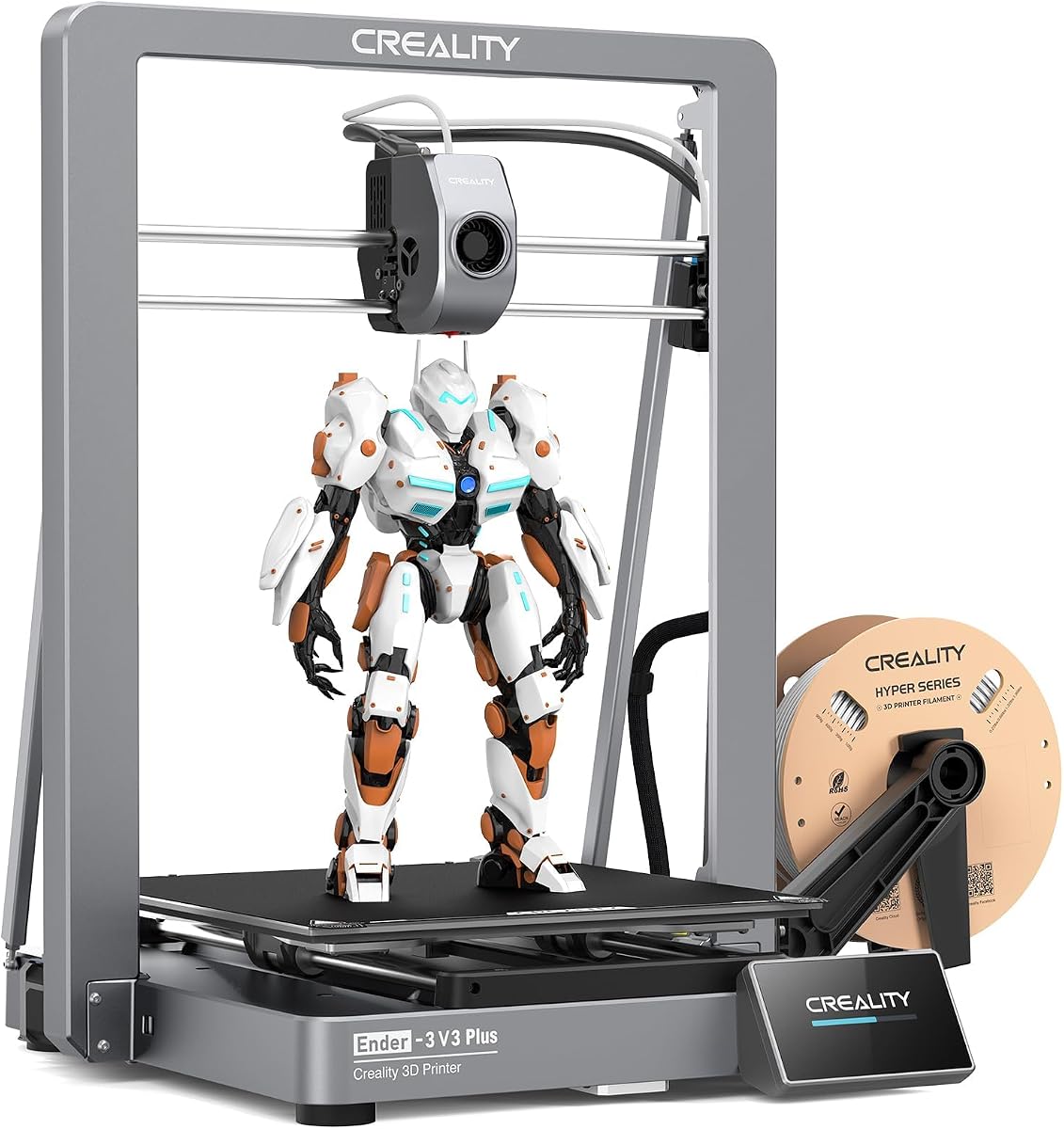
The Creality Ender 3 V3 Plus offers a large volume at a competitive price. It features a CoreXZ motion system with dual Z-axis motors. This design improves stability for tall prints. It includes auto leveling for easy setup.
We may earn a commission when you buy through this link, at no additional cost to you.
Its 600mm/s speed enables rapid prototyping. The tri-metal nozzle is durable and easy to swap. The pre-assembled modules reduce setup time. This makes it accessible for beginners wanting large prints.
Users report lower satisfaction compared to premium options. Software features are basic. However, the hardware value is strong. It is a good entry point for large format printing.
Choose this for budget-conscious large prints. It suits hobbyists needing bigger builds. We recommend it for those on a tight budget.
The CoreXZ design with dual Z-motors reduces wobbling. This ensures precise vertical movement on tall models.
Highly pre-assembled modules minimize setup time. You can start printing within hours of delivery.
We may earn a commission when you buy through this link, at no additional cost to you.
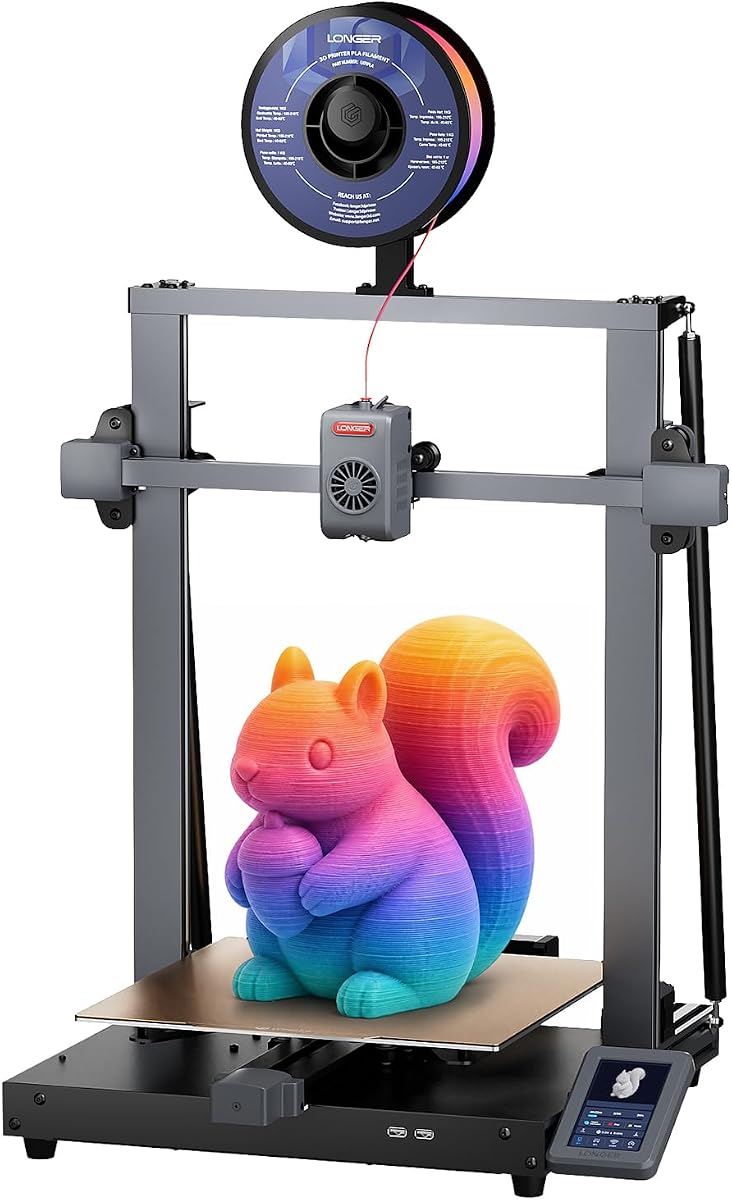
The LONGER LK5 Pro 3 provides a large volume at a low price. It is 90 percent pre-assembled for quick setup. The open source motherboard allows deep customization. Its triangular structure reduces vibration effectively.
We may earn a commission when you buy through this link, at no additional cost to you.
Its 300 by 300 by 400mm volume is substantial. The resume printing function saves projects after power loss. The lattice glass plate makes part removal easy. It is designed for beginners seeking simplicity.
Speeds are slower than newer models. The interface is straightforward. However, it offers excellent value for entry-level users. It is reliable for general hobbyist tasks.
Choose this for large prints on a budget. It suits those learning 3D printing. We recommend it for beginners.
The TMC2209 driver supports silent operation and open firmware. This allows extensive customization via G-code modifications.
Auto resumes after power loss to save filament and time. This feature prevents wasted prints during long jobs.
We may earn a commission when you buy through this link, at no additional cost to you.
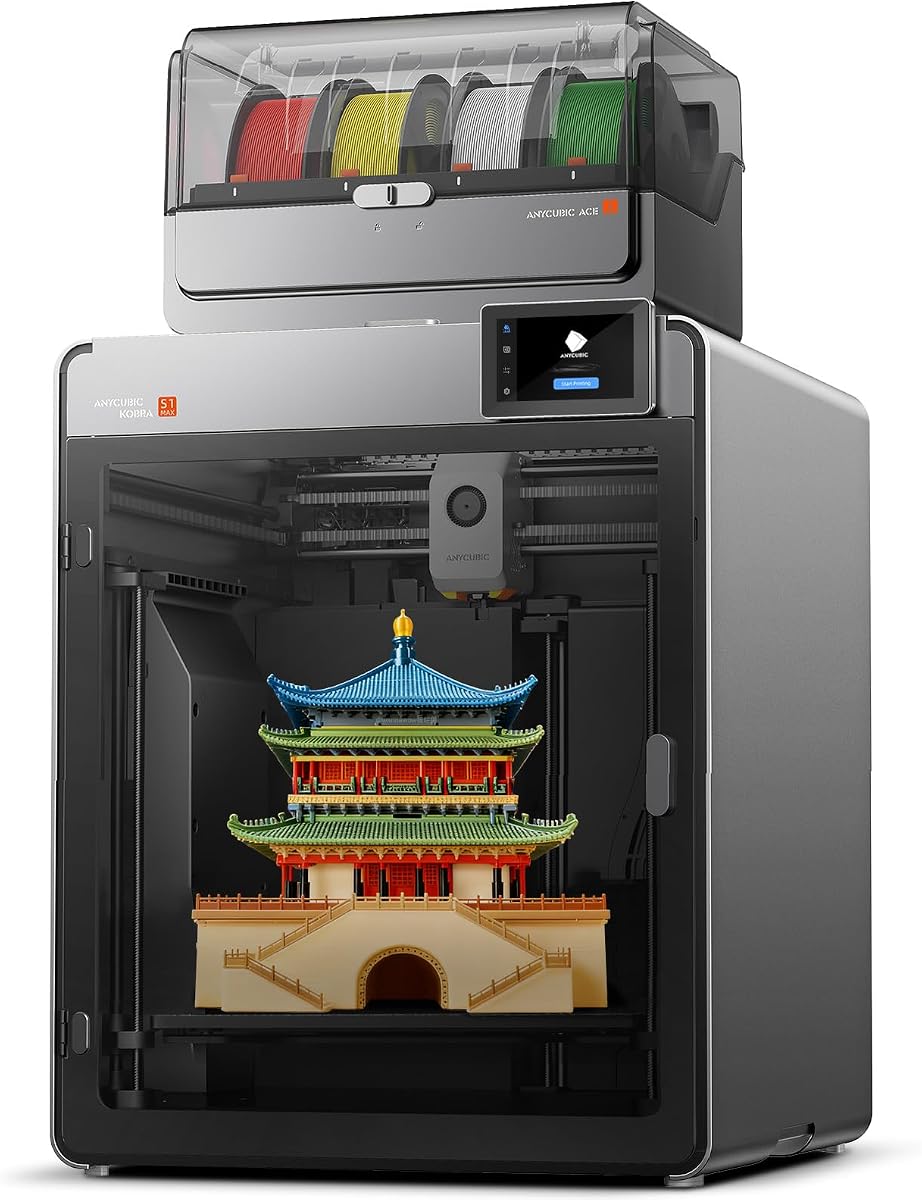
The Anycubic Kobra S1 Max offers a 350mm cube build volume with heated chamber. It features CoreXY motion for stable printing. The 65 degree chamber supports advanced filaments like ABS. It includes LeviQ auto-leveling for precise adhesion.
We may earn a commission when you buy through this link, at no additional cost to you.
Multi-color printing is available with ACE 2 Pro units. This allows up to 16 colors in a single print. The system is designed for reliable daily use. Power-loss recovery helps protect long jobs.
Being a newer model, community feedback is limited. Users should verify firmware features before purchase. However, the specs indicate a strong build. It suits users needing enclosed large printing.
Choose this for multi-color needs in a large volume. It is ideal for engineering prototypes. We recommend it for those valuing enclosure.
The 65 degree heated chamber reduces warping on tall parts. This ensures stable conditions for high-temperature materials.
ACE 2 Pro units allow up to 16 colors. This expands creative freedom for complex models.
We may earn a commission when you buy through this link, at no additional cost to you.
Selecting the right large format printer requires analyzing build dimensions, motion systems, and heating capabilities. This guide outlines key factors to ensure you choose a machine that fits your workflow and material requirements.
Build volume is the most critical factor for large prints. Look for machines offering at least 300mm width to avoid splitting parts. Taller builds like 400mm help create full-scale prototypes without assembly.
Ensure the machine supports your project's maximum dimensions. Always check X, Y, and Z axes carefully.
CoreXY and direct drive systems provide better stability for large prints. They reduce vibration which causes layer shifting. Robust frames made of metal minimize resonance during movement.
Prioritize rigid frames and closed-loop motors for consistent quality over time.
For engineering materials like ABS or ASA, a heated chamber is essential. It prevents warping by maintaining stable ambient temperatures. Look for chambers reaching 65 degrees Celsius.
Check if the printer includes active heating and fans for circulation.
If you need multi-color prints, consider systems with AMS or CFS units. These allow seamless switching between colors without manual intervention. This feature adds value for aesthetic prototypes.
Verify compatibility with your preferred filament brands for reliable switching.
Auto-leveling systems save time and ensure consistent first layers. Look for mesh leveling with over 30 points. This compensates for bed variances effectively.
Manual leveling may be required for some older or budget models.
Wi-Fi and app control allow remote monitoring without physical access. Look for power-loss recovery to protect long runs. Cameras add value by detecting failures automatically.
Check if the software supports cloud printing for convenience.
Hardened steel nozzles support abrasive filaments like carbon fiber. Ensure the extruder handles flexible materials like TPU. This expands the range of applications for your printer.
Verify maximum nozzle temperatures for high-melting engineering materials.
User-friendly slicing software and open-source options increase flexibility. Some machines provide custom apps for monitoring. Check for community support and active firmware updates.
Open-source systems allow deep customization but require technical skill.
Begin by leveling the print bed using the auto-system or manual knobs. Clean the bed with isopropyl alcohol to ensure adhesion. For large prints, use a heated bed at the correct temperature.
Monitor your prints using the built-in camera or software. Check the first few layers to avoid wasted material. Use a filament runout sensor to pause if the spool ends.
Regularly clean the nozzle and lubricate the Z-axis rods. Check belt tension to maintain precision on large models. Keep the chamber dry to prevent moisture absorption in filaments.
Most users recommend at least 300mm x 300mm to avoid splitting parts. Larger builds like 400mm offer more flexibility. Always measure your largest intended part before purchasing.
If you print ABS or ASA, a heated chamber is essential to prevent warping. For PLA or PETG, it is optional. Enclosed designs help maintain temperature and improve stability.
Auto-leveling systems minimize the need for frequent calibration. However, check the bed after moving the printer or changing beds. Use a mesh leveling system for best results.
Yes, look for a direct drive extruder to handle TPU or PETG. Ensure the nozzle is clean and the bed temperature is correct. Flexible filaments require slower speeds.
Aim for 400mm/s to 600mm/s for balance of speed and quality. Too fast may cause layer shifts on tall parts. Adjust acceleration settings to reduce vibration.
Multi-color adds cost but allows complex models without assembly. It is ideal for prototypes or parts needing color coding. Consider AMS systems that support up to 16 colors.
The Creality Ender 5 Max offers the best overall balance of volume and speed. The LONGER LK5 Pro 3 provides excellent value for budget users. The QIDI Max4 Combo is ideal for professional large-format needs.
Prioritize build volume, chamber heating, and motion stability when selecting your machine. Ensure it meets your specific project dimensions before buying. Consider future expansion needs for multi-color or materials.
Prices fluctuate so verify current deals before purchasing. Check for firmware updates and warranty terms. Select a machine that supports your growth and technical skill.