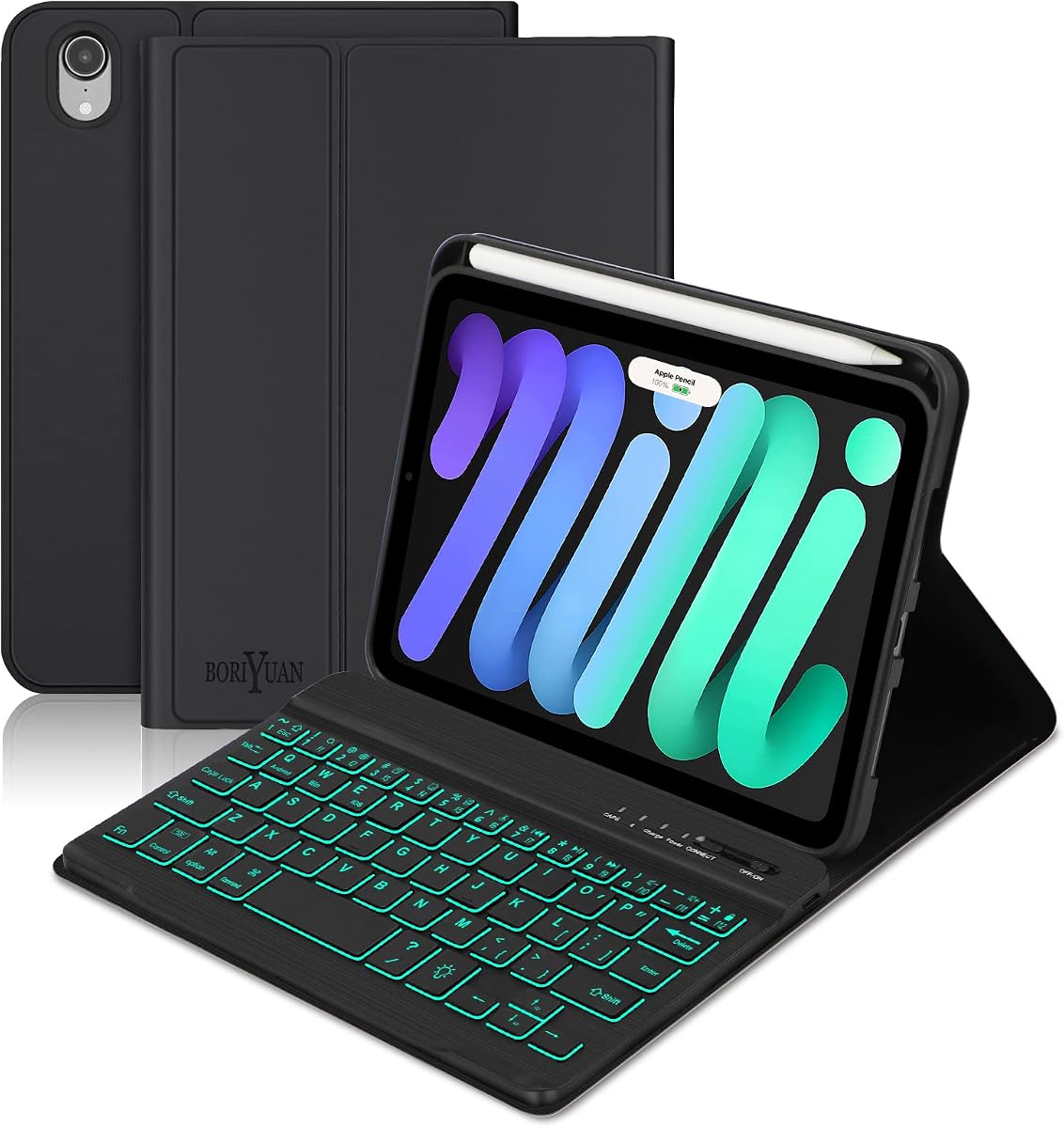
iPad mini 7th Gen Keyboard Case
4.2Editor score
Detachable Bluetooth keyboard
Built-in pencil holder
Long battery life
Finding the right iPad Mini Folio Case with Keyboard can transform your tablet into a portable workstation. These accessories combine protection with typing efficiency, making them ideal for students and professionals who need versatility on the go.
We evaluated ten leading models based on build quality, typing comfort, trackpad performance, and magnetic stability. Our analysis covers key features like backlighting, battery life, and hinge flexibility to help you make an informed decision.
Each pick highlights specific strengths and trade-offs to match different user needs and budgets. Remember that availability and costs may shift over time, so verify current details before finalizing your purchase decision.
4.2Editor score

4.6Editor score

4.3Editor score
As an Amazon Associate we earn from qualifying purchases.
The following table provides a side-by-side comparison of the top ten iPad Mini Folio Case with Keyboard models available this month. Review the key specifications and features to identify the best fit for your workflow.
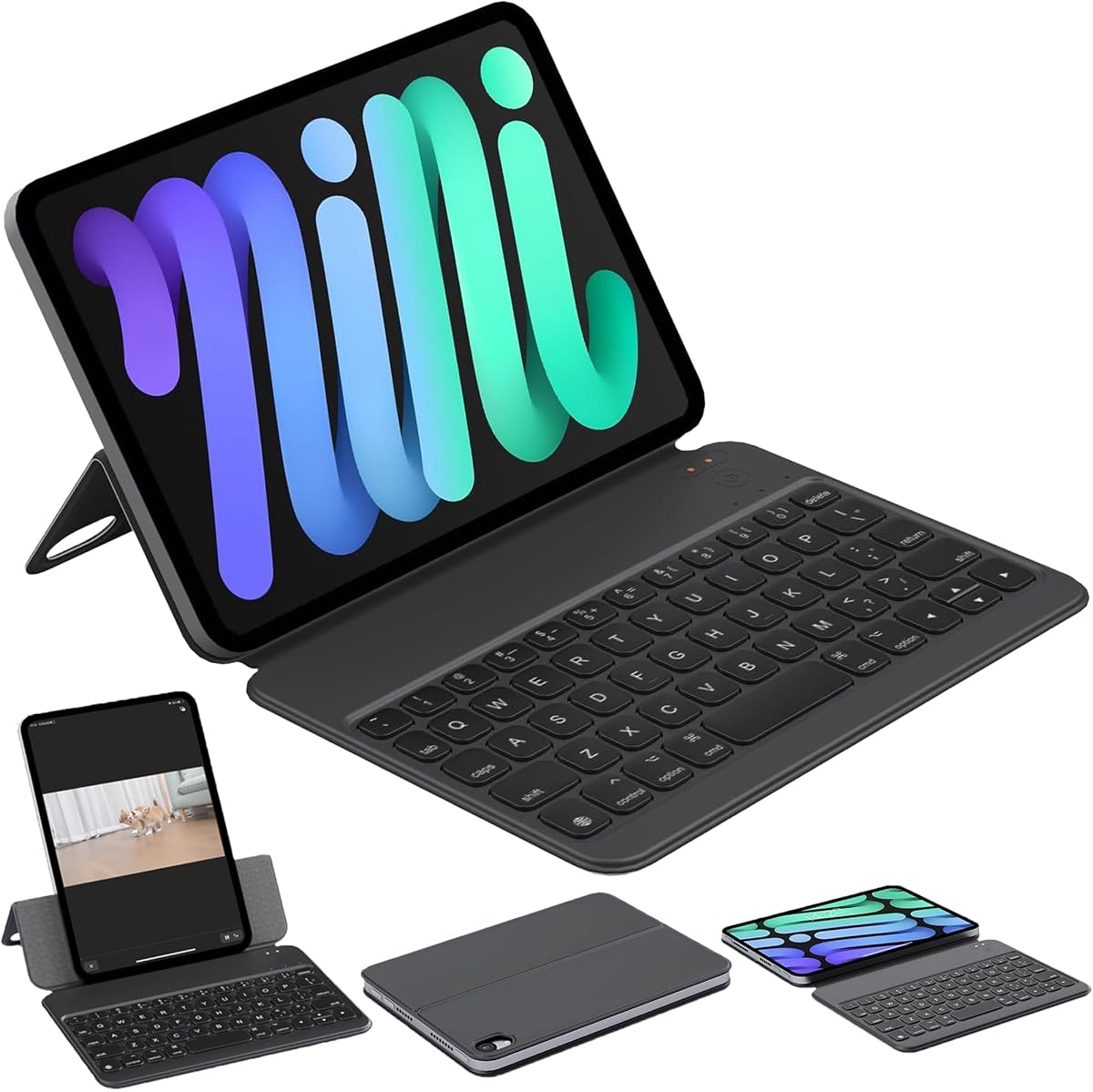


The HOU Keyboard Case ranks as a solid option for those prioritizing minimal weight and a clean look. With a rating of 3.9, it offers a straightforward magnetic connection and a slim profile that fits easily into bags.
We may earn a commission when you buy through this link, at no additional cost to you.
Its standout quality is the extremely light weight of only 240 grams, making it ideal for frequent travelers who need typing capabilities without added bulk. The auto key lock function prevents accidental touches during reading or media consumption.
Users may find the magnetic attachment less robust compared to hinged stands, which could lead to slight movement during vigorous typing. Additionally, the lack of a trackpad limits navigation efficiency for complex workflows.
This case is best suited for casual users who need basic typing support on a budget. If you value extreme portability above advanced features like trackpads, this model provides a functional solution.
Weighing just 240 grams, this case minimizes the total weight of your setup for comfortable handheld use.
The keyboard automatically locks in specific modes to prevent accidental key presses when the device is tilted.
We may earn a commission when you buy through this link, at no additional cost to you.
The Dexnor case stands out for its high-precision trackpad that enables full mouse-like control on your iPad. With a 4.3 rating, it delivers a premium laptop experience through a floating cantilever stand and robust build quality.
We may earn a commission when you buy through this link, at no additional cost to you.
Key strengths include a durable aluminum alloy hinge that ensures stability and a trackpad supporting multi-finger gestures for efficient navigation. The keyboard offers 150 hours of working time, reducing the need for frequent recharging.
The compact key size may feel cramped for users accustomed to full-size keyboards, potentially affecting typing speed for long documents. The higher price reflects the advanced features but might not suit all budgets.
Choose this model if you need professional-grade navigation and typing comfort for work or creative tasks. Its premium features justify the cost for users who demand performance and reliability.
Multi-finger gestures allow seamless scrolling and cursor control, transforming your iPad into a true productivity machine.
The aluminum alloy hinge guarantees a sturdy magnetic connection that withstands daily use without wobbling.
We may earn a commission when you buy through this link, at no additional cost to you.
The ZAGG Slim Book mini offers unique versatility by allowing you to detach the Bluetooth keyboard from the protective case. With a 4.0 rating, it provides a sleek design that balances protection with productivity features.
We may earn a commission when you buy through this link, at no additional cost to you.
Its detachable design lets you use the keyboard at a distance or switch setups easily, ideal for flexible work environments. The responsive keys ensure comfortable typing, while the magnetic hinge holds the iPad securely.
The lack of a built-in trackpad means you rely on touch gestures for navigation, which can be slower than mouse control. The hinge offers multiple angles but lacks the advanced adjustability of floating stands.
This case is a great choice for users who value flexibility and a clean aesthetic. If you prefer typing without a trackpad and need a reliable protective shell, it delivers solid performance.
Use the protective case alone or detach the keyboard for a more flexible typing experience.
Responsive keys provide a premium typing experience ideal for productivity, notes, and emails.
We may earn a commission when you buy through this link, at no additional cost to you.
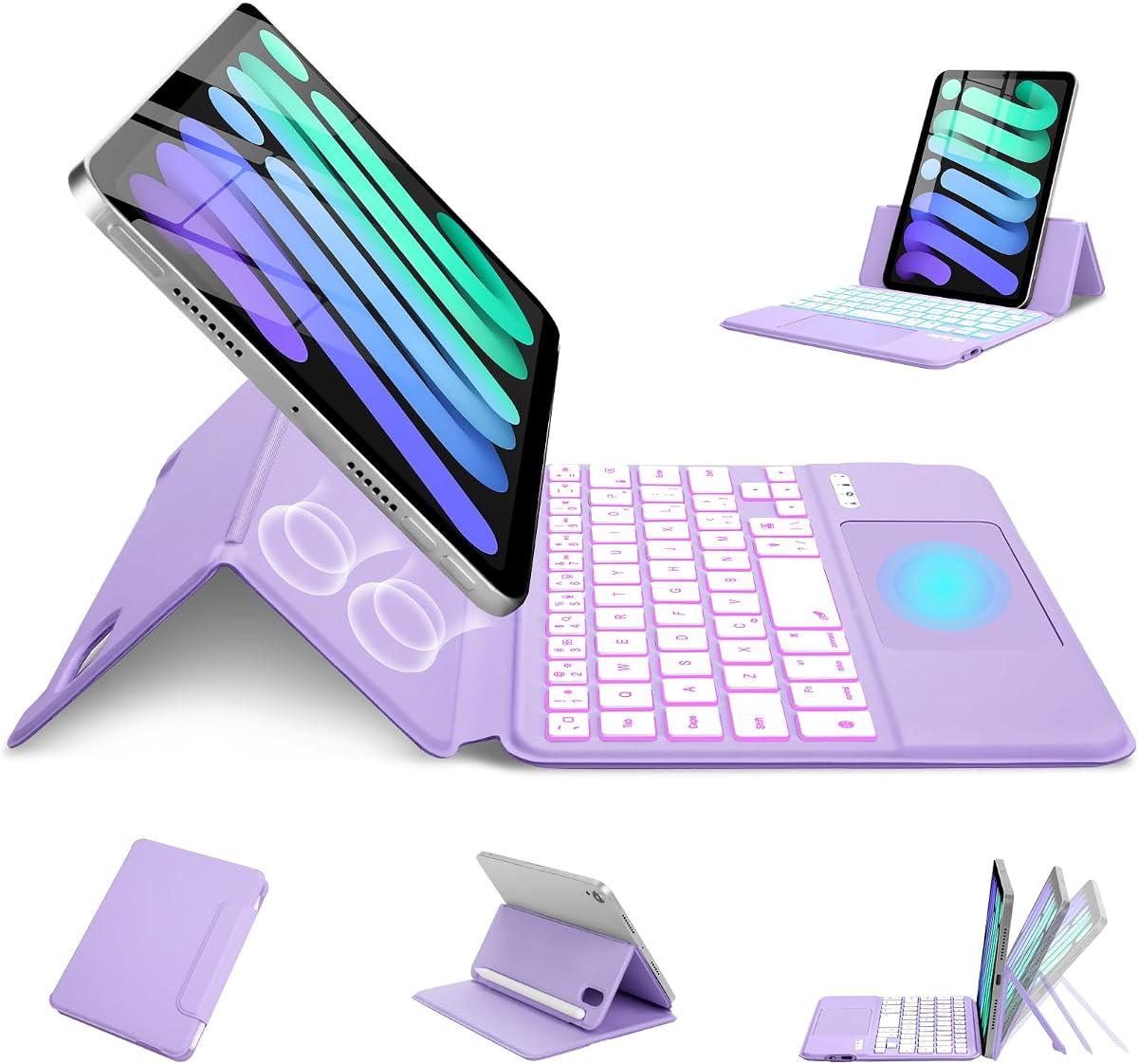
The typecase Keyboard Case excels with a 360-degree rotating hinge that supports seven different usage modes. With a 4.3 rating, it combines a responsive trackpad with vibrant backlight options for versatile productivity.
We may earn a commission when you buy through this link, at no additional cost to you.
Its rotating design allows transitions between typing and drawing modes seamlessly, perfect for artists and note-takers. The multi-touch trackpad enhances navigation, and the 11-color backlight adds a customizable visual element.
The rotating mechanism might add slight bulk compared to simpler folio cases, affecting portability for some users. The price point is higher due to the mechanical complexity and added features.
Select this model if you need a multifunctional case that adapts to various work styles. The combination of rotation and trackpad support makes it a strong contender for creative professionals.
Switch between modes for typing, reading, or drawing with a sturdy swivel hinge tested for durability.
Choose from 11 backlight colors to personalize your workspace and enhance visibility in low light.
We may earn a commission when you buy through this link, at no additional cost to you.
The GreenLaw 360° Rotating case delivers robust multi-tasking capabilities with a precise touchpad and free rotation hinge. Rated at 4.3, it offers a notebook experience with energy-saving features and stylish backlighting.
We may earn a commission when you buy through this link, at no additional cost to you.
Its multi-gesture trackpad enables efficient workflow management, while the 360-degree hinge provides maximum freedom for positioning. The 7-color backlight allows easy switching for ambiance and visibility in various environments.
The case does not include a charging cable, so you must use a compatible Type-C cable. The all-in-one design might be slightly heavier than minimalist options for travel.
This is an excellent choice for users who need a powerful accessory for diverse tasks. The combination of gestures and rotation supports both productivity and creative projects effectively.
Control your iPad mini with multi-gesture trackpad commands for fast document editing and web browsing.
Automatic sleep function and Type-C charging ensure the keyboard works continuously for up to 60 hours.
We may earn a commission when you buy through this link, at no additional cost to you.
The Ultra Magic case features an upgraded hinge design that shifts the center of gravity forward for enhanced stability. With a 3.8 rating, it uses high-quality anti-yellowing fabric to maintain a fresh appearance over time.
We may earn a commission when you buy through this link, at no additional cost to you.
Its secure magnetic backplate and flexible hinge allow smooth adjustment up to 130 degrees, ensuring the keyboard stays put during typing. The compact 60-key layout includes shortcuts for essential functions like volume and brightness.
Users might find the hinge adjustment limited compared to full floating stands, restricting viewing angles. The lower rating suggests potential issues with long-term durability or touchpad sensitivity.
Choose this case if you need a stable and durable option with a focus on material quality. It suits users who prioritize a clean look and basic typing without needing advanced adjustability.
The improved hinge shifts the center of gravity forward to prevent the keyboard from tipping backward.
High-quality anti-yellowing fabric repels dirt and stains, keeping your keyboard clean with minimal effort.
We may earn a commission when you buy through this link, at no additional cost to you.
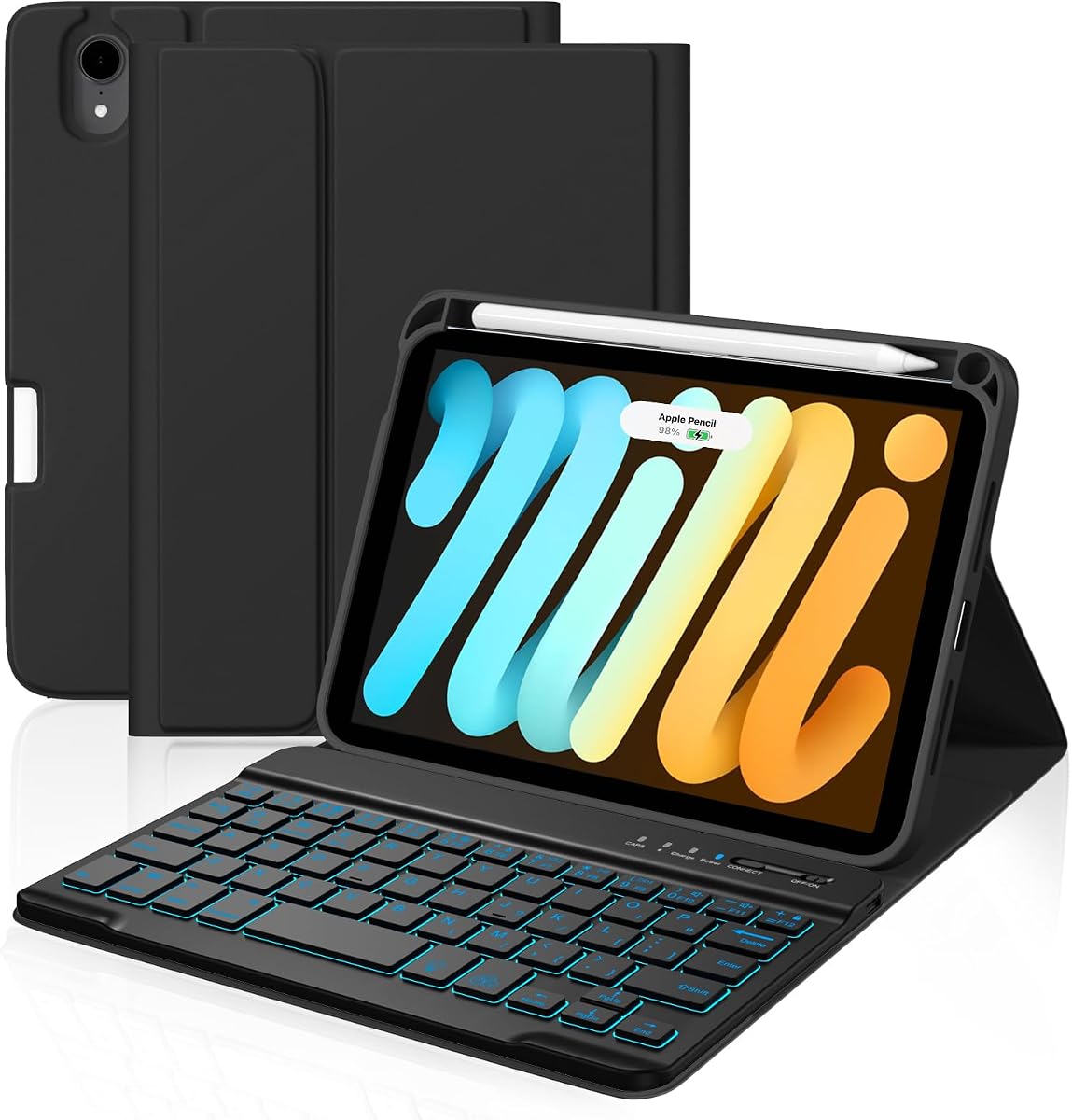
The iPad mini 7th Gen Keyboard Case provides excellent value by combining protection with a detachable Bluetooth keyboard at an accessible price. With a 4.2 rating, it includes a built-in pencil holder and robust protection for daily use.
We may earn a commission when you buy through this link, at no additional cost to you.
Its detachable design allows flexibility in how you use the keyboard, and the 420mAh battery supports up to 230 hours of use. The silicone soft shell and PU leather material ensure durability against scratches and drops.
The Micro USB charging cable is outdated compared to modern Type-C standards, which may be inconvenient. The hinge offers limited viewing angles compared to more advanced magnetic stands.
This is the ideal pick for students or casual users seeking a budget-friendly yet functional solution. It delivers reliable protection and typing features without the high cost of premium models.
Turn your iPad into a stylish laptop affordably with a lightweight Bluetooth keyboard that detaches when not needed.
The built-in 420mAh battery ensures energy saving and lower consumption for extended usage without frequent charging.
We may earn a commission when you buy through this link, at no additional cost to you.
The Magic-Style Keyboard Case tops the list with a 4.6 rating for its premium features and sleek design. It includes a responsive multi-touch trackpad and a detachable transparent cover that allows versatile usage modes.
We may earn a commission when you buy through this link, at no additional cost to you.
Its ultra-lightweight case of only 70 grams ensures protection without bulk, while the floating stand supports 125 degrees of adjustment. The 7-color backlight with breathing mode creates a comfortable typing experience in the dark.
The product does not include the tablet or pencil, so users must buy those separately. The specific fit means it only works with exact iPad Mini models, requiring careful model verification.
Choose this model if you seek top-tier quality and a seamless laptop-like experience. It is perfect for professionals who demand the best in design and functionality.
The ultra-lightweight detachable case weighs just 70 grams and combines durability with a stylish transparent design.
Enjoy a comfortable soft-glow typing experience with adjustable breathing mode and multiple brightness levels.
We may earn a commission when you buy through this link, at no additional cost to you.
The for iPad mini 7 Keyboard Case focuses on utility with a detachable keyboard and dedicated pencil support for Pro and 2nd Gen models. With a 4.4 rating, it offers stain-resistant protection and efficient energy management.
We may earn a commission when you buy through this link, at no additional cost to you.
Its high-capacity rechargeable battery provides 40-80 hours of continuous use, making it reliable for long work sessions. The built-in pencil holder keeps your stylus secure and charged within the case.
The trackpad is basic compared to high-end models, limiting advanced gesture support. It offers only 7 backlight colors which may not suit those seeking more customization.
This model is ideal for users who prioritize Pencil support and durability over advanced navigation. It suits educators and students needing a reliable tool for notes and reading.
Built-in pencil holder keeps your pen secure and within reach for easy access during sketching or note-taking.
Durable material helps keep the case safe from scratches, spills, and dirt while maintaining a clean look.
We may earn a commission when you buy through this link, at no additional cost to you.
The MePadKey Magic Touchpad case simplifies navigation with a smart touchpad supporting 1 to 3-finger gestures. Rated at 4.0, it provides a slim profile and magnetic stability for effortless tablet control.
We may earn a commission when you buy through this link, at no additional cost to you.
Its smart touchpad enables efficient editing and browsing without needing extra accessories. The magnetic case stabilizes the tablet horizontally or vertically, making it easy to switch between work and entertainment modes.
Users need to enable Tap to Click in iPad settings for full functionality which adds a setup step. The build is basic compared to premium options and may lack the same level of durability.
Select this case if you want straightforward gesture control at a reasonable price. It is a solid choice for casual users who need basic productivity features.
This Magic Style keyboard has a built-in smart touchpad that supports 1-finger, 2-finger, 3-finger multi-touch gestures.
Ultra-thin and light weight allows one hand pickup making it a good companion for office and travel.
We may earn a commission when you buy through this link, at no additional cost to you.
Selecting the right iPad Mini Folio Case with Keyboard requires understanding your specific needs and preferences. This section breaks down key factors to help you identify the best fit.
A good trackpad should support multi-finger gestures like pinch zoom and swipe for seamless navigation. Look for responsive models that integrate well with iPadOS gestures to avoid lag or missed inputs.
Prioritize models with explicit trackpad specs if you plan to use your iPad for complex tasks like file management or web browsing.
Keyboard key spacing varies significantly; full-size keys offer comfort while compact keys save weight. Consider your typing habits and hand size to avoid fatigue during long sessions.
Ensure the layout includes essential shortcuts for brightness and volume to boost productivity without leaving the keyboard.
Strong magnets are essential for keeping the iPad securely attached during typing. Check for descriptions mentioning high-strength magnets or tested magnetic retention to prevent accidental detachment.
Secure attachment ensures your device remains stable on various surfaces like desks or laps without slipping.
Adjustable hinges allow multiple viewing angles for reading and typing. Look for 360-degree rotation or floating stands that support ergonomic positioning.
A flexible hinge improves versatility enabling you to use the device comfortably in different scenarios like presentations or watching media.
Battery capacity affects how often you need to recharge the keyboard. Aim for cases offering at least 50 hours of use on a single charge.
Longer battery life ensures uninterrupted workflow especially if you work away from power sources for extended periods.
The case material should guard against scratches and bumps. Durable materials like PU leather or aluminum provide better protection than soft fabric.
Choose a design with raised edges or reinforced corners to safeguard the screen and body from daily wear.
Backlit keys are vital for low-light environments. Models offering multiple color options or adjustable brightness allow for personalization.
Customizable lighting enhances both functionality and style making typing easier in dim settings like airplanes or cafes.
Verify compatibility with your specific iPad Mini model and generation. Mismatched models will not fit properly leading to damage or poor performance.
Always check the model number on your device before purchasing to ensure a perfect fit and full functionality.
To start using your case attach the iPad firmly to the magnetic backplate ensuring the sensors align properly for wake and sleep functions. Connect the keyboard via Bluetooth if detachable or allow magnetic charging if integrated.
Customize trackpad settings in the iPad settings menu to enable gestures like tap to click for easier navigation. Adjust keyboard backlight brightness to match your environment for comfortable typing.
Clean the case regularly with a soft dry cloth to remove dust and oils. Avoid using harsh chemicals on the trackpad surface and store the device in a dry place to maintain battery health.
Yes most models in this guide are specifically designed for the iPad Mini 7th Generation A17 Pro and 6th Generation. Always check the product specifications to confirm the exact model number matches your device before purchasing.
Many cases include a built-in pencil holder that allows the Apple Pencil to charge magnetically. Ensure the model you select explicitly states support for the 2nd Gen Pencil or Pencil Pro for wireless charging capabilities.
Battery life typically ranges from 40 to 150 hours depending on backlight usage. Models with larger batteries and efficient sleep modes offer longer continuous use without frequent recharging.
Several options feature detachable keyboards allowing you to use the protective case alone. This flexibility is useful for viewing media or taking notes without typing.
Most cases utilize scissor-switch or similar quiet mechanisms suitable for libraries and cafes. However individual noise levels may vary so reading user feedback on sound can help manage expectations.
For magnetic keyboards the connection is automatic once aligned. For Bluetooth models enable Bluetooth on your iPad select the keyboard from the list and enter any pairing code if required.
The top picks highlight diverse options ranging from budget-friendly choices to premium models with advanced trackpads. The Magic-Style Keyboard Case and Dexnor case stand out for their performance and build quality.
Prioritize features like trackpad support and hinge flexibility if you need laptop-like productivity. For basic use focus on weight and price to find a lightweight and affordable solution.
Always verify current prices and availability on Amazon before purchasing since costs fluctuate. Check the latest user reviews to ensure the product meets your specific needs.