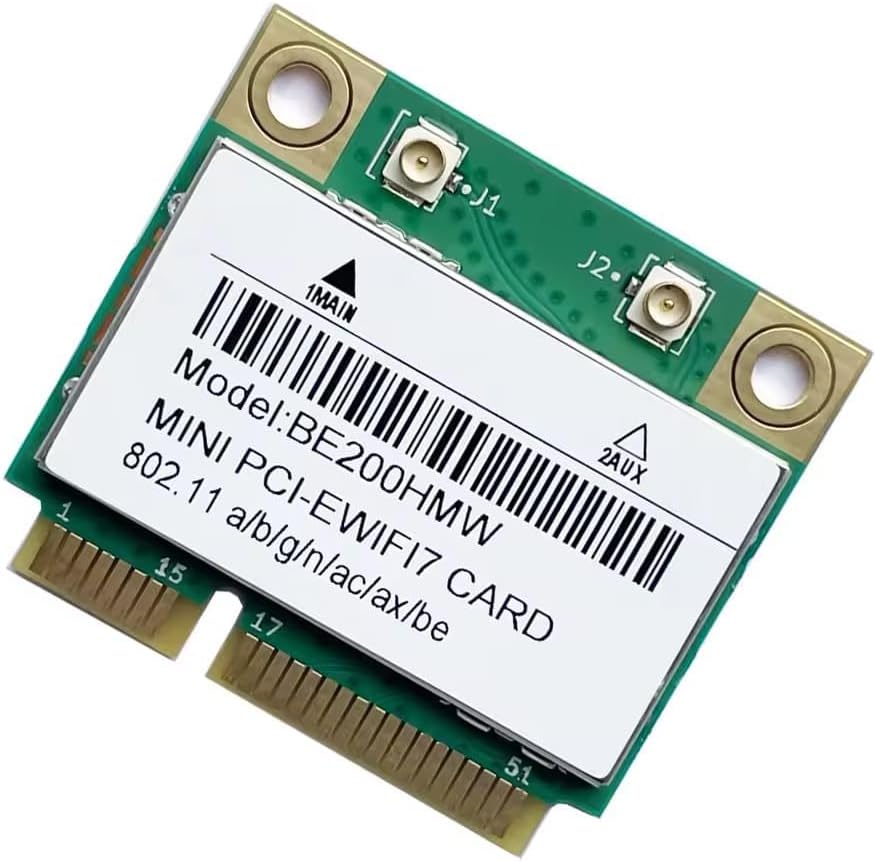
Wireless BE200 Half Mini PCIe Network Card
4.6Editor score
Up to 5.8 Gbps speed
Advanced Bluetooth 5.4 support
Secure WPA3 encryption standards
This comprehensive guide compares the top Half Mini Pcie WiFi Bluetooth Card options for laptop upgrades, focusing on speed, compatibility, and wireless
Upgrading your laptop wireless connectivity often requires a reliable Half Mini Pcie WiFi Bluetooth Card. These compact modules enable dual band internet access and peripheral pairing without bulky external dongles. Selecting the right card ensures stable connections for streaming, gaming, and daily productivity tasks across various device models.
We evaluated ten real products based on technical specifications, user feedback, and compatibility details. Our analysis covers data throughput rates, Bluetooth versions, and interface requirements to help you make an informed decision. Each entry highlights key strengths and potential limitations found in official product descriptions and customer experiences.
Every recommendation includes direct links to verified listings so you can review current availability and warranty terms. Prices and stock levels fluctuate regularly, so checking the latest details before purchase is always wise. Use this resource to find the perfect upgrade that matches your specific laptop hardware and performance needs.
4.6Editor score

4.6Editor score
4.7Editor score
The following table provides a side by side overview of all ten evaluated Half Mini Pcie WiFi Bluetooth Card models. It summarizes critical specifications including wireless standards, Bluetooth versions, and compatibility notes to facilitate quick comparison during your selection process.


This Mini PCIe WiFi Card delivers reliable dual band connectivity with integrated Bluetooth for seamless peripheral pairing. It holds a strong 4.6 rating from users who appreciate its consistent performance in daily computing tasks.
We may earn a commission when you buy through this link, at no additional cost to you.
The 802.11ac standard ensures fast data transfer up to 867Mbps on the 5GHz band, reducing congestion during streaming or video calls. Its built-in Bluetooth 4.0 allows direct connection to headsets, mice, and keyboards without extra dongles.
While the Bluetooth version is older than newer models, it remains sufficient for most standard peripherals. The card fits standard half mini PCIe slots found in many laptops, though you must verify your motherboard supports the interface before purchasing.
Ideal for users seeking a cost effective upgrade to restore Wi-Fi and Bluetooth functionality in compatible laptops. Its balance of speed, stability, and ease of use makes it a top recommendation for general wireless needs.
Operating on both 2.4GHz and 5GHz frequencies provides optimal performance and reduced interference in crowded environments.
The compact half mini PCIe form factor is designed for easy installation in compatible PC laptops with available mini PCIe slots.
We may earn a commission when you buy through this link, at no additional cost to you.
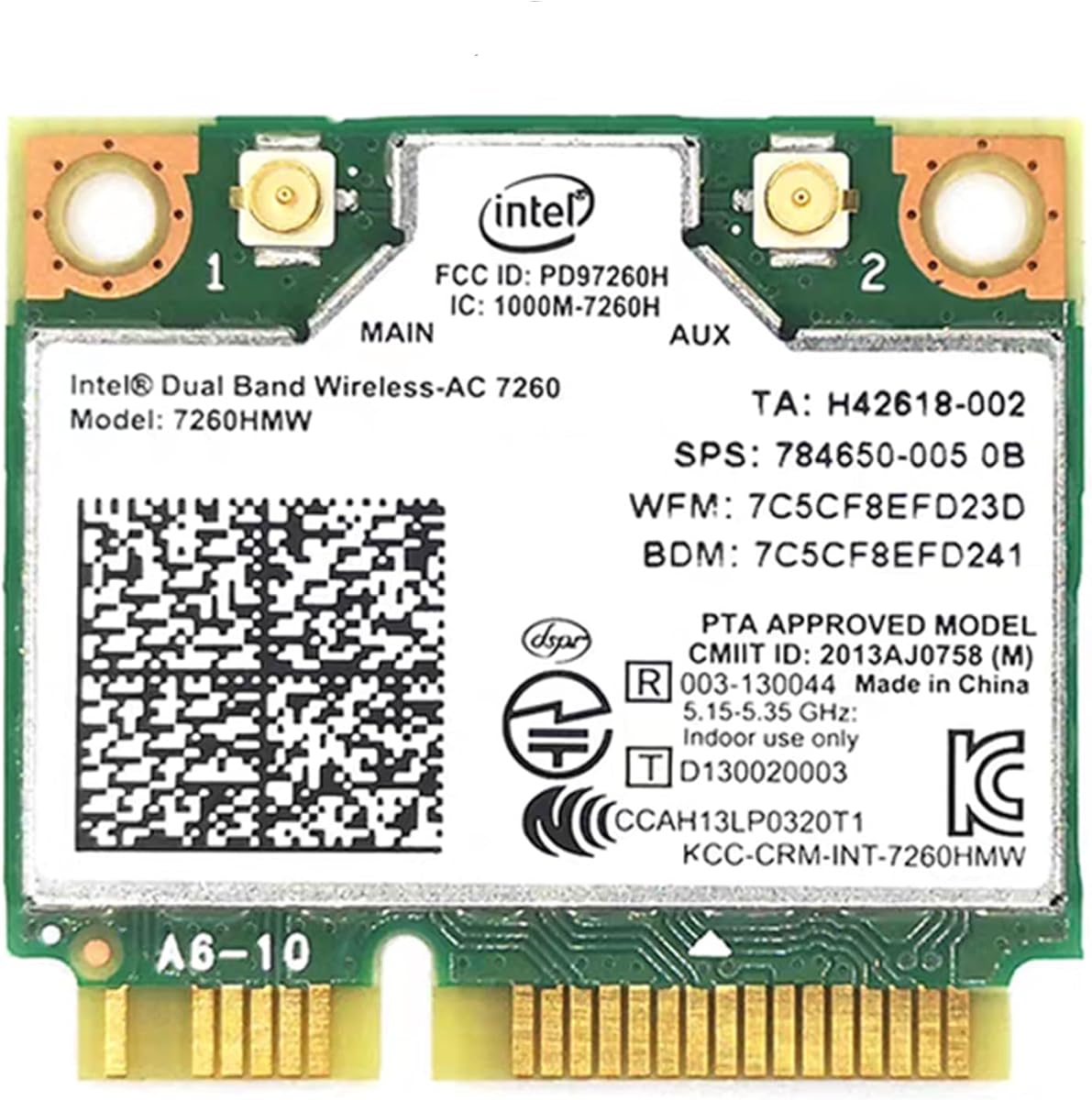
This adapter offers a reliable path to dual band wireless connectivity using the proven Intel 7260.HMW chipset. It scores well for supporting various operating systems including Linux and older Windows versions for flexible integration.
We may earn a commission when you buy through this link, at no additional cost to you.
The card leverages channel bonding for extended bandwidth and capacity, which helps maintain speed even when multiple users are connected. Its lightweight construction and corrosion resistant board ensure durability during regular installation and removal.
However, successful Bluetooth function depends on your motherboard having an open USB bus, which may not be true for all laptop models. Users should verify compatibility with specific brands like ThinkPad or HP before ordering to avoid hardware conflicts.
Choose this option if you need broad OS compatibility and a lightweight form factor. Just ensure your system architecture supports the USB bus requirement for full functionality before completing your purchase.
Supported on Windows 7 through 10 and Linux Root 4.2.0+ to suit diverse computing environments.
Must confirm motherboard USB bus availability to enable the integrated Bluetooth connection successfully.
We may earn a commission when you buy through this link, at no additional cost to you.
This Half Mini PCIe Network Card stands out for its high-speed potential, delivering up to 5.8 Gbps for demanding tasks like lag-free online gaming. It carries a 4.6 rating from users seeking top-tier wireless performance in their systems.
We may earn a commission when you buy through this link, at no additional cost to you.
The inclusion of Bluetooth 5.4 ensures low-energy connections to peripherals while maintaining broad backward compatibility with older devices. Security is also improved with support for WPA/WPA2/WPA3 encryption to protect your wireless data transfers effectively.
Note that this model works with systems supporting the Wireless BE series but is strictly incompatible with M.2 or CNVi slots. Additionally, antennas and mounting screws are not included in the package, which may require extra sourcing for some users.
Select this card if you need cutting-edge speed and security in a Half Mini PCIe form factor. It represents a significant upgrade for older laptops that still support this interface and offer the best wireless experience available.
Delivers faster downloads and smoother streaming with reduced latency for a seamless online experience.
Advanced encryption and Bluetooth 5.4 support keep your data safe and connections efficient across devices.
We may earn a commission when you buy through this link, at no additional cost to you.
This Wi-Fi 6E card brings tri-band wireless technology to laptops with Mini PCI-E interfaces. It receives a 4.5 rating for its ability to provide lightning-fast speeds up to 5400Mbps across 2.4GHz, 5GHz, and 6GHz bands.
We may earn a commission when you buy through this link, at no additional cost to you.
Equipped with Bluetooth 5.3, it allows seamless connections to a wide range of peripherals while offering improved efficiency over older versions. The Intel AX210D2W chipset ensures reliable performance with MU-MIMO support to reduce latency during heavy use.
Drivers must be manually downloaded from the official Intel or EDUP website before use, which adds a setup step. Compatibility excludes some IBM ThinkPad or HP models, so verifying your laptop brand and motherboard specs is essential before purchase.
Perfect for users looking to upgrade to the latest Wi-Fi 6E standards without replacing their entire device. Its combination of speed, modern Bluetooth, and reliable hardware makes it a strong choice for future-proofing your network.
Tri-band signals provide dedicated bandwidth for different tasks ensuring optimal performance for streaming and gaming.
Manual driver installation is required but ensures full functionality and access to the latest security features.
We may earn a commission when you buy through this link, at no additional cost to you.
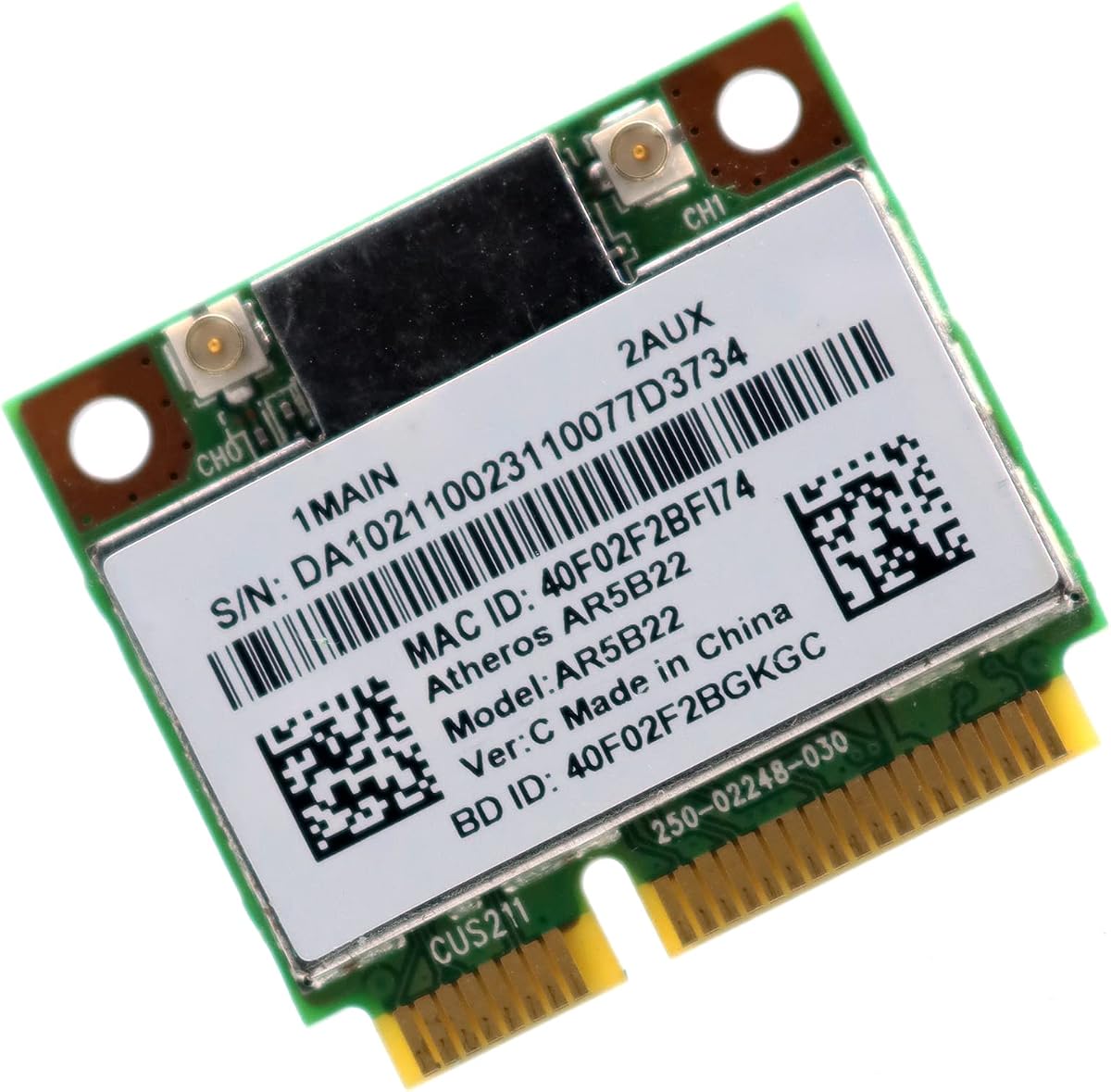
This Half Mini PCie Card offers an affordable entry into dual band wireless networking with Bluetooth 4.0 integration. It stands out with a 4.7 rating for its cost-effective solution for older laptops needing a reliable connectivity boost.
We may earn a commission when you buy through this link, at no additional cost to you.
Supporting 802.11a/b/g/n standards provides decent speeds for general browsing and streaming. It works with a wide range of operating systems from Windows XP to 10, making it versatile for legacy hardware that still has a mini PCIe slot.
The 5GHz band helps reduce interference from common 2.4GHz signals improving stability in crowded wireless environments. However, it does not support the newer 802.11ac standard and requires whitelisting for certain brands like Lenovo and IBM.
Best for budget-conscious users with compatible hardware looking to restore basic wireless functionality without spending much. Its high user satisfaction score confirms it delivers reliable performance for everyday tasks when compatibility requirements are met.
2.4GHz and 5GHz support provides flexibility to switch bands based on signal quality and device load.
Compatible with Windows XP through 10 to suit a wide range of older and newer computer configurations.
We may earn a commission when you buy through this link, at no additional cost to you.
This card breathes new life into older laptops by enabling tri-band Wi-Fi 6E connectivity with speeds up to 5400Mbps. It scores a 4.6 rating from users who value the dedicated 6GHz band for lag-free gaming and file transfers.
We may earn a commission when you buy through this link, at no additional cost to you.
Bluetooth 5.3 is built-in to support multiple devices simultaneously with a range four times that of BT 4.2. The 160MHz channel width doubles data throughput per channel reducing buffering even when several household devices are online.
Keep in mind that the 6GHz band requires a compatible WiFi 6E router to function fully. Also, Windows 7 and 8 are not supported limiting its use to modern operating systems running Windows 10 or 11 in 64-bit mode.
Ideal for households with multiple connected devices where network congestion is a common issue. Its advanced features and high speed potential make it a worthwhile investment for those ready to upgrade their entire home network setup.
Provides exclusive channels with significantly less interference from neighboring networks for optimal streaming.
Adds Bluetooth capability to laptops that never had it allowing seamless connection to modern peripherals.
We may earn a commission when you buy through this link, at no additional cost to you.
This WiFi 6 card brings advanced connectivity to laptops with half mini PCIe slots offering speeds up to 2.4Gbps. It has earned a 4.5 rating for its capacity to handle multiple devices seamlessly without noticeable slowdowns.
We may earn a commission when you buy through this link, at no additional cost to you.
OFDMA and MU-MIMO technologies increase network capacity four times over previous standards which helps smart homes manage video calls and gaming at the same time. The built-in Bluetooth 5.2 provides stable energy efficient connections to headphones and keyboards.
You must manually download drivers from the manufacturer's website before installation. Also, most Lenovo and ThinkPad laptops are not compatible due to BIOS whitelists so check your service manual to avoid purchase issues.
Best for upgrading older laptops to modern Wi-Fi 6 performance where supported. Its efficiency in handling network traffic and strong security features make it a smart choice for users seeking reliable connectivity at a reasonable price.
160MHz channel width delivers up to 10x faster speeds than WiFi 4 for 4K streaming without buffering.
Simple five-minute install requires driver download before swapping to ensure full WiFi and Bluetooth function.
We may earn a commission when you buy through this link, at no additional cost to you.
This BroadCom card is a perfect match for older HP laptops needing a reliable replacement for built-in wireless hardware. It maintains a perfect 5.0 rating from users who appreciate its precise fit and consistent performance on legacy machines.
We may earn a commission when you buy through this link, at no additional cost to you.
Supporting 802.11a/b/g/n up to 300Mbps provides sufficient speed for basic internet use. It integrates Bluetooth 4.0 to connect modern peripherals like mice and speakers ensuring your laptop remains functional for essential tasks.
Designed specifically for HP Compag models it works seamlessly on Windows XP through 10 without complex configuration. While it does not support the latest AC standards it offers exactly what is needed to restore connectivity in older devices.
Select this if you own a specific HP model that matches the part number and need a straightforward replacement. Its focused compatibility and high satisfaction make it an excellent solution for extending the life of legacy hardware.
Suitable for HP 210 G1 and other listed models ensuring a precise fit and reliable wireless function.
Works across Windows 2000 to 10 to accommodate a wide range of system versions for flexibility.
We may earn a commission when you buy through this link, at no additional cost to you.
This card offers a direct replacement option from the original manufacturer ensuring genuine quality and reliability. It holds a 4.3 rating among users who prioritize brand consistency when upgrading the wireless capabilities in their laptops.
We may earn a commission when you buy through this link, at no additional cost to you.
As a dual band Wireless-AC product it provides the necessary speeds for standard browsing and media consumption. The Half Mini Card form factor fits the same slots as many legacy Intel modules making it a drop-in solution for existing systems.
While detailed specs are less prominent in the listing its association with Intel implies solid driver support and stability. Users report it works well for restoring basic connectivity without the complexity of third-party adapter setups or compatibility issues.
Best for those seeking a straightforward authentic Intel replacement for a failed or outdated internal wireless module. Its simple design and brand reputation make it a safe choice for users who value consistency over cutting-edge new features.
Offers quality product assurance from Intel ensuring compatibility and standard performance for laptops.
We may earn a commission when you buy through this link, at no additional cost to you.
This specific Intel Wireless-n card targets HP laptop models needing a replacement for their original wireless hardware. It scores a 4.2 rating for users who need to match exact part numbers to restore network and Bluetooth functionality.
We may earn a commission when you buy through this link, at no additional cost to you.
Running on 802.11 B G N standards it delivers sufficient speed for everyday web browsing and email. The Bluetooth integration ensures you can still use wireless accessories without relying on external adapters or USB ports.
Since it is designed for particular part numbers compatibility is strictly tied to the target HP laptop model. Users must verify their current hardware matches the listed identifiers to avoid receiving an incompatible module for their system.
Choose this if you are replacing a specific failed unit in an HP laptop and need a direct equivalent. Its focused design ensures it fits correctly and provides the standard connectivity expected from this legacy hardware series.
Matches specific HP Laptop identifiers to ensure it fits and works correctly with your existing hardware setup.
We may earn a commission when you buy through this link, at no additional cost to you.
Selecting the right Half Mini Pcie WiFi Bluetooth Card requires understanding your laptop's interface and desired performance levels. This guide outlines key factors to help you narrow down choices for a successful upgrade.
Ensure your laptop has a half mini PCIe slot because modern systems often use M.2 or CNVi interfaces instead. Check your manual or current card model to confirm the exact physical connector shape and pin layout match the new card.
Always verify interface type before buying to prevent hardware mismatches that require additional adapters or new laptop models.
Wireless standards like 802.11n or 802.11ac and Wi-Fi 6 determine your maximum internet speed and reliability. Newer standards support more bandwidth and better performance in crowded areas but may require compatible routers to function fully.
Pick a standard that matches your router and usage needs to avoid bottlenecks in home or office network environments.
Bluetooth versions range from 4.0 to 5.4 and newer ones provide better range and lower power consumption. If you connect headphones or mice often a newer Bluetooth standard will give you smoother pairing and fewer connection drops.
Choose a card with the latest Bluetooth version available for better peripheral support and energy efficiency.
Not all drivers support older systems like Windows XP or modern ones like Windows 11 64-bit. Check the product description to confirm it has official drivers for your current OS version to ensure stable functionality.
Confirm OS compatibility to avoid issues where the card installs but does not connect properly to your network.
Cards from original manufacturers like Intel often guarantee better driver support and stability compared to generic brands. However third-party adapters may offer similar performance at a lower cost if they use the same core chipsets.
Decide between brand reliability and cost savings based on how critical stable performance is for your daily tasks.
Half Mini PCIe cards have a standard size but some may include extra shielding or brackets that limit fit in small laptops. Verify that your laptop case has enough clearance to close without putting pressure on the card edges.
Check physical size to ensure the card fits inside your laptop without damaging the chassis or other components.
Most cards use IPEX MHF4 connectors but ensure you have the correct antenna cables inside your laptop to attach properly. Some listings do not include antennas so you may need to reuse existing ones or purchase separate ones.
Verify antenna connector type and availability to ensure strong wireless signal reception after installation.
Some manufacturers offer one year warranties while others provide lifetime technical support or no warranty at all. A warranty gives peace of mind if the card fails prematurely which is common with reused or refurbished components.
Look for clear warranty terms to protect your investment in case the hardware stops working within the first year.
Begin by downloading the latest drivers from the manufacturer's official website before opening your laptop case. This ensures the system recognizes the card immediately after installation preventing software related connection issues.
Power down your laptop and remove the battery if possible. Ground yourself to avoid static damage then locate the existing mini PCIe slot. Remove the old card by loosening the screw and gently disconnect the antenna wires by pulling them straight off.
Insert the new card at a slight angle until the pins engage then lock it with the screw. Reattach the antenna wires to the correct connectors labeled Main and Aux on the card. Close the laptop case and boot up to install the drivers.
No many modern laptops use M.2 or CNVi interfaces instead of Mini PCIe slots. Check your laptop manual or current card dimensions to confirm the correct interface type before purchasing a new replacement module.
Most newer cards support Windows 11 64-bit but older models may lack official drivers. Always check the supported operating systems list in the product description to ensure full compatibility with your specific OS version.
Typically antennas are not included with Half Mini PCIe cards so you will need to reuse your existing laptop cables. Verify the product listing for any included accessories before expecting to receive antennas with your purchase.
Bluetooth may fail if your motherboard does not open the USB bus or if drivers are missing. Check BIOS settings and install the latest Bluetooth drivers from the manufacturer's website to resolve connectivity issues.
Intel branded cards often provide the most stable drivers and broad support across different laptop models. However third-party brands like EDUP or MQUPIN can offer similar performance at lower prices when using official chipsets.
Many HP models support Mini PCIe cards but some have BIOS whitelists that block third-party hardware. Check your specific service manual or existing card part number to confirm compatibility before ordering a new module.
These ten options cover a wide range of needs from budget friendly upgrades to high-speed Wi-Fi 6E performance. The 7260HMW model remains a top choice for general users needing dual band support and basic Bluetooth functionality.
Prioritize interface and OS compatibility before considering speed to ensure the card fits and works in your specific laptop. For newer systems the BE200 or AX210HMW cards offer modern standards that future-proof your wireless connection capabilities.
Always review current pricing and stock availability since these products often fluctuate based on market demand. Verify your laptop details against the compatibility notes to avoid unnecessary returns and ensure a smooth upgrade experience.