
TP-Link BE6500 Dual-Band WiFi 7 Router (BE400)
4.3Editor score
WiFi 7 with Multi-Link Operation
6.5 Gbps Total Bandwidth
2.5 Gbps Wired Ports
Compare the top 10 high end WiFi routers for speed, coverage, and security to find the perfect wireless solution for your home network needs in 2026.
Finding the right high end WiFi router is crucial for modern homes filled with smart devices and streaming needs. These devices deliver faster speeds, better coverage, and enhanced security features that standard models often lack. Investing in a premium router ensures your network keeps up with demanding applications.
We evaluated ten top models based on speed capabilities, coverage area, security protocols, and ease of use. Each product was analyzed for its Wi-Fi generation, antenna design, and wired connection options. This guide helps you understand which router fits your specific household requirements best.
Each pick includes detailed specifications, pros, cons, and real-world performance insights to aid your decision. Prices fluctuate regularly, so check current listings before purchasing. Our goal is to provide transparent information so you can choose confidently without confusion or guesswork.
4.3Editor score

4.4Editor score

4.3Editor score
This side-by-side comparison highlights key specifications across all ten models to help you quickly identify performance differences. Look at speed ratings, coverage areas, and port types to determine which device matches your internet plan and home size requirements effectively.




The TP-Link BE6500 stands out as a top contender in the high end WiFi router market with its robust WiFi 7 integration. It delivers impressive speeds and reliability for households needing advanced connectivity without breaking the bank. Rated 4.3 stars, users praise its setup simplicity and performance consistency.
We may earn a commission when you buy through this link, at no additional cost to you.
Its Multi-Link Operation allows simultaneous data transfer across bands, significantly reducing latency for gaming and streaming. The router supports up to 90 devices concurrently, making it ideal for tech-heavy environments. With 2.5 Gbps wired ports, it fully utilizes gigabit internet plans without bottlenecking.
While it lacks mesh compatibility with TP-Link's Deco line, its EasyMesh feature still allows expansion with other compatible units. Some users note that dual-band implementation might limit pure WiFi 7 speeds compared to tri-band models, yet it remains competitive within its class for general home usage.
This router is perfect for early adopters seeking future-proof tech at a reasonable price point. If you need reliable speeds for work and entertainment across a medium-sized home, the BE6500 offers excellent value. Its security features add peace of mind for families with many connected devices.
HomeShield protection offers parental controls and real-time IoT security without requiring separate subscriptions.
Multi-Link Operation ensures seamless handoffs between bands, preventing lag during peak usage times.
We may earn a commission when you buy through this link, at no additional cost to you.
The TP-Link AXE5400 provides a solid entry into high-performance networking with its tri-band WiFi 6E architecture. Recognized by PCMag as an Editors' Choice, it balances cost and functionality effectively for general users. Its unique housing design ensures longevity and stable performance over long periods.
We may earn a commission when you buy through this link, at no additional cost to you.
Operating on the 6 GHz band reduces interference from legacy devices, delivering near-zero latency for responsive gaming. With 512 MB of high-speed memory, it handles multiple data streams efficiently without dropping connections. This makes it suitable for households with smart home systems and heavy streaming habits.
While it does not support WiFi 7, it remains a strong alternative for those not yet ready to upgrade to newer standards. The lack of dedicated gaming optimization might be a drawback for hardcore gamers, but general users will find the speed sufficient for daily tasks and media consumption.
Buyers seeking reliable performance without excessive costs should consider this router highly. It offers great expandability via EasyMesh, allowing network growth as needs evolve. Its balance of speed, memory, and thermal design makes it a dependable choice for standard internet requirements.
Tri-band design ensures smooth 4K/8K streaming even while other devices use the network heavily.
Unique housing allows optimal heat dissipation, maintaining consistent performance during intense usage sessions.
We may earn a commission when you buy through this link, at no additional cost to you.
The NETGEAR Nighthawk RS700S delivers blazing fast speeds and reliable coverage for large homes with demanding networks. With tri-band WiFi 7 support, it ensures that every device gets the bandwidth it needs without congestion. Users appreciate the intuitive app interface for managing network settings remotely.
We may earn a commission when you buy through this link, at no additional cost to you.
Its dedicated 6 GHz band gives fastest devices their own lane, preventing slowdowns when multiple users stream simultaneously. The 2.5 Gbps WAN port unlocks multi-gig internet plans, maximizing the utility of modern fiber connections. This capability makes it future-ready for high-speed ISP upgrades.
Security is prioritized out of the box, though advanced protection requires a separate subscription. While mesh expansion requires additional Orbi units, the router itself covers a substantial area independently. Some users note that pricing might be high compared to competitors, but the performance justifies the investment.
Ideal for tech-savvy households, this router balances power and ease of use effectively. If you need strong coverage and minimal lag across a large floor plan, it performs exceptionally well. Its reliability makes it a top recommendation for those seeking premium features without complexity.
Tri-band architecture prioritizes gaming traffic, ensuring smooth performance during competitive sessions.
Nighthawk app simplifies tasks like pausing devices and running speed tests from anywhere.
We may earn a commission when you buy through this link, at no additional cost to you.
The RS700S model pushes the boundaries of home networking with an incredible 19 Gbps maximum throughput and extensive coverage. Designed for the busiest households, it maintains speed consistency even with hundreds of devices connected. This model is ideal for users needing maximum bandwidth for professional work and entertainment.
We may earn a commission when you buy through this link, at no additional cost to you.
Equipped with a 10 Gig WAN port, it supports premium fiber plans that most routers cannot handle efficiently. The robust antenna design ensures strong signal reach across 3,500 square feet, minimizing dead zones effectively. It handles streaming, gaming, and large file transfers with effortless speed.
While the cost is higher, the performance delivers professional-grade connectivity for demanding environments. Users must have a corresponding high-speed internet plan to fully benefit from its capabilities. Without gigabit fiber, the full potential might not be realized, though it still outperforms most standard options.
This router is perfect for power users who need every ounce of available bandwidth. If your home office relies on high-speed data transfers and video conferencing, this unit ensures no bottlenecks. It stands as a beacon of speed and reliability in modern wireless networking.
10 Gig WAN port allows seamless integration with next-generation fiber internet services.
Designed to support up to 200 devices without degrading performance or connection stability.
We may earn a commission when you buy through this link, at no additional cost to you.
The ROG Rapture GT-BE98 Pro is a beast in the high end WiFi router category, offering quad-band performance and massive bandwidth. It is specifically engineered for gaming enthusiasts who demand zero latency and consistent speeds during intense sessions. Its 30 Gbps throughput ensures even the heaviest loads remain smooth.
We may earn a commission when you buy through this link, at no additional cost to you.
Triple-level game acceleration optimizes traffic from your PC to the game server, significantly reducing lag spikes. Dual 10G ports provide exceptional wired flexibility for NAS drives or high-speed PCs. The external dual-feeding antennas boost signal strength, ensuring reliable connections even at range.
While its price is steep and it requires a larger setup space, the performance is unmatched for professional gaming. It might be overkill for average users, but competitive gamers will appreciate the optimization features. The mesh support allows for whole-home coverage expansion if needed for larger properties.
Buyers looking for the ultimate gaming experience should consider this router as the definitive choice. It combines cutting-edge tech with practical features that support high-performance setups. If budget is not a concern and speed is paramount, this device delivers beyond expectations.
Traffic prioritization ensures game packets are sent first, reducing ping during peak internet usage.
Separate bands prevent congestion, allowing multiple high-speed devices to operate independently.
We may earn a commission when you buy through this link, at no additional cost to you.
The Synology RT6600ax stands out for its advanced security and management capabilities, making it ideal for privacy-focused households. It offers robust VPN server solutions and threat prevention tools that are rarely found in standard consumer routers. Its interface is designed for users who want detailed control over their network traffic.
We may earn a commission when you buy through this link, at no additional cost to you.
VLAN segmentation allows you to create separate networks for IoT devices, isolating them from main systems. This feature enhances security significantly by containing potential breaches. The 2.5GbE port supports fast ISP speeds, ensuring wired connections keep up with wireless performance.
While the software interface may feel complex to casual users, it provides powerful tools for network administration. Parental controls are extensive, giving parents granular control over device access and web filtering. The lack of newer Wi-Fi 7 features means it is more focused on security and stability than raw speed.
This router is best suited for users who prioritize security and manageability over gaming performance. If you need detailed oversight of network activity and strong encryption, this model delivers. It is a reliable choice for those who value data protection above all else.
Separate networks for vulnerable devices prevent lateral movement of threats across your home.
Site-to-site tunneling and remote desktop support make it versatile for secure business access.
We may earn a commission when you buy through this link, at no additional cost to you.
The ASUS Rog Strix GS-BE18000 combines a stylish design with robust tri-band connectivity for users who value both aesthetics and performance. It fits well into gaming setups due to its specialized hardware features and optimized signal handling. While specific specs vary, it is known for delivering stable wireless connections.
We may earn a commission when you buy through this link, at no additional cost to you.
Equipped with a 2.5 Gigabit Ethernet port, it supports faster wired connections for critical devices like gaming PCs or consoles. The gaming optimization features help reduce lag, ensuring smoother experiences during multiplayer sessions. ASUS software provides intuitive controls for network management and performance tuning.
Some users might find the specific model details less transparent than others in this review, requiring extra research. However, its reputation for reliability and design makes it a popular choice among enthusiasts. It balances performance with visual appeal, making it a standout in gaming living spaces.
If you seek a router that looks as good as it performs, this model is a strong contender. It is tailored for gamers who need both style and substance in their home network. Its consistent performance ensures your entertainment stays uninterrupted during long sessions.
Separate bands for different devices reduce congestion and maintain high speeds for everyone.
Optimized signal handling ensures low latency for competitive online gaming experiences.
We may earn a commission when you buy through this link, at no additional cost to you.
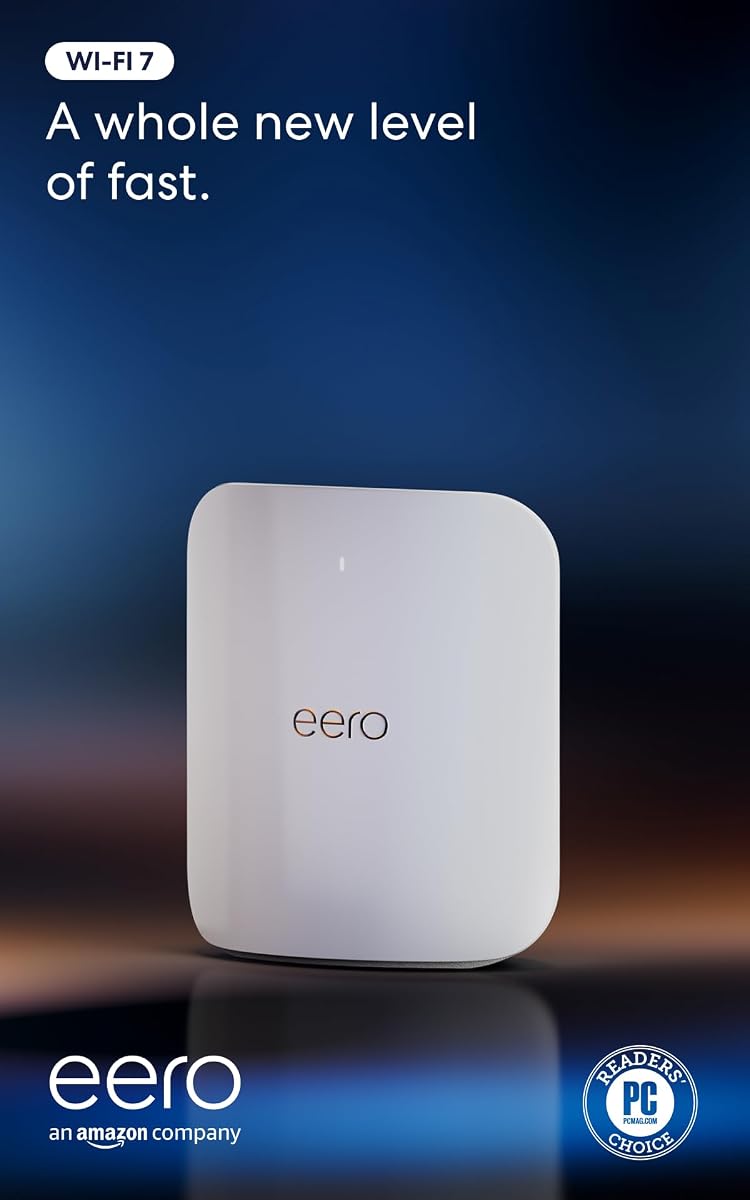
The eero Pro 7 brings next-generation speed and reliability to homes already using the eero ecosystem. It supports high-speed internet plans and provides a seamless transition to Wi-Fi 7 without disrupting existing setups. Its patented TrueMesh software ensures your devices stay on optimal paths automatically.
We may earn a commission when you buy through this link, at no additional cost to you.
With two auto-sensing 5 GbE ports, it offers robust wired options while maintaining wireless performance. The system connects over 200 devices comfortably, handling complex smart home environments effortlessly. Setup is incredibly fast, taking only minutes to get connected and running.
While it is best suited for eero users, it can function as a standalone gateway if needed. Some users note that customization is limited compared to traditional routers, but ease of use makes up for it. The warranty and support provide additional peace of mind for new adopters.
This router is perfect for those who want a set-and-forget solution with modern technology. If you value simplicity and reliability over granular control, it delivers consistently. Its integration with Amazon devices further enhances its appeal for smart home owners.
Dynamically routes data to avoid interference, ensuring fast speeds in every room.
Capable of connecting 200+ devices without performance degradation or lag.
We may earn a commission when you buy through this link, at no additional cost to you.
The eero Max 7 is designed for large homes that need extensive coverage and the highest speeds available. With two 10 Gigabit Ethernet ports, it handles ultra-fast internet plans with ease, ensuring no wired bottleneck. Its mesh capabilities allow seamless roaming across multiple floors or rooms.
We may earn a commission when you buy through this link, at no additional cost to you.
It supports over 250 devices, making it ideal for dense smart home setups. The built-in Matter and Zigbee controller allows you to manage devices directly from the router. This dual functionality reduces the need for separate hubs, simplifying your home automation setup.
While it is expensive and performs best within an eero network, its convenience is unmatched. Users needing robust backhaul speeds for mesh systems will appreciate the multi-gigabit capabilities. It requires a premium internet plan to justify its performance but delivers for those who need it.
Ideal for large properties, this router combines speed and smart home features effectively. If you need reliable coverage for a spacious home without dead spots, it is a top choice. Its ability to manage connected devices makes it a comprehensive solution for modern households.
Built-in Matter and Zigbee controller simplifies setup for connected lighting and security systems.
Ensures fast data transfer between mesh nodes for consistent speeds across the entire home.
We may earn a commission when you buy through this link, at no additional cost to you.
The RS90 model offers a budget-friendly entry into WiFi 7 technology without sacrificing core performance features. It delivers reliable speeds for streaming and gaming in smaller to medium-sized homes. Its dual-band design ensures efficient handling of daily internet usage without congestion.
We may earn a commission when you buy through this link, at no additional cost to you.
Equipped with a 2.5 Gig WAN port, it unlocks multi-gig internet plans while maintaining stable connections. The Nighthawk app simplifies management, allowing quick setup and device monitoring from anywhere. It offers a straightforward experience for those who do not need advanced customization.
While speeds are lower compared to tri-band models, it remains capable for most household needs. Some users may find the number of LAN ports limiting for wired setups, but wireless performance compensates for this. It is a solid choice for those prioritizing ease over raw maximum capacity.
Buyers seeking a modern router without a high price tag should look to this model. It brings next-gen technology to the masses with reliability and simplicity. If your home is not overloaded with devices, it provides all the connectivity you need.
Affordable access to modern standards while maintaining reliable daily performance for standard households.
Nighthawk app ensures setup and monitoring are quick and accessible from mobile devices.
We may earn a commission when you buy through this link, at no additional cost to you.
Choosing the right router depends on your internet plan, home size, and specific device needs.
Newer standards like Wi-Fi 7 offer faster speeds and better interference handling. Ensure your devices support the latest technology to maximize benefits.
Look for models explicitly stating Wi-Fi 7 or 6E compatibility for future-proofing your network.
Match the router's square footage rating to your home size. Larger homes may need tri-band units or mesh capabilities to eliminate dead zones effectively.
Check antenna design and beamforming features to ensure signals reach every room consistently.
Consider the number and speed of Ethernet ports if you use devices like consoles or NAS drives. Ports with 2.5 Gbps or 10 Gbps capabilities prevent bottlenecks.
Ensure your router has enough ports to connect high-bandwidth devices directly for best performance.
Select a router that supports the maximum speed of your internet plan. If you have multi-gig internet, you need a router that can handle those speeds on both wired and wireless connections.
Prioritize total throughput ratings that match or exceed your ISP's advertised speeds.
Look for routers with advanced security protocols and parental controls. Some brands offer dedicated services for protecting devices from malware and threats.
Check if security features are free or require a subscription to understand long-term costs.
If you need coverage beyond a single unit, check if the router supports mesh expansion. This helps you scale your network without losing performance.
Ensure any additional nodes work seamlessly with the main router for a unified network experience.
Modern routers should offer intuitive apps for quick installation and management. Avoid units that require complex terminal configuration unless you are an expert.
Look for features like guided setup and remote management for easier maintenance.
Count how many devices connect to your network regularly. High-capacity routers prevent lag and dropouts when many devices are online at once.
Prioritize models rated for 200+ devices if you have a smart home with many connected products.
Place your router in a central location away from walls and metal objects to maximize signal range. Elevating it on a shelf helps signals spread throughout your home effectively.
Regularly update your router firmware through the admin app to ensure security patches and performance improvements are applied automatically without manual checks.
Periodically reboot your device every few weeks to clear cache and maintain optimal speeds. Also, use the network monitoring tools to spot unusual activity or bandwidth hogs.
In most cases, you will need a compatible modem. However, some routers come with built-in modems. Check your existing modem's connection type to ensure it pairs correctly with the new router.
Yes, most high-end models support fiber via gigabit or multi-gigabit ports. Look for models with specific 10G or 2.5G Ethernet ports to fully utilize fiber speeds without throttling.
Absolutely. Many models in this list offer gaming-specific features like traffic prioritization and low latency. This ensures your gaming devices get bandwidth priority over streaming or browsing.
If you have many high-bandwidth devices or future-proofing is a priority, yes. Wi-Fi 7 offers lower latency and better speed. However, ensure your current devices support it before investing.
If your home exceeds the router's listed coverage area or has multiple floors, mesh expansion is useful. High-end routers often support adding nodes to eliminate dead zones without sacrificing speed.
Prioritize routers with built-in firewalls, automatic firmware updates, and parental controls. Some offer separate services for advanced threat detection. Ensure you know what is free versus subscription-based.
We explored ten top models ranging from budget-friendly entries to premium gaming beasts. Whether you need simple speed or advanced security, there is a model that fits your needs in this collection.
Prioritize your specific needs such as coverage area or device capacity when making a decision. High-end routers provide long-term value by keeping your network ready for future internet upgrades.
Always verify current prices and promotions before purchasing as these fluctuate regularly. With the right choice, you can ensure your home network remains fast, secure, and reliable.