
Polymaker Polydryer Filament Storage Box for 1kg PA Nylon PLA PETG ASA ABS
4.4Editor score
Airtight storage with hygrometer
Print without breaking seal
Compatible with multiple materials
Compare the top 3D Printer Filament Dryer Box options to remove moisture and improve print quality. This guide reviews features, capacity, and drying performanc
Moisture in 3D filament causes stringing clogging and weak layers. A quality filament dryer box keeps your spools dry during storage and printing. It protects your investment by ensuring consistent material performance every time you start a job.
We evaluated ten leading models based on heating speed capacity sealing quality and user controls. Each product offers unique features like touch screens multiple spool support or active humidity monitoring. Our comparison helps you find the right balance of cost and capability.
Every pick below highlights key specs pros and cons for informed decisions. Prices and stock levels change frequently so verify current offers before buying. Use this guide to secure reliable drying for your 3D printing setup today.
4.4Editor score

4.7Editor score

4.6Editor score
This table provides a side-by-side overview of the top ten filament dryer boxes. Compare capacity heating power temperature ranges and special features to find the perfect match for your workspace needs.
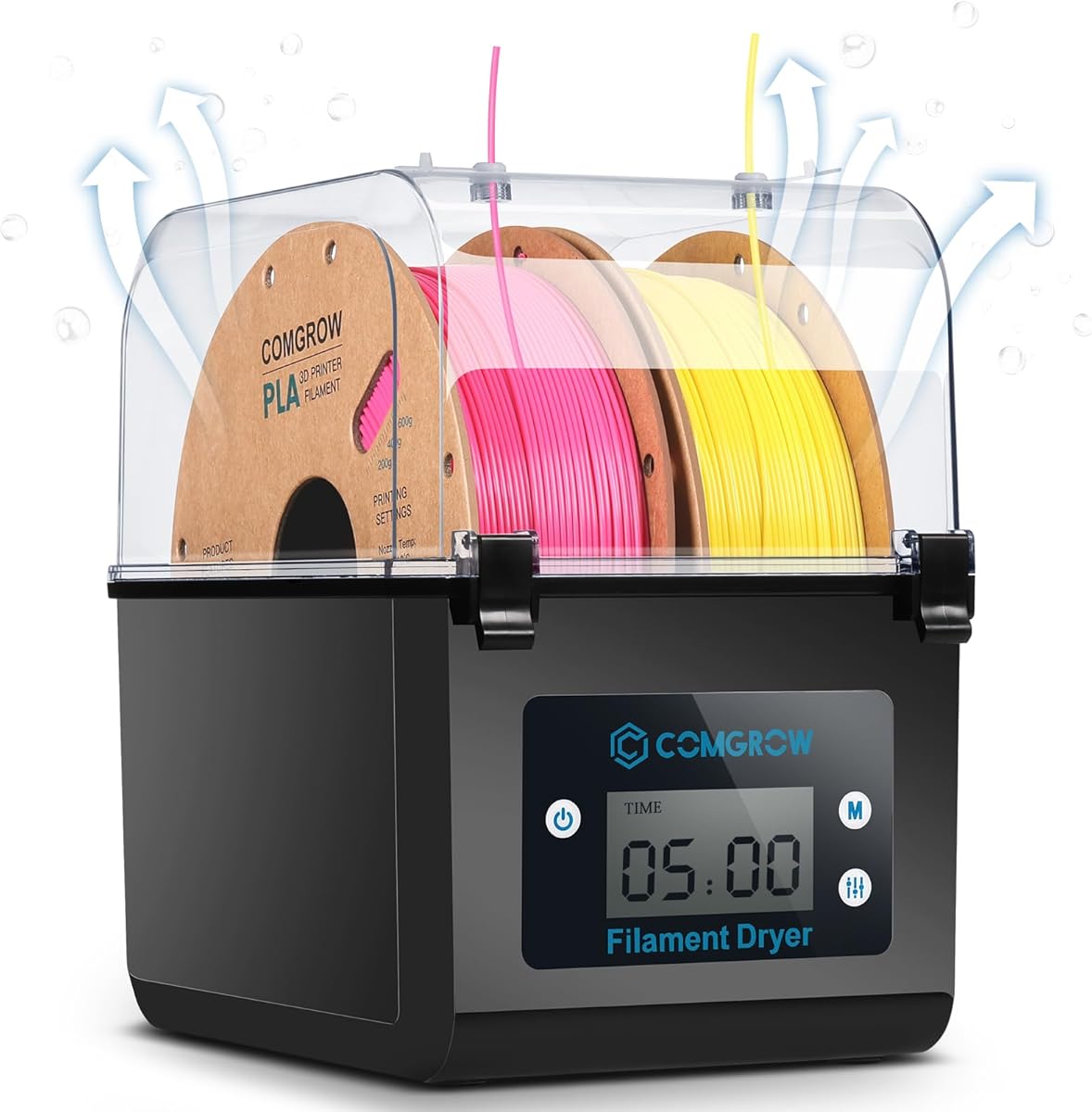




The Comgrow Filament Dryer Box offers a practical solution for keeping your materials dry without breaking the bank. With a 4.4 rating it delivers reliable performance for PLA and ABS users who need consistent results.
We may earn a commission when you buy through this link, at no additional cost to you.
It features a sealed environment with a dedicated outlet for feeding filament directly into your printer. The LCD screen allows you to monitor temperature and set drying times up to 12 hours easily.
While it lacks advanced humidity automation the manual controls are straightforward. The design ensures your filament stays dry during printing pauses preventing common issues like stringing or clogging.
This model is ideal for hobbyists seeking a simple effective dryer. It balances cost and function well making it a top contender for those new to filament maintenance.
The silicone cable sheath and Teflon tube allow smooth feeding while maintaining a dry environment inside the box.
Touch buttons and an LCD screen make setting temperature and time intuitive for daily use.
We may earn a commission when you buy through this link, at no additional cost to you.
The Creality Space Pi X4 stands out for high volume users needing rapid drying and storage for multiple spools. Its 4.6 rating reflects superior performance in handling large batches efficiently.
We may earn a commission when you buy through this link, at no additional cost to you.
Dual 200W heating chambers work independently to remove moisture significantly faster than single chamber models. It supports temperatures up to 85C for advanced materials like PC and ASA.
A transparent window lets you monitor spools without breaking the seal. The touch interface allows customization for different filament types ensuring optimal drying conditions every time.
Investing in this unit is wise for professional setups. It combines speed capacity and precision to keep your prints consistent and your workflow uninterrupted.
Two independent heating zones speed up moisture removal compared to standard single zone dryers.
Reaching 85C unlocks drying capabilities for engineering filaments that require higher heat to dry properly.
We may earn a commission when you buy through this link, at no additional cost to you.
The Polymaker Polydryer is designed as a storage solution rather than an active dryer. It focuses on preventing moisture re-absorption between prints which is critical for hygroscopic materials like Nylon.
We may earn a commission when you buy through this link, at no additional cost to you.
Its airtight seal combined with desiccant support keeps humidity low effectively. The built-in hygrometer allows you to track conditions without needing to open the box.
You can feed filament directly while it remains sealed inside protecting it from ambient humidity during pauses. This makes it ideal for short drying or long-term storage.
While it does not dry wet filament actively it protects dried filament well. It is a cost-effective choice for those who already have a drying method but need secure storage.
Sealed enclosure and desiccants work together to lock out humidity from the storage environment.
The visible hygrometer reading helps you judge storage conditions without guesswork.
We may earn a commission when you buy through this link, at no additional cost to you.
The Creality Space Pi SE upgrades efficiency with a PTC heater and internal fan for even drying. It is designed for ease of use right out of the box.
We may earn a commission when you buy through this link, at no additional cost to you.
Thermal insulation keeps heat inside the chamber reducing energy waste. The knob and screen interface make adjustments straightforward for different materials.
It heats quickly to 65C which covers most standard and semi engineering filaments. The design supports various filament types ensuring versatility in a compact unit.
This model is perfect for users who want simplicity. It balances performance with convenience making daily drying tasks hassle free.
P TC technology ensures rapid heat up and consistent internal temperatures for effective moisture removal.
A physical knob and clear display simplify settings for users of all skill levels.
We may earn a commission when you buy through this link, at no additional cost to you.
This unit features a 3.7-inch touch screen for detailed control and monitoring. It supports one key settings for twelve different filament types simplifying the drying process.
We may earn a commission when you buy through this link, at no additional cost to you.
The 110W heater ensures even drying throughout the chamber. You can set timers up to 48 hours allowing long drying cycles without manual intervention.
Power off memory retains your settings if the unit loses power. This convenience saves time and ensures you do not lose your preferred configurations.
Ideal for users who need flexibility. The touch interface and broad compatibility make it a strong choice for varied printing needs.
One key buttons for common materials and a 48 hour timer allow automated drying workflows.
A large touch screen provides clear visibility of temperature and humidity data during operation.
We may earn a commission when you buy through this link, at no additional cost to you.
The SUNLU S1 Plus uses a fan to speed up moisture discharge during the drying cycle. It offers a visual display for tracking progress.
We may earn a commission when you buy through this link, at no additional cost to you.
Temperature settings adjust from 35C to 55C covering most PLA and PETG needs. The box accommodates various diameters ensuring broad compatibility.
User support and clear displays help you manage drying times effectively. It reduces the impact of wet weather on print quality significantly.
This model is great for quick drying needs. It balances functionality with affordability making it a solid addition to any setup.
An internal fan expels excess water quickly reducing drying time compared to passive models.
The LCD screen displays humidity and time clearly so you can track progress accurately.
We may earn a commission when you buy through this link, at no additional cost to you.
The SUNLU SP2 accommodates larger spools up to 3kg with strong sealing for long term storage. It features a 250W heater for rapid heat up.
We may earn a commission when you buy through this link, at no additional cost to you.
Its design separates heating from storage effectively allowing flexibility in how you use the unit. The sliding latches ensure the box remains airtight during storage.
Desiccant containers and a hygrometer are included for monitoring. This makes it a complete solution for both drying and protecting your materials.
This unit suits users with heavier spools. It combines capacity with reliable sealing to keep materials dry for future projects.
Rollers and a bar holder fit various spool sizes from small paper ones to large 3kg ones.
Sliding latches and gaskets create a tight seal that keeps moisture out effectively during storage.
We may earn a commission when you buy through this link, at no additional cost to you.
The Sovol SH02 allows drying two rolls simultaneously which is rare at this price. It includes smart safety features like an alarm if the fan stops.
We may earn a commission when you buy through this link, at no additional cost to you.
It offers one key settings for nine filament types making it easy to start drying immediately. The heater reaches 70C within 25 minutes for efficient drying.
Safety mechanisms protect the unit from overheating by cutting power when needed. This ensures reliability during long drying cycles.
This model is great for dual printer setups. It provides versatility and safety without a high price tag for users.
Two filament holes allow you to dry two spools at once or feed two printers from one box.
Overheating protection and fan alarms prevent damage and ensure safe operation over time.
We may earn a commission when you buy through this link, at no additional cost to you.
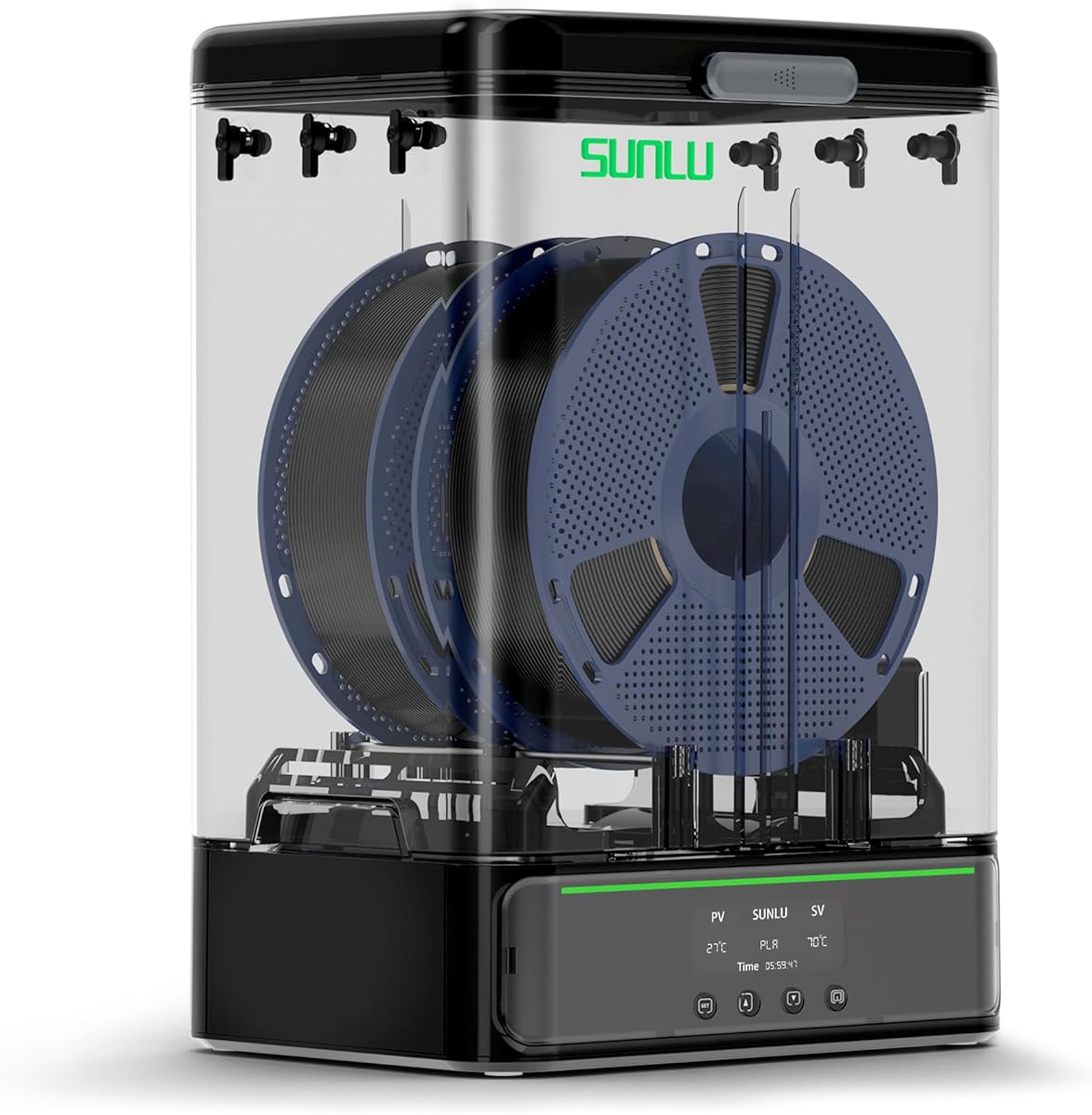
The SUNLU S4 leads with capacity and automation supporting four spools simultaneously with auto humidity control. It uses 350W power for efficient heating cycles.
We may earn a commission when you buy through this link, at no additional cost to you.
Triple security layers including software and temperature switches keep operations safe. Three fans ensure temperature balance inside the box for consistent drying.
Auto humidity control starts drying only when needed to prevent over-drying. This smart feature saves energy and preserves filament quality effectively.
This is the ultimate choice for pros. It delivers speed and automation that streamline multi-printer workflows significantly.
Auto humidity control starts the dryer when levels rise and stops when they hit target levels.
Connection ports allow you to feed up to four printers from a single drying box.
We may earn a commission when you buy through this link, at no additional cost to you.
This model focuses on noise reduction delivering under 10db operation for a quiet environment. It offers a long timer range for extended drying needs.
We may earn a commission when you buy through this link, at no additional cost to you.
The large screen displays data clearly and supports 3mm filaments for broader compatibility. It is designed for seamless printing in shared spaces.
It helps prevent layer shifts caused by damp filament ensuring better print quality. The white design fits neatly into modern workspaces.
Ideal for noise sensitive environments. It provides reliable performance without disrupting your home or office workspace.
Ultra quiet design ensures the dryer does not disturb conversations or work when running.
A large 2 inch screen makes it easy to read settings from any angle.
We may earn a commission when you buy through this link, at no additional cost to you.
Selecting the right dryer box depends on your filament types, workspace size, and budget. These factors help you narrow down the best option for your specific printing needs.
Check how many spools the box can hold. Some models fit one standard spool while others hold multiple or larger 3kg ones. Ensure the internal dimensions match your typical spool size.
Choose a capacity that fits your workflow to avoid frequent reloading.
Different filaments require different drying temperatures. Standard PLA needs lower heat while engineering filaments like PC need higher ranges. Ensure the max temp matches your material requirements.
A wider range offers more flexibility for various materials.
A tight seal is crucial for preventing moisture re-absorption during storage. Look for silicone gaskets or sliding latches that ensure airtightness when not in use.
Good sealing protects your filament between prints effectively.
Heating power affects how quickly moisture is removed. Units with higher wattage like 350W heat up faster than lower power models. Fast drying saves time for active printing.
Prioritize speed if you print frequently or need quick turnover.
Controls vary from knobs to touch screens. A clear display helps monitor humidity and temperature easily. Presets for common materials simplify setup for daily use.
Intuitive controls reduce the hassle of manual settings.
Safety mechanisms like thermal fuses prevent overheating and potential hazards. These features protect your filament and home from fire risks during long drying cycles.
Look for units with proven safety certifications or alerts.
Fans used for circulation can generate noise. If you work in a quiet space, check the decibel rating to ensure the unit is not disruptive during operation.
Lower noise levels improve your work environment comfort.
Some boxes allow connecting multiple printers at once. This feature is useful for farms or setups with more than one machine requiring active drying.
Multi output ports enhance efficiency for multi-printer workflows.
Start by setting the temperature based on your filament type. Most manufacturers provide a recommended range to avoid damaging the material during the drying process.
Load the spool carefully through the designated holes. Ensure the filament feeds smoothly without tangling to maintain consistent printing during the drying cycle.
Regularly clean the interior and check seals for debris or wear. Replace desiccant packs if your model uses them to maintain effective humidity control over time.
Most filaments need between 4 to 6 hours of drying to be ready. Absorbed filaments like Nylon may require up to 12 hours. Always check specific material guidelines for best results.
Yes, most models support standard PLA, PETG, ABS and TPU. Ensure the temperature range fits your specific material needs. High temp models are better for engineering filaments.
Yes, you can feed the filament from the dryer while it runs. This keeps the material dry during the print process and prevents moisture issues mid-job.
Check the sealing gaskets for wear or debris. If using desiccants, replace them regularly. Ensure the heater reaches the correct temperature to drive out moisture effectively.
Most units come pre-calibrated. If readings seem off, you can compare with a separate meter. Regularly check calibration to ensure accurate humidity monitoring.
Yes, many models function as storage boxes when powered off. Sealed boxes with desiccants keep filament dry without needing active heat for maintenance.
The top picks cover a range of needs from passive storage to advanced drying. The SUNLU S4 leads for multi-printer setups while the Polymaker offers great value for storage.
Focus on capacity and temperature range to match your printing habits. A unit with good sealing ensures your investments stay safe and dry between jobs.
Always check current prices and availability before buying. This guide provides a strong starting point for finding the right dryer box for your 3D printer.